007: Agent Under Fire - XBE Recomp
007: Agent Under Fire - XBE Recomp is a native PC port of the Xbox game 007: Agent Under Fire that supports widescreen and high frame rates.
- Type: PC port
- Game: 007: Agent Under Fire
- Runs on Windows
- By hk21x
- Latest release v1.0.0, 2026-11-02
- Source: https://github.com/hk21x/007-agentunderfire-recomp
- Website: https://discord.gg/PQjkKsdtc
README
007: Agent Under Fire - XBE Recomp
An unofficial native PC port of the original Xbox version of 007: Agent Under Fire. The game's own x86 code is statically recompiled with the Xbox XBE Recomp tool. It is not an emulator.
Note
This project does not include any game assets. You must provide the files from your own legally acquired copy of the game to build and play.
Status
Playable on Windows: on-foot missions, driving missions and mounted guns, in English, French and German. Not every later mission has been played through yet, and a multiplayer match has not been tried.
Supported version
The USA Xbox release is supported too: its default.xbe SHA-1 is dff80de4f889ef5ee70ac748a0391f2ed220d0e9, with bond.xbe and Driving.xbe; the build chooses its programs by the disc in assets.
The European (PAL) Xbox release, title id 4541000D. default.xbe SHA-1 3dbed4eb51701a53676e0ace4cdea1752dc04697,
bond_eng.xbe 66aace3859a5ca9a992f2d1845c2b5f5265fd9d6, bond_fre.xbe 87b2d3c8b7b40916fe29b03490c84c4f690a4c12,
bond_ger.xbe 88d06191f3ba940394f258f138f0aa37f1ced1dd, DRIVING.XBE 6b58e61ee8ce9aa2a1a357affe188af874cf05f4.
Getting started
The launcher sets the game up on your PC from your own disc: no Visual Studio, no Git and no command line, nothing installed in Windows and no admin rights needed. A release holds the runtime and a compiler, and none of the game's code.
You need: Windows 10 or 11, 64 bit, a GPU with Direct3D 12 or Direct3D 11, your own copy of the game (an .iso image of your disc, or a folder with its files), and an internet connection for the package.
- Download
AgentUnderFireLauncher.exefrom the latest release. - Put it in a folder of its own and run it. Windows may warn about an unrecognised app: choose More info, then Run anyway.
- Choose your disc image or folder and press Get the game ready. The launcher downloads the package for your disc and compiles the game's code from your disc; how long that takes depends on your PC and connection.
- Press Play. When a new version is out, the launcher offers Update.
To build by hand instead, see Building.
Screenshots
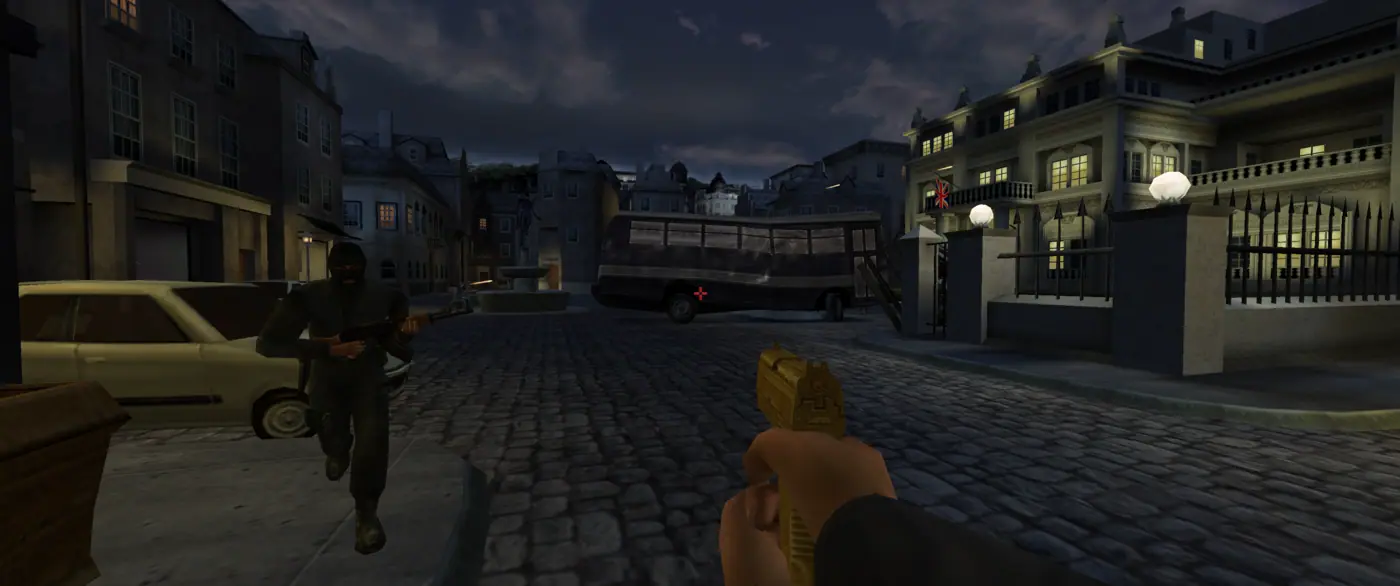
On foot, 3440x1440.
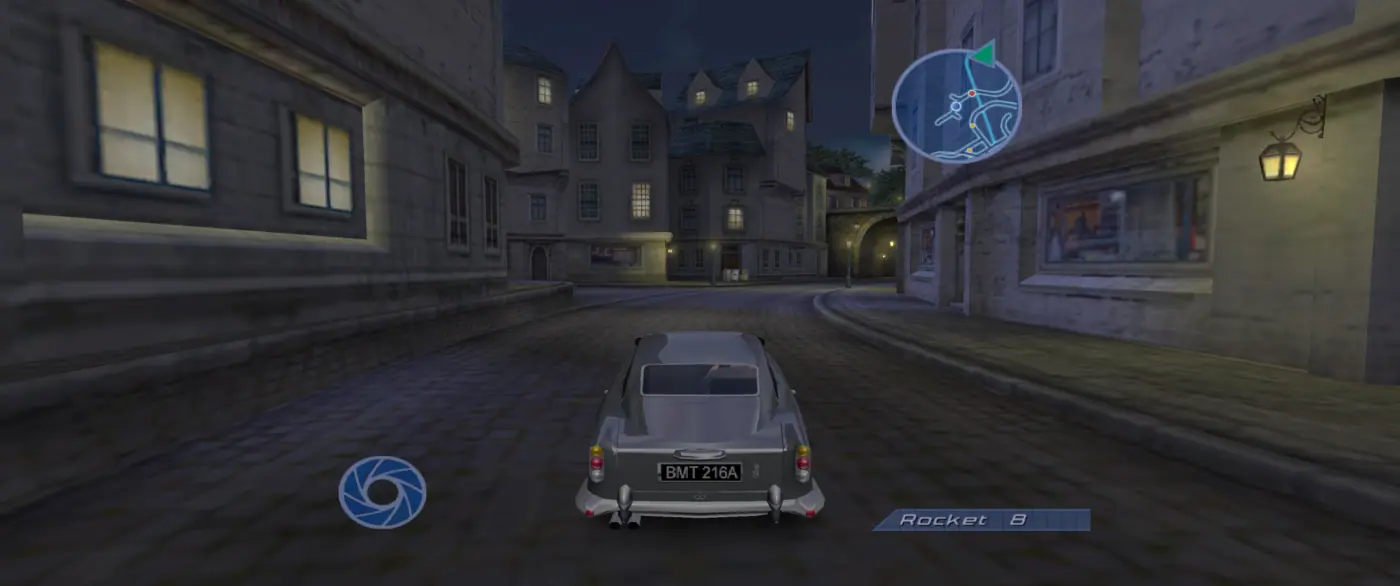
Driving, with the HUD kept in its centre.
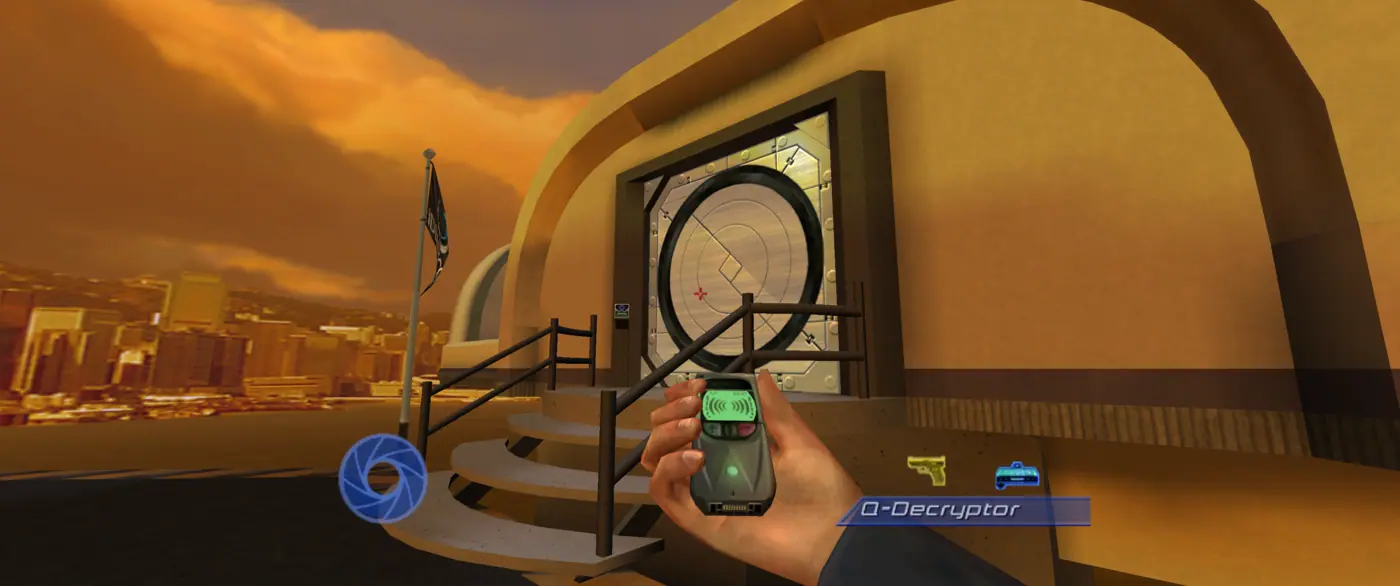
The first mission.
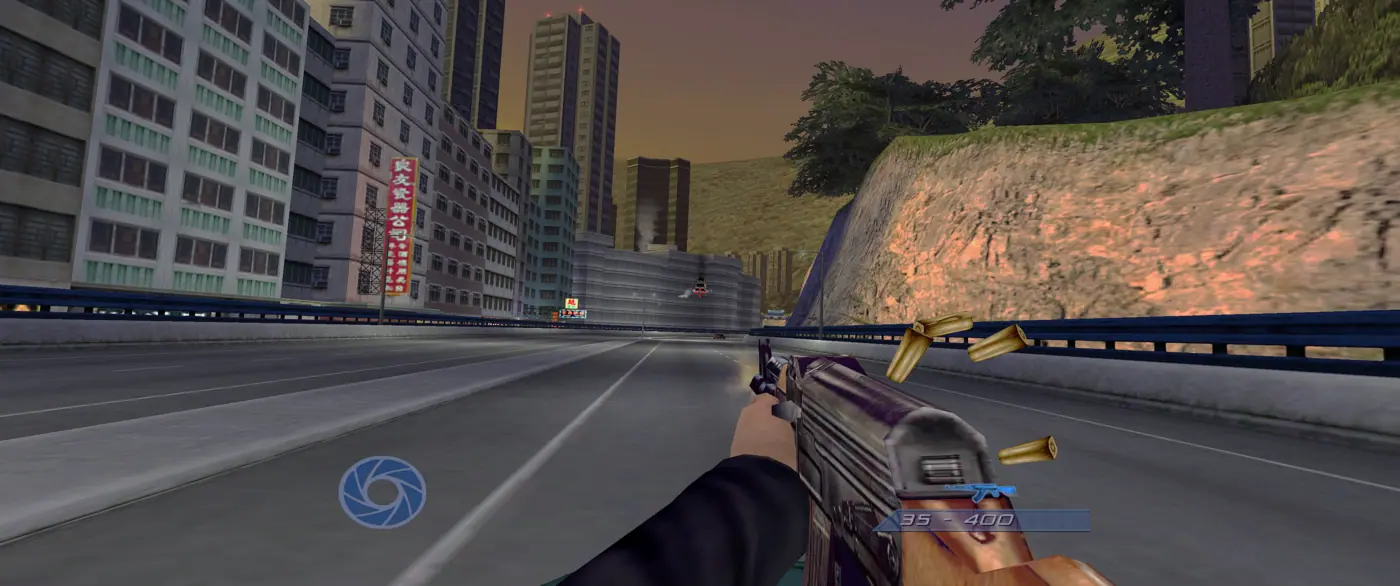
On the gun in mission 2, aimed with the mouse.
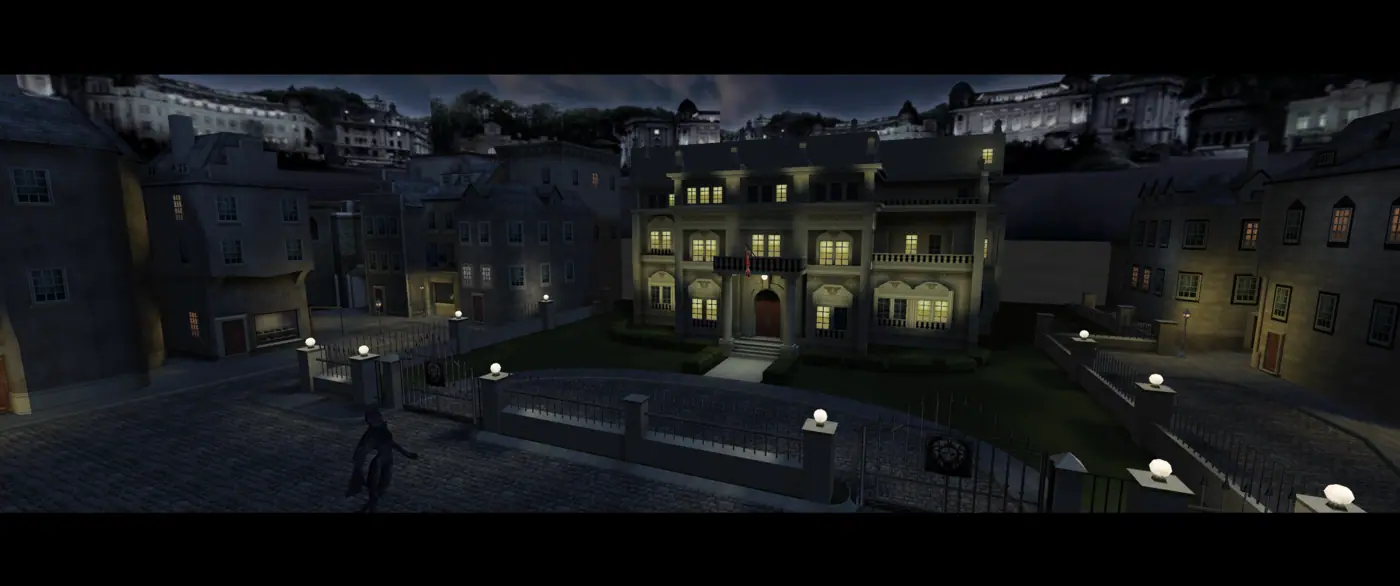
A cut scene in the game's letterbox.
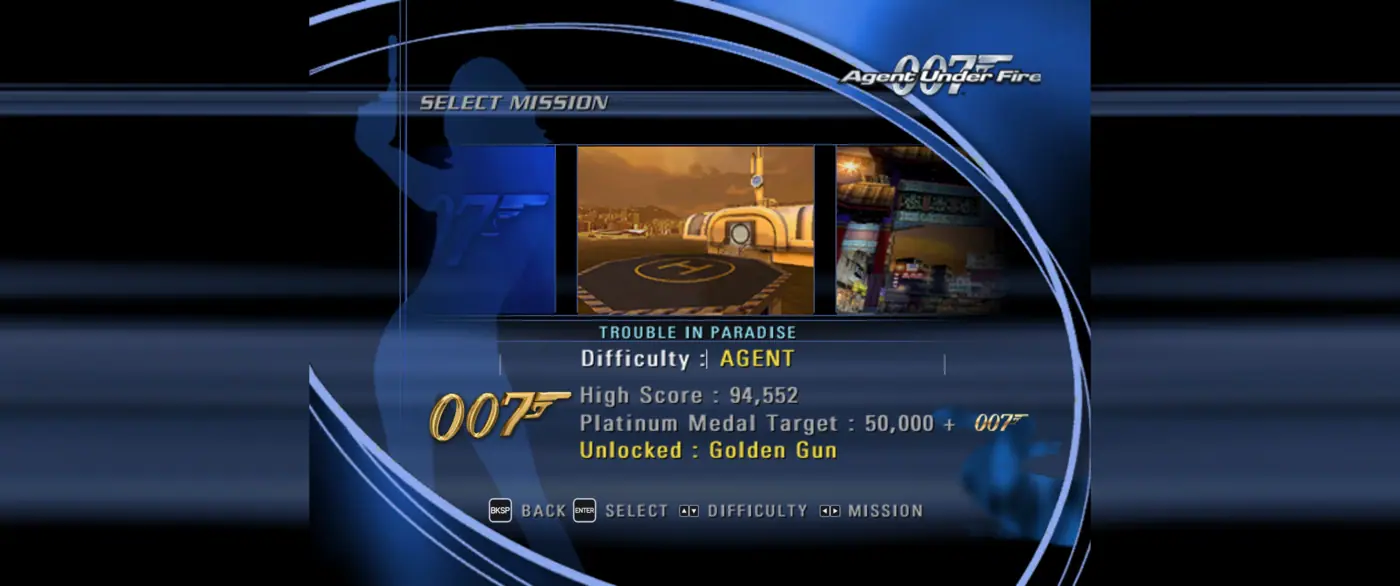
Menus show your keys while you play on keyboard and mouse.
Features
Set in the F1 window (or settings.toml beside the exe); the runtime's own display, graphics and controller options are there too.
- Widescreen - True proportions on any frame wider than 4:3, with the 3D view widened and the menus and HUD kept in a 4:3 centre. The console's own 4:3 picture is kept on a 4:3 screen.
- Auto-aim - The game's aim assist is off by default; the F1 window turns it back on.
- Field of view - 50 to 150% of the game's, on foot and driving.
- Skip intro movies - Starts without the logos.
- High frame rates - On foot the game follows the frame rate cap (60 by default, up to 240 or unlimited) with its speed tied to real time, instead of the console's 30. Driving missions and mounted guns run at 60 game steps a second instead of PAL's 50, at the same game speed, and above a cap of 60 draw frames in between: blended when driving, carried ahead with no added delay on a gun. Turn Vertical Sync off for the most frames there.
- Slow motion - Driving cut scenes' slow motion is held to half speed, so it is not down to a quarter of the frames.
- Screenshots - F12 saves the frame as a full resolution PNG in the
screenshotsfolder beside the game, without the settings window. - Mouse and keyboard - The mouse looks directly on foot and aims mounted guns directly, works the menus, and zooms a scope with the wheel. Menus and hints on foot show your keys. On-foot menus show a pointer: the item under it highlights and a click selects it.
- PC Settings - In the game's own menus: a row on the main menu and a RECOMP tab on the pause screen, on foot and driving, with pages for graphics, picture, display, controls and game. Key bindings and the rest are in the F1 window.
- Menu pointer - In the menus and pause screens the item under the mouse highlights and a click selects it.
- Languages - English, French and German, chosen in the settings window (F1), at the next start.
- Achievements - Each mission, medals, and every gold and platinum.
- Sharp 2D - Text and HUD pictures enlarged with sharp edges.
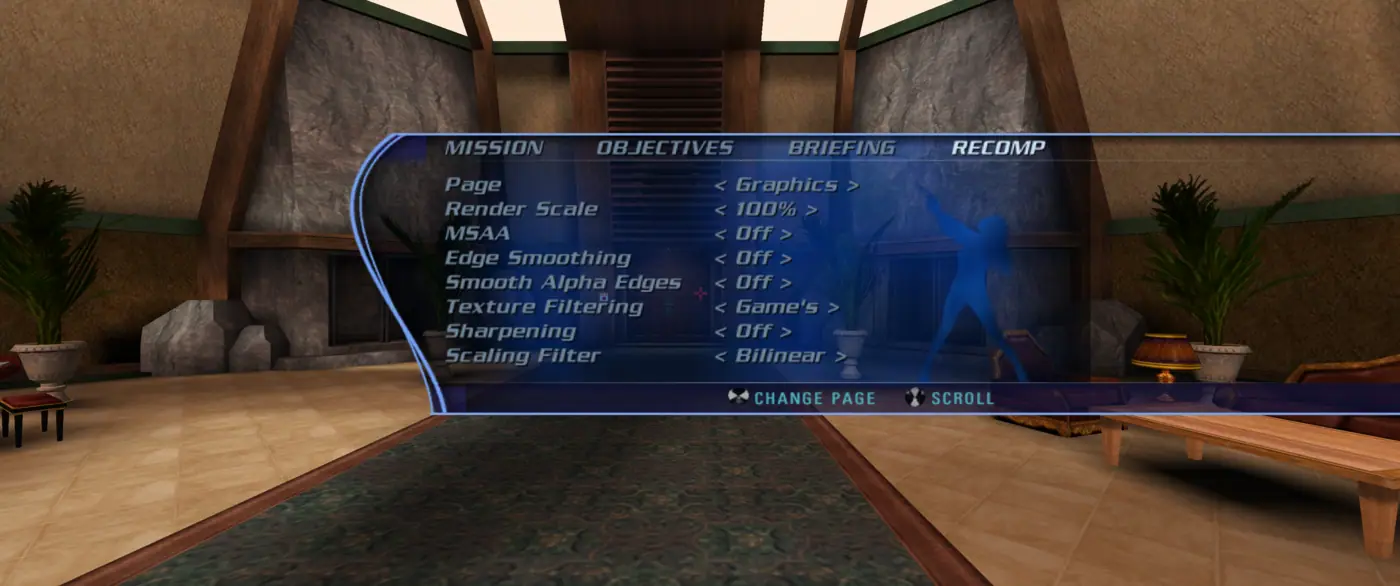
The RECOMP tab of the pause screen, on foot and driving.
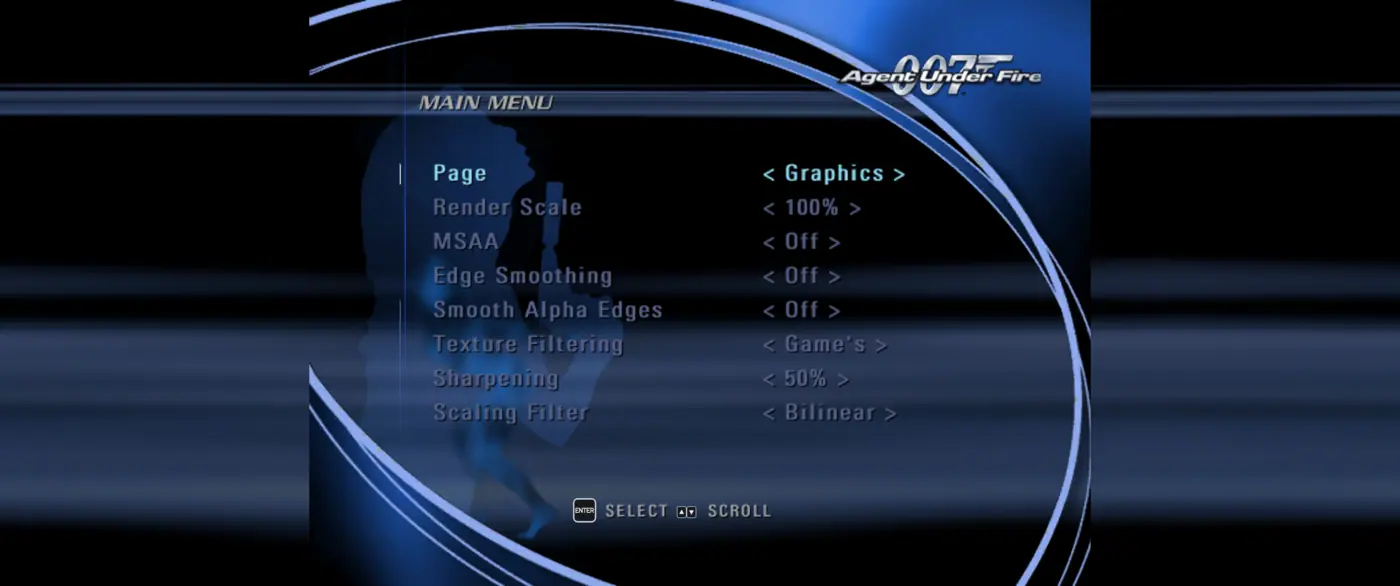
And from the main menu.
Keyboard and mouse
| Control | On foot | Driving | On a mounted gun |
|---|---|---|---|
| Move / steer | W S forward and back, A D strafe | W gas, S brake, A D steer | |
| Look | Mouse | Mouse | |
| Fire | Left button | Left button | Left button |
| Manual aim / zoom | Right button | Right button | |
| Jump | Space | ||
| Crouch | C, Left Ctrl | ||
| Action, reload, open | E, R | R reload | |
| Use gadget | G | Right button, E | |
| Alt. fire | F, Middle button | ||
| Weapon | Wheel, Q, 1 next, 3 before | Wheel, Q, Z, 1 2 | |
| Gadget | 2 next, arrows left and right | 3 4 | |
| Handbrake | Space | ||
| Camera / look back | Tab, V center view | C camera, V look back | |
| Pause | Esc, P | Esc, P | Esc, P |
| Menus | Enter, left button select; Backspace, right button back; wheel, arrows move | the same |
Keys can be changed in the F1 window.
Graphics settings
In PC Settings or the settings window (F1, Graphics). These are shots of one spot at 1920x1080, taken one after another, brightened here so the dark scene shows.
All off vs. render scale 200%, MSAA 4x and sharpening 50%.
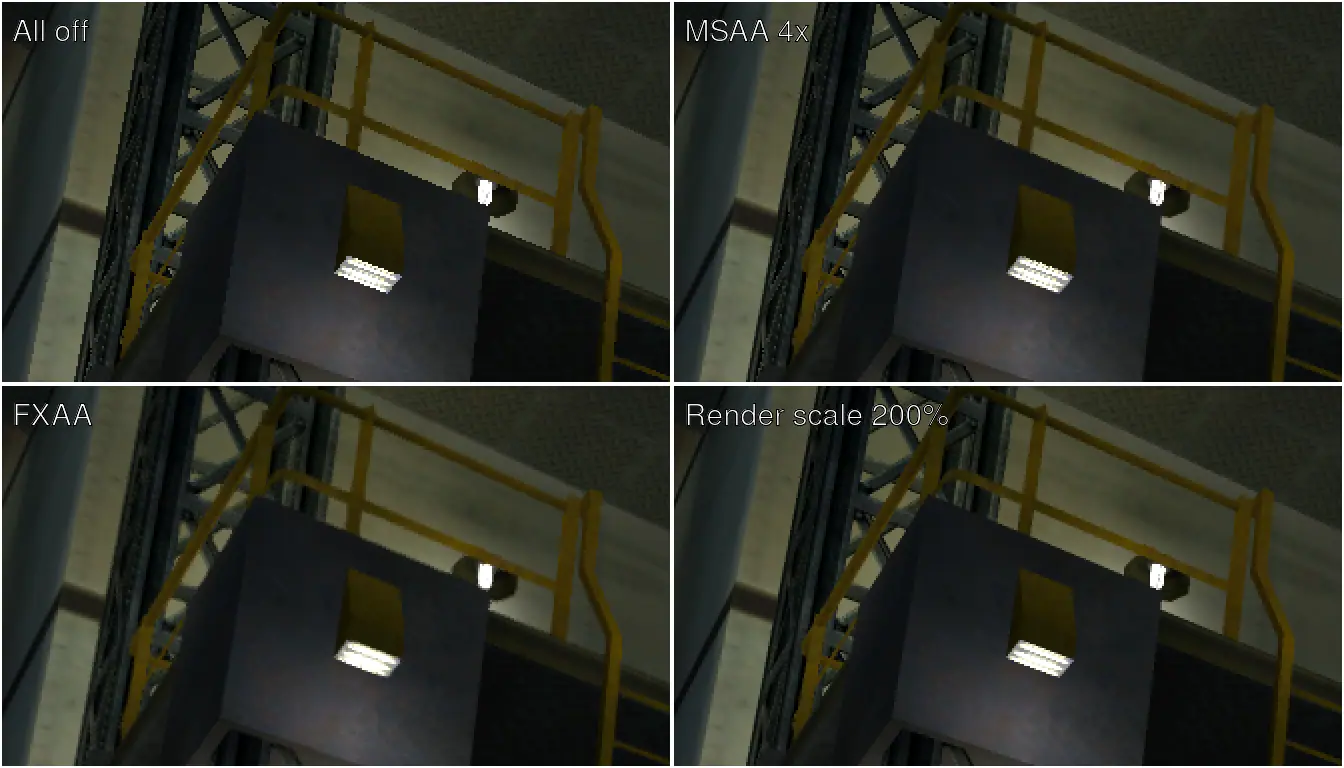
Edges, enlarged twice: all off, MSAA 4x, FXAA and render scale 200%.
- MSAA smooths the edges of the 3D scene and keeps textures sharp. The more samples, the slower.
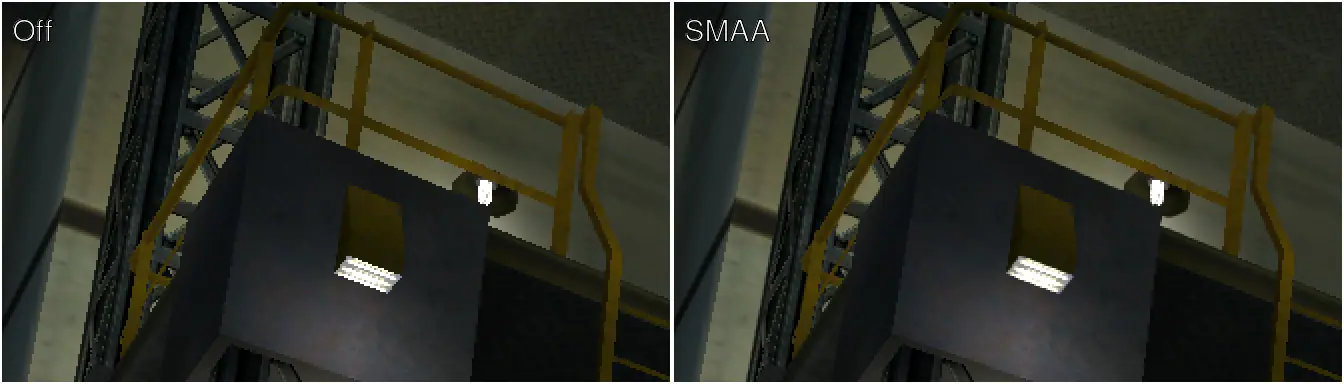
Edge smoothing off vs. SMAA, enlarged twice.
- Edge smoothing works on the finished frame, HUD included: FXAA softens it a little, SMAA keeps it crisper.
- Smooth alpha edges soften fences, leaves and other cut-out textures, with MSAA on.
- Texture filtering keeps roads and walls sharp into the distance.
- Scaling filter chooses how the frame reaches the screen when render scale is not 100%: bilinear, or sharp.
- Enhanced textures double the 3D scene's textures in the background. They use more video memory and can cause a brief hitch as new ones appear.
- Render scale draws the picture larger than the screen: the smoothest fine detail, and the slowest.

Sharpening, enlarged twice.
- Sharpening makes the picture crisper. Around 50% is a good start.
Community and support
Join the Discord server for help getting the game running, to report problems, and to talk about the port with other players.
Tips and troubleshooting
- The most frames above 60: in driving missions and on mounted guns, set a Frame Rate Cap above 60 and turn Vertical Sync off. With it on, the extra frames are limited by your screen and can settle near 60. On foot the cap and your screen decide as usual.
- Something wrong: the first lines of
logs\auf.logbeside the game (AgentUnderFire\play\logswith the launcher) list your settings and GPU. Please include that file when you report a problem. - The launcher's build failing: send
AgentUnderFire\launcher.log. After a network problem, press Build again and it carries on where it stopped. If it stops while unpacking the Windows SDK, the folder path is too long: move the launcher to a short folder such asC:\Games\AgentUnderFire.
Building
For developers; players should use the launcher above.
- Clone with submodules:
git clone --recurse-submodules https://github.com/hk21x/007-agentunderfire-recomp. - Extract your disc into
assets(default.xbe,bond_eng.xbe,bond_fre.xbe,bond_ger.xbe,DRIVING.XBE,assets\,driving.dat\). - Install Visual Studio 2022 with C++ desktop development and run
build.bat. The exes are inout\build\release. RunAgentUnderFire.exe; it starts the others itself.
PAL is five programs (the launcher and movies, the game in each of three languages, and the driving levels), USA three, and the build recompiles those of the disc in assets. On Windows each program's code is a DLL. release-package.bat, after build.bat, makes that disc's package for a release: one per disc, each from a checkout holding that disc.