Cubic.Heroes
Cubic.Heroes is a native PC port of 3D Dot Game Heroes for Windows and Linux that statically recompiles the game's program.
- Type: PC port
- Game: 3D Dot Game Heroes
- Runs on Windows and Linux
- By irnutsmurt
- Latest release v0.2.0-beta.4, 2026-11-21
- Source: https://github.com/irnutsmurt/Cubic.Heroes
README
Join the Cubic Heroes Discord!
Come hang out with the Cubic Heroes community! Keep up with the latest game updates, get help installing or troubleshooting, share your experiences, or just stop by to hype up the game and chat with fellow players.
Everyone is welcome, whether you're playing on Windows or Linux!
Cubic.Heroes
A native PC port of the PlayStation 3 game 3D Dot Game Heroes, rebuilt on your PC from your own disc.





Download the beta (0.2.0-beta.5, a pre-release: Windows and Linux) · Quick start · Installation problems · Known issues · Report a bug
Important
This is a beta, a pre-release -- not a stable release. The whole game plays, but not every part of it has been tested yet. Expect bugs, keep backups of your saves (the launcher makes them), and please report what you find. No game code, data or keys are included -- you need your own copy of the game.
New in 0.2.0-beta.5: more ways to give your disc. An ISO rebuilt from the disc's folder now installs, and every dump -- whatever its form -- is checked file by file against the verified game.
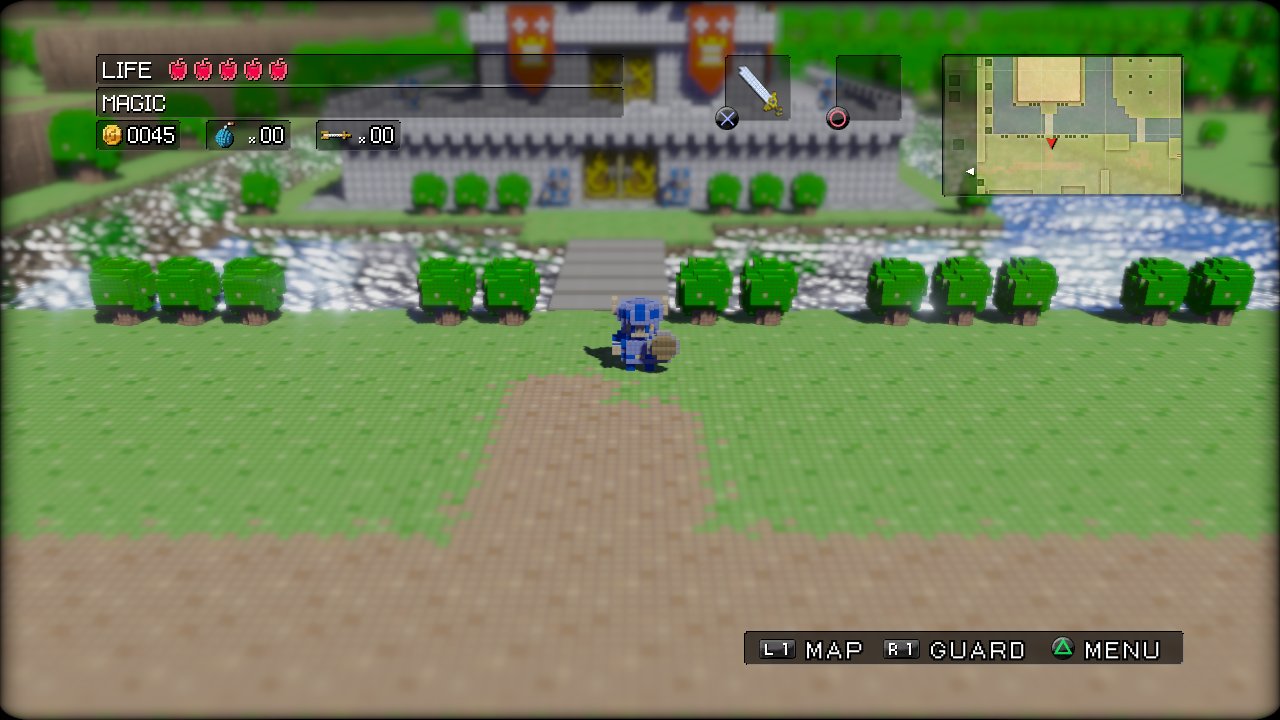
Cubic.Heroes turns your own copy of the US PlayStation 3 release of 3D Dot Game Heroes (Silicon Studio / FromSoftware, 2009) into a native Windows or Linux game. The game's own program is statically recompiled -- its PowerPC machine code translated ahead of time into C++ and compiled for x86-64 on your PC -- and runs on a native engine reconstruction: a Vulkan renderer in place of the PS3's graphics chip, native code in place of its SPU co-processor tasks, OpenAL Soft for audio and FFmpeg for the movies. Nothing is emulated or interpreted while you play, and on Linux it is a native Linux program: no Wine, Proton or RPCS3.
It is a preservation project: the game's own logic, exactly as shipped, kept playable on today's PCs -- with the improvements a PC version should have (high frame rates, any display mode, your own controls) and none of the game's content changed. How it works, in detail: docs/HOW_IT_WORKS.md.
Quick start
- Download the package for your system from the releases page (which one?).
- Have ready: a dump of your own 3D Dot Game Heroes (US, BLUS-30490) disc, and your keys file for the game's program (what you need).
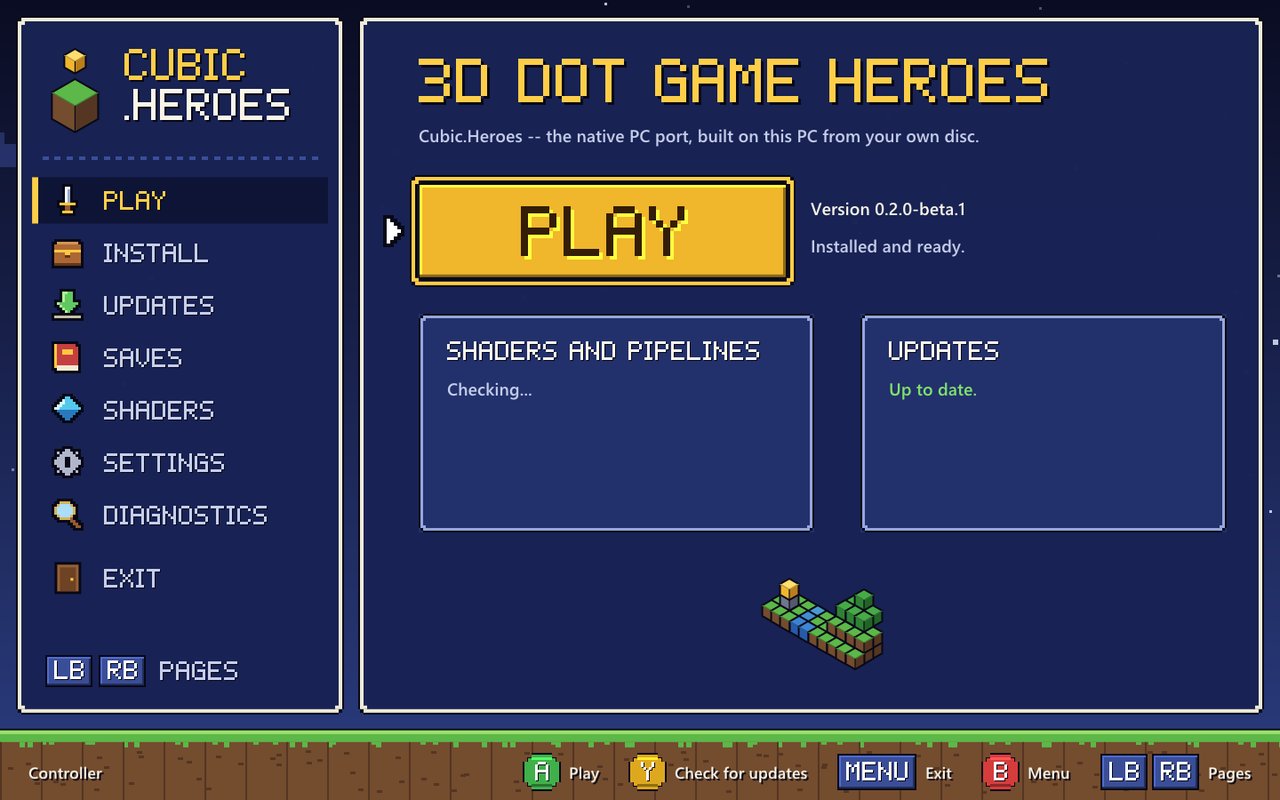
- Start the launcher, choose your disc and your keys file, and press Install. It checks your disc, then rebuilds the game on your PC: 10-30 minutes, once.
- Play.
Contents
- Quick start · Which download? · What you need
- Installing · If the installation fails
- Playing · Updating · Troubleshooting
- Known issues · Reporting bugs
- Screenshots · Features · More documentation
- This repository contains no game data · License
Which download?
Every file is on the 0.2.0-beta.5 release page,
with SHA256SUMS.txt and the signed manifest (release.json, release.json.sig) to check them against.
| Your system | Download | |
|---|---|---|
| Windows 10 or 11 (64-bit) | Cubic.Heroes-0.2.0-beta.5-windows-x86_64.zip | extract it where the game should live |
| Linux (x86-64), most desktops | Cubic.Heroes-0.2.0-beta.5-x86_64.AppImage | one file; needs FUSE (fusermount), which most desktop distributions have |
| Linux without FUSE, or if you prefer a plain folder | Cubic.Heroes-0.2.0-beta.5-linux-x86_64.tar.xz | extract it where the game should live |
Handhelds (the Steam Deck among them) haven't been tested by us yet; on SteamOS the Linux packages are the ones to use (in Desktop Mode; Add to Steam on the launcher's Install / Manage page then puts the game in Game Mode). Reports are very welcome (Testing status).
What you need
A PC:
- Windows 10 or 11, 64-bit, or Linux on x86-64 with glibc 2.31 or newer (Debian 11, Ubuntu 20.04 and Fedora 32 have that glibc; see Testing status for what has actually been tested).
- An x86-64 CPU with SSE4.2 (x86-64-v2: Intel since 2008, AMD since 2011).
- A GPU with a Vulkan driver: any recent AMD, NVIDIA or Intel driver on Windows; on Linux, Mesa's (RADV for AMD,
ANV for Intel) or NVIDIA's, with the Vulkan loader (
libvulkan1orvulkan-icd-loader; installed with the driver on most distributions). - About 6 GB of free disk space.
- Nothing else to install: the launcher carries its own runtime (on Linux too: no Python or SDL from the system; the graphics driver and its Vulkan loader are the system's).
These are the minimum; recommended requirements will follow once more hardware has been tested.
Your own copy of the game -- only this release is supported:
| Title | 3D Dot Game Heroes (USA), PlayStation 3 |
| Product number | BLUS-30490 |
| Version | 01.00 |
Other regions and releases are rejected (the recompilation is tied to this exact build's code). This project does not include the game or its keys and does not tell you where to get them.
A dump of your disc, in any of these forms -- the launcher tells which one you chose and asks only for what that form needs:
| Your dump | Also needs | |
|---|---|---|
| a decrypted ISO of the whole disc (3,332,812,800 bytes), as made by a PS3 running homebrew backup software in decrypted mode | -- | |
| an ISO rebuilt from the disc's folder (PS3 ISO Tools, makeps3iso and similar), of any size | -- | new in beta.5 |
| an encrypted ISO (a raw Blu-ray rip) | its disc key | decrypted as it is read; the ISO itself is never changed |
the disc's folder (the one holding PS3_GAME/) | -- |
Whatever the form, every one of the game's files is checked against its size and SHA-256 in the verified game's manifest before anything is installed; a missing, changed or doubled file is refused, with its name.
Your keys -- two different things, for two different locks:
- The disc key -- only for an encrypted ISO. It unlocks the disc image itself. A
.dkeyfile (the 32-character key), a.keyfile (16 bytes), the 32 characters typed, or an IRD file (which needs one more line,D1, in your keys file). A decrypted ISO, a rebuilt ISO or a folder doesn't need one, and the launcher doesn't ask for it. - The keys file for the game's program -- always. The program (
PS3_GAME/USRDIR/EBOOT.BIN) is encrypted on every dump, even a decrypted ISO. The keys file is a text file ofAPP <revision> <erk> <riv>lines (this game needs revision0001). Or, instead of a keys file, anEBOOT.elfyou decrypted yourself (for example with RPCS3's Utilities > Decrypt PS3 Binaries using your own console's firmware).
If you choose one in the other's place, the launcher says so. Keys are only read: never copied, logged or uploaded.
Installing
On every system the launcher does the same: you choose your disc (and its disc key if it is encrypted) and your keys file, and it checks the disc, decrypts the game's program and recompiles it on your PC (10-30 minutes, depending on your CPU), then prepares the shaders (a few seconds to a few minutes). Nothing of the game is downloaded: it is built from your own files.
Windows
- Download
Cubic.Heroes-0.2.0-beta.5-windows-x86_64.zip. - Extract it where you want the game to live -- for example
D:\Games\. It unpacks to aCubic.Heroesfolder; that folder is the installation. - Run
Cubic.Heroes\CubicHeroes.exe, choose your disc and your keys file, and Install. - Shaders are prepared right after the install; the launcher's Install / Manage page shows their state and can prepare them again after a GPU driver change.
- Play.
An installation from an earlier version in %LOCALAPPDATA% is found on the first start and offered: copied into the
new folder and checked file by file, the earlier folder left as it was.
Linux: the AppImage
- Download
Cubic.Heroes-0.2.0-beta.5-x86_64.AppImageinto the folder you want the game in (for example~/Games/). - Make it executable --
chmod +x Cubic.Heroes-0.2.0-beta.5-x86_64.AppImage, or the file's Properties > Permissions -- and start it. - Choose your disc and your keys file, and Install, as on Windows.
The AppImage is one read-only file: its installation is a Cubic.Heroes folder created beside it (in the example,
~/Games/Cubic.Heroes/), holding everything listed under The portable folder. Move the
AppImage and that folder together, keeping them side by side.
FUSE: an AppImage is mounted with FUSE while it runs. This one carries its own FUSE library, so it only needs the
fusermount program and /dev/fuse, which most desktop distributions have (the fuse3 or fuse package; libfuse2
isn't needed). Without FUSE (some containers and sandboxes), use the tarball below. --appimage-extract-and-run works too, but
leaves an extracted copy (about 450 MB) in $TMPDIR (normally /tmp) until it is deleted or the machine restarts
(docs/LINUX_PACKAGING.md).
Linux: the tarball
- Download
Cubic.Heroes-0.2.0-beta.5-linux-x86_64.tar.xzand extract it where you want the game to live:tar -xJf Cubic.Heroes-0.2.0-beta.5-linux-x86_64.tar.xz -C ~/Games. It extracts to aCubic.Heroesfolder; that folder is the installation, exactly as on Windows. - Run
Cubic.Heroes/CubicHeroes, choose your disc and your keys file, and Install.
The tarball needs no FUSE and leaves nothing outside its folder. The launcher (CubicHeroes), its runtime (worker/)
and its libraries (lib/) sit beside the installation's own folders.
If the installation fails
The launcher says what went wrong and what to do; the most common cases:
| The launcher says | What to do |
|---|---|
| it is another game, region or version | Only BLUS-30490 version 01.00 (US) is supported; the message names what your dump is |
| the disc is damaged, or a file "doesn't match" | One of the game's files is missing, changed or incomplete in your dump: dump the disc again (or copy its folder again). An ISO of another size is fine as long as its files are right |
| the disc image is encrypted | It is a raw rip: choose its disc key too (Your keys) |
| the disc key doesn't open this disc image | The key is for another disc: check it matches this dump |
| that is a disc key, not the keys file | Choose your keys file (the APP lines) or an EBOOT.elf there; the disc key goes in the disc key's own step |
| the keys file is refused, or the keys don't match | It needs an APP line for revision 0001; or decrypt EBOOT.BIN yourself and give the EBOOT.elf |
| not enough space, or the folder can't be written | About 6 GB free is needed; extract to a folder you own (not Program Files) |
| the install stopped part-way | Run Install again: it resumes where it stopped. A failed or stopped install leaves the game you already have, your saves and your settings as they were |
Still stuck? Diagnostics > Export Logs (review it, then save the zip), and ask on Discord or open an issue. Every message and its fix: docs/TROUBLESHOOTING.md.
Playing
| Keyboard | PS3 |
|---|---|
| Arrows | D-pad |
| Z / X / A / S | Cross / Circle / Square / Triangle |
| Q / W | L1 / R1 |
| 1 / 2 | L2 / R2 |
| 3 / 4 | L3 / R3 |
| Enter | Start |
| Tab | Select |
Any controller SDL2 recognises works, connected or disconnected while you play; buttons and keys can be changed in the in-game menu. The in-game menu: hold L3 + R3, or press F1 or Esc -- the game pauses while it is open. The game's own START menu is unchanged; its title menu ends with QUIT GAME.
Settings are shared by the launcher and the in-game menu:
| Setting | Values |
|---|---|
| Display mode | windowed (resizable; its size and place remembered), borderless, exclusive fullscreen (your display's own mode) |
| Rendering resolution | native (default: your display's in fullscreen, the window's in a window), 1280x720 (the original), 1920x1080, 2560x1440, 3840x2160, custom -- changed while you play; independent of the display mode and the window's size; your display's own resolution is never changed |
| VSync | on / off, independent of the frame limit |
| Frame limit | 30 (the original), 60 (default), 75, 100, 120, 144, 165, 240, your display's rate, custom, unlimited |
| Volumes | master, music and effects, 0-100, and mute -- applied at once |
| Controls | your own controller buttons and keyboard keys; the button prompts (automatic, Xbox, PlayStation, Nintendo Switch, Steam, generic, keyboard and mouse); the in-game menu's shortcut |
| Performance overlay | off, the frame rate, or the frame rate and frame times |
Other launchers
- Steam (Windows and Linux): the launcher's Add to Steam (Install / Manage) adds the launcher as a non-Steam game: Steam opens the launcher, and its Play starts the game. Close Steam first. It also downloads the library artwork onto your computer -- the poster by Fami-Kon and the hero image by Jib, hosted on SteamGridDB -- without replacing artwork you put there yourself; if that fails, the same page lets you choose the image files yourself. The library logo is Cubic.Heroes's own (assets/steam-logo.png), placed from the launcher's files -- use it in other launchers too.
- Heroic or Lutris (Linux): add the tarball's
Cubic.Heroes/CubicHeroesas a native game (not Wine or Proton) with the argument--play. Heroic's Flatpak can read only some folders (your Documents, the desktop, and others it already allows); for an installation elsewhere, allow it once withflatpak override --user --filesystem=<the installation folder> com.heroicgameslauncher.hgl. - Playnite, LaunchBox and others (Windows): point them at
CubicHeroes.exe --play. - RecompLauncher (Windows and Linux): every package carries its manifest, so it can start the game and offer the display and prompt settings. The setup from your disc and keys stays in Cubic.Heroes's own launcher, which it opens at the first start; in that installation RecompLauncher then installs the updates, and Cubic.Heroes's own updater is off (docs/RECOMPLAUNCHER.md).
The launcher is also a command-line program, for these launchers and for scripts:
CubicHeroes --play                                   # the game directly, no launcher window; exits with the game
CubicHeroes --play --fps 144 --borderless            # this session only (add --persist to keep it)
CubicHeroes --status --json                          # installed? which build? shaders prepared? (machine-readable)
Every option, the JSON output, exit codes and integration examples: docs/CLI.md.
The portable folder
Everything the game and the launcher make stays inside the Cubic.Heroes folder:
| Folder | What |
|---|---|
data/gamedata/ | your saves |
backups/saves/ | save backups (automatic before updates, and your own) |
config/ | settings (dotheroes.cfg), the window's place, the launcher's preferences |
builds/ | the recompiled game (the active build and the previous one) |
data/cache/ | shader, pipeline and compiler caches |
logs/ | logs; logs/crash/ crash and hang reports |
Move the whole folder and it keeps working (to copy it, see
The installation was copied). Nothing is
written to AppData by default; the only things outside it are the shortcuts and Steam entry you ask for and your GPU
driver's own caches. Another folder can be used for the data (--install-dir, or Settings). To remove everything, use
the launcher's uninstall, or delete the folder.
Updating
The launcher installs updates itself (since 0.2.0-beta.4): Play's Updates section downloads a new version, checks it against the project's release signature, and Restart and update puts it in place -- your saves (backed up first), settings, caches and builds kept, and the previous launcher and build kept to go back to. Close the game first: an update isn't installed while it runs.
Coming from beta.2 or beta.3? Their launchers can't install updates: install the current version by hand once (docs/UPDATING.md); updates install themselves after that.
Everything about updates, rollback and the command line: docs/UPDATING.md.
Troubleshooting
| Problem | What to do |
|---|---|
| The installation fails | If the installation fails |
| Stutter the first time somewhere | Install / Manage: prepare the shaders (again after a GPU driver update) |
| The game is too fast or slow | Report it with your frame limit and display rate; set the frame limit to 60 meanwhile |
| A black screen or the game won't start | Update your GPU driver (Vulkan); Diagnostics > Export Logs, and report it |
| Linux: the AppImage doesn't start | Make it executable (chmod +x); without FUSE, use the tarball |
| An update or repair fails with "...game is in the way (not a link)" | The installation folder was copied: how to recover |
| Something else | Diagnostics > Export Logs, review, save the zip -- and open an issue |
More, with every Linux case (certificates, Heroic, Wayland, an AppImage in /opt):
docs/TROUBLESHOOTING.md.
Known issues
- B-011: a hang was seen once in the priest's arena, 13 minutes into a long fight; not reproduced in more than two hours of the same fight since. If the game freezes, Diagnostics > Export Logs colle