ActRaiser Recompiled
ActRaiser Recompiled is a native port of ActRaiser for the Super Nintendo Entertainment System that recompiles your own cartridge dump into a standalone executable with features like widescreen rendering and layered 3D action stages.
- Type: PC port
- Game: ActRaiser
- Runs on Windows, Linux and macOS
- By DerrickGold
- Latest release v0800, 2026-10-06
- Source: https://github.com/DerrickGold/ar-recomp
README
ActRaiser Recomp
A native port of ActRaiser (SNES, USA release) that recompiles your own cartridge dump into a standalone executable.
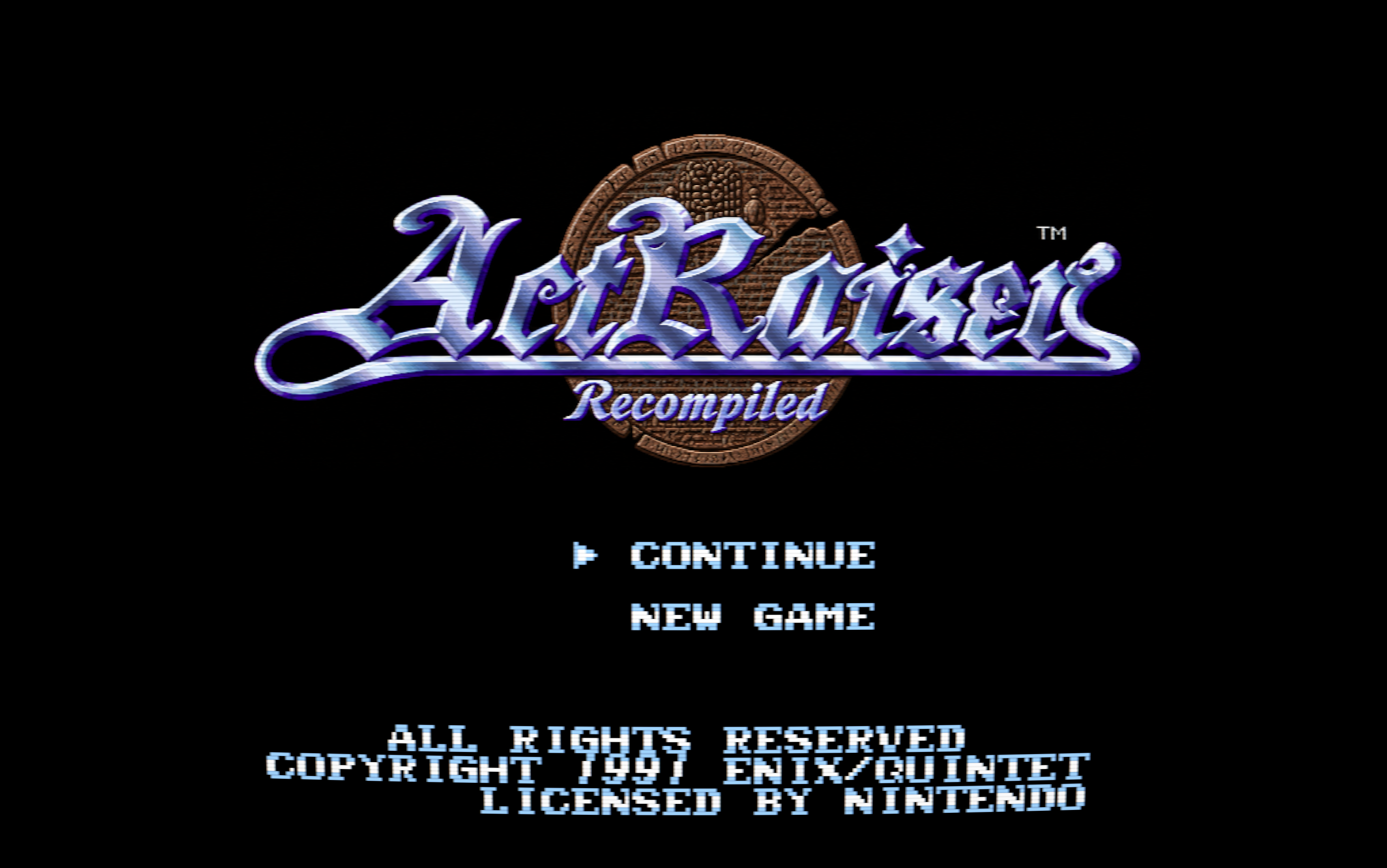
The 1990 SNES game from Quintet and Enix alternates between side-scrolling action stages and a top-down town simulation. This project targets the USA cartridge dump and converts its 65816 machine code into C, which is then linked with a hand-written SDL3 runtime. Running the game as native code allows widescreen rendering, layered 3D action stages, height-mapped towns and a 3D globe, GPU and CRT effects, replacement art and music, language packs, and rebindable controls. The in-game settings menu explains each option.
Quick start · Features · Manual · Game documentation · Status · Development



For visitors from Japan / 日本語でご覧の皆さまへ
Thank you for taking an interest in the project and for sharing it with others. The current build is based on the USA release, which differs from the Japanese version in many ways beyond the language itself. Language packs and Japanese gameplay rules are now available, with supported regional artwork and music extracted locally from your own ROMs. Players can create and share their own translations. Regional play-testing is still in progress; language packs alone do not change the game mechanics.
本プロジェクトに関心を寄せていただき、ありがとうございます。また、本作を広めてくださった皆さまにも心より御礼申し上げます。現在のビルドは北米版をベースとしており、日本版とは言語以外にも多くの違いがあります。日本語のテキストに対応した言語パックに加え、日本版のゲームルールも選べるようになりました。対応する画像や音楽は、お持ちのROMから抽出して使用できます。プレイヤー自身で翻訳を作成し、配布することもできます。各地域のルールでのプレイ検証は引き続き進めています。なお、言語パックだけではゲームの仕様は日本版に変わりません。
Progress at a glance
Release milestone: the full USA campaign has been successfully played from start to finish. Development and visual improvements remain active.
| ✅ | Native graphics: All six towns, all 12 acts, Death Heim, and the ending have been play-tested, including overlay access at The End. The full USA campaign is verified completable end to end. |
| 🟡 | Action Mode Enhancements: Extensive presentation work remains in 3D Diorama mode: manually extending tile maps to fill widescreen space, correcting background policies, and fixing skybox rendering. Adding unique environmental effects is an ongoing per-level effort, with treatments for Fillmore Acts 1/2, Bloodpool Acts 1/2, and Death Heim's completion scene. |
| ✅ | Platforms: Windows, macOS arm64, and Steam Deck have been tested and boot successfully. macOS x86_64 and generic Linux still need representative launch testing. |
| ✅ | Localization: Language packs, enhanced fonts, and Workshop authoring are ready. Players can create and distribute their own translations. |
| 🔵 | Regionalization: Implementation is complete and ready for testing. US, Japanese, and European gameplay presets support per-campaign customization, with independent regional artwork and music. |
| 📋 | Achievements: In planning. |
AI disclosure
Multiple AI coding assistants have contributed to the tooling, runtime, debugging infrastructure, and documentation under my direction and review.
Game logic is mechanically translated from the original binary and is never committed to this repository. The widescreen renderer, 3D presentation, settings system, and other host-side features are original work.
Reverse-engineering notes
The MIT-licensed research documents describe the original game rather than this implementation. They contain no ROM-derived code and may also be useful to an independent decompilation effort.
Quick start
Download the Builder from GitHub Releases
The Builder includes the compiler and game dependencies. Building happens locally and works offline once you have downloaded it.
What you need
Provide your own legally obtained USA cartridge dump. The project does not include a ROM, and the Builder verifies your file before continuing.
| Internal title | ACTRAISER-USA |
| Size | 1,048,576 bytes (1 MiB, no copier header) |
| Internal checksum | 0x83DB |
| SHA-256 | b8055844825653210d252d29a2229f9a3e7e512004e83940620173c57d8723f0 |
| SHA-1 | e8365852cc20178d42c93cd188a7ae9af45369d7 |
| CRC32 | 0xEAC3358D |
1. Download and open the Builder
Download the bundle for your machine from Releases and extract it into a writable folder.
| Platform | Recommended download | Open |
|---|---|---|
| macOS (Apple Silicon / Intel) | ActRaiserRecompBuilder-macos-arm64-portable.zip / -macos-x86_64-portable.zip | ActRaiserRecompBuilder.app |
| Windows (x64 / ARM64) | ActRaiserRecompBuilder-windows-x86_64-portable.zip / -windows-arm64-portable.zip | The Builder .exe |
| Linux (x64 / ARM64) | actraiser-recomp-linux-x86_64.tar.xz / -linux-arm64.tar.xz | ./run-build.sh |
| Steam Deck | ActRaiserRecompBuilder-steam-deck-portable.tar.xz | The Builder .AppImage in Desktop Mode |
Keep the portable desktop Builder and its .portable file together; its
build data goes into the adjacent BuilderData folder. App-only downloads
are also available for macOS, Windows, and Steam Deck and use per-user storage.
The generic Linux launcher opens the same Workshop in your browser.
On Windows, a startup window shows progress while the bundled tools and browser are prepared or checked. The first launch can take a few minutes on slower machines. You can cancel safely; opening the Builder again for the same workspace brings the existing window forward instead of starting another copy.
Desktop Builders on all platforms cache successful verification so later launches
check metadata and changed files instead of rereading every bundled tool.
See startup verification
for the --verify-bundle option to request a complete check.
The Windows Builder and its build tools are unsigned. If a build fails with “An Application Control policy has blocked this file”, check Windows Security → App & browser control → Smart App Control settings. Smart App Control has no per-app exception; turning it off affects all apps on that device. See Windows Application Control for recovery steps and managed-device guidance.
On macOS, the Builder is locally signed but is not Developer ID signed or notarized. If Gatekeeper reports an unidentified developer or cannot verify the app, and you trust the download, try opening it once, then use System Settings → Privacy & Security → Open Anyway. See macOS Gatekeeper for helper-tool and other startup errors.
On Linux, mark an AppImage executable if necessary. AppImages need FUSE;
APPIMAGE_EXTRACT_AND_RUN=1 ./ActRaiserRecompBuilder-steam-deck.AppImage
provides a fallback. Minimal Linux installations may also need the desktop,
audio, and font libraries listed in the download's README.
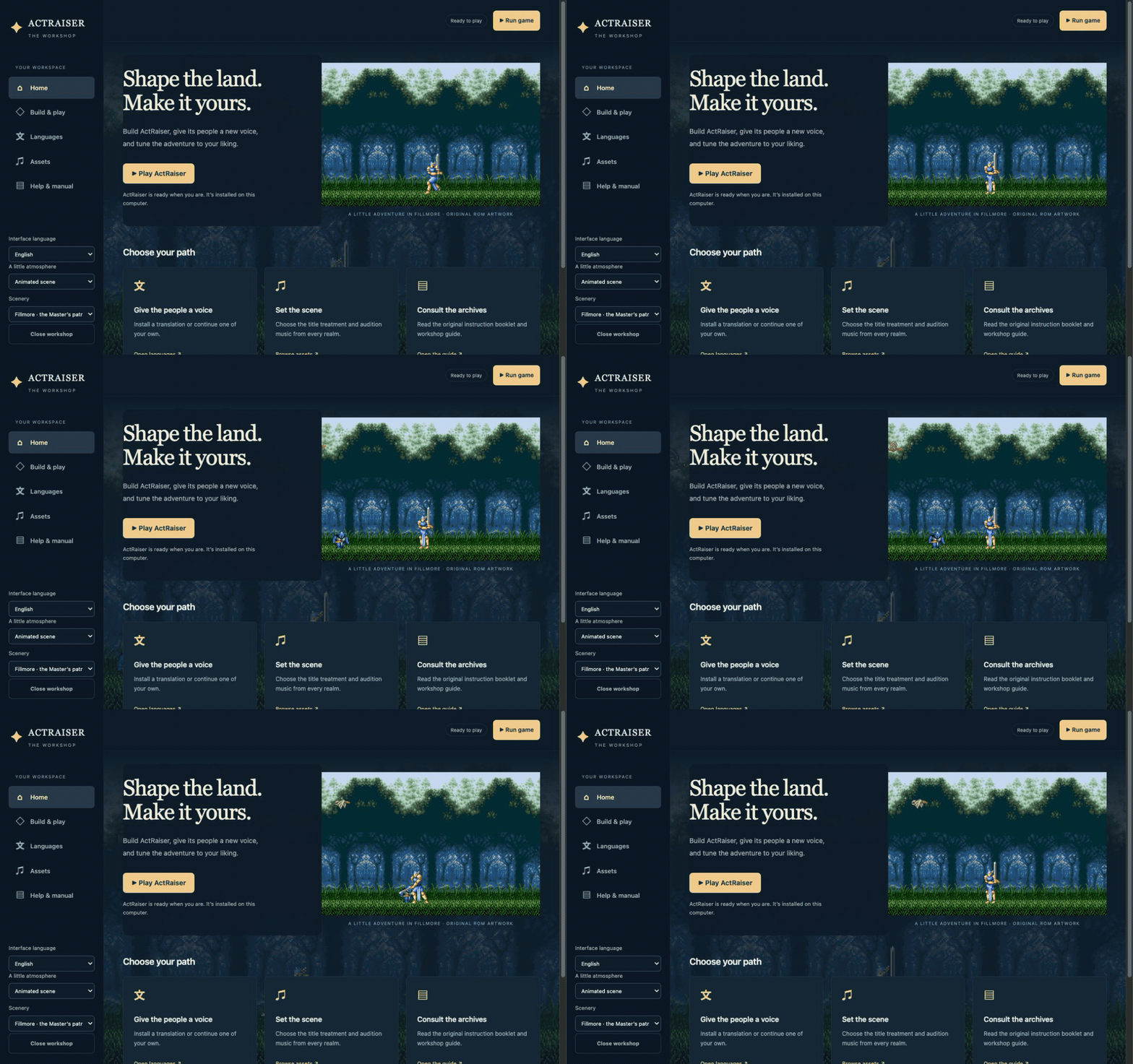
2. Choose a game folder and build
The desktop Builder first asks where to put the game. Its default is an
ActRaiserRecomp/ folder beside the Builder. Select Update existing
installation to rebuild a current game, or choose a new folder when migrating
an older utils/ installation.
Open Build game in the sidebar, choose your USA ROM, and press Build game. The Builder extracts the game's data, recompiles its code, and creates the playable application. Progress stays visible while you browse the Workshop, including its language tools and your own instruction manual.
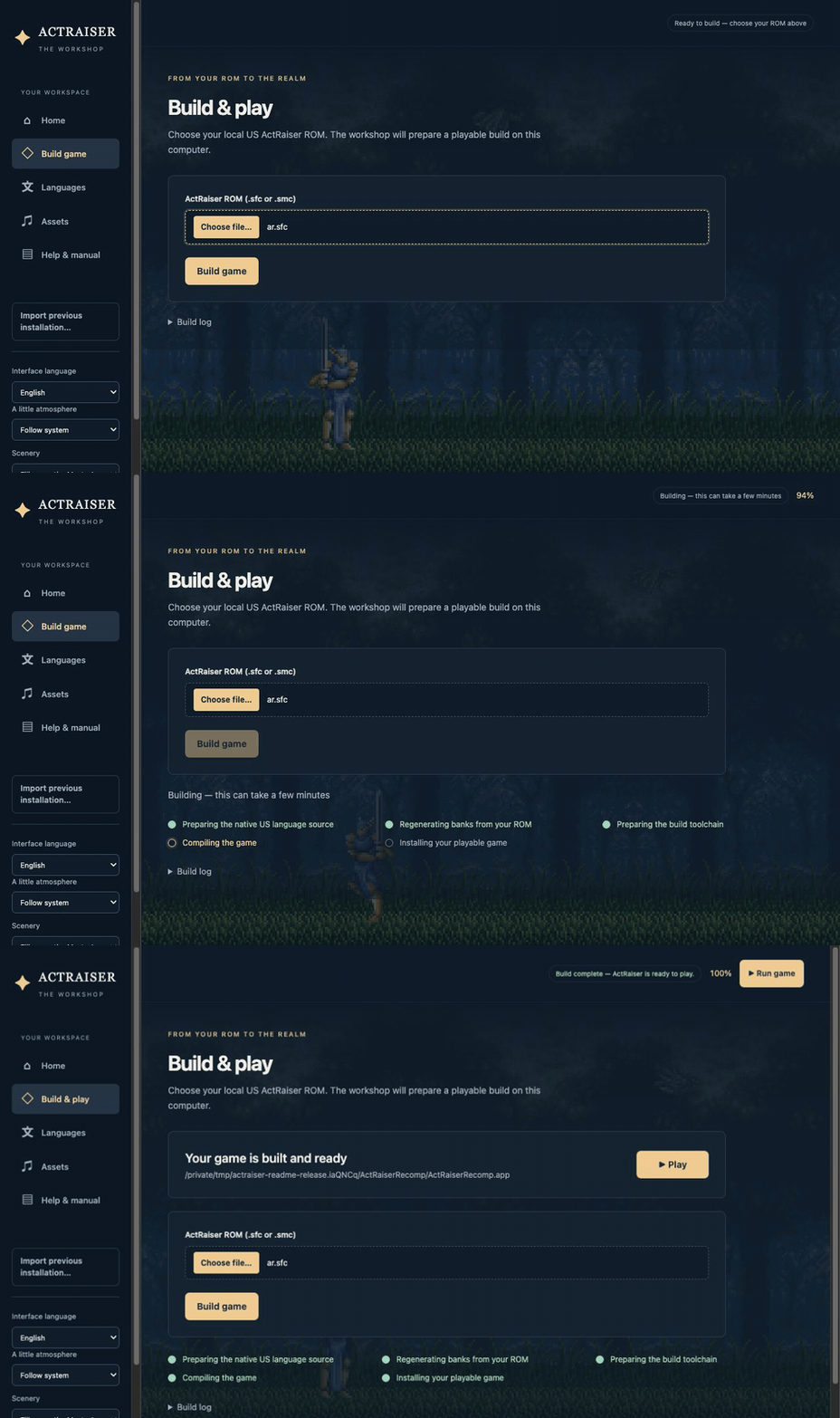
3. Play
Choose Run game when the build finishes. Later, open the generated game directly:
| Platform | Playable output |
|---|---|
| macOS | ActRaiserRecomp.app |
| Linux / Steam Deck | ActRaiserRecomp.AppImage |
| Windows | ActRaiserRecomp.exe; keep its supporting files beside it |
On Windows, double-click ActRaiserRecomp.exe directly—no .bat launcher is
required. Keep its DLLs, user-rom.sfc, tools/, assets, settings and saves in
the generated game folder; the .exe is not a single-file game package.
Keep the whole output folder for a portable installation, including its
.portable file on macOS/Linux, saves, settings, and assets. The game runs
independently of the Builder. These locally generated applications contain your
ROM and are not intended for redistribution.
Using per-user game storage on macOS or Linux
Copy just the generated .app or .AppImage to your preferred location,
leaving its .portable file behind. On launch, it initializes data under your
operating system's application-data directory. Subsequent app updates reuse
that data.
Moving between portable and per-user storage does not transfer saves automatically. The Workshop edits the game folder selected in the Builder. See desktop packaging for data locations and advanced options.
4. Update or import an existing installation
Select your existing game folder to use its settings, assets, ROM and saves directly, or select an empty folder to start fresh.
Back up your saves, then rebuild into the same game folder with the newer
Builder. Saves, settings, language packs, and custom assets are retained.
Updated bundled diorama rooms replace diorama-layers.ini after preserving
the previous file in a numbered .pre-update-N backup; see
shipped content updates.
For a per-user macOS or Linux installation, replace only the generated application.
On the first launch of the upgraded game, old saves/save.srm or
saves/save.ini files are automatically imported into Slot 1. The older
saves/actraiser.srm is also adopted when neither of those files exists.
Original files are retained in saves/legacy-layout; the active save moves to
saves/slots/01. Choose Continue at the title screen to resume. No manual
conversion is needed. See save migration
for format selection and recovery details.
To copy data from a different or legacy installation, use Import previous installation…, review the detected data, and close the game before importing. The Builder copies the files and preserves the originals; existing destination saves, settings, and modified assets take priority.
Change game folder… selects the destination for the next Builder session. Save your Workshop work, then close and reopen it to use that folder.
5. Keep the game after building
The desktop Builder's output folder is independent of its build tools, so you
can retain the game without keeping the Builder. Older archive installs offer
toolchain cleanup under Storage & build tools. Keep their utils/
runtime data and retained helper files; download the archive again to rebuild.
See the Workshop guide for the full installation, asset, and language workflows.
Features
On a fresh install, the game uses 4:3 geometry and the original music and
artwork, with the 3D and CRT presentation modes disabled. You can configure the
enhancements from the in-game settings overlay (Esc, F1, or L3 on a pad)
and compare them with the authentic rendering and audio at any time.
Widescreen
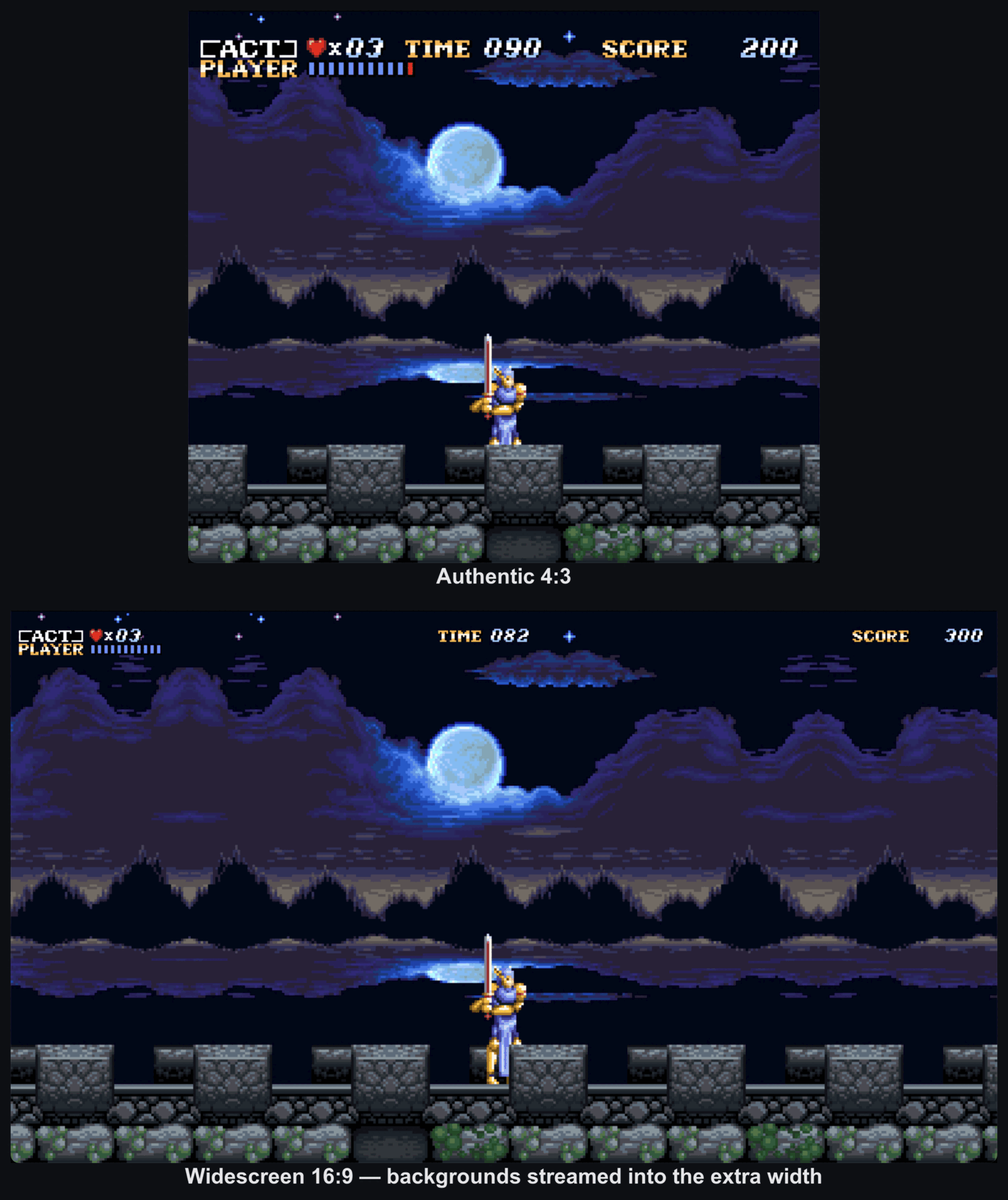
Widescreen supports true 16:9 and 16:10 presentation by streaming background
layers into the wider viewport and activating sprites beyond the original
screen bounds. This preserves the game's HDMA and parallax effects instead of
stretching or cropping the original view. Press F9 to cycle among authentic
4:3, widescreen raw, and widescreen full, which places the HUD in an
independently scaled overlay.
Screen ratio → Auto adapts the view to the window's shape, including when resizing while paused. Wider windows reveal extra columns; taller windows can reveal extra rows in action stages and enhanced 3D towns and world navigation. The selected pixel aspect and HUD proportions are retained. See display and scaling for coverage limits.
Diorama 3D for action stages
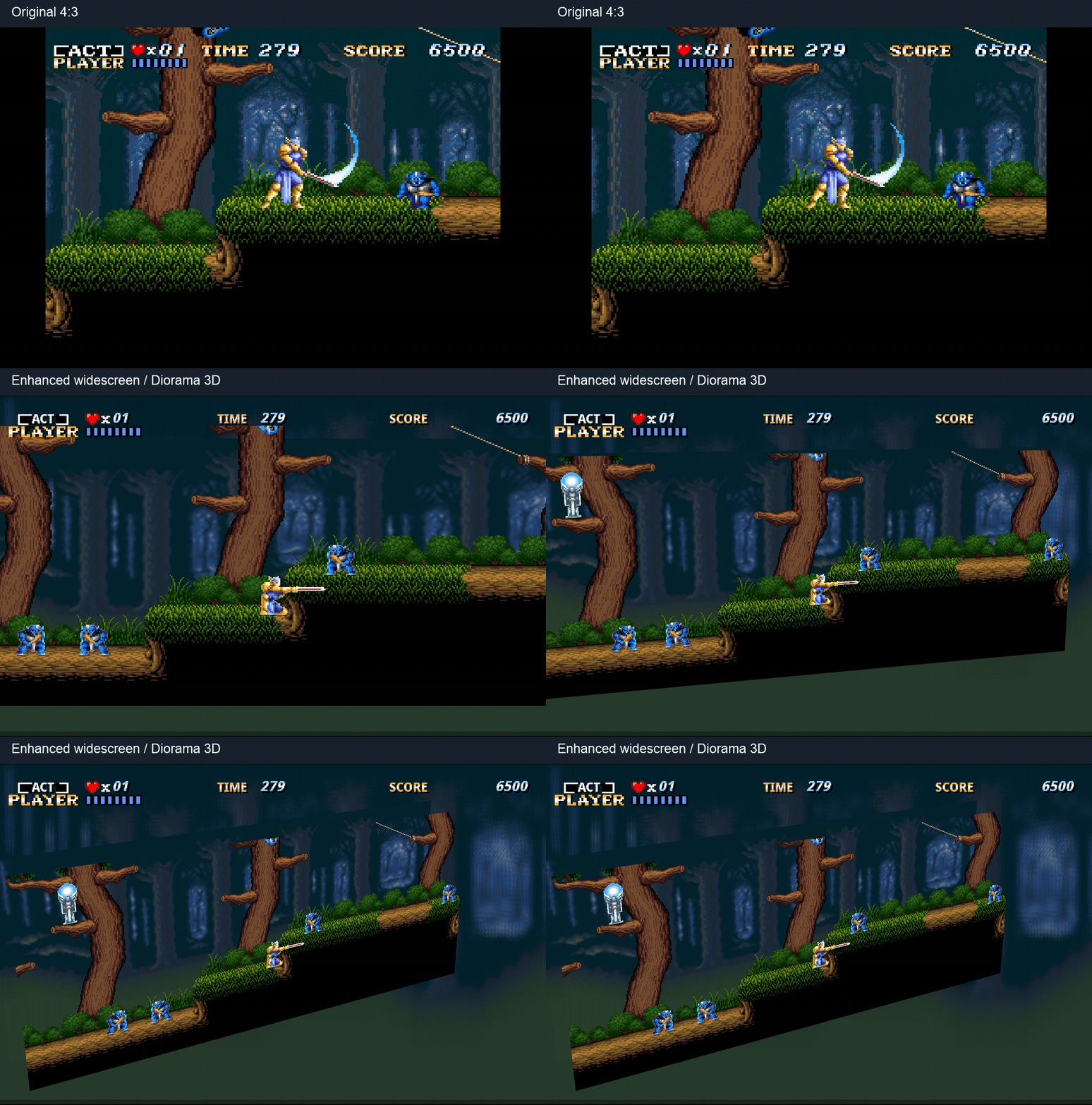
Diorama mode places action-stage backgrounds and sprites on separate planes in 3D space. Depth shading gives the scene the appearance of a physical diorama, while the HUD can be scaled independently.
Rooms can be tuned independently:
- Layer layout: Each room defines its own depths and can use a stable backdrop from the ROM when the live PPU view is too narrow.
- Camera modes: Dynamic Cam is the default, leaning and reacting around an authored pose. Free Cam supports manual orbit and zoom.
- Framing: Vertical extension reveals more of the stage above and below the original 224 lines. Skybox and Shoebox walls enclose finite backdrops.
- Enhanced completion: An optional Death Heim ocean vista adds clouds, light shafts, water reflections, cherubs and drifting feathers around the original platform and hero. One switch under Action 3D → Scene enables it with any skybox preference, preserving the original ending's timing.
This Fillmore Act 1 comparison starts with the original 4:3 presentation, then shows enhanced widescreen with the camera tilting and pulling back to reveal the layers.
Action scene and effects editor
The offline action editor lets creators extend room scenery for widescreen, paint tile pixels, adjust depth and framing, and author background policies and environmental effects. Shared renderer previews rooms through the game's C renderer with regional terrain, animation, and camera controls.
Save project or Ctrl/Cmd-S keeps scenery and effects together in one
action-project.zip, with Undo/Redo and an Unsaved changes indicator.
Collapsible panels and Settings… provide more room for the preview; settings
are also accessible through right-click menus. To use a project in the game,
extract its two INI files beside settings.ini and restart. See the editor guide
for preview scope and authoring details.
3D simulation towns
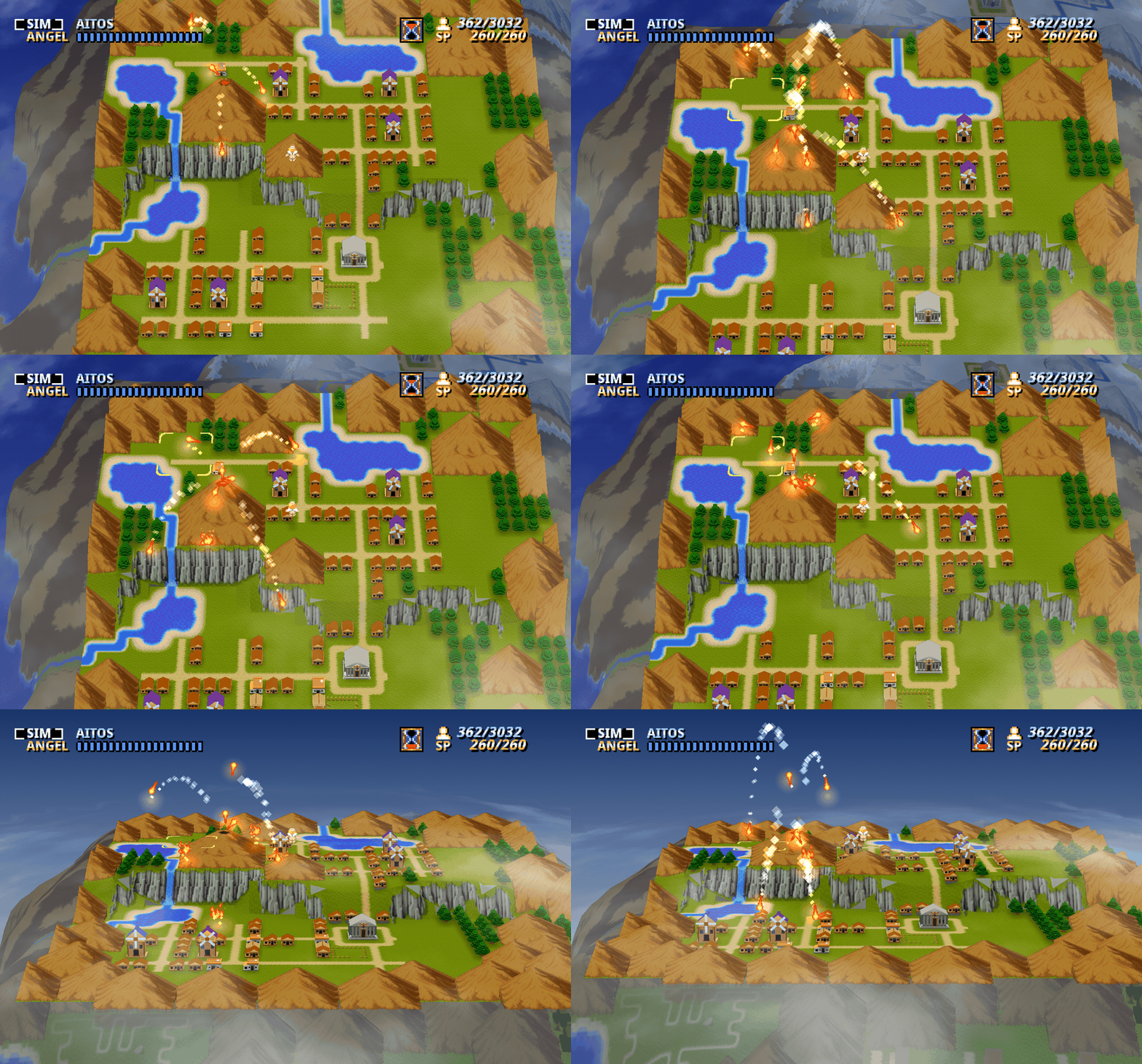
Simulation mode rebuilds each town as an oblique 3D scene:
- Terrain: A height field raises hills, plateaus, and cliff faces across all six towns. A landscape slider can scale the relief back to a flat plane.
- Scenery: Region-aware voxel models replace structures and foliage at selectable quality levels. Stone bridges span the banks, while mountains and volcanoes use camera-aligned relief.
- Actors and depth: People and effects are billboards grounded against the terrain, and flying actors maintain a stable altitude above it. Ridges and buildings can occlude objects behind them.
- Lighting and interaction: Objects cast terrain-following shadows, with optional soft blur and rim lighting. Miracles and enemy attacks add local lighting and particles. A connected globe continues beyond the town's borders, and building placement and miracle targeting work in the tilted view.
- Church interiors: An optional modeled stone church adds an altar, soft light, drifting dust and a view of the town during audiences and offerings. Enable Church interior 3D under Town 3D → Scene; dialogue and controls retain their original behavior.
3D world navigation
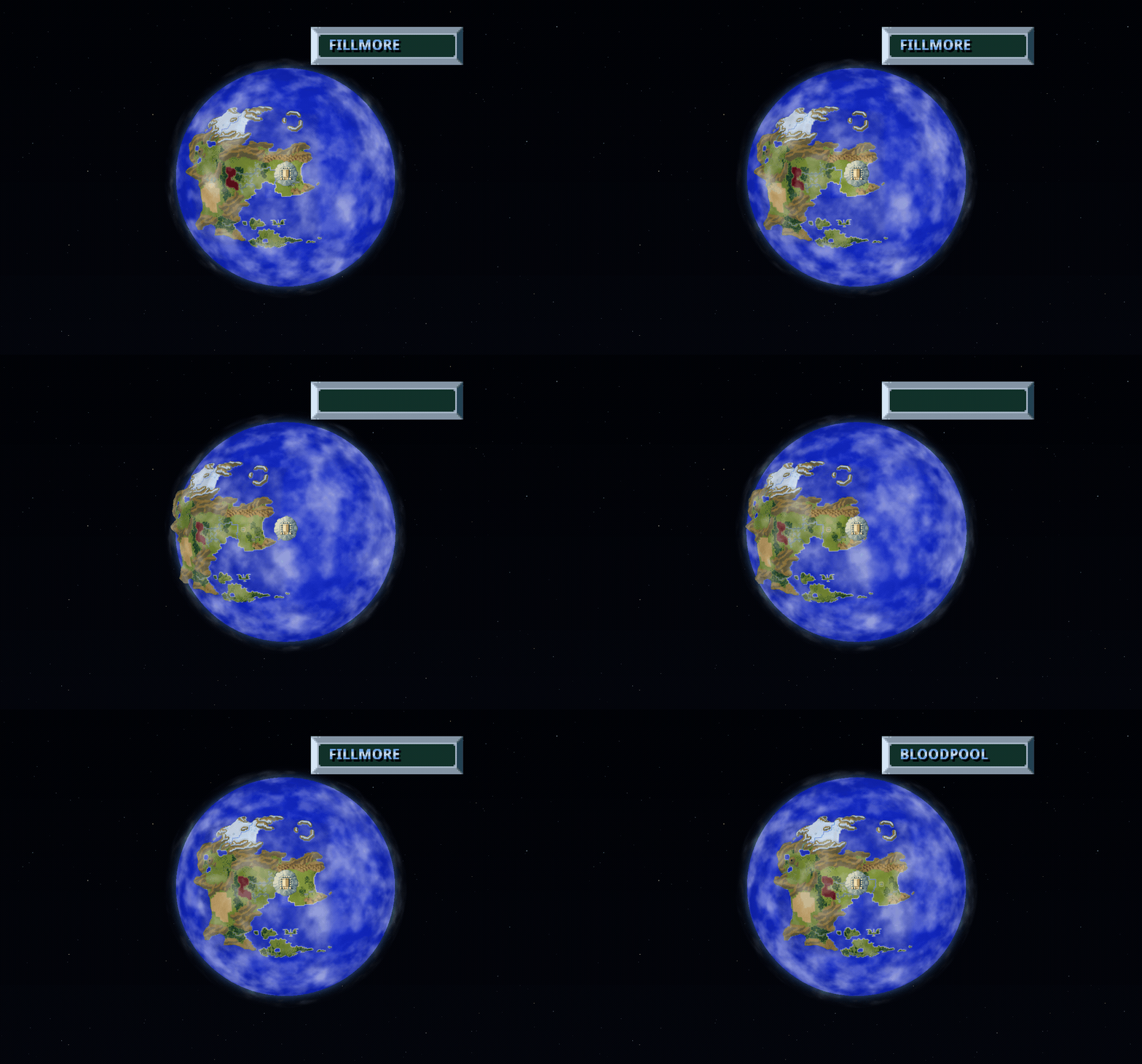
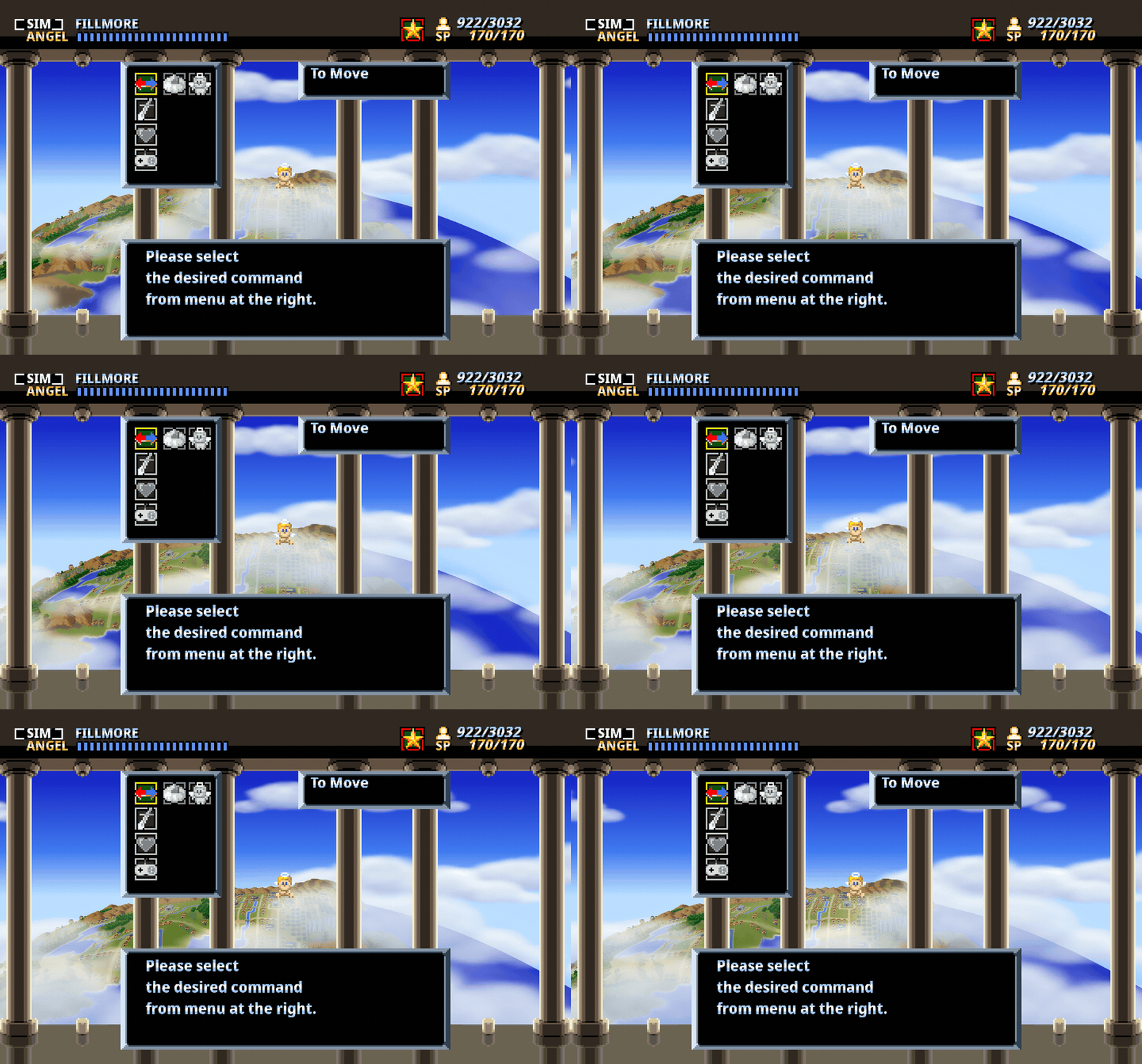
The Sky Palace travels over a spherical world with raised mountain ranges, developed towns, moving clouds, and an atmosphere against the starfield. The globe uses the same terrain, buildings, and regional artwork as the town view.
- Explore: Right-drag or use the right stick to look around the globe. The wheel or triggers zoom; middle-click or R3 resets the view. Travel and town entry use the original menus.
- Sky Palace: The optional globe backdrop shows the currently selected town below the Palace, with moving clouds behind the original pillars, angel, and menus.
- Adjust detail: Lighting, clouds, atmosphere, town models, ground detail, and mountain relief have separate controls for balancing appearance and performance.
GPU and CRT effects
The GPU renderer provides individually adjustable effects:
- Diorama lighting and focus: Warm rim lighting outlines sprites, depth of field softens distant layers, and edge anti-aliasing smooths tilted planes.
- Spell effects: Particles and local illumination follow action-stage magic in both flat and 3D views.
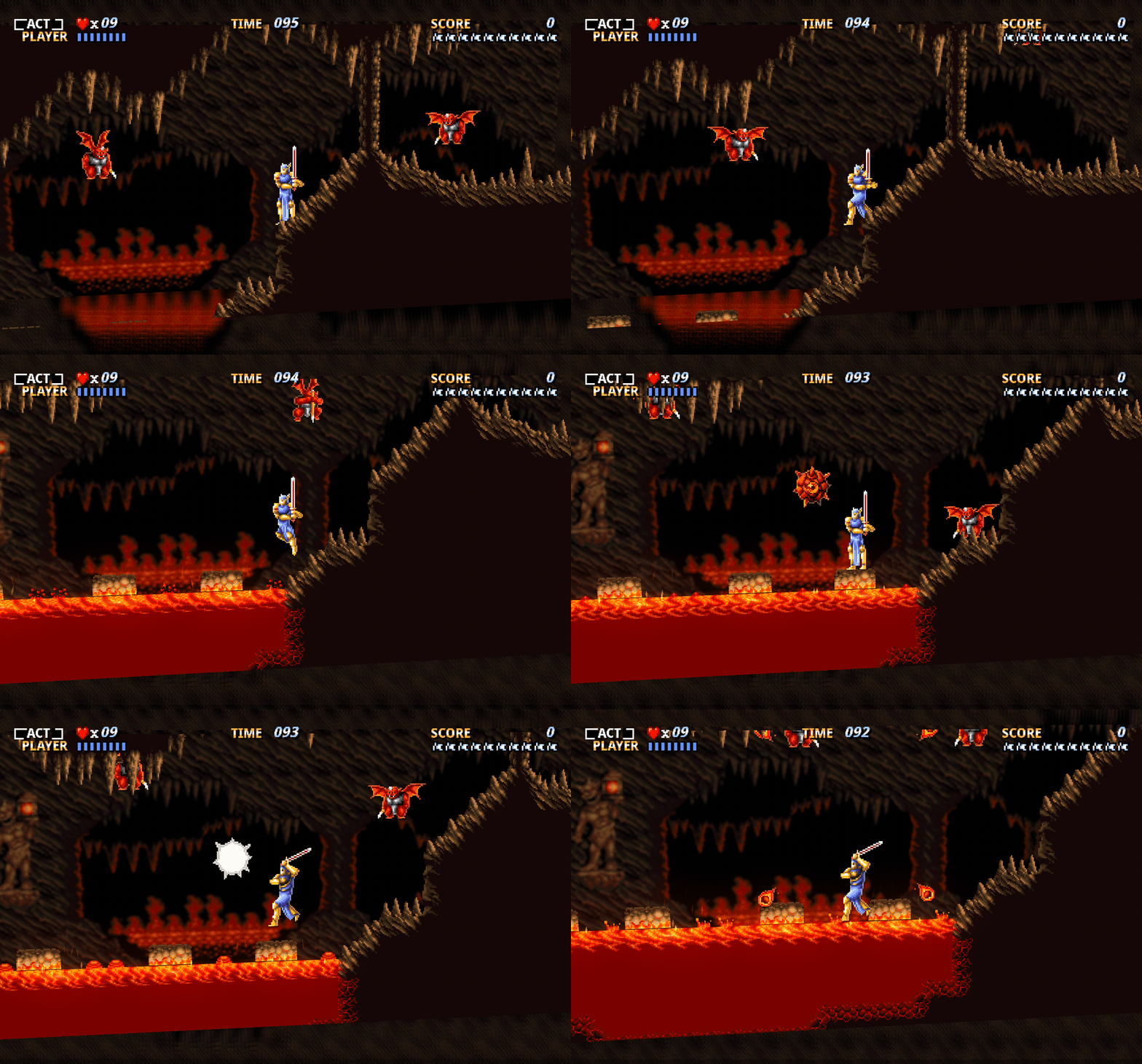
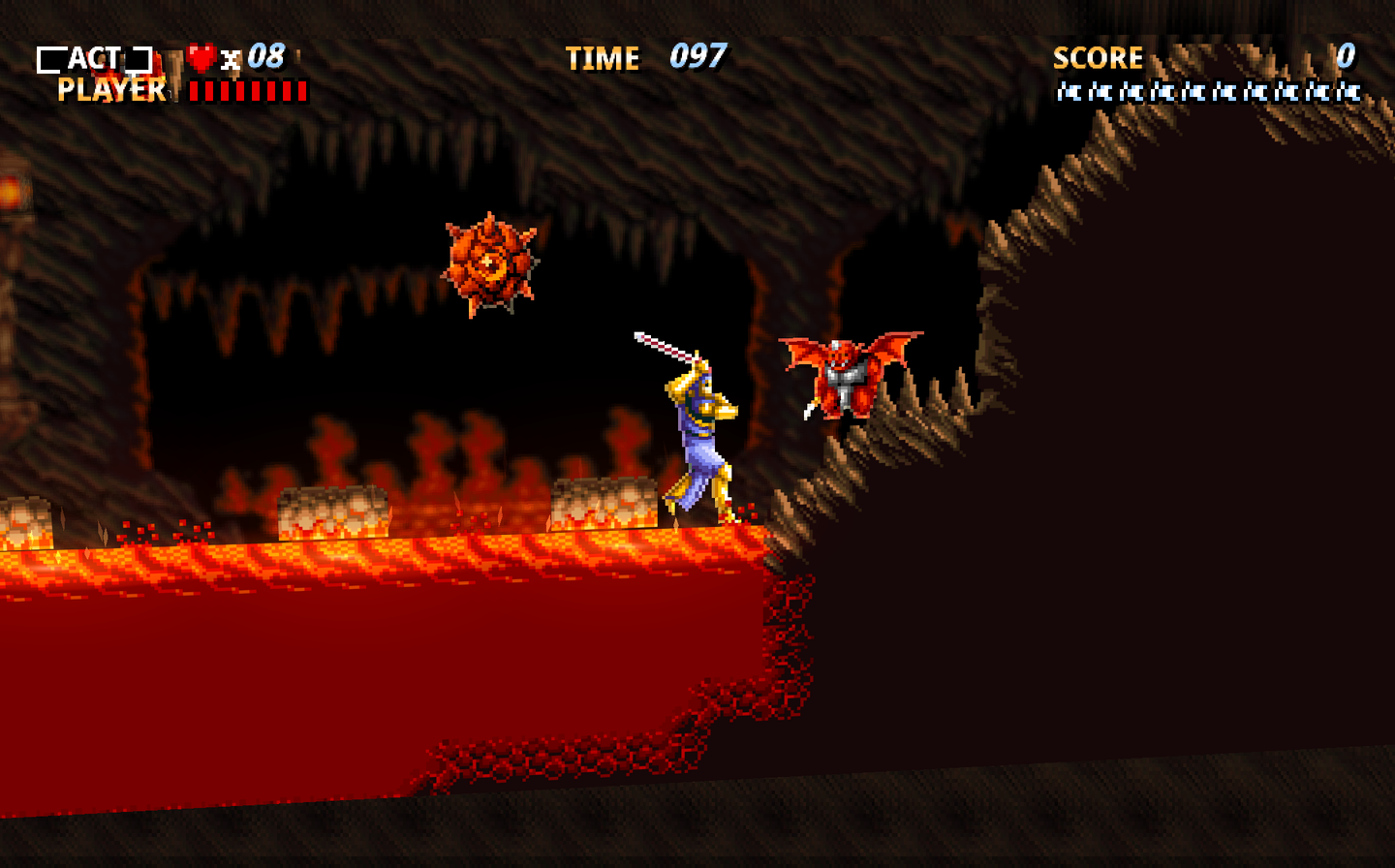
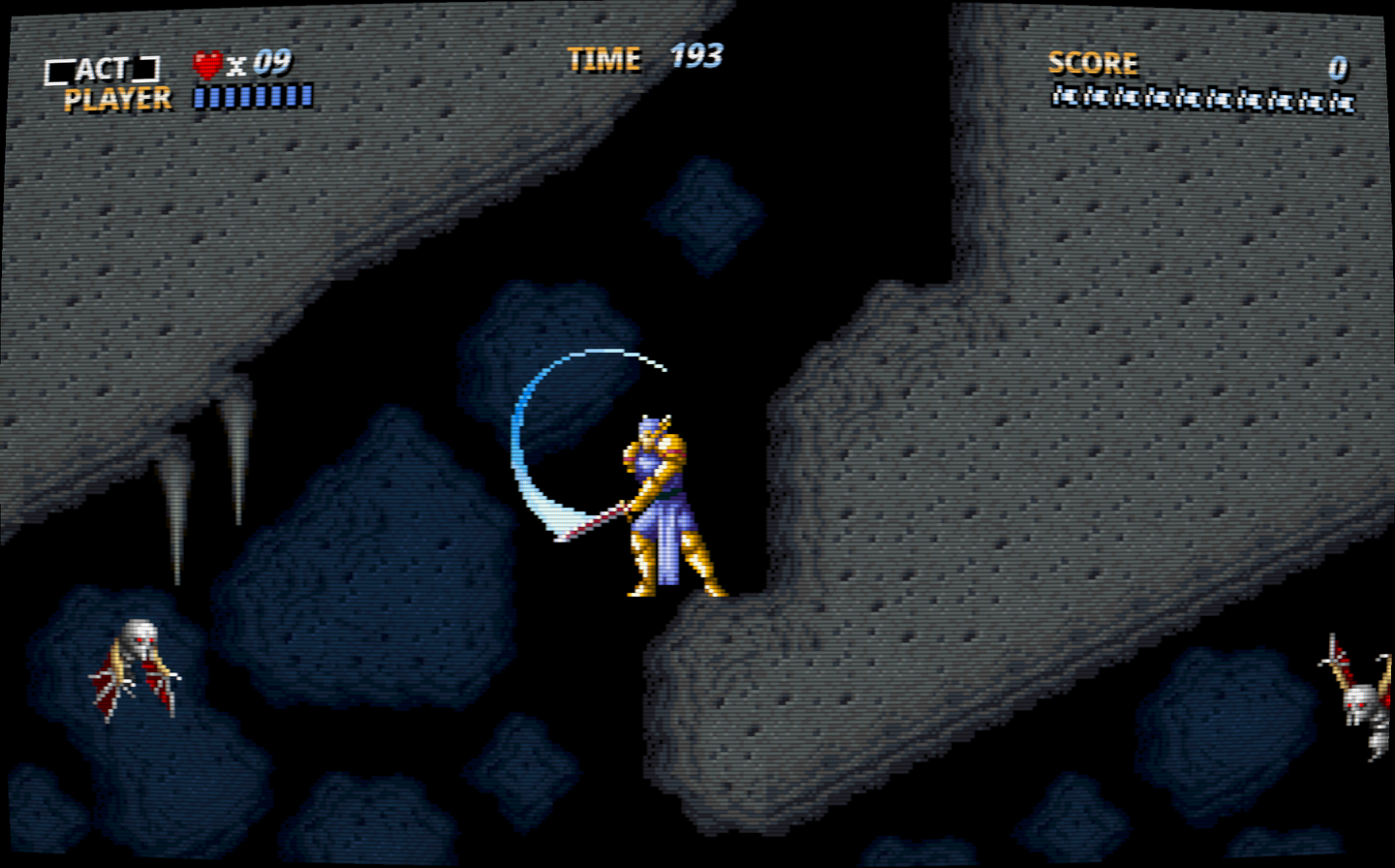
- Environmental effects: Fillmore's forest and caves gain canopy light, leaves, mist, drips, and water accents; Bloodpool gains moonlight, water reflections, castle window light, and torch glow. These work in flat and Diorama views and are controlled separately under Video → Effects → Environmental effects (on by default). Adding unique treatments across the remaining levels is ongoing.
- CRT presentation: Curved glass, scanlines, and a phosphor mask can be applied to any view, including authentic rendering. Video → CRT also controls colour fringing, signal softness, corner shading, and brightness.
- Frame interpolation: Optional intermediate diorama frames smooth motion on high-refresh displays while normal gameplay retains its 60 Hz logic.
High-resolution Mode 7
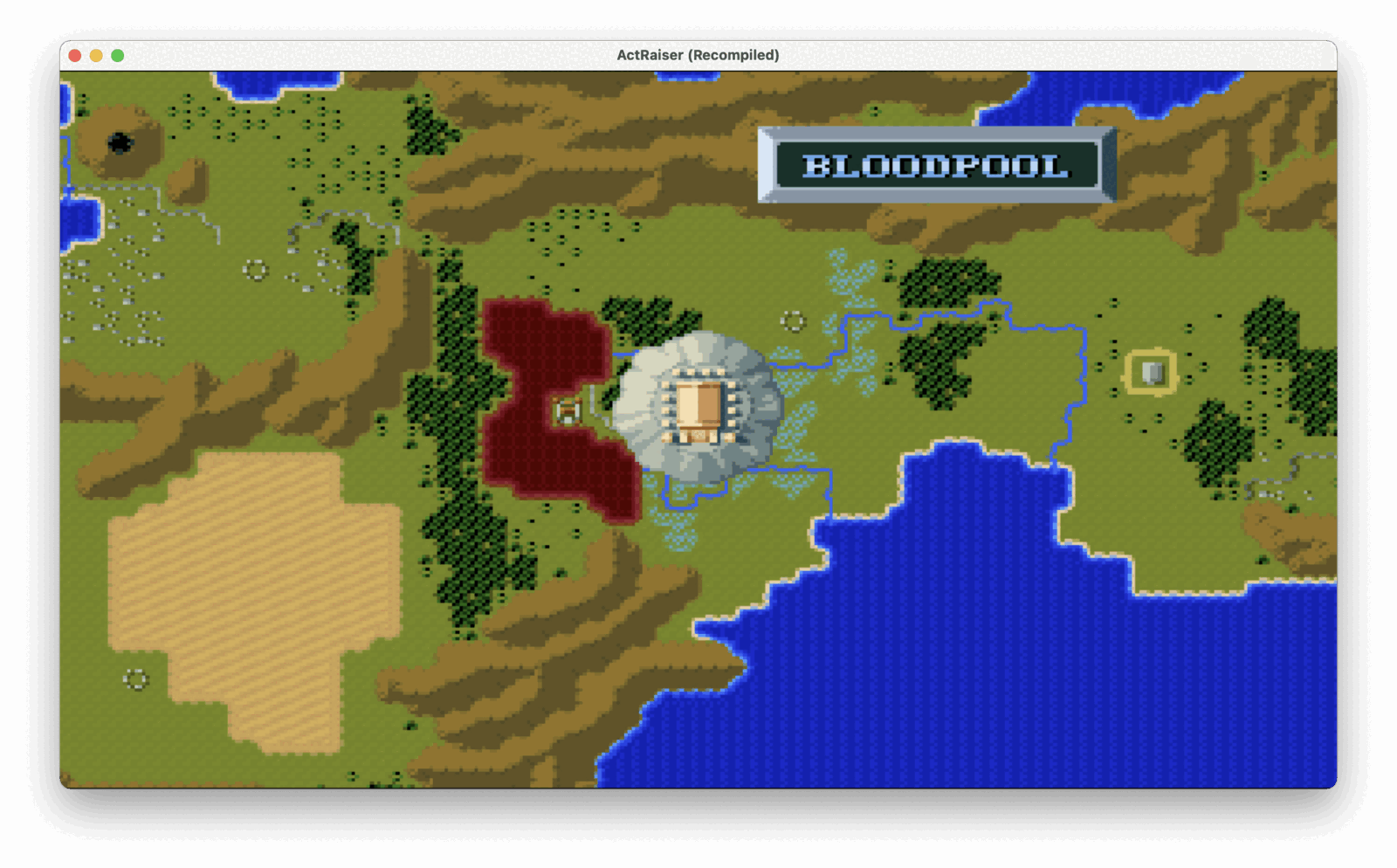
Mode 7 rendering runs at the internal render scale rather than 256×224, so its rotation, zoom, and per-scanline warps stay sharp instead of magnifying the original low-resolution sampling.
Asset and music replacements
Art replacement is limited to the title logo on the title screen and in the animated intro, where the replacement follows the original rotation, zoom, and warp effects.
Art and music replacements share the user-owned `