Aidyn ReChronicled
AidynReChronicled is a native PC port of Aidyn Chronicles The First Mage for Windows and Linux with widescreen support and improved frame rates.
- Type: PC port
- Game: Aidyn Chronicles: The First Mage
- Runs on Windows and Linux
- By Spitzdano
- Latest release v0.9.0, 2026-10-28
- Source: https://github.com/spitzdano/AidynReChronicled
README
Aidyn ReChronicled
Aidyn Chronicles: The First Mage (NTSC-U 1.0), enhanced by Spitzdano: a native Linux and Windows build of AIDYN_CHRONICLES (NAYE, version 0), made by static recompilation with N64Recomp and run on N64ModernRuntime with the RT64 renderer.
Now a collaboration. Aidyn ReChronicled is now made together with MDoulos, author of the Action Edition mod. Its name will change on the way to 1.0.0.
Features
- A native game for Linux and Windows, not an emulator. Linux: one download for any current distribution, with an installer that adds it to the app menu and to Steam (Steam Deck and ROG Ally friendly). Windows: a folder to unpack and play (Windows 10 or 11, nothing to install), with an Add to Steam button.
- Your ROMs in one folder: put the 1.0 ROM, and the Aidyn Patch, Aidyn Plus and Action Edition ones if you have them, in the
download's
ROMsfolder under any names; the game tells them apart by their contents and lists what it found on the title screen. - Aidyn Patch, Aidyn Plus and Action Edition: community rebalances play as more versions next to the original. Bring your own ROM (checked by its hash; nothing of them ships here), pick one in the list Y opens on the title screen, and each version keeps its own saves.
- Sharp at any resolution: drawn at 1080 lines or more, supersampled, with anti-aliasing.
- Widescreen: 16:9, 21:9 or any width, with the HUD at the screen edges; the menus stay 4:3, as they were made.
- Smooth: the game runs at 60 frames a second (the N64 managed 15 to 20), with frames drawn in between up to your display's rate, and walk cycles without their stutter.
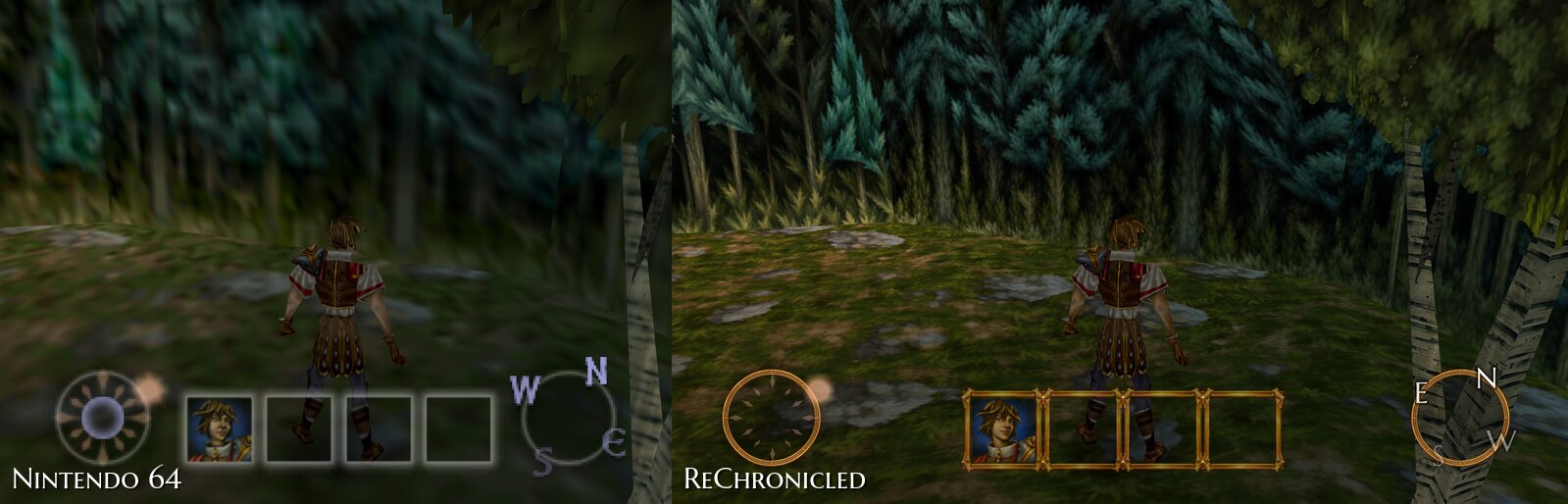
- Newly painted art: 2,113 of the game's 2,115 world textures, every portrait, an icon of its own for every item (each potion its own colour, scrolls and wands by school), the HUD, the map page's land and a repainted pause scroll, plus HD lettering and Xbox button prompts; what isn't repainted yet is upscaled. F2 shows what was there before.
- Fuller sound: the game's music and sounds as loud as other games' (they played very softly) and a little clearer, through a limiter, and the music's instruments restored (their lost treble back and the 8-bit hiss gone); the same music and sounds, each switchable back to the original.
- Further draw distance: more of the land drawn, trees and objects showing from much further away.
- A free camera on the right stick, kept out of walls.
- Quicksave, autosaves, Quick Load and Continue, in files of their own beside the Controller Pak; Load Game and Quick Load during fights too, and Quit to Title.
- Fast-forward (3x) and a faster walk (1.5x by default, up to 2x).
- Clearer combat: a turn-order bar, a combat log, framed portraits with HP, stamina and a tired mark, easier aiming, what a spell, skill or potion does and costs shown while you choose it, and faster turns if you like (your party's and the enemies').
- Help built in: a controls card on screen, button hints in the menus, a ReChronicled topic in the help book and a PC edition of the manual (F1).
- Changed while you play: the Display and ReChronicled pages of the pause menu hold all of this edition's options, windowed or borderless full screen included.
- Safe saves: the Controller Pak's last 20 states are kept, an emulator's save (Project64, ares, Mupen64Plus, RetroArch) can be copied in, and a problem report gathers what's needed when something goes wrong.
This repository contains no game data (only the pictures on this page). You need your own dump of the game. The build checks it against this SHA-1:
47ae795a2b12783a13e2b8d03439ce9a39fc826c baserom.z64
Work in progress. This is a hobby project I'm making for myself, in my own time. Expect rough edges, unfinished parts and changes between releases, and no schedule. For lack of time I haven't played very far into the game yet, so playtests and problem reports from further along are very welcome (see Found a problem?); I'll work on them when I can.
Unofficial fan project. Not affiliated with or endorsed by THQ, H2O Entertainment or Nintendo. Aidyn Chronicles: The First Mage and its characters, art and music belong to their rights holders.
Made with heavy AI involvement. Nearly all of the code, tools and documentation here were written by an AI coding assistant (Claude Code), directed and play-tested by Spitzdano. The redrawn portraits, icons and world textures in
art/were made with an AI image generator from the game's originals, each checked against its original; the HD menu and world texture packs are AI upscales (Real-ESRGAN) of the game's own pictures. Scaffolded by the n64-recomp-toolkit'snew-game.sh.
Screenshots
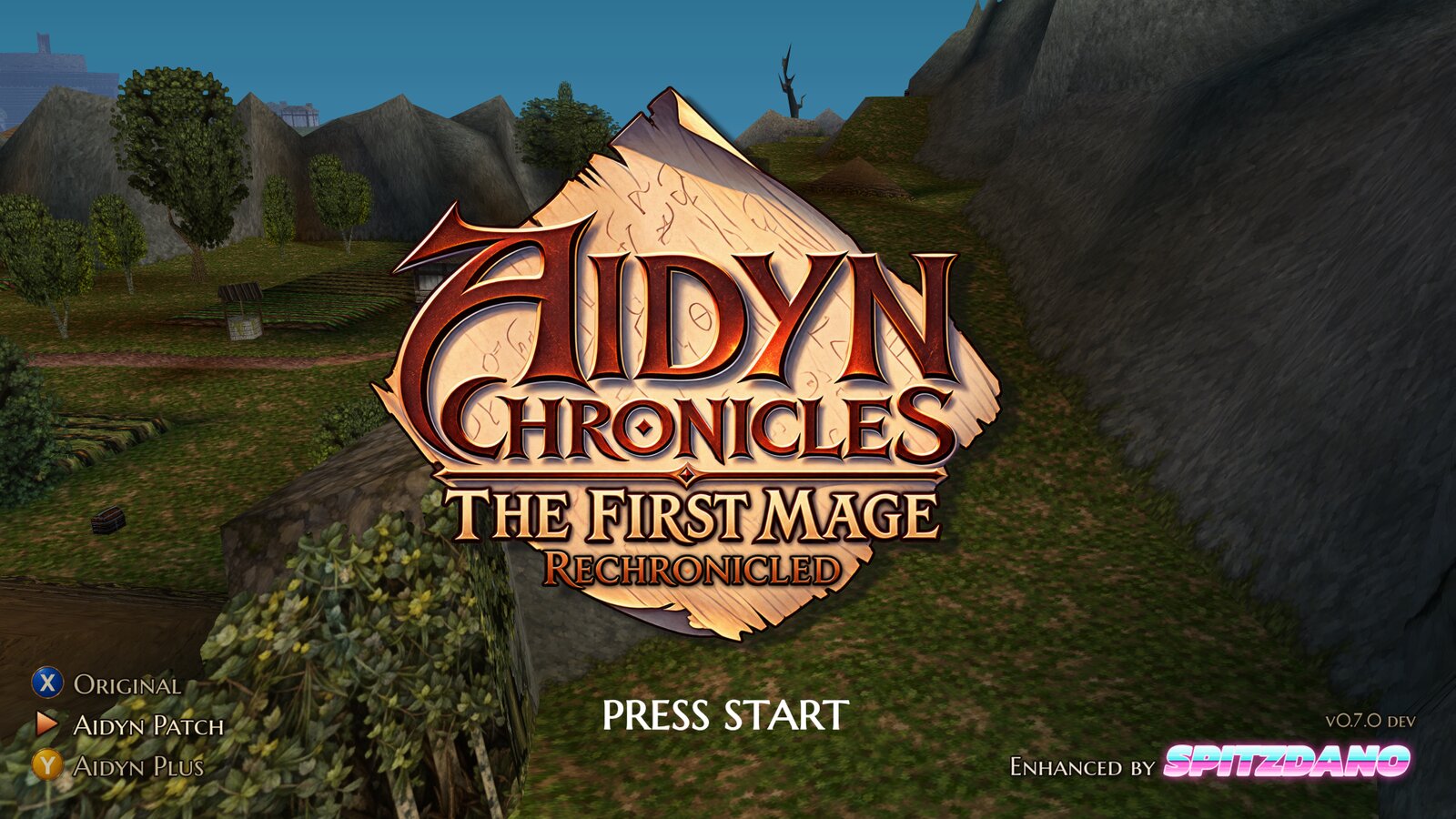 |  |
| The redesigned title card, and the version switch | Continue picks up from your newest save |
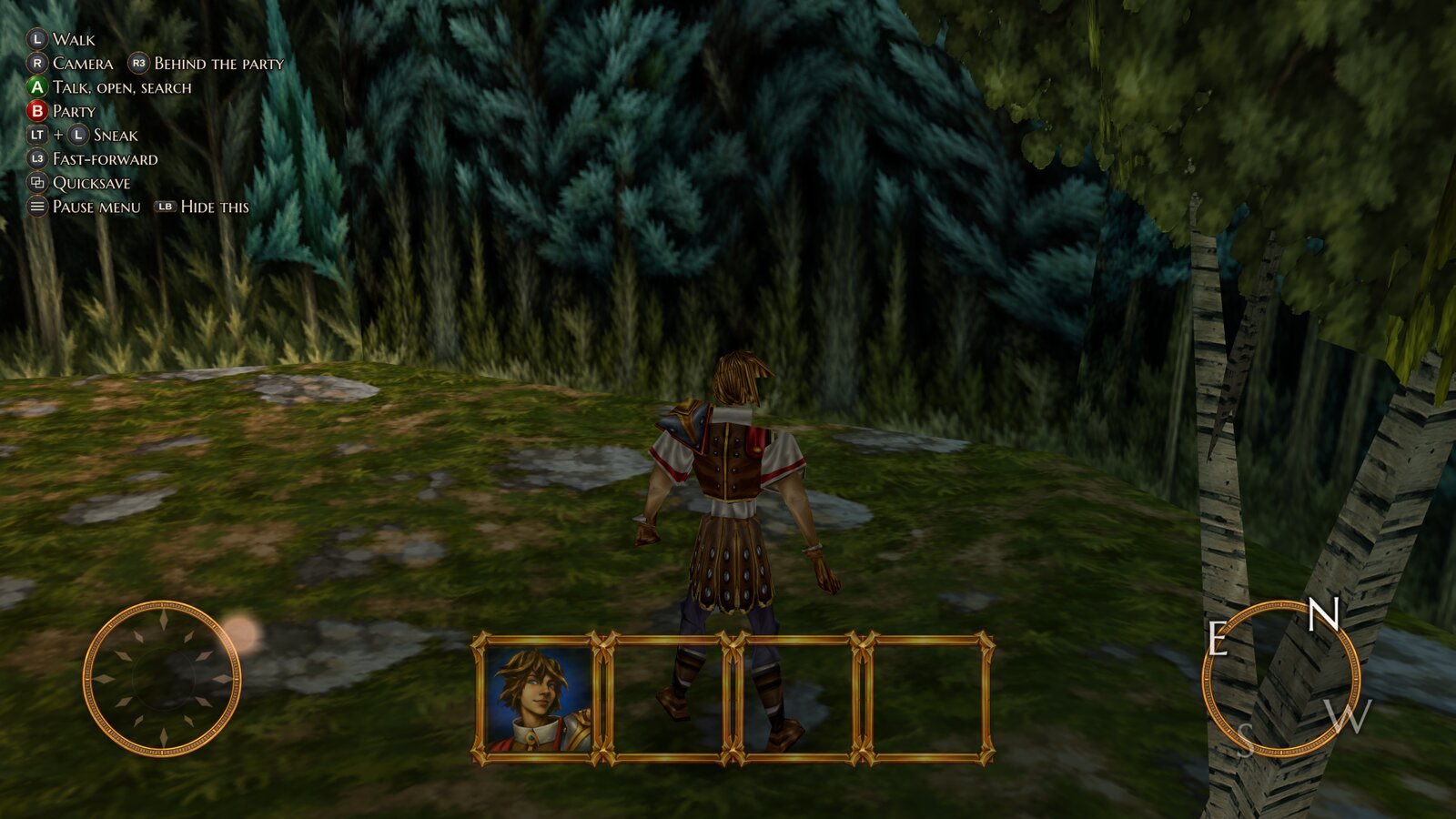 | 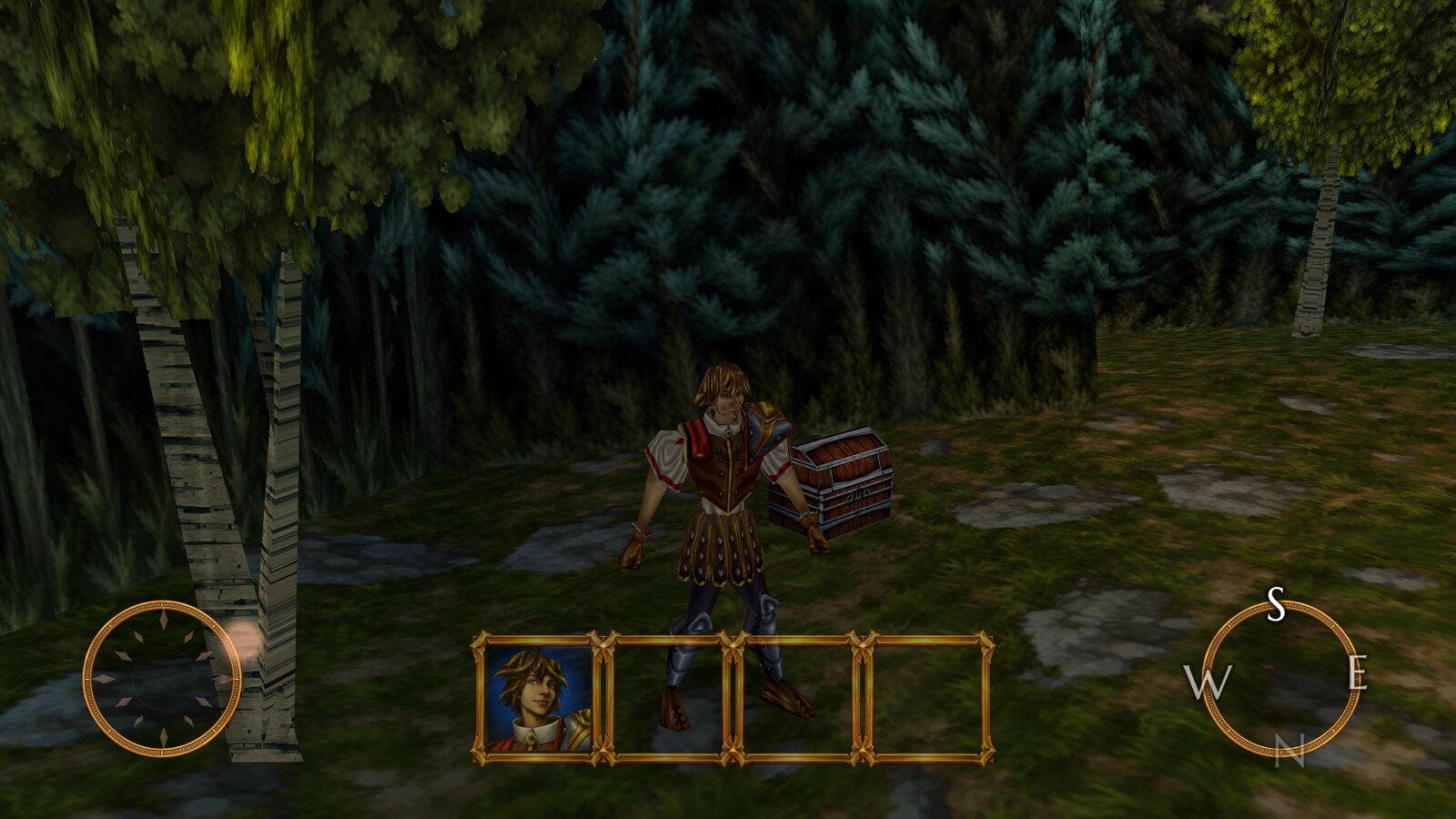 |
| The new HUD, the controls card, widescreen | Newly painted world textures and portraits |
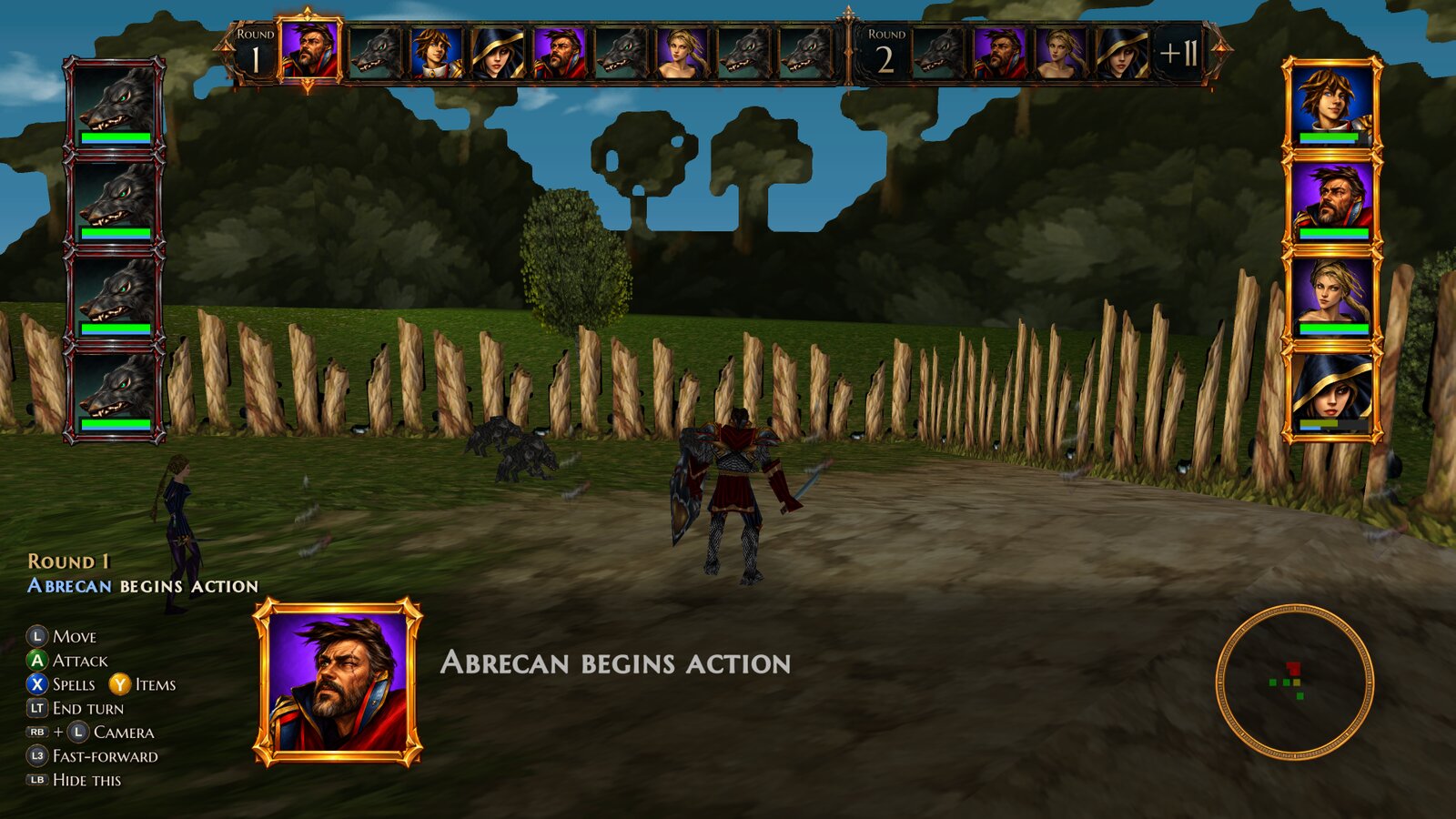 | 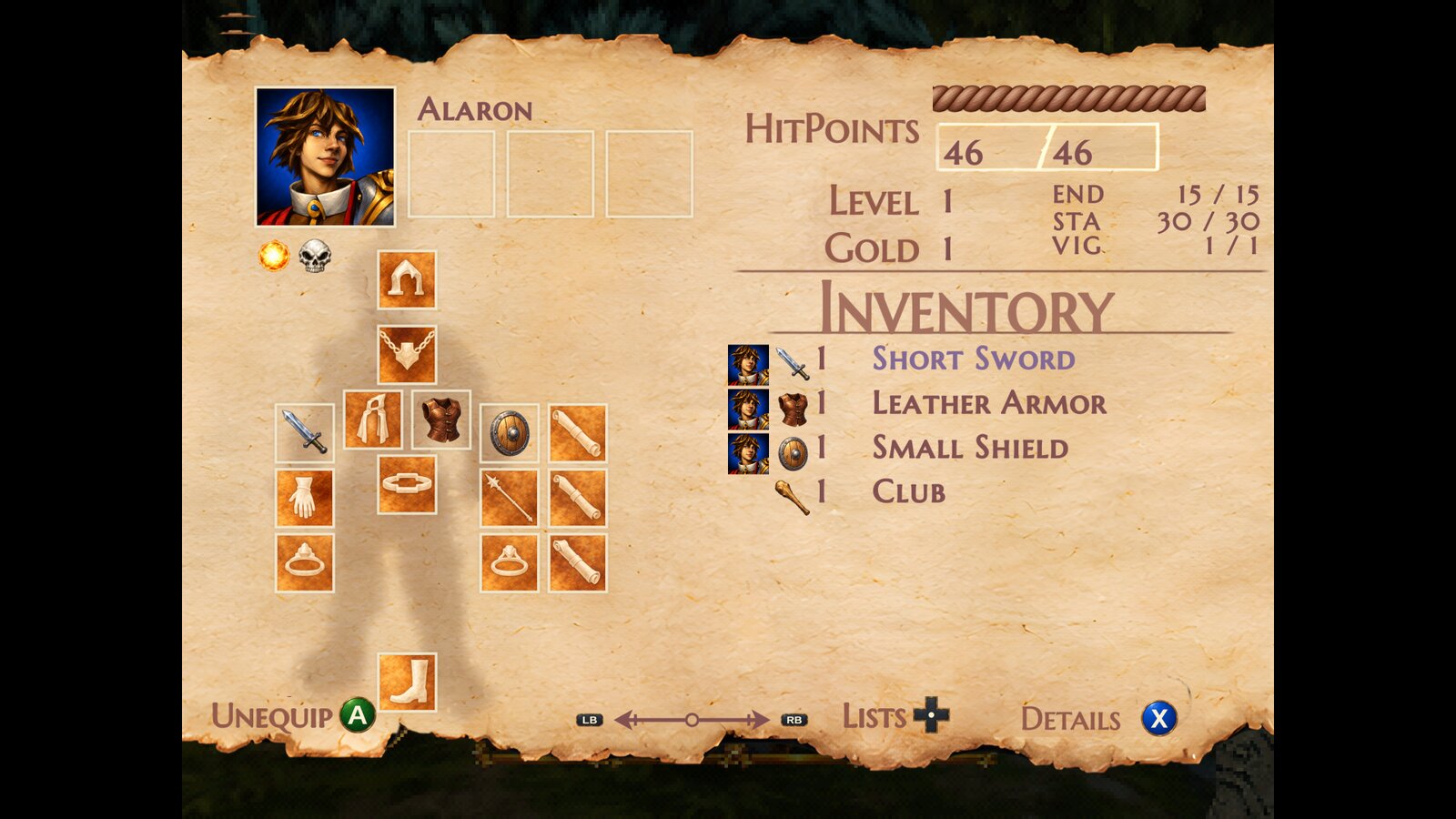 |
| The turn order bar, framed portraits and the combat log | The repainted scroll, HD lettering and Xbox prompts |
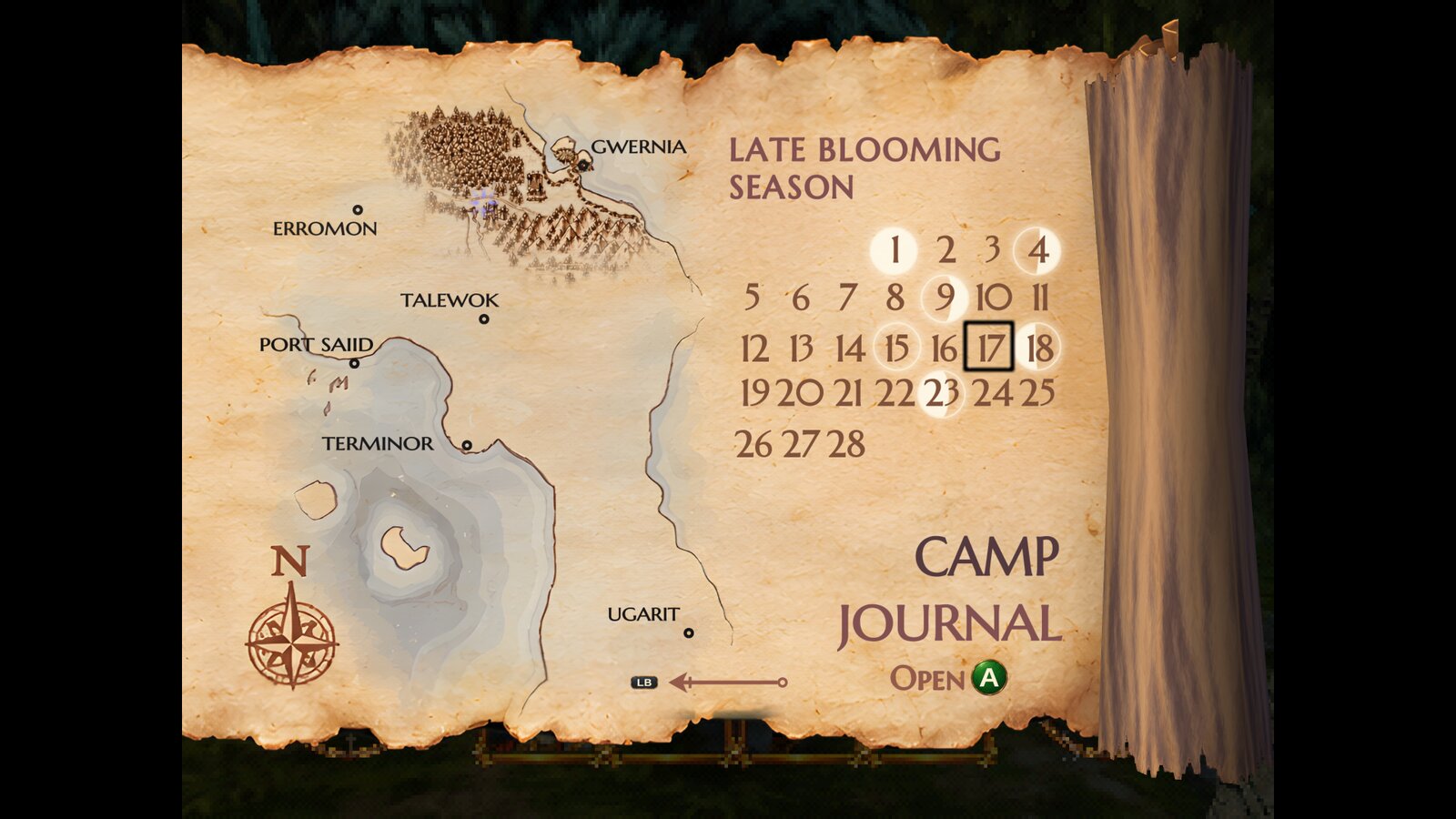 | 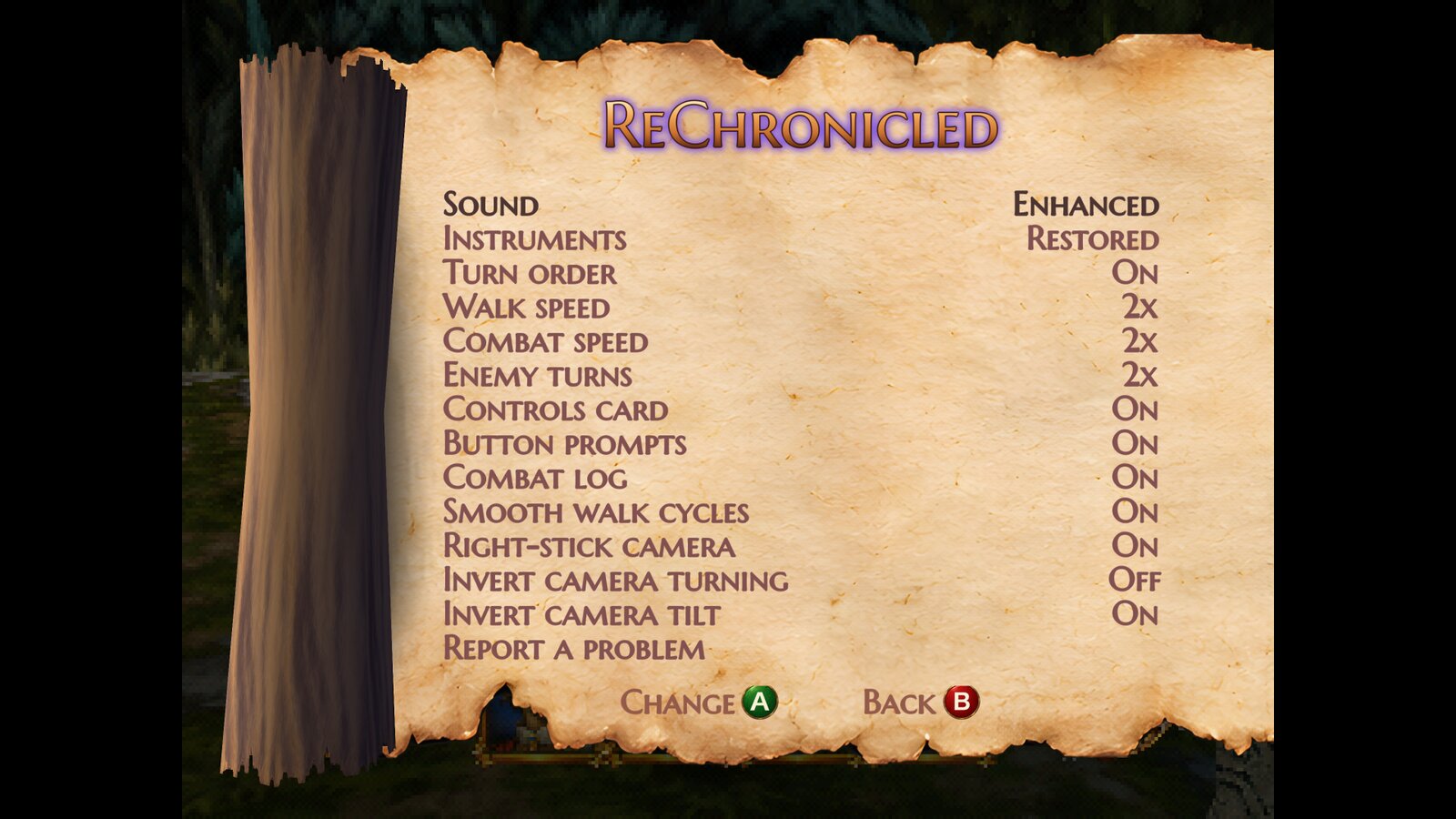 |
| The map page's calendar with its moon phases | This edition's options, changed while you play |
Download and play
Releases have ready-to-run builds:
- Linux (
AidynReChronicled-<version>-linux-x86_64.tar.gz: x86_64, glibc 2.38 or newer, a Vulkan driver). Unpack it and runbash install.sh(app menu entries and, if wanted, a Steam shortcut) orgame/aidyn-rechronicled.shin place. - Windows (
AidynReChronicled-<version>-windows-x86_64.zip: Windows 10 or 11, 64-bit, a Vulkan driver; the Visual C++ runtime is included, nothing to install). Unpack it anywhere and runAidynReChronicled.exe;Add to Steam.batadds it to Steam with its library art.
Your ROMs: put them in the download's ROMs folder: the NTSC-U 1.0 ROM, and the same ROM with Aidyn Patch or Aidyn
Plus applied if you have them, under any names (.z64, .n64 or .v64). At each start the game looks there for any
version it doesn't have yet, recognises each by its hash, keeps a copy in its data folder and lists it on the title
screen; on Linux, install.sh copies them to the installed game's ROMs folder and keeps that folder through updates.
If the version you played last has no ROM, the game plays one that has. Without any ROM there, the first start asks for
one in a file dialog. The README in the download covers controls, Aidyn Patch, Aidyn Plus and settings, and
RELEASE-NOTES.md what each release changed (tools/release/notes). Releases carry
no ROM (nor either patch). The newly painted art, the HD letters and the title branding ship as three .rtz texture
packs, and two things made from the game's own data, kept in private repositories (spitzdano's call to ship them): the
HD menu and world packs (hd-ui, hd-world: the hd/ submodule, Real-ESRGAN upscales; only the pictures the painted
art doesn't replace yet go in, tools/release/rtz.py --without, about 45 MB of their 1.3 GB) and the restored
instrument samples (the sound/ submodule).
The data folder (settings, saves, logs, problem reports, the stored ROMs) is ~/.local/share/AidynReChronicled on Linux
and %APPDATA%\AidynReChronicled on Windows.
A release is made with tools/release/make_release.sh <version> --windows --publish: it builds the portable Linux
executable (tools/ally/build_portable.sh) and the Windows one (tools/windows/build_windows.sh, cross-compiled
here), packages each with its launcher or Add to Steam script, the icon, the Steam art and the texture packs, tags the
pushed main and creates the GitHub release with both.
Found a problem?
Please report it: a crash, a freeze, a glitch, a wrong picture, anything that looks off.
- Make a problem report. If the game crashed, it already made one and said where; if it froze, or you had to close it by force, it makes one the next time it starts (a notice at the top says so). Otherwise pause as close as you can to the problem and choose Report a problem at the bottom of the ReChronicled page (on the pause menu's Menu page): it also keeps a picture of the screen and a save of that moment.
- Open an issue with the Problem report form and drag in the newest
.zipfrom~/.local/share/AidynReChronicled/reportson Linux (on a Steam Deck or an Ally, switch to Desktop Mode to reach it) or%APPDATA%\AidynReChronicled\reportson Windows (type that into File Explorer's address bar). - Say what happened and what you were doing just before.
A report holds the game's logs, your settings and your saves, nothing from the game's ROM, and your home folder's name is left out of it.
Building
Building it yourself isn't supported: play the releases.
For the record, a release is built from this repository and the
n64-recomp-toolkit at commit e1e4e40, cloned and built on the
machine (install.sh, build.sh, doctor.sh). tools/toolkit.env says where it is (~/Work/n64-recomp-toolkit); set
N64RECOMP_TOOLKIT to override.
The redrawn art (art/) is a submodule from its own private repository; players get it in the releases' texture
packs.
git submodule update --init --recursive
ln -s /path/to/your/dump.z64 baserom.z64   # never copied, never committed

tools/split.sh        # splat: split/asm, split/bin, linker script
tools/build_elf.sh    # assemble + link -> build/aidyn.us.elf; must rebuild baserom.z64 byte for byte
tools/recomp.sh       # N64Recomp -> RecompiledFuncs/, RSPRecomp -> rsp/
tools/check_recomp.sh # compile-only check of the generated code
Everything under split/asm, split/bin, RecompiledFuncs/, rsp/ and build/ is derived
from the ROM, so it is gitignored and regenerated by the commands above.
The Windows build is cross-compiled on Linux: tools/windows/build_windows.sh (clang-cl and lld-link against
Microsoft's C runtime and Windows SDK, fetched by a pinned xwin; Vulkan, as on
Linux) puts the exe and its DLLs in build/windows/dist. It is tested under GE-Proton
(tools/dev/windows-steam.sh adds it to Steam on the Linux PC) and on Windows.
Stubs, ignored functions and patches
Every entry in aidyn.us.toml's [patches] and every hand-written stub in src/ is listed
here with the reason for it.
| Function | Kind | Why |
|---|---|---|
| func_800B7B50, func_800B7BC0, func_800B7C6C, func_800B7C88, func_800B7CBC, func_800B7D40, func_800B81C8, func_800B828C | stub (aidyn.us.toml) | libultra exception machinery (cop0, cache ops, handler vector); ultramodern provides interrupts and threads |
| osPfsInitPak, osPfsFreeBlocks, osPfsAllocateFile, osPfsDeleteFile, osPfsFileState, osPfsReadWriteFile, osPfsRepairId, osPfsFindFile, __osCheckId, __osCheckPackId, __osGetId, __osPfsCheckRamArea, __osPfsRWInode, __osPfsSelectBank, __osRepairPackId | renamed aidyn_* (tools/symbol_renames.txt) | N64Recomp substitutes the runtime's "no Controller Pak" versions for these names. Renamed, the game's own libultra file system is recompiled and runs over the pack image below |
| Graphics__EndList | ignored; src/game/patches.cpp | ends each frame's display list; the C version draws the game's black CRT-overscan frame only when overscan_borders is on (it would sit in the middle of a 16:9 picture) |
| func_800A68E0 | ignored; src/game/patches.cpp | the walking camera's "behind the player" point; the C version keeps the camera's own direction after the right stick has turned it |
| func_800AA2B0 | ignored; src/game/patches.cpp | Font::GetButtonColor; white while the HD UI pack is loaded, so its Xbox button icons keep their colours |
| __osSiGetAccess/RelAccess, __osSpDeviceBusy, __osGetSR, osUnmapTLBAll | ignored by N64Recomp (runtime-provided) | the runtime lacks __osSiGetAccess/RelAccess, __osSpDeviceBusy, __osGetSR: stubbed in src/game/stubs.cpp |
| osPfsIsPlug, __osPfsGetStatus, osPfsChecker, __osContRamRead/Write | src/game/pak.cpp | the Controller Pak (below) |
Controller Pak saves
The game keeps its saves on a Controller Pak. src/game/pak.cpp emulates one pack in port 1 as a 32 KiB image in the standard
libultra layout, ~/.local/share/AidynReChronicled/aidyn.mpk (AIDYN_MPK=/path overrides it). Only the two raw block accesses
(__osContRamRead / __osContRamWrite, 32 bytes each) plus the PIF-level osPfsIsPlug, __osPfsGetStatus and osPfsChecker are
ours; the file system on top (ID and inode tables, note directory, free-page accounting, the PFS_ERR_* codes) is the game's own libultra
code, recompiled. A new image is created formatted (as osPfsReFormat leaves one). Every write is flushed at once through a temp file and a
rename. An existing file must be exactly 32768 bytes (Project64's .mpk and ares' .pak work as they are), or a file holding four
controllers' packs, which is converted when the game starts: Mupen64Plus' 128 KiB .mpk (RMG, simple64) and RetroArch's .srm
(Mupen64Plus-Next, ParaLLEl-N64). The pack with an Aidyn save (else the first formatted one) becomes the 32 KiB file and the original
is kept in backups/. Anything else stops the program and is left untouched.
Ports 2 to 4 report no pack. osPfsChecker always reports "consistent": it talks to the PIF directly.
Runtime-shell stubs (src/game/stubs.cpp): __osSiGetAccess / __osSiRelAccess (no-op), __osSpDeviceBusy (never busy), __osGetSR
(context status register), and aidyn_park_boot_thread (hooked at the entrypoint's trailing break: bootproc returns on the runtime but
never on hardware). src/main/audio.cpp caps the reported audio queue at one VI so the game's unsigned buffer-size arithmetic can't wrap, and keeps the game's sound three VIs ahead (52 to 68 ms queued; it was one, 18 to 35 ms, and a hold-up of the game's thread longer than that played silence: a pop). The log notes each time the queue was found empty ("Sound: ran dry"); AIDYN_AUDIO_AHEAD=<VIs> (testing).
Split fix-ups (all in tools/, applied by tools/split.sh; decomp/ is never edited): yaml_options.txt + yaml_fixes.txt
(segment boundary moves and replacements), symbol_fixes.txt (named/sized symbols), symbol_fixes_auto.txt (functions reached only
through data, from find_missing_funcs.py), symbol_drops.txt (bogus decomp symbols inside other functions), symbol_renames.txt (see above). find_fallthrough.py must
report 0: a function that falls off its end into the next one is recompiled as a function that returns early and leaves the stack pointer wrong.
Running
cmake -S . -B build/cmake -G Ninja -DCMAKE_BUILD_TYPE=Release -DCMAKE_C_COMPILER=clang -DCMAKE_CXX_COMPILER=clang++
cmake --build build/cmake --target AidynReChronicled
build/cmake/AidynReChronicled --rom /path/to/aidyn-chronicles-ntsc-u-1.0.z64    # remembered after the first run
F1: the manual. F2: the redrawn art (rechronicled-art pack) off and on, to compare ("Redrawn art off" shows top right while it's off). F11 / Alt+Enter (or the Display page's Window row): windowed or borderless, remembered. Shift+Esc: quit. The game starts at the title screen (skip_intro). Data (settings, saves, the stored
ROMs, texture packs) lives in ~/.local/share/AidynReChronicled (Windows: %APPDATA%\AidynReChronicled); ROMs put in
ROMs beside the executable (or one folder up) are found and stored at the start; a folder from the project's earlier name, AidynRecompiled, is moved
there on the first run.
Aidyn Patch and Aidyn Plus. Two community rebalances by halibabica (u/halibabica) can be played instead of the
original: Aidyn Patch and the bigger Aidyn Plus (2023: a massive overhaul that corrects many issues and makes the game
more challenging; new weapon skills and items, every spell learnable, elements and resistances reworked; read its FAQ).
Aidyn Plus first came out as a ROM download on a site that is gone; it now exists as a patch for the 1.0 ROM (SHA-1
47ae795a..., CRC32 b1f18186). Neither comes with this project: get the patch yourself and apply it to your own 1.0 ROM (for
Aidyn Plus, AidynPlus.bps with a BPS patcher such as Flips or Floating IPS), then run the game once with
--rom /path/to/that.z64, or put it in the ROMs folder. Each is checked by its hash and only a match is stored, next
to the original ROM:
| Version | XXH3-64 | SHA-1 |
|---|---|---|
| Original (NTSC-U 1.0) | 79127d0e9caf38bc | 47ae795a2b12783a13e2b8d03439ce9a39fc826c |
| Aidyn Patch | aee228c7fb42f968 | 1f95ad78824f491ea3d94e3ac5d36901cef09e4e |
| Aidyn Plus | a72109e848aff75e | d57f9459a77c66490ff09b3d9d97545c7a65fad2 |
Action Edition (AidynActionFeb072026.z64) | 802056dbbadc0fc0 | 4bbb9fcd0f3124b145b8b54e7be927baae4e262e |
Action Edition, by MDoulos, is a data mod of its own (faster combat, a rebalanced economy and items, shops stocked to their themes, spell schools redistributed among the party; see its page): a whole ROM, not a patch, so it is used as it is, and a new release of it has another hash and needs a new release of the port. Like the others it changes only game data (its differences from the 1.0 ROM are in the same places as the other two's), so it runs on the same recompiled code.
All of them change only game data (potion recipes and prices, skill and weapon XP rates, the entity, weapon, armour, spell,
item and chest databases; compared byte by byte with the 1.0 ROM), no code, so they run on the same recompiled code.
You can have any of them. Each game keeps its own Controller Pak: aidyn-patch.mpk, aidyn-plus.mpk, action-edition.mpk; copy
aidyn.mpk over one to carry a save across (not into Aidyn Plus: its databases differ enough that such a save can
crash it, #31). Aidyn Plus's own FAQ warns that some of its items and spells freeze the
game when you look at their description; that is the romhack, not the port.
Switching versions:
- Title screen: the bottom left names the running version with a copper marker, and under it Versions with Y
(keyboard I). Y opens a list: Original first, then Aidyn Patch, Aidyn Plus and Action Edition, the running one
marked playing. Up and Down choose, A plays the chosen one (saved in
settings.json; the program restarts in place into that version, back at the title), B, Start or Y close it (title_versions_panelinsrc/game/patches.cpp; the game gets no input meanwhile). A version whose ROM isn't stored says not found and can't be chosen; if the version insettings.jsonis one of those, the game plays one whose ROM is there instead, for that run, and names that one. The list is on the title card: from the menu Start opens (New Game, Load Game, Options), B goes back to it (the game had no way back;aidyn_title_backcalls its ownIntroMenu::InitTitleCard). - Version number: the bottom right of the title screen shows the build's vers