Melee Unlocked
Melee Unlocked is a community PC port of Super Smash Bros. Melee in the Quiver Launcher catalog.
- Type: PC port
- Game: Super Smash Bros. Melee
- Runs on Windows
- By Hero88go
- Latest release v0.6.61, 2026-09-23
- Source: https://github.com/Hero88go/melee-unlocked
README
Melee Unlocked - Beta
A native Windows port of Super Smash Bros. Melee (NTSC 1.02), with Slippi online play and an unlocked frame rate.
Source Port is the default: Melee's decompiled C source is compiled directly for PC, with native graphics, audio and controller support. You can also choose Static Recomp, which translates the original PowerPC code and Slippi's Gecko codes into C++ ahead of time. Both keep game logic at 60 Hz while rendering at higher frame rates.
Download v0.8.0. Both builds are included; switch under Game Build in the launcher. You supply your own Melee NTSC 1.02 ISO. No game assets are included.
This project is not affiliated with, endorsed by, or supported by the Slippi team, Nintendo or HAL Laboratory. Slippi netplay compatibility is implemented from Slippi's open source code (GPL). Questions and bugs about this build go to this repository or the Discord below, not to the Slippi team.
No Monetization. No Donos. No Patreon. FREE FOREVER
v0.6.1 DLSS5 Footage can be found here https://www.youtube.com/watch?v=qZXsNr7HmAo
v0.5.0 Gameplay footage can be found here: https://www.youtube.com/watch?v=JlmTDW6wQms
Discord / Help
Discord can be found here https://discord.gg/K7HHs3r8ty And On X https://x.com/MeleeUnlocked
Screenshots
Taken in the game with DLAA on, at the window's full resolution. No textures or other game files are included with Melee Unlocked.
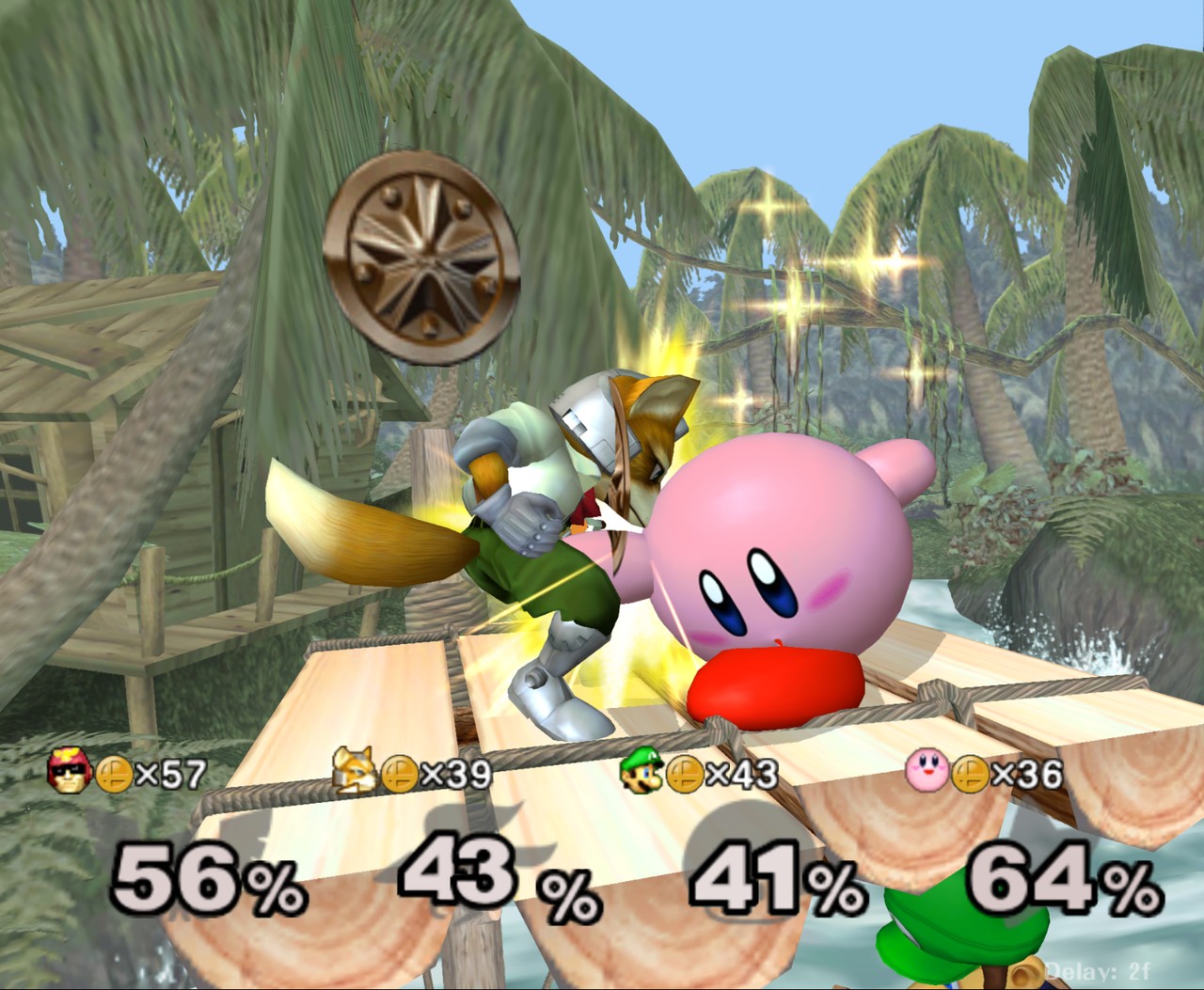
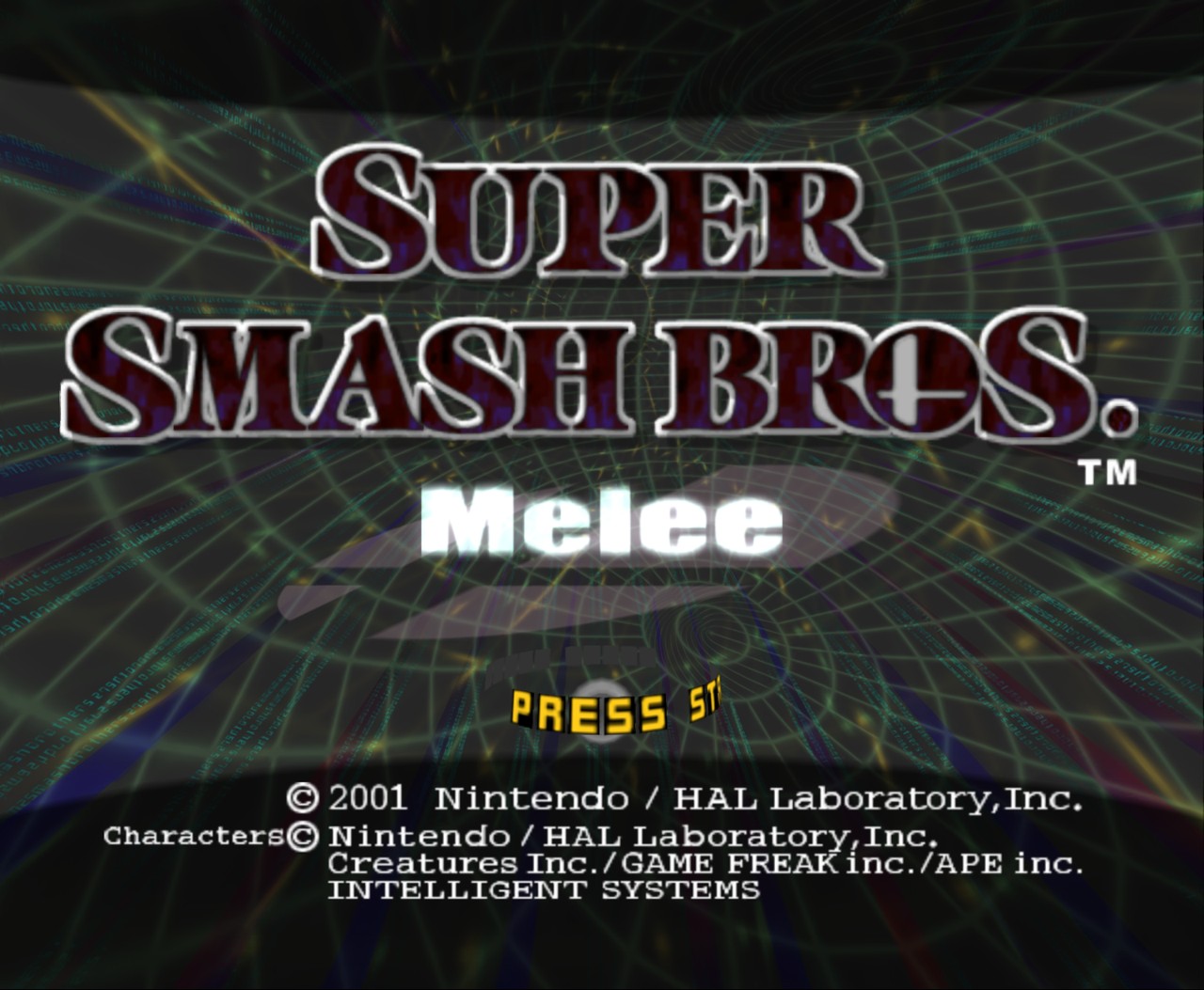 | 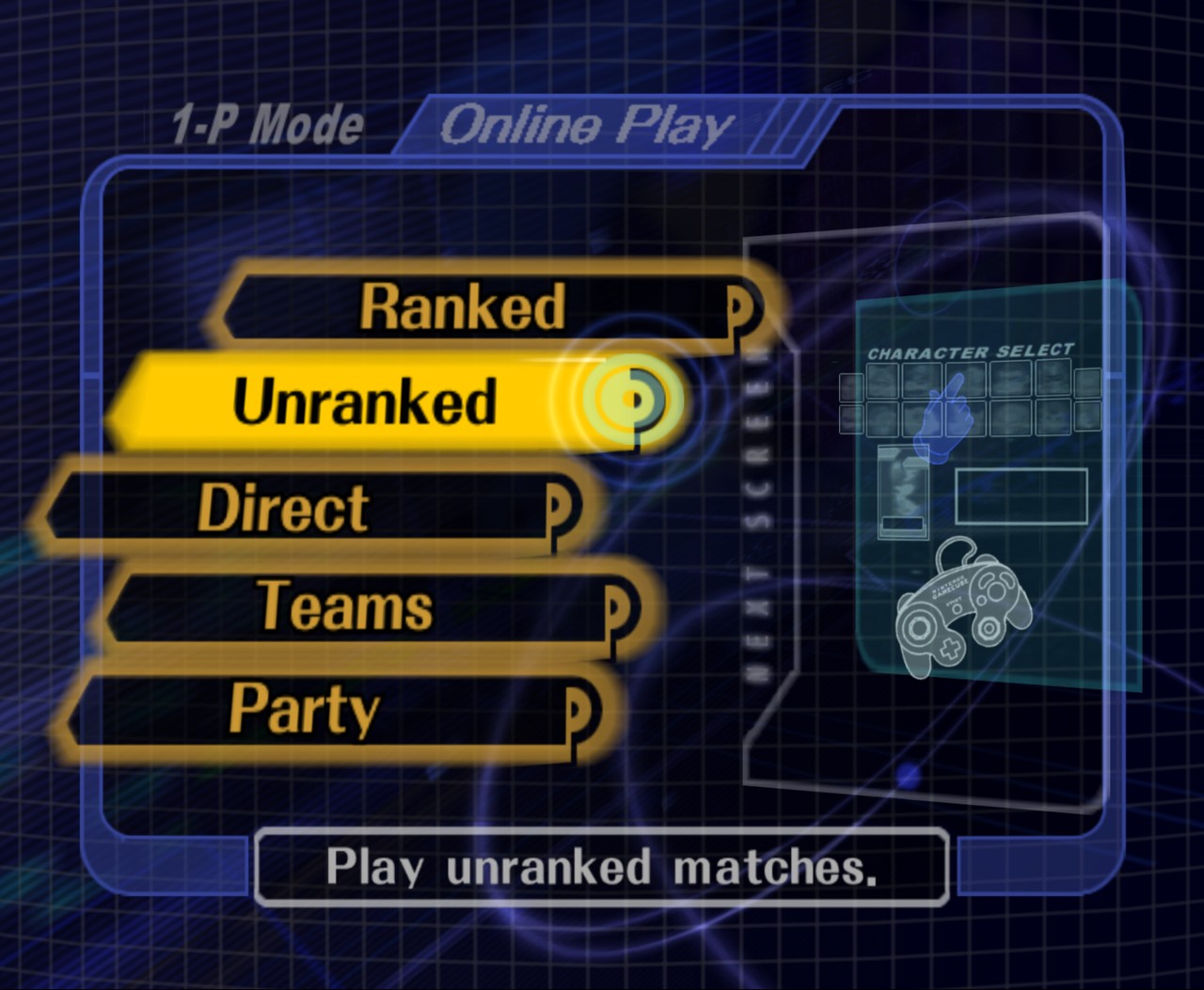 |
| Title screen | Slippi online play |
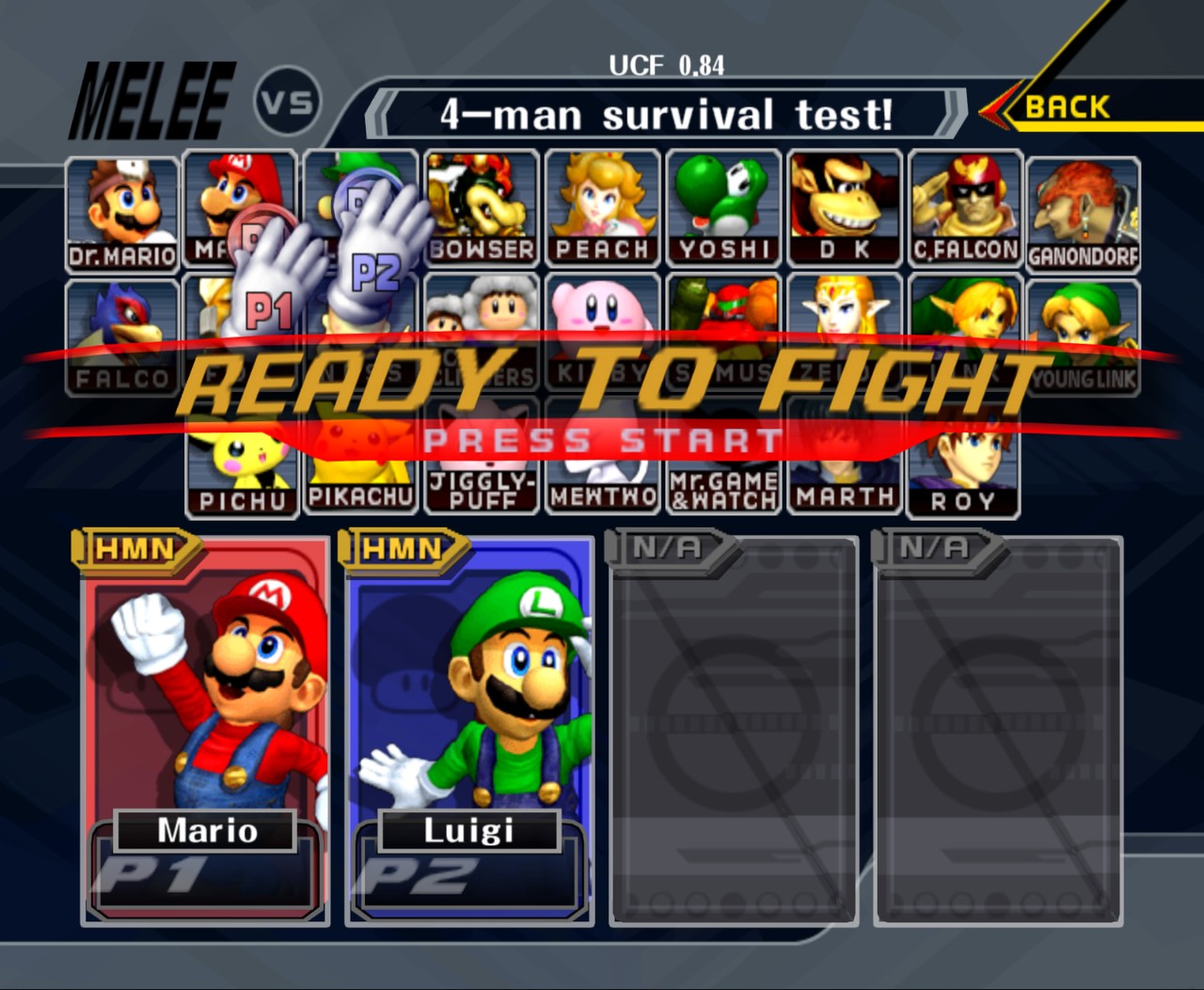 | 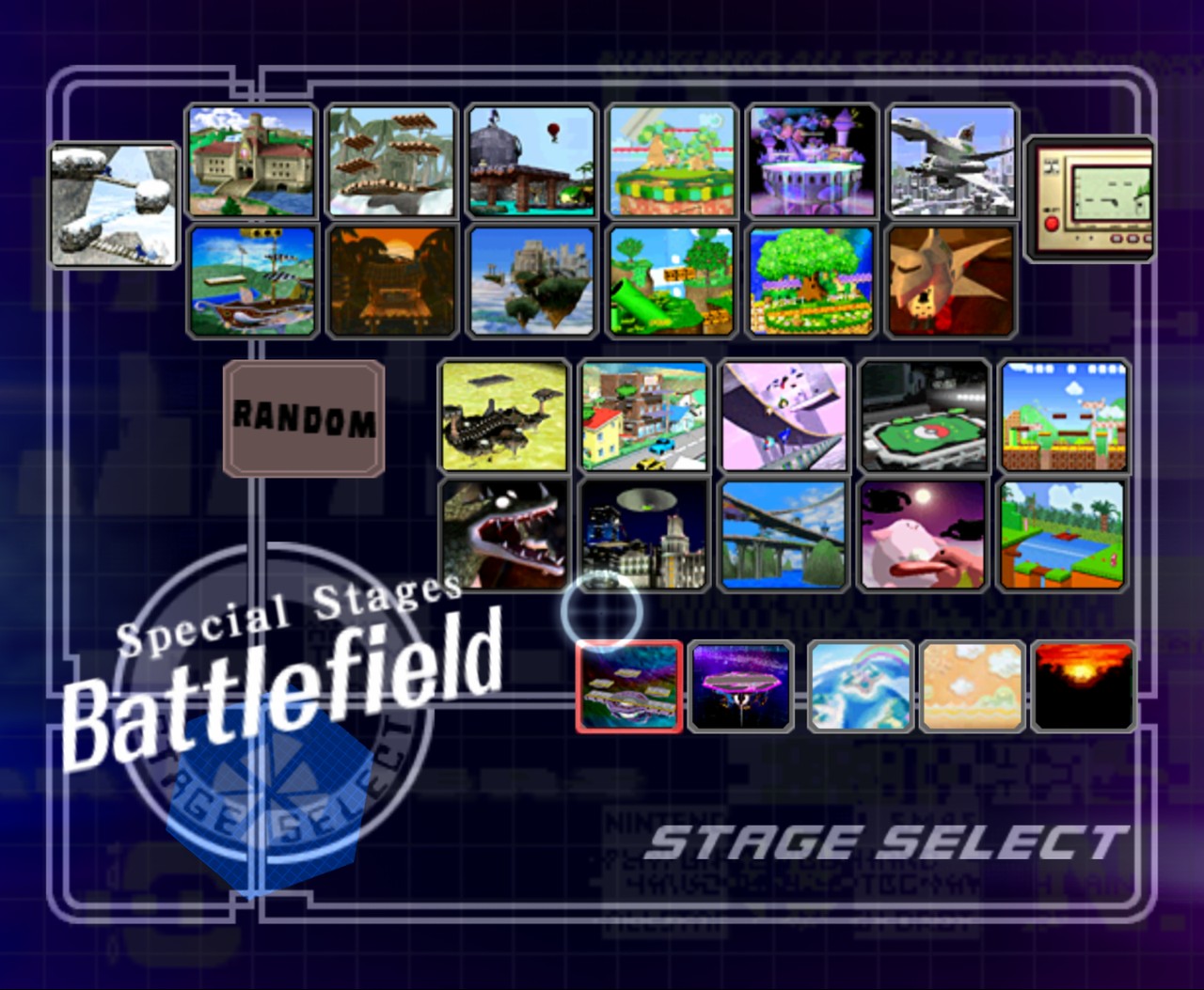 |
| Character select | Stage select |
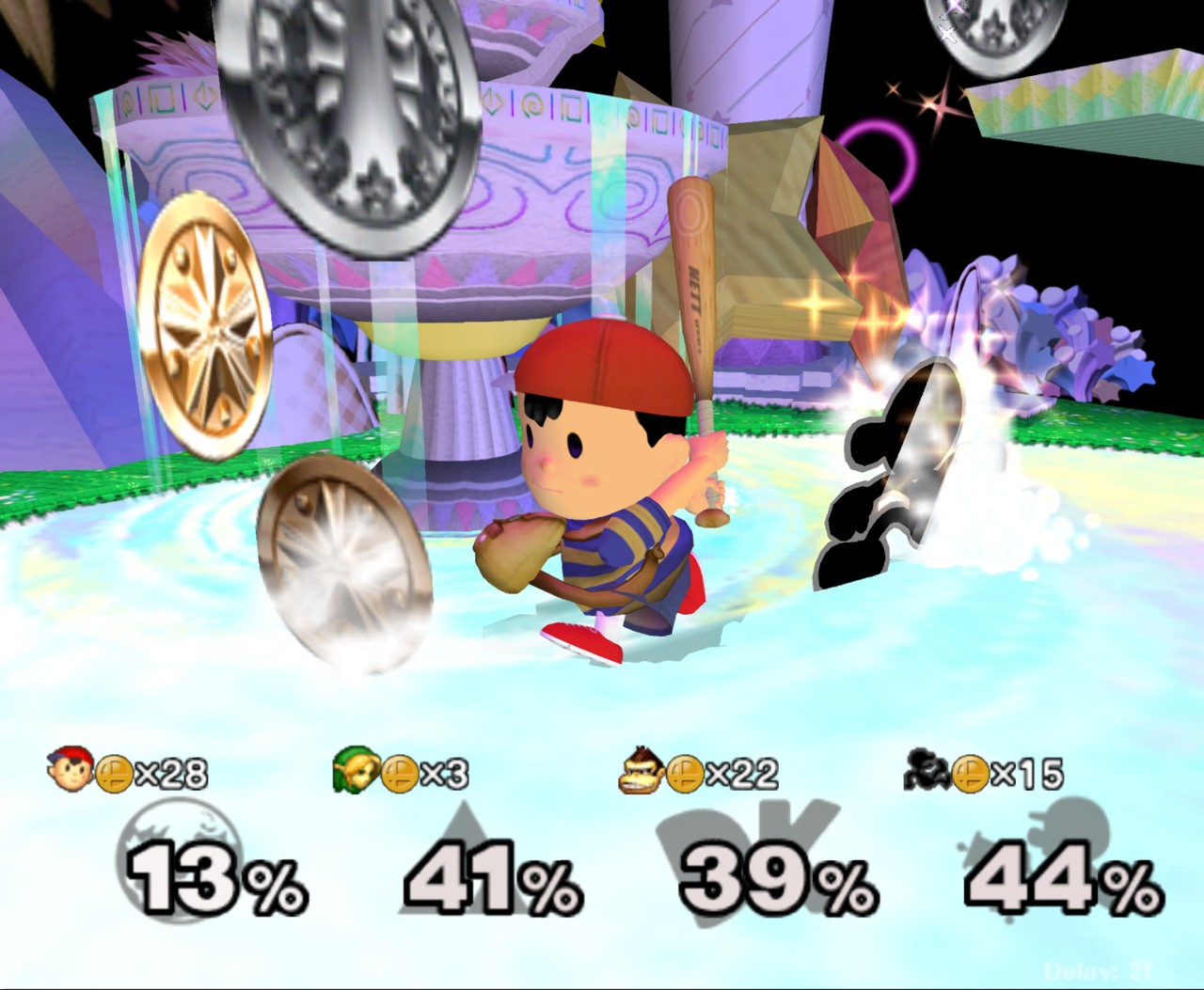 | 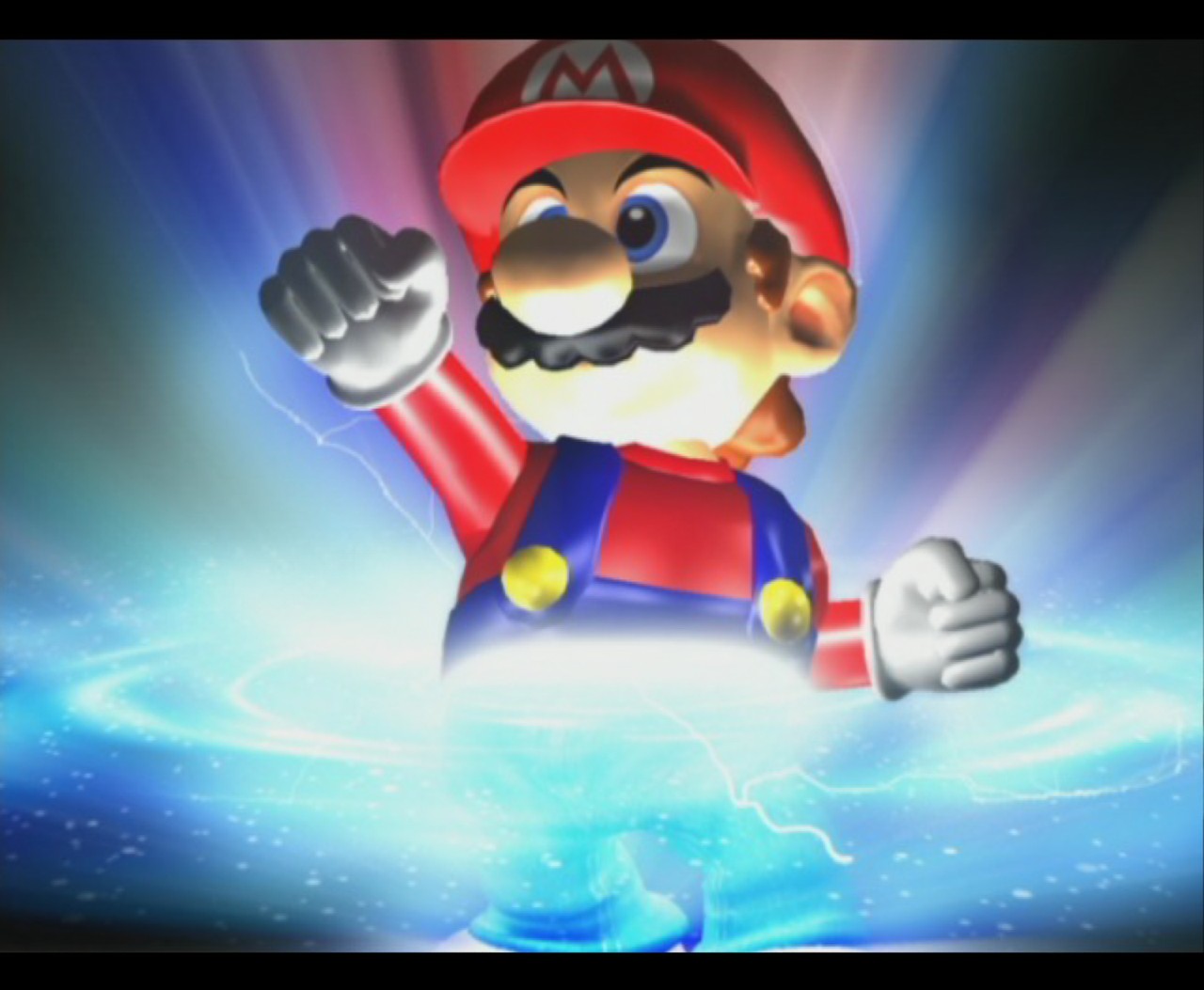 |
| Fountain of Dreams | The opening movie |
PC settings (F1)
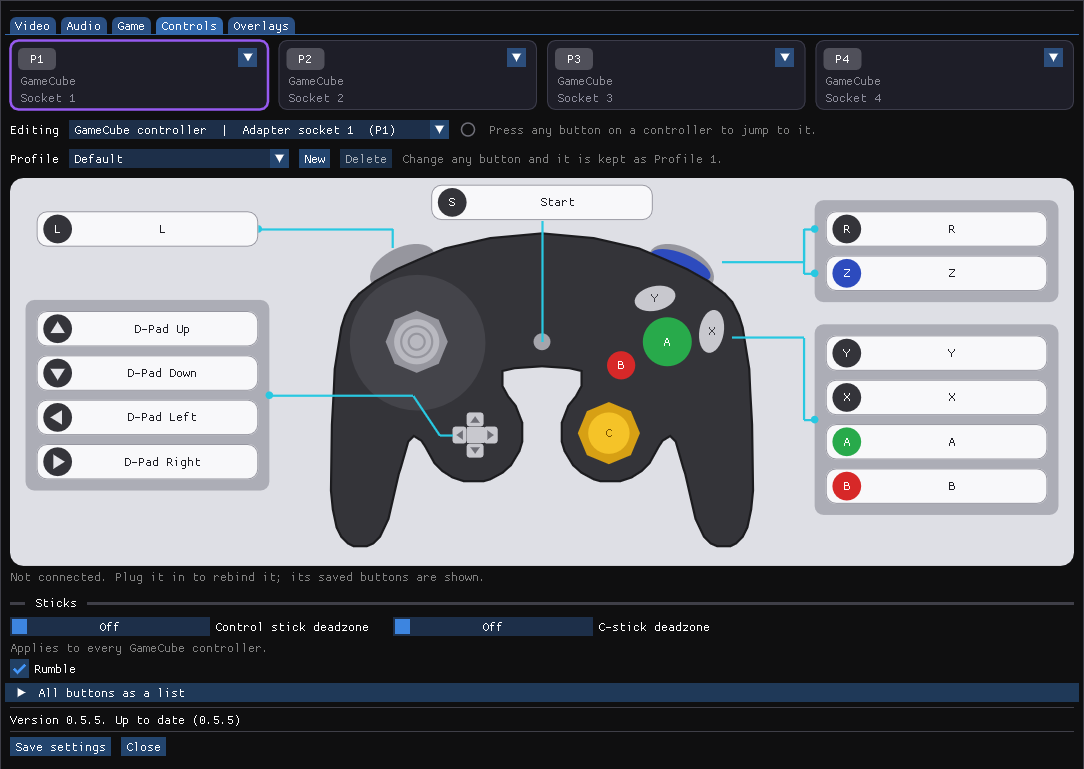 | 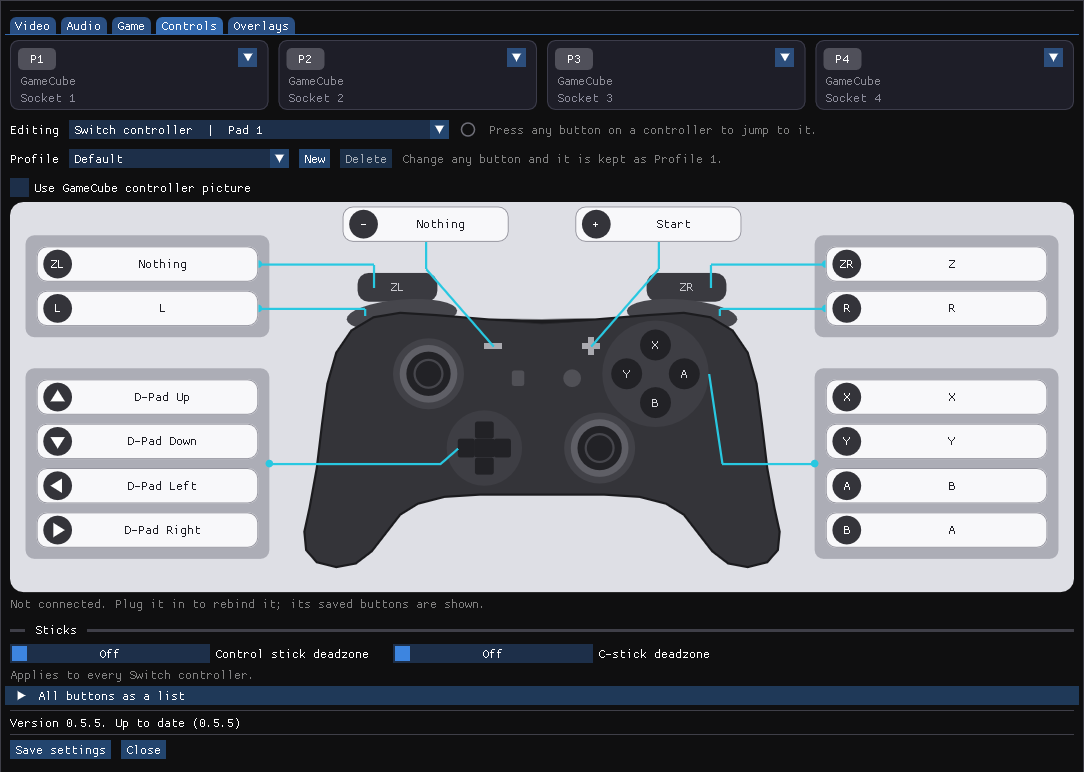 |
| Controls: click a button on the controller to rebind it | Switch Pro controllers get their own layout |
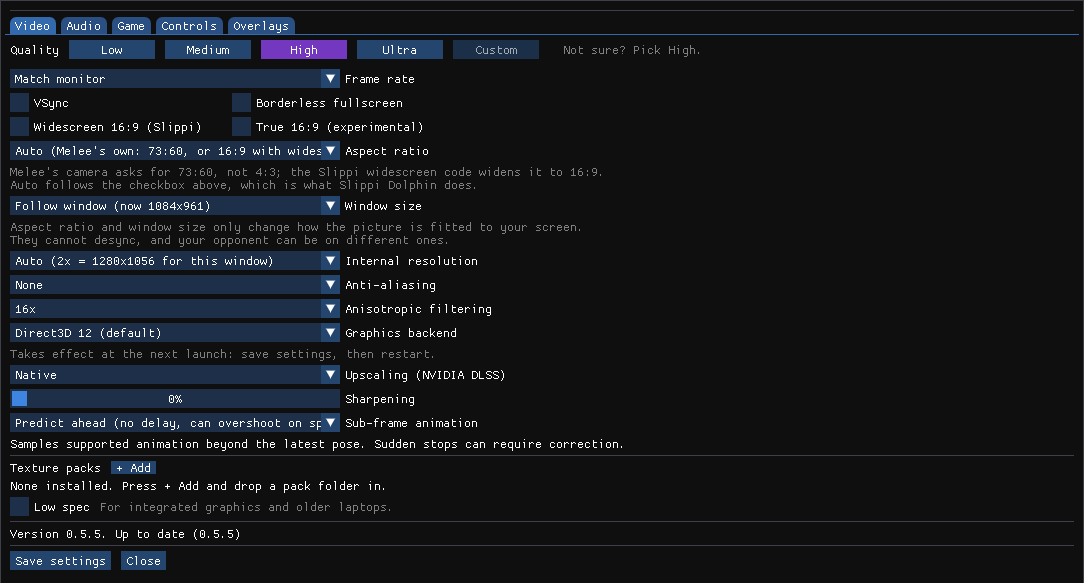 | 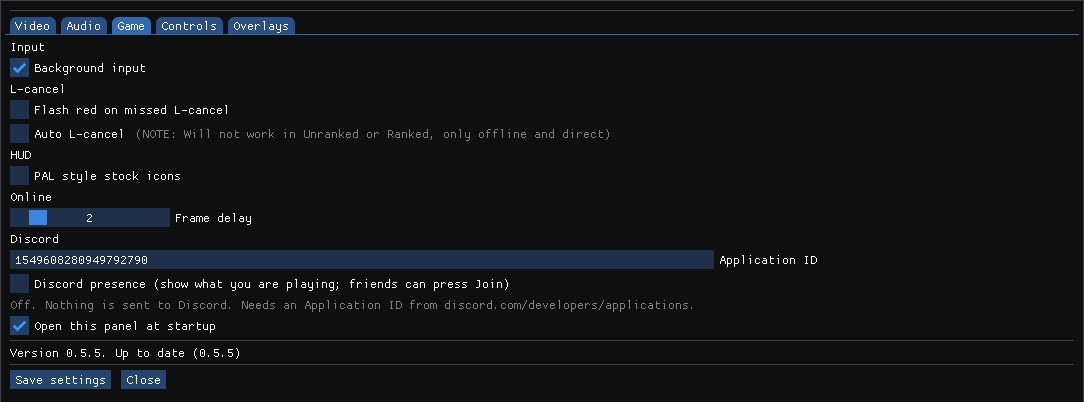 |
| Video: one-click quality presets, DLSS and DLAA | Game: L-cancel helpers, PAL stock icons, frame delay |
Install
Download MeleeUnlocked-<version>-win64.zip from Releases
and extract it anywhere. Then pick one of two ways to run it. The launcher is optional;
the game does not depend on it, and the manual way is complete on its own.
Manual (no launcher)
- Drag your Melee NTSC 1.02 ISO onto
MeleeUnlocked.bat, or put the ISO next to it namedmelee.isoand double-clickMeleeUnlocked.bat. - Play. The first launch precompiles the graphics pipelines (15 to 30 seconds, progress in the title bar). In game, F1 (or Start + D-pad Down + Z on a GameCube controller) opens the PC settings; Melee's own Options menu also has a PC Settings entry.
- To update, extract a newer zip over the folder. Settings, saves and replays are kept.
Native DualShock 4 support is experimental. Connect a DS4 by USB or Bluetooth, open PC settings with F1, select a DS4 tab, rebind its actions if needed, and assign it to a game port. It uses Windows Raw Input directly; DS4Windows is not required.
Melee Unlocked Launcher (optional)
A small window in the same zip, MeleeUnlockedLauncher.exe, for people who want setup,
updates and the Slippi account check in one place.
- Build tab: drop the ISO onto the window. It checks the disc, precompiles the graphics pipelines for your GPU once and remembers the path. The ISO is never copied.
- Play: press PLAY. It shows which Slippi account will be used.
- Game Build: Source Port is the default; Static Recomp is also available.
- Multiplayer Lobby: go online to chat, add friends and request Slippi Direct matches. Players connect directly; some networks block discovery or connections, and there is no relay yet.
- Replay Viewer: browse saved matches and view player, stock and punish statistics.
- Updates: it checks for a new release on every start. "Update and restart" installs it in place; settings, saves and replays stay.
- Version rollback: choose a published Windows version from Choose version on the Play
page. The launcher downloads it into
Versions/and keeps the current game files intact. Previously installed versions remain selectable offline. The selected version is remembered; choose Current install to return. The ISO, settings, saves, and replays are shared, while each version uses its own game files andSysresources.
DLSS 5 Experimental
The v0.8.0 archive includes normal DLSS / DLAA, Frame Generation, Reflex and the optional
DLSS 5 neural-rendering path. DLSS 5 requires an RTX 50-series card, Direct3D 12, DLAA or
DLSS, and your own NVIDIA model file (nvngx_dlssnr.dll beside the game), which is not
included. The settings panel reports if the model is missing. One pass is recommended;
multiple passes can darken moving fighters and leave trails.
For renderer diagnostics, --frame-generation enables 2x. The explicit forms
--frame-generation=2x|3x|4x|5x|6x|dynamic select a driver-supported mode.
Build from source
Windows 10/11, your own ISO, about 5-10 minutes the first time. The game is translated to C++ and compiled on your machine; nothing from the ISO enters the repository.
Either drag the ISO onto play.bat in a clone of this repo (it installs Python, CMake and the
Visual Studio 2022 Build Tools with winget if missing, then builds and starts the game), or:
git clone https://github.com/hero88go/melee-unlocked.git
cd melee-unlocked
git submodule update --init sourceport/extern/melee
python tools/extract_dol.py "C:/path/to/melee.iso" build/main.dol
python port/recomp/recomp.py --dol build/main.dol --gct-base 0x8065CC80
cmake -S . -B build-review -G "Visual Studio 17 2022" -A x64 -DMELEE_BUILD_EXPERIMENTAL_PORT=ON
cmake --build build-review --config Release --target melee_port --parallel
build-review/port/Release/melee_port.exe --iso "C:/path/to/melee.iso" --threaded-renderer --fps unlocked --frame-mode authored --scale auto --volume 70
(Add the target melee_unlocked to the build line if you want the optional launcher; run
build-review/port/Release/MeleeUnlockedLauncher.exe from the checkout and it finds the repo.)
For the GCC-built Source Port DLL and its MSVC host, see Building the Source Port.
FAQ
Was this "vibe coded"?
This was developed using Fable 5.1 and GPT 6 Astra, much like the 100% decomp. You can either complain about it or enjoy it, the truth is the decomp + PC port would not have been possible or would have taken infinitely longer without the latest AI coding models. As humans we can either work with the robots or against them, I believe in technlogical progress and making cool shit, if we do not use all tools available we are choosing to limit our results. I will not handicap myself and there's no reason anyone has to wait any longer for ports and advancements like this. If I were to shy away from every new technology I would not be the person I am today.
I am interested in collabing with other developers but so far have found no collective space for this type of dicussion; PC port dicussion is actively discouraged in the Melee decomp discord My vision for the project is keeping it open source so anyone can view the work and make it better.
Features
- Unlocked frame rate (monitor rate, a fixed cap, or fully unlocked) with sub-frame animation
- Slippi online against regular Slippi Dolphin players, using your Slippi Launcher login
- GameCube adapter (WUP-028 with the WinUSB driver), keyboard fallback
- DLSS / DLAA (NVIDIA Streamline), internal resolution up to 8x, SSAA, anisotropic filtering, sharpening, borderless fullscreen, VSync
- Direct3D 12 by default, with a Direct3D 11 renderer for machines where D3D12 will not start
(
--backend d3d11, or Graphics backend in the PC settings panel; needs a restart, no DLSS) - "Low spec" switch in the PC settings panel: one control that puts internal resolution, anti-aliasing, anisotropic filtering, visual effects, sub-frame animation and the frame cap at their cheapest, for integrated graphics and older laptops. Turning it off restores exactly what you had before. It reduces rendering cost only; the simulation runs at the same price either way.
- Widescreen 16:9 (Slippi's own optional code, online safe)
- Aspect ratio and window size pickers (
--aspect,--window): Melee's native 73:60 by default, 4:3, 16:9, or stretched to fill the window with no black bars. Presentation only, so it cannot desync and the two players in a match may each pick their own. - Memory card saves as .gci files (Dolphin GCI-folder format, drop in your existing save)
- PC settings overlay in the game window: F1, Start + D-pad Down + Z, or PC Settings from Melee's Options menu. Customize offers six menu appearances (Clean side, Icon tiles, GD Melee, Radial, Wide tabs and Simple), each with its own colour palettes, plus the previous compact menu on F11. Video, Audio, Game, Controls, Overlays, Customize, and Gecko Codes have their own pages. See the full v0.7 feature list.
- Fountain of Dreams reflections are on by default. The Video page can turn on Lagless FoD; changing this only affects the optional visual code, not match rules.
- Cosmetic DAT/ZIP and Nucleus vault imports for costumes, stage visuals, and move level effects. Stage files map to exact disc resources; non texture stage changes use vanilla online. Supplied CSPs and screenshots appear as previews in Customize. See docs/cosmetic-imports.md.
- Looping H.264 CSS and SSS backgrounds with target learning and vanilla fallback.
- Optional launcher with self-update
- Lab view is hidden in this release while its silhouettes are prepared for distribution.
Lab view
Lab view is hidden in v0.8.0. The following describes the implementation for developers.
Shows the match the way Slippi Lab draws replays: flat character silhouettes on a plain stage, with the grid, blast zones, shields, lasers and projectiles, and a percent and stock readout. Toggle it with F3, or "Lab view" in the Overlays tab of the PC settings (F1). Menus and character select look normal; the view takes over only while a match is running.
It is display only. The view reads the same per-frame events the Slippi recording codes already send for replays and draws them over the game image, so it never touches the simulation and is safe online: your opponent's game is unaffected, and the rollback state it shows is exactly what the game is running.
The silhouettes are Slippi Lab's own animation frames and are not shipped with this build. Generate them once from a Slippi Lab checkout (Python 3, no extra packages):
git clone https://github.com/frankborden/slippilab.git
python tools/build_lab_assets.py --slippilab slippilab --out "C:/path/to/MeleeUnlocked/Lab"
The game reads Lab\ next to it (or --lab-dir <folder>). Without it, characters show as plain
markers. The view runs at the game's 60 Hz; sub-frame animation does not apply to it.
Stages are drawn from the collision the game is actually using each frame, so moving platforms, Randall and Pokémon Stadium's transformations always match where characters can stand, and stages Slippi Lab has no outline for still get one. The solid body of the six legal stages is Slippi Lab's shape; if the collision cannot be read, its fixed platforms are used instead.
While the view is showing, the game's own 3D scene is not drawn, since it would be covered anyway. That makes the Lab view much lighter on the graphics card than the normal game, which helps on weak laptops. "Skip the 3D scene underneath" under the Lab view checkbox turns that off.
Slippi online
Everything Slippi Dolphin does for netplay is built in: matchmaking, rollback netcode, the Slippi code set, replay recording, game reporting. Slippi Dolphin itself is not needed and is not touched.
Is the Slippi Launcher required? For online play, yes: a Slippi account is required and accounts are created and logged in only through the Slippi Launcher. Install it, log in once, and the game picks up that login automatically (the optional Melee Unlocked Launcher shows the account on its Play page and links to the download if none is found). The Slippi Launcher also installs the WinUSB driver a GameCube adapter needs. For offline play the Slippi Launcher is not required. NOTE: we are not affiliated with the Slippi team.
Unranked, Direct codes and Teams work against players on regular Slippi Dolphin; they change
nothing on their side. Replays (.slp) are written to Replays\.
The optional launcher's Multiplayer Lobby tab offers an opt-in peer-to-peer lobby. Checking Go Online lists your name for reachable players and enables match requests while the launcher is open. The lobby works without a Melee Unlocked server. It uses DHT discovery and direct encrypted messages for the roster, chat, friends, presence and match requests, then starts accepted matches through Slippi Direct. Reachability depends on each player's network; this experimental mode has no relay or guaranteed global chat history. See the lobby setup and limitations.
Bug reports
Open a GitHub issue using the template.
Attach melee_port.log from the game folder, your port-settings.ini, and the .slp replay if
the bug happened in a match.
Repository layout
port/recomp/ is the recompiler (Python): it reads the DOL and the Slippi code tables
(port/slippi_sys/, vendored from Slippi) and writes port/generated/ (not committed).
port/runtime/ is the host runtime: PowerPC helpers, HLE of the GameCube SDK (OS, VI, PAD, DVD,
AI/AX audio, CARD, EXI), the Slippi EXI device, netcode, game reporting, the D3D12 and D3D11
renderers and the sub-frame solver. port/app/launcher.cpp is the optional launcher. tools/ holds validation,
benchmarking and packaging scripts. See PORT_COMPLETION.md for the technical state and
evidence, and docs/v0.7-feature-list.md for the current feature list.
tools/package_release.py produces the release zip (version from VERSION). The replay
playback build (melee_port_playback, used to verify frame-exactness against Dolphin replays)
is described in PORT_COMPLETION.md.
Verification
Development launcher: run-native.bat (or python tools/launch_native.py --iso <iso> ...) starts the
build in build-review/port/Play/ if present, else the Release build, muted and windowed by default.
ctest --test-dir build-review -C Release: unit testspython tools/validate_native.py --iso <iso>: 2400 simulation checkpoints must match across headless, hidden, threaded and authored renderingpython tools/online_pair.py --script port/scripts/online_bot.txt: two local instances play a full Slippi online match; the log must show noDESYNC
License
GPL-2.0-or-later. Parts of the runtime are ports of Dolphin and Slippi Ishiiruka code (GPL-2.0).
Third-party components: ENet, Dear ImGui, nlohmann/json, NVIDIA Streamline (see licenses/ in a
release and port/third_party/). Super Smash Bros. Melee is the property of Nintendo and HAL
Laboratory; this project contains none of its data.
Credits
Hero88go - developer
Johnny Brookes Aka Lainthewired for their major contribution of the last graphic error fix that took this project from alpha -> beta. Could not have done it without them