Automobili Lamborghini: Recompiled
Automobili Lamborghini: Recompiled is a native port of the Nintendo 64 game Automobili Lamborghini, bringing it to Windows, Linux, and Android.
- Type: PC port
- Game: Automobili Lamborghini
- Runs on Windows, Linux and Android
- By alondero
- Latest release v0.11.0, 2026-11-10
- Source: https://github.com/alondero/automobililamborghini-recomp
README
Automobili Lamborghini: Recompiled
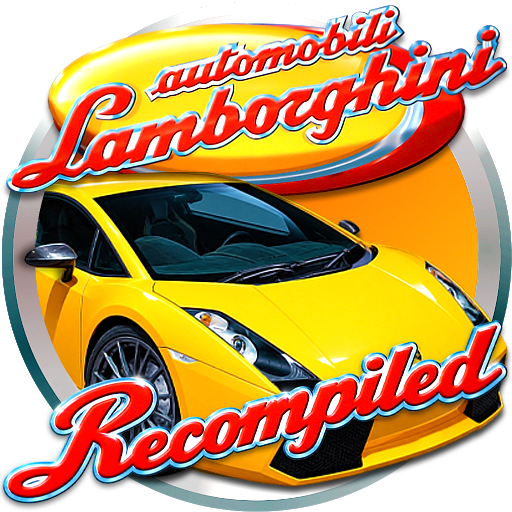
Automobili Lamborghini: Recompiled is a native port of the North American Nintendo 64 game Automobili Lamborghini. It is still in development.
Play the release
Supported release packages are provided for Windows x64 and Linux x64:
- Download the latest package from the Releases page.
- Extract it to a folder you control.
- Add your own legal copy of the North American USA cartridge dump. The simplest path is to name it Automobili Lamborghini (USA).z64 or Automobili Lamborghini (USA).n64 and place it beside the game executable.
- On Windows, start
lamborghini_modern.exe. On Linux, start./lamborghini_modern. To add Automobili Lamborghini to the Linux applications menu with its icon (including native Wayland taskbars), run./install_linux_launcher.shonce and start it from the menu. If you move the extracted folder, run the installer again to refresh the launcher.
The project does not include the game data. Only the USA release is supported. If the game cannot find the ROM, check its name and location first. When both default filenames exist, the .z64 file takes priority. You can also pass a different ROM filename as the first command-line argument. Byte order is detected from the file contents; the original file is not changed.
Android ARM64 APKs are also published as experimental builds, with a file picker for importing the ROM. Device and driver compatibility varies. See the Android guide.
Controls
Use a controller if possible. The game opens its settings with Esc, F1, or the controller menu button. Open Controls to see or change the current keyboard and controller bindings.
Player one uses the preferred connected controller, then falls back to the keyboard. Players two through four must be assigned in Controls. Bindings are saved per controller profile.
The settings screen uses its own controller bindings: A accepts and Back backs out. Pressing Back on a confirmation, such as the quit confirmation, cancels it and returns to the settings. Quit still needs its own confirmation.
Driving holds the pedal bindings and offers optional Android gyro steering and auto-accelerate for player one. The assists default to off and activate only during races. See controller help for setup and tuning.
The Enhancements settings tab also offers an optional menu stick sensitivity so a shorter stick deflection moves between pre-race menu options. It defaults to off and does not affect race steering.
Show car details on car select adds each car's name, power, top speed and acceleration to the car select screen. It is off by default. See car select info.
Engine audio
Engine sounds use a procedural sports-car replacement that follows the game's
revs, gear changes and stereo positioning. Set LAMBO_ENGINE_AUDIO=0 before
launching to use the original sounds. See engine audio
for comparisons, implementation details and tuning.
Settings
The settings screen includes:
- graphics and window options;
- widescreen, frame presentation, fog, camera, and draw-distance options;
- controller profiles and player assignment (Controls);
- pedal bindings and driving assists (Driving);
- player name;
- optional texture-pack paths.
Tabs are ordered General, Graphics, Enhancements, Controls, Driving, Cheats, Mods, Debug.
Some changes apply immediately. Graphics backend, window size, and texture packs need a restart. The screen shows when Apply or Discard is required.
Saves and configuration
On Windows, files are stored in:
%LOCALAPPDATA%/LamborghiniRecomp
On Linux, files are stored in:
$XDG_CONFIG_HOME/LamborghiniRecomp
or ~/.config/LamborghiniRecomp
The folder contains settings, controller profiles, driver information, and the
Controller Pak save. Windows logs use the same application folder. Linux logs
use $XDG_STATE_HOME/LamborghiniRecomp or
~/.local/state/LamborghiniRecomp. To keep files beside the executable, use
portable mode with the portable flag, the LAMBO_PORTABLE environment variable,
or an empty portable.txt file.
Android keeps these files in the app's private storage. Clearing app data or uninstalling the app removes them, so export saves before doing that.
The game uses a Controller Pak for records and progress. The port can import raw MPK/PAK files, four-controller MPK files, Mupen64Plus-Next SRM files, and DexDrive N64 files. Drag a save onto the executable or use the import-save option. The source file is not changed.
Mods, texture packs and track changes
The launcher and Settings include a Mods tab for code mods and texture packs.
Install, enable, disable, and order texture packs there; Settings > Graphics no
longer has a separate texture-pack path.
Code packages must target Lamborghini Recompiled. See Modding.
Ordinary .rtz packs use their filename stem as their mod identity and have no
minimum-version gate; keep filenames stable and check artwork compatibility.
The port does not ship replacement artwork.
See Texture packs.
Optional weather and rain
v0.11.0 adds the experimental JP weather package, available as
lambo_jp_weather.nrm alongside the release downloads. On desktop:
- If the launcher is hidden, enable Settings > General > Show launcher at startup, Apply, then restart the game.
- In the launcher, open Mods, choose Install Mods, and select the
.nrmfile. Install code mods before choosing Play. - Enable JP weather (experimental). Open its settings, choose Weather: Wet, then Rain style: Retro or Modern. Set rain intensity and camera droplets as desired.
- Close Mods, choose Play, and start a new race. Championship uses its individual round weather settings. Later code-mod changes require a restart.
Retro draws chunky pixel rain. Modern adds thin, speed-aware streaks, rounded lens droplets and rippling puddles. Both use storm clouds and wet-road effects. Rain does not require ray-tracing hardware or a texture pack.
The package requires v0.11.0 or newer. Windows rain was tested with D3D12; Linux visual rain remains unverified. Do not enable this code mod on Android: the tested SM-T720 build crashes during startup with it enabled. Texture packs and dry races were tested separately. See rain rendering and mod installation.
Track Lab can apply experimental visibility corrections to stock tracks. It does not support general custom tracks, collision, navigation, or AI. See Modding and Track Lab.
Known limits
- Only the North American USA release is supported.
- Windows x64 and Linux x64 are the documented desktop release targets.
- Android is experimental with device-specific driver limits. The optional JP weather code mod crashes at startup on the tested SM-T720.
- No current macOS release or end-to-end support claim is documented.
- Mod support is experimental; port-patched functions have hook restrictions.
- The port is in progress. A problem may depend on the graphics driver, controller, save format, or platform.
For developer information, start at the documentation map. The short build path is in BUILDING.md.
Special thanks
Thanks to Gary (POOTERMAN) for creating and sharing the fan art featured at the top of this README and used for the Windows, Linux, and Android application icons.
Legal
This repository does not contain the original game ROM or its assets. Code original to this repository is released under the GNU General Public License v3.0. The dependency submodules and their local patches keep their own licenses.