AVP Evolution: PC Edition
AVP Evolution: PC Edition is a Windows port of the mobile game AVP: Evolution with modern graphics, controller support, and a launcher.
- Type: PC port
- Game: AVP: Evolution
- Runs on Windows
- By TekRantGaming
- Latest release v0.1.0, 2026-11-10
- Source: https://github.com/TekRantGaming/avp-evolution-pc-edition
README
AVP Evolution on PC, rebuilt with modern graphics, real controller support and a launcher made for the couch.







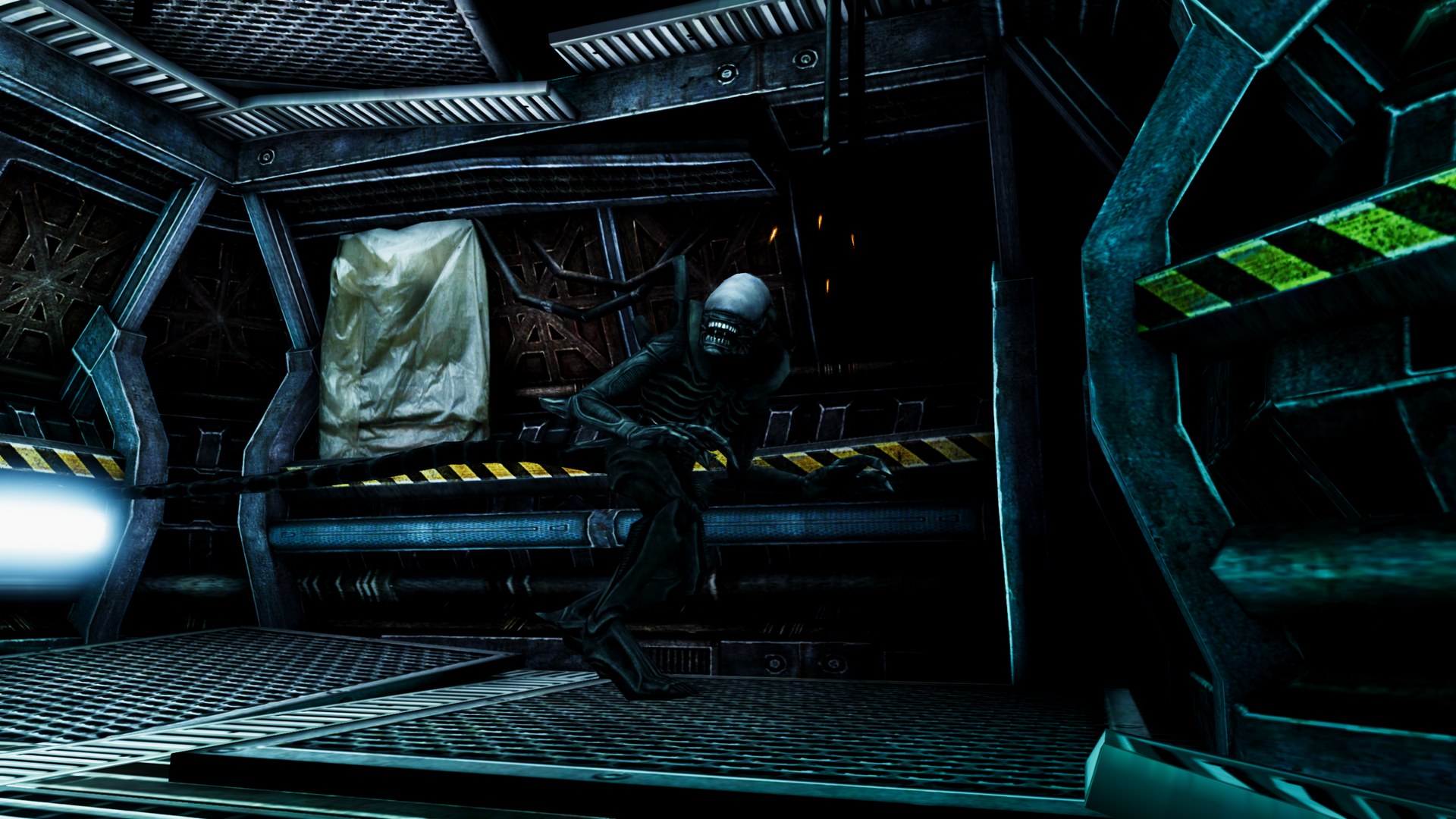
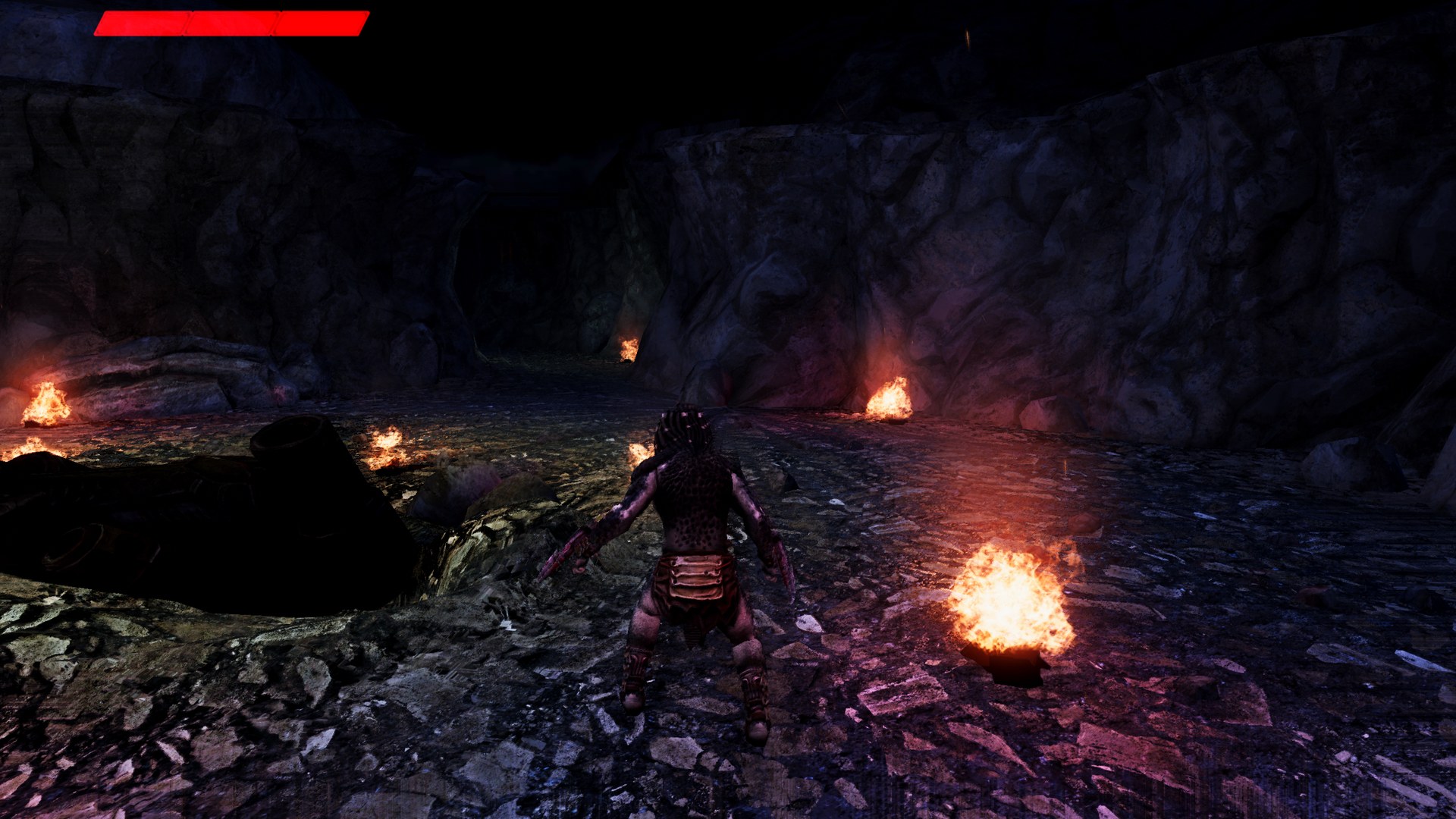
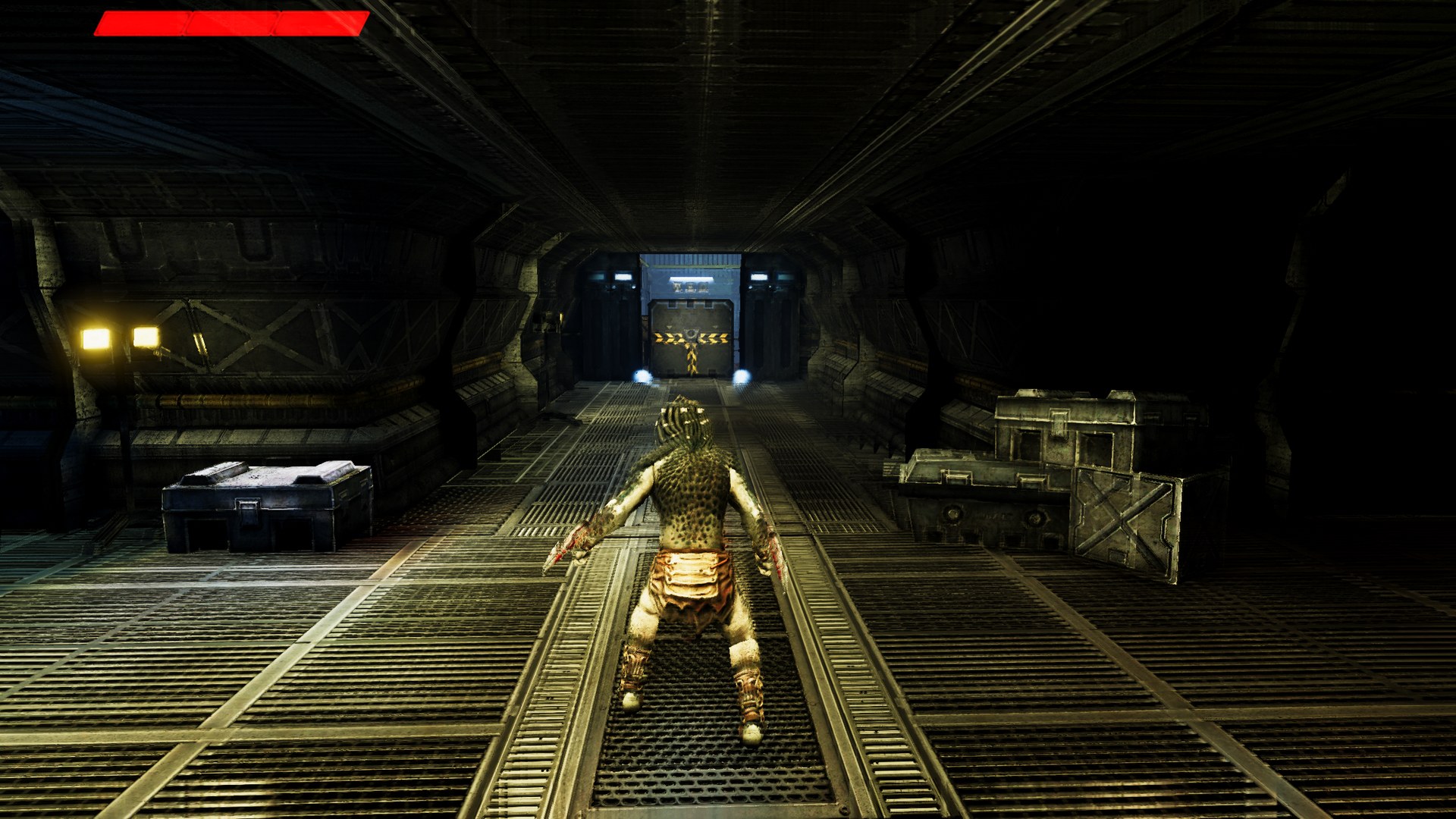
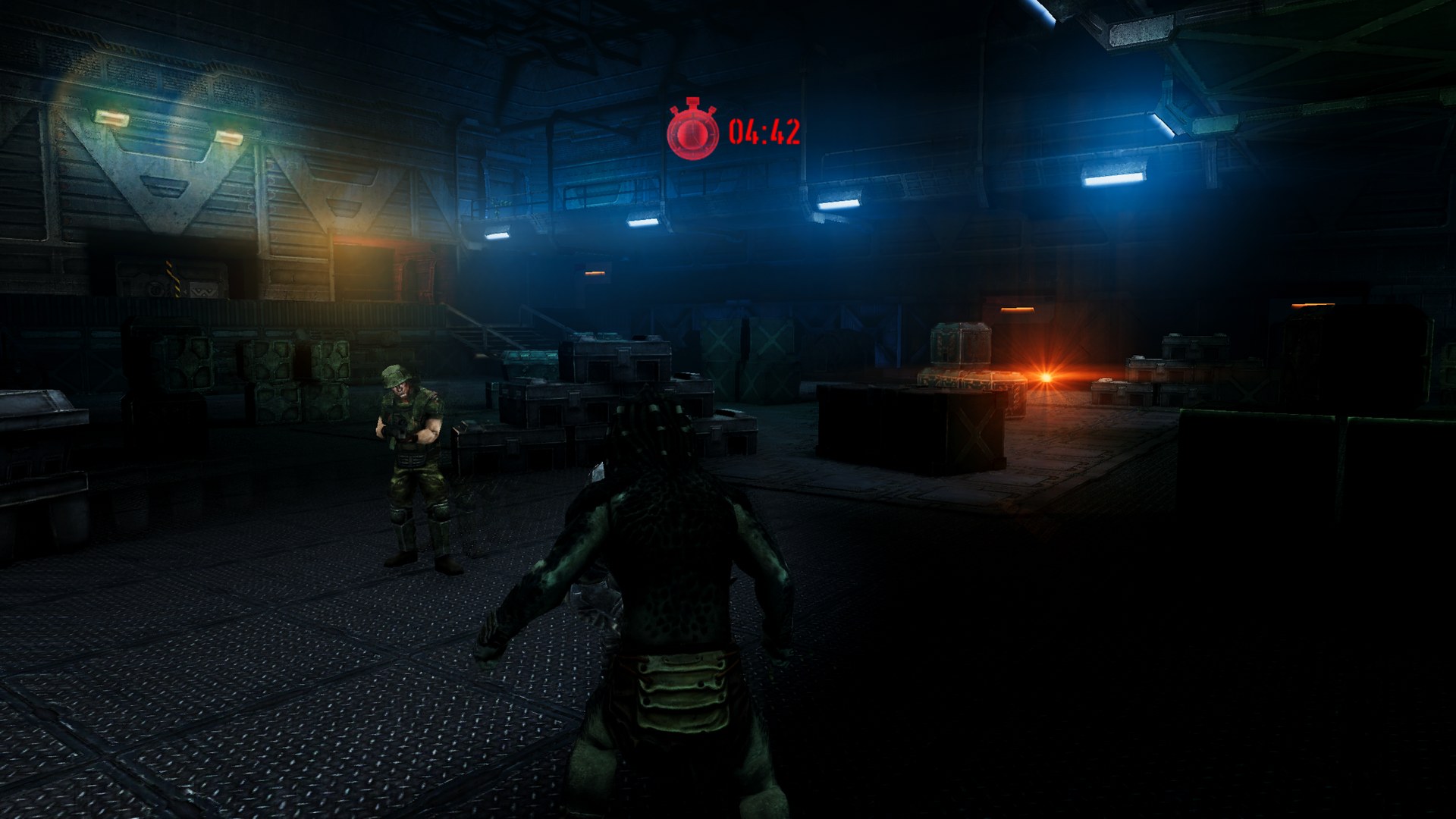
The 2013 Android game rebuilt in Unity for Windows, with a new PC layer on top. No game files included: the launcher builds the game on your PC from your own purchased copy.
At a glance
| 👾 The whole game: both campaigns, the side missions and the bonus level | 🖥️ Native resolution up to 4K and ultrawide, with an adjustable field of view | ✨ NVIDIA DLSS, AMD FSR 1 and Intel XeSS upscaling |
| 🎮 Xbox-style controllers read directly, with rumble | 🔘 Button glyphs in tips, on the HUD and on the controls screen, Xbox or PlayStation | ⌨️ Keyboard and mouse with mouse look and proper PC wording |
| 🌅 HDR bloom, SSAO, ACES tone mapping and a colour grade for each campaign | 🔦 Volumetric light shafts and realtime character shadows | 🧽 SMAA, FXAA or TAA, and 16x texture filtering |
| 🖼️ 1024 character and weapon textures, the set phones never used | 💡 Enhanced lighting: characters pick up the colour of the lamps around them | 🚀 Uncapped frame rate, a frame limiter and V-Sync |
| 🛋️ A console style launcher with presets and every setting in one place | 📦 Installs from your own .apk and .obb | ↩️ Back to the launcher any time: hold Esc, or hold View + Menu |
The game
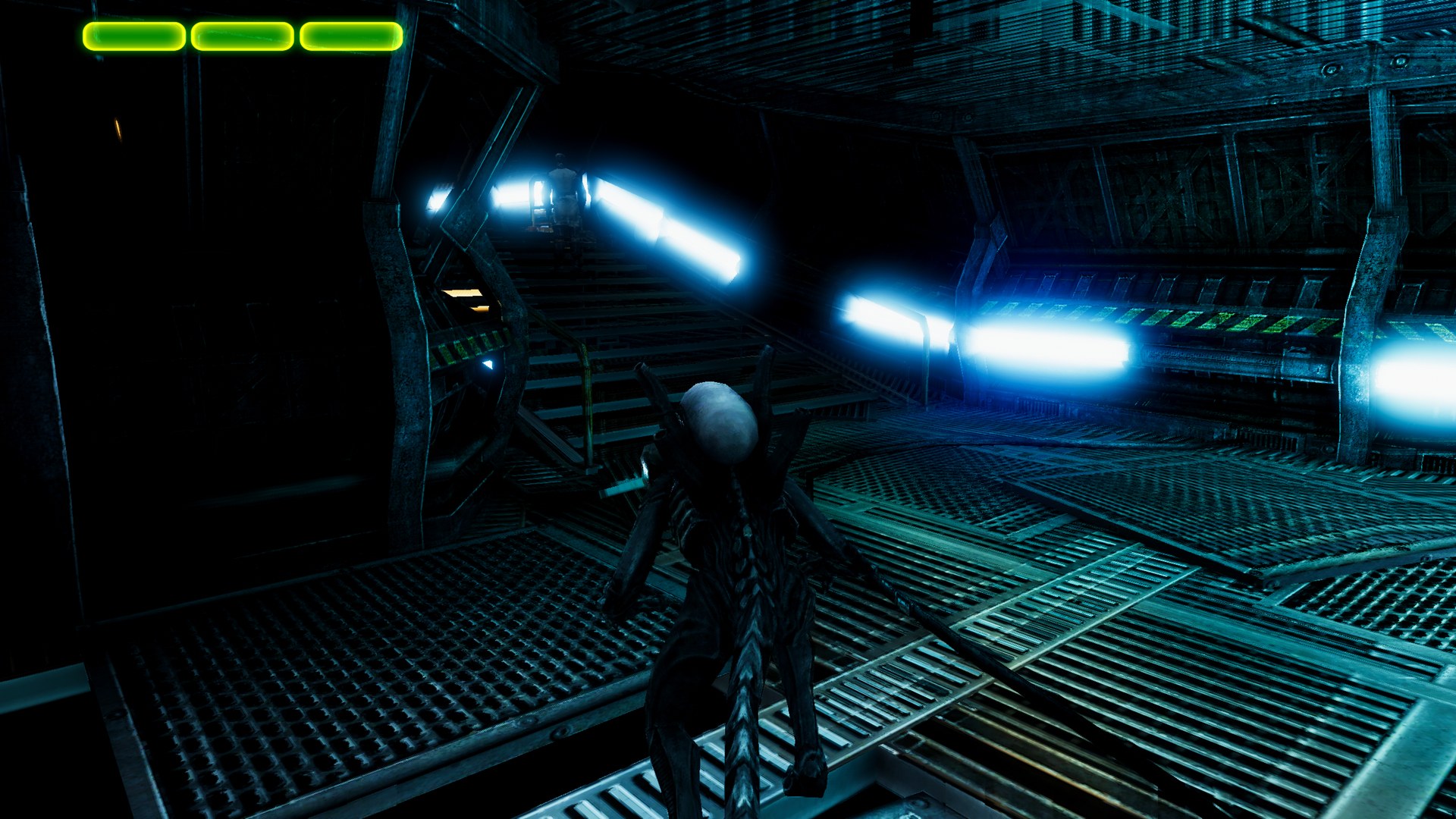
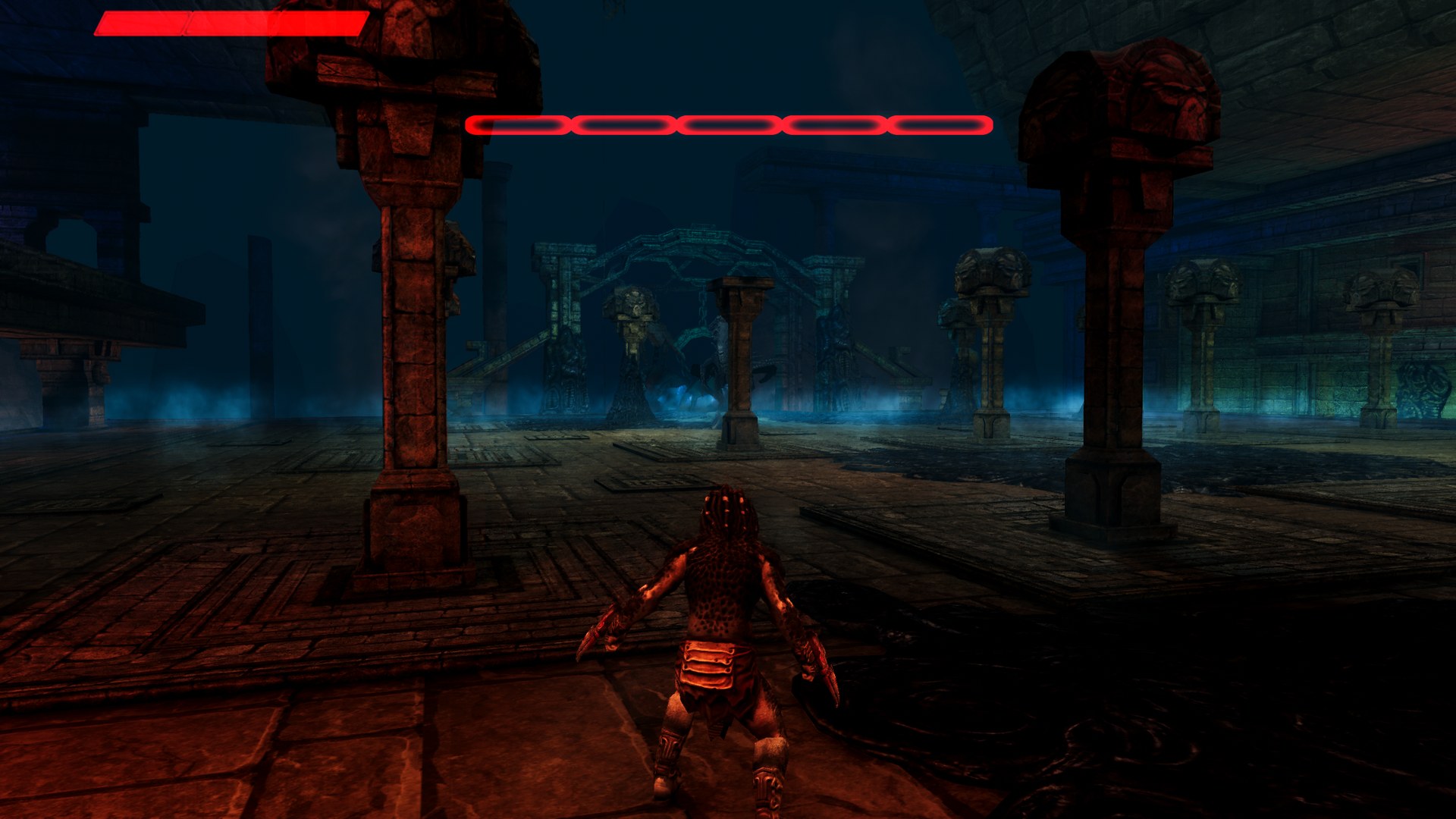 Become the hunter, or the hive. Fight through two campaigns as a Predator warrior and as an Alien, with combos, stealth, executions and upgrades.
Screenshots from the PC port at the Ultra preset, 2560 x 1440.
- 19 campaign levels: 9 as the Predator and 10 as the Alien
- 13 side missions and the bonus level
- All of them start and render on PC. They have been checked at each level's opening area, but the game has not yet been played through from start to finish
Getting started
You need: Windows 10 or 11 (64 bit) with a DirectX 11 graphics card, and your own copy of the Android game: the .apk and its .obb, from your purchase on Google Play.
- Download AVPEvolutionPC-...-windows-x64.zip from the latest release and unzip it somewhere with about 15 GB free. It holds the launcher and the PC port, and no game files.
- Put your
.apkand.obbtogether in one folder. - Run avp_launcher.exe. Windows may warn about an unknown publisher the first time: choose More info, then Run anyway.
- Choose Install and point the launcher at your
.apk. It finds the.obbbeside it. - The launcher builds the game on your PC from your files. It downloads the free tools it needs (Python, AssetRipper and Unity 5.6.7), and Windows asks for permission to install Unity. The first time, Unity opens for you to sign in with a free Unity account: choose Personal, close Unity, and choose Install again.
- Wait about half an hour, most of it Unity's build. You can Cancel, and Install carries on where it stopped. Once it's done, the 12 GB of work files are removed and the game takes 1.5 GB.
- Press Play.
While you play, hold View and Menu on the controller, or hold Esc, to come back to the launcher. Please don't ask for builds or game files: they never leave your PC.
Which files you need
The port was made and tested with the final Google Play version:
| File | Version | Size | SHA1 |
|---|---|---|---|
com.fde.avpevolution_2.1.apk | 2.1 (808) | 29,150,810 bytes | BF9F6CE40C350D4E383B544C51803FB650BC2F01 |
main.808.com.fde.avpevolution.obb | 808 | 494,458,650 bytes |
To check the .apk yourself, run this in PowerShell and compare the result with the SHA1 above:
Get-FileHash "C:\Games\com.fde.avpevolution_2.1.apk" -Algorithm SHA1
Warning
The older OUYA version of the game (1.5.1) is a trial and is not what this port is built on.
The launcher
The port uses the TRG Launcher 2.0. Everything is set up before the game starts, with a controller, the keyboard or the mouse.
Install from your own files
- Point the launcher at your
.apkand.obb - A card shows exactly which files work: version, size and hashes
- It checks the package really is AVP Evolution before it does anything
- It then builds the game on your PC from those files: it downloads the free tools it needs (AssetRipper, Python and Unity 5.6.7), and Unity asks you to sign in with a free account the first time. It takes about half an hour and 12 GB of free space while it runs
Display and Graphics
- Fullscreen or windowed, resolution and V-Sync
- Frame rate: a limit of your choice, or no limit
- Upscaler: DLSS, FSR 1 or XeSS, with their quality modes
- Presets, or set each option yourself
- Anti aliasing, texture filtering, shadows, ambient occlusion, draw distance, bloom, tone mapping, colour grading, light shafts and enhanced lighting
- Field of view, and a HUD you can scale and keep near the middle on ultrawide screens
Controls
- Mouse and stick sensitivity, and invert vertical look
- Capture the mouse while you play
- Controller rumble on or off
- Button glyphs: automatic, Xbox, PlayStation or keyboard
- The full list of keys and buttons
Android vs PC
| Android | PC | |
|---|---|---|
| Resolution | the phone's screen | native, up to 4K and ultrawide |
| Frame rate | depends on the device | V-Sync, a limit of your choice, or no limit |
| Upscaling | none | DLSS, FSR 1 or XeSS |
| Anti aliasing | mobile | SMAA, FXAA or TAA |
| Textures | 512 on most devices | 1024 characters and weapons, 16x filtering |
| Lighting | baked | baked, with lamps lighting the characters per pixel |
| Effects | mobile | HDR bloom, SSAO, ACES, colour grading, light shafts |
| Shadows | mobile | realtime character shadows, up to 4 cascades |
| Controls | touch screen | controller with rumble, keyboard and mouse |
| Prompts | touch buttons | Xbox, PlayStation or keyboard glyphs and wording |
Good to know
Controls
| Action | Keyboard and mouse | Controller |
|---|---|---|
| Move / camera | W A S D, mouse | left stick, right stick |
| Attack / use (hold for heavy) | left mouse | X |
| Jump / evade | right mouse or Space | A |
| Execution | X | B |
| Ranged / lock on | F | Y |
| Special abilities | R, G | LB, RB, LT |
| Weapons (Predator) | Q, E | D-pad up, down |
| Thermal / cloak | T, C | D-pad left, right |
| Switch attacks / rage (Alien) | Q, E | D-pad |
| Show the way / centre camera | Tab, V | stick clicks |
| Pause | Esc | Menu or View |
Hotkeys
| Key | Action |
|---|---|
| Hold View + Menu, or hold Esc | back to the launcher while playing |
| F1 | the controls, in a level |
Known limits
- Xbox-style (XInput) controllers are read directly. The DualShock 4 goes through the game's own input library, and pads that library doesn't know, such as the DualSense, are untested
- XeSS needs an Intel Arc graphics card, and falls back to FSR 1 on other cards. So does DLSS on cards that don't support it
- Some recent changes (the controller layout, rumble and the softer character lights) still need testing in a full play session
- Some players have reported texture popping, and the cause hasn't been found yet
- Converter builds use shaders written for the port. Overall brightness matches the original's, but a few small lamps come out whiter than they should, and the cloak, thermal vision and some other effects haven't been checked on screen yet
Reporting a problem
Please open an issue with the level, what happened, your CPU, graphics card and your settings, or ask on the Discord.
About the game
AVP Evolution was made by Angry Mob Games and published by Fox Digital Entertainment in 2013, for phones and tablets. It has since been delisted.
The game was built in Unity, so instead of translating the Android program, this port rebuilds it as a Windows project and adds a PC layer on top: the settings, the graphics, the controls and the launcher. That layer is what you will find here.
Building from source (for developers)
See BUILDING.md. The game's scripts, shaders and assets are not in this repository, so building needs your own copy of the game: the converter in converter rebuilds it from that copy. The changes made to the game's own scripts are described in docs/GAME_SCRIPT_CHANGES.md. The story of the port, and the rendering problems that had to be solved along the way, is in docs/PORTING_NOTES.md.
Credits
- AVP Evolution by Angry Mob Games, published by Fox Digital Entertainment in 2013.
- AssetRipper, used to recover the Unity project from your own copy of the game.
- The TRG Launcher, shared by the TekRantGaming ports, with Dear ImGui, SDL and stb.
- Upscaling: AMD FidelityFX Super Resolution 1 (MIT licensed), NVIDIA DLSS and Intel XeSS. The DLSS and XeSS SDKs are not included here.
- Unity Post-processing Stack v1 for bloom, SSAO, tone mapping and colour grading.
- SMAA by Jorge Jimenez and others, with the Unity port by Thomas Hourdel (MIT licensed).
- ViGEmBus and vgamepad for testing controllers.
- The controller glyphs were drawn for this project with
tools/make_glyphs.py. Xbox and PlayStation are trademarks of their owners.
Note
AI disclosure: this port was made almost entirely with Claude Code (Anthropic). The repository owner directed and tested the work; the AI did the analysis, code, tools and documentation.
Important
This project is not affiliated with or endorsed by 20th Century Studios, The Walt Disney Company, Fox Digital Entertainment, Angry Mob Games, Microsoft, Sony, NVIDIA, AMD, Intel, Unity or Discord. All trademarks belong to their owners. It contains no game code or assets. Do not open issues asking for game files or builds.