BattleTanx: Global Assault PC Port
BattleTanx: Global Assault PC Port is a native PC port of BattleTanx: Global Assault for Windows and Linux, featuring optional gameplay mods for increased draw distance and independent turret aiming.
- Type: PC port
- Game: BattleTanx: Global Assault
- Runs on Windows
- By TheGh0stShip
- Latest release v0.2.5, 2026-10-13
- Source: https://github.com/TheGh0stShip/BattleTanx-Global-Assault-PC-Port
- Website: https://www.youtube.com/watch?v=PrhwXBr1qJI
README
BattleTanx: Global Assault — native PC port




This repository is the definitive native PC port of BattleTanx: Global Assault, built from the completed matching Nintendo 64 decompilation. The Windows runtime boots the original game, renders through RT64/Direct3D 12, plays audio through SDL2, supports keyboard and SDL game controllers, and has been played through the original menus into campaign gameplay. Linux uses RT64's Vulkan backend.
The port uses N64Recomp for the recovered CPU program, RSPRecomp for audio microcode, N64ModernRuntime for N64 operating-system services, and RT64 for display-list rendering. It is a native host executable—not an emulator bundle. The completed byte-matching decompilation remains in this repository as the auditable source and compatibility foundation. Matching-decompilation work is developed upstream in TheGh0stShip/BattleTanx-Global-Assault; this repository owns the PC runtime, compatibility patches, packaging, and PC release validation.
No ROM or ROM-derived assets are included. Supply your own legally obtained dump.
Playable PC port demonstration
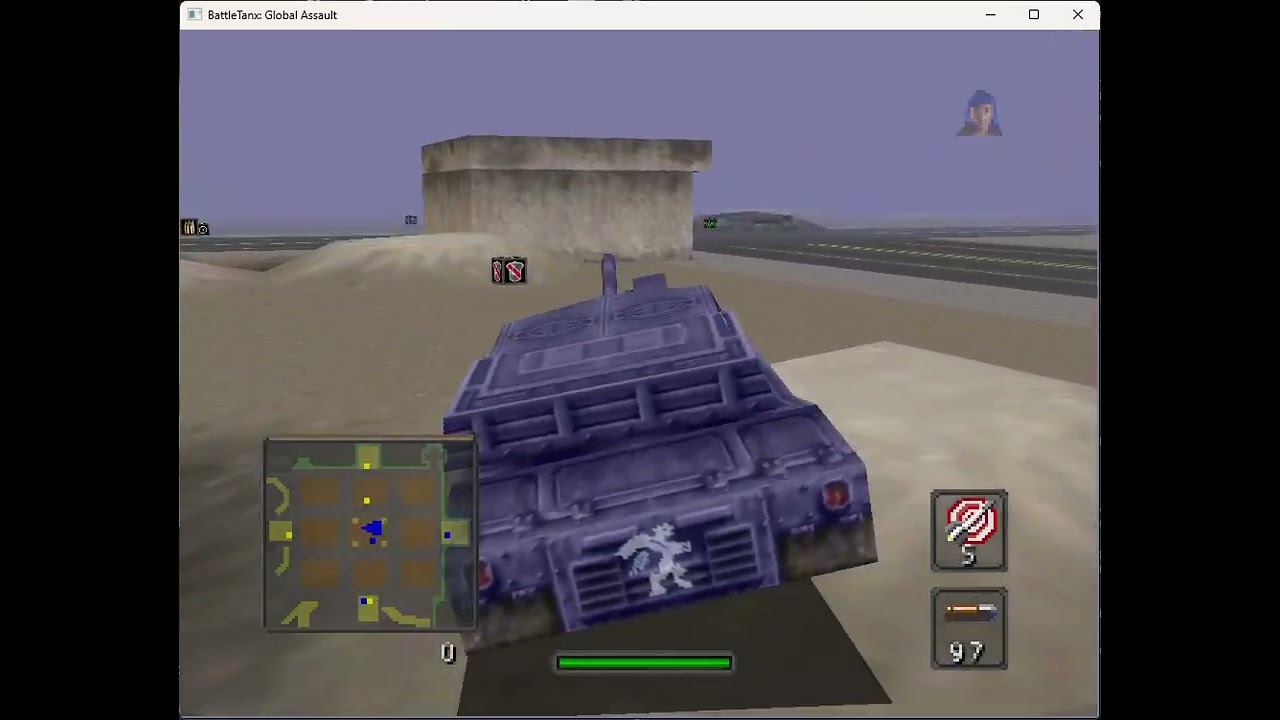
The video above demonstrates the game running as a native Windows executable from this repository: original menus and campaign gameplay, RT64 Direct3D 12 rendering, SDL audio, and live keyboard input. Click the image to play the full demonstration on YouTube.
PC port status
- Native Windows x64 executable with Direct3D 12 rendering.
- Native Linux build path with Vulkan rendering.
- Original menus and campaign gameplay are playable.
- Keyboard and SDL game-controller input, rumble, and SDL audio are connected.
- Original 4:3, match-window, 16:9, 16:10, 21:9, and 32:9 renderer projection modes are selectable; game-specific HUD and split-screen validation remains in progress.
- Default-off gameplay mods provide extended fog-free visibility and independent turret aiming with dual sticks or mouse and keyboard.
- Native Controller Pak persistence uses standard 32 KiB
.mpkimages in a stable per-user directory, compatible with common N64 emulator pak images. - RT64's live developer inspector is available by setting
BTGA_RT64_DEVELOPER=1and pressing F1. - Distribution packages are ROM-free; the player supplies a verified local
USA Rev 0
.z64dump at launch. - Native PC host/client transport passes an automated public relay test in both directions. The runtime has an experimental synchronized cold-boot path with deterministic game timing, a bounded four-update lead window, bounded peer-loss recovery, and one full-screen local camera per device for every dedicated seat from 1 through 4. All remote cameras are suppressed, though duplicate retail multiplayer HUD elements still need a presentation-only cleanup. General rollback and full campaign validation remain in development.
This is still a development port. Long-session stability, every game mode, representative GPUs/controllers, in-game save-flow validation, and visual effects remain part of the release validation matrix.
The current verified Windows package is available from the latest GitHub Release.
Controls
| Action | Keyboard / mouse | Controller |
|---|---|---|
| Drive / steer | W A S D | Left stick |
| N64 A / primary fire | X or left mouse button | A button |
| N64 B | Z | X button |
| N64 Z trigger | Left Shift | Left trigger |
| Start / pause | Enter | Start |
| N64 L / R | Q / E | Left / right shoulder |
| D-pad | Arrow keys | D-pad |
| C buttons | I J K L | Right stick |
| Aim down turret / capture mouse | Hold right mouse button | Move right stick |
| Fire while aiming | Left mouse button | A button |
| Open or close PC settings | F10 | — |
The settings overlay can also be closed with its Close button or window X. After closing it, press F10 again to reopen it. Controls can be rebound from F10 → Controllers.
With the optional independent-turret mod enabled, hold right mouse button and move the mouse to aim the turret; left mouse button fires. The right stick aims the turret on a controller. Releasing right mouse returns to the selected retail control behavior. Keyboard and controller input can be used at the same time.
See the complete controls guide for menu operation, controller defaults, multiplayer assignments, rebinding, and the distinction between the F10 settings overlay and the optional F1 renderer inspector.
Optional gameplay mods
Open F10 → Mods to enable these features. Both are off by default, so the game retains its original Nintendo 64 behavior until you opt in.
No Fog / Increased Draw Distance
Enable Extended visibility to remove the game's distance fog and raise its world-culling and projection distance. This exposes substantially more of each level at once. Some distant geometry may become visible that the original game never expected to draw simultaneously.
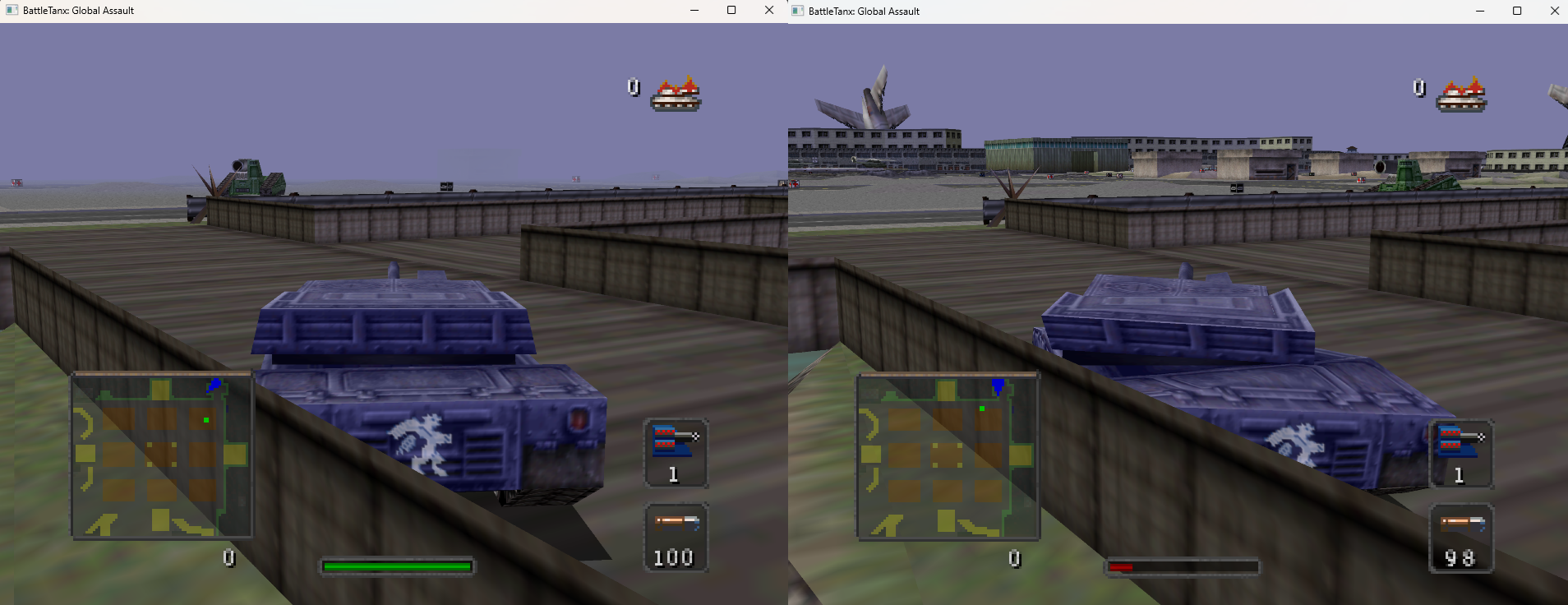
No Fog / Increased Draw Distance enabled in the native PC port.
Aim-Down-Turret / Independent Turret Aiming
Enable Independent dual-stick turret aiming to control a rotating turret separately from the vehicle hull:
- Mouse and keyboard: hold right mouse button to enter aim-down-turret mode, move the mouse to rotate the turret, and press left mouse button to fire. Release right mouse to leave aim mode.
- Controller: drive with the left stick and aim the turret with the right stick.
- While aim mode is held, W/S move along the hull heading and A/D turn the hull. A turret aimed east does not force a north-facing hull to turn east.
- Mines, gun buddies, bouncing betties, and other deployables preserve their original behavior rather than following turret aim.
Sensitivity and inversion options are available under F10 → Controllers. See the complete controls guide for full details.
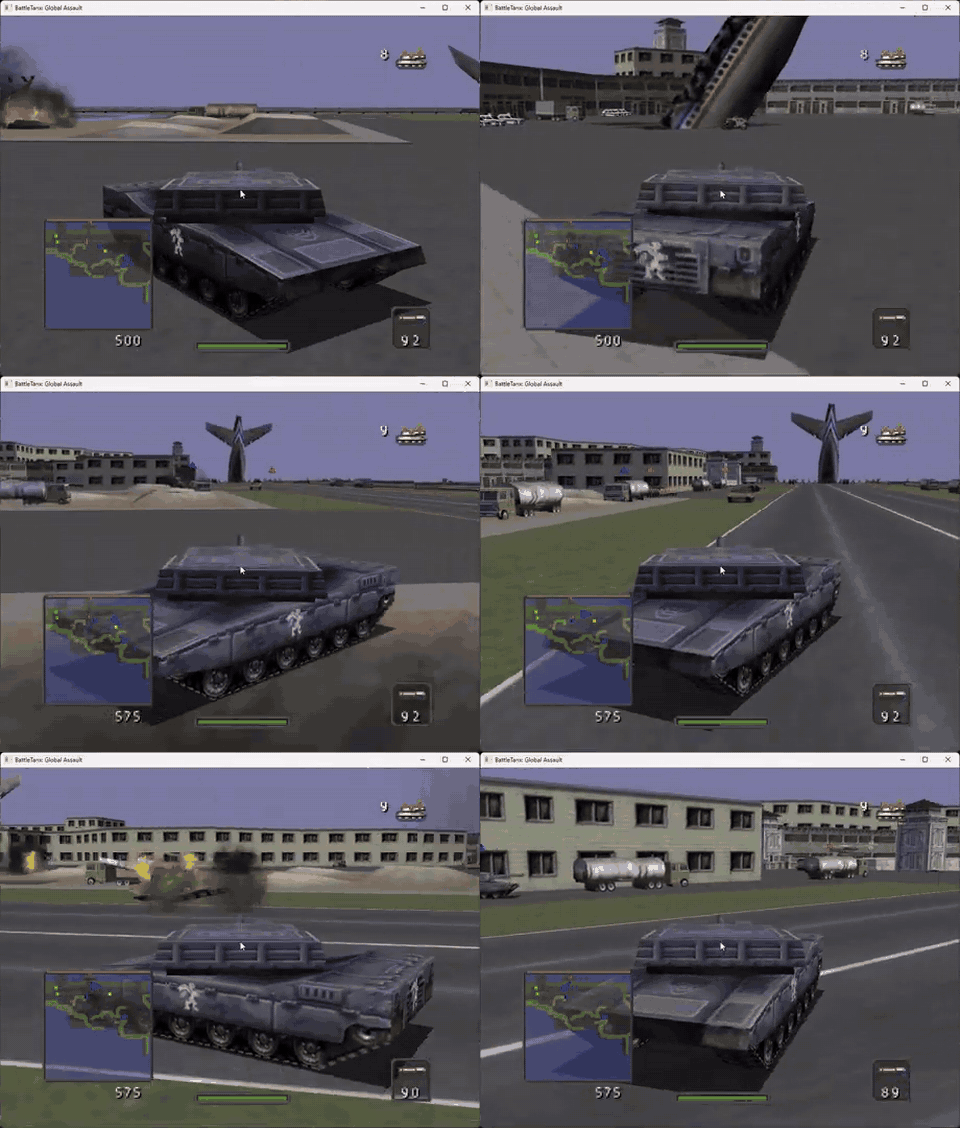
Aim-Down-Turret demonstration: the turret remains independently aimed while the vehicle moves and turns on its hull heading. Watch the complete mod demonstration on YouTube.
Build and run the PC port
The complete native-runtime guide is in port/pc/README.md. On Windows, use a native NTFS checkout with Git for Windows and Visual Studio 2022's Desktop development with C++ workload. One PowerShell command verifies your local ROM, downloads and builds the pinned dependencies, generates the ignored translation output, builds the native x64 executable, and launches it:
Set-ExecutionPolicy -Scope Process Bypass
./port/pc/setup-windows.ps1 -Rom 'C:\Games\BattleTanxGA.z64' -Run
Subsequent code-only rebuilds can use port/pc/build-windows.ps1. The complete
manual and Linux setup paths are in
port/pc/recomp/README.md.
Create a ROM-free distributable ZIP with:
./port/pc/package-windows.ps1 -BuildDirectory build-pc-windows -Version 0.2.1
Add -Portable to create a separately named USB-ready archive containing the
portable-mode marker:
./port/pc/package-windows.ps1 -BuildDirectory build-pc-windows -Version 0.2.1 -Portable
Optional gameplay mods, RT64 texture packs, Linux/headless commands, save locations, renderer diagnostics, and packaging contents are documented in the PC runtime guide.
Portable installations are supported by placing an empty portable.txt next
to BattleTanxGA.exe; all writable data then stays in a neighboring
userdata directory.
Supported ROM
- Title:
BATTLETANXGA - Region/revision: USA, Rev 0 (
NBQE) - Format: big-endian
.z64 - Size: 8 MiB
- SHA-1:
805248fb0a0ee694cad8d7dc927b631d860dd8cf - SHA-256:
88268ce770ff39f2ca839848b842c87866df6c5ddaf775f180b2522c18ff6221
Reproduce the original N64 build from your own ROM
python3 tools/reproduce.py /absolute/path/to/BattleTanxGA.z64
The input must be an existing local big-endian .z64 dump. The command
verifies it before use, installs pinned local toolchains, compiles the recovered
source, extracts the complete ignored resource tree, rebuilds the full 8 MiB
cartridge image, and runs the code, asset, hash, test, and repository-safety
gates. Generated assembly is intentionally ignored; reviewed C, authentic RSP
assembly, and project metadata are the source of truth.
See the complete reproduction and resource guide for individual stages, output paths, editing/repacking commands, prerequisites, and the reusable region-manifest interface.
For native-port resource packaging, see the O2R runtime-resource
path. It records what is genuinely structured today
and prevents container-only .o2r claims without runtime resource factories.
Source foundation
The PC runtime carries a snapshot of the recovered N64 source and the tooling needed to validate and translate a user-supplied ROM. Matching progress and source-recovery work are tracked only in the upstream BattleTanx: Global Assault decompilation. This repository's CI and status describe the PC port itself.
Repository map
port/pc/— native Windows/Linux runtime, compatibility hooks, build scripts, Controller Pak support, tests, and ROM-free packaging.src/code/<subsystem>/— recovered game source. Identified units useADDRESS_descriptive_name.c; genuinely anonymous units useADDRESS.cinsrc/code/unknown/.config/source_layout.tsvis the authoritative path and address catalogue. Runmake check-source-namesto enforce it.src/libmus/,src/n_audio/, andsrc/libultra/— recovered middleware and SDK runtimes, kept separate from game-owned source and retaining authentic upstream-style names where known.src/asm/— reviewed source assembly such as RSP and microcode material; generated assembly is ignored.config/us/— ROM layout, symbol, ownership, and matching-evidence tables.decompkit/— reusable Python library for ROM regions and resource tooling.tools/— project-facing build, extraction, verification, and reporting entry points.tests/— portable synthetic tests that do not require copyrighted assets.docs/— architecture, compiler, matching, provenance, asset-format, and tooling references.
One incidental discovery from the source recovery: rodata at 0x80072694
contains developer-credit Easter-egg strings including “Murray likes fries.”
See also the reusable decompilation toolkit, reproduction and resource guide, tool and test map, source-maturity and naming policy, native-port architecture, reproducible matching research, library fingerprints, asset formats, compiler notes, and research provenance.
Cross-platform multiplayer is developed independently in
BattleTanx-Global-Assault-Networking.
The portable GPLv3 protocol and relay client are pinned into this build but
remain dormant: constructing or launching the game performs no network access.
The native PC transport has been tested end to end through the public master
and relay. F10 → Online explicitly browses and joins dedicated-authority
servers; it no longer creates peer-hosted lobbies.
The earlier peer-hosted synchronization mode remains experimental and is being
superseded by a native dedicated authority: the server executes the translated
gameplay simulation, publishes canonical four-player inputs, and periodically
verifies clients against canonical world snapshots. The authority and a translated
Windows client complete an automated public-relay gate with three additional
protocol clients. The server is isolated from render, controller, and audio
interrupt waits. Snapshots are targeted and round-robin rather than broadcast,
and a returning connection atomically reclaims its stable seat with a rotating
resume credential. Authority heartbeats confirm only the seats that are
actually connected, so abandoned anonymous reservations expire instead of
locking a lobby. Fresh-process recovery now installs the newest versioned
portable checkpoint, replays at most its bounded journal tail while the authority
holds every player at a stable recovery barrier, and has remained byte-synchronized
after a cold restart at tick 600. The checkpoint includes gameplay and collision
state but excludes host-local audio, scheduler, timing, and projection data; it
never copies opaque RDRAM. Interactive campaign plus cross-architecture validation
remain required before this becomes a release-ready public multiplayer mode. Live
service status is available at
btga.thegh0stship.com.
Opening the Online tab itself remains network-inert; Refresh and Join are the
explicit opt-in actions. Hosting is an operator action through the dedicated
server supervisor, not a responsibility assigned to one player's game.
Dedicated-authority developer commands on Windows are:
# Persistent four-player authority; prints ONLINE_LOBBY_ID=...
BattleTanxGA.exe --dedicated-server-public BattleTanxGA.z64

# Recommended: supervise and automatically recover the authority process.
# State and generation logs are kept under build-pc-windows\dedicated-state.
.\port\pc\scripts\run-dedicated-server.ps1 `
  -Rom 'C:\Games\BattleTanxGA.z64' -BuildDirectory build-pc-windows

# Normal rendered client
BattleTanxGA.exe --dedicated-join LOBBY_ID BattleTanxGA.z64

# One-command local play session: rendered client + authority + three test seats
.\port\pc\scripts\play-dedicated-multiplayer.ps1 `
  -Rom 'C:\Games\BattleTanxGA.z64' -BuildDirectory build-pc-windows

# Unattended authority + translated client + three peers
./port/pc/scripts/test-dedicated-multiplayer.ps1 `
  -Rom 'C:\Games\BattleTanxGA.z64' -BuildDirectory build-pc-windows

# Force two cold client restarts and prove seat reclaim, credential rotation,
# canonical journal replay, and reconvergence after each restart
./port/pc/scripts/test-dedicated-multiplayer.ps1 `
  -Rom 'C:\Games\BattleTanxGA.z64' -BuildDirectory build-pc-windows `
  -ReconnectClient -ReconnectCycles 2 `
  -JournalMemoryFrames 64 -RequireDiskReplay
Linux uses the same durable headless authority and recovery state:
./port/pc/scripts/run-dedicated-server.sh \
  "$HOME/Games/BattleTanxGA.z64" ./build-pc/BattleTanxGA
For a real-relay loss gate, add
-Seconds 30 -DropOutgoingEvery 10 -DropIncomingEvery 10. This test-only
profile starts after signed relay admission and is disabled during normal play.
For the same four-player loss test without Azure quota or Internet service, use a local networking checkout (Node.js required):
.\port\pc\scripts\test-local-dedicated-multiplayer.ps1 `
  -Rom 'C:\Games\BattleTanx - Global Assault (USA).z64' `
  -NetworkingRoot 'C:\src\BattleTanx-Global-Assault-Networking'
Add -ColdJoinAfterAuthorityRestart to prove that a replacement authority can
restore disk state and bootstrap a completely new client at a positive tick.
Use -ClientReconnectCycles 3 instead to force the same authenticated player
seat through three translated-client terminations and fresh processes. Each
replacement must install a positive-tick checkpoint, replay the canonical
journal, and release the authority's recovery barrier without disturbing the
other three seats. Use -ReconnectEverySeat to replace all four authenticated
seats once during one live match, or -AllSeatReconnectCycles 3 to perform
three full sweeps with independently rotated credentials. The translated
player and all three protocol witnesses must each install a positive-tick
checkpoint, complete journal replay, and resume canonical input/state
observation. Single-client and all-seat rotation remain separate gates;
authority recovery can also be composed with up to two all-seat sweeps to prove
that a restored server does not retain stale per-seat replay or barrier state.
If the master has expired a saved lobby, the supervisor now creates a new
lobby automatically and prints its new ONLINE_LOBBY_ID. A client must select
that newly listed lobby; an old copied ID correctly returns 404 lobby not found. Do not delete dedicated-state while recovering a live match.
The portable Windows package includes Run Dedicated Server.cmd; drag the
same local .z64 ROM used by the game onto it. Recovery state and logs are
stored under the package's userdata\dedicated-state directory.
License
Project-authored code and imported GPL research are licensed under GPL-3.0; see COPYING. BattleTanx: Global Assault and its game data remain the property of their respective rights holders.