BombermanPartyEditionRecomp
BombermanPartyEditionRecomp brings Bomberman Party Edition to PC.
- Type: PC port
- Game: Bomberman Party Edition
- Runs on Linux, macOS and Windows
- By TechnicallyComputers
- Latest release v0.3.17, 2026-08-26
- Source: https://github.com/TechnicallyComputers/BombermanPartyEditionRecomp
- Website: https://discord.gg/Ad9BwSzctP
README
BombermanPartyEditionRecomp



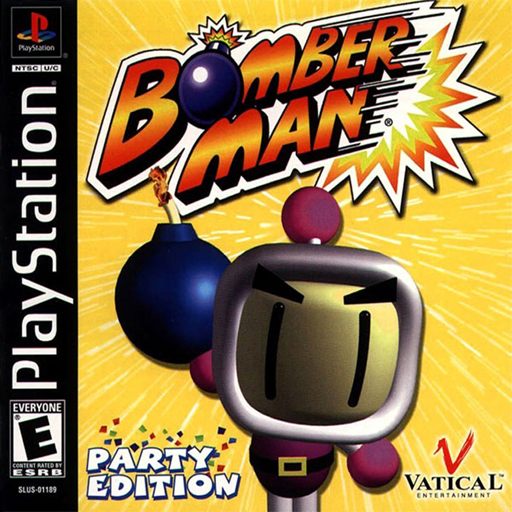
Bomberman Party Edition (USA, SLUS-01189) — game project for PSXRecomp.
Holds game config, seeds, and build glue. CI ships a setup host (no game
generated/ in the zip); users generate locally from a legal disc. Disc images
and BIOS stay local and gitignored.
Retro Launcher
You can run this title standalone (release zip + the built-in recomp-ui Generate & Build flow), or manage installs, updates, ROM/BIOS wiring, and queued builds more intuitively with Retro Launcher — the Retro Compilation Manager hub for self-compiling recomps.
Downloads · Full README & features
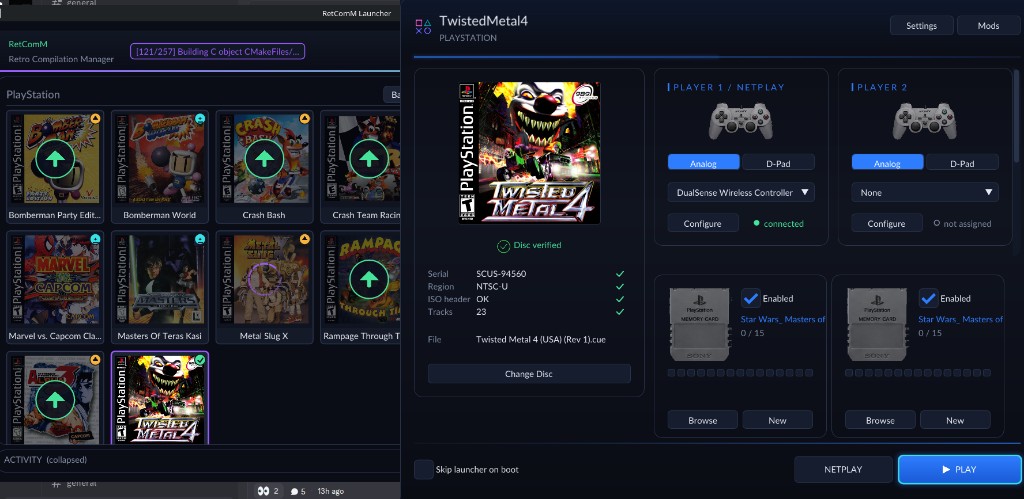
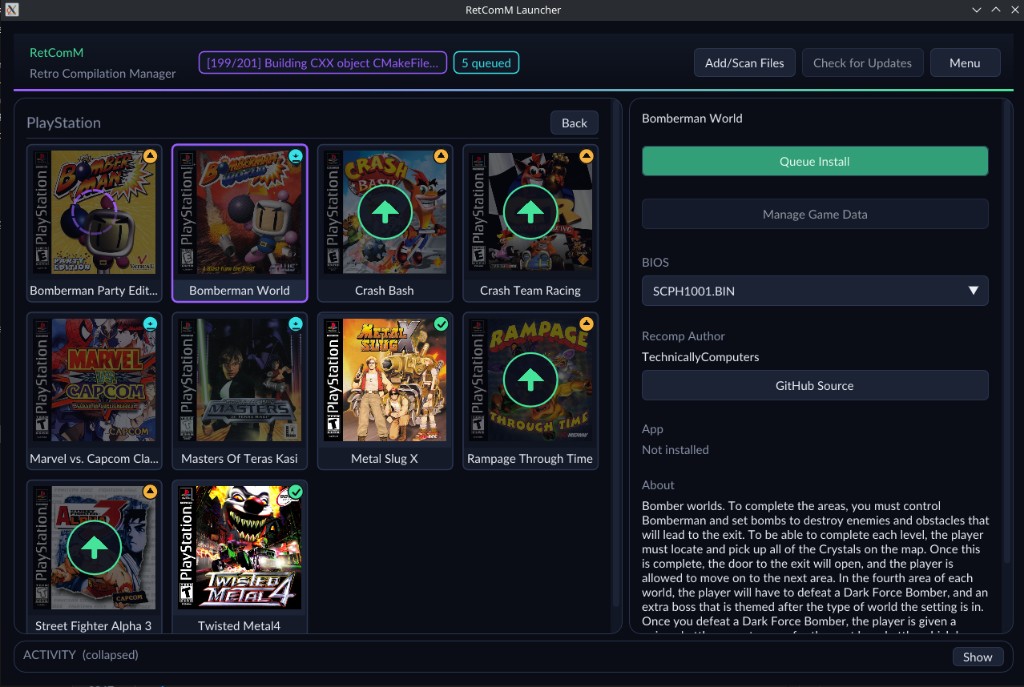
Retro checks for updates, rebuilds with existing build data when possible, shares the portable toolchain used by per-title launchers, and automates BIOS/ROM/save plumbing so you are not stuck repeating each game’s wizard by hand.
Layout
| Path | Role |
|---|---|
game.toml | Game / recompiler / runtime config |
seeds/ | Function-start seeds for psxrecomp-game |
bpe/ | Local disc .bin/.cue, SLUS_011.89, SYSTEM.CNF (gitignored) |
psxrecomp/ | Framework submodule (mstan/psxrecomp) |
recomp-ui/ | Launcher UI submodule |
generated/ | Local recompiler output (created by Generate & rebuild; not required for CI setup host) |
VERSION | Release / lobby match pin (e.g. 0.1.1) |
DISC.md | Disc identity + hashes |
docs/automatch_rulesets.bpe.toml | Lobby-server automatch ruleset for this title (deployment data; see recomp-net-server docs/AUTOMATCH.md) |
psxrecomp/tools/prepare_disc.py | Framework disc normalize (config from game.toml) |
tools/prepare_disc.py | Thin wrapper → framework tool |
Framework-wide guide for this layout, the shared CI template, and the
setup-host release checklist:
psxrecomp/docs/GAME_PROJECT_SETUP.md.
Disc
Preferred: Redump USA .bin/.cue (see DISC.md). Also accepts cooked
2048-byte .iso files common in RomM-style libraries — the script rebuilds a
MODE2/2352 working image under bpe/. Digests and output names live in
game.toml [prepare_disc].
python3 psxrecomp/tools/prepare_disc.py --config game.toml \
  "/path/to/Bomberman - Party Edition (USA).bin"
python3 tools/prepare_disc.py "/path/to/Bomberman Party Edition.iso"
On success it prints RESULT_CUE=… for the first-run wizard / host glue.
Bring-up (next steps)
- Place
SCPH1001.BINunderpsxrecomp/bios/(or point the runtime at your BIOS). - Prepare the disc (
tools/prepare_disc.py) and seed the boot EXE entry. - Build the framework recompiler, then generate game C:
./psxrecomp/recompiler/build/psxrecomp-game --config game.toml
- Configure and build the runtime (prefer Release for playtesting):
cmake -S . -B build-release -G Ninja -DCMAKE_BUILD_TYPE=Release
cmake --build build-release --target psx-runtime -j"$(nproc)"

./build-release/Bomberman_Party_Edition_Recompiled \
  --game game.toml \
  --disc "bpe/Bomberman Party Edition.cue"
For debugging (port 4530), use -DCMAKE_BUILD_TYPE=RelWithDebInfo.
Linux netplay release (ICE)
One-shot configure + Release build with MotK online ICE, then zip (no BIOS/disc):
bash scripts/build_linux_netplay.sh
# → build-linux-netplay/Bomberman_Party_Edition_Recompiled
# → dist/bpe-<VERSION>-linux-netplay.zip
Build only: bash scripts/build_linux_netplay.sh --no-package
Repack an existing build: bash scripts/package_release.sh build-linux-netplay linux-netplay
Windows MinGW release from Linux (ICE)
Cross-compile with MinGW-w64, statically link SDL2 + libgcc when possible, zip with launcher assets and any remaining DLLs:
# Arch / CachyOS:
#   pacman -S --needed mingw-w64-gcc mingw-w64-sdl2 cmake ninja zip

bash scripts/build_windows_mingw.sh
# → build-mingw-netplay/Bomberman_Party_Edition_Recompiled.exe
# → dist/bpe-<VERSION>-windows-x64-mingw.zip
Build only: bash scripts/build_windows_mingw.sh --no-package
Dynamic SDL2/libgcc (bundle DLLs): bash scripts/build_windows_mingw.sh --dynamic
Repack: bash scripts/package_release.sh build-mingw-netplay windows-x64-mingw
Setup host / local generate / rebuild
Configure without game/BIOS generated/ (or -DPSXRECOMP_FORCE_SETUP_HOST=ON)
to build a setup host with the Generate &
rebuild UI and no linked BIOS backends. First-run generate emits OpenBIOS
(+ optional SCPH1001) and game C locally, then rebuild links them.
Release zips use scripts/package_setup_release.sh and embed
psxrecomp-game + psxrecomp-bios (plus the CLI) inside psxrecomp/, but
not a portable toolchain/. Retro / the wizard download cmake-clang-v1
from retcomm-toolchains, or accept an offline zip /
RETCOMM_TOOLCHAIN_DIR. CI has no BIOS dump / private-asset dependency.
When sources are missing (or BPE_FORCE_SETUP=1), the launcher offers
Generate & rebuild via psxrecomp/psxrecomp_cli.py (see
psxrecomp/docs/LOCAL_CODEGEN_SDK.md). BPE ships with [pgo] enabled = false
— plain Release is enough; setup does not run a PGO train.
# Headless generate + rebuild:
python3 psxrecomp/psxrecomp_cli.py generate --config game.toml \
  --disc "/path/to/Bomberman - Party Edition (USA).bin"
python3 psxrecomp/psxrecomp_cli.py rebuild --config game.toml \
  --build-dir build-release --exe-basename Bomberman_Party_Edition_Recompiled
Optional local PGO (not used by BPE setup): set [pgo] enabled = true or run
scripts/pgo_bpe_intro.sh.
CI / release packages
GitHub Actions workflow: .github/workflows/release.yml
| Artifact | Runner |
|---|---|
linux-x64 | ubuntu-24.04 |
windows-x64 | windows-2022 (MSYS2 MinGW64) |
macos-arm64 | macos-15 |
macos-x64 | macos-15-intel (older Intel Macs) |
- Manual: Actions → Release builds → Run workflow — enter version
(e.g.
0.1.2); with publish enabled, CI tagsvX.Y.Zand creates the GitHub Release - Or push tag
vX.Y.Z: same build + publish for that version - Packages use the chosen version (lobby pin +
bpe-<ver>-*.zip), not a fixed repoVERSIONfile — never BIOS/disc - CI builds the exact committed psxrecomp, game-root recomp-ui, and nested recomp-net gitlink pins
- Local pack:
BPE_RELEASE_VERSION=0.1.2 scripts/package_setup_release.sh …
Clone with submodules:
git clone --recurse-submodules https://github.com/TechnicallyComputers/BombermanPartyEditionRecomp.git
5-player / netplay
This title opts into five pads at compile time:
psxrecomp_add_runtime_target(psx-runtime
    ...
    MAX_PLAYERS 5
)
That bakes PSX_MAX_PLAYERS=5. game.toml keeps players = 5 for lobby
max_slots and launcher controller cards. Games that omit MAX_PLAYERS
stay at the framework default of 2 (MotK).
Multitap (SCPH-1070) arms offline when players >= 3 after game entry, and
for netplay when slot_count >= 3. Default tap is console Port 1; set
[controller] multitap_port = 2 for titles that need the tap on Port 2
(Bomberman Party Edition). Bulk polls follow the real TAP/REQ latch.
Pads are digital-only (default_mode = "digital", lock_mode = true);
DualShock / multitap_analog are not supported for this title.
Framework pin
Both framework submodules track mstan master:
| Submodule | Repo | Branch |
|---|---|---|
psxrecomp/ | mstan/psxrecomp | master |
recomp-ui/ | mstan/recomp-ui | master |
psxrecomp vendors lib/recomp-net only (nested gitlink). The Dear ImGui
launcher is the repo-root recomp-ui submodule. Lobby server counterpart:
recomp-net-server.
Status
Generated game C + Release/MAX_PLAYERS 5 runtime build. LLE boot reaches the
SCEA license screen; title/menu bring-up continues — see ISSUES.md.
R.A.I.D. — Retro AI Development · a Discord for AI-assisted retro reverse-engineering, decomp & recomp