Burnout 2: Point of Impact — Static Recompilation
Burnout 2: Point of Impact — Static Recompilation is a Windows, Linux, and macOS port of the original Xbox game with enhancements like unlimited frame rates and custom resolutions.
- Type: PC port
- Game: Burnout 2: Point of Impact
- By timftw21
- Source: https://github.com/timftw21/burnout2-recompilation
README
Burnout 2: Point of Impact — Static Recompilation
An unofficial version of the original Xbox game for Windows, with experimental Linux and macOS ports, focused on fast gameplay, preserving the original's look and feel, and a variety of enhancements.
Linux and macOS builds need testing. Linux still needs gameplay, sound and performance checks on native desktop hardware. macOS needs those checks on both Intel and Apple Silicon.
Still in development: Slowdown, bugs, and crashes are possible. Open an issue if you experience a problem, and I'll try to respond in a timely manner. This is an independent fan project, unaffiliated with the game's owners.
AI Disclosure
Yes, AI (Codex) assisted in the development of this project. No, this project was not blindly thrown together. If you're skeptical, I implore you to try the recompilation for yourself. I take quality control quite seriously!👀
What's new in 1.8
- Added experimental Linux x86-64 builds using Vulkan.
- Added native macOS builds for Intel and Apple Silicon using Metal.
- Added full macOS CI builds and offline CPU, audio, effects and storage checks.
- Improved music import portability and Mac graphics initialization.
Download the new Installation.zip. On Windows, run Build.cmd again to update. On Linux and macOS, run Build.sh with your XISO as shown below. See Updating between releases to keep your saves, settings and imported music.
Screenshots
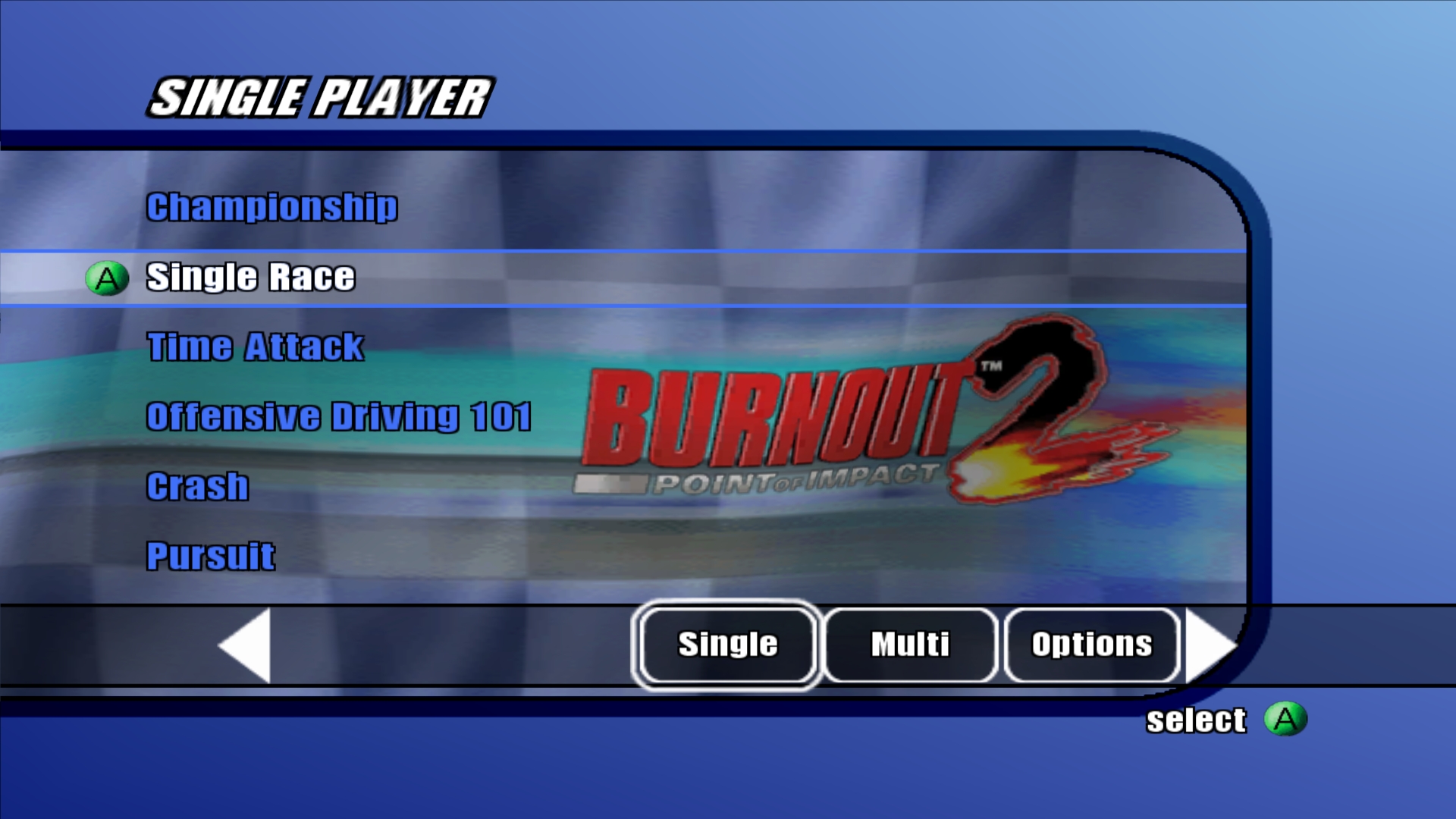 Single Player menu |
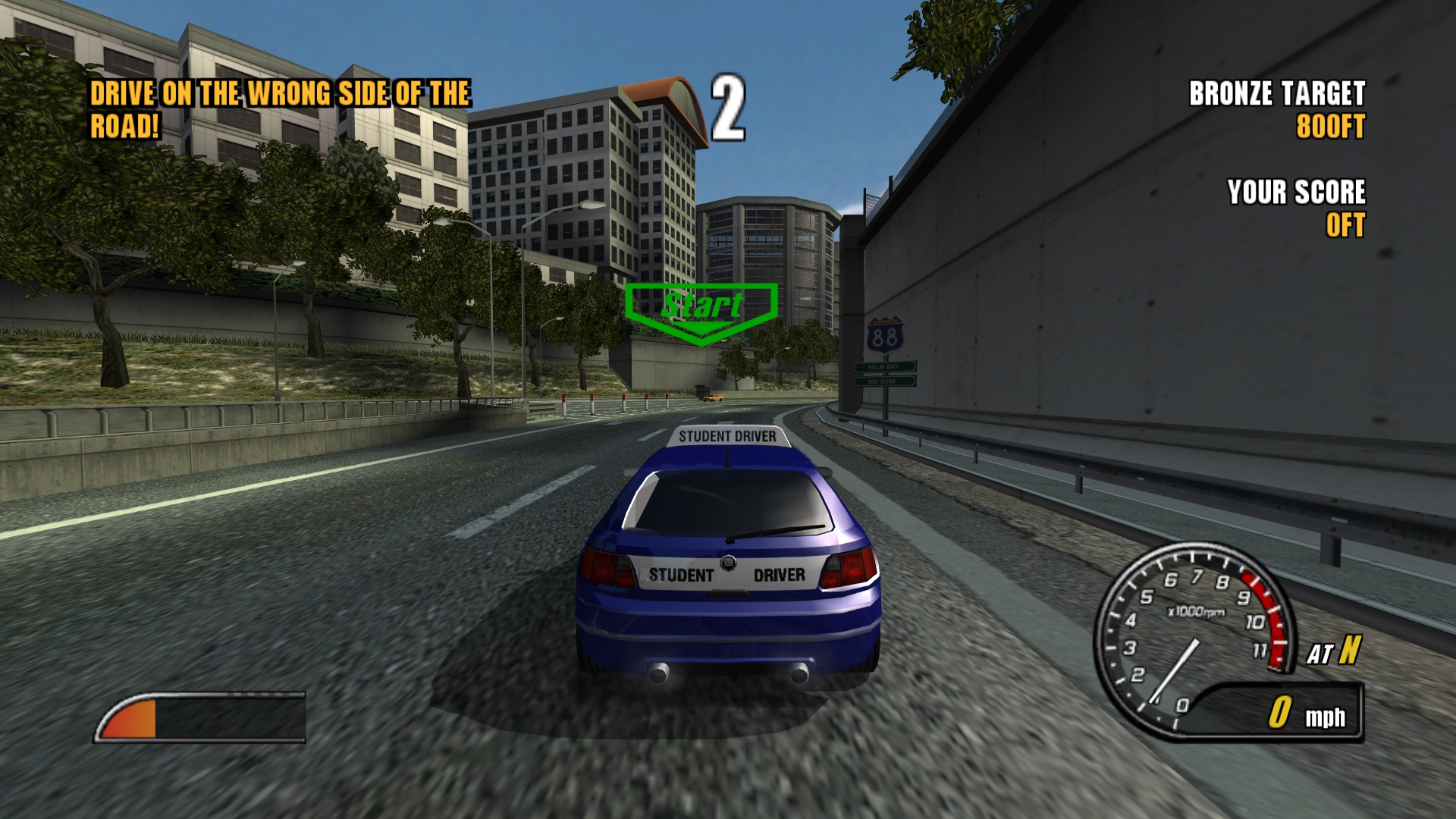 Driving lesson |
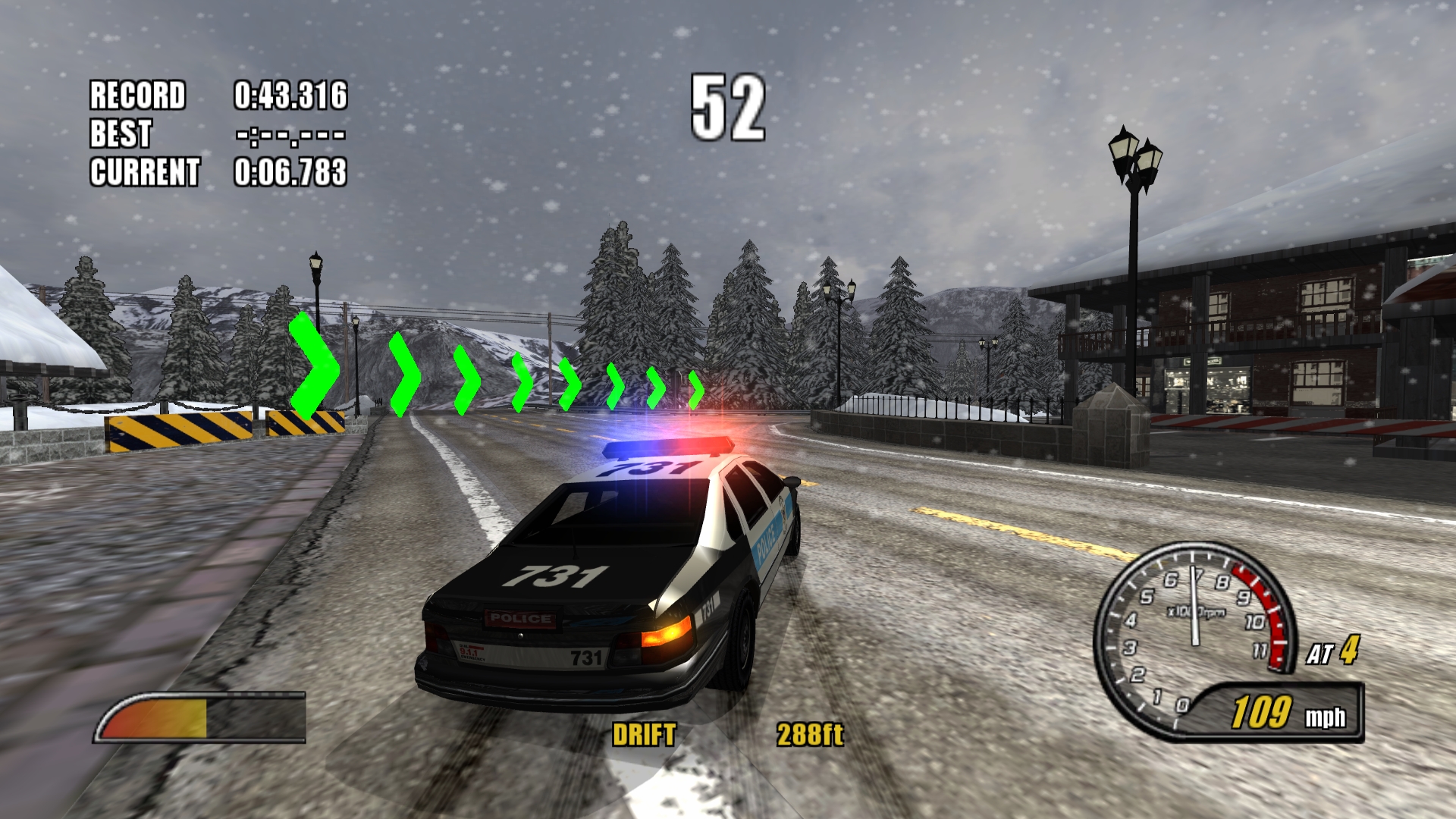 Snowy track |
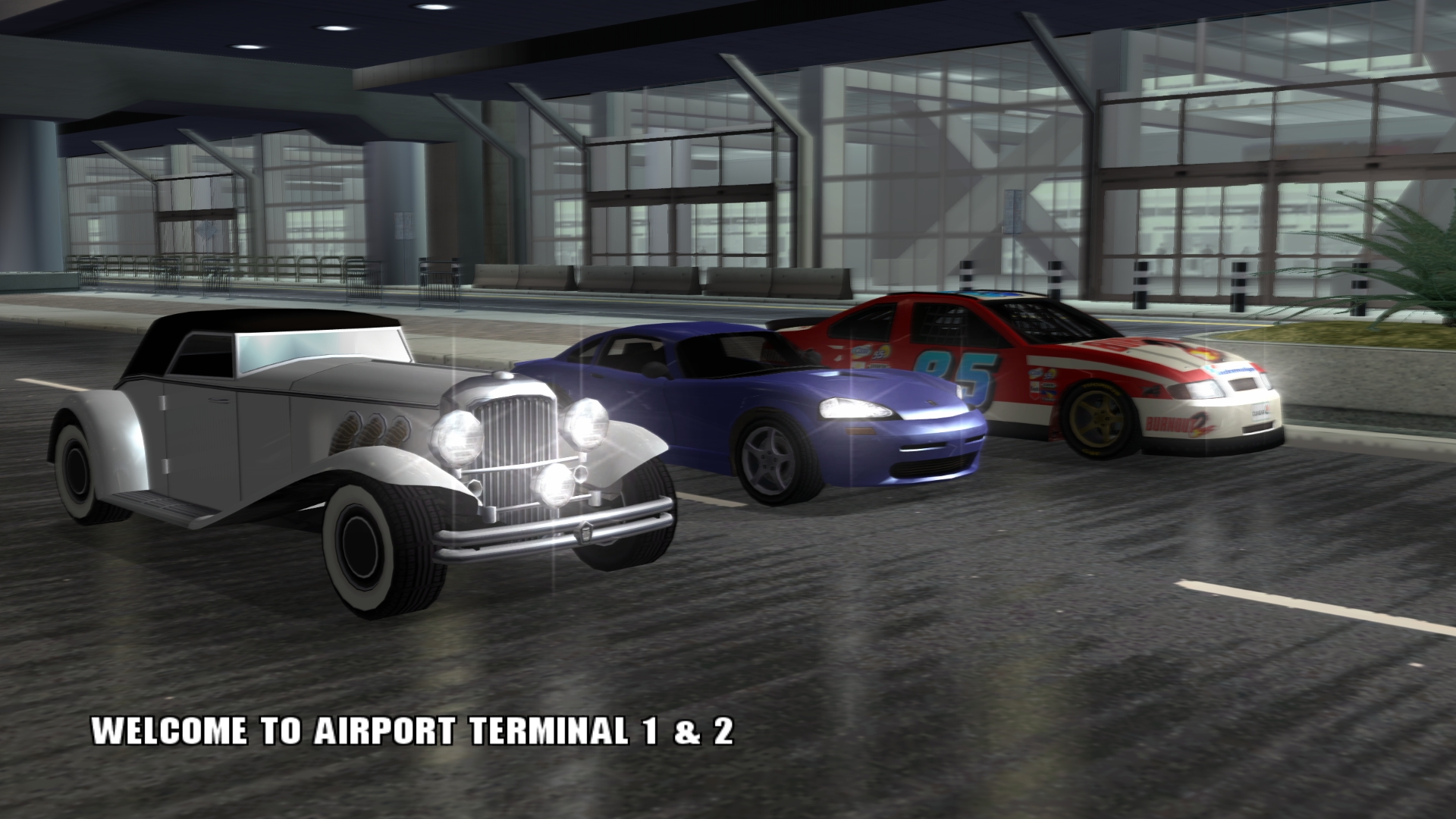 Airport Terminal 1 & 2 |
What happened to the original release?
The original recompilation worked, but its poor performance and growing complexity led to a fresh start. Its implementation was replaced with a smaller version focused on speed and simplicity. I couldn't bear to keep the slop version public😅
Current status
The features below have been validated primarily on Windows. Linux and macOS support is still being tested.
What works
- Startup, menus, and many levels/modes.
- Background music, menu sounds and in-game sound effects.
- Creating, saving and loading profiles through the game's Load/Save menu.
- Gamepad and keyboard input.
- Saved settings for display, audio and controls, with refresh rates from 60 Hz through Unlimited. High-refresh gameplay and menus keep normal game speed.
- Custom keyboard bindings and 1×–4× internal resolution.
- Native 16:9 and ultrawide 21:9 cameras with the HUD's original proportions and edge placement.
- Optional MSAA or FXAA antialiasing and anisotropic filtering up to 16×.
- Optional ambient occlusion with adjustable quality and strength.
- Imported custom music through the original Music Selection menu, with a saved Loop Track option in Music Selection and Pause → Options.
- Optional motion blur from the original game.
- Optional intro skipping and 2×/4× draw distance, including traffic detail.
- Experimental DLSS, FSR and XeSS upscaling (Windows only).
What still needs work
- Testing all modes, tracks and saved-game progression.
- Checking sound balance and consistently smooth performance across the whole game.
- Experimental upscaling has small visual issues and can reduce performance.
Getting started
All platforms require your own copy of the US Xbox release as an XISO disc image. Game files are not included. Keep the source and build folders together.
Linux x86-64
Use a glibc-based 64-bit Linux distribution, Clang 19+, CMake 4.2+, Ninja and a compatible Vulkan 1.3 graphics driver. Install the dependencies listed in BUILDING.txt, then run:
bash Build.sh '/path/to/Burnout 2.xiso.iso'
./build/linux/Release/b2
Linux uses Vulkan through DXVK Native and runs without Wine. Desktop gameplay, sound and graphics performance still need testing; the existing WSL software rendering result does not measure native GPU performance.
macOS Intel and Apple Silicon
Use macOS 14+, a Metal 3 GPU, Xcode 16.3+ and the Homebrew dependencies in BUILDING.txt. Build from a native shell on each architecture:
bash Build.sh '/path/to/Burnout 2.xiso.iso'
./build/macos/Release/b2
Intel and Apple Silicon use separate native builds. Graphics run through DXMT
and Metal, without Wine or Rosetta. Both architectures still need real gameplay,
visual, audio and performance testing. No Mac gameplay result is available yet.
CI compiles the full game on both architectures. Its Intel virtual GPU lacks
the features required by the Metal backend, so Intel graphics need testing on
a compatible physical Mac. Run ./build/macos/Release/b2-tool inspect-metal to
check GPU support.
Linux and macOS do not support the Windows D3D12 upscalers, WARP, D3D11 debug layers or hardware memory watches. Custom music imports require FFmpeg.
Windows x64
You need a 64-bit Windows PC and a graphics card that supports DirectX 11.
- Install Visual Studio 2026 Community
with Desktop development with C++, C++ CMake tools for Windows and the included Windows SDK,
CMake 4.2 or newer, and
Git for Windows.
Also install the Windows x64 version of LLVM 22.1 or newer.
Ninja (
ninja.exe) is also required. Visual Studio includes it with C++ CMake tools for Windows. - Download Installation.zip and extract it, or clone the repository.
- Double-click Build.cmd and select your US Xbox XISO disc image (
.isoor.xiso). Use an XISO; full-disc dumps need conversion to XISO first. The builder prepares the game files, downloads dependencies and builds the app, with a progress bar that follows the build tasks. The first build can take a while; later builds reuse previous work. - Click Open game folder, then double-click b2.exe.
There are no commands to type. If building fails, click Open build log. The developer build instructions also cover offline debugging.
If the builder reports ninja.exe is missing, open Visual Studio Installer,
click Modify for Visual Studio 2026, and install C++ CMake tools for Windows
under Individual components. Alternatively, download ninja-win.zip from
the official Ninja releases,
extract it, and add the folder containing ninja.exe to your Windows Path
environment variable. Close and reopen Build.cmd after installing it.
Updating between releases
These installer steps apply to Windows. On Linux and macOS, update the source
and rerun Build.sh with your disc image; settings and saves are preserved.
- Close the game and builder.
- Back up
data/useranddata/local/settings.cfgbeside your currentb2.exe. These contain your saves and settings. If you imported music, also back updata/local/custom-music. - Check the prerequisites above. Updates from releases before 1.3 require LLVM 22.1 or newer; Visual Studio and its Windows SDK are still required.
- Download the latest Installation.zip and extract it into your existing
source folder—the folder containing Build.cmd—replacing the source files.
Keep the existing
buildanddatafolders. - Run Build.cmd again and select your XISO. It rebuilds the game and updates game-file locations while preserving your other settings, saves and imported music. Open the game folder when the build finishes.
For a new-folder installation, build it first, then restore your backups to the
same locations beside the new b2.exe. Run Build.cmd once more to refresh
game-file locations while keeping the restored settings.
Game settings
Click Start game to play; press Esc to open or close settings. Changes save automatically. Hover over options for details, and use Restart game to apply graphics and enhancement changes during play.
- General: Choose the refresh rate (60 Hz by default) or Unlimited, and enable the FPS overlay. Higher rates smooth gameplay and menus without changing game speed. Unlimited removes the frame cap; V-sync still follows your display.
- Graphics: Select 1×–4× resolution, Original (4:3), Widescreen (16:9), Ultrawide (21:9), and V-sync. Higher resolutions use more graphics power.
- Enhancements: Adjust MSAA/FXAA, anisotropic filtering and Draw distance (Original, 2× or 4×). Ambient occlusion adds contact shading, with three quality levels and a strength slider; Off preserves the original appearance. Increased distance and shading quality use more resources. Experimental DLSS, FSR and XeSS have visual issues and may reduce performance; they replace separate antialiasing and use the selected output resolution. Motion blur and Skip intro splash screens are under Miscellaneous. Motion blur controls the original game's scene blur during boosting and other speed effects; it is enabled by default.
- Audio: To use custom songs, Browse for a music folder, click Import music, then select the collection in the game's Music Selection menu. MP3, WAV, WMA, FLAC, M4A and AAC are supported through Windows codecs on Windows and FFmpeg on Linux and macOS. Importing replaces the previous collection and restarts an active game. In-game music volume and Crash-mode music stopping also apply to Burnout 1 and imported songs. Loop Track repeats the selected song until you turn it off; change it in Music Selection or Pause → Options and confirm your choice.
- Controls: Click a binding and press its replacement; use Clear or Restore keyboard defaults as needed. Esc cancels rebinding.
- Log: View startup, capture and error messages.
Press F9 to start or stop a performance recording. Reports are saved under
build/captures/performance-*; include the whole folder when reporting a slowdown.
Saves are in data/user beside the game executable (b2.exe on Windows, b2 on
Linux and macOS); back up that folder to keep your profiles.
Controls
Connected gamepads work automatically. Keyboard controls are enabled by default:
| Action | Key |
|---|---|
| Accelerate | W |
| Brake | S |
| Steer | A / D |
| Move through menus | Arrow keys |
| A button / Confirm | Space |
| B button / Back | Left Shift |
| Black button | R |
| White button | F |
| Start / Pause | Enter |
| Toggle settings | Esc (or F1) |
| Capture frame | F8 |
| Record / save performance | F9 |
Black and White refer to the original Xbox controller's extra face buttons. On modern gamepads, Black maps to RB / R1 and White maps to LB / L1.
Resources and credits
The project builds on preserved research from the first recompilation and checks discoveries against the game's original executable. Original Xbox video screenshots provide the visual reference.
- XboxDevWiki and nxdk: Xbox hardware and system interfaces.
- xemu and Cxbx-Reloaded: references for graphics, sound and Xbox system behavior.
- DSP56300 manual and mborgerson's DSP56300 toolkit: the original sound processor and its instructions.
- SDL3, Dear ImGui and Zydis: windows, input, audio, settings and instruction decoding during the build.
- Microsoft's Direct3D 11 documentation and Windows API documentation: the Windows graphics and system backend.
- DXVK Native and DXMT: native Vulkan and Metal graphics backends.
- Berkeley SoftFloat and MPFR: floating-point support for Apple Silicon.
- XeGTAO: reference for ambient occlusion.
See third-party notices for dependency licenses and research notes for detailed findings and source links.