Burnout 3 Native
Burnout 3 Native is a PC port of Burnout 3: Takedown for Windows, Linux, and macOS that runs the game natively with features like widescreen and high frame rates.
- Type: PC port
- Game: Burnout 3: Takedown
- Runs on Windows, Linux and macOS
- By u0rhs
- Latest release v1.3.0, 2026-11-20
- Source: https://github.com/u0rhs/burnout3-native
README

Burnout 3: Takedown, native on Windows, Linux and macOS
The PS2 game as a real PC program: widescreen, high frame rates, modern controllers and mods,
with the PS2's physics unchanged. No emulator, no PS2 code.





⬇️ Download · Quick start · Screenshots · Features · Controls · Player guide · FAQ · Report a bug · Modding · Contributing
| 🧬 0 | 🎯 4,655 / 5,652 | 🔁 20 / 20 | ⚡ Uncapped |
|---|---|---|---|
| chips emulated: no EE, VU, IOP, GS, SPU2 or IPU; the game binary has no interpreter | game functions rebuilt byte for byte; the other 997 as complete C, audited against retail | test scenarios with no PS2 code at all, identical run to run | frame rate: set your own limit; the game's 60 Hz simulation never changes |
Important
You need your own copy of the game. We don't supply the ISO or any game files: the port reads your own Burnout 3: Takedown disc (PS2, NTSC-U, SLUS-21050) as a disc image or a folder, and never changes it.
What this is
Burnout 3: Takedown, the PS2 original, running as a real PC program. Its code comes from a matching decompilation of the game, translated to C++ and built for Windows, Linux and macOS (Apple Silicon), with a platform layer and a renderer of our own. Nothing pretends to be a PS2 and no PS2 code runs.
The short version
| On the PS2 | With this port | |
|---|---|---|
| Physics, AI, takedowns | The game's own | The same: the PS2's float behaviour is reproduced, and defaults never change gameplay |
| Picture | 4:3, fixed frame rate | Any window shape up to ultrawide, a frame rate limit of your choice, MSAA, anisotropic filtering, HD texture packs (and, as a small extra, somewhat sharper textures from your own Xbox disc) |
| Controls | The PS2 pad | Keyboard, mouse in the menus and any gamepad, with remapping, rumble and matching button prompts |
| Extras | Launcher, photo mode, your own music in EA Trax, speed units, save files of your own, replays, a tuning console, mods | |
| Loading | The PS2's load times | Fast loading (on by default) |
| Online | Gone with EA's servers | Coming in a future release |
Version 1.3.0. Found a problem? Please report it.
Screenshots
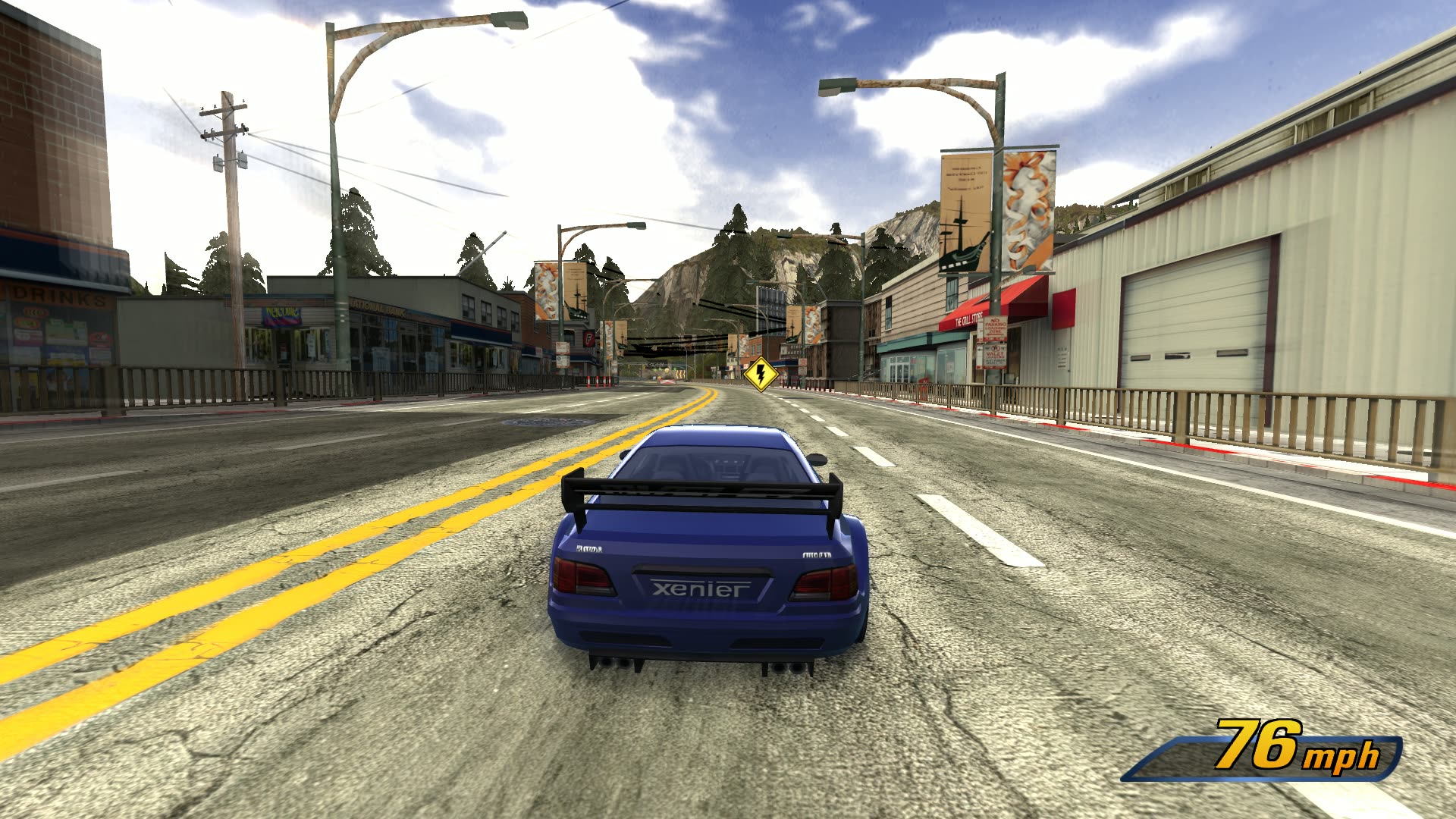
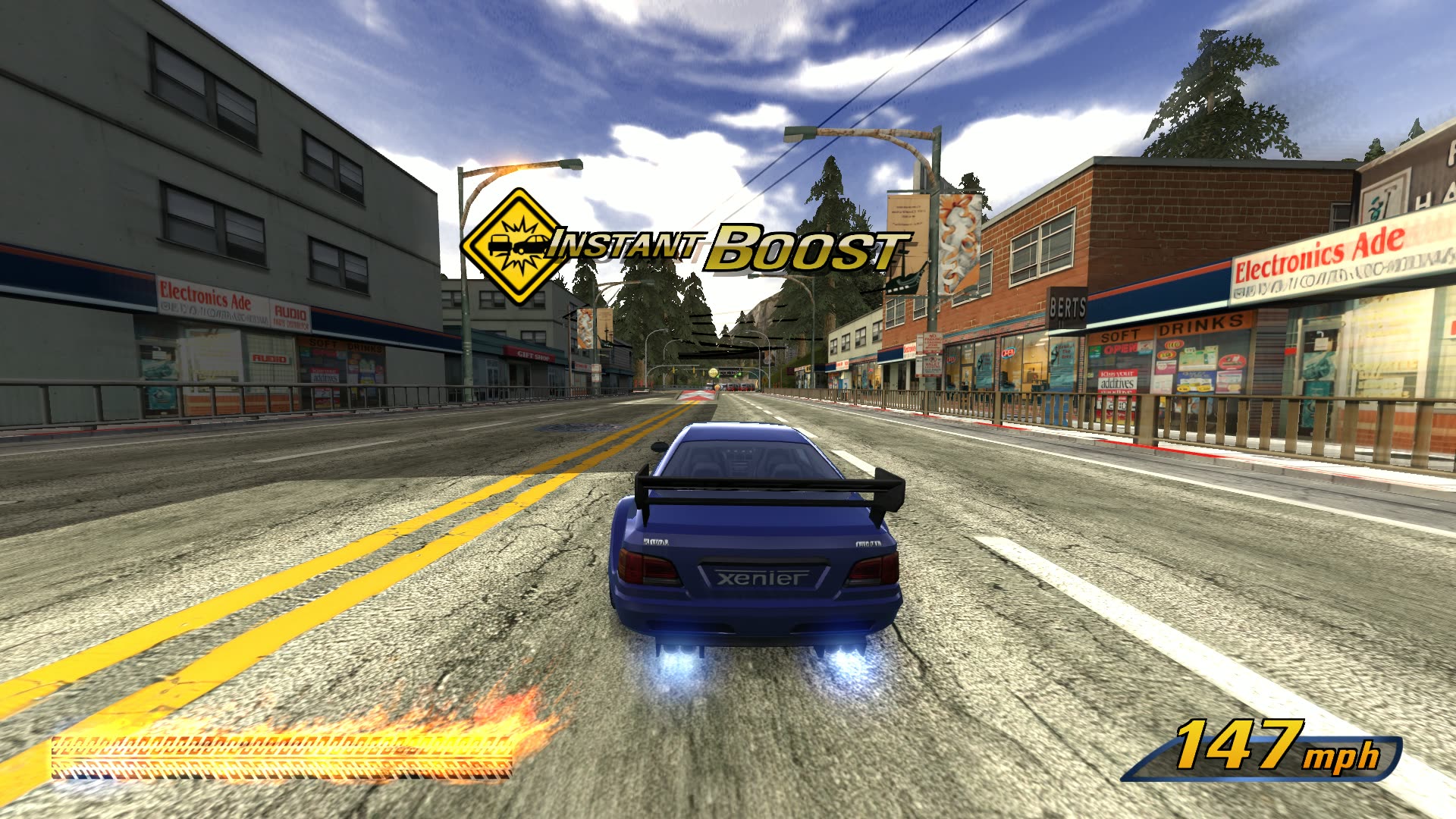
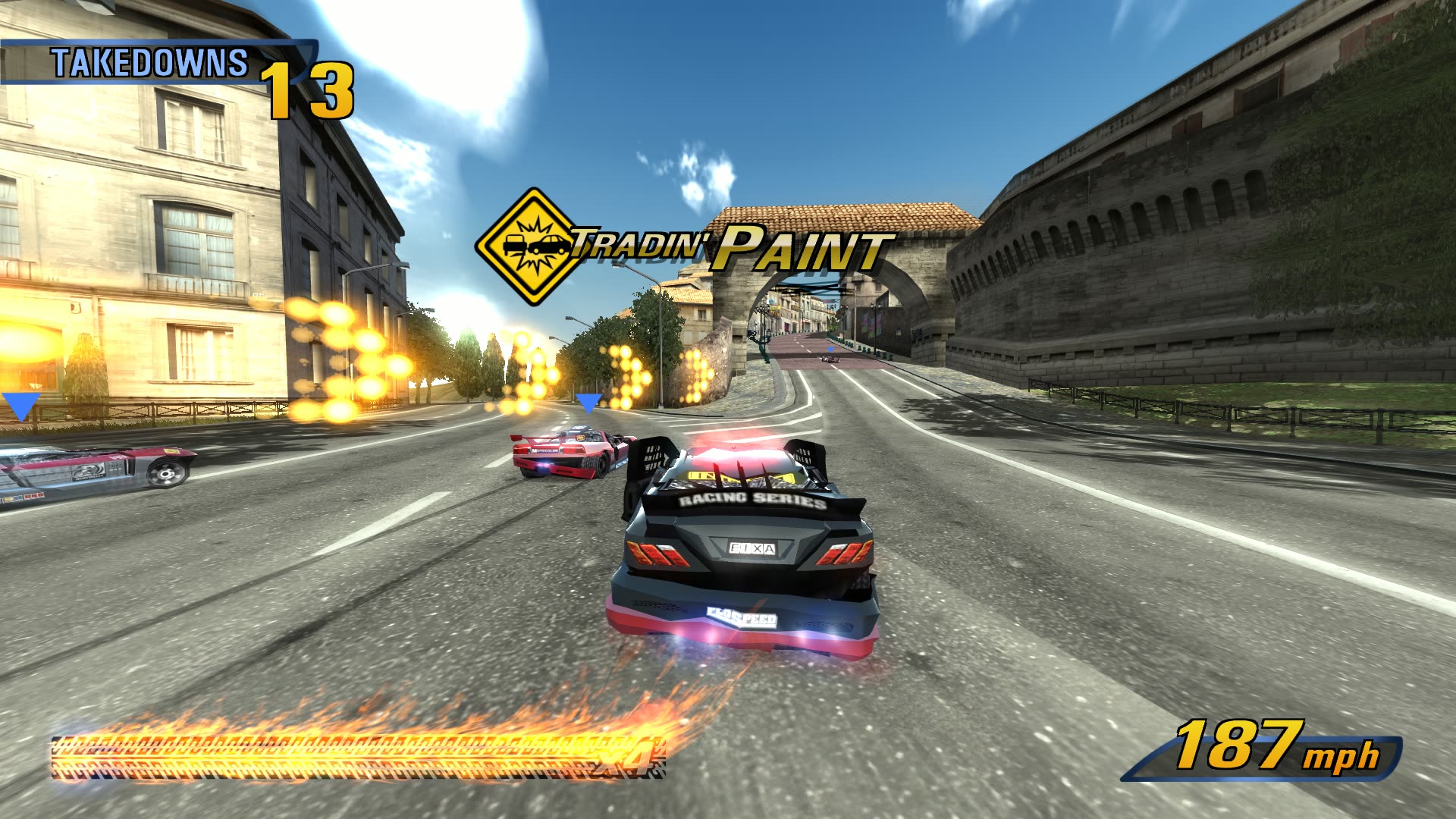
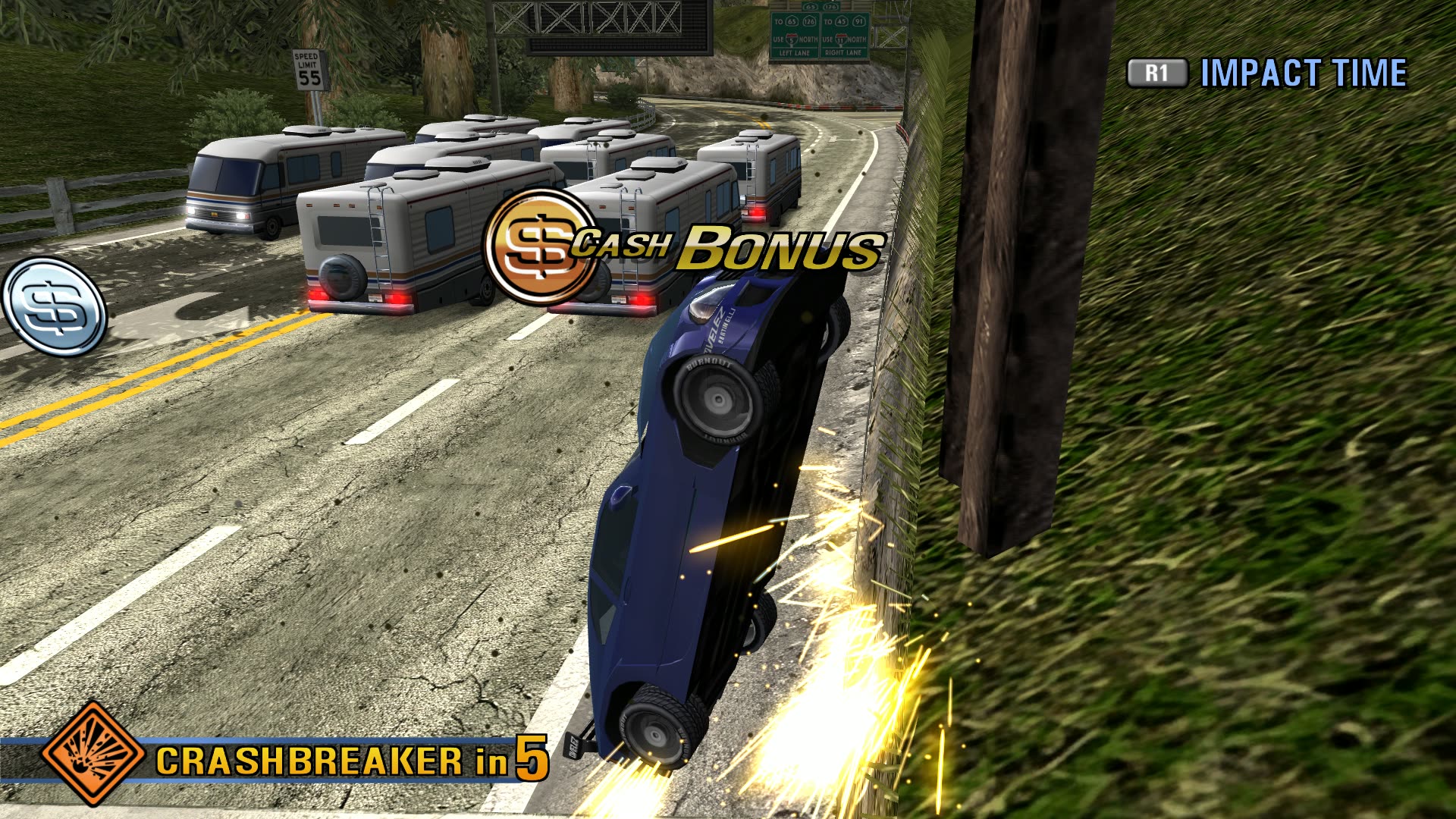
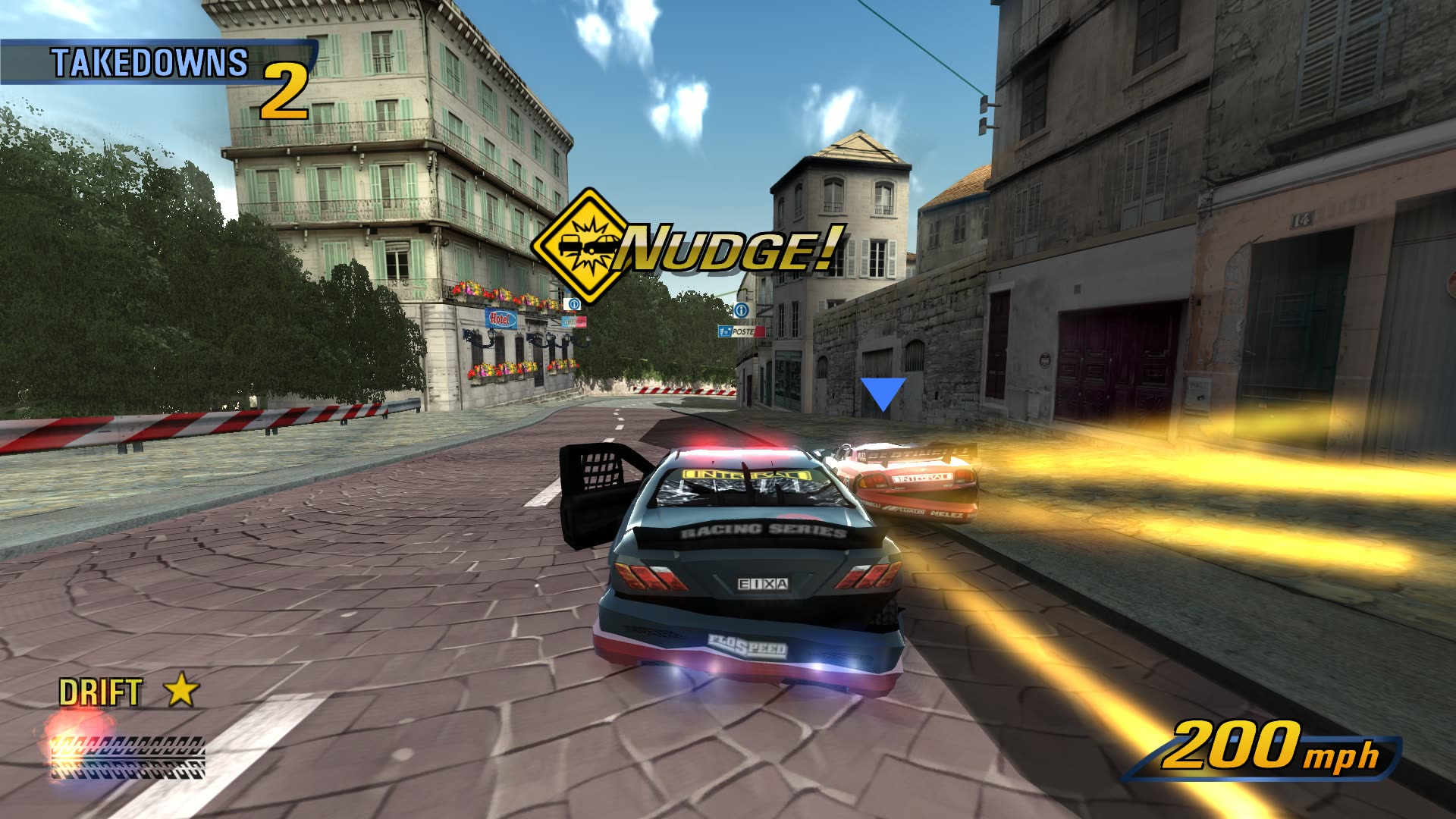
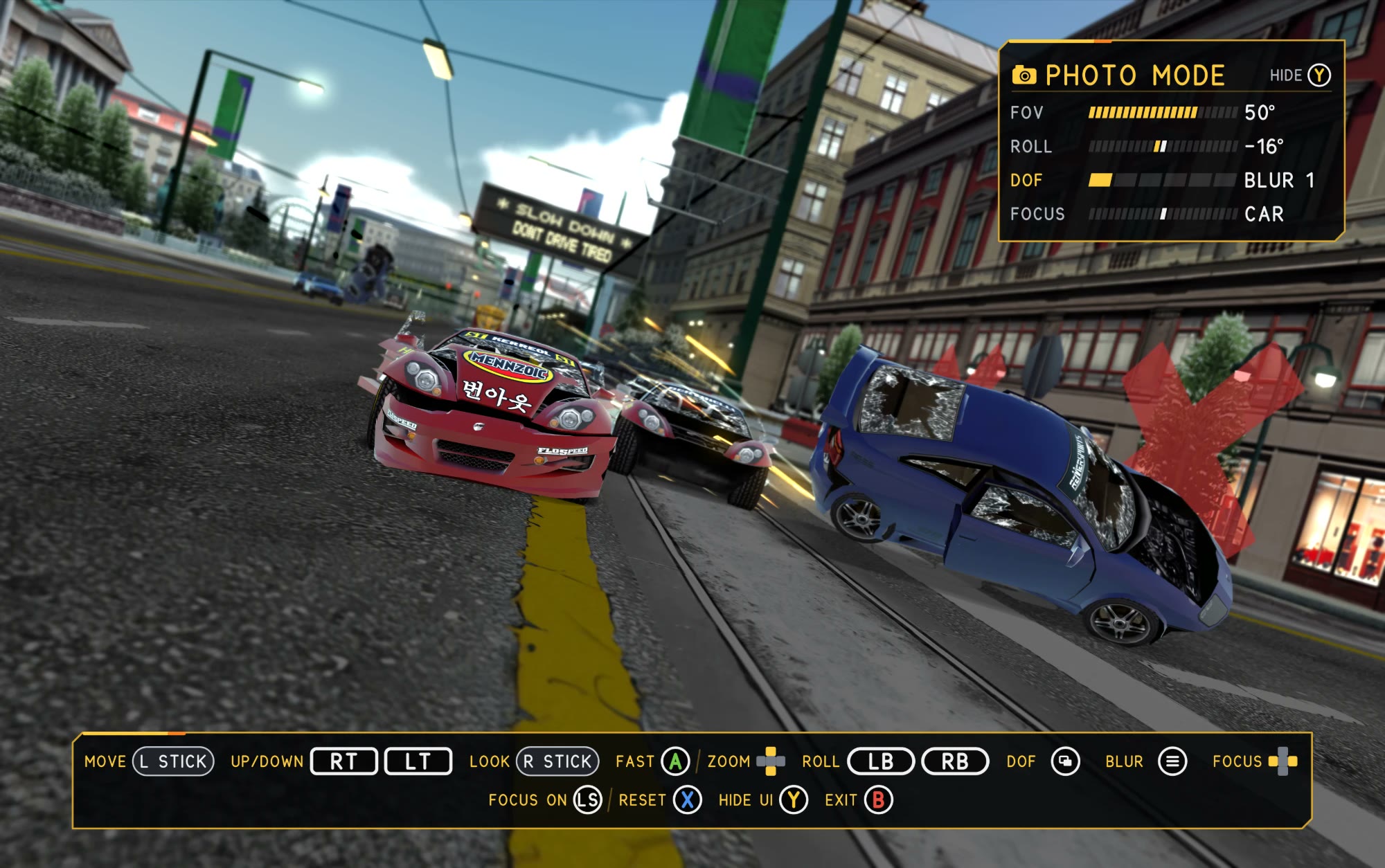
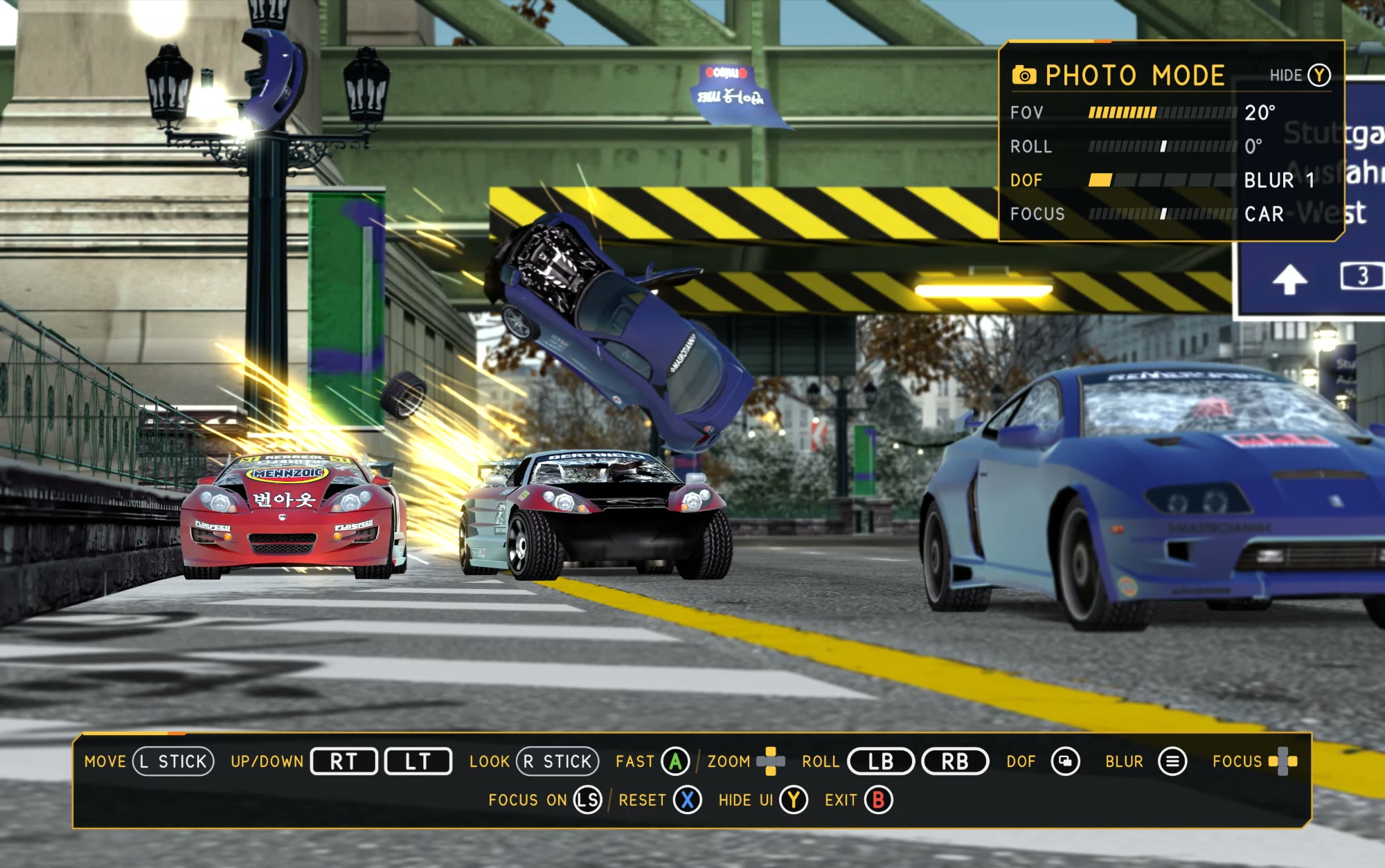
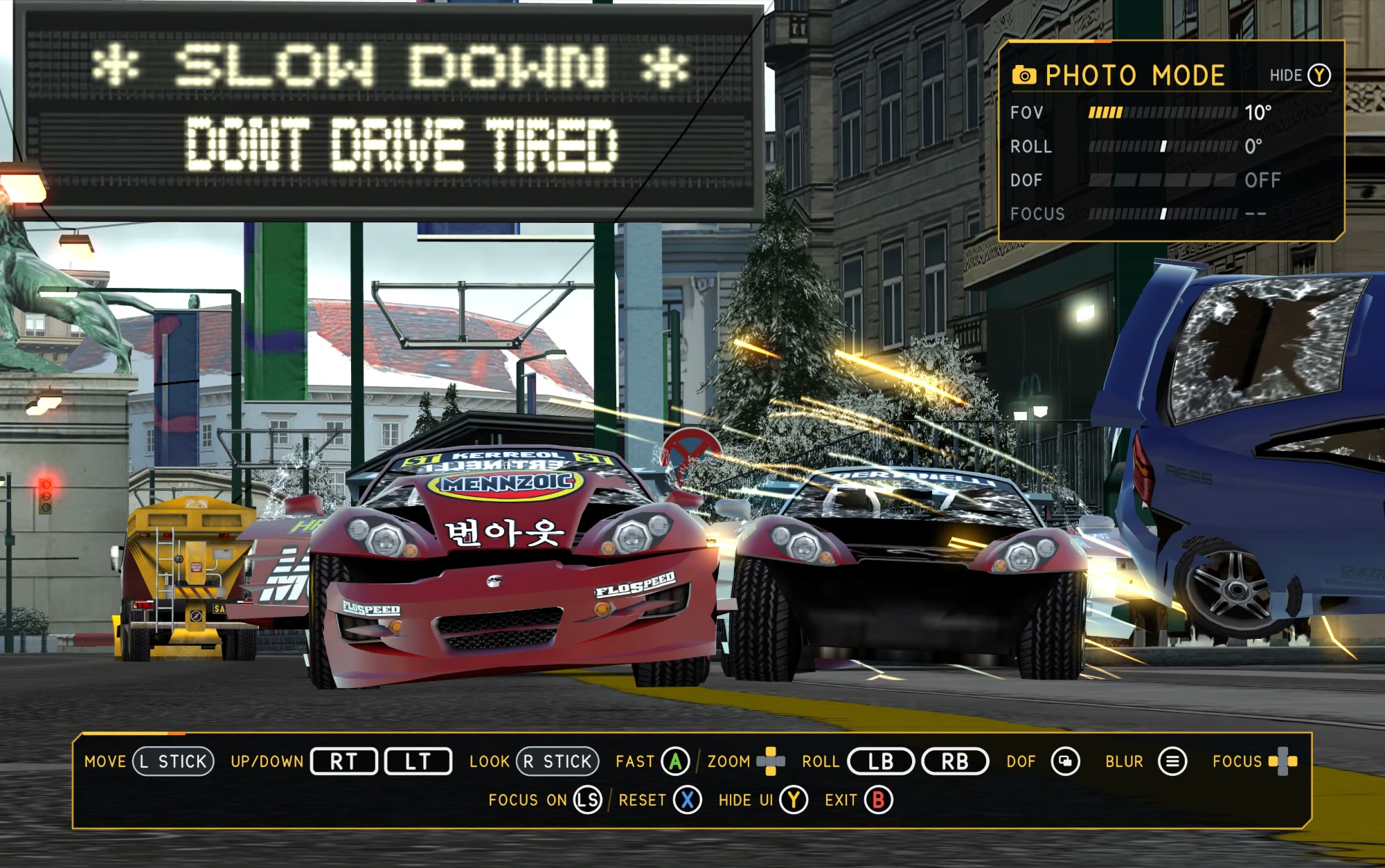
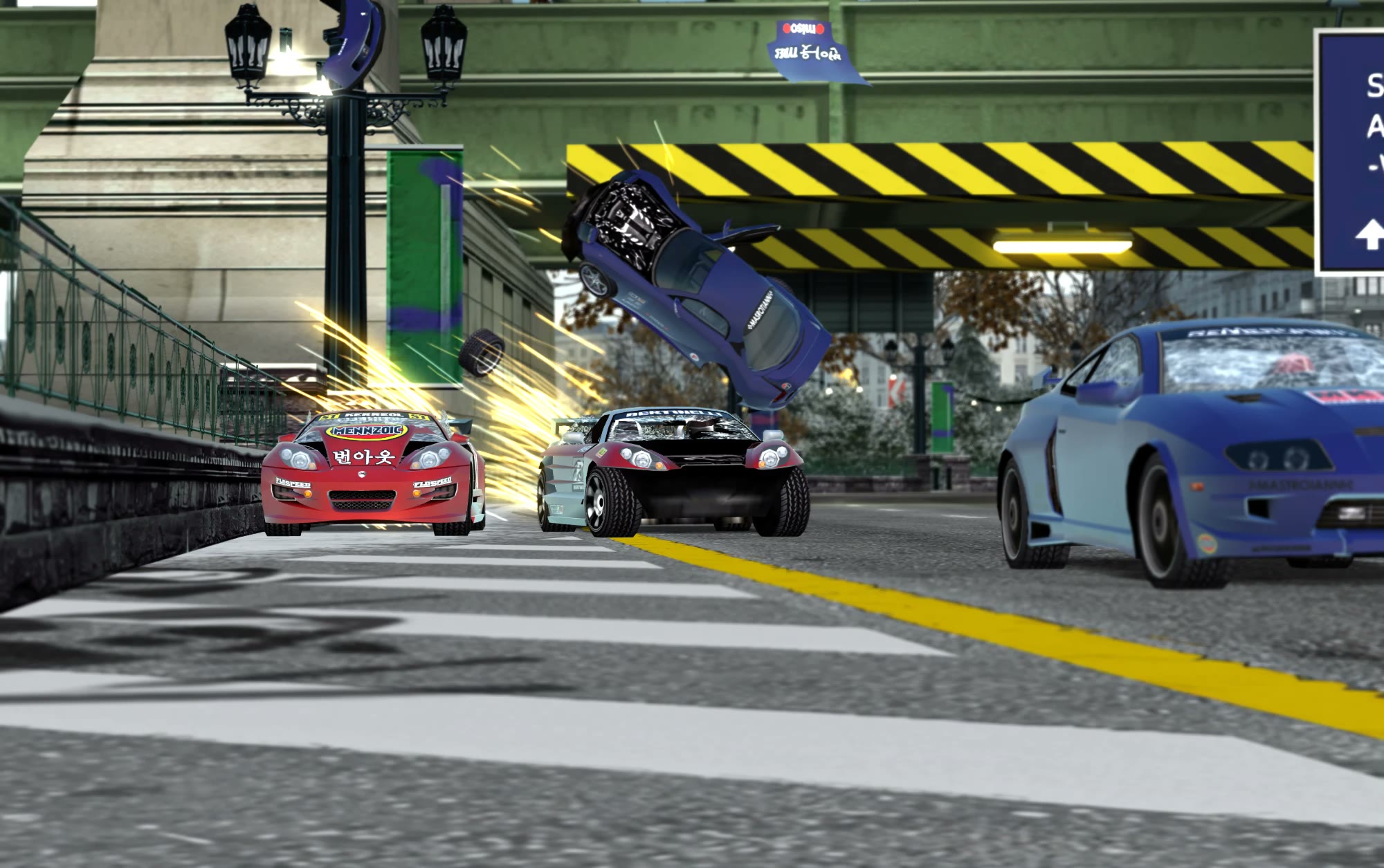
Photo mode: pause, then press P (L3 + R3 on a gamepad) for a free camera, even in the middle of a crash, with field of view, roll, depth of field and focus. Hide the display for a clean shot; F12 saves the picture without it.
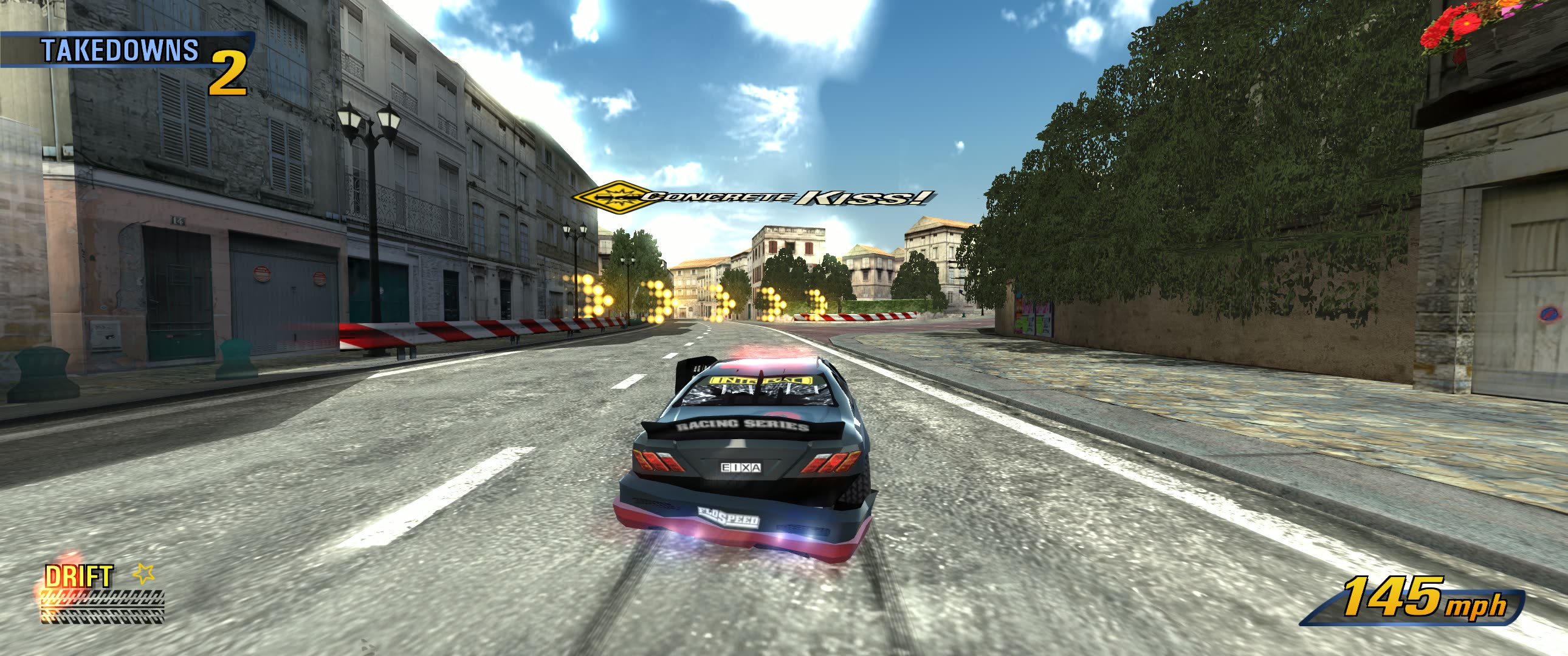
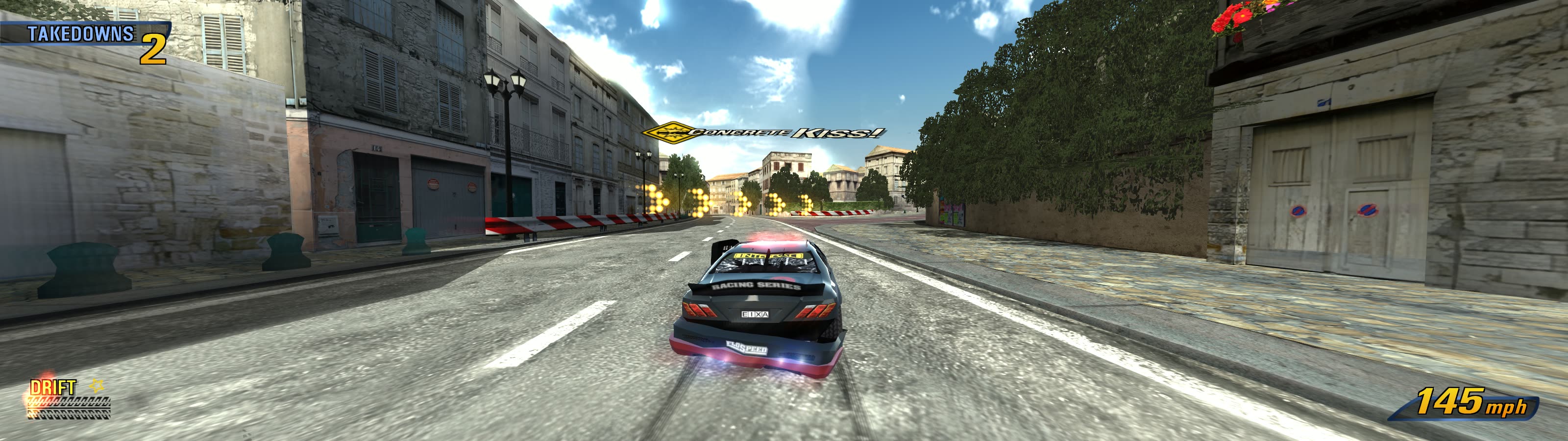
Ultrawide: the view widens and the HUD stays at the screen's edges (21:9, then 32:9).
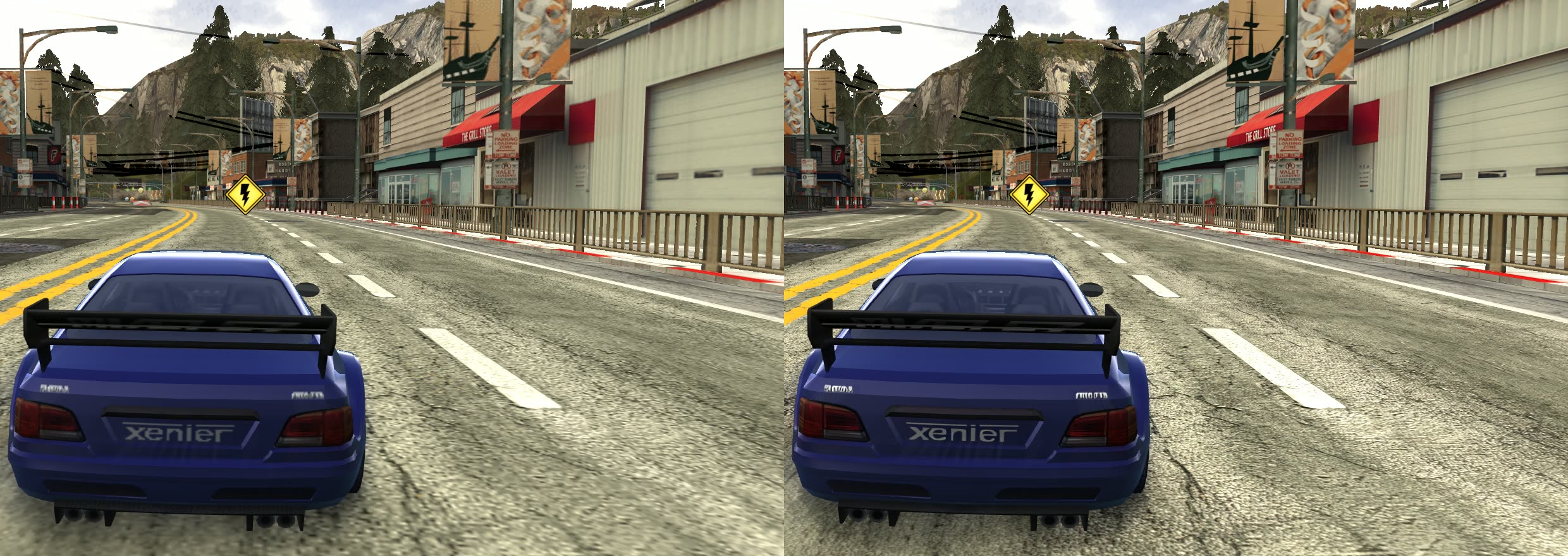
HD texture packs made for PCSX2 work as they are (Panda_Venom's HD Remaster pack shown).
The launcher, the in-game settings and the tuning console
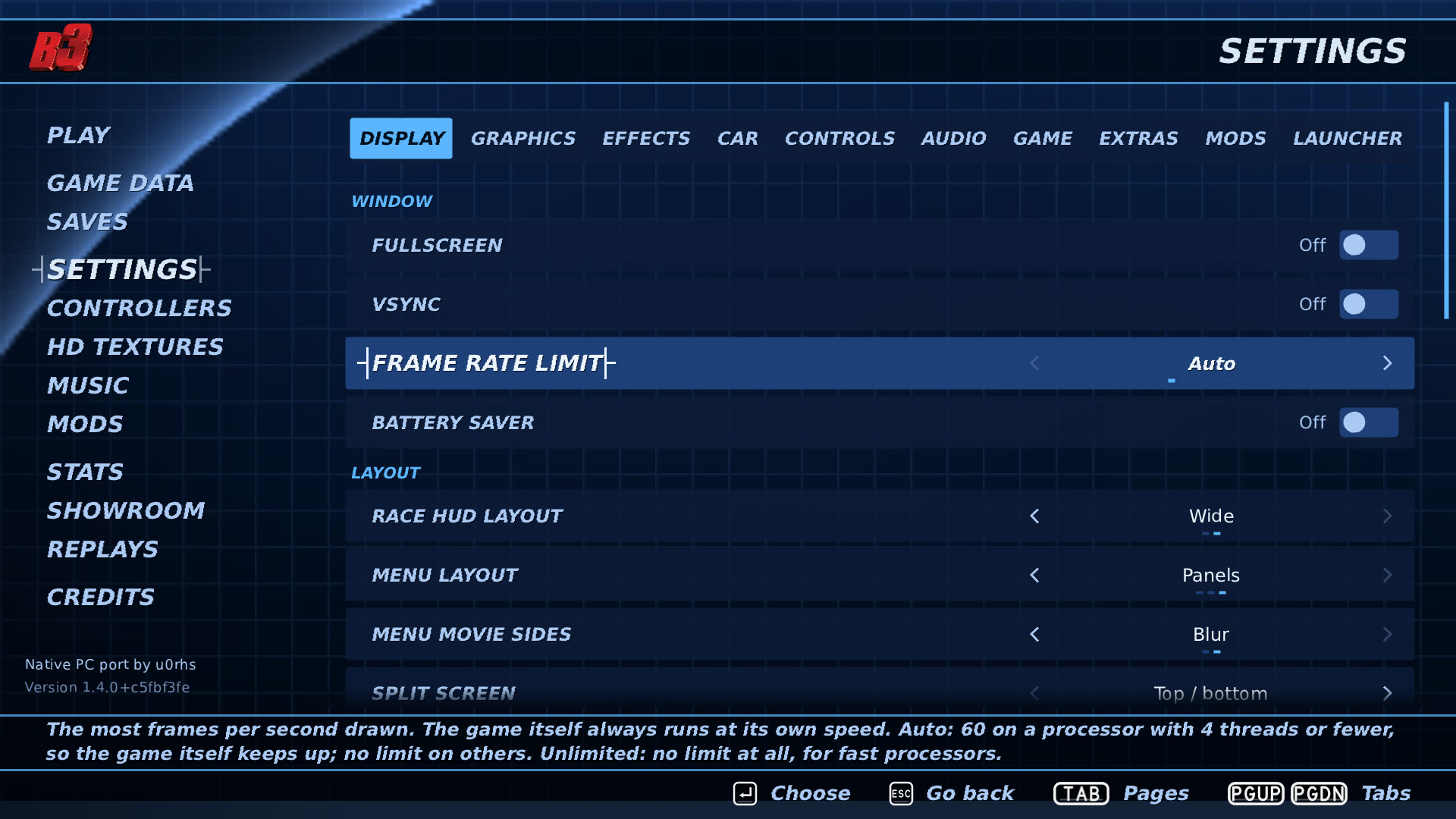
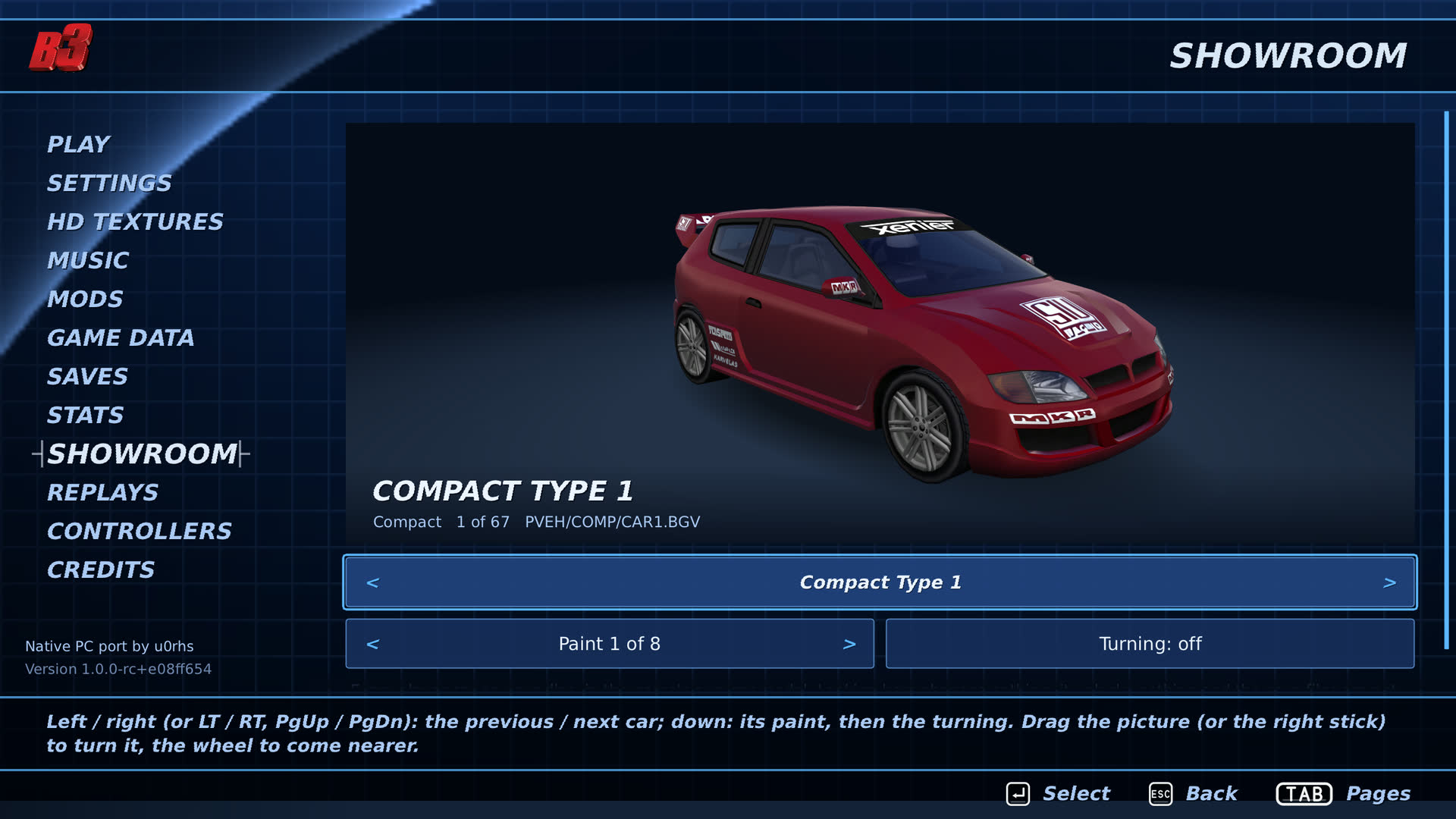
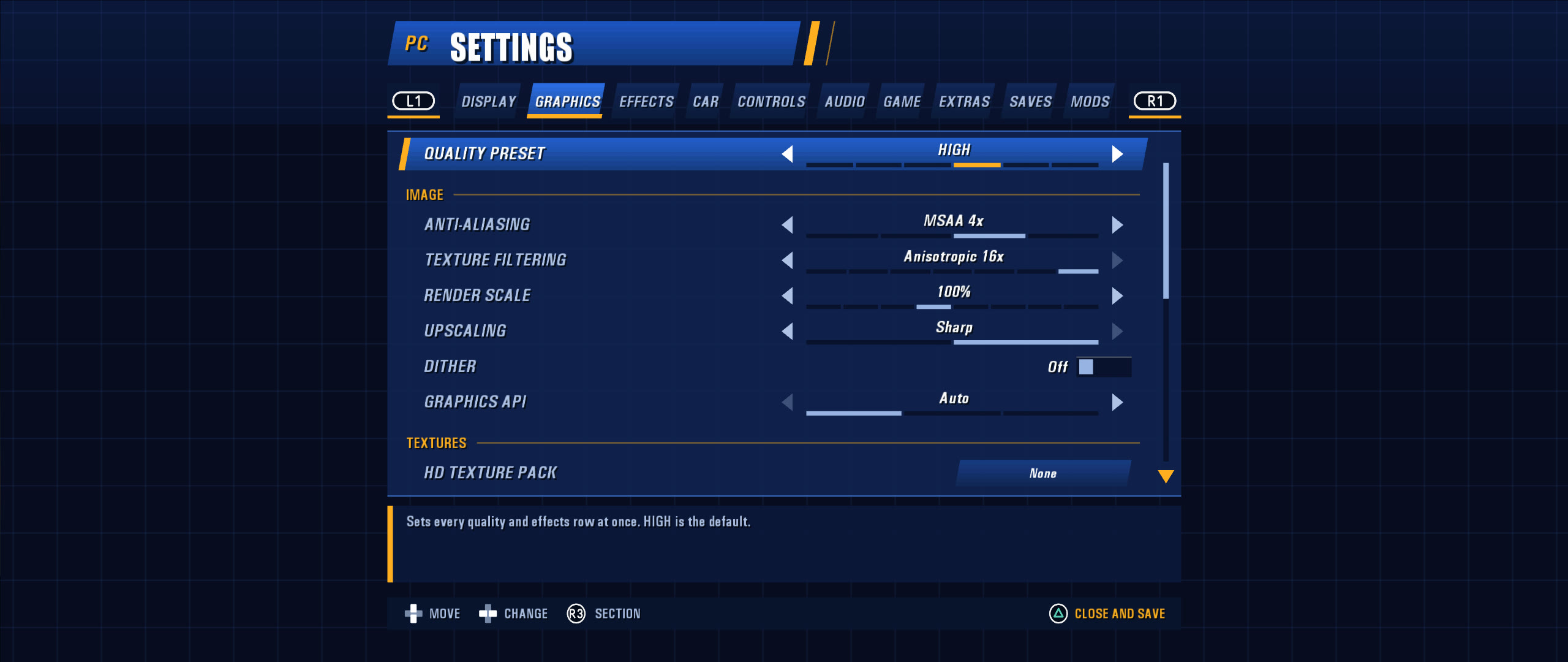
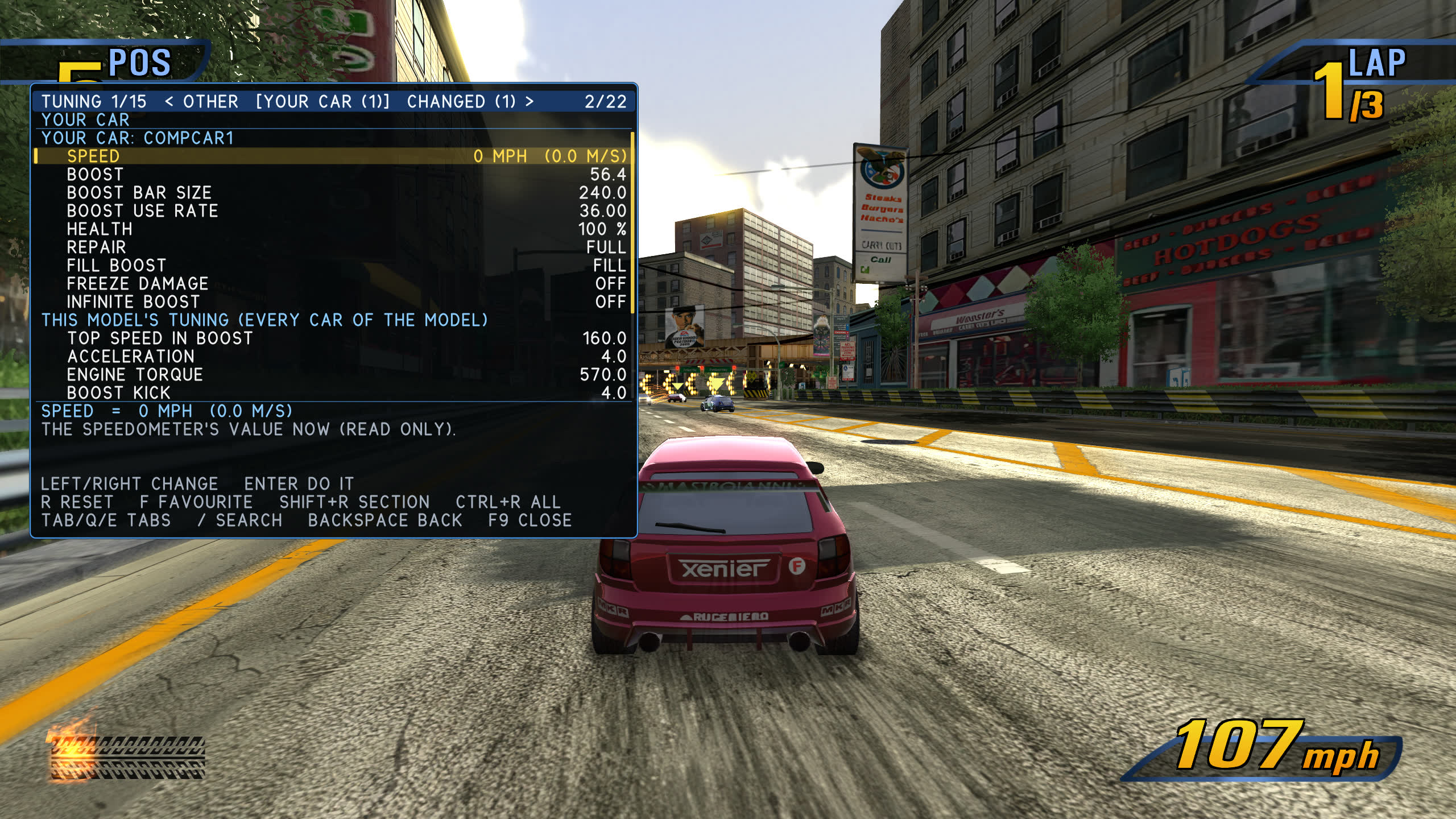
Rendered by the port at 2560x1440 with 4x MSAA and the HD texture pack; the game's own assets come from the player's disc and are shown here only to illustrate the port.
Get started
You need two things: a download from the Releases page (a
Windows zip, a Linux tarball or a macOS .dmg), and your own disc as an .iso / .bin / .chd image or a folder of
its files (how to make one). There is nothing to install,
compile or convert: the download is the finished game with its shaders built in, and the launcher only needs to know
where your disc is.
🪟 Windows 10 / 11
- Unzip the download into a folder of its own and keep its files together.
- Start
Burnout3Launcher.exe. Windows may warn about an unknown publisher (the build is not signed): choose More info, then Run anyway. - On the Game Data page choose your disc image or folder, once. Then press START GAME on the Play page.
🐧 Linux x86-64 (and Steam Deck)
- Unpack the tarball into a folder of its own:
mkdir -p ~/Games && tar -xzf burnout3-native-*-linux-x86_64.tar.gz -C ~/Games - Run
./b3launcherfrom that folder. Optionally run./add-to-menu.shonce for an application-menu entry. - Game Data page, then START GAME.
It ships its own SDL 3; you need a Vulkan driver and glibc 2.35 or newer.
Steam Deck: in Desktop Mode add b3launcher to Steam as a non-Steam game (leave Proton off) and it runs in
Gaming Mode with the Deck's controls alone. This is set up but not yet tried on a Deck:
the steps.
🍎 macOS (Apple Silicon)
- Open the
.dmgand drag Burnout 3 Native into Applications. - The app is not notarized by Apple, so the first start is blocked: open it once, then go to System Settings > Privacy & Security and press Open Anyway. (All the variations, and building from source instead.)
- Game Data page (choose the folder with your disc's files), then START GAME.
Stuck? Try the FAQ, the player guide or the known issues.
Build from source
The generated game code is committed, so the repository builds on its own. Full steps: docs/BUILDING.md.
make && build/b3launcher                       # Linux: the game and the launcher (GCC 13+, SDL 3, Vulkan)
tools/mac/native.sh <your disc folder>         # macOS, Apple Silicon (docs/mac.md)
RENDER=1 tools/native/build_win.sh             # Windows, cross-built from WSL with a pinned MSYS2 toolchain
make test                                      # the unit tests
make modtool                                   # b3modtool, the mod kit's tool
Requirements and tested platforms
| Windows | Linux | macOS | |
|---|---|---|---|
| System | Windows 10 / 11, 64-bit | x86-64, glibc 2.35+ (Ubuntu 22.04+, Debian 12, Fedora 36+, SteamOS 3 ...) | Apple Silicon (M1 or later) |
| Graphics | A GPU and driver with Vulkan 1.0 or newer | A driver with Vulkan 1.0 or newer; X11 or Wayland | Metal (built in) |
| Package | Zip with the launcher | Tarball with its own SDL 3 | .dmg with the launcher app |
| Tested | ✅ Played on a high-end desktop; the package passes its smoke test | ✅ The package passes its smoke test and was played on one desktop; other distributions and the Steam Deck: untested | 🚧 Played on an M1 when built from source; the .dmg is built by CI, and a build of it has been installed and run on a real Mac |
Intel Macs, Windows on ARM and Linux on ARM are not supported. The exact minimum CPU, memory and graphics card are not measured: a slow PC can fall behind real time (see known issues), and the Low preset or safe mode helps. The download is small (about 23 MB for the test builds); your disc stays where it is.
Controls
Keyboard, mouse in the menus and any gamepad your system knows. A gamepad gets the layout of its own console (CONTROLLER LAYOUT: Auto): a PlayStation controller the PS2 game's, every other controller the original Xbox game's. Everything is remappable per player (SETTINGS > CONTROLS > BINDINGS, or the launcher's Controllers page); a second gamepad is player 2.
| Keyboard | Xbox layout | PlayStation layout | |
|---|---|---|---|
| Accelerate / brake | W / S or Up / Down | Right / left trigger | Cross or R2 / Square or L2 |
| Steer | A / D or Left / Right | Left stick or D-pad | Left stick or D-pad |
| Boost | Space, Shift or R | A (RB too) | R1 |
| Crashbreaker | E | B | Press the right stick (R3) |
| Camera / look back | Backspace or C / Q | Y / X (LB too) | Triangle / L1 |
| Pause | Escape | Start / Menu | Start / Options |
On the Xbox layout A and B do one thing while you drive and another in the menus (confirm and back), as in the original Xbox game. The full tables are in docs/PLAYING.md.
Handy keys: F11 fullscreen, F12 screenshot, F10 bug report, P photo mode (pad: L3 + R3), F9 tuning console (opt-in). All defaults, the menus' keys and two-player setup: docs/PLAYING.md.
Settings tour
Open SETTINGS from the game's main menu or pause menu, or the launcher's Settings page; changes apply at once unless a row says "next start". With defaults the game plays like the PS2 original; the few settings that change what the game sees are marked ⚙️ in the feature list and start off.
| Where | What you can do |
|---|---|
| DISPLAY | Fullscreen, vsync, frame rate limit, battery saver, HUD and menu layout for wide screens, split-screen layout, field of view 60 to 120, camera distance and height, interpolation |
| GRAPHICS / EFFECTS | Quality preset (PS2 original to Ultra), anti-aliasing up to 8x, texture filtering up to 16x, render scale, draw distance, shadows, night, bloom, motion blur |
| CAR | Custom paint and finish for both players, car detail, car reflections, garage camera |
| CONTROLS | Rumble, adaptive triggers, analog triggers, boost toggle, instant restart, remapping per player, gyro |
| AUDIO | Your music folder and playlist |
| GAME | Button prompts, FPS counter, language, speed units, ghosts, speedrun timer, replays, accessibility (reduced flashes, colour-blind filters, HUD size), fast loading |
| Launcher | HD texture pack, your music folder, mods, saves, game data, showroom, update check |
Details and every opt-in: player guide, section 7. Photo mode: pause a race (even mid-crash), choose PHOTO MODE in the pause menu (or press P), and fly a free camera with the HUD off and optional depth of field.
Features
Everything on top of the faithful port is a setting, most of them on a SETTINGS page added to the game's own main menu, in the game's fonts (docs/pc-settings.md). Defaults never change gameplay.
✅ in the build · 🚧 built, being checked · 📋 planned · ⚙️ opt-in: off by default, because it changes the game's input or what the game sees
The full feature list (graphics, launcher, controls, music, play, modding, online)
🎮 Graphics
| Feature | ||
|---|---|---|
| ✅ | Uncapped frame rate | A frame limit of your choice; frames interpolated between the game's fixed simulation steps, which never change |
| ✅ | Widescreen and ultrawide | HUD and menus anchored to the screen's edges; 4:3 movies with black or blurred sides |
| ✅ | Field of view | 60 to 120 (90 is the game's), with FOV correction |
| ✅ | Whole-track draw distance | No streaming pop-in; traffic fades in before the game's draw limit |
| ✅ | Image quality | MSAA up to 8x, anisotropic filtering up to 16x, car detail, shadows, motion blur, boost blur, bloom |
| ✅ | HD texture packs | PCSX2-format replacement packs, picked from a folder dialog; the launcher links to Panda_Venom's HD Remaster pack |
| ✅ | Quality presets | PS2 original, Low, Medium, High, Ultra |
| ✅ | Photo mode | Pause, then press P (L3 + R3 on a pad), even mid-crash: free camera, HUD off, depth of field, screenshots |
| ✅ | Split-screen layout | Two players top / bottom (the game's) or side by side, each view at its own shape with its own HUD |
🧭 Front end & launcher
| Feature | ||
|---|---|---|
| ✅ | SETTINGS in the game | Display, graphics, effects, camera, interface, music and saves, beside the game's own menus (plus QUIT GAME) |
| ✅ | Launcher | Play, Settings, HD Textures, Music, Mods, Game Data, Saves, Stats, Showroom, Replays, Controllers, Credits |
| ✅ | Any input in the launcher | Fully usable with the keyboard alone, a gamepad alone or the mouse alone |
| ✅ | Fast loading | Loading screens at full speed with the game's timeline unchanged (a crash event: 18.3 s → 3.1 s); picture and sound start together |
| ✅ | Skip intro movies | Start or Cross skips a movie, never automatically; a small hint shows how |
| ✅ | Saves of your own | Up to five .sav files, each with the game's three profiles and backups; import PS2 saves (.psu, .max, PCSX2 cards) |
| ✅ | Stats and achievements | Your career read from your save, and 13 local achievements on the launcher's Stats page |
| ✅ | Car showroom | All 67 cars on your disc in 3D on a turntable, with the game's own names, in your HD texture pack and mods' packs |
| ✅ | Skip the launcher | Start the game directly next time; hold Shift or a controller's Back / Select to get the launcher back |
| ✅ | Updates | Each time it starts, the launcher asks GitHub if a newer release is out; Install update downloads it, checks its signature and installs it; can be turned off |
| ✅ | Safe mode | After two unclean exits the game starts with safe settings, and says so |
| ✅ | Bug reports | F10 makes one zip: logs, settings, system info and a recording that replays the session; your user name kept out of it |
| 📋 | More than three profiles | The game's profile list extended |
🕹️ Controls & accessibility
| Feature | ||
|---|---|---|
| ✅ | Keyboard, mouse and gamepads | The keyboard or any SDL gamepad as the PS2 pad; the mouse in the menus; type your profile name |
| ✅ | Speed units | MPH or KM/H on the speedometer, distance messages, records and stats, in the game's own words |
| ✅ | Matching button prompts | PlayStation, Xbox, Nintendo, generic or key caps, following the last device you used |
| ✅ | Remapping | Per player, pads and keyboard, in SETTINGS and the launcher; conflicts offer swap, clear or keep both |
| ✅ | Local 2-player | A second gamepad is player 2 |
| ✅ | Rumble ⚙️ | The game's own vibration on your pads, with a strength slider and trigger rumble on Xbox pads |
| ✅ | DualSense adaptive triggers, gyro steering ⚙️ | Triggers that resist, buzz while boosting and kick at a crash; steer by tilting or turning the pad, per player |
| ✅ | Car series on LB / RB ⚙️ | On the car select the shoulder buttons change the series, with their glyphs beside the arrows |
| ✅ | HUD size | The race HUD at 100, 115, 130 or 150 %, each part grown from its own corner and kept on screen |
| ✅ | Accessibility | Reduced screen flashes, colour-blind HUD filters (deuteranopia, protanopia, tritanopia), boost toggle ⚙️ or hold |
🎵 Music
| Feature | ||
|---|---|---|
| ✅ | Your own music in EA Trax | A folder of your songs: EA Trax only, yours only, or mixed; the game's radio plays them |
| ✅ | Now-playing popup | The EA Trax display shows your song's title, artist and album |
| ✅ | Other music apps on Linux ⚙️ | Whatever Spotify, a browser or any player is playing shows in the EA Trax popup (MPRIS) |
| 🚧 | Other music apps on Windows ⚙️ | The same through Windows media sessions: built, its desktop check pending (macOS has no public interface for it) |
🏁 Play
| Feature | ||
|---|---|---|
| ✅ | Replay files | Whole sessions as tiny files (a 6.5-minute race: ~80 KB) that play back exactly |
| ✅ | Time Attack ghosts ⚙️ | Race your best lap |
| ✅ | Speedrun timer | Game time from the start signal in the HUD's own digits, with splits and |