Finest Hour Remastered
Finest Hour Remastered is a native PC port of Call of Duty: Finest Hour for the original Xbox that adds per-pixel lighting, real-time shadows, and remastered textures.
- Type: PC port
- Game: Call of Duty: Finest Hour
- By crazyriddler
- Source: https://github.com/crazyriddler/FinestHourRemastered
README
Finest Hour Remastered
A native PC port of Call of Duty: Finest Hour (original Xbox, 2004) with a modern, remastered renderer. By crazyriddler.
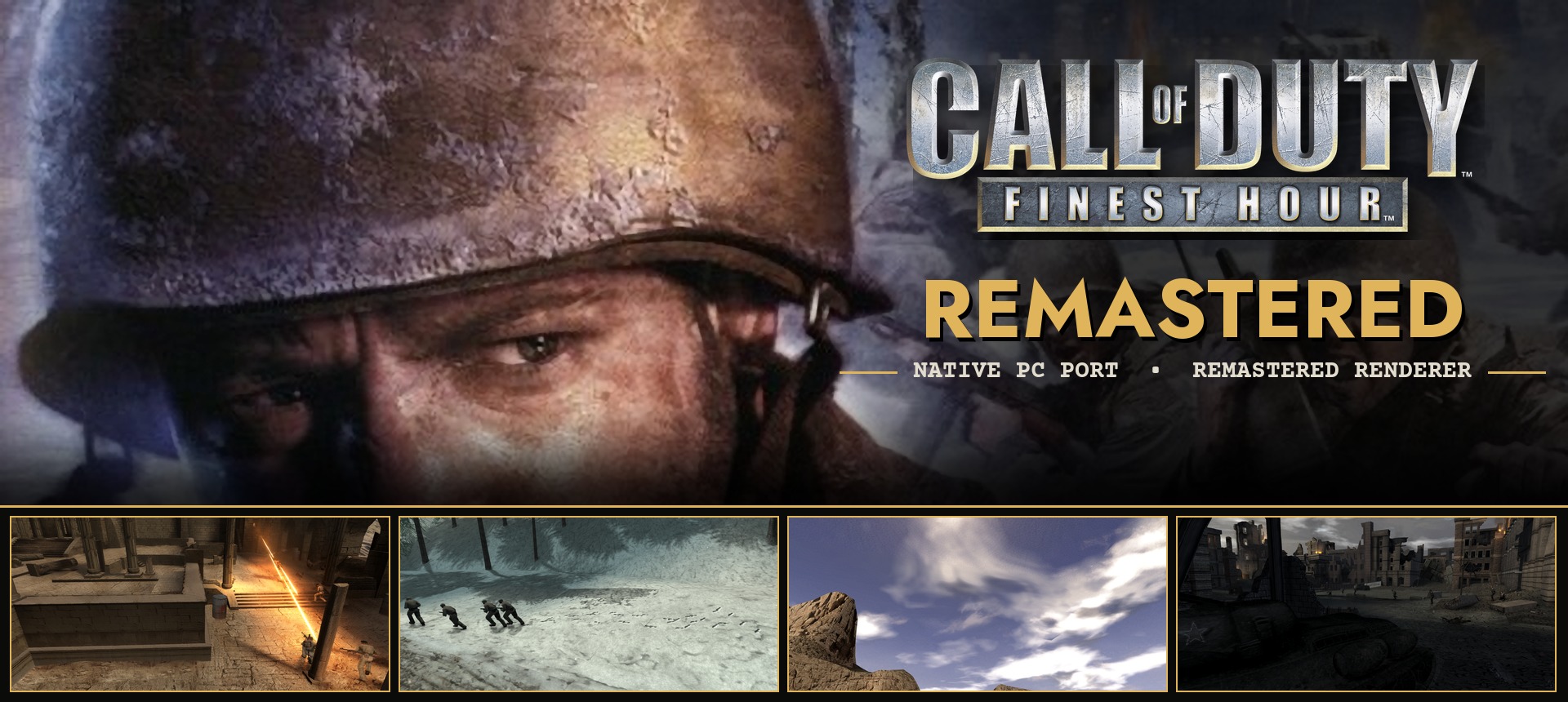
The game's code is statically recompiled from x86 to C++ and runs natively on Windows: no emulator. Direct3D 8, DirectSound and the Xbox kernel are reimplemented on Direct3D 12, XAudio2 and Win32, and the renderer adds per-pixel lighting, real-time shadows, dynamic lights, physically based materials on AI-remastered textures, reflections, volumetric fog and much more, while keeping the game's own art direction and lighting.
[!NOTE] No game files are included. Finest Hour Remastered runs your own copy of the game: the installer reads it from its files, a disc image (ISO) or an XISO.
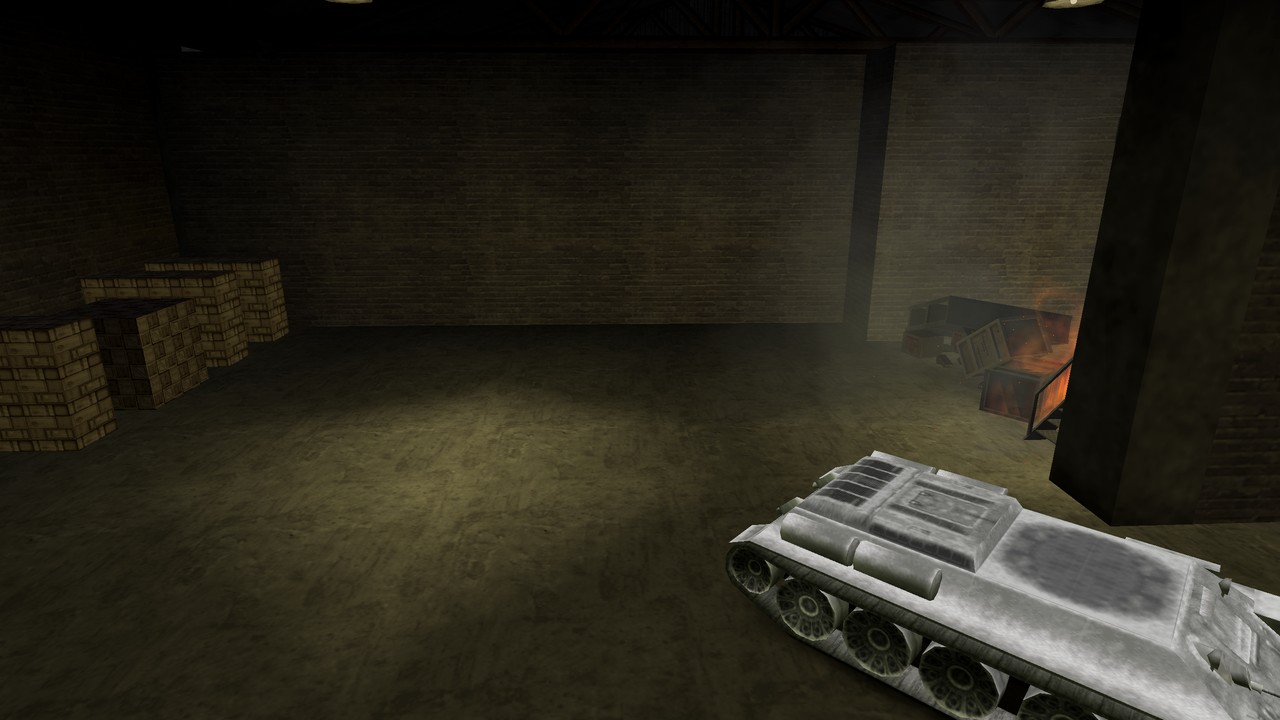
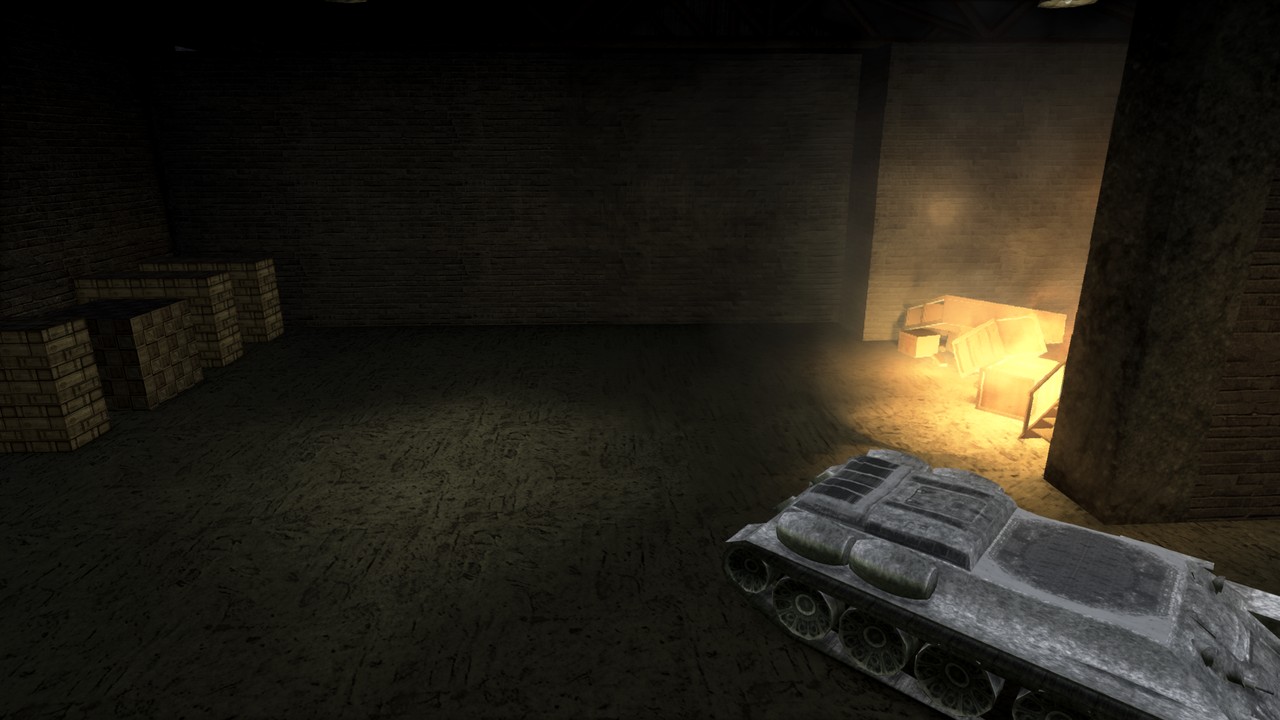
| Original | Finest Hour Remastered |
|---|---|
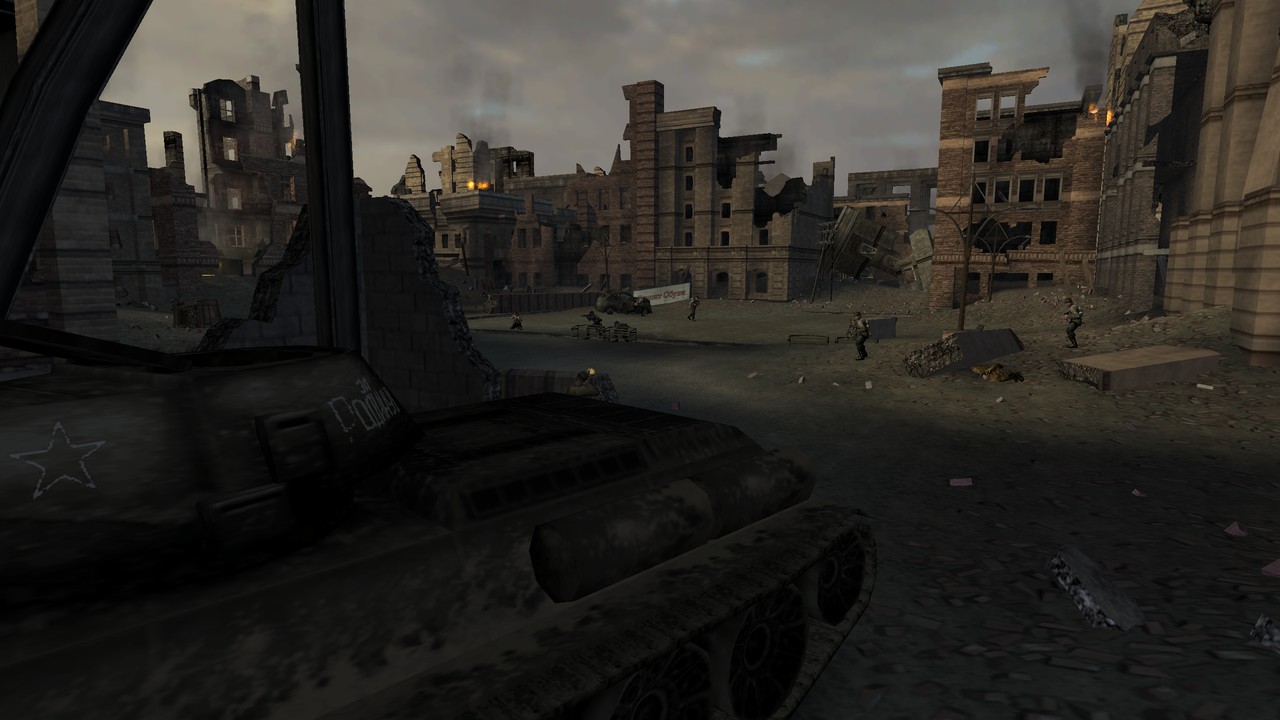 | 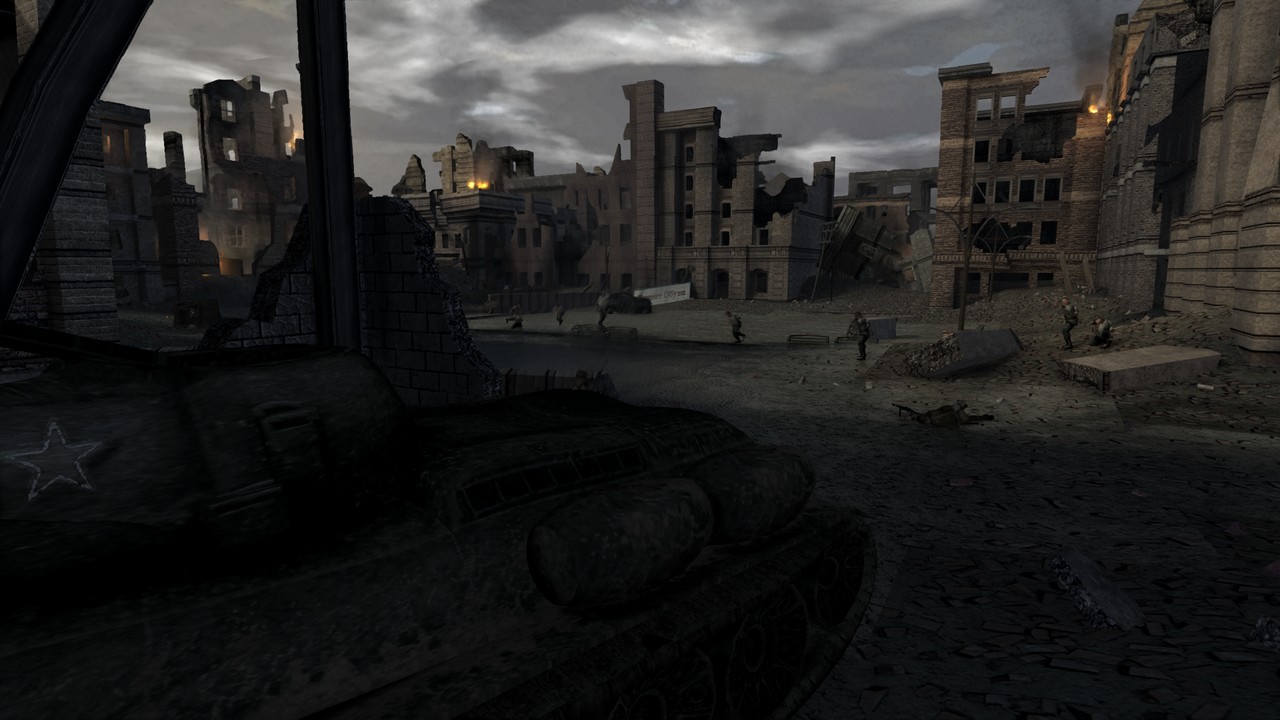 |
 |  |
 |  |
 | 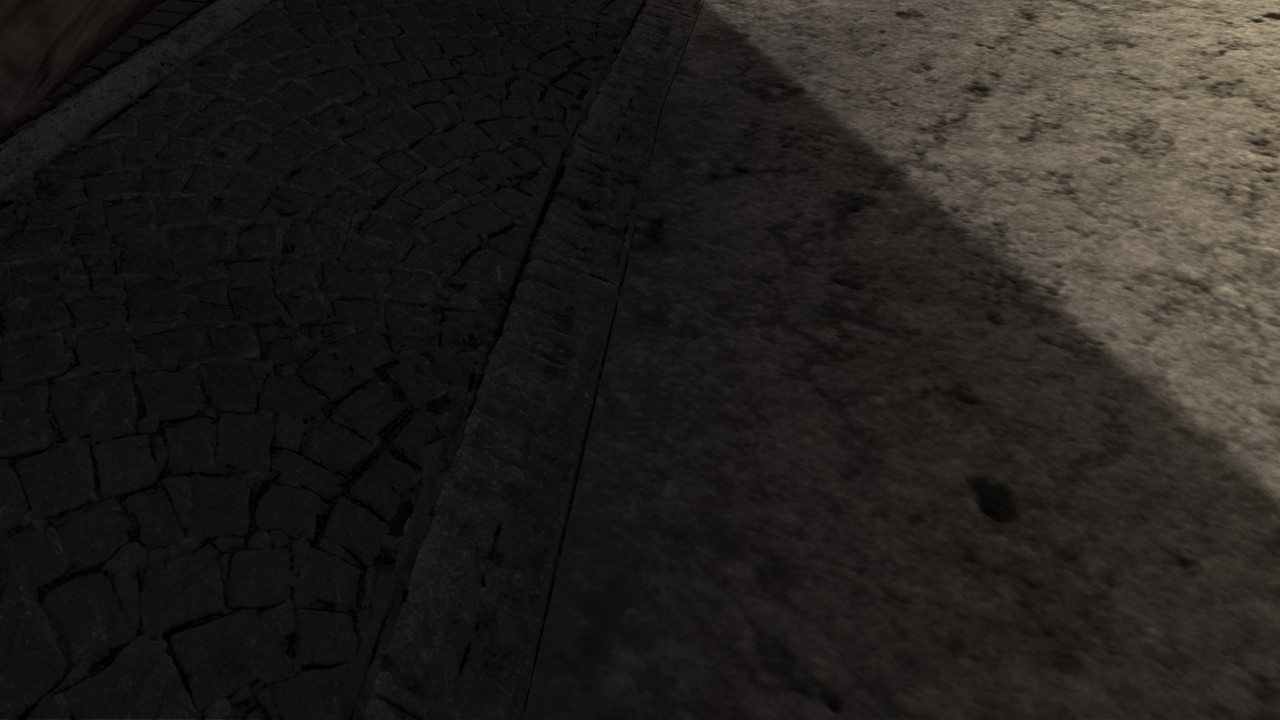 |
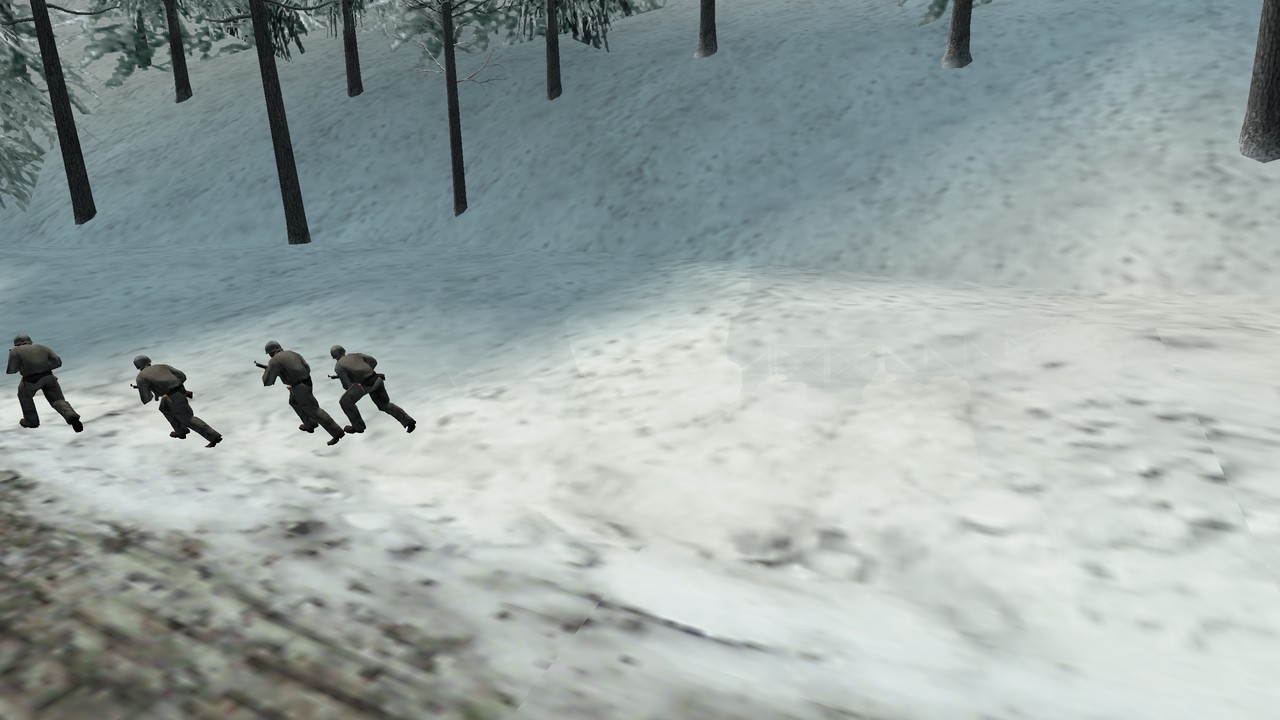
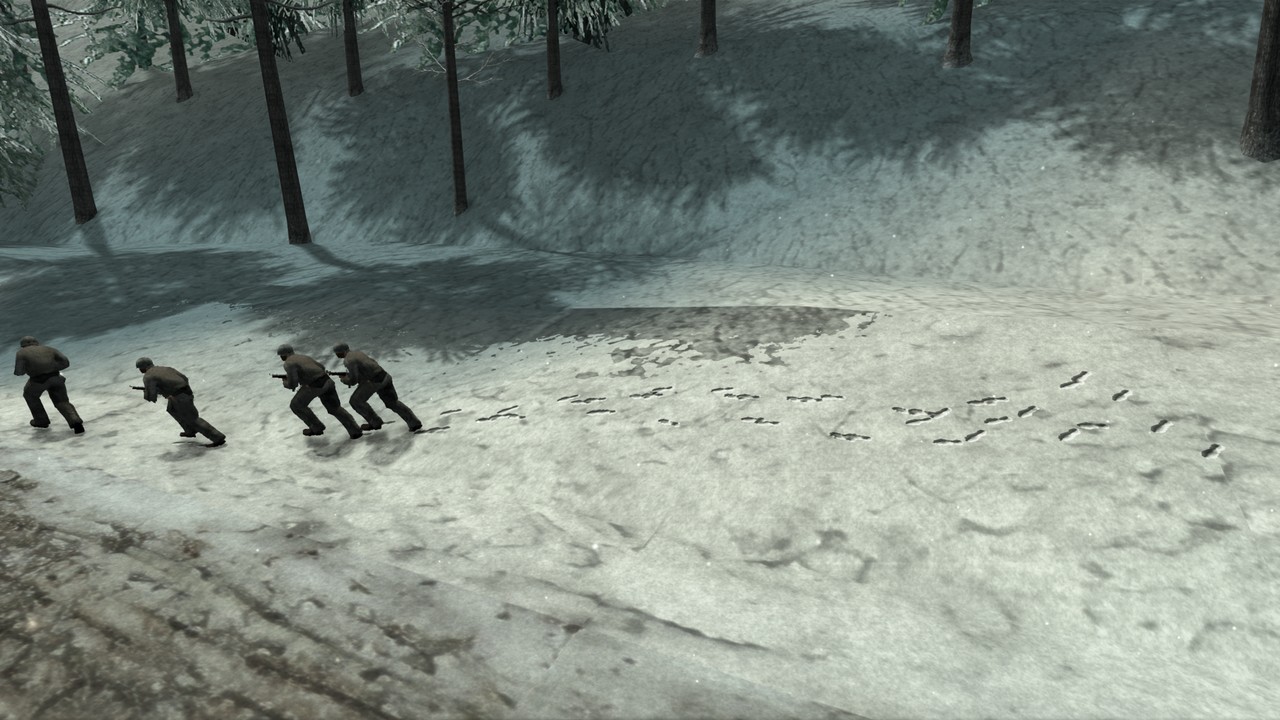
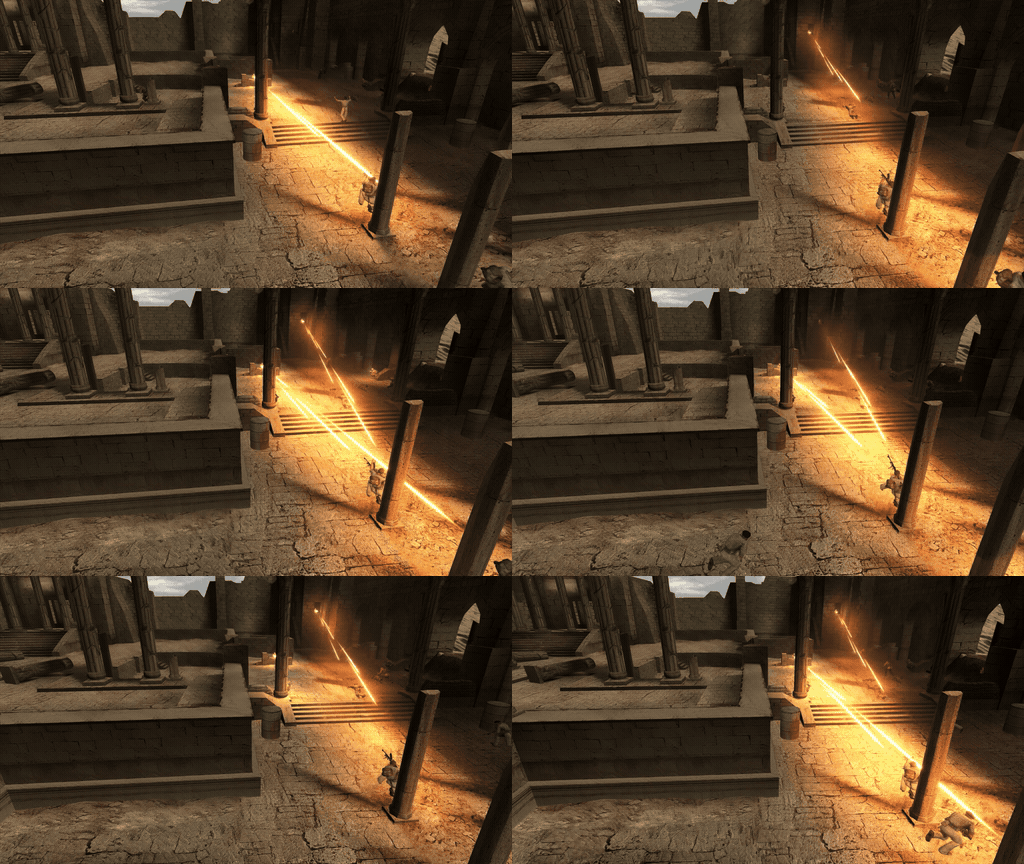
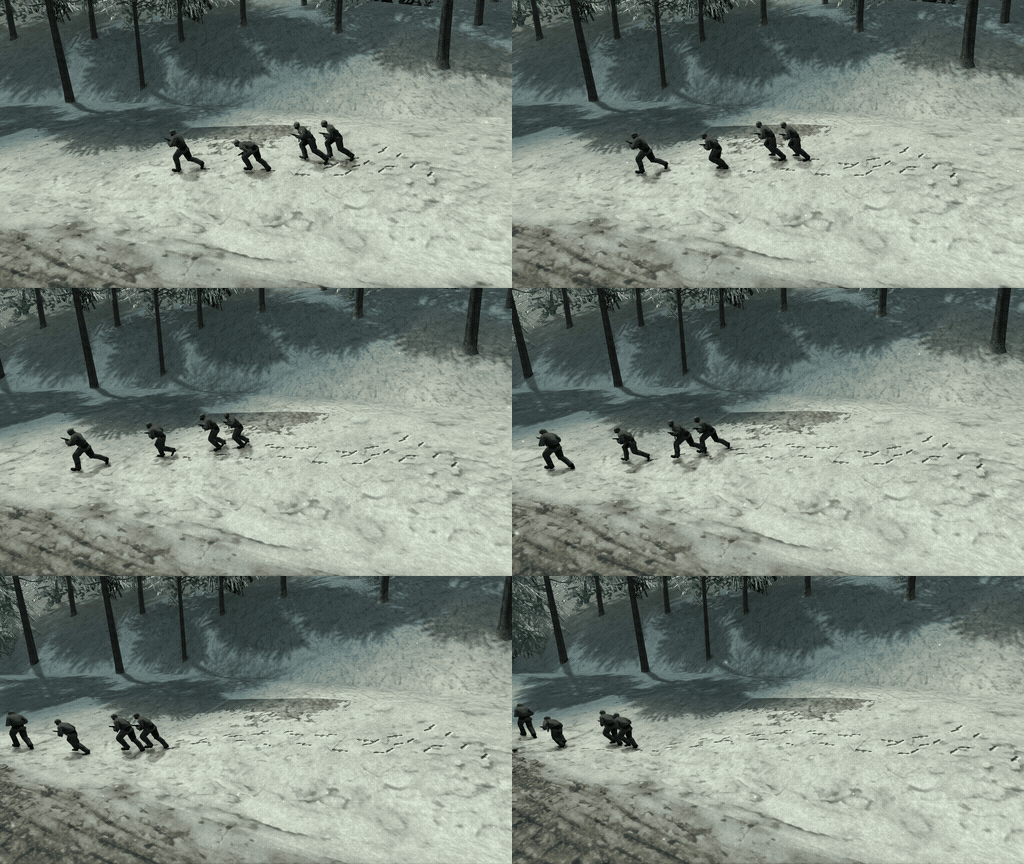
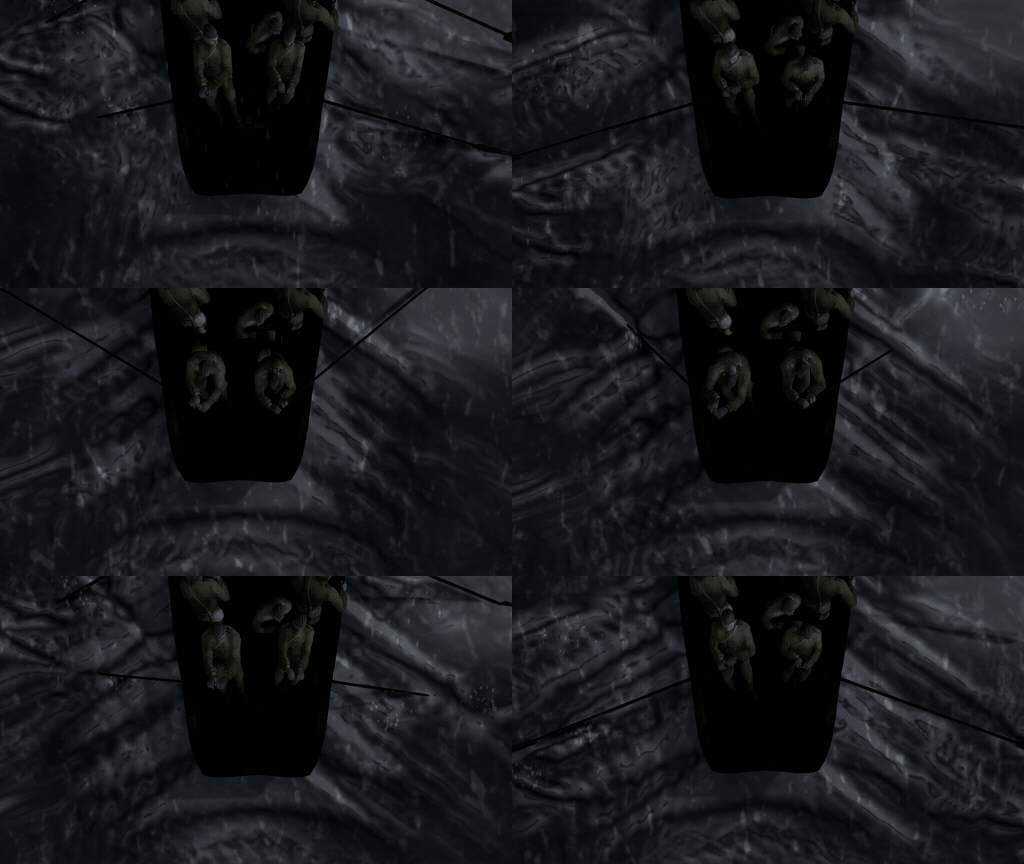
| Tracers light their path | Snow tracks | Water interaction |
|---|---|---|
 |  |  |
The trailer (2560x1440, 60 FPS) is among the release's downloads: FinestHourRemastered_Trailer_1440p60.mp4.
New: Remastered Models
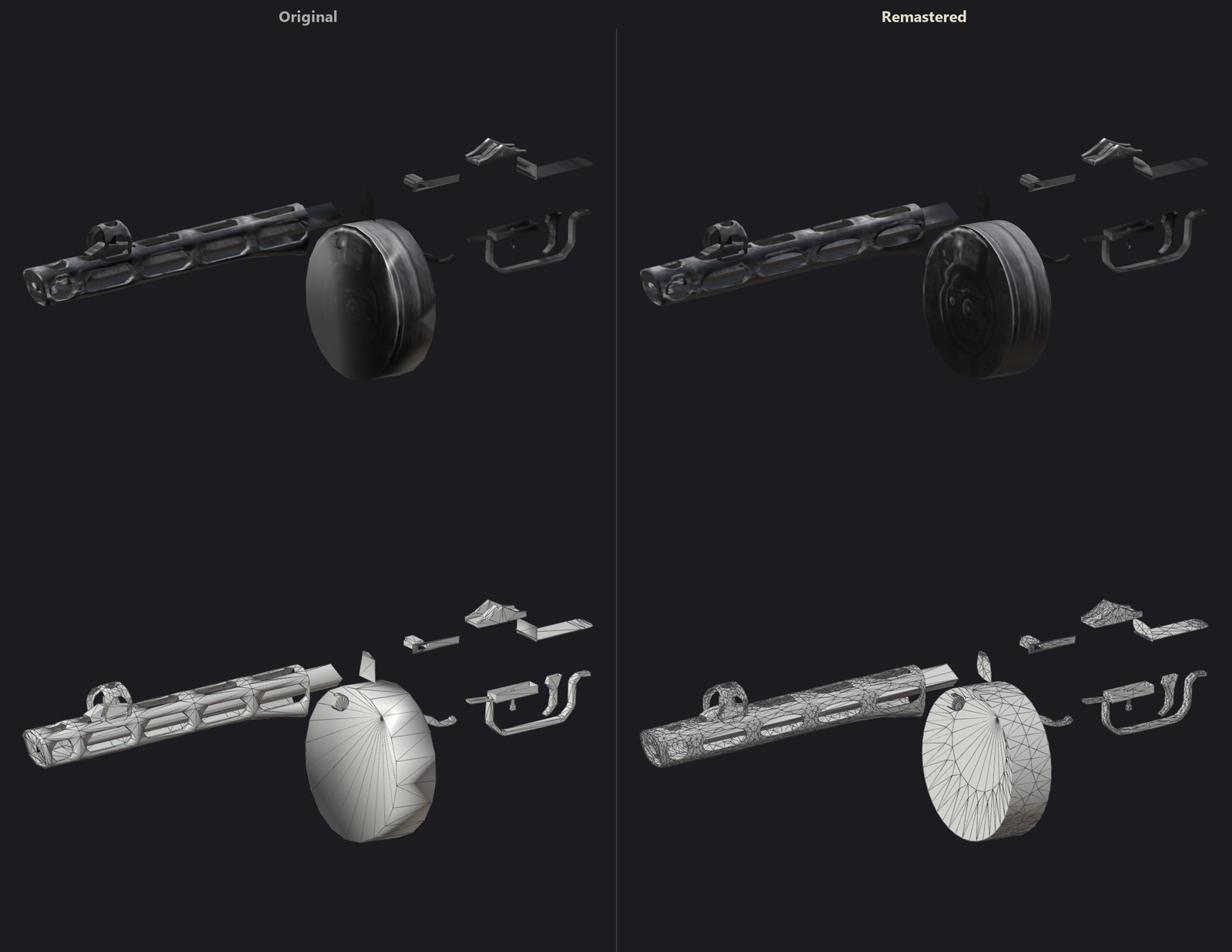
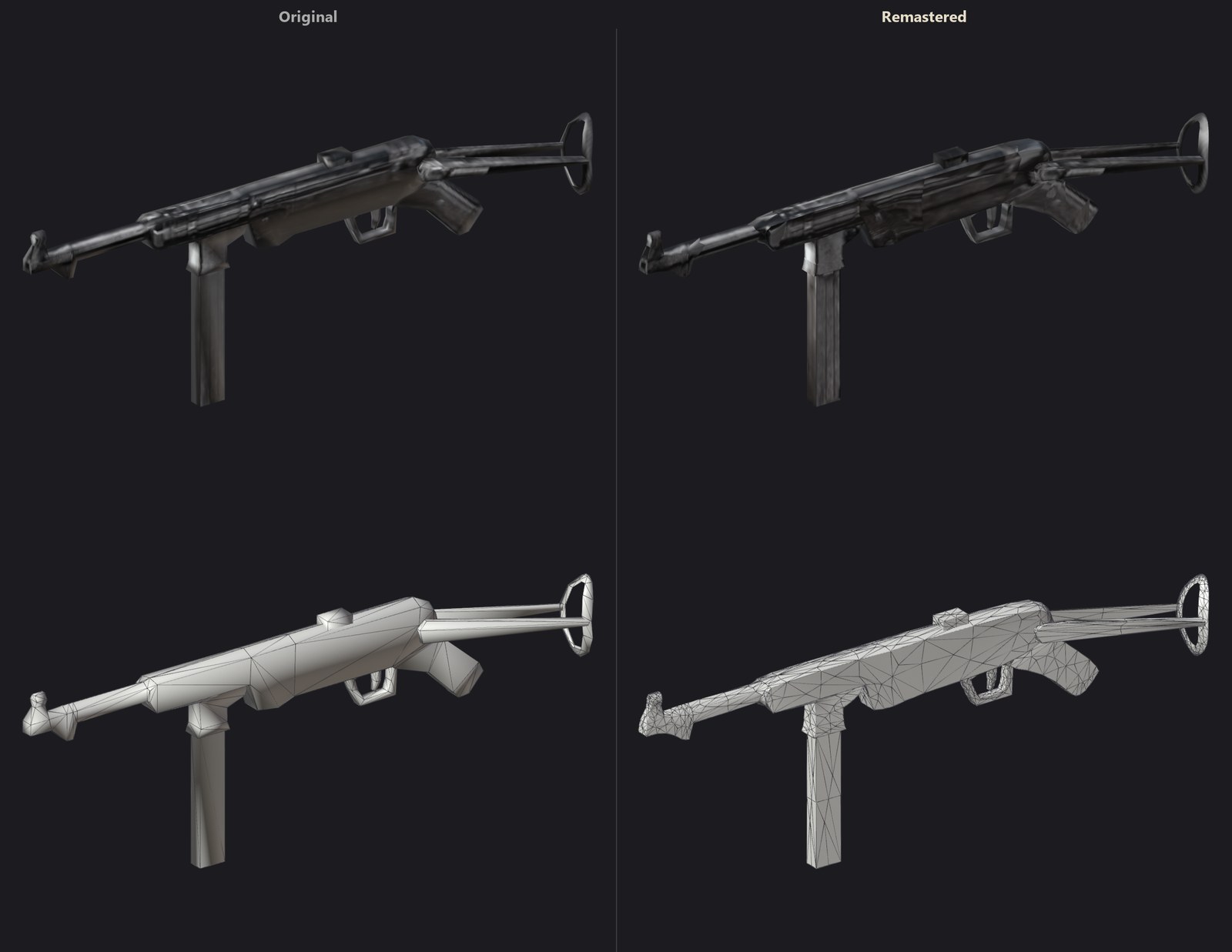
The game's models have been remastered: the soldiers of every army, the weapons in your hands and in theirs, the pickups (weapons on the ground, medkits, ammunition, grenades), the vehicles (tanks, half-tracks, trucks, planes, anti-tank guns) and the objects standing in the levels (barrels, wrecks, crates...). Rounded barrels, drums and stocks, soldiers without the old corners at their elbows, knees and coats, turrets and wheels that are finally round. Each one keeps the game's own textures, animations and proportions: the same game, with the blockiness gone. The levels' own geometry (buildings, walls, the ground) keeps its original shape.
In game (Models: Original and Remastered):
| Original | Remastered |
|---|---|
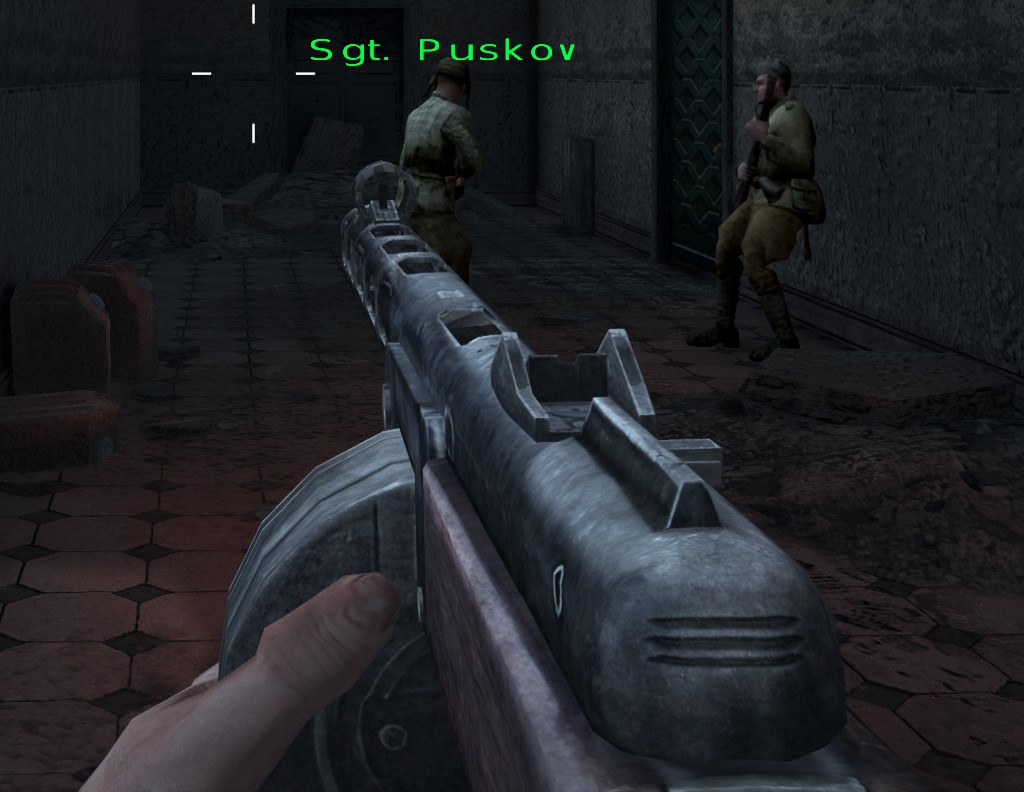 | 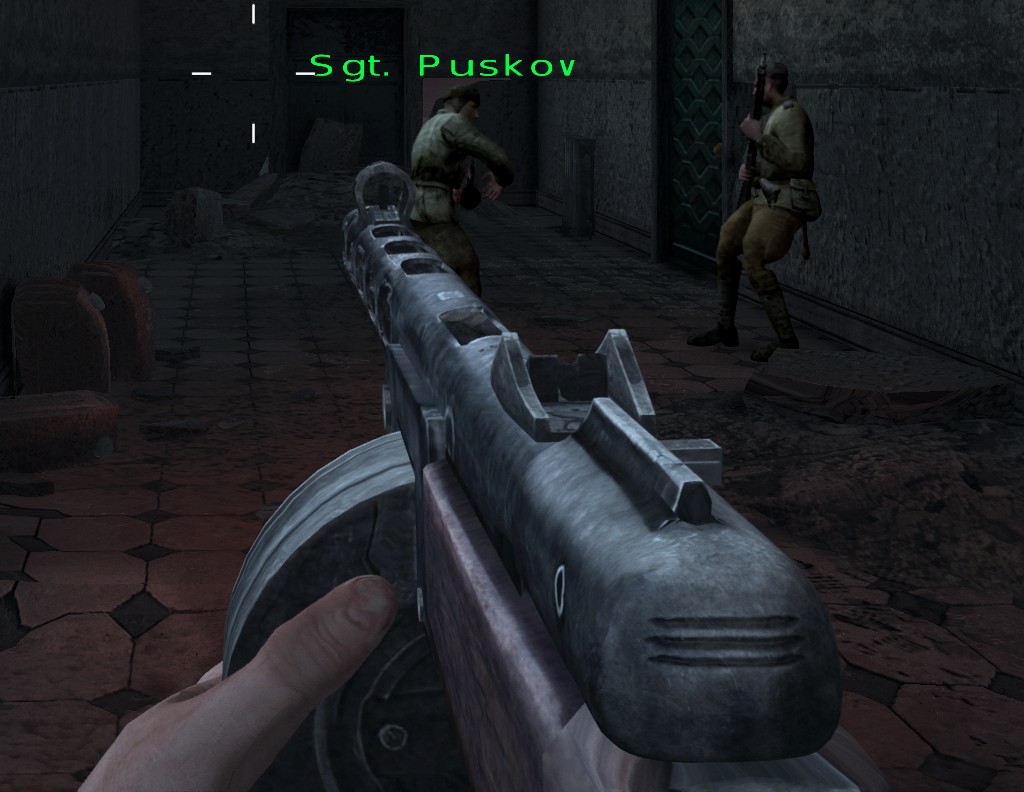 |
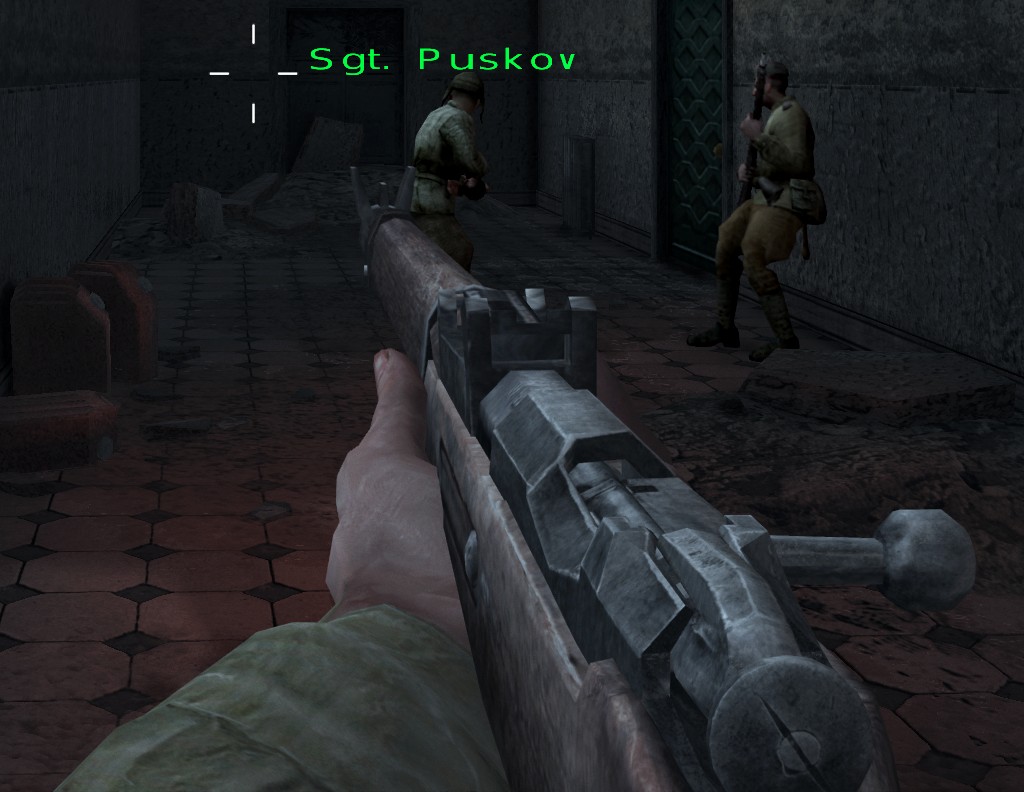 | 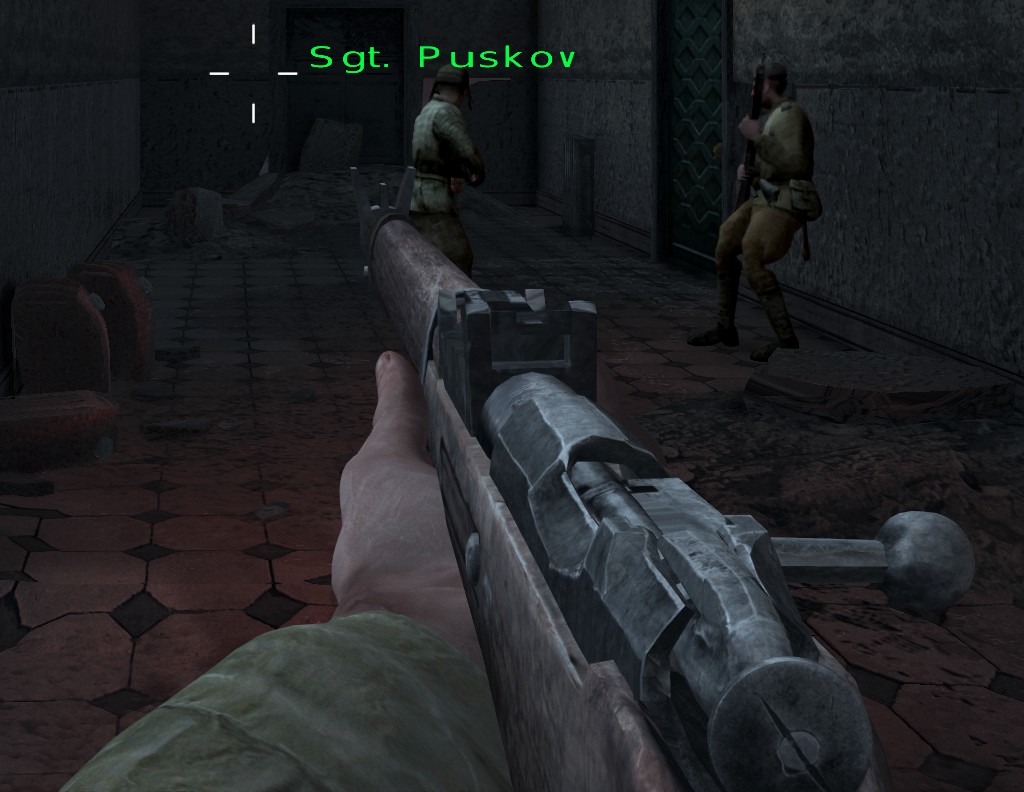 |
The models themselves (original on the left, remastered on the right; textured above, their wireframe below):
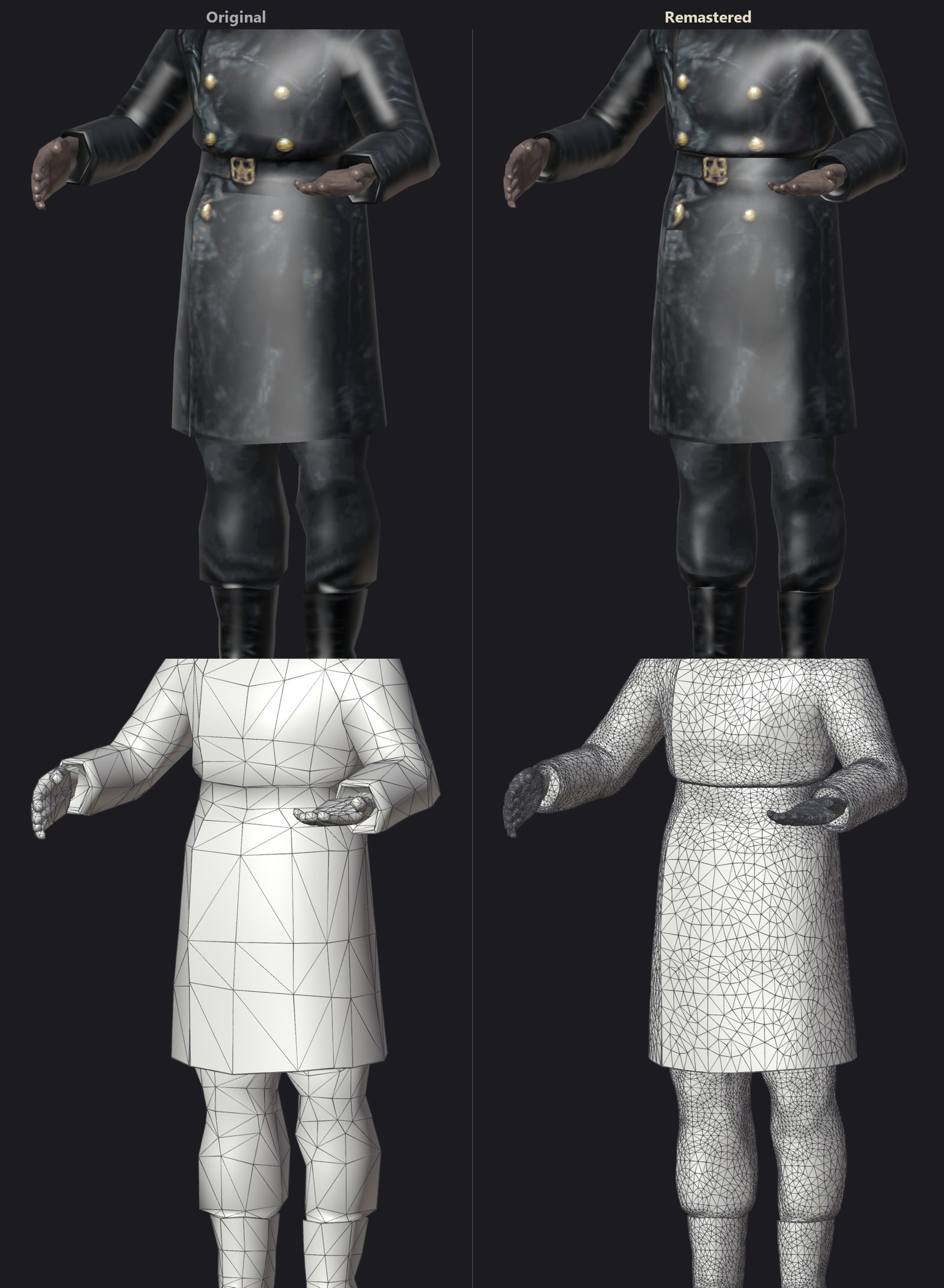 | 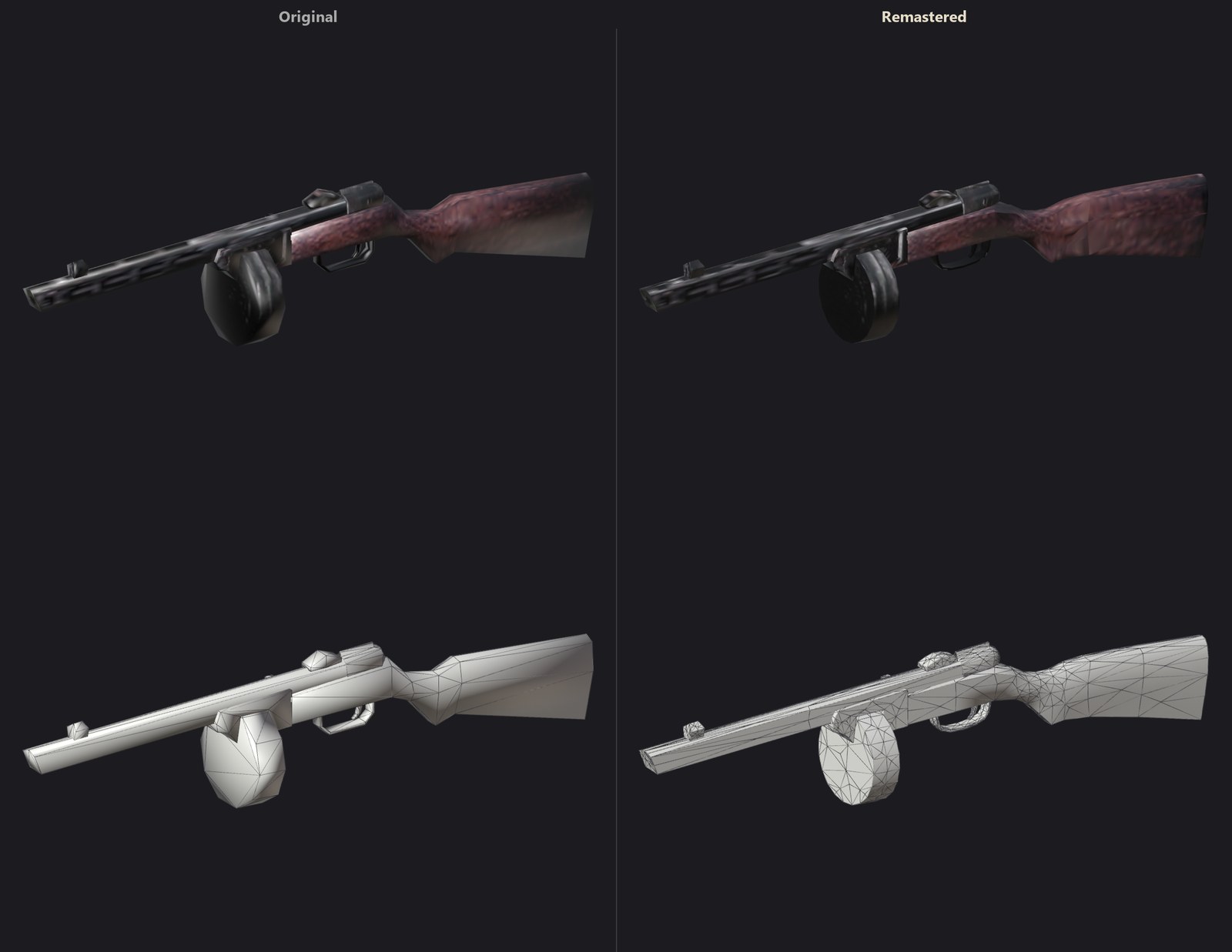 |
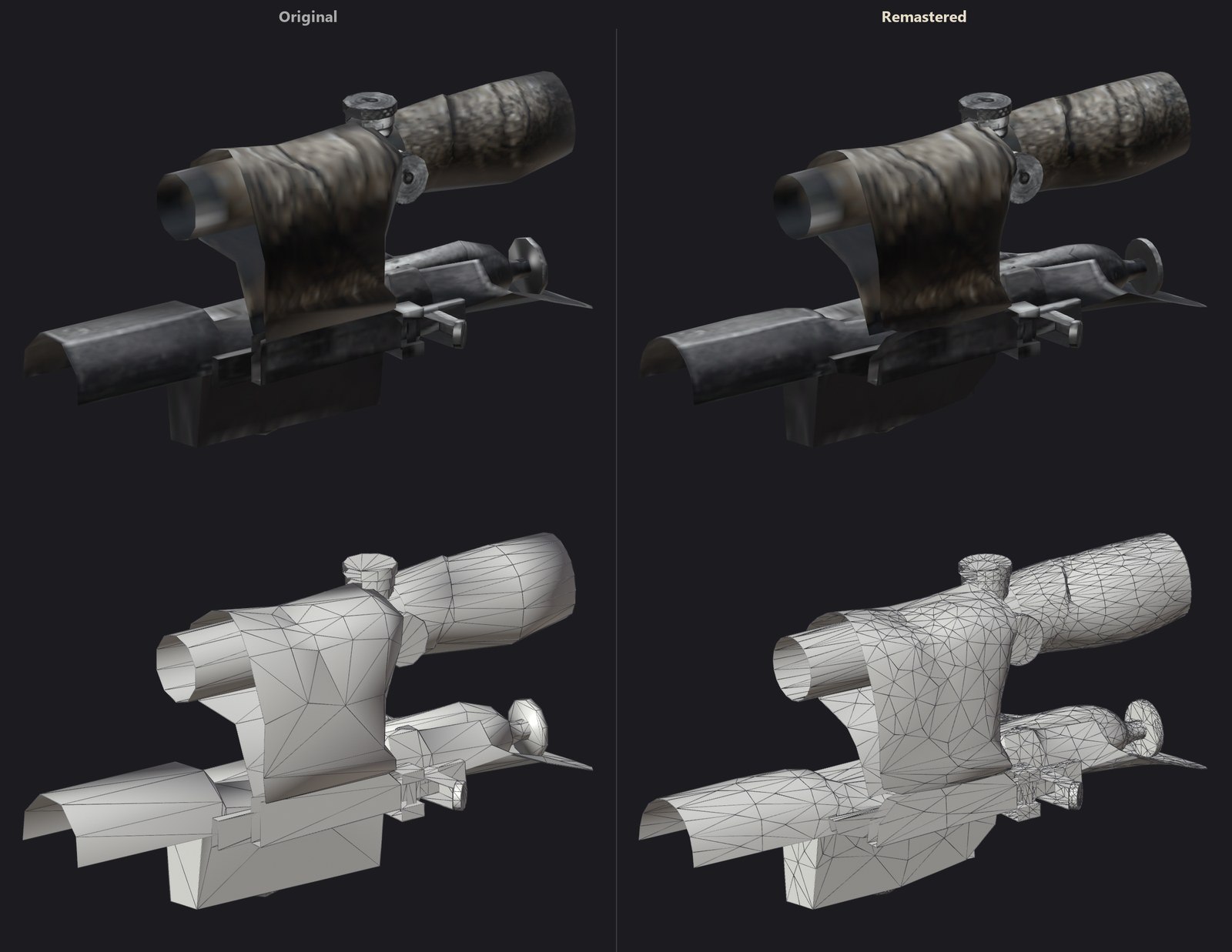 | 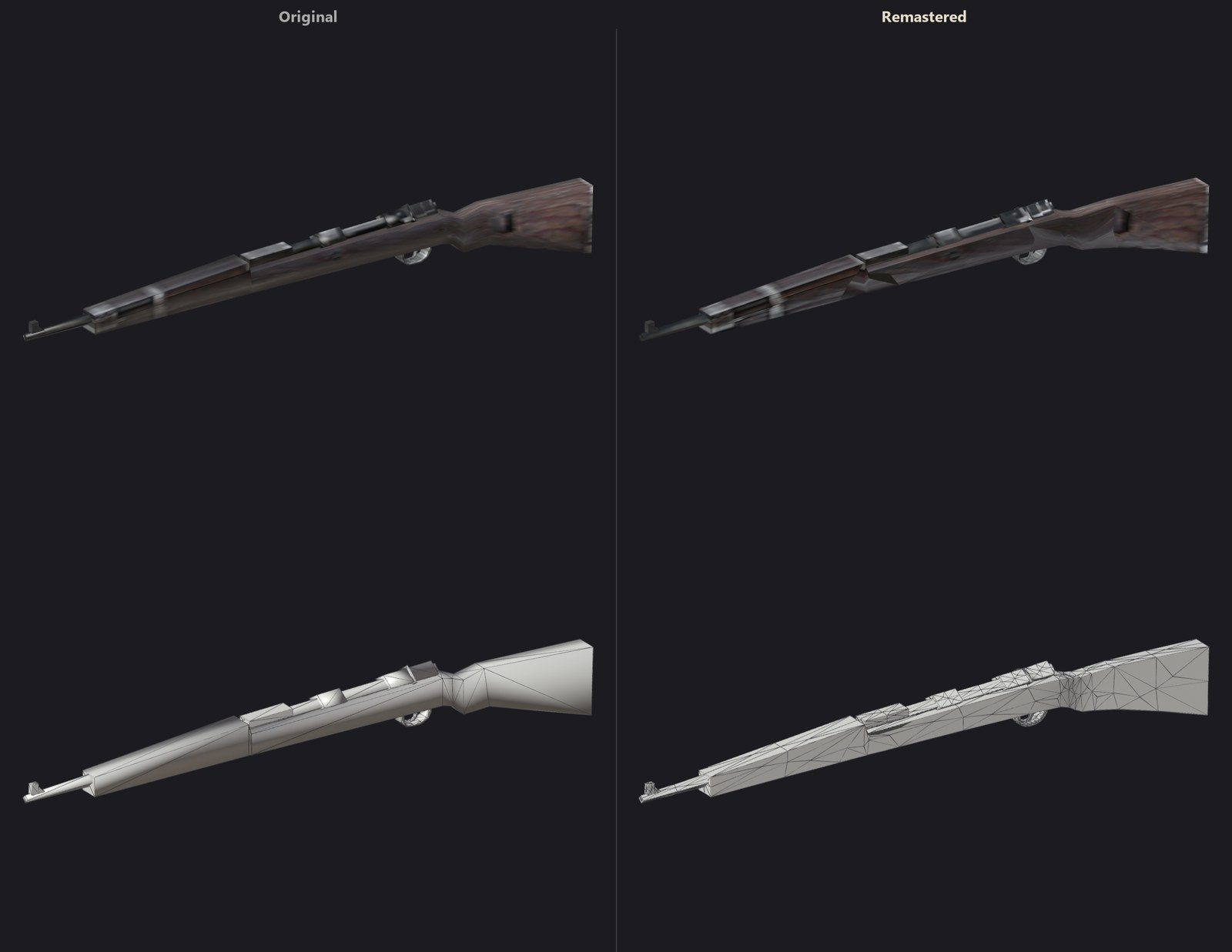 |
 |  |
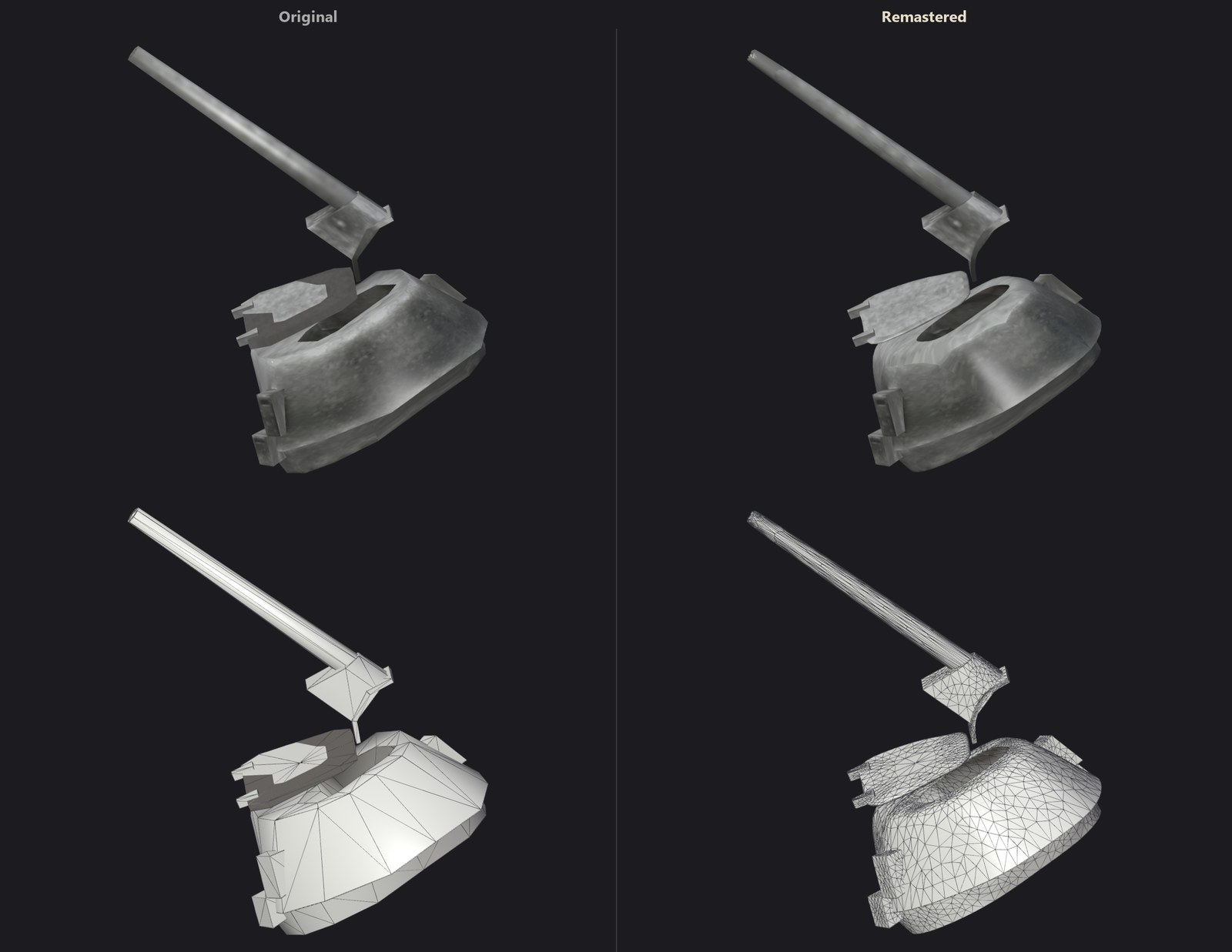 | 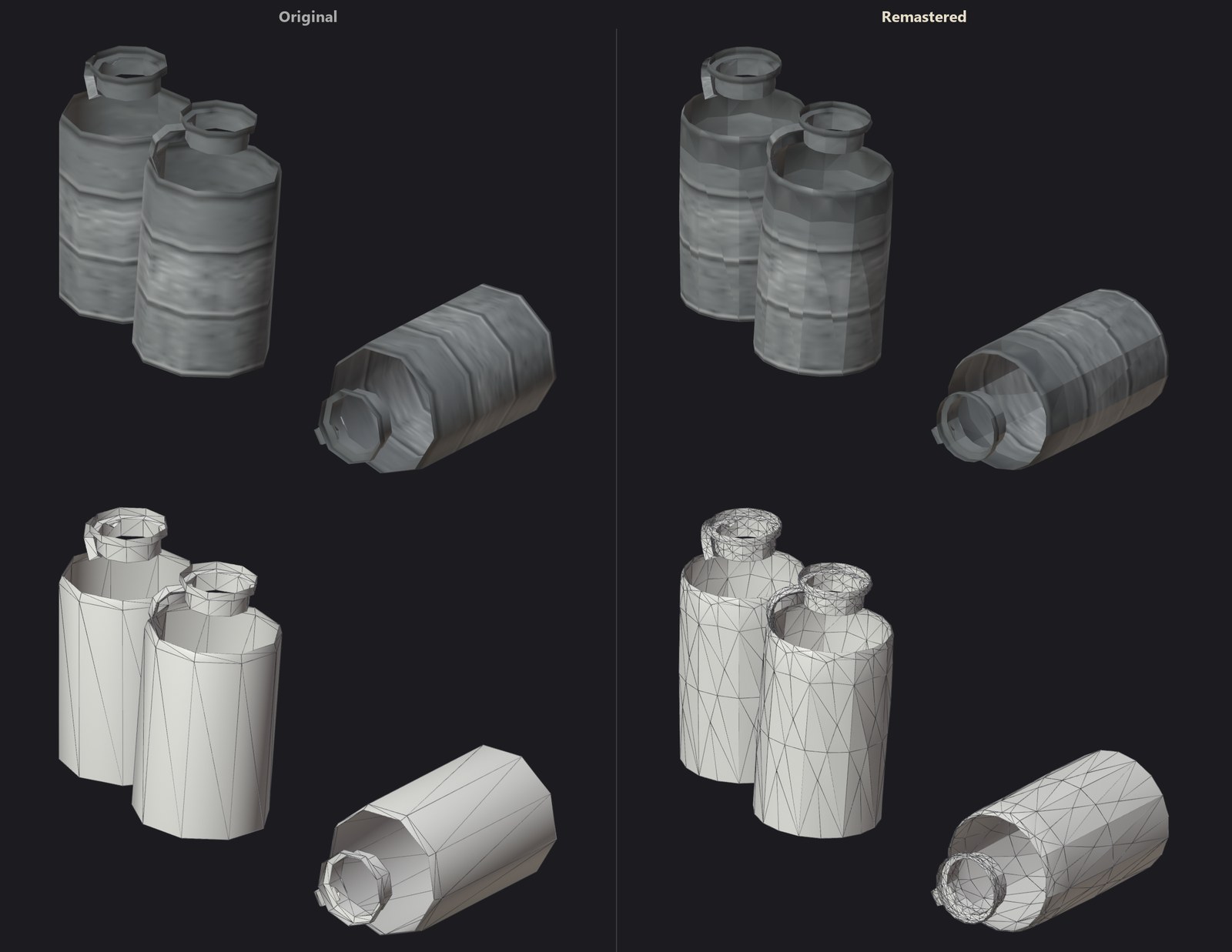 |
Choose them in PC Settings > Graphics > Models: Remastered (the default), Smooth (the game's own characters and weapons rounded) or Original.
Contents
- New: Remastered Models
- Requirements
- Installation
- Features
- Controls
- Building from source
- The remaster pack
- Credits
Requirements
- Windows 10 or 11, 64-bit.
- A Direct3D 12 GPU with 4 GB of video memory or more. With every effect on at 1440p a recent mid-range GPU holds its 60 FPS.
- About 10 GB of disk: the game's files, the remastered textures and models.
- The game: Call of Duty: Finest Hour for the original Xbox, PAL (Europe) release, title ID
4156002A, version 3 (default.xbeSHA-1938a7b1e17928de49cb3c5834d61abcd3d9081c8). Its four languages (English, French, Italian and Spanish, text and speech) are all supported, and Portuguese (text, with the English speech) is added by the port. Other releases are not supported: the port is the code of this one.
Installation
- Download the 1.0 release:
FinestHourRemasteredSetup.exe,FinestHourRemastered.indexand everyFinestHourRemastered.data.NNNpart, all into the same folder. Its installer always carries the latest update. - Run
FinestHourRemasteredSetup.exe. - Choose your copy of the game: its folder (the one with
default.xbe,COD.PAK,AUDIO,SHELL, ...), or a disc image (.iso, a full "redump" image or an XISO). The installer checks it is the supported release. - Choose where to install (about 10 GB) and the shortcuts, then Install.
- Play. The first start prepares every shader the game uses for your GPU (a few seconds), so none is compiled while you play.
The installer also runs unattended, for scripts:
FinestHourRemasteredSetup.exe --source "D:\Games\COD.iso" --target "C:\Games\Finest Hour Remastered" --shortcuts --log install.log
(exit code 0 installed, 1 failed, 2 not the supported release).
Updates
Fixes come as updates. The latest update
release holds FinestHourRemasteredUpdate.exe, published again with each update (its date is the update's). It is
cumulative: run it, choose the installation's folder and Update, whatever version is installed; your settings
and saved games are kept. The installed version is in version.txt beside the game. Unattended:
FinestHourRemasteredUpdate.exe --update "C:\Games\Finest Hour Remastered" --log update.log (exit code 0 updated,
1 failed).
Settings are kept in codfh.toml beside the exe, saved games in hdd, the prepared shaders in shadercache.
Choose PC Settings in the main menu (or press F10 at any time) for every option below.
Features
Display
- Display Mode: fullscreen, borderless or windowed, any Resolution.
- Render Scale: 25% to 200% of the output (supersampling above 100%).
- V-Sync. The game runs at 60 FPS, as on the console.
- Widescreen follows the resolution: wider than 4:3 is Hor+ (the HUD keeps its proportions at the screen's edges), 4:3 plays the game's own 4:3 screen.
- Television Frame: on a wide screen the 4:3 menus, briefings and movies play inside a 1940s television, through a curved CRT tube with scan lines (the PC settings too, wherever they open).
- Brightness, FPS Counter, Anisotropic Filtering up to 16x, Sharpening.
- HUD: its Size (Original, Small, Smaller: each element in its place), and the Hit Markers, the Compass, the Stance and the Crosshair can each be hidden.
Graphics presets
Very High (everything on), High, Medium, Low and Original set every graphics setting at once; any change of your own makes it Custom. Each step down drops what costs the GPU most for what it shows (measured at 2560x1440: about 9.2, 8.6, 6.2, 3.6 and 2.1 ms of GPU time on the first level). Original turns everything off: the game's own look and textures. The render scale is never part of a preset: it stays at your 100%.
Lighting and shadows
- Per-Pixel Lighting: the game's lighting, computed by its own vertex programs, evaluated again at every pixel: smooth light on characters and models, no facets.
- Real-time Shadows (Off to High): the level's sun or moon casts shadows from everything solid, characters, vehicles, foliage and fences included, in up to four stable cascades. Soft Shadows with contact hardening.
- Dynamic Lights: every muzzle flash, tracer, fire, explosion and spark lights the scene around it, in its own colour; machine-gun tracers light the ground along their flight. Muzzle Flash Shadows: the nearest shooters' flashes cast shadows.
- Light Halos around flashes and fires, Lit Smoke glowing with the fire inside it.
- Ambient Occlusion and Contact Shadows; Bounce Light: one bounce of indirect light.
- Character Lighting: a warmer shade on skin and cloth.
- HDR rendering with Bloom, Eye Adaptation (gentle, around the game's own exposure) and filmic tone mapping.
Atmosphere
- Sun and Moon where the level's light comes from, Clouds drifting over every sky, lit as the level is, and their Cloud Shadows over the ground.
- Sun Shafts through ruins and columns, a Lens Flare and lens dirt catching bright light.
- Volumetric Fog lit by the sun and the dynamic lights.
- Ambient Particles: dust in the light, embers over fires. Heat Haze over fires and explosions.
- Wind: trees, bushes and flags sway.
- Color Grading per campaign (winter, desert, Europe) and a faint Film Grain.
Materials and textures
- Remastered Textures: every one of the game's 4,800 textures upscaled 4x, with generated normal, roughness and height maps, and redrawn high-resolution fonts, HUD and icons.
- Surface Materials: normal mapping and specular highlights by material class (stone, brick, concrete, wood, metal, fabric, ground, ...).
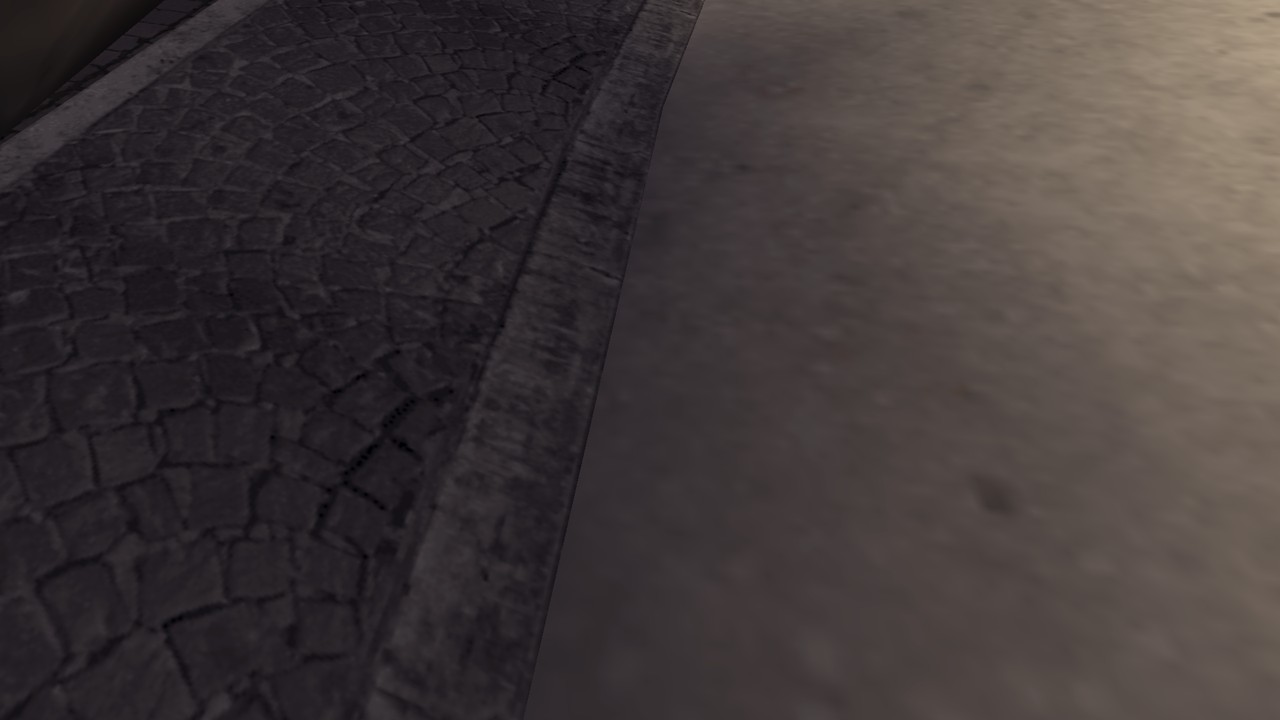
- Parallax Occlusion Mapping: cobbles, bricks and rubble with real depth.
- Detail Textures: a per-material high-frequency grain (stone, brick, concrete, wood, metal, fabric, ground, snow, ...) that keeps surfaces sharp up close, fading out with distance.
- Height Blending: ground layers meet along their stones and cracks.
- Models: Remastered, the game's models remastered (see above); Smooth, the game's own characters and weapons tessellated into rounded shapes; or Original.
- Character Detail: skin pores and uniform weave up close. Weapon Materials: relief and metal sheen on the weapon in hand.
- Reflections: screen-space reflections on metal, glass, varnished wood, stone and water.
Water, snow and effects
- Water: rivers, puddles and sewers ripple and reflect; Water Interaction: rounds, shells and bodies stir the surface; falling water flows.
- Snow Tracks: soldiers leave boot prints in the snow.
- Soft Particles, Animated Fire, Shockwaves (an explosion's shock ripples through the air), Explosion Flash, Barrel Heat (the barrel shimmers and smokes after a burst).
- Hit Reactions: soldiers flinch where bullets hit them. Damage Shake.
- Anti-Aliasing: 4x MSAA with temporal anti-aliasing, Motion Blur, Aim Depth of Field.
Controls
- Keyboard and mouse with raw input, sensitivity, invert and every action rebindable; mouse support in the menus.
- Toggle Aim (off by default): a click of the mouse's aim button aims and the next one stops, as do reloading and throwing a grenade, as in Call of Duty up to Black Ops II.
- Controllers: Xbox, PlayStation and Switch, hot plugging and rumble, a modern layout or the original's, dead zone, sensitivity and look acceleration settings.
- Button Prompts follow the device in hand: keys, Xbox, PlayStation or Switch buttons.
- Skip Intros, Language (English, French, Italian, Spanish, Portuguese).
Controls
| Action | Keys | Action | Keys |
|---|---|---|---|
| Move | W A S D | Fire | Left mouse |
| Stand up / jump | Space | Aim down sights | Right mouse |
| Crouch / prone | C, Left Ctrl | Reload | R |
| Use / action | F | Throw grenade | G |
| Next weapon | Mouse wheel | Switch grenade | T |
| Lean left / right (aiming) | Q / E | Melee | V, middle mouse |
| Health pack | H | Objectives | Tab |
| Alternate fire (tank) | X | Centre turret | Z |
| Pause | Esc | PC Settings | F10 |
Every action can be bound to two keys or mouse buttons in PC Settings > Controls.
Building from source
The game's code is recompiled from your copy's default.xbe at build time: the repository holds no game code or
assets. The build is reproducible: with the release's toolchain, CODFH.exe and FinestHourRemasteredSetup.exe come
out byte for byte the release's, wherever the repository is.
| Toolchain | The release's version |
|---|---|
| LLVM (clang, lld) | 21.1.0 (download) |
| Visual Studio 2022 (MSVC) | 14.44.35207 |
| Windows SDK | 10.0.26100.0 |
| CMake, Ninja | the ones in Visual Studio 2022 |
- Install Visual Studio 2022 with Desktop development with C++ and C++ CMake tools for Windows, LLVM 21.1.0
and Python 3.10+.
build.batfinds LLVM inC:\Program Files\LLVM, or setLLVM_DIRto its folder. (Visual Studio's own C++ Clang tools build a working game too, but another compiler version makes a different exe.) - Clone this repository and put your game's
default.xbe(the supported release, see Requirements) inassets\. - Run
build.bat. The first build recompiles the game (several minutes);out\build\releasethen holdsCODFH.exe(the game) andtools\installer\FinestHourRemasteredSetup.exe(the installer). The C runtime is linked in: they need no Visual C++ redistributable. - Take the release's remaster pack, shaders' recipes and default settings from its downloads (the index and the
.dataparts, then the latest update insideFinestHourRemasteredSetup.exe) into the build; it also checks the exe built against the release's:python tools\release\unpack.py <folder with the downloads> - To play from the build, put the rest of your game's files in
assets\too (or its disc image). python tools\release\make_release.py --only githubmakes the latest update (every file that differs from the 1.0 payload,tools\release\base_manifest.txt) and puts it inside the installer (..\release\github) and the updater (..\release\update);--rebaseassembles a new payload too (index and parts).
For development, cmake --preset release -DXBE_SYMBOLS=ON adds a PDB beside the exe, with which crash dumps, the
stall watchdog and the sampling profiler name functions (the exe is then no longer the release's, byte for byte).
The remaster pack
tools\remaster makes the pack from the game's own textures, unattended, on a CUDA GPU:
| Step | Tool | |
|---|---|---|
| 1 | extract.py <COD.PAK> work\remaster\extract | every texture decoded to PNG under the id the renderer gives it |
| 2 | classify.py work\remaster\extract | the material class of each texture (OpenCLIP zero-shot, helped by its names) |
| 3 | generate.py work\remaster\extract work\remaster\pack | 4x upscale, normal, roughness and height maps (PBRify_Remix), BC7/BC5 |
| 4 | details.py work\remaster\pack | the tileable detail normal and grain maps |
| 5 | grains.py, reclass.py, pack.py | the characters' grains, material fixes, materials.txt |
| 6 | fonts.py, hud_redraw.py, hud_redraw2.py, hud_draw.py | high-resolution fonts and the HUD drawn as vector art |
| 7 | prompts.py, tvframe.py, tank_glass.py | button prompts, the television frame, the tank's vision slit |
| 8 | alpha_clean.py, snow.py, snow_soften.py | see-through edges cleaned; the snowy ground listed and softened |
Requirements: pip install -r tools\remaster\requirements.txt (PyTorch with CUDA), the
PBRify_Remix models and texconv.
Credits
- Built on Xbox XBE Recomp (MIT), the static recompiler and runtime.
- XenonRecomp, Zydis, toml++, Dear ImGui, SDL.
- SMAA by Jorge Jimenez et al.; sharpening after AMD FidelityFX CAS.
- PBRify_Remix by Kim2091 (CC0), spandrel, OpenCLIP, DirectXTex.
- Input Prompts by Kenney (CC0).
- Typefaces: Jost, Courier Prime (SIL OFL), DejaVu.
- Television photograph: Unsplash (Unsplash License). Icon: SteamGridDB.
- vgmstream and FFmpeg for the trailer.
Call of Duty is a trademark of Activision Publishing, Inc. This project is not affiliated with or endorsed by Activision. You need your own copy of the game.