HarmonyRecomp
HarmonyRecomp is a native Windows port of Castlevania: Harmony of Despair that supports online co-op and DLC.
- Type: PC port
- Game: Castlevania: Harmony of Despair
- Runs on Windows
- By Wrexxial
- Latest release v0.5.1, 2026-11-03
- Source: https://github.com/Wrexxial/HarmonyRecomp
README
HarmonyRecomp
A static recompilation of Castlevania: Harmony of Despair (Xbox Live Arcade, title ID 58410A7A) for Windows, built on the ReXGlue SDK and modelled on NocturneRecomp.
The PowerPC code of default.xex and the character modules is translated to C++ at build time and compiled natively for x86-64. Graphics, audio and the Xbox system services come from the ReXGlue runtime (derived from Xenia).
Questions, help and news: Discord server
This repository contains no game code or data. You need your own copy of the game, dumped from your own console or purchase. Never share
game/,assets/,dlc/orgenerated/: they contain the game or code derived from it.
Screenshots
| Title screen | Online lobby |
|---|---|
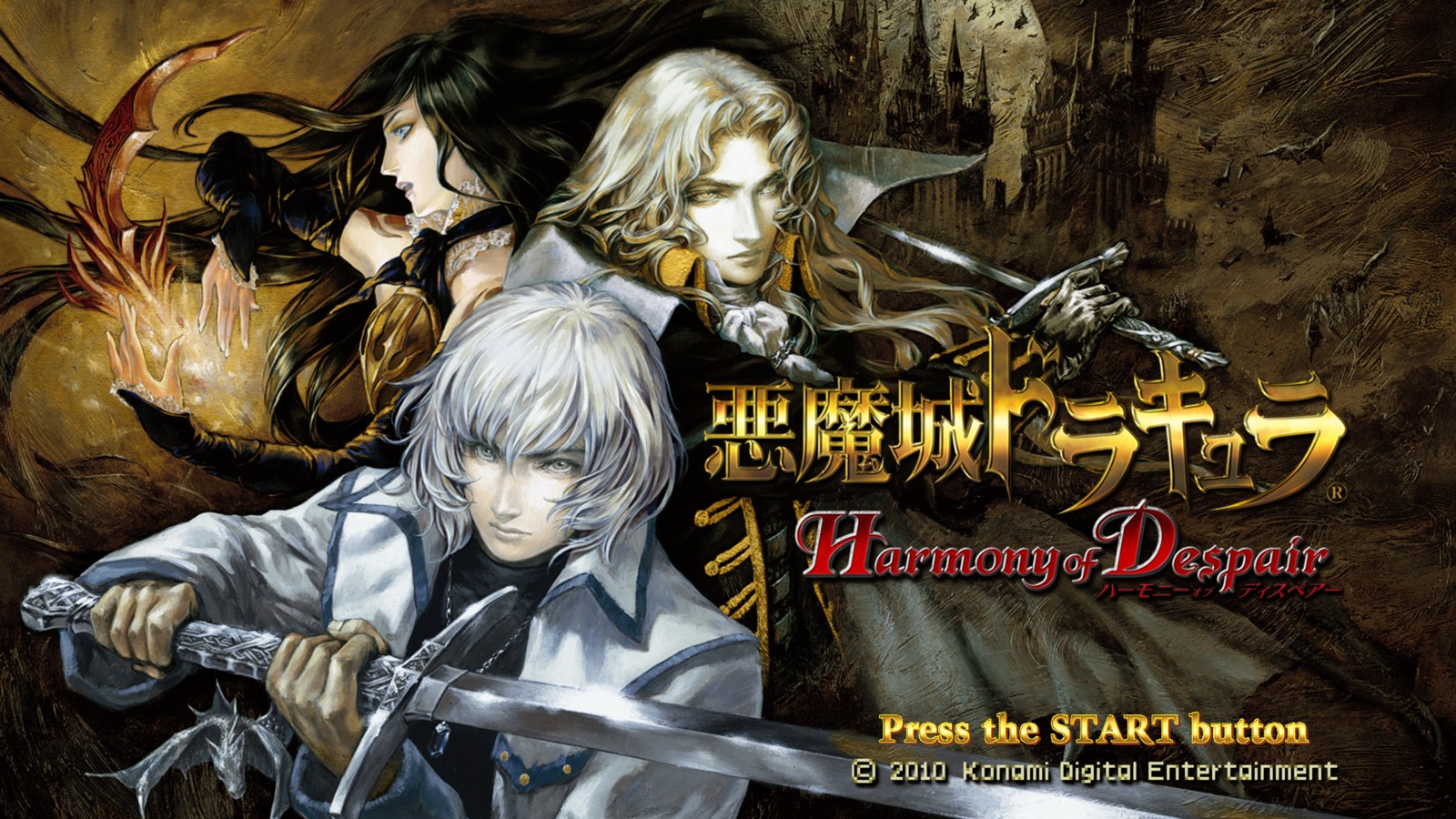 | 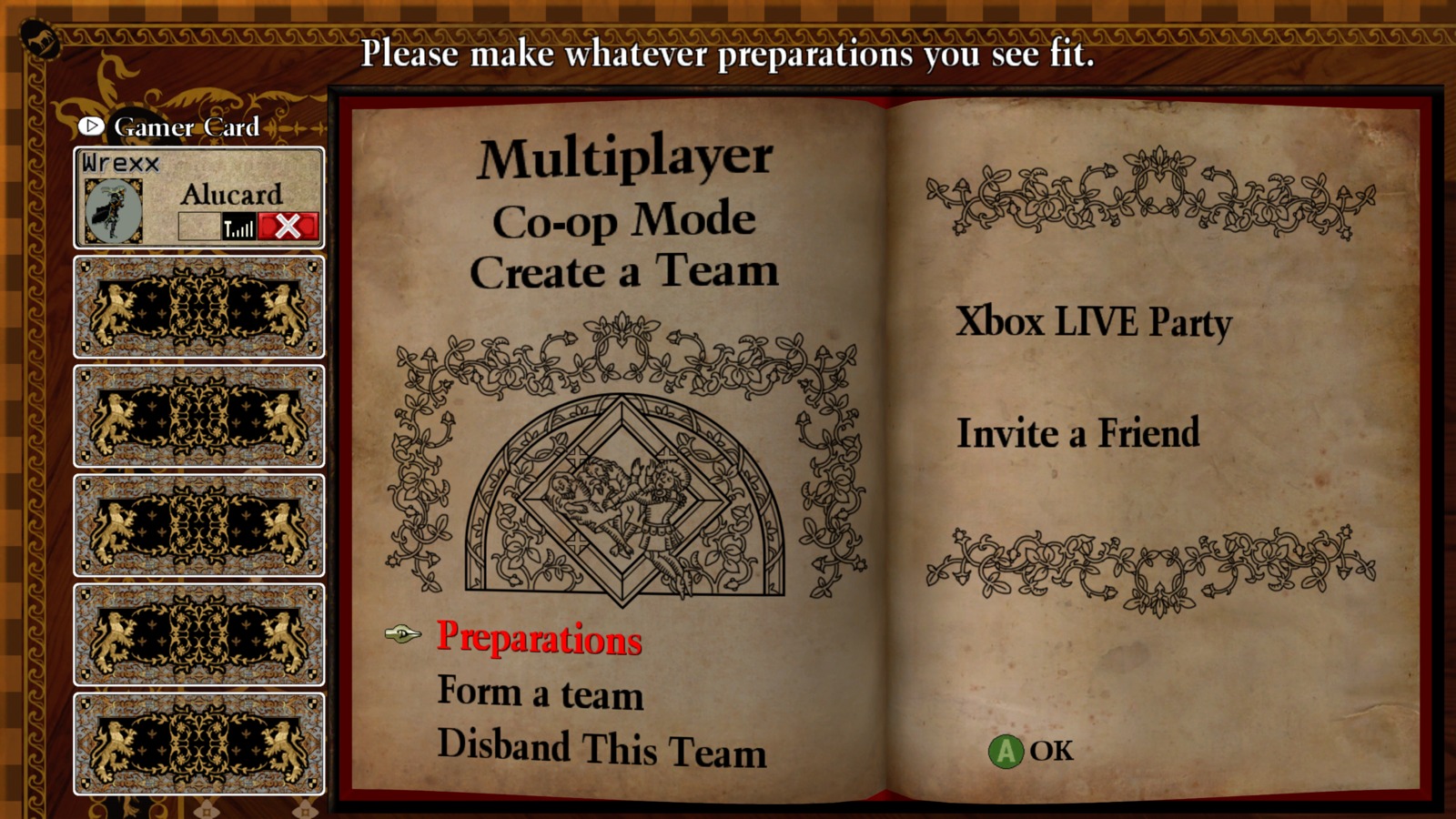 |
| In-game with graphics menu | Gameplay with FPS counter |
|---|---|
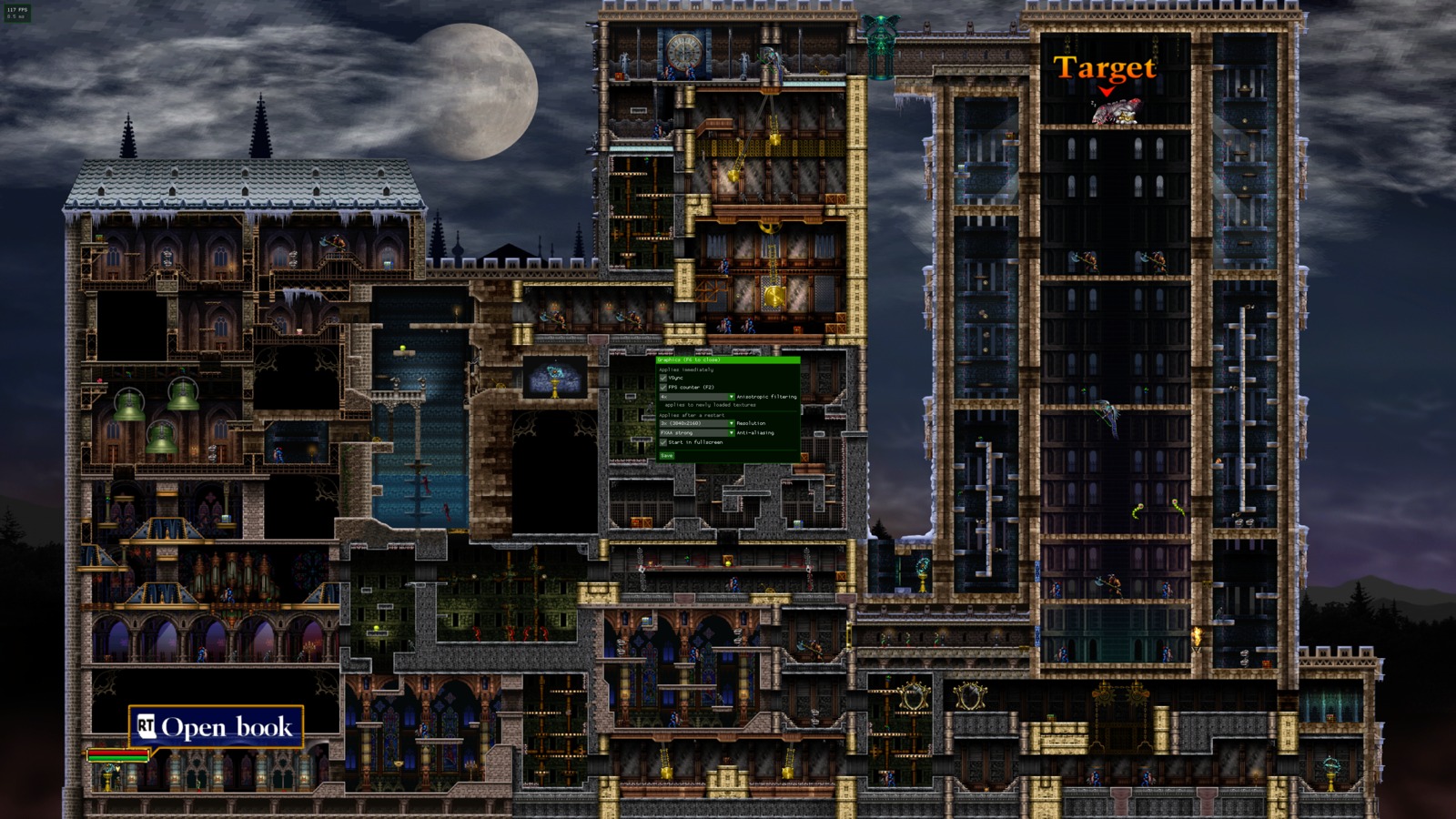 | 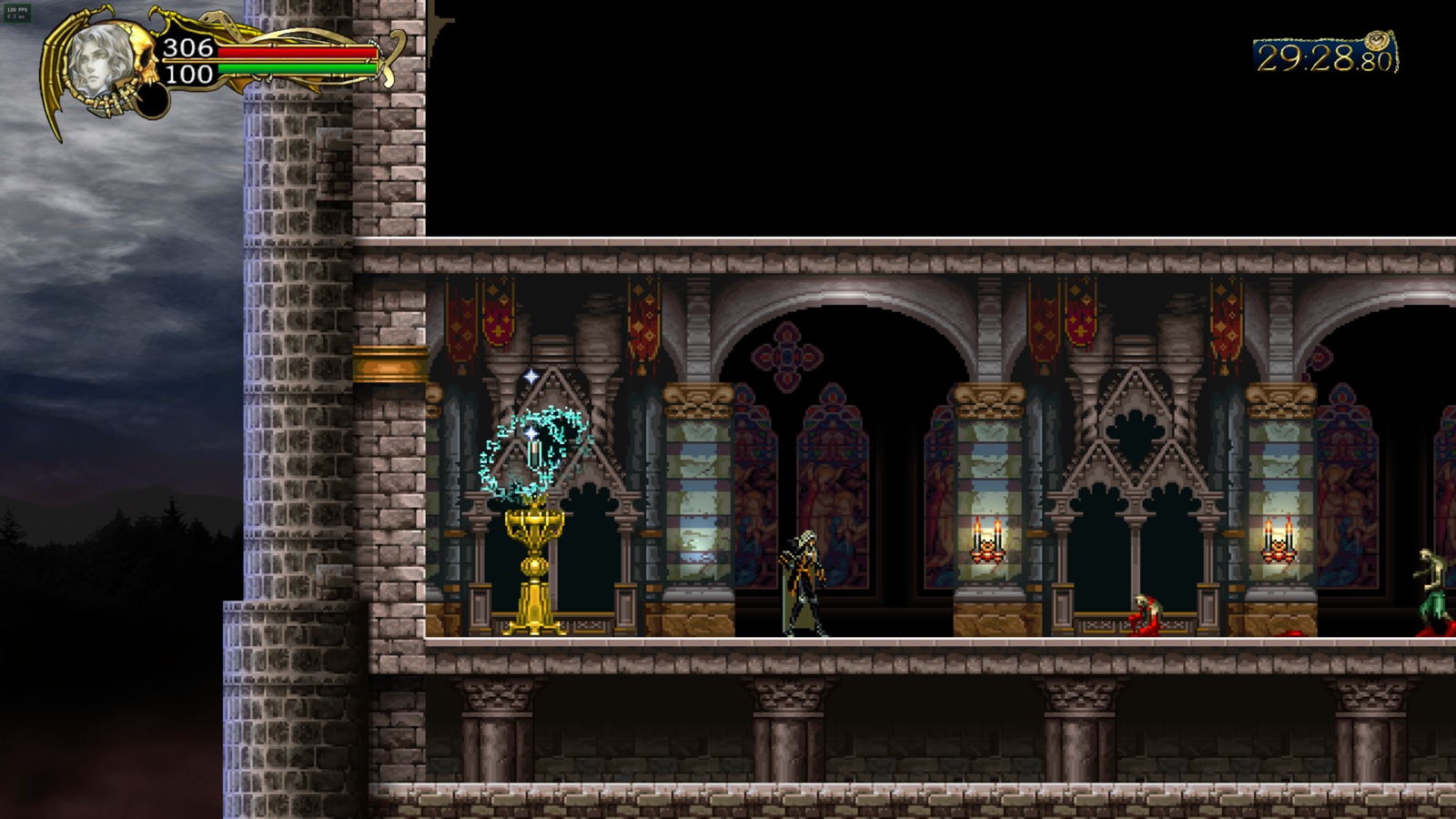 |
Features
- Runs the full game natively on Windows: all stages and characters of the base game
- Settings menu (F6), usable with a controller:
- Graphics: resolution scale, anti-aliasing, anisotropic filtering, frame rate limit (60/90/120/144/unlocked), fullscreen
- Controls: controller button remapping, keyboard/mouse key bindings
- Online: co-op on/off, player name, own address, other players' addresses
- FPS counter (F2)
- Online co-op without Xbox Live: up to six players over LAN or a virtual LAN (Radmin VPN, ZeroTier, Tailscale)
- DLC support: all characters and stage packs, from your own DLC packages and title update 2 (see DLC)
- Crash reports in
logs/to make bug reports useful
Installation (easy)
- Download
HarmonyRecomp-Setup.exefrom the latest release. - Run it. Windows may warn that the program is not signed ("Windows protected your PC"): click More info → Run anyway.
- Select your game file: the file without extension from
58410A7A\000D0000\of your console dump (it starts withLIVE). Optionally select a folder with your DLC packages and the title update (see DLC). - Click Install and wait. The setup downloads the build tools (about 1 GB), and if Visual Studio is not installed, Microsoft's C++ components (about 400 MB, you are asked to accept Microsoft's license). Then your PC translates and compiles the game: 10 to 30 minutes once, depending on your CPU. About 10 GB of free disk space are needed while it runs, about 1 GB afterwards.
- Click Play, or use the desktop shortcut.
If the game runs at 30 FPS or stutters, check that no frame rate limit is set for it in the NVIDIA Control Panel ("Max Frame Rate") or similar driver tools: together with G-SYNC such a limit can halve the game's frame rate. Use the frame rate limit in the F6 menu instead.
If the setup stops with "the rexglue tool could not start", install the latest Microsoft Visual C++ Redistributable (x64) and run it again.
Nothing of the game is downloaded: everything is built from your own copy on your own PC.
Updating: the game tells you at startup when a newer release is out (it asks GitHub once; check_for_updates = false switches that off). Download the newest HarmonyRecomp-Setup.exe and run it with the same install folder; your settings and saves are kept. (Setups before v0.3.3 could reuse an old download: if an update to v0.3.3 or newer seems to change nothing, delete the .setup folder in the install folder and run it again.) If something fails, the setup shows the log (setup.log in the install folder); please attach it to an issue.
The rest of this page is for building by hand and for developers.
Requirements
-
Windows 10/11, x86-64
-
Your own XBLA package of the game (the file without extension in
58410A7A/000D0000/, it starts withLIVE) -
Build tools, e.g. with Scoop in PowerShell:
scoop install llvm cmake ninja git pythonThe SDK needs Clang 20 or newer (
clang++ --version).
Building
-
Clone this repository.
-
Copy your game package into
game\(exactly one file). -
Optional: copy your DLC packages and the title update into
dlc\(see DLC). -
Build:
python scripts\build.py
build.py runs every step in order and skips what is already done:
- Extract the game package into
assets\, DLC packages intoassets\dlc\and a title update overassets\ - Clone the ReXGlue SDK at the commit in
sdk-pin.txtinto..\rexglue-sdk\, next to this folder, and apply the local SDK patches (SDK_PATCHESin the script) - Build and install the SDK, including the
rexgluecodegen tool (takes the longest) - Run codegen (about 2 minutes), output in
generated\ - Build the game into
out\build\win-amd64-release\
Options: --debug, --codegen-only, --force-codegen (python scripts\build.py --help lists all). Codegen reruns automatically when the manifest, a harmonyrecomp_*.toml, the DLC set or the SDK patches change.
Running
cd out\build\win-amd64-release
.\harmonyrecomp.exe
The executable finds the game data by itself: --game_data_root, then game_data_root in harmonyrecomp.toml, otherwise assets next to the exe or in the project folder.
Settings live in harmonyrecomp.toml next to the exe (copied there on the first build, your edits are kept). license_mask = 1 reports the full game; without it the game runs as the trial version. The license of your purchase stays on your Xbox account and cannot be read by the recompiled game.
| Key | Function |
|---|---|
| F2 | FPS counter |
| F3 | SDK debug overlay (frame times) |
| F4 | All SDK runtime settings |
| F6 | Settings menu: graphics, controls, online ("Save" writes harmonyrecomp.toml); its title shows your HarmonyRecomp version |
^ | Log console |
Controls
A controller (XInput, or any controller SDL supports) works out of the box, also in the game's system dialogs ("create a new save?", sign-in) and in the F6 menu: D-pad or left stick to move, A to confirm, B to go back, LB/RB to switch tabs. Its buttons can be remapped in F6 > Controls > Controller (stored as remap_a = "B" and so on; the dialogs always use the unmapped A/B).
All connected controllers control player 1 (merge_controllers, F6 > Controls > Controller), so an extra device such as a wheel or the virtual pad of DS4Windows/Steam does not take over.
Keyboard and mouse are off by default; switch them on in F6 > Controls > Keyboard & mouse (or mnk_mode = true in harmonyrecomp.toml):
| Key | Button | Key | Button |
|---|---|---|---|
| W A S D | Left stick | Arrow keys | D-pad |
| Space | A | Shift | B |
| R | X | E | Y |
| Q / F | LB / RB | Right / left mouse button | LT / RT |
| Escape | Start | Tab | Back |
Every key can be changed in F6 > Controls > Keyboard & mouse: click the key, then press the new key or mouse button. In the file they are keybind_a = "J", keybind_start = "Return", ...
Saves and language
Save data is stored in Documents\harmonyrecomp\B13EBABEBABEBABE\58410A7A\00000001\dchd_savedata\ (back up this folder to keep your progress). Saves from an Xbox 360 are STFS packages; extracting their files (e.g. with Horizon or Velocity) into this folder might work but is untested, the game may check that the save belongs to the profile.
The game's language (text and voices) follows the Xbox 360 system language: F6 > Graphics > Language, then restart (user_language in harmonyrecomp.toml: 1 English, 2 Japanese, 3 German, 4 French, 5 Spanish, 6 Italian).
Logs are written to logs\ next to the exe. If the game crashes, a crash_*.txt appears there as well; please attach it (and the matching log) to bug reports. The build also writes harmonyrecomp.map, which turns the addresses in a crash report into function names.
Online co-op
On the Xbox 360 the game's co-op (up to six players) only works over Xbox Live. HarmonyRecomp replaces the required services in src/netplay/:
- Sign-in: the game sees a player signed in to Live with their own gamertag and online XUID. The offline profile, and with it your save data, stays unchanged.
- Sessions and matchmaking: create, search, join, details, host migration. Instead of a server, the search asks all PCs in the network (broadcast) plus the addresses in
netplay_peers. Every player runs a small lobby service on UDP port47658. - XNet and QoS: players are identified by their IPv4 address. The game's own traffic is plain UDP on port
1000directly between the PCs.
Playing over the internet without a VPN
Switch on online co-op in F6 > Online, Save and restart. The game connects to the HarmonyRecomp online server (netplay_server, preset to the community server 87.106.10.23; empty it for LAN/VPN-only play) and no VPN is needed: you get a room code while hosting, friends join with it in F6 > Online, public rooms are found by the game's own search, and players connect directly or through the server's relay. The server program is in server/.
Playing with friends over the internet
-
Set up a virtual LAN. Everybody joins the same network:
- Radmin VPN or ZeroTier: lobbies are found automatically.
- Tailscale: does not forward broadcasts; put each other's Tailscale IP into
netplay_peers.
-
Everybody installs the game (setup or own build) with their own copy. All players need the same game version (all with or all without the title update) and a compatible HarmonyRecomp release: lobbies of other versions are hidden, and a message at the bottom of the screen says why. Different DLC is allowed; the game points it out.
-
Settings: press F6 in the game, open the Online tab, switch on online co-op, enter your name (and, with Tailscale, the others' addresses), click Save and restart the game. Or write them into
harmonyrecomp.tomlnext to the exe:netplay_enabled = true netplay_name = "YourName" # different for every player, max. 15 characters # netplay_peers = "100.x.y.z" # only needed if the search finds nothing -
Firewall: on the first start Windows asks for network access. Allow
harmonyrecomp.exeon private and public networks; VPN adapters are often classified as public. The ports are UDP47658(lobby) and UDP1000(game). -
One player creates a room in the online menu, the others search and join.
The log shows every step with [netplay]: the chosen address, lobbies found, QoS results, opened ports.
| Setting | Meaning |
|---|---|
netplay_enabled | Online co-op on/off (default: off) |
netplay_name | Gamertag shown to other players |
netplay_ip | Force your own address, e.g. the VPN IP (default: automatic, VPN adapters preferred) |
netplay_peers | Additional players for the search: ip or ip:port, comma separated |
netplay_port | UDP port of your lobby service (default 47658) |
netplay_remote_port | Lobby port of the others (only for two instances on one PC) |
netplay_search_ms | How long the lobby search waits (default 1000 ms) |
DLC
The game's downloadable characters, stage packs and music packs are content packages, the files in 58410A7A/00000002/ of your console dump. They only work with title update 2 (game version 2.04), the file in 58410A7A/000B0000/: the DLC was built for the updated game, and version 1.04 crashes at the title screen as soon as DLC is installed. Without the title update the build therefore leaves the DLC out (with a warning). Use your own files:
- Copy the DLC packages and the title update file into
dlc\in the project folder (with the setup: into the folder you select as DLC folder). Subfolders are searched too, so you can select the58410A7Afolder of a console dump (with00000002and000B0000inside); with the00000002folder, the title update in the neighbouring000B0000folder is found as well. The packages must be the original files: DLC unpacked by Xenia (folders with adatafolder inside) or still zipped is not recognized, and the build says so. - Run
python scripts\build.py. It applies the title update overassets\, unpacks the DLC intoassets\dlc\and recompiles the code modules in it (characters, enemies, bosses, projectiles: about 100 modules with all DLC). This makes the build noticeably longer. - Start the game. On the first start the packages are installed into the runtime's content folder (this takes a moment); the log shows
[dlc] installed ....
Notes:
- The game only installs DLC packages that were part of the build (
dlc_packages.txtnext to the exe). DLC added later needs another build; a package the recompiler cannot handle is left out with a warning instead of stopping the build. - The title update can also be used without DLC. To build version 1.04 although the update is in
dlc\, setHARMONYRECOMP_TITLE_UPDATE=0. - For online co-op, all players should use the same version (all with or all without the title update).
Tested with 12 DLC packages: the DLC characters and the Dracula's Castle, Legion and Getu-Fuma stages, also one after another. The 13th, the Lord of Flies stage, builds as well. If something crashes, please open an issue with the log and the crash report from logs\.
Project layout
| Path | Content |
|---|---|
harmonyrecomp_manifest.toml | Codegen entry: default.xex and the six character modules |
harmonyrecomp_config.toml | Game-specific codegen settings (functions, CRT addresses, jump tables) for version 1.04 |
harmonyrecomp_config_tu2.toml | The same for version 2.04 (title update 2) |
harmonyrecomp_dll*.toml | Codegen settings per character module |
harmonyrecomp.toml | Template for the runtime settings |
src/ | Host code: app, settings menu, controller remapping, crash reports, runtime fixes, DLC installation |
src/netplay/ | Online co-op: Live replacement, sessions, lobby service, game sockets |
scripts/build.py | Complete build, including the SDK patches |
scripts/extract_game.py | STFS package extractor (game and DLC) |
scripts/portable_msvc.py | Downloads Microsoft's C++ headers, libraries and the Windows SDK for PCs without Visual Studio |
scripts/package_release.py | Builds the release downloads the setup uses |
installer/ | The setup program (HarmonyRecomp-Setup.exe) |
.github/workflows/release.yml | Builds and checks every release |
sdk-pin.txt | SDK commit the project is tested with |
Technical notes
default.xex: original namedcHD_Master.exe, version0x00000104, base0x82000000, size0x960000, entry0x8263BA90, XDK 2.0.9328.0.- Character modules are XEX DLLs in
data\player_dll\with fixed load addresses (Alucard0x83000000, Soma0x83090000, Jonathan0x83120000, Charlotte0x831B0000, Shanoa0x83240000, Axe Armor0x83510000). - Every recompiled module has an indirect-call table in guest memory, normally right behind its image. The main table (~13 MB) would cover the character load addresses, so it lives at
0x8C000000; the DLL modules' tables follow from0x8D000000. This needs the relocatable-table patches inbuild.py. sub_8277ECF0uses a byte jump table without bounds check; its 16 real entries are listed inharmonyrecomp_config.toml.- SDK patches in
build.py(applied automatically): switch tables in the function scanner, relocatable function tables, readable message box text, settings file escaping, stale handles cached in guest dispatcher headers (a crash source in online sessions), DLL modules that share a load address (the DLC bosses all load at0x8BF00000), functions only referenced from data tables in DLL modules, title update patches during codegen on Windows, unloading recompiled DLLs by their resolved path (otherwise replaying a DLC stage crashes), shutting down the input drivers before the window (otherwise closing the game corrupted the heap), a frame counter that counts only frames, and a configurable frame rate (vsync_rate). - Title update 2 replaces the whole executable (nearly every function moved by about
+0x1C000). Its config was rebuilt by instruction matching and by the same pointer/thunk scan that reproduces the 1.04 lists. The game reads the updated data fromupdate:, which points toassetsas well. - DLC: about 100 code modules with fixed load addresses between
0x83000000and0x8BF80000. Their indirect-call tables are packed by size from0x8D000000(seeCMakeLists.txt). - The game's frame clock is the guest vblank, made by a host thread that sleeps 1 ms at a time. The game sets Windows' timer resolution to 1 ms at start; with the default 15.6 ms the vblanks came in bursts and the game often ran at 30 FPS. The game measures time itself, so a higher frame rate limit is smoother, not faster.
- The netplay layer keeps the game's sockets in its own handle table and implements overlapped
WSARecvFrom/WSASendTo/WSAGetOverlappedResult, which the SDK only stubs.
Known issues
- Text input in system dialogs (e.g. naming something) still needs a keyboard.
Planned
Next steps, roughly in this order: online play without a VPN (room codes and public lobbies), widescreen and Linux/Steam Deck, and later mod support.
Credits
- ReXGlue SDK and Xenia: recompiler and runtime
- NocturneRecomp: project structure and the original STFS extractor
- Xbox 360 structure layouts as documented by the Xenia project
License
The code in this repository is licensed under the BSD 3-Clause License, see LICENSE. scripts/extract_game.py is based on MIT-licensed code, see scripts/LICENSE-NocturneRecomp.txt.
Castlevania and Harmony of Despair are trademarks of Konami Digital Entertainment. This project is not affiliated with or endorsed by Konami or Microsoft.