ChuChu Rocket! Re-Nyastered
ChuChu Rocket! Re-Nyastered is a reimplementation of ChuChu Rocket! for Windows that combines features from the Dreamcast, Game Boy Advance, iOS, and Android versions.
- Type: PC port
- Game: ChuChu Rocket!
- Runs on Windows
- By TideGear
- Latest release v2026.11.17, 2026-11-17
- Source: https://github.com/TideGear/ChuChu-Rocket-Re-Nyastered
README
ChuChu Rocket! Re-Nyastered
On Windows, start with your own supported iOS or Android copy of ChuChu Rocket! Use its containing folder in RecompLauncher's Easy Setup, or follow Windows build and setup from a checkout. Dreamcast, GBA and Dreamcast Express files are optional. Pre-built Windows releases (ZIP with checksum, no game files inside) are on the GitHub releases page: extract one, run ccr.exe --prepare with the folder that holds your original files (or let RecompLauncher do it), then start ccr.exe.
This is a fully human-driven, AI-powered reimplementation of SEGA's ChuChu Rocket! I direct the project and set the standard for accepting changes. AI assists with reverse engineering, implementation, testing and documentation. When a feature is verified against an original release, the documentation shows how the comparison ran and which cases it covered.
Work-in-progress screenshots
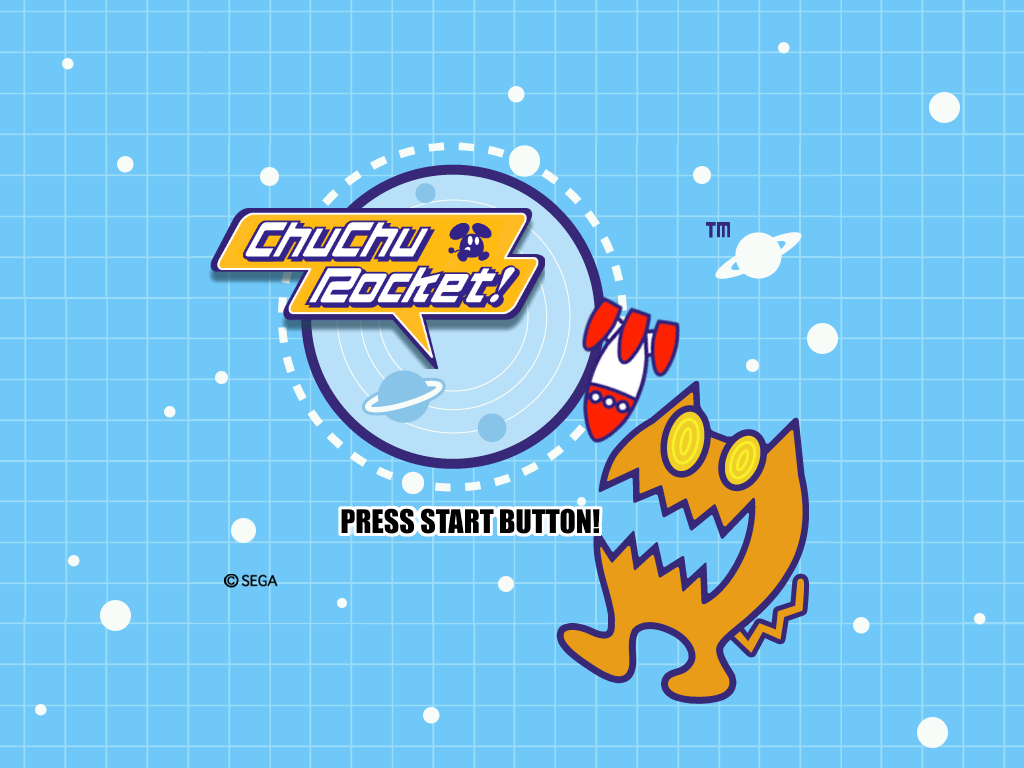
| Puzzle | Battle |
|---|---|
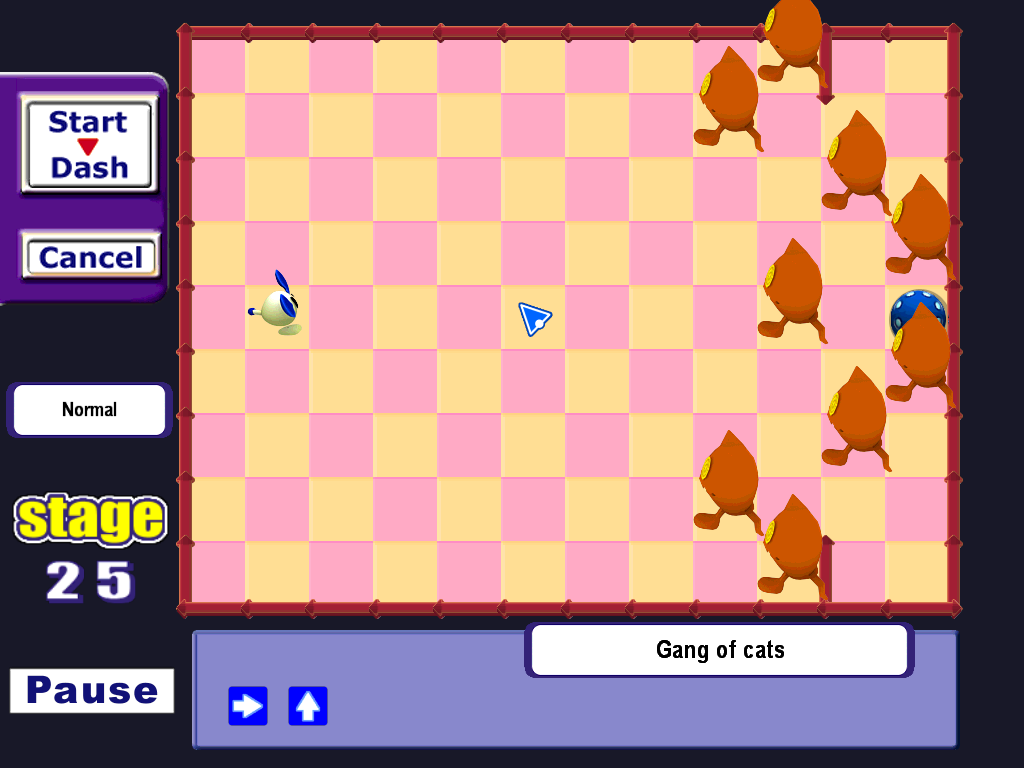 | 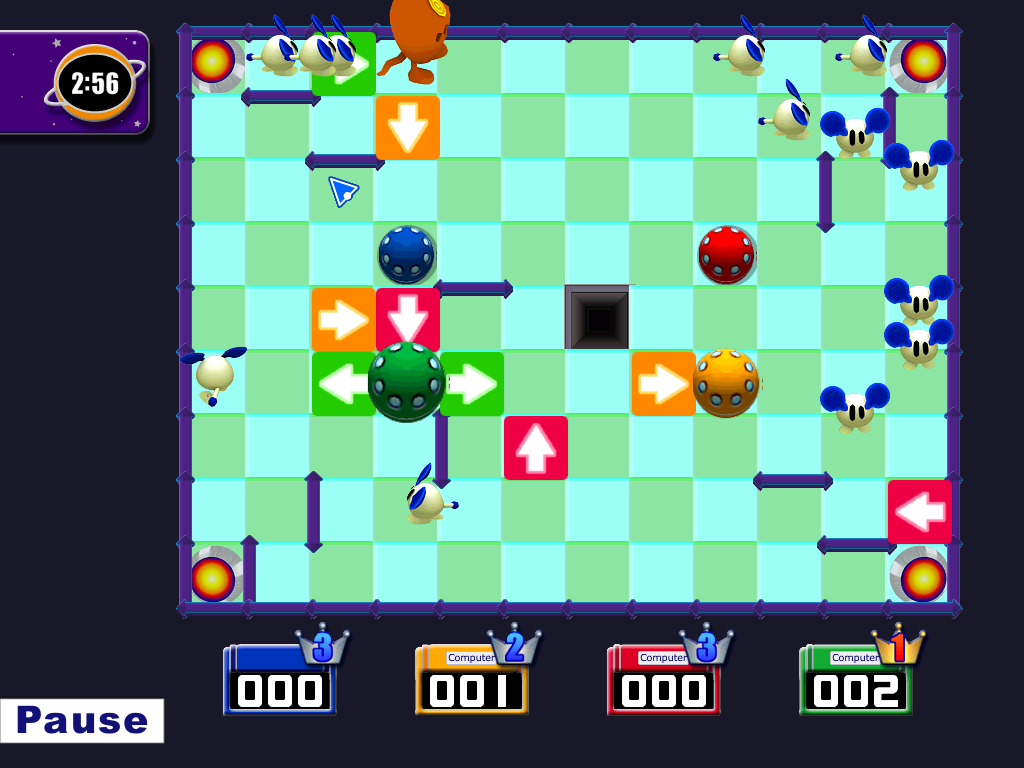 |
This is very much a work in progress. These captures show the current development build. Menus, visuals, and gameplay will continue to change as more of the original releases are reproduced and verified.
Unofficial fan project. This project has no affiliation with SEGA. The artwork shown in the screenshots, along with the original games’ music, stages and marks, belongs to the respective rights holders. Use your own lawfully obtained game files to generate the assets required to play. See asset handling and release notes.
The project brings together the strongest parts of the Dreamcast, Game Boy Advance, iOS and Android releases in a portable C++ and SDL2 implementation. The current build pairs the iPad layout with the Dreamcast title logo and CD music when those assets are available. Each asset and rule source is documented separately.
Build and play · Original files needed by mode · Status and plan · Verification results
Status and plan
Playable now on Windows: Puzzle with stage select, Battle with local hotseat for up to four players on one machine and CPU opponents, Stage Challenge (24 of 25 stages; the last, a one-minute roulette battle, matches the original on two of three recorded seeds and to frame 2779 of 4070 on the third), the title and main menu, Help & Options with a Settings page (display, log detail, controller button remapping, Battle CPU style), and a portable data mode.
Planned multiplayer: Wireless local play via mobile devices and online play.
The goal is a faithful Windows, Android arm64 and web reimplementation. Each phase compares the originals’ code, data, and runtime behavior with the port. The roadmap records verified cases and gaps, including alternate routes, rare events, and asset fallbacks.
| Phase | What’s in place | What’s planned |
|---|---|---|
| A. Original presentation and UI | iPad startup logos, title and menus, Puzzle stage select, parts of both HUDs, pause, Battle round banners, and animated backgrounds. With the iPad assets, the Battle menu opens Players and Settings and launches local shared-screen matches on all 25 boards. | Finish split-screen setup, previews and locks, HUDs and results, The Basics and Options, and the remaining roulette, character, rocket and cursor effects. Verify timing, draw order, depth ties, overlaps, wall joins and clipping against the original. |
| B. Rule parity | Puzzle movement matches the 2,548 tested mobile stages. Mobile battle scoring, roulette selection and CPU placement have separate comparisons. Whole-battle comparison against the original's real loop (including its roulette freeze) is identical for 26 of 26 recorded battles for each of the eight forced roulette outcomes in free-for-all; Stage Challenge stages 1-24 are ported and compared; Puzzle Edit's board conversion and CRC are ported. | Team Battle through the real loop, per-rank thresholds, the last Challenge stage on every seed, Challenge and Team Battle result screens, and Puzzle Edit (screen, original rules, file export including Dreamcast .VMS/.VMI). |
| C. Version differences | Dreamcast input and speed, scoring, roulette and parts of the CPU task are documented or compared. GBA puzzle stage 1 and individual CPU routines have ROM comparisons. Several iOS releases have their own runs. | Verify Dreamcast heat maps and full-battle CPU placement, determine Dreamcast effect playback rates, match GBA battle rules and full CPU placement, explain the GBA score gap, and cover remaining iOS-specific differences. |
| D. Content and options | Asset extractors and a cross-version stage registry exist. The current build can play the main puzzles, GBA extras and the Dreamcast Express set with the corresponding exports. Some sound and language options work. | Verify original unlocks and options, add unlock-all, import DLC skins and VMU saves, determine PuzzleP arrow stock, and make every stage set selectable. |
| E. Audio, animation and assets | Dreamcast CD music is preferred when available. Mobile files supply effects and voices. Some triggers, effects and animations have original-runtime comparisons. Dreamcast models are extracted and render offline. | Audit every sound, voice, song, animation and effect across versions, including indirect triggers, timing and cancellation. Verify loops and fades, document source quality, and integrate the Dreamcast models into live play. |
| F. Platforms and play | Windows build, fixed 60 Hz simulation with interpolation, headless 2D GPU measurements at 4K, local hotseat for up to four players, controller remapping with a hold-to-quit combo, and headless WebAssembly runs. Deterministic replays and loopback UDP lockstep have been tested. | Verify sustained and uncapped 4K performance as rendering is completed, implement wireless local play via mobile devices and online play, build and test the Android arm64 app, and finish the web app’s asset import and PWA checks in a headless browser and on iOS Safari. |
| G. Documentation and setup | Cross-version matrix, asset provenance, original-file requirements, and a portable Zig build. Setup unpacks originals and records their hashes. Versioned Windows releases with checksums, portable mode (portable.txt), a commented settings.ini and controls.ini, and a rotating gameplay log. | Linux and macOS builds (only a compile check so far), complete the evidence and provenance for each version, automate the remaining asset exports, and verify the full setup-to-play process on a clean machine. |
See the roadmap and dated work log, verification results, per-version matrix for the evidence behind each row, and the requirement audit for the current status of every goal requirement and every claim in the version-comparison document.
Build and setup (Windows)
- Put your original game files in
Original Game Filesbesidesetup.cmd, then runsetup.cmdfrom the checkout. If that folder is absent, setup asks for the path. To specify both paths directly from PowerShell, run.\setup.cmd -GameFiles 'D:\My Game Files' -Cache 'D:\ChuChuRocketReNyastered'. - Setup uses Python 3.10 or later if it can import Pillow. Otherwise it downloads and verifies private copies of Python 3.12.10 and Pillow 12.2.0 and caches them in
local\tools\windows. Setup extracts into%APPDATA%\ChuChuRocketReNyastered\assetsby default and writesmanifest.jsonandsetup.logbesideassets. - Setup builds
build\game\ccr.exe. The first build downloads and verifies portable Zig 0.14.1, CMake 4.0.3, Ninja 1.12.1, SDL2 2.30.9 andstb_vorbis.c. It uses the checkout'slocal\tools\windowsandbuild\game-zigfolders. Visual Studio C++ Build Tools are unnecessary. - Launch
build\game\ccr.exe. Setup reports which modes are playable from the files in your cache. Pass theassetsfolder as the first argument or setCCR_ASSETSif you use a custom cache.
Run build.cmd --target ccr to rebuild only the game. For an offline build, set CCR_TOOL_ARCHIVES to a folder containing zig.zip, cmake.zip, ninja.zip, SDL2-2.30.9.tar.gz and stb_vorbis.c. For offline extraction without an existing Python and Pillow installation, include python-3.12.10-embed-amd64.zip and pillow-12.2.0-cp312-cp312-win_amd64.whl too. The pinned URLs and hashes are in the build script, Python setup script, and CMake configuration.
Saves, settings and logs. By default saves (progress.bin, challenge.bin, options.bin), settings.ini and logs/ live in the extracted asset folder. For a portable install put an empty portable.txt beside ccr.exe (or start with --portable, or set CCR_PORTABLE=1): everything then lives in a data folder beside the program. settings.ini is created with comments on first start (fullscreen, vsync, scaling filter, window size, log detail); environment variables and launcher options override it. Importing Dreamcast puzzle packs. Put .VMS puzzle packs (for example DEPuzzle.VMS or PuzzleP.VMS; a paired .VMI is not needed) in the imports folder inside the data folder; they appear as the "Imported Packs" set (Tab in stage select). Character packs and damaged files are skipped.
logs/ccr.log rotates by size (ccr.1.log, ccr.2.log, ...) and records sessions and, at log_level = 2, every screen change.
Unlock all. Options > Settings has an "Unlock all" row (unlock_all in settings.ini): it opens every puzzle group without clearing the stages before it, as the original opens them only in order.
Controller. In local Battle, press a button on each controller in player order to claim the next available human slot. If a controller disconnects, press a button on a replacement to reclaim the open slot. Button assignments live in controls.ini beside settings.ini. Hold Back + Start for two seconds to quit with the default bindings.
Runtime options include CCR_CPU=gba for GBA-style battle AI (also the cpu_style setting and a row on the Options Settings page), CCR_LANG=en|fr|de|es|it, CCR_HUMANS=1..4 (quick-start launches only; the Battle setup screen chooses players), CCR_SIZE=3840x2160 and CCR_FULLSCREEN=1. Use CCR_HEADLESS, CCR_SHOT or CCR_BENCH for silent runs without a visible window. The C++ tests are CMake targets in game/, including determinism_test, battle_full_test, cpu_test and netplay_test.
Other platforms: the Android NDK build produces arm64 core test executables. The full Android app and emulator run are pending. The WebAssembly app builds with Emscripten, and browser installation and offline startup are still pending. See the platform audit for verification status.
Installing from a release (Windows, Linux, macOS). setup.cmd is only for a source checkout; release users do not need it. Download the file for your system from the releases page (...-windows-x64.zip, ...-linux-x64.tar.gz, ...-macos-arm64.tar.gz or ...-macos-x64.tar.gz), extract it, then either use RecompLauncher (Easy Setup: pick the folder that holds your original files) or run ccr --prepare "<that folder>" once (a single file inside the folder also works: its folder is used) and start ccr. Setup needs Python 3.10+ with Pillow. On Windows it can download both. On Linux and macOS it installs Pillow into a private environment in the data folder when --download-python is given (RecompLauncher's "Download Python and Pillow if needed" option, on by default), which needs python3-venv (Debian/Ubuntu: sudo apt install python3 python3-venv) and internet; or install your distribution's python3-pil / python-pillow yourself. The data folder is ~/.config/ChuChuRocketReNyastered (~/Library/Application Support/... on macOS); setup writes setup.log there. Linux x64 and macOS builds are produced and tested by CI and the Linux build was run on Ubuntu 24.04, but they have had little testing on real desktops, so please report problems with setup.log. Disc images: numbered .bin tracks with their .cue are accepted; CHD and GDI backups are not yet.
Which original files do I need?
Start with one mobile release. iPad HD 1.0, iPhone 1.0, 1.0.2, 1.1, iOS 1.1.2, and Android 1.14 or 1.15 each supply the base graphics and audio, 100 main puzzles, and all 25 Battle boards. Setup exports these automatically. The iPad release also supplies the original startup screens, title, menus and HUD.
For the richest setup today, use iPad HD 1.0, the Dreamcast disc and the GBA ROM. The iPad archive supplies the menus and HUD, the disc adds stereo CD music and the Dreamcast title artwork, and the GBA ROM adds extra puzzles. Add DEPuzzle.VMS for the 25 Dreamcast Express puzzles. Setup accepts a paired .VMI when available. Other VMU saves can be collected for future support. An Android APK or a second iOS release is optional.
Put whichever originals you have under Original Game Files beside setup.cmd, or pass your own folder to setup. Subfolders are optional. Setup searches recursively and accepts loose files or ZIPs, including an enclosing ZIP around a package. Keep the numbered files of each Dreamcast dump together in their own folder or ZIP. Use a fresh cache if you want to test a different file combination in isolation.
| Original | Accepted input | What it adds |
|---|---|---|
| iOS 1.1 or 1.1.2 | .ipa or unpacked .app, loose or in a ZIP | Either release supplies Retina gameplay art, mobile audio and both playable modes on its own. |
| iPad ChuChu Rocket! HD 1.0 | .ipa or unpacked .app, loose or in a ZIP | Supplies both playable modes, iPad gameplay art, mobile audio, menus, layouts, fonts and startup artwork. |
| iPhone iOS 1.0 or 1.0.2 | .ipa or unpacked .app, loose or in a ZIP | Either release supplies phone gameplay art, mobile audio and both playable modes on its own. |
| Android 1.14 or 1.15 | .apk or unpacked APK folder, loose or in a ZIP | Either release supplies phone gameplay art, title and menu art, mobile audio and both playable modes on its own. |
| Game Boy Advance | .gba, loose or in a ZIP | 2,466 additional puzzles and the GBA versions of the 100 main puzzles, including two board variants. Setup uses the GBA main set when available. Tab in stage select cycles available sets. |
| Dreamcast | Numbered .bin tracks and their .cue, loose or in a ZIP | Provides the original 100 main puzzles, 25 Battle boards, stereo CD music and original Dreamcast art. |
| Dreamcast VMU DLC | .VMS with its optional paired .VMI, loose or in a ZIP | DEPuzzle adds 25 playable Express puzzles. Setup also collects the PuzzleP, Cartoony, DEChar and UFOCow saves for future support. |
For Dreamcast, a dump whose track checksums match the USA multilingual ChuChu Rocket! entry in Redump.org and contains 19 .bin files and one .cue file is the tested layout.
What if I have fewer releases?
- Phone-only setups use the available menu and gameplay art. Some HUD panels and effects still require the iPad assets. In Puzzle, use Space or the controller's Start button to run the puzzle.
- Dreamcast only supplies the 100 main puzzles, 25 Battle boards, 25 Challenge boards, and original models, textures and music. A fresh Windows build and setup from the USA CUE/BIN tracks produced playable Puzzle, Battle, Team Battle and Challenge headless runs without mobile files. The disc-only interface uses original Mode Select and Challenge selection art. See the audit for remaining presentation and platform gaps.
- Game Boy Advance only supplies puzzles. A GBA graphics path is still needed for standalone play.
- All four platforms shipped Battle. The old Dreamcast requirement came from the stage exporter. Setup now recognizes the byte-identical mobile Battle maps. The GBA Battle boards are still outside the stage importer.
CCR_CPU=gbaenables the port's GBA-style AI with any exported Battle boards and needs no GBA ROM. Stage format notes - Missing optional files reduce the available art, music or stage sets. The mobile Ogg soundtrack plays if Dreamcast CD tracks are absent. For presentation the port uses the iPad assets when available, then the Android phone art. With neither set, it opens a simple Puzzle and Battle menu.
Launching a mode directly
The core gameplay exports are automatic. To refresh your cache, rerun setup. To launch a specific mode directly, pass the mode after the asset cache path.
$assets = Join-Path $env:APPDATA 'ChuChuRocketReNyastered\assets'
.\build\game\ccr.exe "$assets" puzzle
.\build\game\ccr.exe "$assets" battle
.\build\game\ccr.exe "$assets" challenge 4   # Stage Challenge; the stage number is optional
In Puzzle and Battle, aim with the mouse and press WASD or the arrow keys to place an arrow in the hovered cell. Mouse dragging also places arrows. On a controller, move with the left stick or D-pad and use the four face buttons in their directional positions, as on Dreamcast (rebind them in controls.ini or Options > Settings).
The default launch plays the iPad startup logos when available. Pass title to skip the logos. If you supply a Dreamcast disc, setup also exports its title logo and Start prompt for the desktop build.
When setup exports a Dreamcast model pack, new settings enable its 3D characters and board art by default. You can turn them off in Options > Settings or set models_3d = false in settings.ini.
The presentation audit tracks missing startup screens, effects, and animation. Dreamcast-only setup supplies the live board models, character meshes, and disc UI sheets. The Dreamcast rendering notes document the Flycast comparisons and remaining gaps.
Where each asset and rule comes from
docs/provenance.md lists, per asset class and per piece, the version used and the measurements behind the choice (music: Dreamcast CD audio; title logo: Dreamcast; backgrounds and sprites: iPad HD pack; strings: Android resources; rules: each version's own code). docs/version_matrix.md compares every subsystem across all versions.
Layout
game/C++ code: portable simulation core (core/), the SDL2 app (app/), tests (tests/), web shell (web/)tools/extractors, the stage registry, and the development-time verification oracles (tools/oracle/: your own copies of the original code run in emulators; nothing from them is distributed)docs/rules specification, verification results, version comparisons, provenance, UI art notes, known gaps