VERA20K
VERA20K is a community-led rewrite of the Command & Conquer: Red Alert 2 engine that supports up to 30 players and 20,000 units.
- Type: PC port
- Game: Command & Conquer: Red Alert 2
- Runs on Windows, Linux and macOS
- By YuriPlanet
- Latest release v0.2.7, 2026-11-07
- Source: https://github.com/YuriPlanet/vera20k
- Website: https://vera20k.org
README
Svenska · 简体中文 · Deutsch · العربية · Español · 日本語 · Русский · ไทย · Türkçe · English



VERA20K
VERA20K is a community-led rewrite of the original engine, gamemd.exe. It uses the original
game files, so you'll need your own copy of Red Alert 2: Yuri's Revenge.
VERA20K is made by gamers, for gamers, and gamers have the final say in where it goes.
We need more maintainers. If you'd like to help review PRs, guide new contributors or look after part of the engine, say so on Discord or in the QQ group (1097193563).
Don't be afraid to send a PR. It doesn't have to be perfect; we'll help with the rest.
Project goals
- Keep the gameplay, visuals and atmosphere of the original Red Alert 2: Yuri's Revenge.
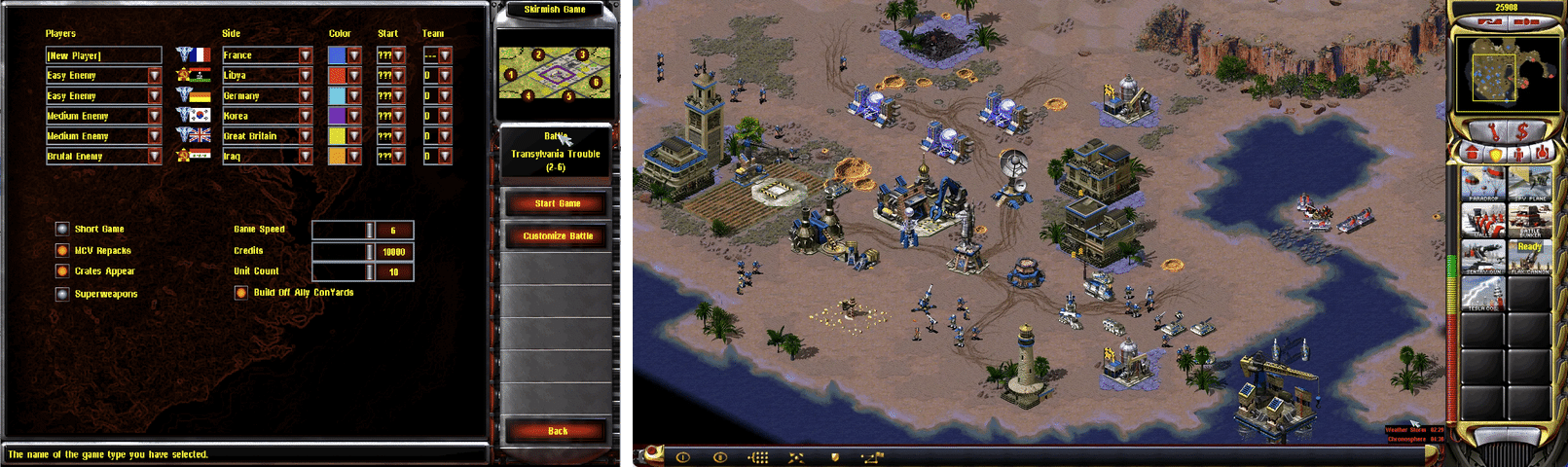
- Support bigger battles: up to 30 players and 20,000 units on 500×500 maps.
- Incorporate known RTS features and some never seen before.
- Integrated multiplayer client
See the roadmap for current priorities and future plans.
Download and play
Download the installer for Windows, macOS or Linux from the releases page. It finds your copy of Yuri's Revenge and sets up VERA20K in a new folder.
To launch single-player YR skirmishes or campaigns from a CnCNet client, see the offline client setup.
Contributing
Help is welcome anywhere, and these areas need it most. Each links to its roadmap issue, with the work in progress and the next step:
- Gameplay and combat: unit behavior, damage and everyday skirmish reliability.
- Performance: frame rate and responsiveness in large battles and on older hardware.
- Multiplayer: joining, starting and keeping online matches going, and co-op reliability.
- UI and audio: menus, text, translations and sound.
- Campaigns: missions launch, but playing them to the end still needs work: objectives, triggers, scripted transitions, save/load and moving on to the next mission.
- Mod compatibility: Ares and Phobos features, without changing the original game's defaults.
- Testing: play VERA20K next to the original and report what plays differently.
Contributors can take responsibility for engine areas, with broad freedom to make changes that move VERA20K forward.
Maintainers will help with review, integration and merging. You'll keep full credit for your contribution.
Discussion is on Discord and in the QQ group (1097193563).
Architecture
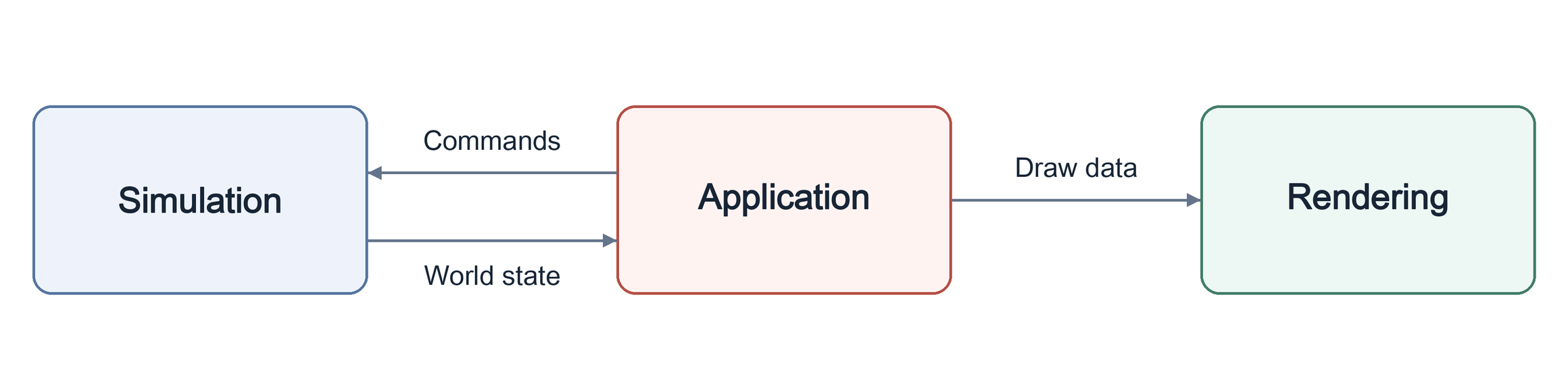
The engine has three main parts:
- Simulation: Owns gameplay state and logic.
- Rendering: An absolutely new GPU rendering pipeline using the original game assets, built to preserve the original look.
- Application: Handles input, menus, audio, and platform integration, connecting the systems.
This separation supports deterministic gameplay.
Arrows show data flow:
Build and run
You need:
- Rust and Git: Rust 1.97 or later, installed with rustup, and Git.
- Build tools: on Windows, the Visual Studio C++ build tools, which the Rust installer offers
to install; on macOS,
xcode-select --install; on Debian and Ubuntu,sudo apt install build-essential libasound2-dev libxkbcommon-x11-0 pkg-config.
git clone https://github.com/YuriPlanet/vera20k.git
cd vera20k
cp config.toml.example config.toml
# Edit config.toml and set ra2_dir to your game folder before running:
cargo run --release --bin vera20k
How we work
Most of the code is written by AI coding agents. They use Ghidra to study the original engine, then port its behavior to Rust and check it with comparison tools and playtesting. Agents follow AGENTS.md.
Customization
VERA20K plays like the original game by default. Map capacity is selected automatically,
without a build flag: Size width plus height can be up to 1024. Other new features,
including extensions from mods such as Ares, stay off until they are turned on with one of:
- A VERA player option, in Options, saved under
[VERA]inVERA.INI. - A build option, such as
--features aresfor the supported Ares extensions. - An INI key, set by a mod or a map.
Sound, graphics and controls are saved in VERA.INI. Gameplay rules come from lobby
settings, mods or maps.
The modding guide explains how to make your own mods.
Support

All donations received are distributed to contributors according to the TIBTRE contribution ledger.
Payouts to contributors:


Credits and legal
Thanks to OpenRA, XCC Mixer, the ModEnc wiki, Project Perfect Mod, EA's GPL source release of Command & Conquer and Red Alert, World-Altering Editor, Final Alert, YRpp, Ares, Phobos and many others.
Copyright © 2026 Halvor Nikolai Rusten and VERA20K contributors. Licensed under the GPLv3 with additional terms. This repository contains no game files. Command & Conquer and Red Alert are trademarks of Electronic Arts Inc., and the screenshots and the app icon, Red Alert 2's red star, show game art owned by Electronic Arts. VERA20K is not affiliated with or endorsed by Electronic Arts.
This product includes software developed by the Ares Contributors.
Read the legal notice before you share, sell or fork VERA20K.
Documentation
- WebAssembly preview: an opt-in single-player build that runs in a browser.
- Modding guide: what mods can and can't do, and how VERA20K differs from the original game.
- INI profiles: choosing rules, art and AI files.
- Ares, Phobos, NPatch and VeraX: extension support and limitations.
- Engine overview: code layout and how the engine fits together.
- Developer tools: builds, tests and asset inspection.
- Map testing: scripted scenarios, screenshots and match observations.
- Native comparisons: comparing behavior with the original game.
- Ghidra workflow: inspecting the original engine.