Conker: Live & Recompiled
Conker: Live & Recompiled is a native Windows PC port of Conker: Live & Reloaded with higher resolutions, 60 fps, and keyboard and mouse support.
- Type: PC port
- Game: Conker: Live & Reloaded
- Runs on Windows
- By cdetv
- Latest release v0.1.0, 2026-10-30
- Source: https://github.com/cdetv/conker-live-recompiled
README

Conker: Live & Recompiled
A native Windows PC version of Conker: Live & Reloaded (Xbox, 2005),
made by recompiling the original game's code. Higher resolutions, 60 fps,
keyboard and mouse, PlayStation controllers, photo mode and more.
No game files are included. You need your own copy of Conker: Live & Reloaded for the original Xbox (PAL or USA). The launcher imports it from your disc image.
What is this?
Conker: Live & Reloaded was never released on PC. This project translates ("statically recompiles") the game's original Xbox program into C, which is then built as a normal Windows program. It is not an emulator: the game's own logic runs natively, while a small runtime stands in for the Xbox's operating system, graphics chip (now Direct3D 11), sound chip and controllers.
The whole single-player story plays from start to finish, multiplayer works against bots, and saving and loading work. It was checked frame by frame against the real game running in xemu, and on top of that comes a long list of PC upgrades.
Made with AI tools
This port was made with the help of AI coding tools (such as Anthropic's Claude Code). Most of the code was written by AI under the author's direction; changes were tested by playing the game and by comparing it with the real game running in xemu and various gameplay footage from Xbox, Xbox 360, and Xbox One.
Getting started
- Download the latest
conker-live-recompiled-<version>.zipfrom Releases and unzip it anywhere (not insideC:\Program Files). - Start
conker-launcher.exe. Windows may say "Windows protected your PC" because the programs aren't signed: click More info → Run anyway. - On the Files tab click Import Files and pick your game: a disc
image (
.iso, Redump or XISO), the disc'sdefault.xbe, or a.zip,.7zor.rarholding either. The launcher checks it is the PAL or USA release and copies it in (about 4.5 GB). - Click Play.
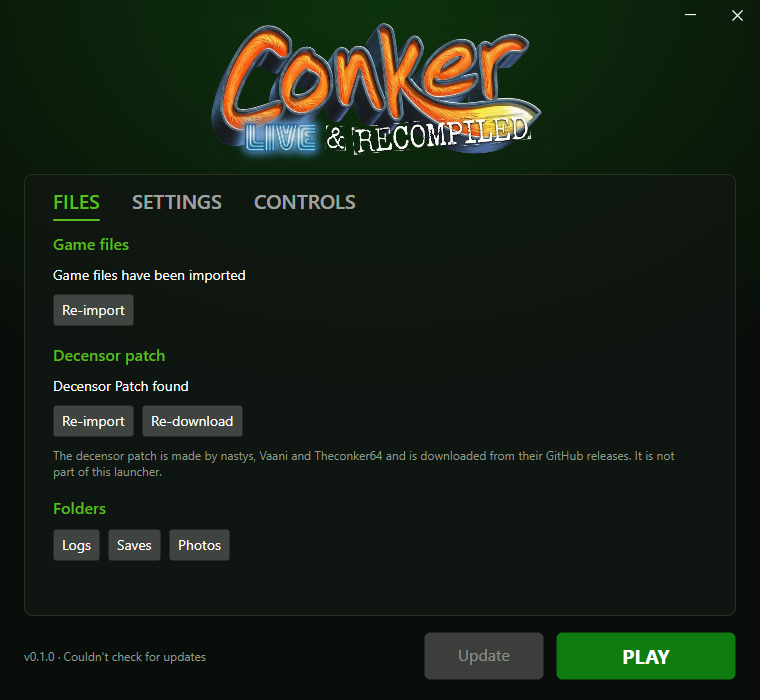
The launcher's Files tab
What's new compared to the Xbox
Picture
| Xbox | Live & Recompiled | |
|---|---|---|
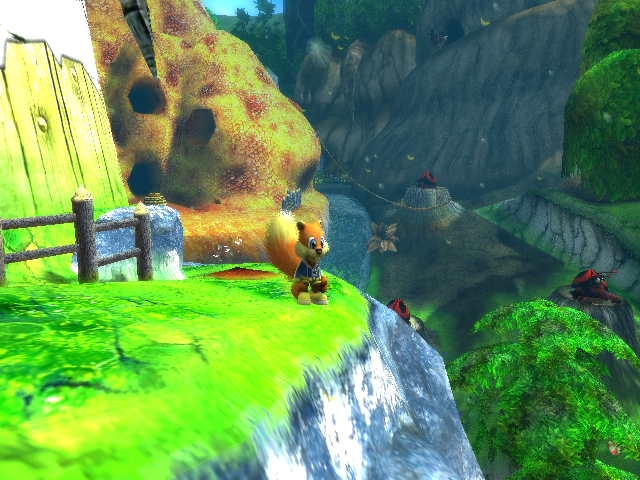
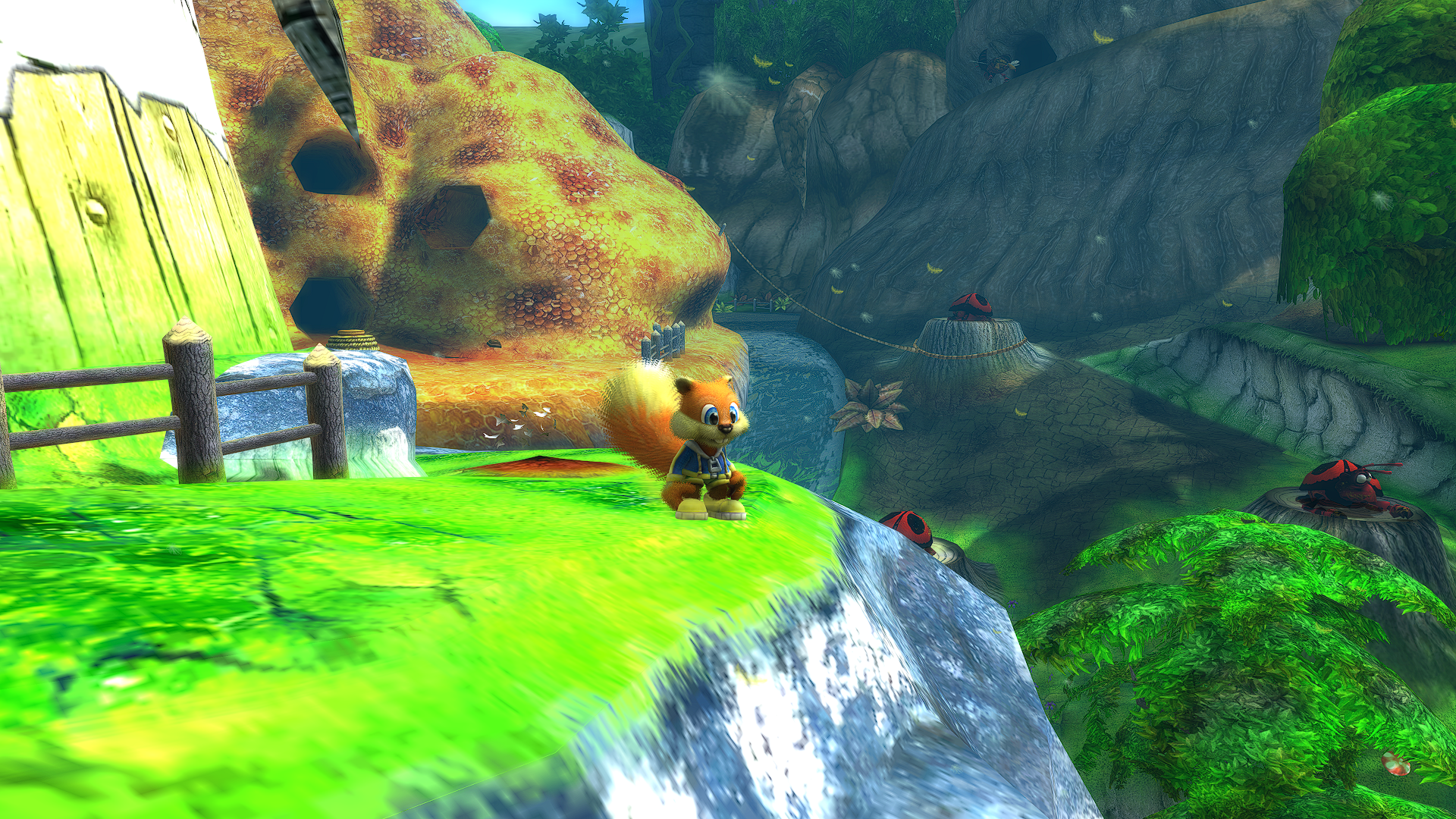
| Resolution | 640×480 | Any resolution and shape (16:9, 21:9, 4:3, ...); by default your monitor's size, up to 1440p (or native, e.g. 4K) |
| Render scale | — | 50–200 %: supersampling above 100 %, FSR 1 upscaling below |
| Frame rate | 30 fps | 60 fps with the game running at its correct speed (30 fps available as the original) |
| Texture filtering | Original | Original, or anisotropic up to 16x |
| Anti-aliasing | — | FXAA or SMAA |
| Sharpening | — | AMD FidelityFX CAS, adjustable |
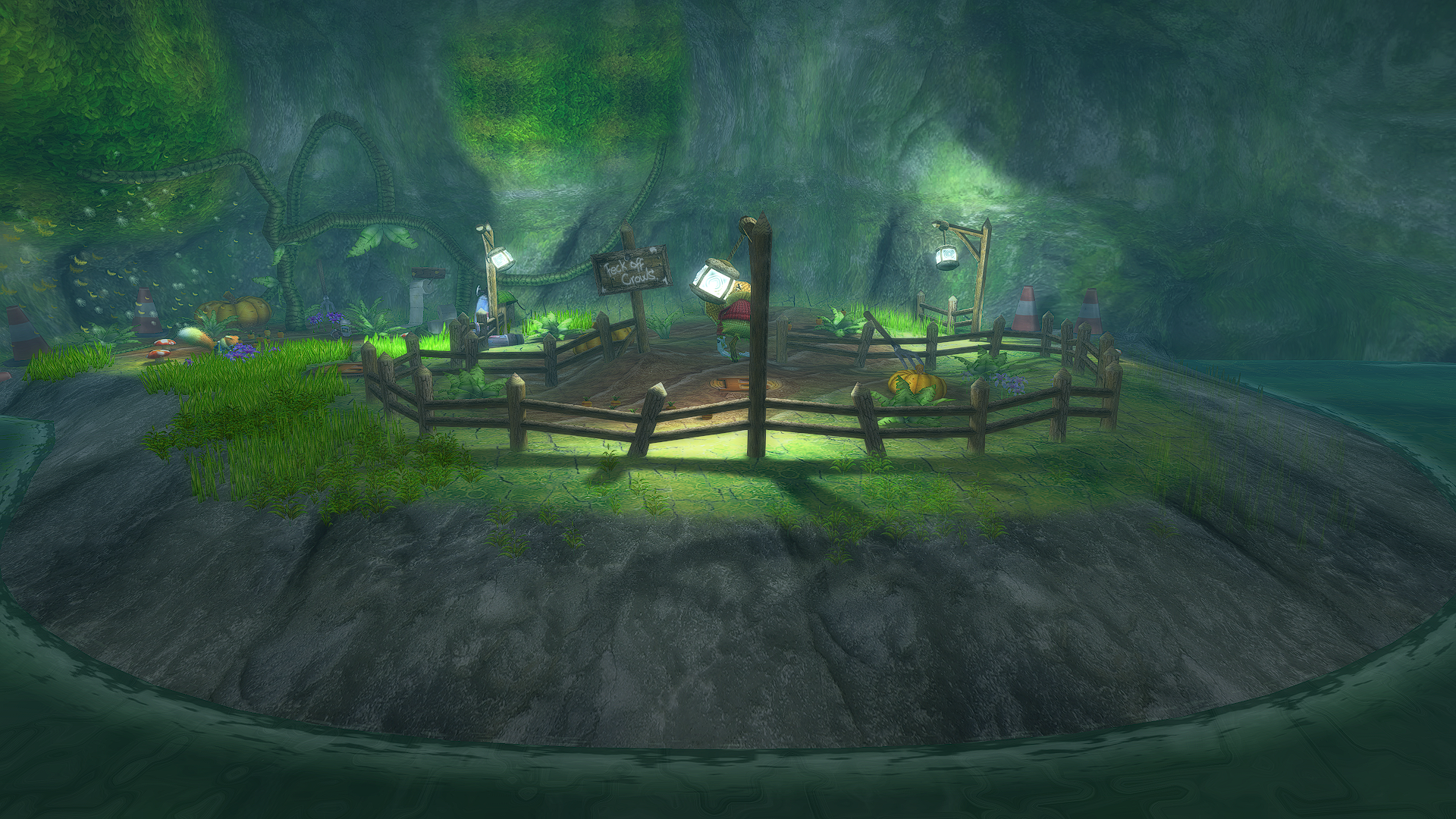
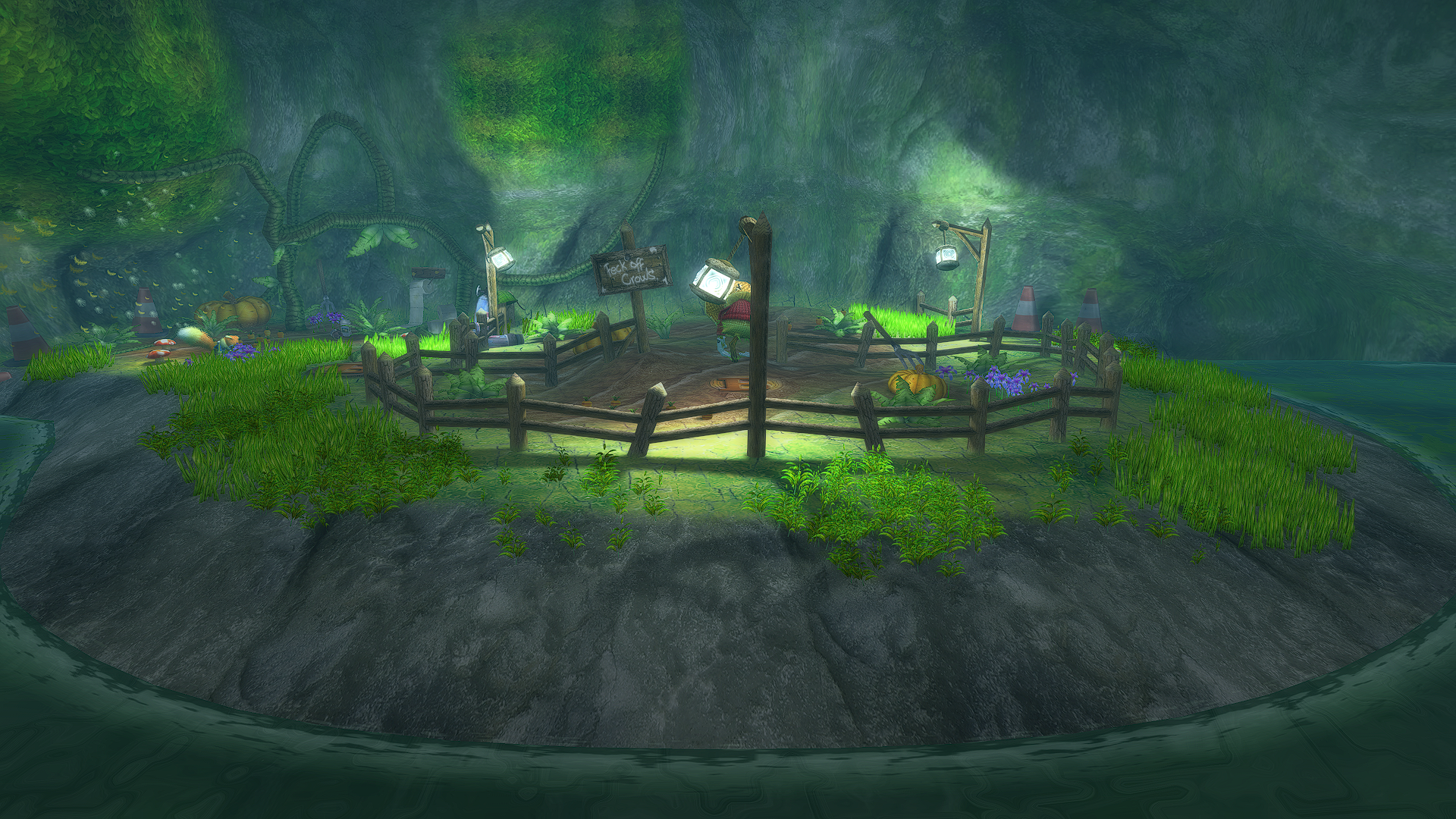
| Pop-in | Grass, fur and distant characters thin out or vanish | Pop-in Fix: full detail at any distance |
| Cutscene blur (depth of field) | Original | Off, original, updated or cinematic |
| Glow | Always on | Adjustable 0–100 % |
| Haze | Always on | Can be turned off for a clear view (e.g. the green gas in some levels) |
| Picture adjustments | — | Gamma, contrast, saturation |
| Retro look | — | Scanlines or CRT effect, adjustable |
| Xbox: 640×480 | Live & Recompiled: 1920×1080, every setting maxed out |
|---|---|
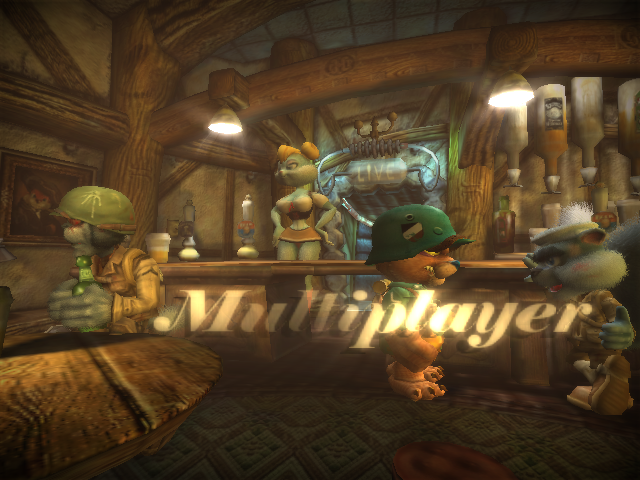 | 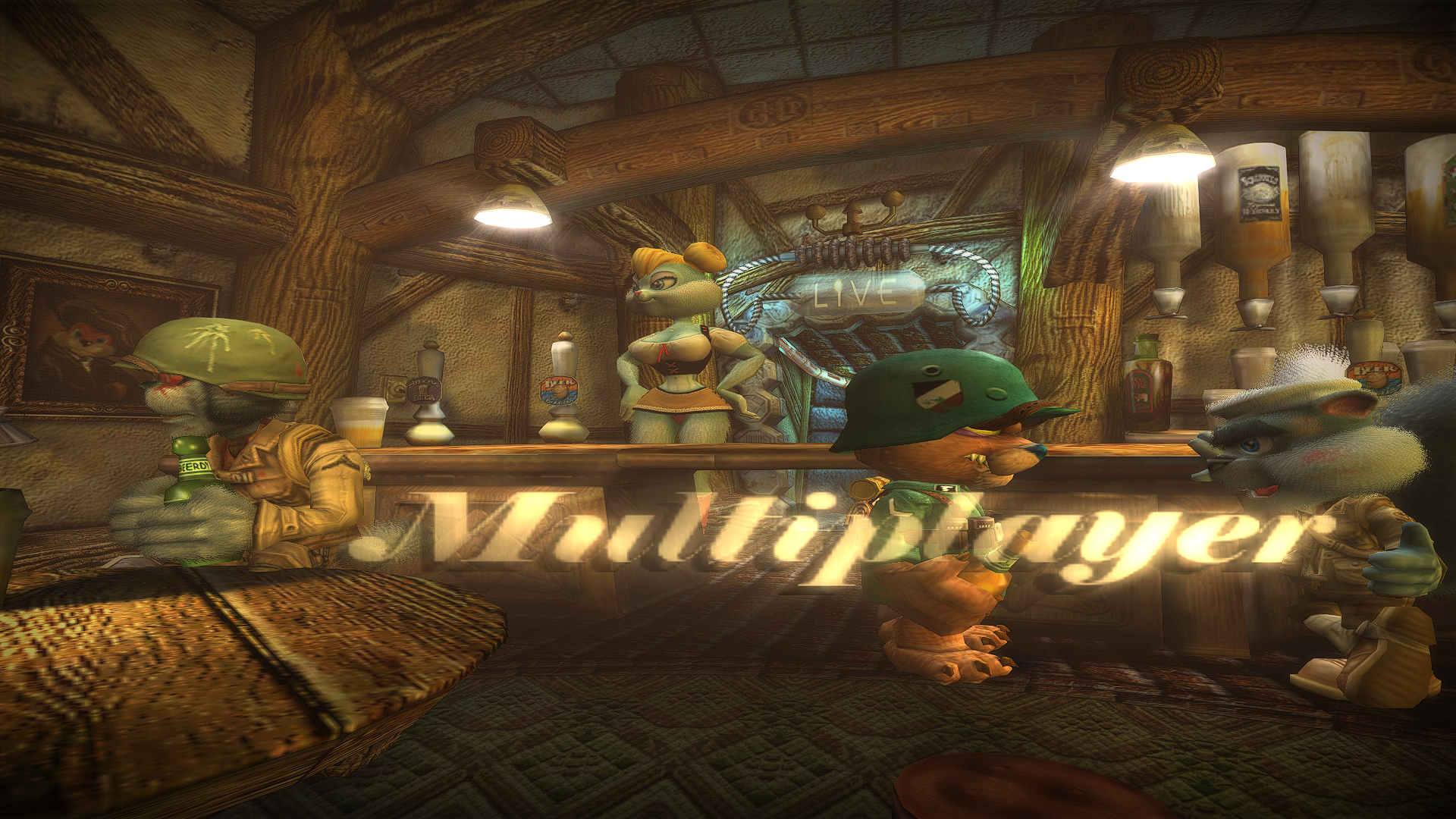 |
 |  |
| Pop-in Fix off (as on the Xbox) | Pop-in Fix on |
|---|---|
 |  |
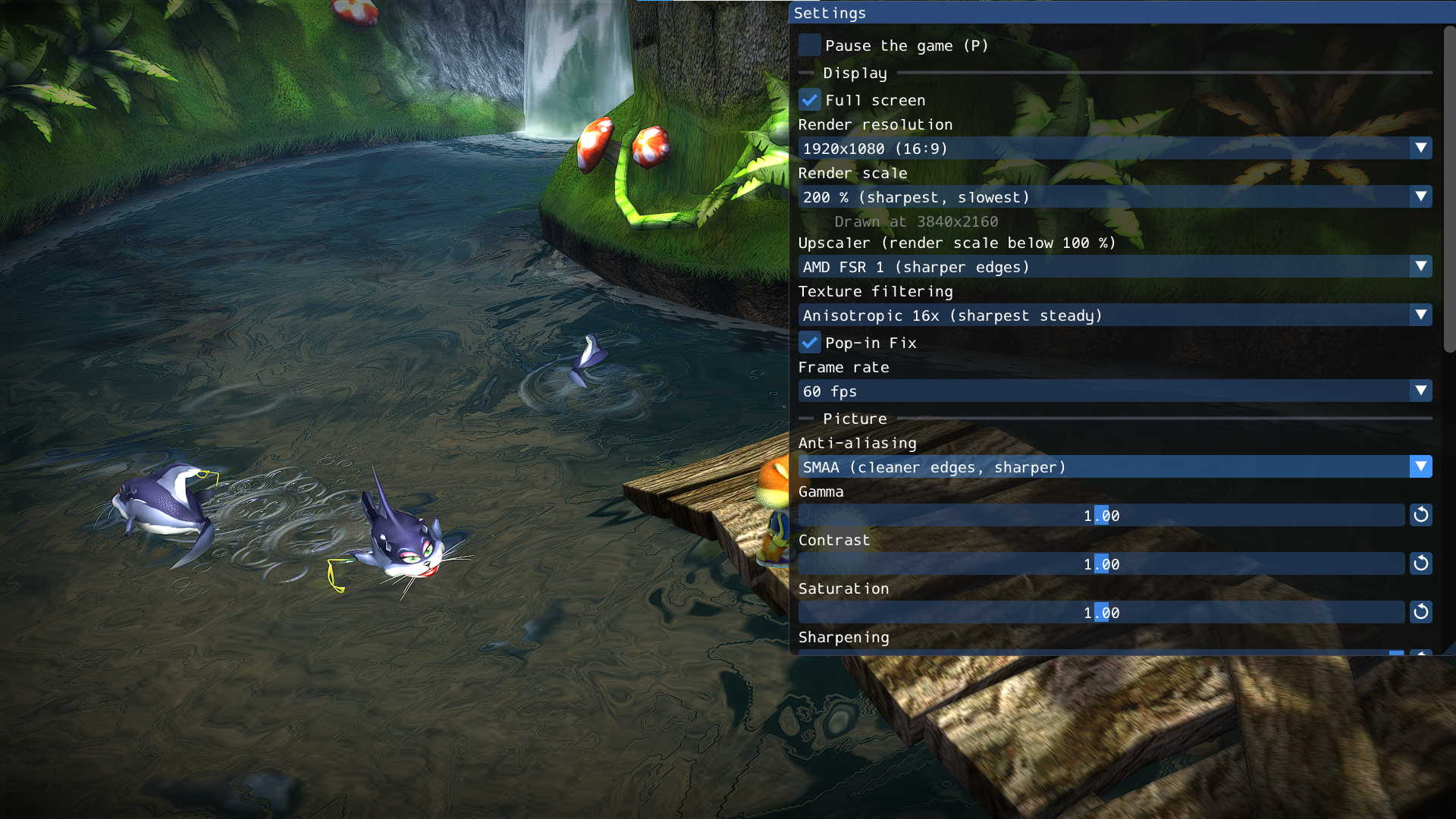
The F2 settings menu, with the game running under it
Controls
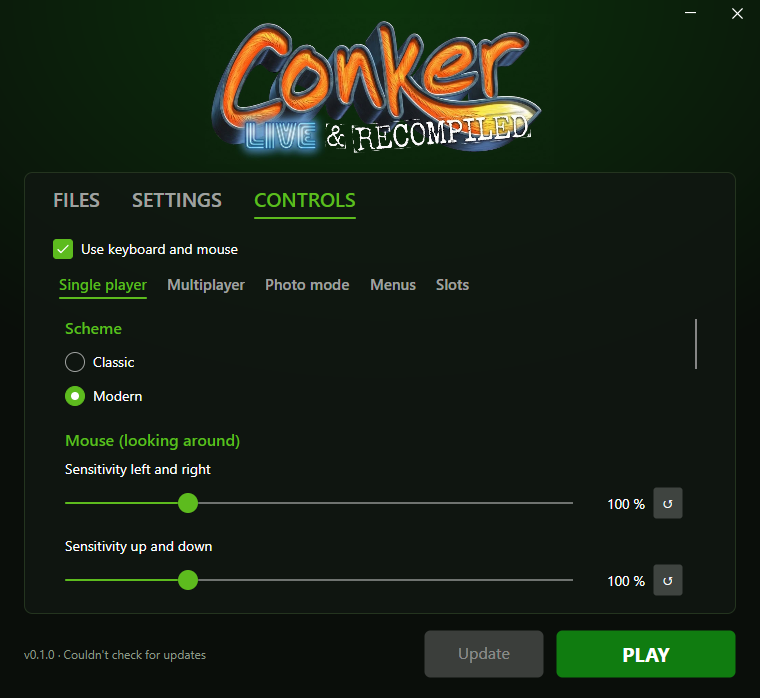
- Keyboard and mouse with mouse look everywhere: on foot, aiming, swimming, flying as the bat and in vehicles. Every gameplay key can be changed (F3 menu or the launcher's Controls tab).
- Two single-player layouts: Classic (the controller one-to-one) and Modern (hold the right mouse button to aim, a separate action key).
- PlayStation 4 and 5 controllers (DualShock 4, DualSense) work directly, no extra programs. Xbox controllers of course too.
- Slots: choose which controller, or the keyboard, is which player.
- Multiplayer keyboard and mouse controls, with a zoom key.
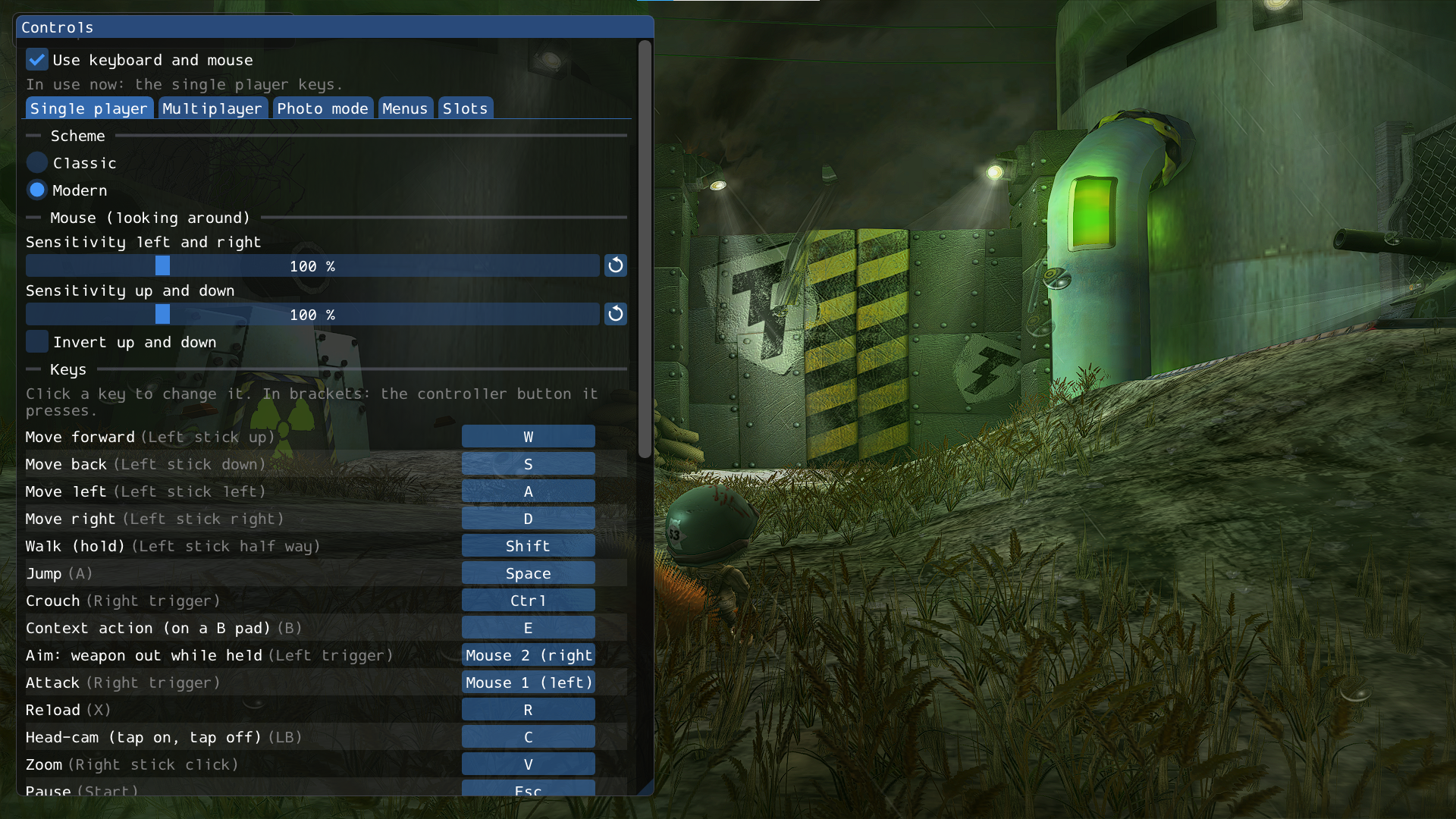
The F3 controls menu
Photo mode
Press F4 (or Back + RB) in gameplay or a cutscene to freeze the moment and fly a free camera: zoom, roll, hide the HUD and Conker, step frame by frame, adjust the depth of field, and take pictures (saved as PNG files).
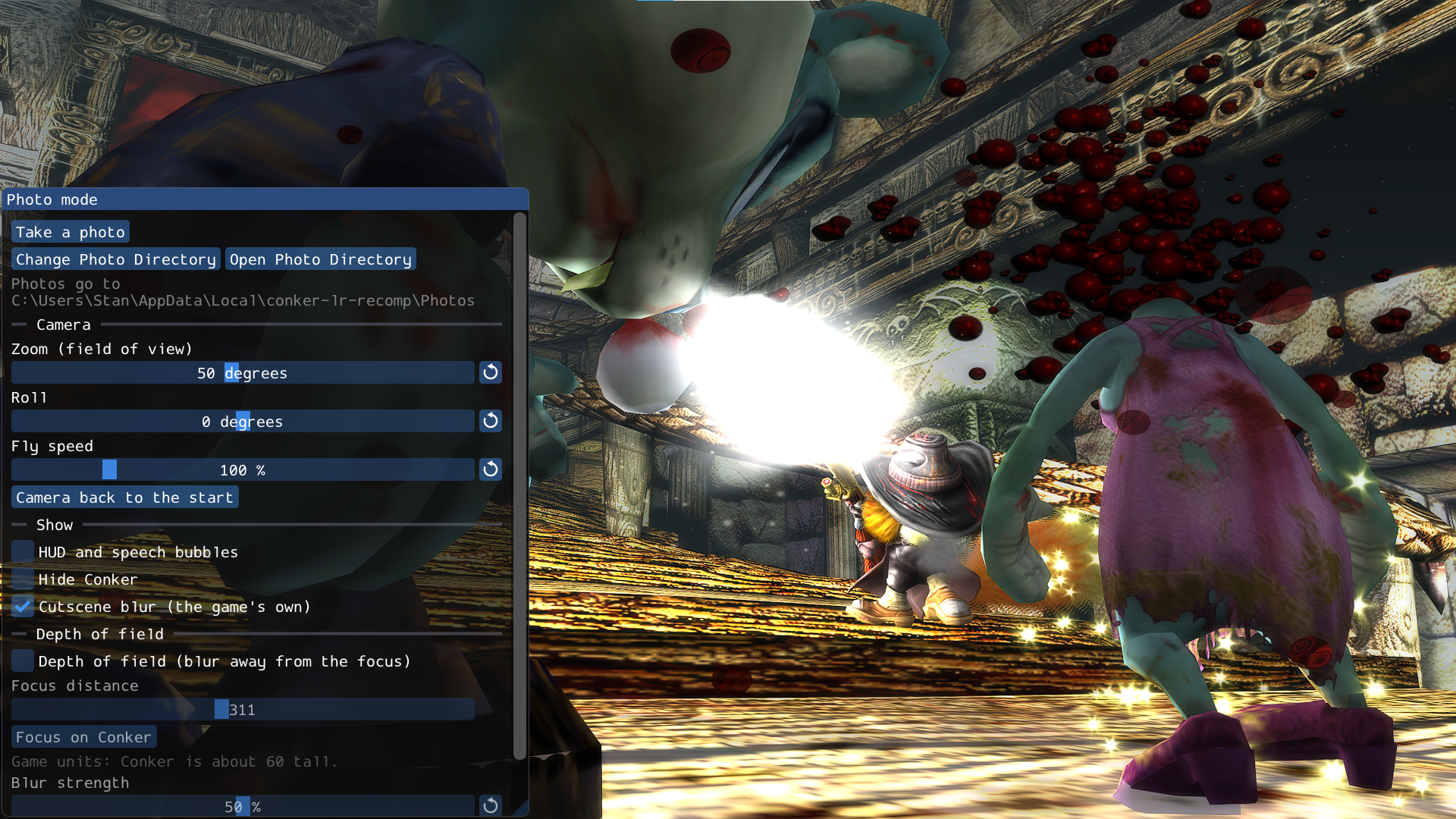
The photo mode panel. Photos taken with it are in Screenshots below.
Sound
- The Xbox's sound chip emulated as in xemu, for the original mix.
- Speaker mix and 3D sound (HRTF) options.
- Sound can be silenced while paused.
Uncensored
With the fan-made decensor patch (by nastys, Vaani and Theconker64; downloaded by the launcher if you want it): cutscene voices and songs without the bleeps, and uncensored text.
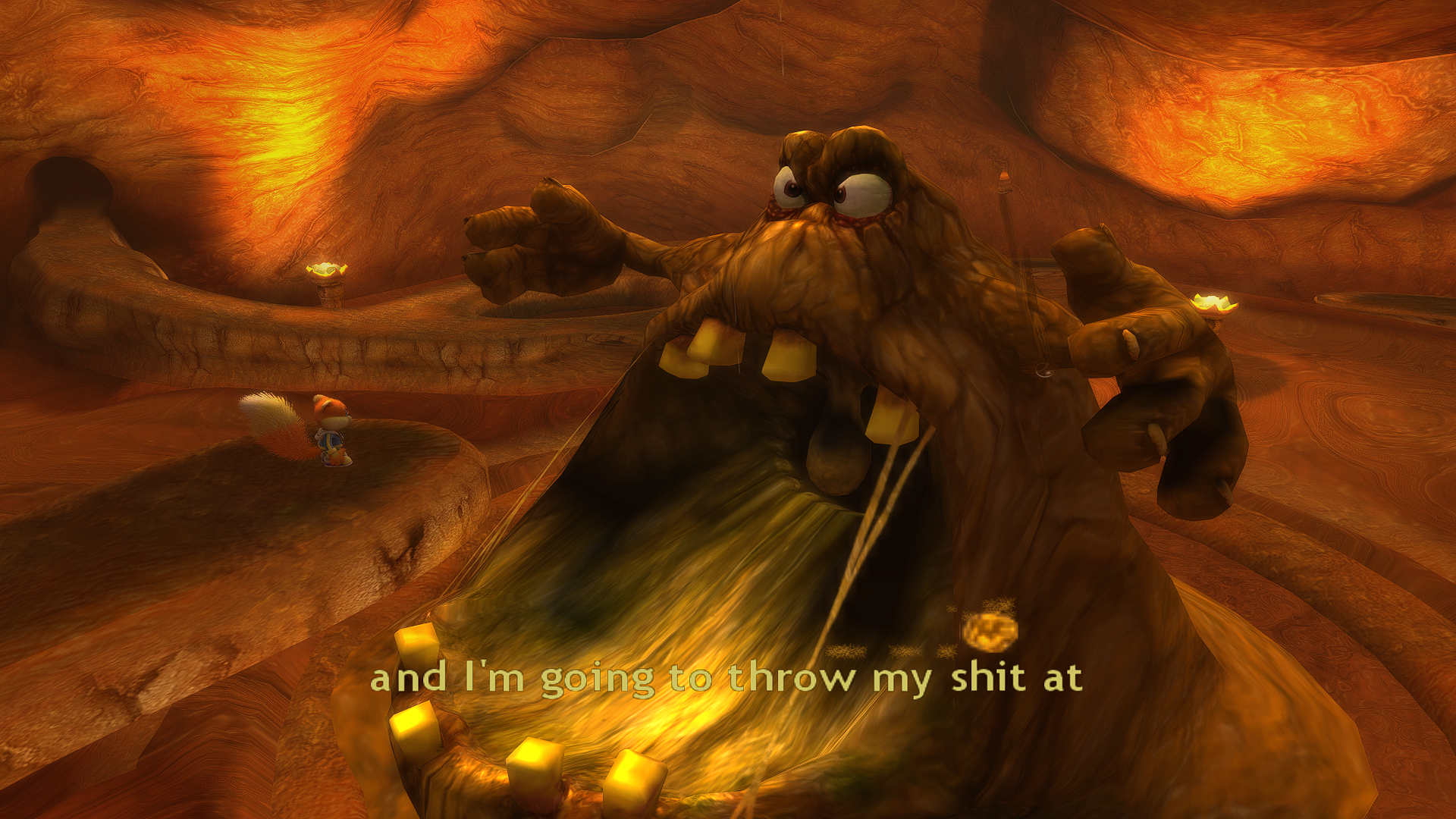
The Great Mighty Poo song, uncensored
Fixes to the original game
A few glitches the Xbox version has too are fixed:
- Characters' mouths no longer stay open after quick lines of speech.
- Smoke, fire and glows no longer show through barbed wire in front of them.
- Sounds no longer end early when the game is paused.
- A character no longer lies half inside the floor in a late cutscene.
- The game keeps its normal speed when it slows down, instead of speeding up.
The launcher
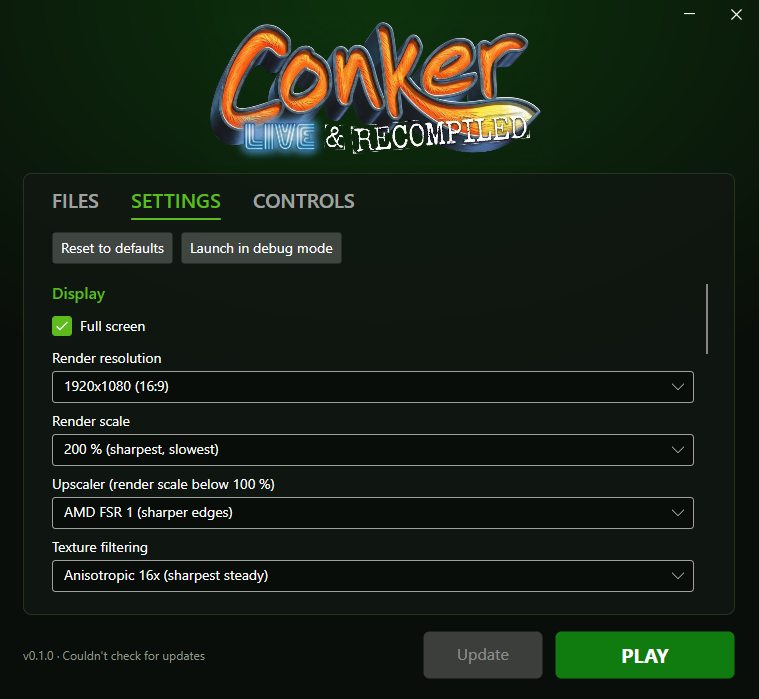
- Imports the game from a disc image, folder or archive (
.zip,.7z,.rar, multi-part included), and checks it is a supported release. - Every in-game setting and control, in tabs, before you start.
- Updates itself: when a new version is out, one click installs it and keeps your game files and patch.
- Buttons to open your saves, photos and logs.
| Settings tab | Controls tab |
|---|---|
 |  |
For modders
- Texture replacement: PNG files in a
textures\folder next to the game replace the game's textures, matched by a hash of each texture.
Requirements
- Windows 10 or 11, 64-bit
- A graphics card with DirectX 11
- Your own copy of Conker: Live & Reloaded (Xbox; PAL or USA)
- About 5 GB of free space
- Optional: an Xbox or PlayStation controller (keyboard and mouse work too)
Windows "N" editions need Microsoft's Media Feature Pack for the game's movies.
Keys in the game
| Key | Controller | |
|---|---|---|
| F2 | Back + LB | Settings menu |
| F3 | Controls menu | |
| F4 | Back + RB | Photo mode |
| F11 | Full screen on/off | |
| F1 | Frame rate counter | |
| P | Pause or resume |
Saves, settings, photos and logs are in %LOCALAPPDATA%\conker-lr-recomp\.
Known issues
- Xbox Live and System Link are not available (multiplayer against bots works).
- The first time an area is seen, a short pause can happen while the graphics card prepares it; it is remembered for next time.
- Sound can crackle for a moment when the game slows down.
- The original loading screen doesn't show.
- Parts of It's War (the beach) can drop below 60 fps.
- Opening photo mode during a cutscene can break the cutscene's sound. For example, during the Great Mighty Poo song it removes the voice lines.
With the Modern controller layout (fixes are planned for the next update):
- If you open photo mode while aiming, Conker keeps aiming after exiting. Aim again to fix.
- Heist – Enter the Vertex: the context pads that start the slow-motion jumps don't work the normal way. Requires you to aim while activating, then release aim button. When aim button is released, Conker will then jump and go in slow mo. You then need to press the aim button again to fire.
- The slingshot's context pads don't react to the context button. Hold the aim button to use them instead, as with the other weapons. (More a quirk than a bug; this will become an option.)
Found something else? Please open an issue and attach the newest log (launcher → Files → Logs).
Building from source
The recompiled game code is never published: building means running the
toolkit's pipeline on your own copy of the game, which translates its
default.xbe into C on your PC.
You need:
- Windows 10 or 11, 64-bit, with Git
- Visual Studio 2022 with the Desktop development with C++ workload (includes CMake and Ninja)
- Python 3.12 and PowerShell 7
- The .NET 10 SDK (only for the launcher)
- Your game's files: the
game\folder the launcher imported, or the disc extracted with xdvdfs
Then, with <game> standing for the folder that holds default.xbe:
git clone --recurse-submodules https://github.com/cdetv/conker-live-recompiled.git
cd conker-live-recompiled
py -3.12 -m venv .venv
.venv\Scripts\python -m pip install capstone
pwsh scripts\pipeline.ps1 -GameDir <game>
The pipeline takes about 10 minutes and writes the C code to
src\recomp\gen\. Then, in an x64 Native Tools Command Prompt for VS
2022:
cmake -S . -B build -G "Ninja Multi-Config" -DCONKER_GAME_DIR=<game>
cmake --build build --config Release
dotnet publish launcher -c Release -o build\launcher
The game is build\Release\conker.exe (with xemu_apu.dll beside it; it
finds the game files through a link to <game>), the launcher
build\launcher\conker-launcher.exe. Building the game takes about 15
minutes.
Credits
- xboxrecomp by Ned Heller (sp00nznet) and contributors: the recompilation toolkit and runtime this is built on (used through the fork cdetv/xboxrecomp).
- xemu: the sound chip emulation, and the reference the port was checked against.
- nastys, Vaani and Theconker64: the decensor patch.
- codepdbh/xboxrecomp-conker, the moddb Conker Xbox 60fps + widescreen patch, XboxDev/ghidra-xbe and Ghidra: knowledge and tools along the way.
- Dear ImGui, SDL3, AMD FidelityFX CAS and FSR 1, NVIDIA FXAA, SMAA, .NET, Avalonia, CommunityToolkit.Mvvm and SharpCompress.
Full licences: LICENSE.txt (this project, MIT) and
THIRD_PARTY_NOTICES.txt.
Legal
This project contains no game assets and no original game files. You must own the game to play. Conker: Live & Reloaded, Conker and Xbox are trademarks of Microsoft Corporation / Rare Ltd. This project is not affiliated with or endorsed by Microsoft or Rare.
Screenshots
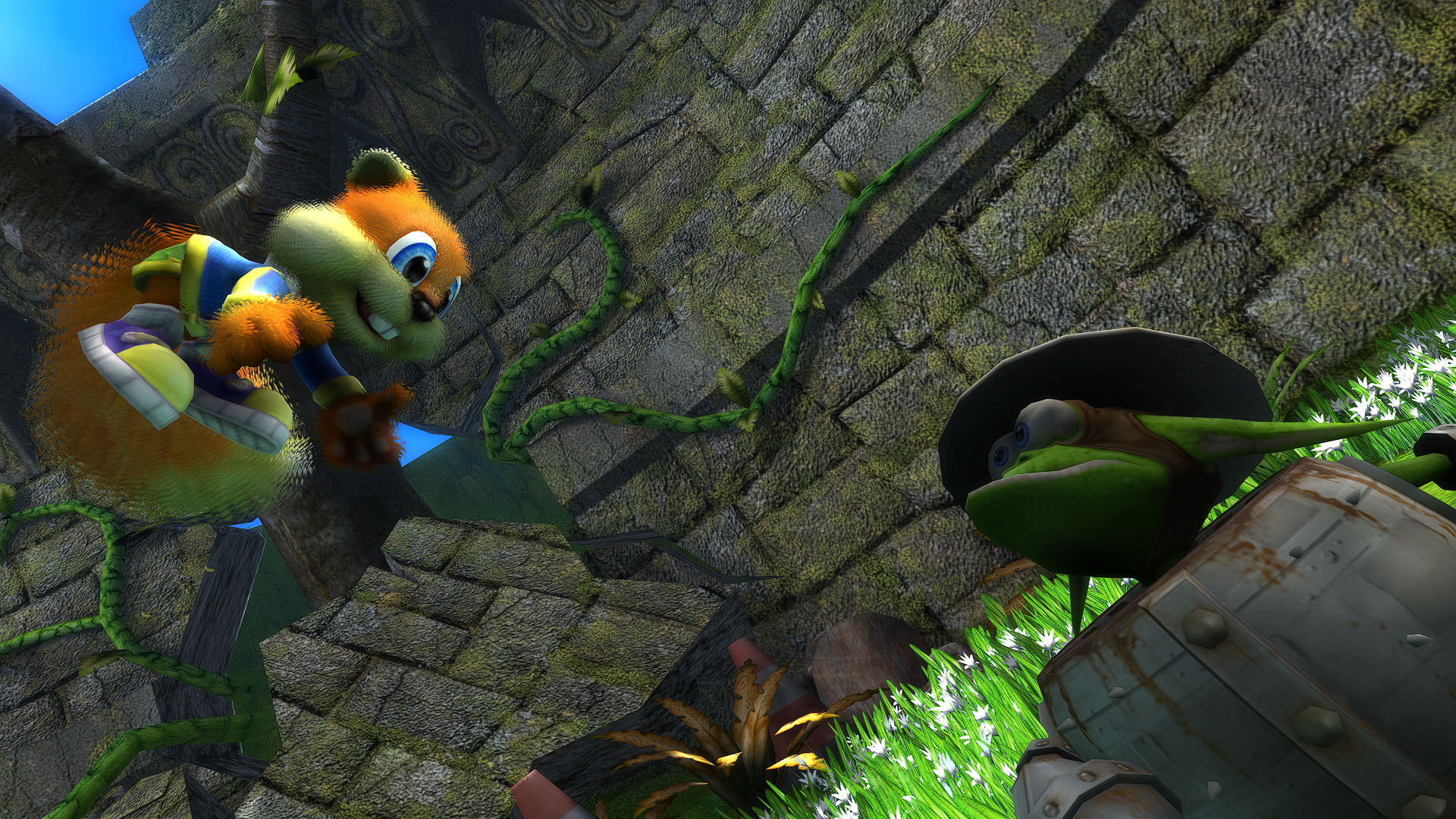
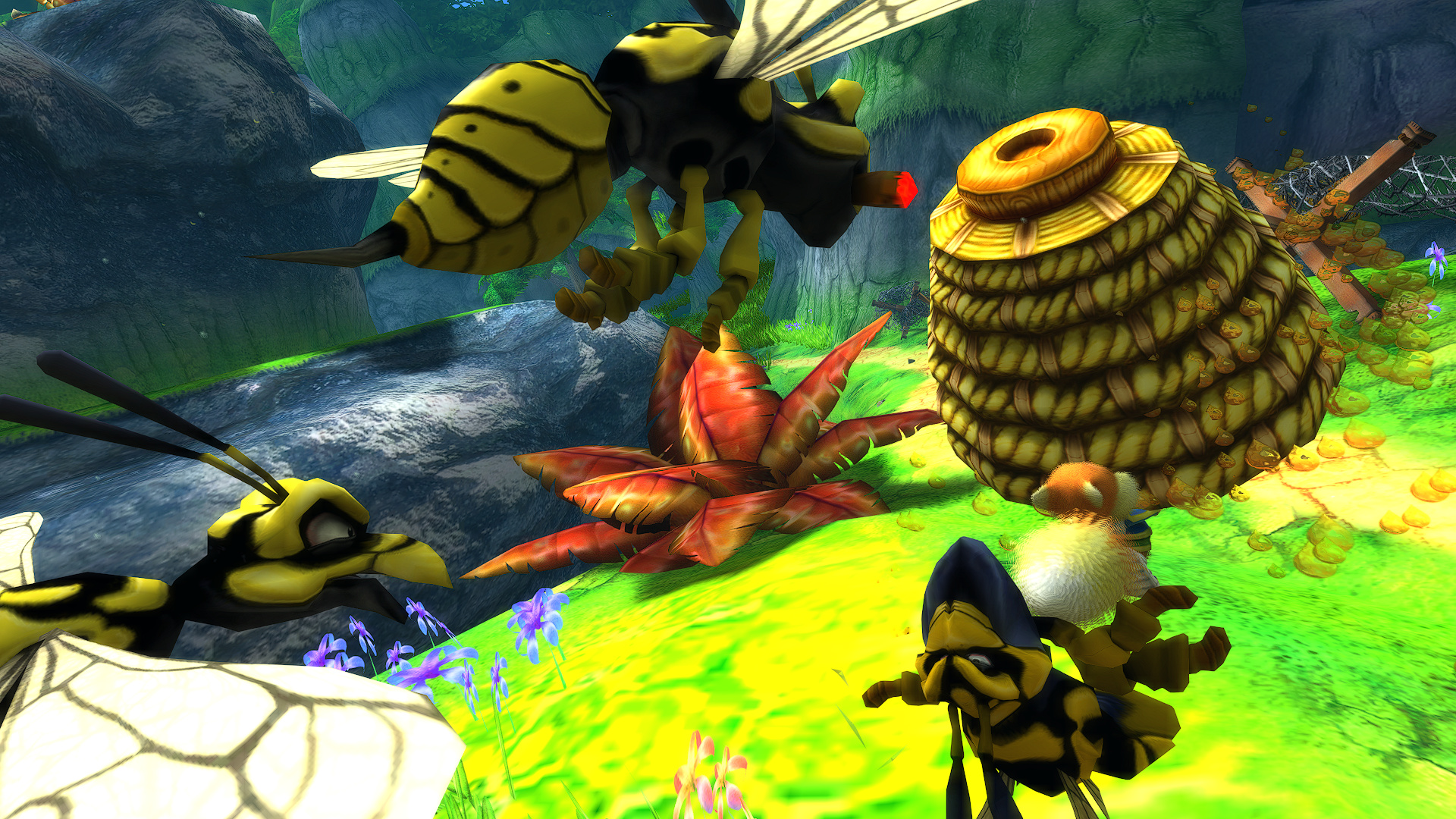
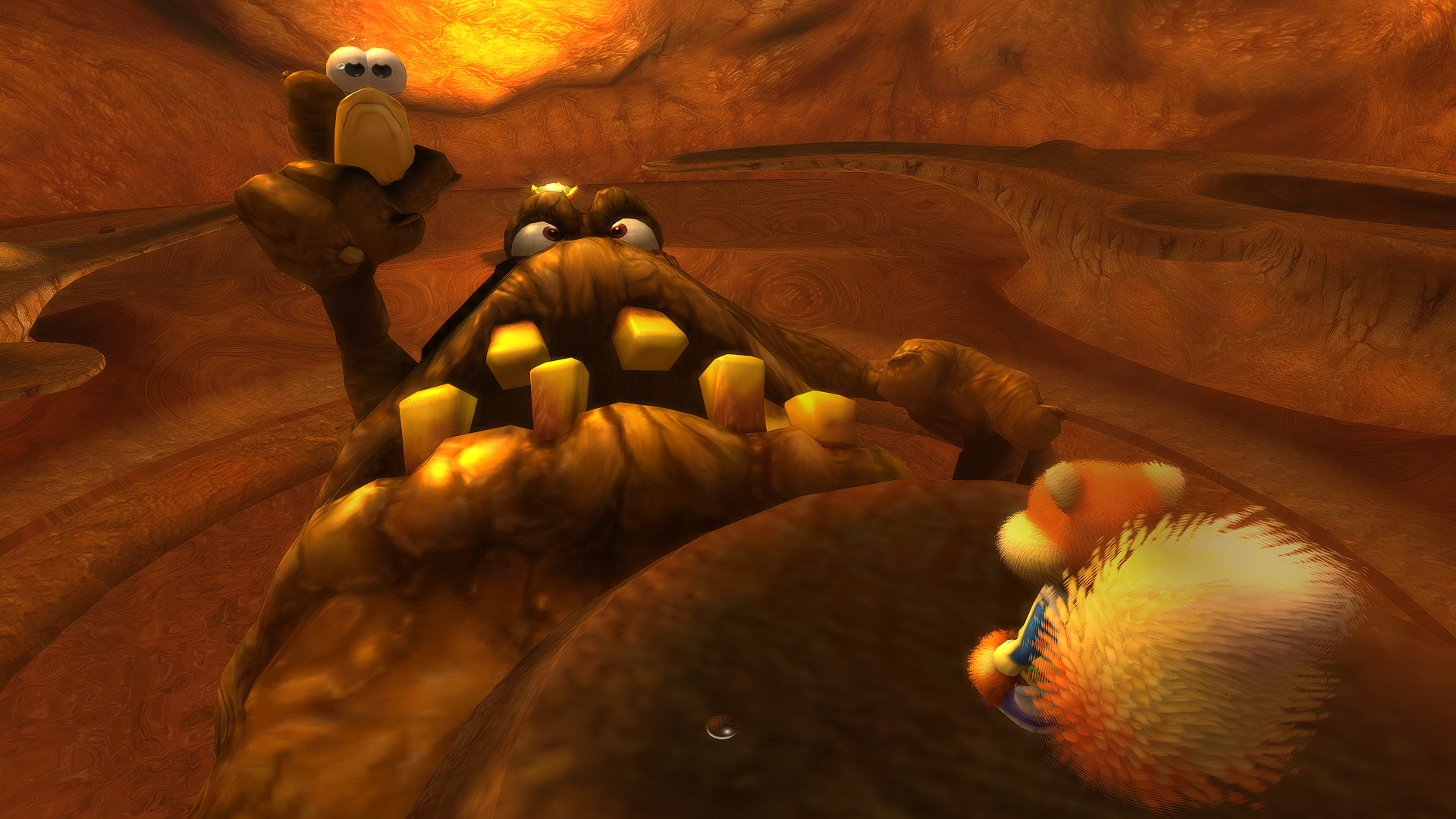
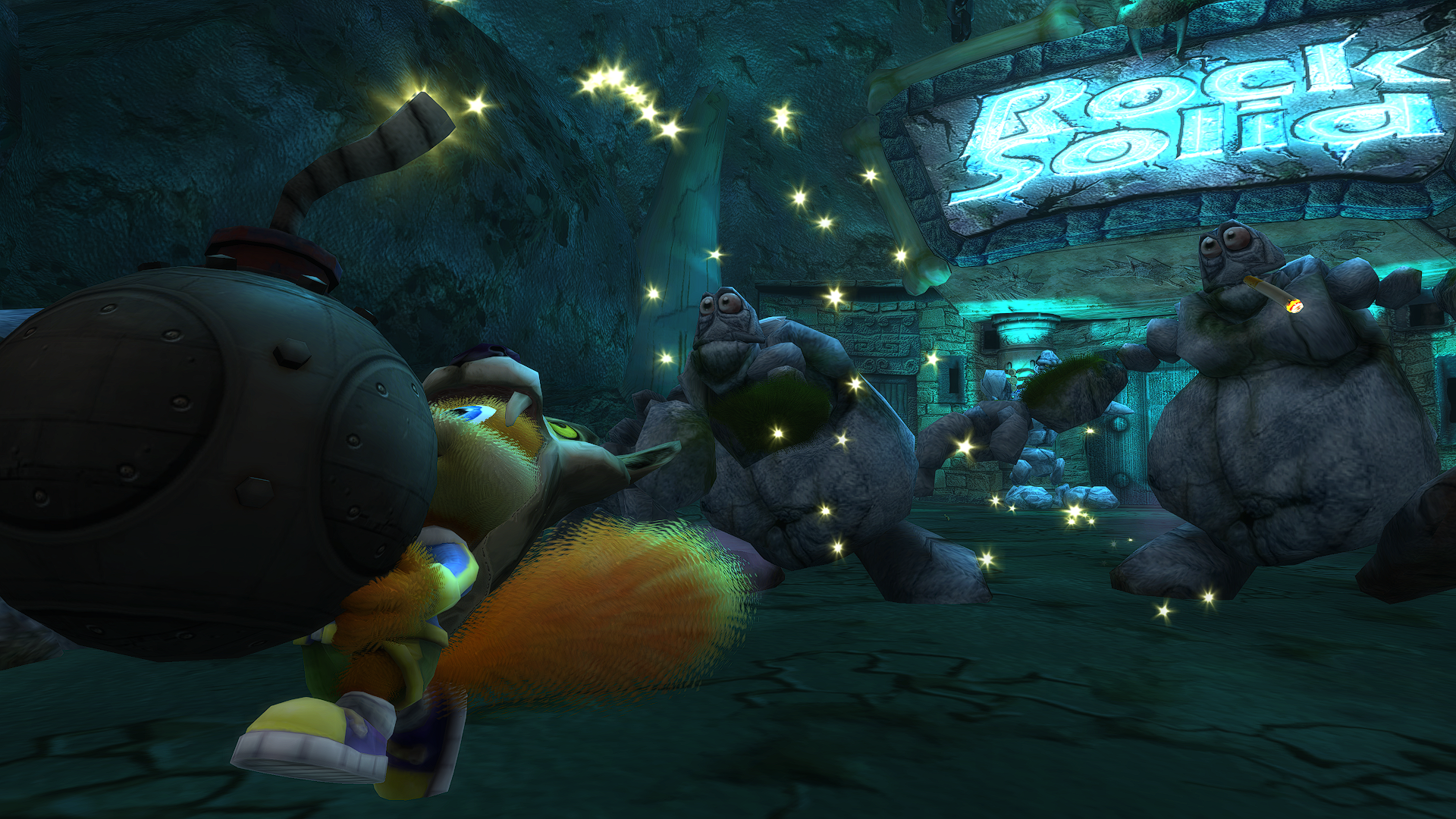
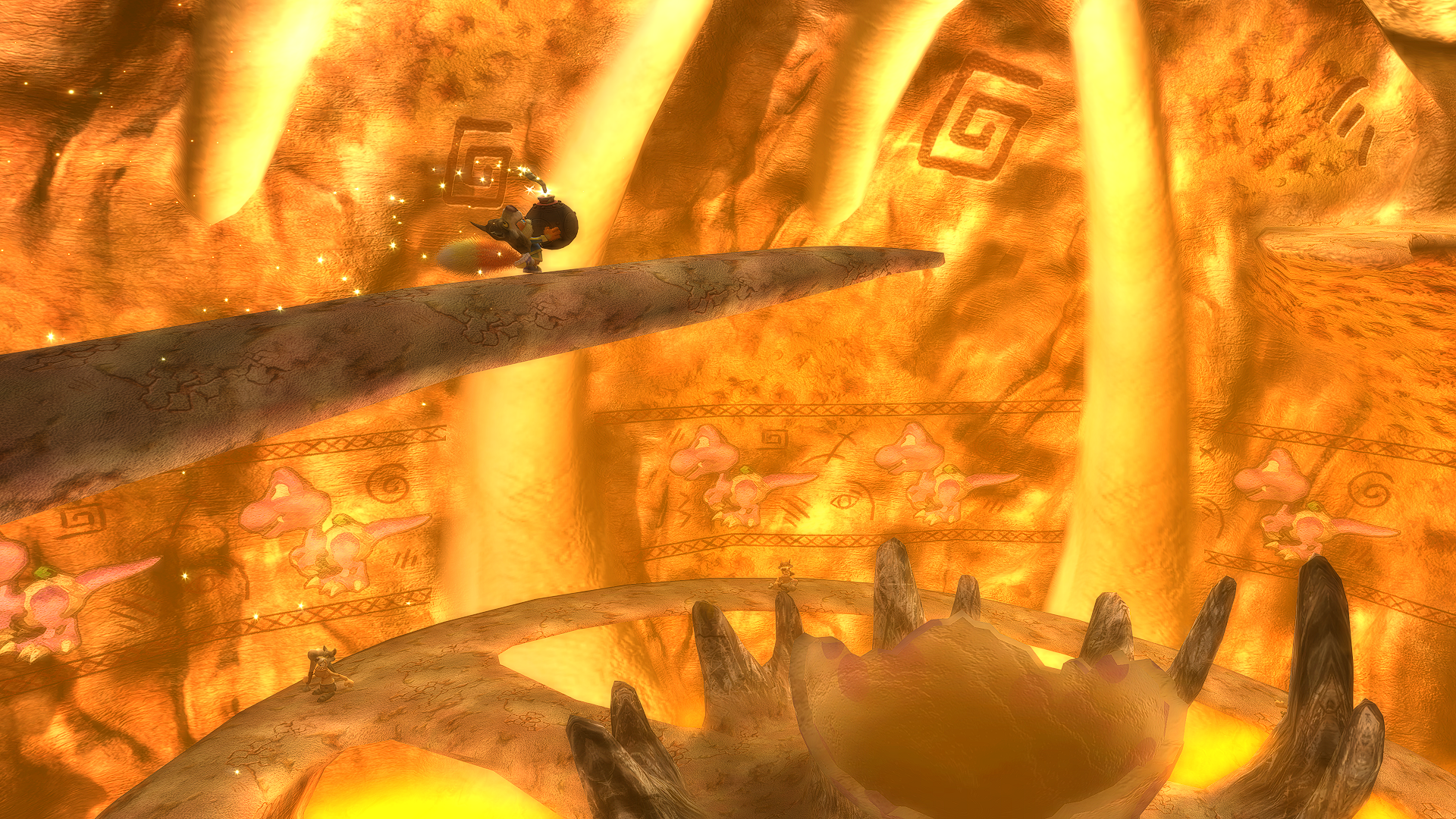
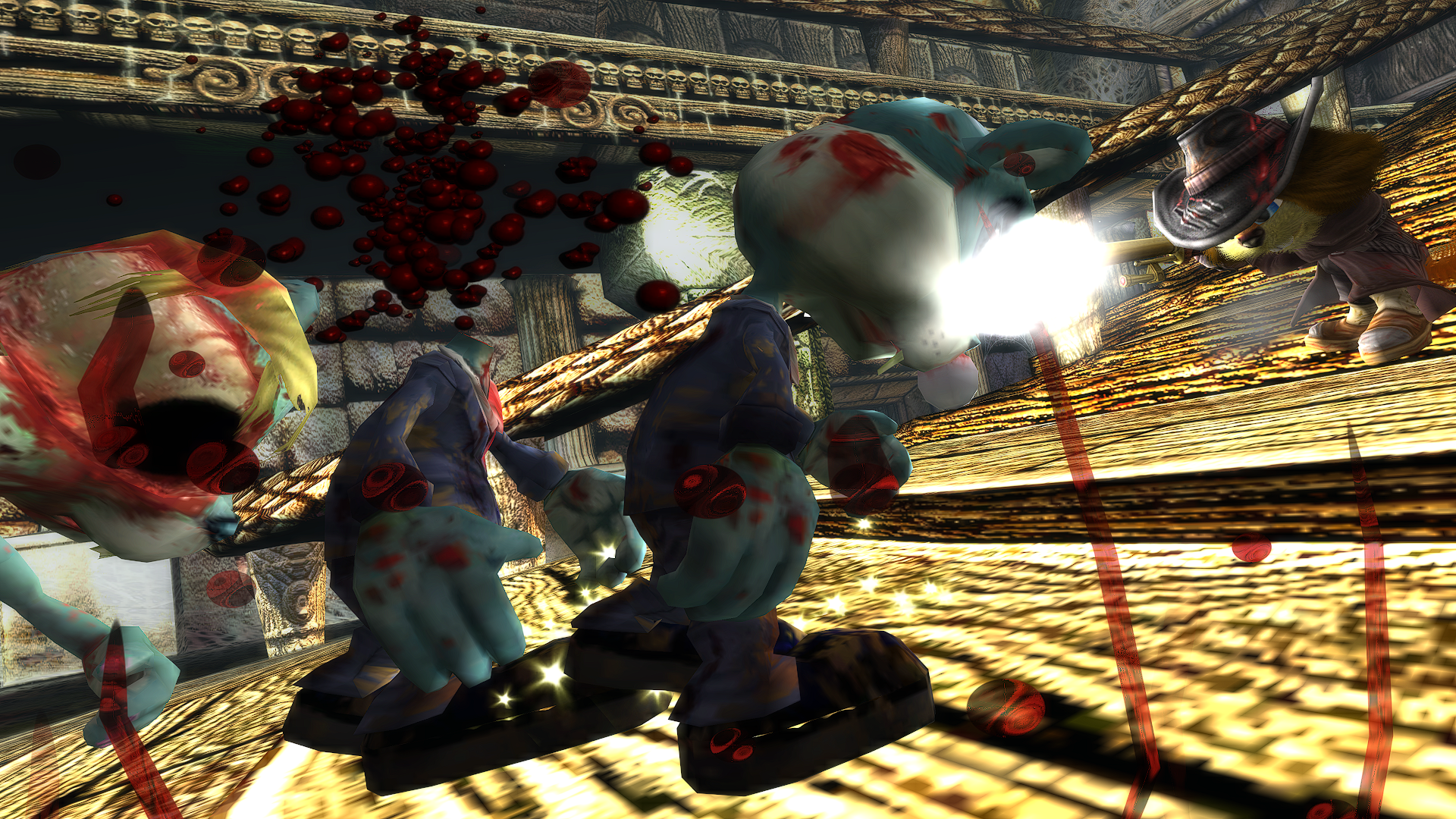
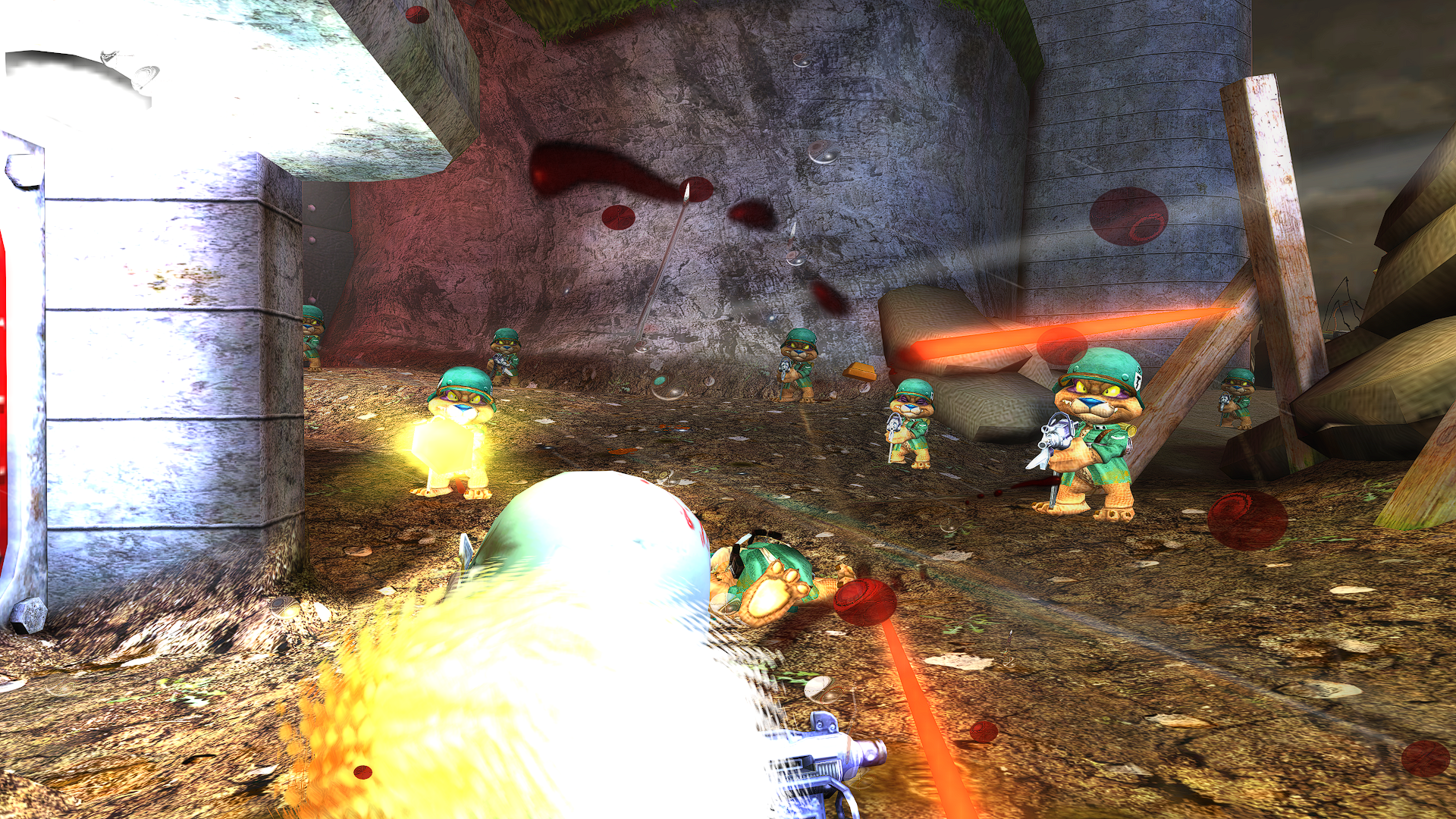
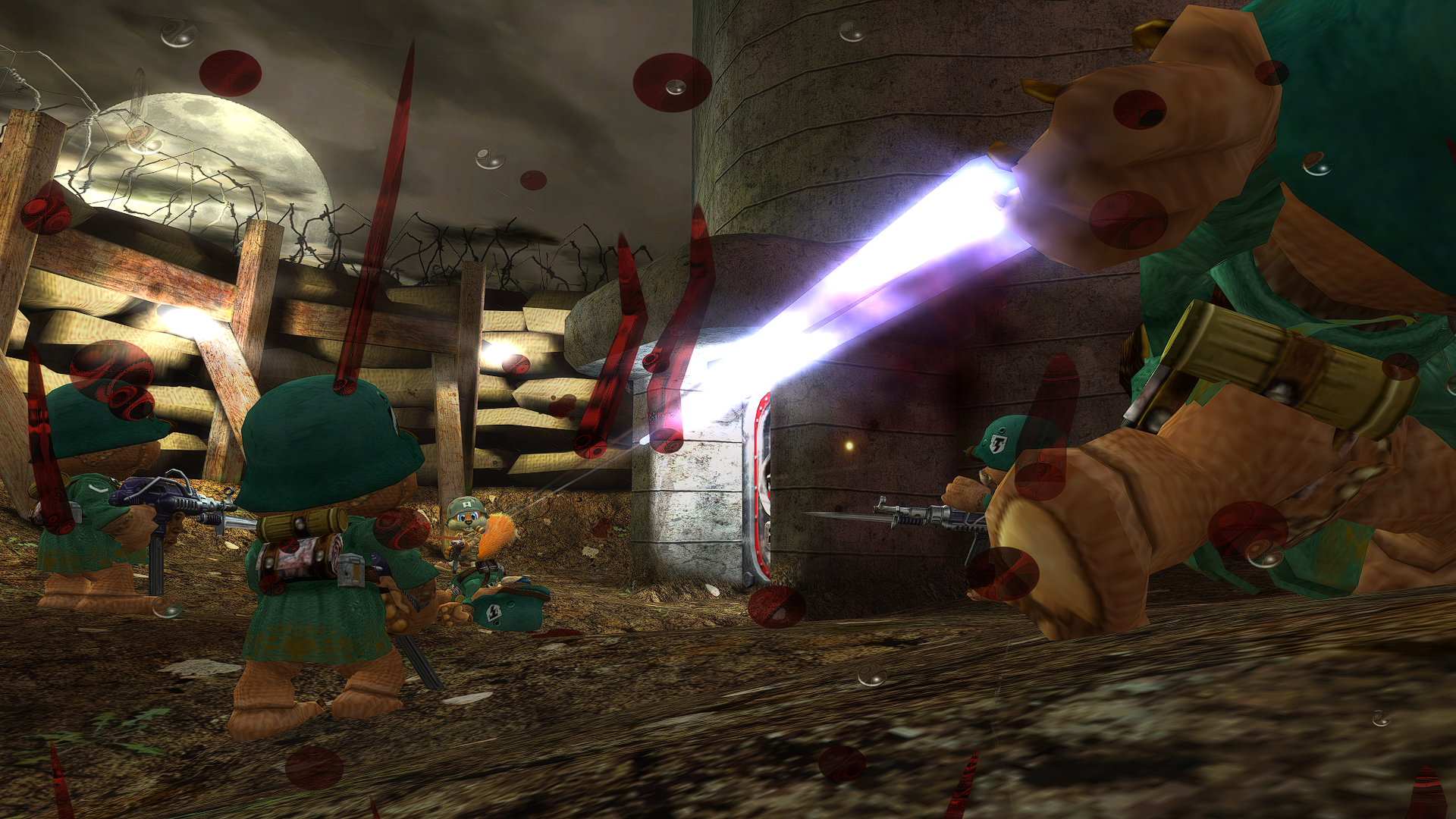
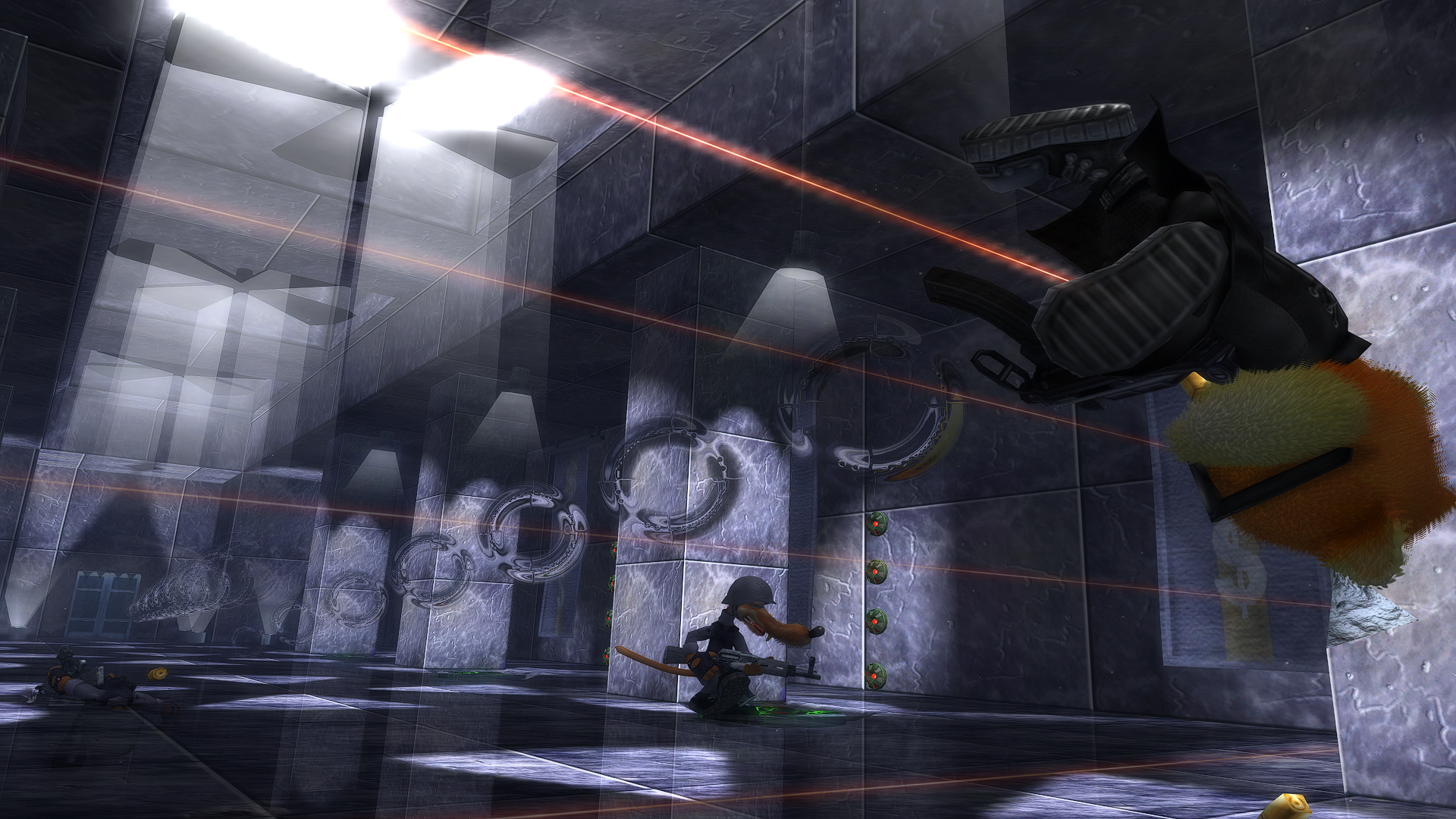
Taken with photo mode at 1920×1080.
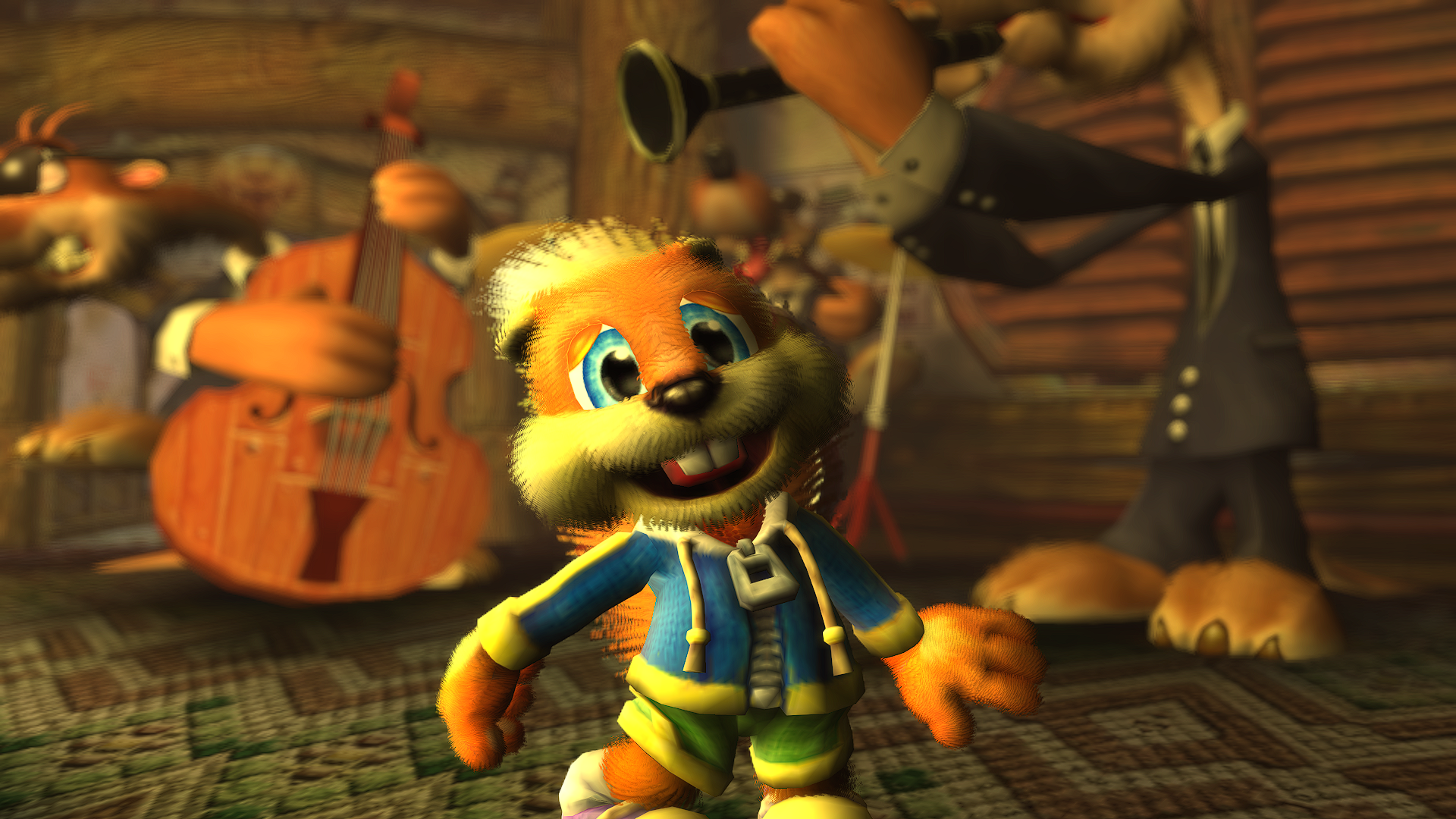 | 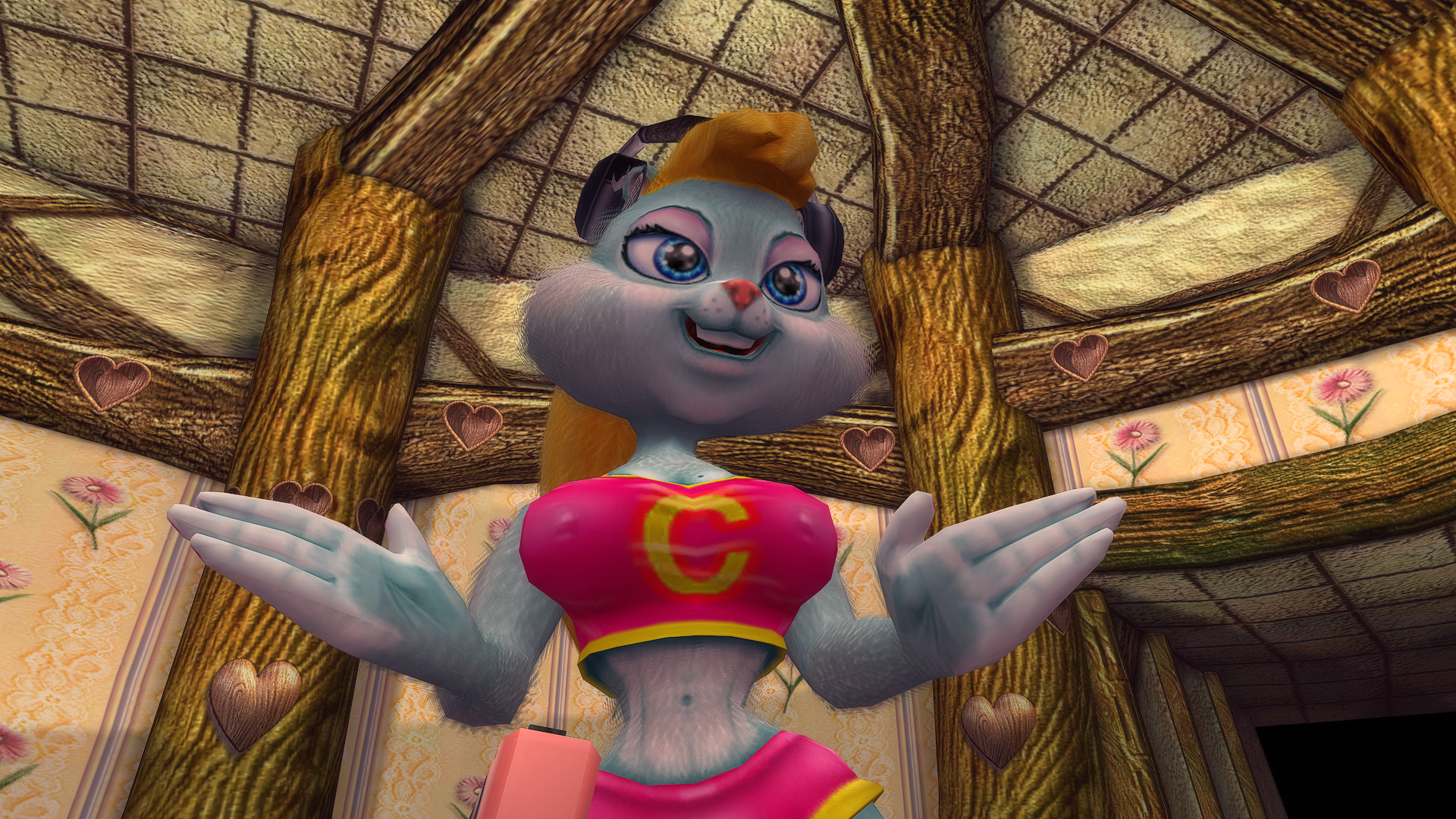 |
 |  |
 |  |
 |  |
 |  |