Conker: Recomped & Reloaded
Conker: Recomped & Reloaded is a native PC port of Conker: Live & Reloaded for Windows and Linux that includes enhanced graphics and online play.
- Type: PC port
- Game: Conker: Live & Reloaded
- Runs on Windows and Linux
- By Mabec Games
- Latest release v1.1, 2026-11-01
- Source: https://github.com/Mabec-games/Conker-Recomped-and-Reloaded
README
Mabec Games presents
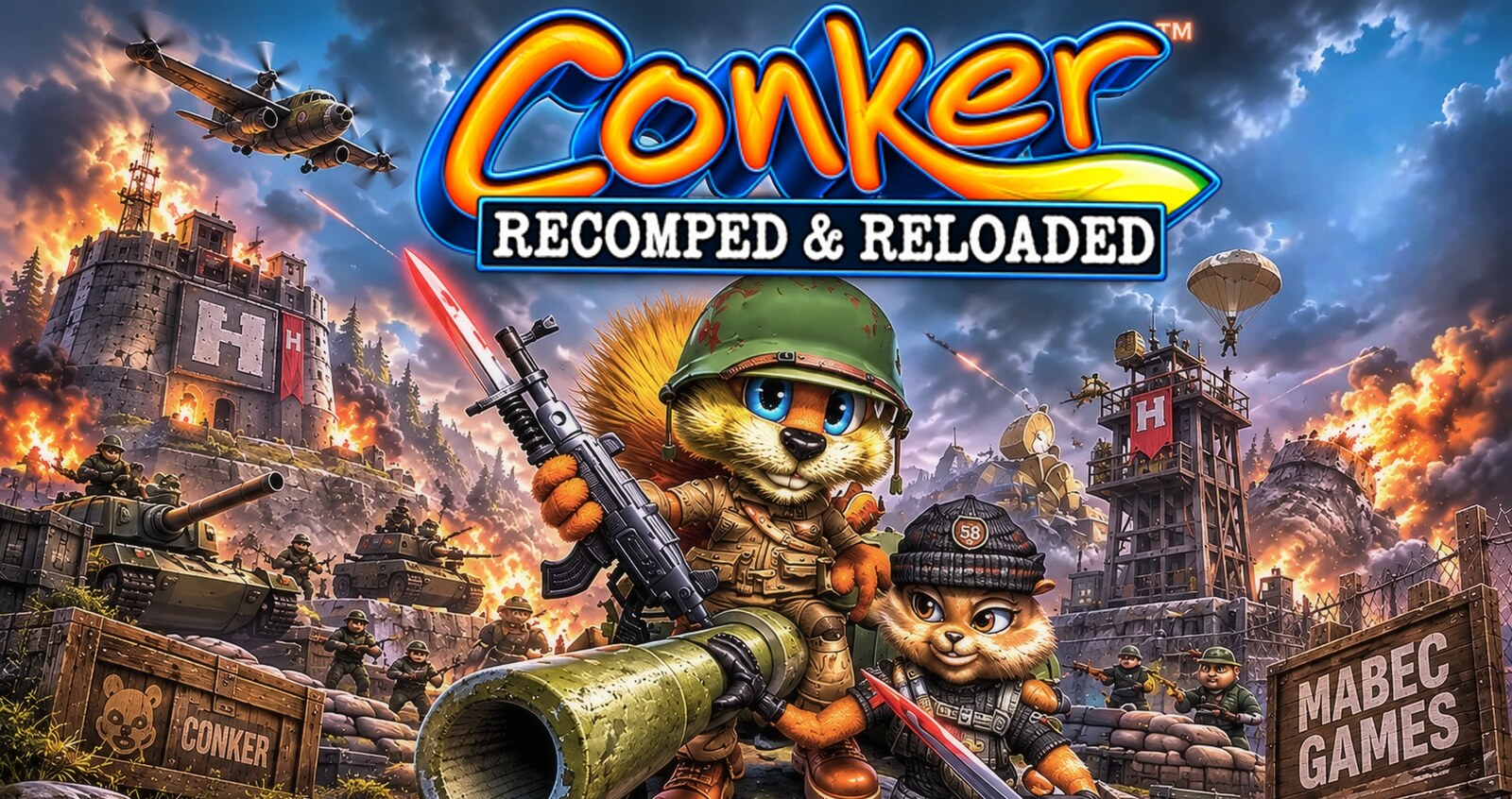
Conker: Live & Reloaded (Xbox, 2005), running natively on Linux and Windows.
A static recompilation with a launcher that builds the game from your own disc, enhanced graphics, and online play
with room codes.
Features · Enhanced cutscenes · Play online · Install · Controls · Known limitations · Credits
Version 1.0 · Linux x86_64 (AppImage) · Windows 10/11 x64 (portable zip) · GPL-3.0
Important
This is an unofficial, non-commercial fan project. It is not affiliated with or endorsed by Rare, Microsoft or Xbox Game Studios. No part of the game is included. You build it from your own copy of Conker: Live & Reloaded (original Xbox, USA).
What it is
Conker: Live & Reloaded was never released on PC. Live & Recompiled by giacomozama and TGP482 changes that: it translates the game's Xbox code into native code that runs directly on your PC, with a modern Vulkan renderer. There's no emulator.
Conker: Recomped & Reloaded is a launcher and a modified build of that port:
- It builds the game for you. On the first run you choose your disc image. The launcher extracts it and compiles the game on your PC in a few minutes, with the compiler included, so it works offline.
- Every setting lives in the launcher, not in menus inside the game: graphics, enhancements, audio, controls, online and mods.
- It adds online play with room codes, so friends can join your match over the internet.
- Everything stays in one folder, next to the AppImage or the launcher's
.exe. Nothing goes to hidden folders,%APPDATA%, the registry or system locations.
Features
Graphics
- Native widescreen at any aspect ratio (16:9, 16:10, 21:9, 32:9). Wider screens show more of the scene, with nothing stretched.
- Any resolution, fullscreen, borderless or windowed, with internal rendering from 25% to 400% (supersampling).
- 30 (original), 60, 120, 180 or 240 FPS, with V-Sync. Or Game logic at 30 (original timing): the game runs at the original 30 and the frames up to 60 or 120 are drawn in between, which avoids 60 fps bugs.
- MSAA up to 8×, SMAA, anisotropic filtering up to 16×, ambient occlusion, plus optional film grain and chromatic aberration.
Enhancements (each one can be turned off)
- Per-pixel lighting on characters and objects.
- Softer fur shading, and full fur at a distance.
- Characters and grass at full detail at every distance, and wind on distant grass.
- Dynamic water that ripples as things move through it, and a fix for the blur on reflective floors.
- Rope physics, and skippable cutscenes: press LT to skip any cutscene, even ones you haven't seen.
Controls
- Xbox, PlayStation and Switch controllers, with rumble and adjustable vibration strength.
- Keyboard and mouse with mouse look, and every key rebindable in the launcher.
- Up to 4 players in split screen on one PC, each with their own devices. Keyboards get a separate key set for multiplayer matches.
Online
- Host a room and share a 6-word room code. Friends join over the internet without typing any IP address. See Play online.
And also
- No in-game menus: on the main menu, Esc / Start / Back ask "Quit the game?" with Yes / No.
- No more Xbox Live hang: the dead Xbox Live sign-in can't be opened by accident.
- Optional decensor mod: the decensor mod is downloaded from its authors' latest release, checked against GitHub's checksum, and applied without touching your disc image. It's off by default.
- Logs you can share: the game's logs never contain IP addresses.
Enhanced cutscenes
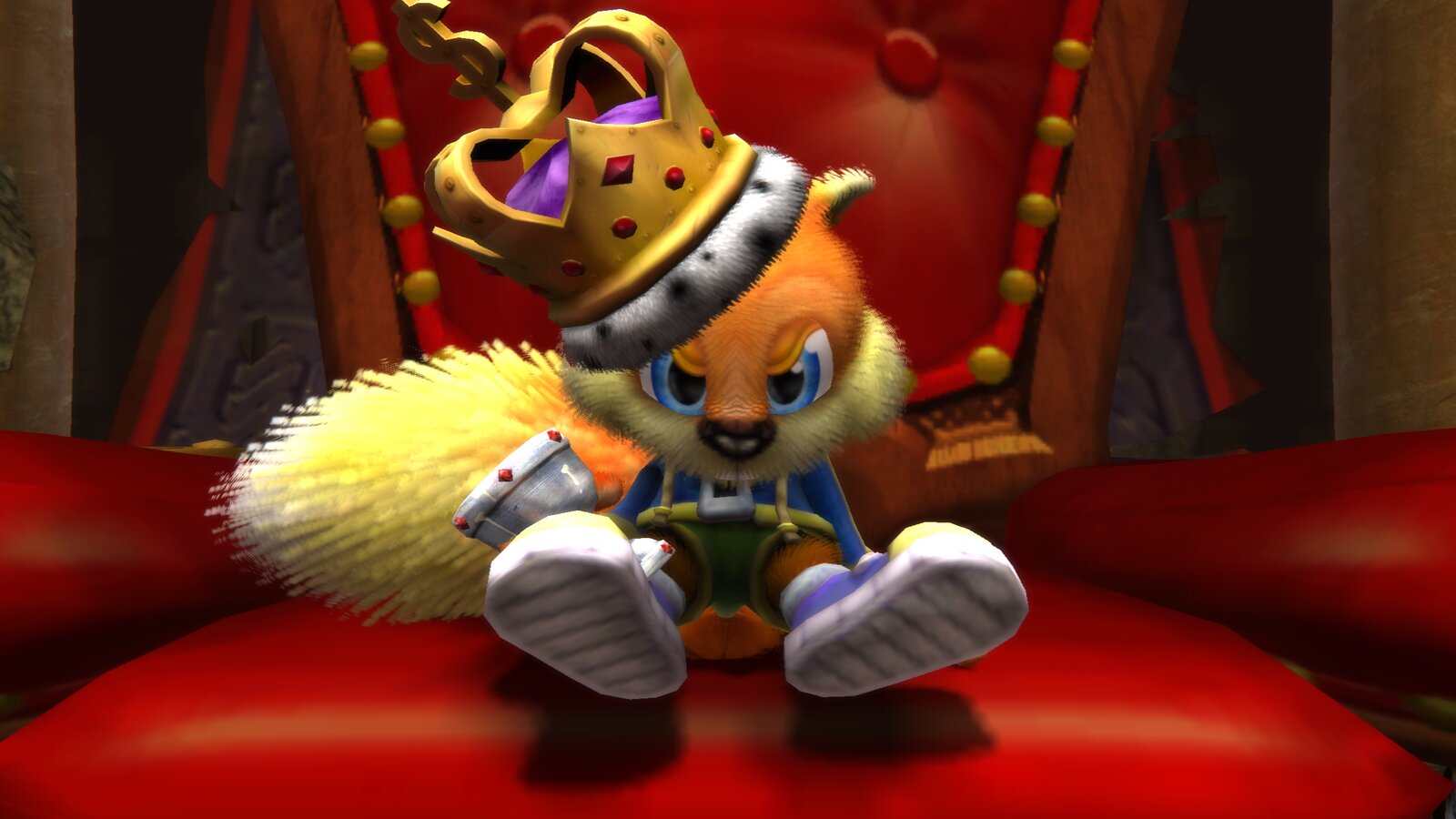
Cutscenes play at your resolution and frame rate, with the fur shading and per-pixel lighting enhancements. Turn on Skippable cutscenes to skip any of them with LT.
Play online
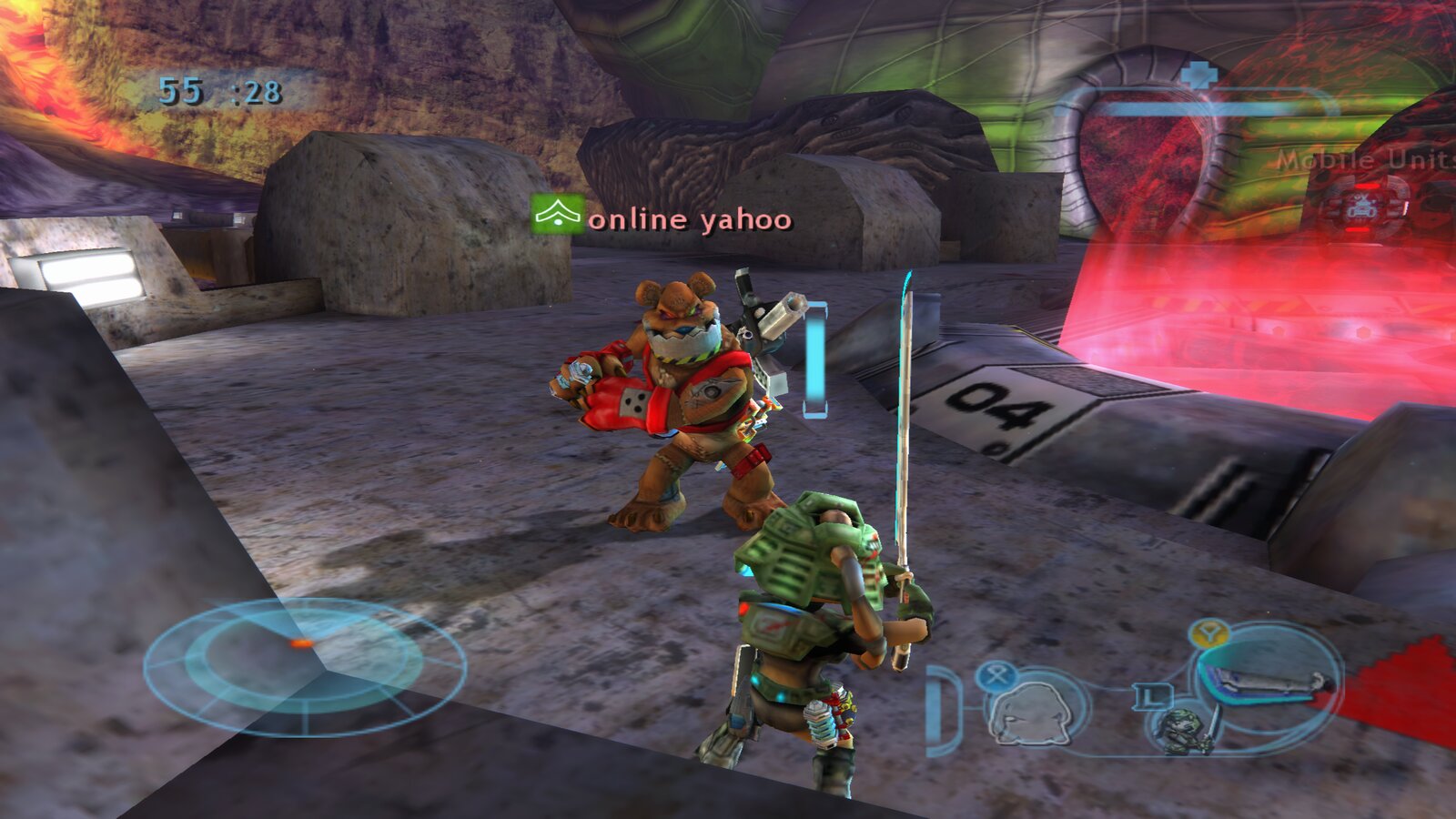
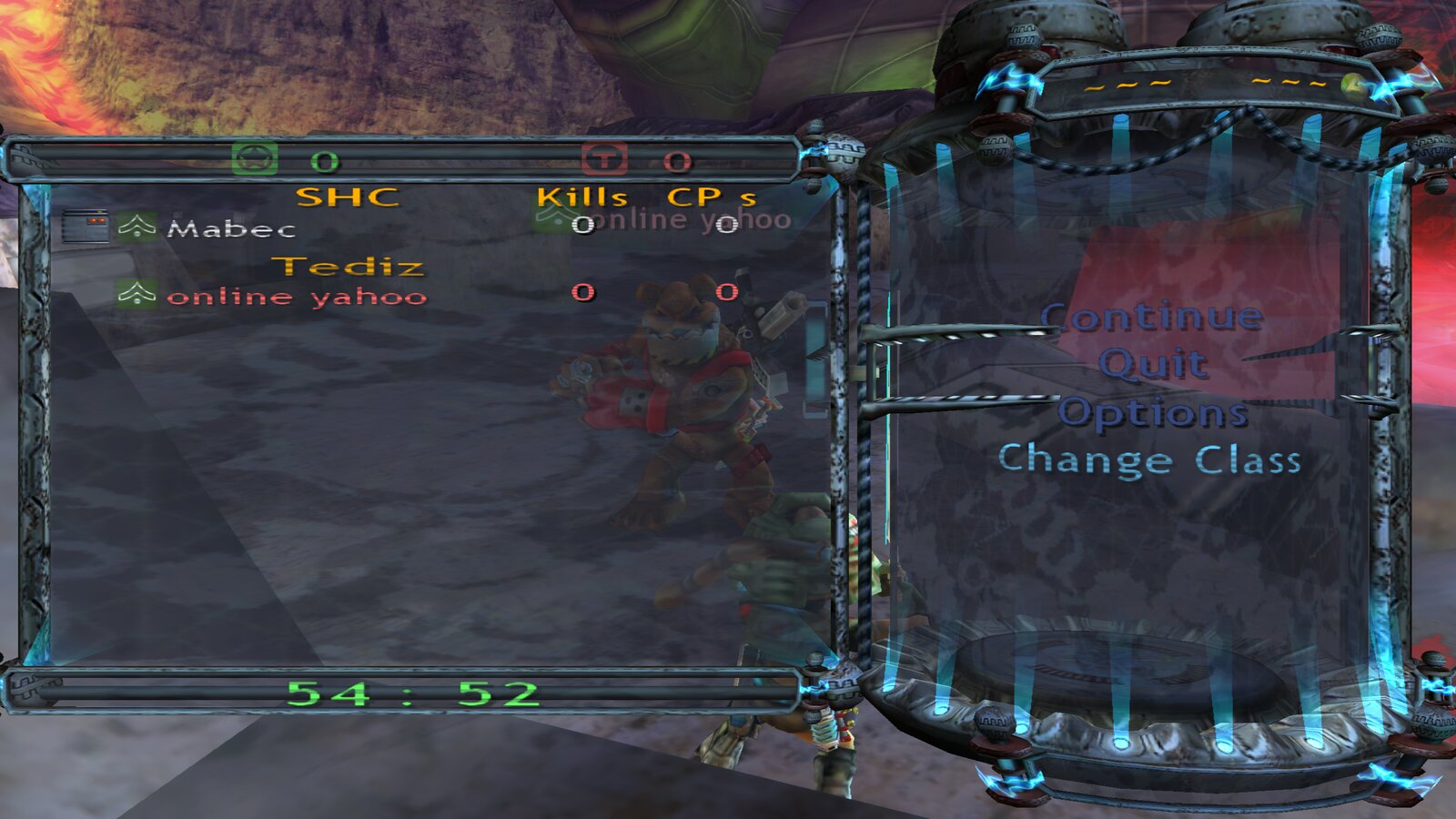
The game's own System Link mode, which was LAN only on the Xbox, now works over the internet. There's no server in between.
Host: in the launcher's Multiplayer tab, choose Host a room. The launcher asks your router to open UDP port
3074 (UPnP) and shows a 6-word code such as ELFISHLY-NINTENDO-SKULK-HUBCAP-ALMANAC-OLYMPICS. Copy it to your friends,
press Play, then choose Multiplayer → Online Play → Host in the game.
Join: choose Join a room, paste the code, press Play, then choose Multiplayer → Online Play → Play and pick the host's match.
On the same network: choose This network only. No code is needed, because games are found automatically.
How it works
- What's in the code: the host's public address, scrambled with a random 20-bit room key, plus a checksum. The key is new every time you host, or when you press New code, so the same address never gives the same code.
- The key is enforced by the game: the host's game only accepts players from the internet who have this room's key. An old or leaked code stops working as soon as the host makes a new one, and players on a different version are refused cleanly. Players on the host's own network don't need the key.
- Typos: each word is identified by its first three letters, so small typos still work, and a wrong word is caught 99.8% of the time.
- If your router doesn't support UPnP: the launcher tells you, and shows what to forward by hand (UDP 3074 to your PC). If your PC has a firewall, allow UDP 3074 too.
- Privacy: the code is scrambled, not encrypted. It keeps your IP off your screen and out of chat logs, but the players you invite connect to your IP and can see it, as in any peer-to-peer game. Share codes with people you trust.
- If you can't host from your connection: some providers share one public address between customers (CGNAT), and the launcher warns about it. A virtual LAN such as Tailscale or ZeroTier works instead: enter the host's VPN address under Advanced.
Tested so far: 2 players on two PCs, connected over the internet with a room code. The game's lobby allows up to 16
players, but 3 or more online players haven't been tested yet. If you try it, the game log
(game/logs/game.log) reports traffic every 30 seconds and refused players, without any addresses. Please share those
lines.
Hosting many players: as a rough guide, from Xbox-era games rather than measurements, plan on about 100–200 kbit/s of upload per player you host. That's 1.5–3 Mbit/s for 15 players. A wired connection and players close to you matter more than raw speed.
Everyone in a match needs the same version of Conker: Recomped & Reloaded.
Install
You need:
- Your own disc image: Conker: Live & Reloaded for the original Xbox, USA release, as an
.iso. Itsdefault.xbehas SHA-12232a1b3874d67b4bb4cf53a940420d2dab59535, and the launcher checks it for you. - Linux: x86_64 with glibc 2.34 or newer (Debian 12, Ubuntu 22.04, Fedora 35, current Arch, Bazzite and
newer), and FUSE 3 (
fusermount3), which is standard on current desktops. - Windows: Windows 10 or 11, 64-bit.
- A GPU with Vulkan 1.3, and about 8 GB free while setting up (about 5 GB afterwards).
- A controller is recommended for multiplayer menus (see Controls).
Download from Releases.
Linux
- Put
ConkerRecompedReloaded-x86_64.AppImagein a folder of its own, for example~/Games/ConkerRecompedReloaded/. Everything the game creates will live next to it. - Make it executable (
chmod +x ConkerRecompedReloaded-x86_64.AppImage, or tick Allow executing in its properties), then run it.
Windows
- Extract
ConkerRecompedReloaded-windows-x64.zipto a folder of your own, for exampleC:\Games\ConkerRecompedReloaded\, not Program Files, since the launcher writes next to itself. - Run
ConkerLauncher.exe. The launcher isn't code-signed, so Windows SmartScreen may warn the first time: choose More info → Run anyway.
Then, on both: 3. Choose your disc image and press Install. The launcher checks the disc, extracts it and builds the game, which takes a few minutes. Nothing is downloaded: the compiler comes with the launcher. 4. Press PLAY. The disc image is no longer needed.
The folder afterwards:
ConkerRecompedReloaded-x86_64.AppImage   (on Windows: ConkerLauncher.exe and its files)
launcher.ini          the launcher's preferences
game/                 the built game, settings.toml, saves (hdd/), logs/, shader caches, assets/ (your disc's files)
mods/                 the decensor mod, when turned on
Moving or deleting that one folder moves or removes everything. --play starts the game straight away, which is
handy for a desktop shortcut.
Updating: replace the AppImage (on Windows, extract the new zip over the old folder). When a new version brings new game code, the launcher offers to rebuild the game on its next start. That takes a few minutes, works offline, and keeps your settings and saves.
Controls
A controller works out of the box. On a keyboard, the default keys are:
| Controller | Key | Controller | Key |
|---|---|---|---|
| Left stick | W A S D | Right stick (camera) | mouse, or arrow keys |
| A (jump, confirm) | Space | B (back, cancel) | E or right mouse button |
| X | R | Y | Tab |
| LB (white) | T | RB (black) | K |
| LT | Q or middle mouse button | RT (fire) | Left Ctrl or left mouse button |
| Start (pause) | Enter or Esc | Back | Backspace |
| D-pad | 1 2 3 4 | Stick clicks | Left Shift, Left Alt |
Rebind any of them in Controls, separately for single player and multiplayer matches.
Known limitations
- Keyboard in multiplayer menus: some screens (class or team selection) don't respond to mouse clicks, and the on-screen hints show controller buttons. Use Space for A and E for B, or a controller.
- Instant death on the barn roof (Barn Boys) with 60 fps game logic: a known upstream bug (#1, live-and-recompiled#2). Tick Graphics → Game logic at 30 (original timing) for that part: the game runs at the original 30 while 60 or 120 frames a second are still shown, and Conker survives the roof.
- 3+ online players: untested so far (see Play online).
- Windows is new: the launcher, the bundled compiler and the build kit pass automated tests on Windows, but full installs have been played on Linux so far. Reports from Windows players are very welcome.
- When hosting on Windows: Windows Defender Firewall asks whether the game may use the network the first time. Allow it on private networks, or friends can't connect.
- Supported disc: the USA disc image only.
Reporting bugs
Open an issue and include:
- what happened and where (chapter and area), and whether it happens every time
- a video or screenshot if you can
- your system: Linux distribution or Windows version, and your graphics card
- your launcher settings, especially Frame rate: some bugs only happen at 60 fps and above, so please say whether the bug still happens at 30
- the game's log
Everything stays in the folder you installed into, on both Linux and Windows:
| What | Where |
|---|---|
| Game log | game/logs/game.log |
| Crash dumps (if the game crashed) | game/CrashDumps/ |
| Game settings | game/settings.toml |
| Launcher settings | launcher.ini |
On Windows, the same paths use backslashes (game\logs\game.log).
Copy the log before you start the game again: each start replaces it. The log has no IP addresses, but it does show the folder the game is installed in, which can include your user name. Edit that out before attaching if you like.
Building from source
git clone --recurse-submodules https://github.com/Mabec-games/Conker-Recomped-and-Reloaded
cd Conker-Recomped-and-Reloaded
# the game's build kit, from the live-and-recompiled submodule (launcher branch); it needs your extracted disc in
# live-and-recompiled/assets/ (see that project's BUILDING.md)
(cd live-and-recompiled && tools/package.sh)
# the launcher (Qt 6 Widgets and Network, libarchive; toml++ and miniupnpc are fetched by CMake)
cmake -S . -B build -G Ninja -DCMAKE_BUILD_TYPE=Release && cmake --build build
tools/make-appimage.sh      # dist/ConkerRecompedReloaded-x86_64.AppImage, with the compiler and licences inside
On Windows (Visual Studio 2022, Qt 6 for MSVC, vcpkg): tools\make-windows.ps1 -Kit <folder with setup-windows.exe>
makes dist\ConkerRecompedReloaded-windows-x64.zip. The release builds come from GitHub Actions
(.github/workflows/build.yml): the AppImage is built on Ubuntu 22.04, the zip on Windows, and both are smoke-tested
on Debian 12, Ubuntu 22.04 and 24.04, Fedora 44, Arch and Windows before they're attached to a release. The build
kits they include come from the kit-* releases of the game fork, since making a kit needs the disc.
Tests: tests/online_tool codes (room codes), and tests/xnet_wire_test.cpp in the submodule (the online packet rules).
Credits
This rests on the work of many people. Thank you all.
| Live & Recompiled, the native port | giacomozama, with TGP482: giacomozama/live-and-recompiled |
| Xbox XBE Recomp, the recompiler and runtime | TGP482, with Joshhhuaaa: TGP482/XboxXBERecomp |
| Decensor mod | nastys (Italian, French), Vaani (English), Theconker64 (Spanish): nastys/conker-live-and-reloaded-decensor |
| References for the Xbox hardware | xemu and Cxbx-Reloaded |
| Information about the game's code | the ConkerXbox60FPSWidescreen patch |
| Launcher, online rooms, AppImage, artwork | Mabec Games |
| Conker: Live & Reloaded | Rare / Microsoft Game Studios |
The launcher is built with Qt 6, libarchive, toml++ and miniupnpc. It ships the Zig compiler (with LLVM) to build the game, uses the EFF Short Wordlist for room codes, and is packaged with linuxdeploy. Every project, author and licence is listed in CREDITS.md, and the full licence texts are in the launcher (Launcher → About and credits → Licence texts).
Source: the launcher is this repository (GPL-3.0). The game it builds is
Mabec-games/live-and-recompiled, branch
launcher (GPL-3.0), included here as a submodule.
Legal
Conker, Conker: Live & Reloaded and Xbox are trademarks of their respective owners. This project contains no game code or assets, and you must use your own legally obtained copy. It's offered as is, without warranty, under the GPL-3.0.