conker-3D-stereo
conker-3D-stereo is a PC port of Conker's Bad Fur Day that adds stereoscopic 3D display options.
- Type: PC port
- Game: Conker's Bad Fur Day
- Runs on Windows
- By agrofubris
- Latest release v0.1.4-stereo, 2026-11-17
- Source: https://github.com/agrofubris/conker-3d-stereo
README
Conker's Bad Fur Day 3D Stereo
Conker's Bad Fur Day (N64, 2001) playable on PC in stereoscopic 3D: side-by-side (half and full), top-and-bottom, cross-view, interlaced (normal and reversed), and Leia SR lenticular panels. It's agrofubris's 3D edition of sciaschi's native port, CBFD-Recompiled, with a true per-eye renderer: each eye gets its own camera, not a shifted copy of a flat picture. The optional Leia SR loader ships in the zip; without the SR Platform installed the mode falls back to side-by-side.
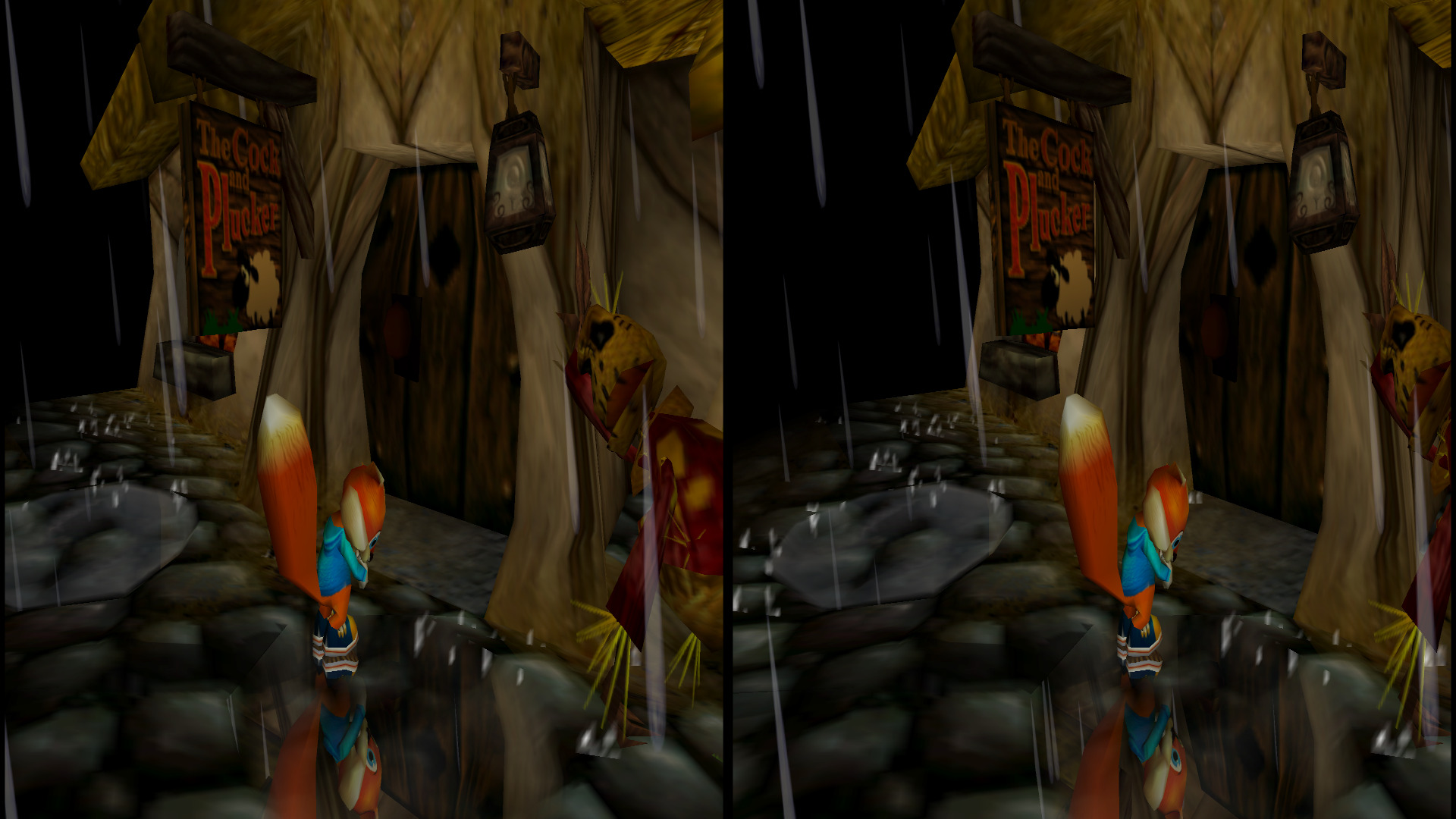
Outside the Cock and Plucker. Half side by side, left eye on the left: view it on a 3D display, in a VR viewer set to half SBS, or with the parallel free-viewing method. More below.
Note
Unofficial fan project. Not affiliated with or endorsed by Rare, Microsoft, Nintendo or Leia. No game data is included or distributed: you need your own US ROM of the game. See 3D credits.
Important
Made almost entirely with AI. Nearly all of the 3D code, debugging and documentation in this build is written by an AI (Anthropic's Claude, through Claude Code), directed, tested and reviewed by a human, agrofubris. If you don't trust code written by AI, you can simply ignore this project. As with anything on the internet, you run it at your own discretion.
Screenshots
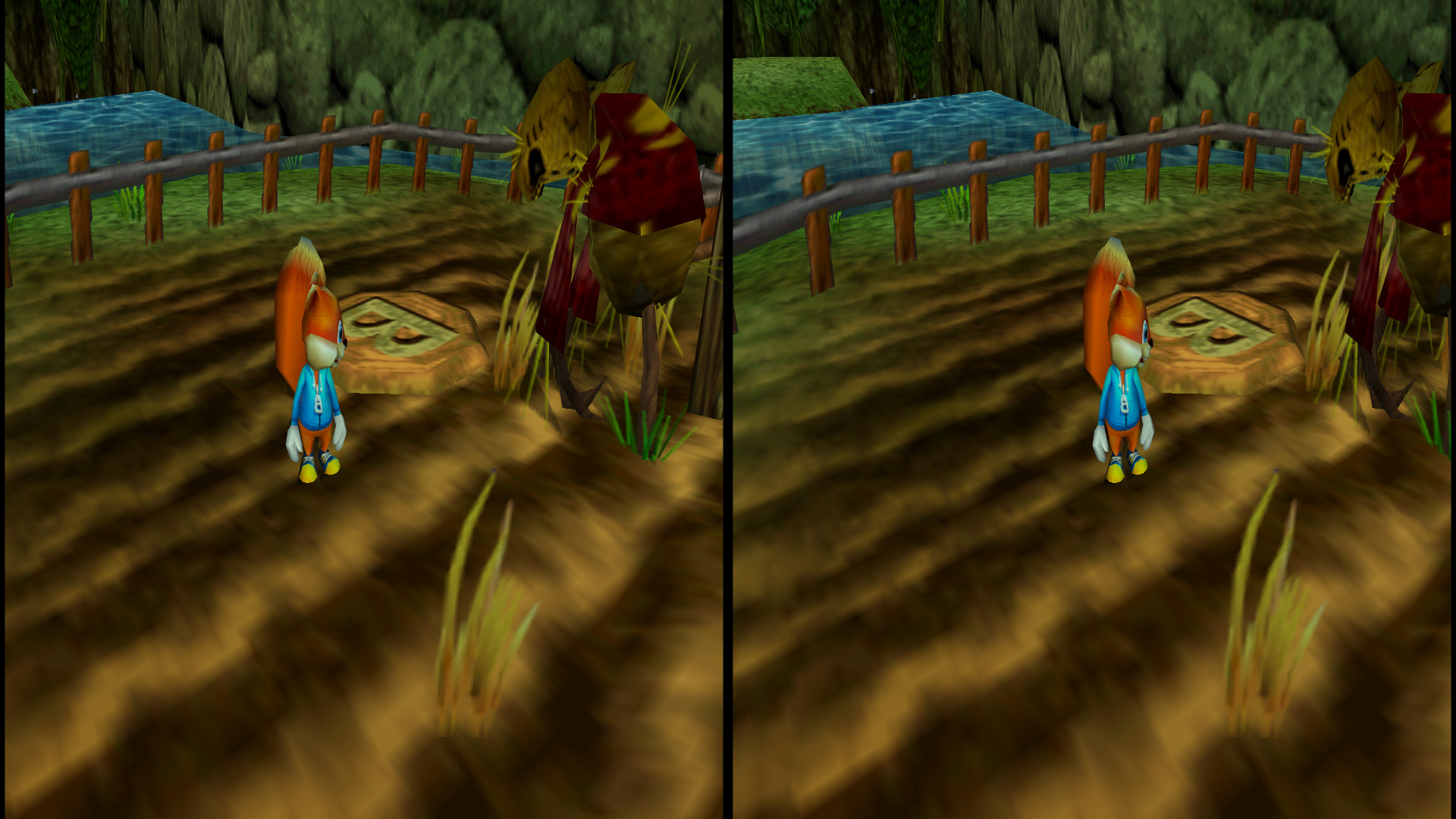
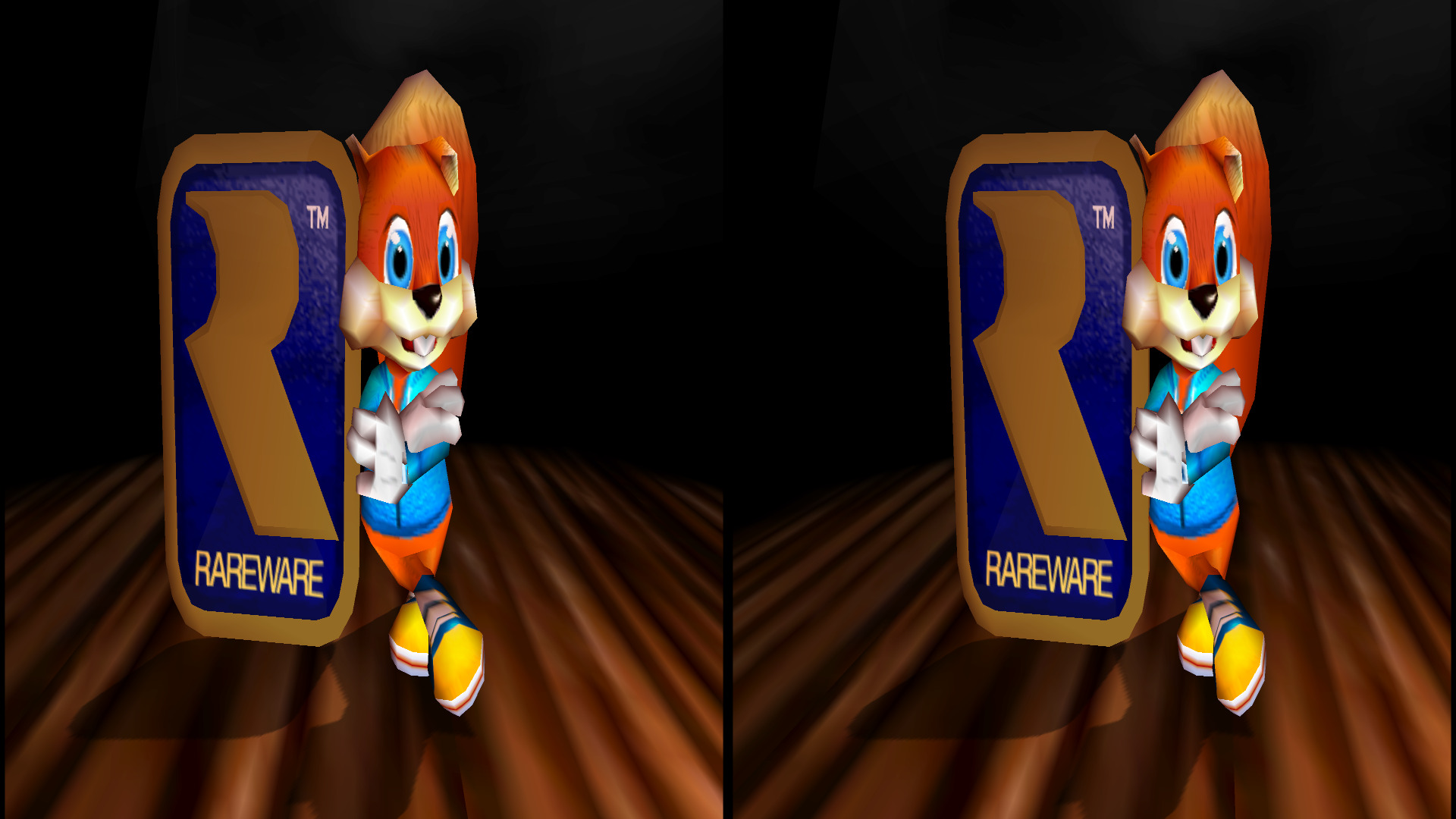
Half side by side (each eye squeezed into its half), left eye on the left. Captured at 1920 x 1080, 15 % separation, with Auto Convergence on.
Play in 3 steps (Windows)
- Download the latest
conker-3d-stereo-*-win.zipfrom Releases and unzip it anywhere you can write to. - Run
ConkerRecomp.exe. The first time, the launcher asks for your ROM: pick your own US.z64of Conker's Bad Fur Day. It's checked and remembered. - Pick your display format under Settings > Graphics > 3D Stereo, then Start Game.
If Windows says VCRUNTIME140.dll or MSVCP140.dll is missing, install
Microsoft's Visual C++ Redistributable (x64).
Displays
| Display | 3D Stereo mode |
|---|---|
| Passive (polarised, row-interlaced) monitor | Interlaced or Interlaced rev., whichever gives correct depth with your glasses |
| 3D TV / projector, side-by-side | Side by side |
| 32:9 window (3840 x 1080), or a VR viewer set to full SBS | Side by side (full) |
| 3D TV / projector, top-and-bottom | Top and bottom |
| Leia SR glasses-free panel | Leia SR (glasses-free) |
| Cross-eye free viewing | Cross-eye (X-view) |
Side by side, top and bottom and cross-eye are the half formats: each eye is rendered at the screen's shape and squeezed into its half, and the display stretches it back. Side by side (full) gives each eye a whole half of the window at its own shape instead: a 3840 x 1080 window shows two full 16:9 eyes. While a menu is open in any of these modes, the menu is shown flat in both halves so it stays readable and clickable.
In a VR headset's virtual screen, start with a much lower Stereo Separation (about 2 %): the screen is huge, so the default 5 % puts distant things further apart than your eyes.
Depth
Parallax follows 3D Vision: parallax = Separation × (1 − Convergence / distance).
- Stereo Separation (0–40 %): how far apart distant objects are, as a percentage of the screen width. Most glasses-based displays look best under 10 %; Leia SR panels want much more.
- Stereo Convergence (game units): the distance that sits on the screen plane. Nearer things pop out, farther ones recede.
- Auto Convergence (off by default): on each camera cut, sets the convergence once for the new shot so close-ups don't pop out too far. It never changes during a shot and never goes past your Stereo Convergence.
- HUD Depth (−100 to 100 %, 0 by default): lifts the HUD and the game's other 2D overlays off the screen plane. Positive brings them out toward you; at 100 % they stand as far in front of the screen as the background is behind it. Fades and other full-screen effects stay on the screen.
- 3D Gamma (1.00–2.00): brightens the picture for the light 3D glasses take away; around 1.20 to 1.30 suits most passive displays.
While playing, Ctrl + arrows adjust separation (left/right) and convergence (up/down), Ctrl + Page Up/Page Down the HUD depth, and Alt instead of Ctrl takes bigger steps.
The game's sparks, smoke and other screen-space sprites get the depth of what they belong to, and shadows sit on the ground in both eyes. Anti-aliasing (MSAA) turns itself off while a 3D mode is on.
Leia SR
Set Graphics API to D3D12 (Auto almost always picks it, but falls back to
Vulkan on a few GPUs, and the weave needs D3D12), and install Leia's SR
Platform. Without either, the mode presents a plain side-by-side picture
instead, with no missing-DLL popups.
Not yet verified on an SR panel. Reports are very welcome: start the game
with leia_test.cmd (next to the executable), which logs the run to
leia-log.txt, and attach that file. leia_test.cmd noweave shows the plain
side-by-side pair, to tell a weave problem apart from everything else.
Known limits
- Each eye renders the whole frame, so 3D costs about twice the GPU time of 2D. If it stutters, lower the resolution first.
- 3D builds are Windows only for now. The code builds on Linux and macOS as the regular port does (Leia SR is Windows only), but those builds haven't been tried in 3D. On macOS, Auto Convergence keeps the slider's convergence.
Tested on an NVIDIA GeForce RTX 3080, on both D3D12 and Vulkan. Not tested yet: AMD and Intel graphics cards, and a real Leia SR panel. Reports are very welcome in the issues.
3D credits
The port:
- sciaschi and contributors — CBFD-Recompiled, the port this build is based on (see Credits below for everything it builds on).
The 3D edition:
- agrofubris — the stereoscopic 3D: the per-eye renderer, the sprite, shadow and HUD depth, Auto Convergence, the 3D settings and the Leia SR output; direction, testing and review.
- oneup03 — RT64 3D, whose stereo rendering and Leia SR implementation this follows, and testing and feedback.
- bo3b — SR-lib, the Simulated Reality wrapper used for the optional D3D12 weave.
- The Leia SR loader follows the Leia work of kandowontu2 and agrofubris in their other ports.
- Claude (Anthropic), through Claude Code — code, debugging and documentation, under agrofubris's direction.
Licence: MIT, the same as the port (see LICENSE), covering the code only: it grants no rights in the game or its data. The 3D edition's changes are © 2026 agrofubris, under the same licence. Conker's Bad Fur Day is © Rare Ltd.; this project is not affiliated with Rare, Microsoft, Nintendo or Leia.
About the port
Everything below is the README of CBFD-Recompiled, the port this build is based on. Links about building point to this repository, which builds the 3D version.
A native PC port of Conker's Bad Fur Day (N64, US version). It's built by statically recompiling the game with N64Recomp, starting from the Conker decompilation. It runs on N64ModernRuntime and is rendered by RT64.
This repository contains no game data. You need your own legally obtained copy of the US ROM. Everything from the game is extracted from that ROM on your machine during the build.
Download
The 3D builds (Windows) are on this repository's Releases page.
Ready-to-play builds of the regular port for Windows, Linux and macOS (Apple
Silicon, macOS 15 or later) are on
CBFD-Recompiled's Releases page.
Unpack one anywhere, run ConkerRecomp, and pick your US ROM in the launcher the
first time. The packages contain no game data: you still need your own ROM. The
macOS app isn't signed with an Apple developer ID, so the first time, open it and
then choose Open Anyway in System Settings > Privacy & Security. To build it
yourself instead, read on.
Features
- Runs natively on Windows (Direct3D 12 or Vulkan), Linux (Vulkan) and macOS (Metal), rendered by RT64. Supports higher resolutions, widescreen, stereoscopic 3D (side by side, half or full, cross-eye, top and bottom, interlaced, and Leia SR panels on Windows with Direct3D 12) with automatic convergence, anti-aliasing and high frame-rate presentation.
- Game controllers and keyboard, with remappable controls and rumble.
- Full audio: music, sound effects and the voice acting.
- Saving (EEPROM), stored per user.
- A launcher with settings, controls and a mod menu (RecompFrontend, as in Zelda 64: Recompiled and Banjo: Recompiled).
- Mod support (
.nrmmods: function patches and hooks). Three mods are included: Skip Intro, Skip Any Cutscene and Cheats.
Status
The game is playable, and has been played through to the end. Known issues:
- Widescreen: the pause menu's blurred background is the 4:3 frame stretched to the full width, so it is slightly distorted horizontally (it has no widescreen content to show).
- Environment-mapped (reflective) surfaces render without their reflection texture.
- Frame rates above 30: characters snap once when the game changes how many parts it draws them with, a few times a minute, and the camera can blend across a cut.
- Only the US ROM is supported (and ROM hacks that only change its assets: see ROM hacks).
- Linux: the build and the game have been tested on Ubuntu 24.04 under WSL, with software Vulkan (llvmpipe) and sound. It hasn't been played on Linux with a real GPU driver yet, so reports are welcome, especially about performance or audio (under WSL the sound crackles while the software renderer loads the CPU).
- macOS: the build has been tested on an Apple M3 Pro with macOS 27 and Xcode 27, and the game starts and runs with Metal. It hasn't been played through on macOS yet, and Intel Macs haven't been tried.
If the game crashes on Windows, a report is written to crash.log next to the
executable and shown in a message box. On Linux and macOS, the crash report is printed
to the terminal. Please include it when reporting a problem.
What you need to build it
- The US ROM of Conker's Bad Fur Day in big-endian
.z64format, with SHA-14cbadd3c4e0729dec46af64ad018050eada4f47a. It is never committed: the build extracts what it needs from your copy. - A folder path without an apostrophe (
') to clone into. Some of RT64's build steps break on one.
Then follow the guide for your system: Windows, Linux or macOS. Each is one command once the tools are installed. The first full build takes a while, because the recompiled game is a lot of C code.
Building on Windows
Windows 10 or 11 (x64). Everything builds natively; build.cmd does all of it.
1. Install the tools (once)
- Git for Windows.
- Python 3. In the installer, tick Add python.exe to PATH.
- Visual Studio 2022 or later with the Desktop development with C++ workload. The free Build Tools for Visual Studio edition is enough.
2. Get the code and build
In a Command Prompt, in the folder you want it in (for example D:\Games), with
the path to your ROM:
git clone --recursive https://github.com/agrofubris/conker-3d-stereo.git
cd conker-3d-stereo
build.cmd "C:\path\to\your\conker.z64"
The first build takes a while. When it's done, the game is
host\build-win\ConkerRecomp.exe (see Playing).
Updating
git pull
build.cmd
The script updates the submodules and their patches, and only rebuilds what changed.
Building on Linux
Tested on Ubuntu 24.04 (x86-64). You need a Vulkan driver: Mesa's, which most distributions install by default, or NVIDIA's.
git clone --recursive https://github.com/agrofubris/conker-3d-stereo.git
cd conker-3d-stereo
./build.sh ~/path/to/your/conker.z64
On Ubuntu and Debian, the script lists the packages it's missing and offers to
install them. On other distributions, install the equivalents of git python3 cmake ninja-build clang pkg-config libsdl2-dev libdbus-1-dev libfreetype-dev
yourself. When it's done, run host/build/ConkerRecomp (see Playing).
To update: git pull, then ./build.sh again.
Building on macOS
macOS on Apple Silicon or Intel. The game renders with Metal. build.sh does all
of it, as on Linux.
1. Install the tools (once)
- Xcode, from the App Store. The Command Line Tools alone aren't enough: RT64
compiles its shaders with Xcode's Metal compiler. Open Xcode once to finish its
setup. If
xcode-select -pdoesn't print a path insideXcode.app, runsudo xcode-select -s /Applications/Xcode.app. - Homebrew.
- Optionally, for building mods:
brew install llvm(Apple's clang can't compile for the N64's MIPS processor).
2. Get the code and build
In Terminal, in the folder you want it in, with the path to your ROM:
git clone --recursive https://github.com/agrofubris/conker-3d-stereo.git
cd conker-3d-stereo
./build.sh ~/path/to/your/conker.z64
Put the ROM's path in quotes if it has spaces or an apostrophe, for example
./build.sh "$HOME/Downloads/Conker's Bad Fur Day (USA).z64".
The first build takes a while. If some tools are missing, the script lists the
Homebrew packages (cmake ninja pkg-config sdl2 freetype) and offers to install
them. It also offers to download Xcode's Metal Toolchain (about 850 MB), which
Xcode 26 and later install separately. When it's done, the game is
host/build/ConkerRecomp (see Playing).
To turn it into a standalone ConkerRecomp.app that runs without Homebrew (as the
release workflow does), run sh host/package_macos.sh after brew install dylibbundler. The app ends up in host/build/.
Updating
git pull
./build.sh
The script updates the submodules and their patches, and only rebuilds what changed.
What the build does
build.sh holds the full sequence, if you'd rather run the steps yourself:
- Checks your ROM (copied to
conker/baserom.us.z64) and applies the patches inrecomp/to N64Recomp, N64ModernRuntime and RT64. - Builds N64Recomp.
- Runs
recomp/recompile.py, which unpacks the game's code from your ROM and recompiles it intoRecompiledFuncs/. Which functions there are, and where, comes fromrecomp/conker.us.syms.toml: names, addresses and sizes, but no code. The code itself only ever comes from your ROM. - Builds the game (
host/) with CMake.
Working on the decompilation
recomp/conker.us.syms.toml (and mods/syms/) are generated from the
decompilation in conker/, which needs its own Linux tools: IDO, which runs
through the MIPS binutils, and the Python packages in requirements.txt. On
Linux, macOS, or in WSL on Windows, ./build.sh --decomp builds the decompilation
too, checks that it rebuilds your ROM's code byte for byte, and regenerates those
files from it (recomp/run.sh). The decompilation is a work in progress: about 9%
of the code is C so far, and the rest is still the original assembly.
On macOS, --decomp also needs coreutils and mips-linux-gnu-binutils from
Homebrew (the script offers to install them). The decompilation comes with two
Linux programs, the IDO compiler and a patched gzip that compresses exactly as the
original game's did, so the script puts macOS replacements in tools/macos/:
IDO's macOS build from
ido-static-recomp, and GNU gzip
1.10 built with the same one-line change.
Playing
Run host/build/ConkerRecomp (Linux and macOS) or host\build-win\ConkerRecomp.exe
(Windows). The first time, pick Load ROM in the launcher and select your ROM
(the same baserom.us.z64 works). After that it's remembered, so just choose
Start Game.
- Settings (in the launcher, or Esc / the controller's menu button in game) has graphics (resolution, aspect ratio, anti-aliasing, frame rate, 3D stereo modes with separation, convergence, auto convergence, HUD depth and 3D gamma), controls, sound and mod options.
- Saves, settings and the stored ROM live in
~/.config/ConkerRecompiledon Linux,~/Library/Application Support/ConkerRecompiledon macOS and%LOCALAPPDATA%\ConkerRecompiledon Windows. Put an emptyportable.txtnext to the executable to keep them there instead. - Default keyboard controls: move with WASD, A = Space, B = Left Shift, Z = Q, L = E, R = R, Start = Enter, C buttons = arrow keys, D-pad = IJKL. Everything can be remapped in Controls.
ROM hacks
A ROM hack that only changes the game's assets (its audio, textures, models or text), such as an uncensored patch that restores the bleeped words, plays like the US ROM. The recompiled code only comes from the ROM's code, which has to be the US ROM's, so hacks that change the game's code are refused.
The launcher's Version option says which ROM is in play, with its region (for
example Version: US Original or Version: US Uncensored), and so does the
window's title. Add ROM loads another: pick the hack's .z64, and it's put in
play. After that, selecting Version switches between the ROMs you've loaded. Other
regions' ROMs (such as the European one) are refused, with a message naming the
region. Each is kept in rom_versions/ in the data
folder (64 MB apiece). Saves are shared between them.
Mods
Mods are .nrm files. Install one by copying it into the mods folder of the
data folder above (or dropping it onto the Mods menu), then enable it in the
Mods menu. Some mods have options there too.
Each release has the included mods built, in its Mods zip (the same .nrm
files work on every system). Their source is in mods/. Build one on Linux, macOS
(which also needs brew install llvm lld, as Apple's clang can't compile for MIPS)
or in WSL, from the repository root, after recomp/run.sh. It links with ld.lld
(sudo apt install lld), or GNU ld (mips-linux-gnu-ld) where there's none, but
GNU ld can't link a mod that calls the game's functions, such as Skip Intro:
sh mods/build_mod.sh mods/skip_cutscenes
The .nrm ends up in the mod's build/ folder.
- Skip Intro (
mods/skip_intro): boots straight to the main menu, skipping the notices, logos and the chainsaw opening. - Skip Any Cutscene (
mods/skip_cutscenes): L skips a cutscene even the first time you see it. An option also allows skipping the ones the game never lets you skip. - Cheats (
mods/cheats): infinite health, infinite lives and a full wallet, each toggled in the mod's options.
Writing your own is covered in recomp/README.md.
How it works
recomp/README.md documents the whole pipeline:
- how the decomp's ELF is prepared for N64Recomp (
recomp/prepare_elf.py); - the recompiler configuration and hooks (`