ConkerBFDReloaded
ConkerBFDReloaded is a native PC port of Conker's Bad Fur Day that offers modern graphics, widescreen, and free camera controls.
- Type: PC port
- Game: Conker's Bad Fur Day
- Runs on Windows and Linux
- By dahmedvall95
- Latest release v1.2.0, 2026-10-02
- Source: https://github.com/DahSidiAbdallah/ConkerBFDReloaded
README
Conker's Bad Fur Day: Reloaded
Conker's Bad Fur Day running natively on PC. It isn't an emulator: the original N64 game was statically recompiled with N64Recomp into a real Windows (and Linux) program, so it runs at full speed with modern graphics, widescreen and proper mouse and controller support.
I wanted two things out of this. First, a version of Conker that feels at home on a modern PC: widescreen with no black bars, a smooth frame rate, a free camera, sharper graphics. Second, for anyone who just wants to play it the way it was in 2001, a Classic mode that stays as close to the N64 as possible, only cleaner. One click on the Conker tab switches between the two, and you can mix and match anything in between.
You need your own copy of the game. No game files are included. You'll need the US ROM
(Conker's Bad Fur Day (USA).z64, SHA-1 4cbadd3c4e0729dec46af64ad018050eada4f47a).
Getting started
- Grab the latest build from the Releases page: the
Windows.zipor theLinux.tar.gz. - Unzip it anywhere and run
ConkerBFDReloaded(.exeon Windows). - The first time, it asks for your ROM. After that it remembers it. (To use another one later, such as the uncensored ROM hack, use ROM in the launcher.)
- Open the settings, go to the Conker tab and pick Classic or Modern.
That's it. Your settings and saves live in %LOCALAPPDATA%\ConkerBFDReloaded on Windows and in
~/.config/ConkerBFDReloaded on Linux.
Got a save from an emulator? An N64 EEPROM save (a .eep from Project64, for example) works as it
is: copy it into the saves folder there as conker.n64.us.1.0.bin, replacing the one that's
there (back that one up first).
Windows: Windows 10 or 11, 64-bit, with a graphics card that supports DirectX 12 or Vulkan.
Linux: a 64-bit distro from roughly 2022 onwards (glibc 2.35 or newer, e.g. Ubuntu 22.04+,
Fedora 36+, Debian 12+), a Vulkan graphics driver, and SDL2, GTK 3 and FreeType installed (most
desktops already have them). If the ROM picker doesn't show up, start it once from a terminal
with ./ConkerBFDReloaded --rom /path/to/conker.z64. It's remembered after that.
Classic or Modern
Classic is the N64 experience: the original 4:3 picture, the original 30 fps, the game's own camera, the original lighting and shading. You get the higher resolution and nothing else changes.
Modern turns on widescreen, the smooth frame rate, sharper 2D graphics, smooth shading, the free camera, the aiming crosshair, the autosave icon, hold-to-skip cutscenes, pausing when you alt-tab, Skip Intro and direct mouse aiming.
While Classic or Modern is picked, the settings it decides are greyed out. Pick Custom to change any of them yourself.
What's in it
Made for this project
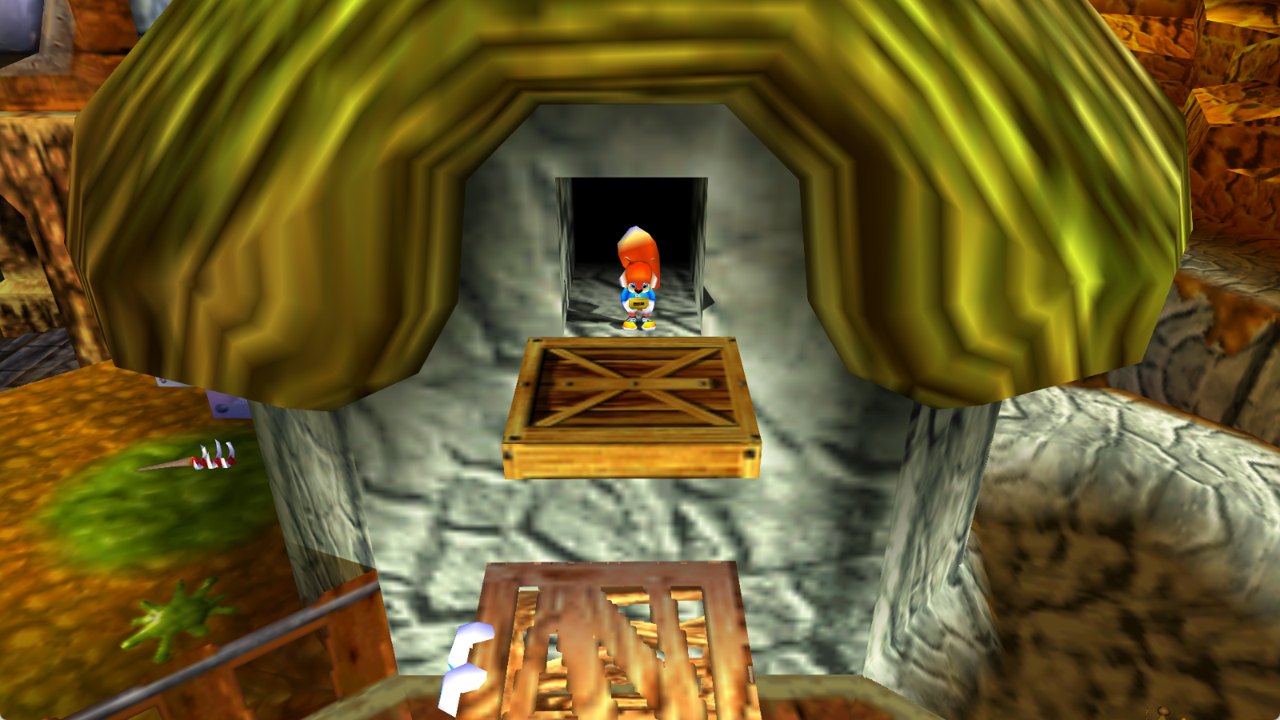
- Widescreen with no black bars. Gameplay, menus, the pause screen and the intro all fill the screen edge to edge. Where the original framed a shot for 4:3 (like the opening lamp scene), the camera is adjusted so nothing important gets cut off. I didn't put bars back in.
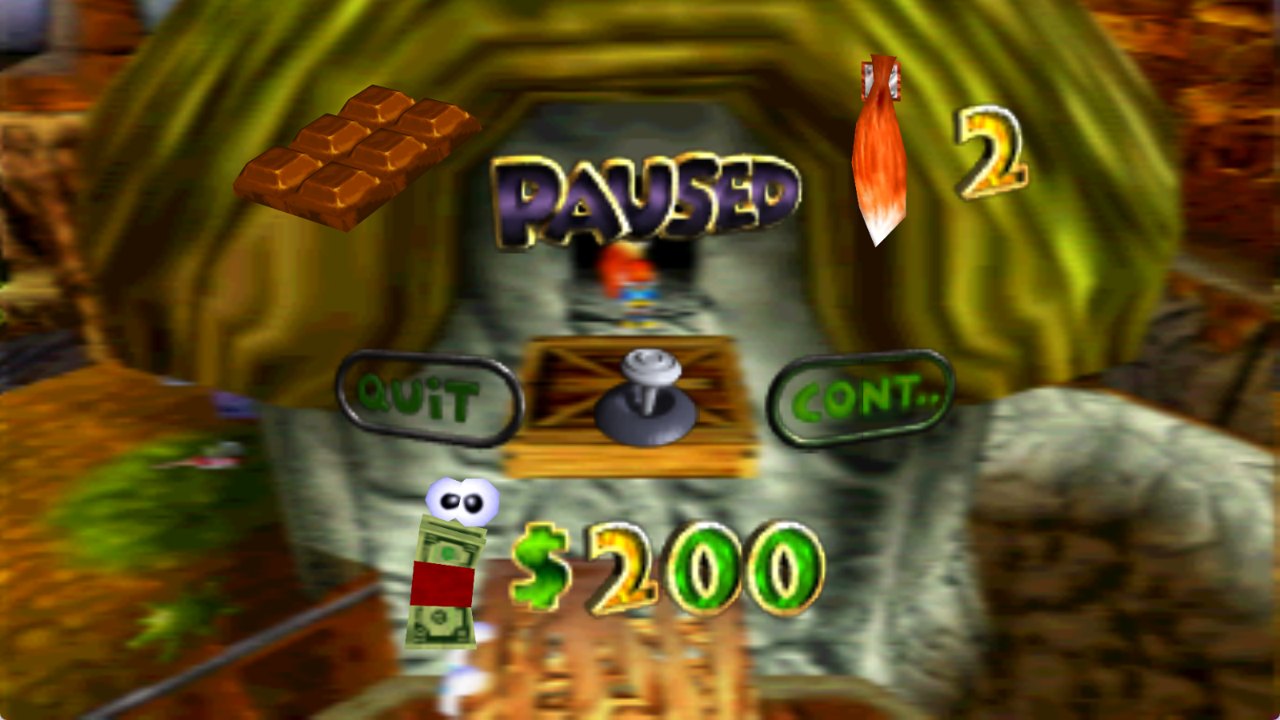
- A proper widescreen pause screen. On the N64 the pause menu shows a blurred copy of the last frame. Here that copy is taken in widescreen too, and the thin lines that used to show up through it are gone.
- Accurate lighting. I compared the lighting against an accurate N64 emulator scene by scene and fixed how torches and other point lights fall off with distance. Dark rooms like the throne room now look the way they should.
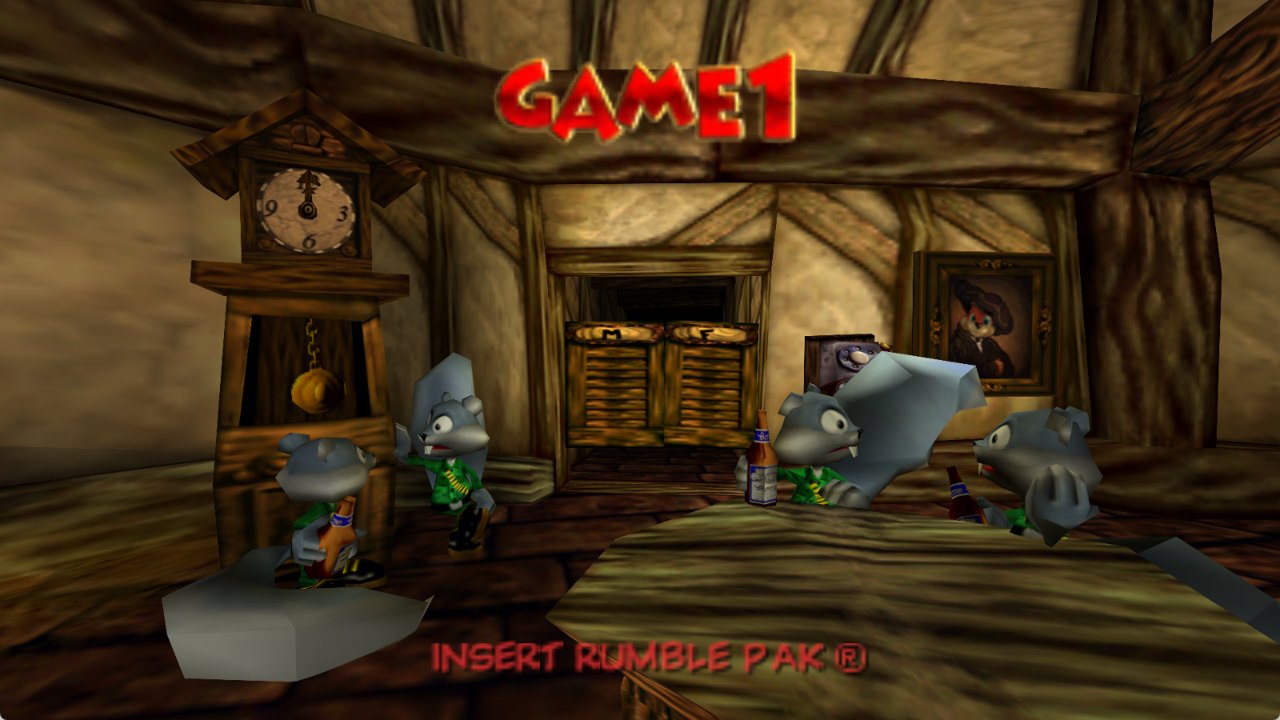
- Shiny reflections fixed. Things like the gold Rareware logo in the intro and the bottles in the bar have their proper reflective look back.
- Separate Music, Sound Effects and Speech volumes. Want to hear the dialogue over the music? Now you can.
- Skip Intro. Straight to the bar menu in a couple of seconds.
- Classic / Modern / Custom presets, as described above.
- Aiming crosshair. A red dot shows where a throw will land when Conker aims (the knives in the barn, throwables, the magnum). It's lined up with where the game actually throws, and it stays out of the way when you just hold R to look around. The original has none.
- Autosave icon. A little Conker head in the corner while the game saves, like modern games.
- Show Cash. Your cash on screen during play, drawn exactly like the pause screen's (the wad of bills with eyes and the gold numbers), in the top-right corner. It counts up or down with a little animation when your cash changes. Show it only when it changes, or all the time.
- Hold to skip cutscenes. Hold L to skip any cutscene, even the first time you see it and the ones the original never lets you skip. A ring fills while you hold, so you can't skip by accident.
- Free camera. Turn the camera with the right stick or the mouse, and it stays where you put it. It keeps Conker in view: it comes in front of anything between him and the camera (walls, the barn's big posts), rises or turns aside a little where there's no room, and glides back out when there's space. Tilted down, it settles just above the ground.
- An Accessibility tab: press R or Z once to look around or crouch instead of holding them, turn off the motion blur, keep your health and cash on screen, make the tail spin last longer, and pause the game when you alt-tab.
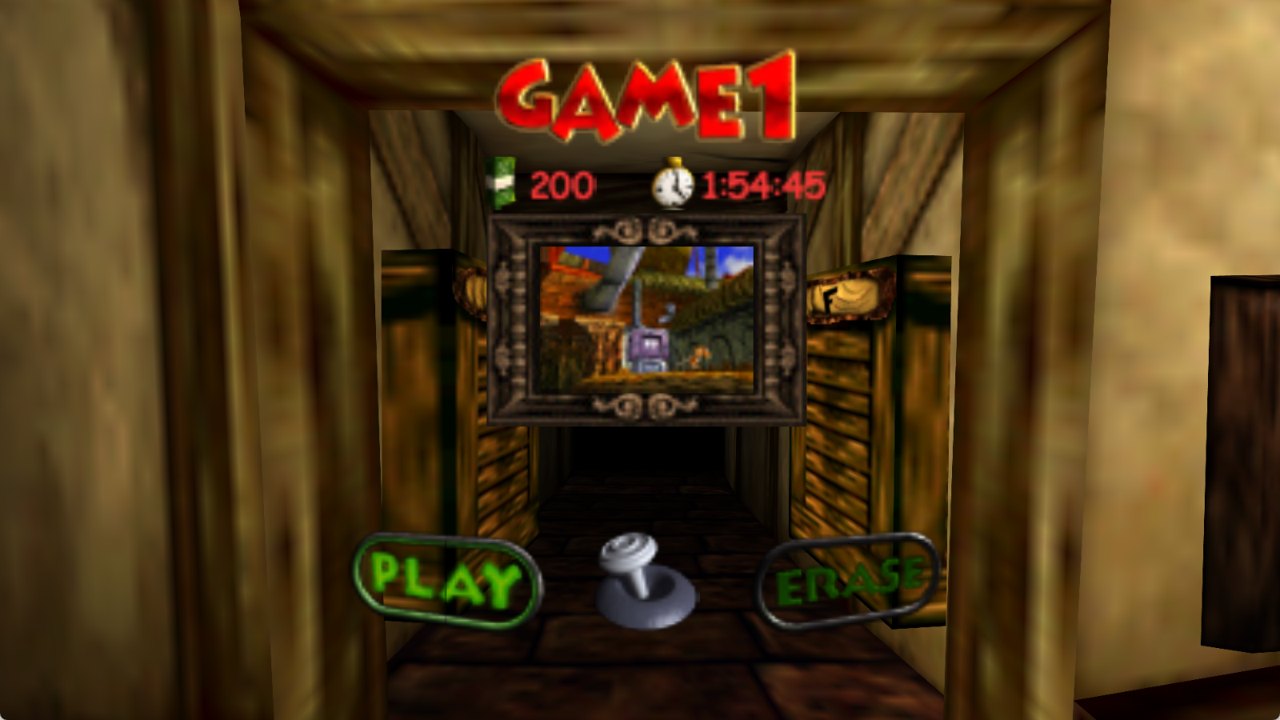
- Clean menu pictures. Buttons and titles in the menus are made of small pieces, and at high resolutions you could see thin lines where they met (PLAY, PAUSED and so on). They're joined smoothly now.
- Works with the uncensored ROM hack. ROM hacks that only change the game's data, like the uncensored speech, are accepted. Pick one with the ROM option in the launcher, which also shows which one you're playing (Original or Uncensored) and switches back any time.
- Texture pack and mod support. RT64 texture packs (
.rtz) and N64Recomp mods (.nrm) go in through the Mods menu and can be switched on and off while you play.
Experimental
These are my own additions that work, but haven't been tested everywhere yet. If something looks or feels off, please open an issue. That's exactly the feedback I'm after.
- Smooth shading. Lighting worked out per pixel instead of per corner, so torch light looks round and soft. I checked that it matches the original's brightness in the areas I tested, but not across the whole game.
- The crosshair with other weapons. It's lined up and tested with the knives in the barn. With other throwables and the magnum it sits in the middle of the screen, which I haven't checked yet.
- Light glows near the screen edges. In widescreen they used to vanish toward the sides; they should stay now, but I haven't seen one in-game yet.
- Frame rates above 60. Smooth 60 fps is tested. I couldn't test 120 Hz and up because I don't have a screen that goes that high.
- Linux build. It builds and runs the game at full speed, and draws correctly, but I've only run it inside WSL on Windows with software graphics. Real Linux hardware, controllers and sound are untested. Please report how it goes.
From CBFD-Recompiled
A lot of great work came from CBFD-Recompiled by Sean Ciaschi, and it's included here with credit. That covers mouse and gyro aiming, rumble options, camera turning speed and invert, a Field of View setting, a frame rate counter, built-in support for N64 controllers and adapters (raphnet, Mayflash, Hyperkin, the Switch Online N64 controller, the 8BitDo 64), multiple controllers for multiplayer, binding mouse buttons, and a long list of fixes (the sky crash on wide screens, doors clipping in widescreen, the drunk-effect smear, cutscene camera cuts, speech bubbles, light glows, the wrong music playing after a game over or in the stone dragon's mouth, and more). Files taken from their project say so at the top.
HD Icons texture pack
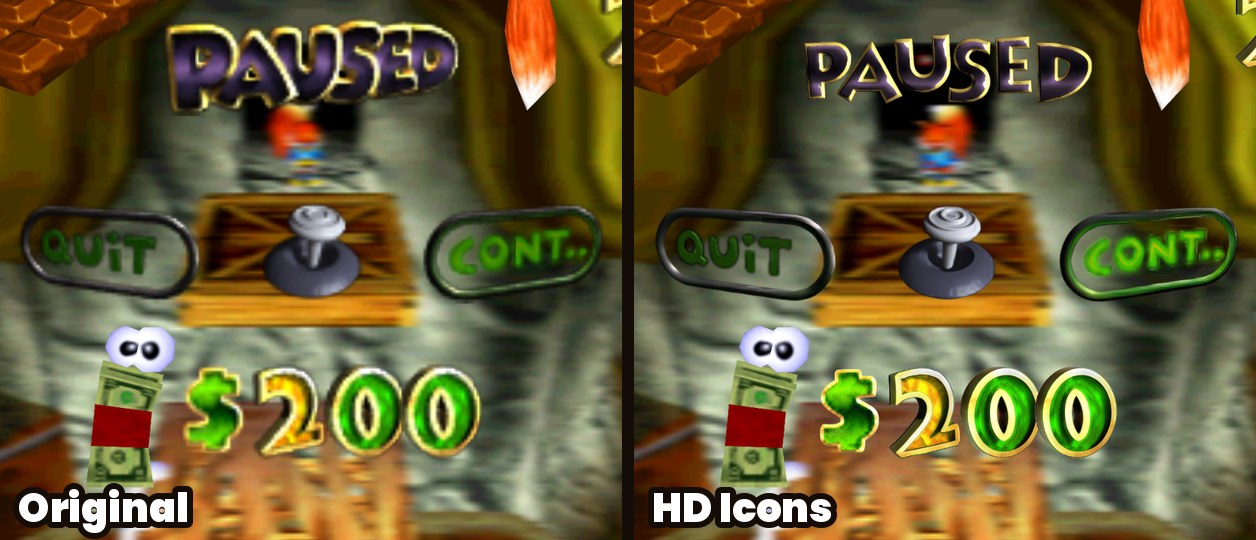
An optional pack that makes the 2D pictures sharp: the HUD, the pause screen, menu buttons and titles, the bar's signs, chapter names, the legal screen's text and logos. It's built from GameBeast92's 4K Ultimate Texture Pack, but wherever that pack recoloured or redrew something, the original game's colours and shapes are put back, so it still looks like Conker, just sharper.
To install it, download ConkerBFDReloaded-HD-Icons (.rtz) from the Releases
page, then in the game open the settings, go to Mods, click Install Mods and pick the file.
You can switch it on and off there any time, even while playing.
Textures by GameBeast92,
used and modified under CC BY 4.0. The pack is
shared under the same license, and the LICENSE.txt inside it lists what was changed.
Known issues
- The free camera stays out of fixed-camera spots. Places where the game uses a fixed camera (some doorways, the Windy barn) keep it. That's on purpose.
- Controls feel like the original. The game still runs its logic at 30 fps like on the N64. The smooth frame rate makes it look smoother, but Conker handles exactly the way he always did.
- No macOS build yet.
Coming next
Keeping the lives (the tail) on screen too, alongside the health and cash, and I'm looking into a 2D minimap.
Building it yourself
You need the ROM in this folder as conker.z64, the mkst/conker
decompilation (commit 3adf229) built into conker/, and
N64Recomp (commit ffb39cd, with
patches/n64recomp.patch then patches/n64recomp_conker.patch applied) built into N64Recomp/.
tools/prepare_game.shprepares the game code for translation.tools/rebuild_all.sh --forcetranslates it (intorecomp/out). On Windows (with WSL for this step), it also buildsConkerBFDReloaded.exewith Visual Studio 2022, CMake and Ninja, afterhost/setup_deps.bathas fetched the dependencies.- On Linux:
tools/setup_deps.shfetches and patches the dependencies, thentools/build_linux.shbuilds it (GCC 13+ or Clang, CMake, Ninja, and the SDL2, GTK 3, FreeType, X11 and Vulkan development packages).
| Folder | What's in it |
|---|---|
host/ | The program itself: source in src/, menu art and fonts in assets/, Windows build scripts. |
recomp/ | How the game gets translated: conker.toml (N64Recomp settings and hooks). |
patches/ | Changes to N64Recomp, N64ModernRuntime, RT64 and RecompFrontend. |
tools/ | Build scripts, texture pack tools (textures/) and test tools (testing/). |
Credits
Made by dahmedvall95.
None of this would exist without the people whose work it's built on:
- CBFD-Recompiled by Sean Ciaschi (MIT, see
recomp/THIRD_PARTY_LICENSE). Many fixes and features are theirs. - mkst/conker, the Conker decompilation.
- N64Recomp, N64ModernRuntime and RecompFrontend by Wiseguy and contributors.
- RT64 by Darío and contributors, the renderer.
- GameBeast92's 4K Ultimate Texture Pack (CC BY 4.0), the textures behind the optional HD Icons pack.
- GLideN64 and Rice Video, whose texture fingerprints are how texture packs get matched.
- Fonts: Inter, Noto Emoji, Luckiest Guy, Coming Soon, Poppins (SIL Open Font License) and PromptFont.
License
The code in this repository is under the MIT License (see LICENSE), and the parts from other
projects keep their own licenses, noted in the files. The program you download, though, includes
N64ModernRuntime, which is under the GPL-3.0, so
the released program as a whole is distributed under the GPL-3.0. Its full source is right here.
The release's LICENSE file has all of the details.
Conker's Bad Fur Day is © Rare / Microsoft. This is a fan project, not affiliated with or endorsed by them, and it doesn't include any of the game's data.