Cristalis
Cristalis is a native port of Crystal Defenders for Windows and Linux built using static recompilation, featuring a custom launcher with multiple language support and graphical options.
- Type: PC port
- Game: Crystal Defenders
- Runs on Windows and Linux
- By Claudio5702
- Latest release v1.10, 2026-10-21
- Source: https://github.com/Claudio5702/Cristalis
README
Cristalis
Crystal Defenders Recomp — native port by static recompilation
English · Français · Deutsch · Español · Italiano · 日本語
This project runs Crystal Defenders, the Xbox Live Arcade game, as a native Windows program: the game's PowerPC code is translated ahead of time to C++ with XenonRecomp and runs on a small runtime written for this one game. A Linux build is experimental.
No game assets are included, in this repository or in the releases: the pictures, sounds, music
and texts are read from your own copy of the game. The repository holds none of the game's code
either: the translated code is generated from a default.xex when the program is built, and the
programs on the Releases page are built that way. Version 1.10, a beta: played by few
people so far.
You must supply your own copy of Crystal Defenders (Xbox 360). Crystal Defenders belongs to Square Enix; this project is not affiliated with or endorsed by Square Enix.
Contents: Playing · Features · Settings screen · Controls · Files · Uninstalling · Linux · Known limits · For developers · FAQ · Roadmap · License · Credits
Playing
Download the latest release from the Releases page, and only from there:
Cristalis-Setup.exe for Windows, Cristalis-linux-x86_64.tar.gz for Linux.
- Copy the game from your console: the
CRYSTAL DEFENDERSfolder (or the folder named after its title id,58410989) as found on the console's storage, for example on a USB drive. - With the installer: put that folder next to
Cristalis-Setup.exeand run it. The game is installed from it, with shortcuts and an entry in Windows' list of applications. Without the folder, the last window of the installer asks where it is. - Built yourself, without the installer: run
crystal_defenders.exe. On the first start it asks for that folder (or a folder already holdingdefault.xexandMedia), or takes it at once when it lies next to the program.
The game's data is then kept in a game folder next to the program; the console's folder is no
longer needed. Keep these files to yourself.
Windows 10 or 11, 64-bit, a Direct3D 11 graphics card.
The game to use
| Title id | 58410989 (Xbox Live Arcade) |
| Console package | 58410989\000D0000\18F4739D37853F8596CE621540680922AFE9F23A, 58,126,336 bytes, SHA-1 118C64C901976CD8E2B570D77B0A5E01C15C7A46 |
default.xex inside it | 1,658,880 bytes, SHA-1 31A90704D4233F6E730714515CD5F20BF08D7F0D |
The program checks that default.xex is the one its code was translated from, and says so when it
is not.
Features
- The game in DarkLauncher, the launcher made for Kahna (Bahamut Lagoon Recomp): a settings screen before the game and a pause menu in game, in seven languages, with the keyboard, a controller or the mouse. Its look follows the game's art direction: the blue of its windows, the gold of its crystals, a starry night. DarkLauncher draws all of it; nothing is taken from the game's files.
- Six languages of the game (French, English, German, Spanish, Italian, Japanese), chosen in the settings; the game restarts in the new one.
- Display through the graphics card: the game drawn at 1280×720, 1920×1080, 2560×1440 or 3840×2160, then sharp, smooth or smooth-edged at any window size; HDR (Windows).
- Achievements stored on the computer, with a notice over the game and a list in the settings.
- The console's own offline behaviour on request: the "Not connected to Xbox LIVE" notice and the choice of the storage device are off by default, and can be turned on.
- Screenshots of the picture as shown, filters included, and a gallery in the settings.
- Controllers: Xbox (XInput), and PlayStation 4 and 5 read directly (USB or Bluetooth), with vibration on both; keys and buttons chosen on the Controls page. A PlayStation 3 pad needs the DsHidMini driver.
- A crash report that says where the game was ("W1, Stage 2, Wave 5"), written at the next start.
- An installer and an uninstaller, in six languages.
- Updates: at each start the launcher looks whether a newer version is out and offers to install it; nothing is installed until you choose "Update". It can be turned off in Settings, Internet.
Settings screen
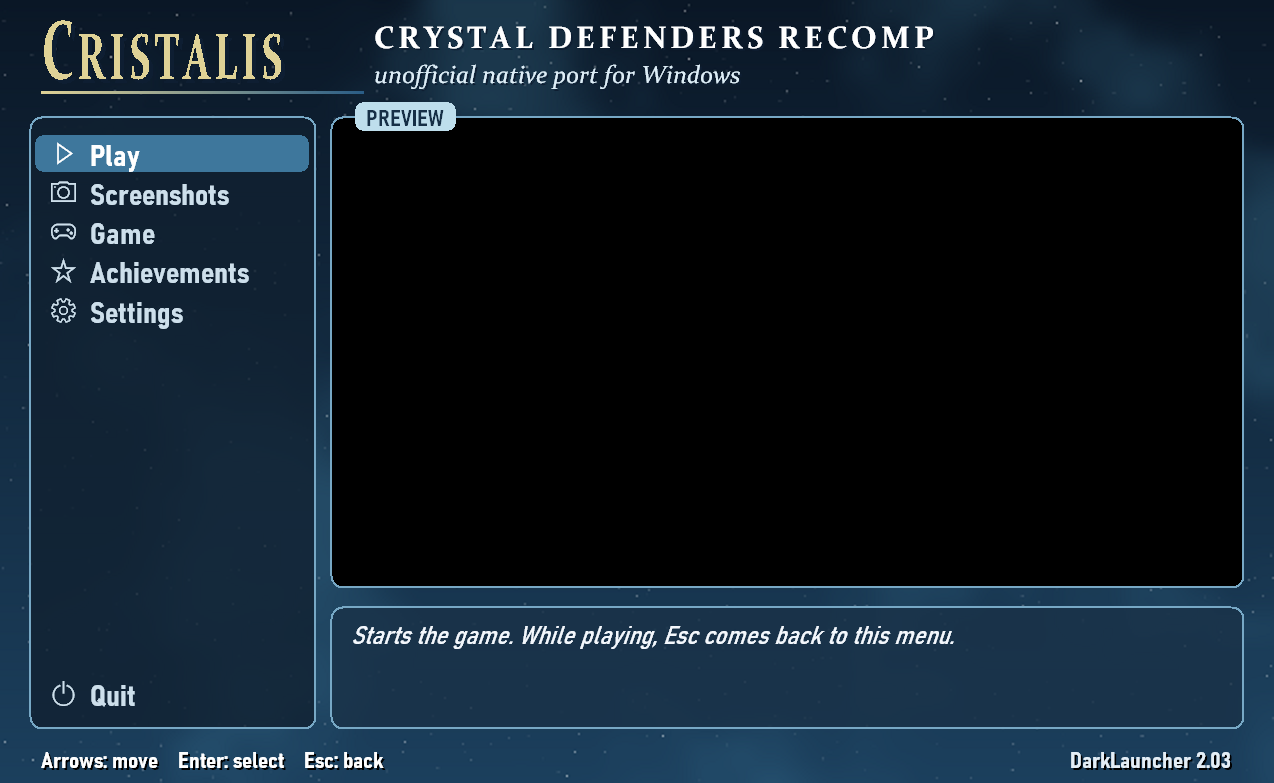
At start-up DarkLauncher shows its settings screen, with the game running in the preview. Play starts it; in game, Esc (or the controller's View button, held) opens a pause menu over the paused picture: resume, screenshot, settings, quit.
A bar on the left holds Play, Screenshots, Game, Achievements and Settings, with Quit at the bottom; the page of the entry under the selection is shown beside it. Enter or Right goes into it, Esc comes back.
- Screenshots: the screenshots taken, newest first. Enter opens one, Delete twice moves it to the Recycle Bin.
- Game: the "Not connected to Xbox LIVE" notice and the choice of the storage device (both as on an offline console; from the next start).
- Achievements: the game's twelve achievements, with the date each was earned and what each asks for.
- Settings: a page that leads to the rest.
- Languages: the game's language (the game restarts in it) and the menu's.
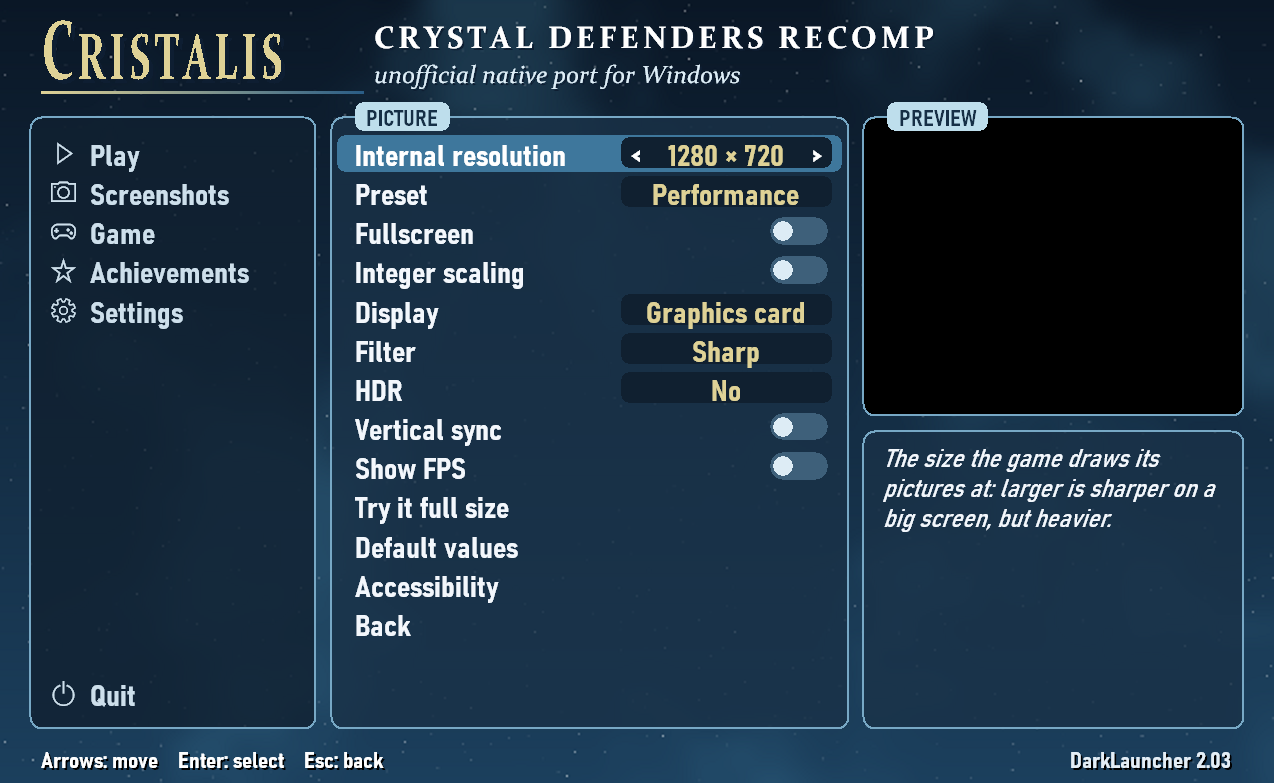
- Picture: the internal resolution (1280×720, 1920×1080, 2560×1440 or 3840×2160), a preset, full screen, integer scaling, display through the graphics card or in software, filter, HDR, vertical sync, the frame rate shown, "Try it full size", and accessibility (high contrast, colour-blind filter, less motion, large help text).
- Sound: the volume and the sounds of the menu.
- Controls: the keyboard keys and controller buttons of the game, vibration, and the shortcuts.
- Internet: the look for new versions (on at first), and the update itself.
- The game folder, and the default settings.
Controls
Keys follow the physical position (the same on AZERTY and QWERTY keyboards); all of them can be changed on the Controls page.
| Game (Xbox 360) | Keyboard (QWERTY positions) | Controller (PlayStation) |
|---|---|---|
| D-pad | Arrows | D-pad / left stick |
| A (confirm) / B (back) | X / Z | A / B (cross / circle) |
| X / Y | S / A | X / Y (square / triangle) |
| LB / RB | Q / W | LB / RB (L1 / R1) |
| Start / Back | Enter / Right Shift | Start / Back (Options / Share); held, Back opens the pause menu |
Esc: pause menu — F11 or Alt+Enter: full screen — F12: screenshot into captures\.
Files
Everything stays in the program's folder:
game\ | the game's data, taken out of your copy on the first start |
saves\ | your saves (crystaldefendersW123\gamedata.bin) and the achievements earned, with their dates |
captures\ | screenshots |
crystal_defenders.ini | settings |
crystal_defenders.log | log of the last session (.prev.log: the one before) |
crystal_defenders.ini.crash.txt | the crash report, written at the start after a crash |
Uninstalling
Installed with the installer: run Uninstall.exe in the game folder, or remove "Cristalis (Crystal Defenders)"
from the list of installed applications in the Windows settings. By default your saves, settings,
screenshots and the game's data stay in the folder, in case you reinstall; tick the box to remove
them as well, and the folder goes with them. Without the installer: delete the folder.
Linux
Experimental. A native build for x86-64 Linux with glibc 2.35 or newer (Ubuntu 22.04, Debian 12,
Fedora 36, SteamOS 3.5 and later), with the same DarkLauncher as on Windows: its settings screen,
pause menu, seven languages, controllers (Xbox and PlayStation, with vibration), achievements and
theme. The game draws with OpenGL 3.3. It needs OpenGL, FreeType and fontconfig from the system;
SDL3 comes with it, in lib/, and FFmpeg is built in.
- Unpack the Linux release.
- Copy your
CRYSTAL DEFENDERS(or58410989) folder into it. - Run
crystal_defenders.sh. The game is installed on the first launch.
A whole game has been played on a real PC under Bazzite, a Linux close to SteamOS, in Steam's Game Mode with
the new Steam Controller, with no problem seen; it
has not been tried on a Steam Deck yet. It is still marked experimental: few machines have run it so far. On a Steam Deck, add crystal_defenders.sh to Steam
as a non-Steam game, without forcing a compatibility tool. The Windows release also runs through
Proton.
Known limits
- No online leaderboards: they needed Xbox LIVE. The game's own high scores, kept on the computer, work.
- No save states: the game is a whole Xbox 360 program with its own threads; it saves by itself.
- Music loops are handled by the runtime rather than by the console's own mechanism.
- Tested by very few people so far; controllers have been tried less than the keyboard, and PlayStation pads and vibration not yet on real hardware.
For developers
How the project works, how to build it, translate the game's code again, check it and make the installer: docs/DEVELOPERS.md.
What changed in each version (now 1.10): CHANGELOG.md.
FAQ
Is it an emulator? No. The game's own program is translated ahead of time into native code for the PC (static recompilation); what the console's hardware did (graphics, XMA sound, the system's functions) is written again for Windows.
Why do I need my own copy? Neither the repository nor the releases hold the game's pictures, sounds, music or texts: the program reads them from your copy, after checking it is the expected one.
Can I use my saves from the console? The saves are in saves\, in the game's own format;
copying saves between the console and the PC has not been tried.
Is anything sent over the Internet? Only the look for new versions: at each start, one request to GitHub for this repository's latest release (GitHub sees your IP address, as for any page). Nothing about you or your game is sent. Turn it off in Settings, Internet, and the program does not use the network at all.
Roadmap
- A test on a Steam Deck.
- The menu sounds and more of the game's art direction in DarkLauncher's theme.
- More testing with controllers and on other computers.
License
The source code of this project is under the MIT license (see LICENSE). That license does
not cover the game, its data or its code. DarkLauncher (kit/launcher) is under the MIT license too, with its own holder (kit/launcher/LICENSE).
Credits
This project was made 100 % with Claude Code (Claude Opus 5.5), the AI coding assistant by Anthropic: all the code, the tools and the documentation were written by it, following the requests and the tests of the project's author.
- XenonRecomp by hedge-dev: the recompiler that translates the game's code.
- DarkLauncher: the settings screen, the pause menu and the picture filters, made for Kahna.
- FFmpeg (LGPL): XMA decoding.
- Xenia: its documentation of the Xbox 360, used as reference.
- llvm-mingw: the compiler of the program and the installer.
And of course Square Enix, who made Crystal Defenders.