Darklands Restoration Project
Darklands Restoration Project is a native PC port of Darklands that runs without DOSBox and plays exactly like the original.
- Type: PC port
- Game: Darklands
- Runs on Windows and Linux
- By Arkana Mechanika Studios
- Latest release v1.0.0-rc4, 2026-11-11
- Source: https://github.com/Arkana-Mechanika-Studios/darklands-restoration
README
Darklands Restoration Project
Darklands — MicroProse's 1992 role-playing game of 15th-century Germany, its saints, alchemy, witches and robber knights — rebuilt to run on today's Windows (and, experimentally, Linux and the Steam Deck), without DOSBox, and to play exactly like the original.
Download the latest release · Website · Discord
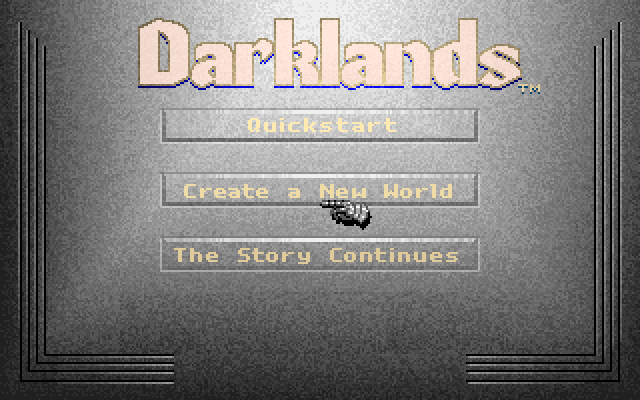
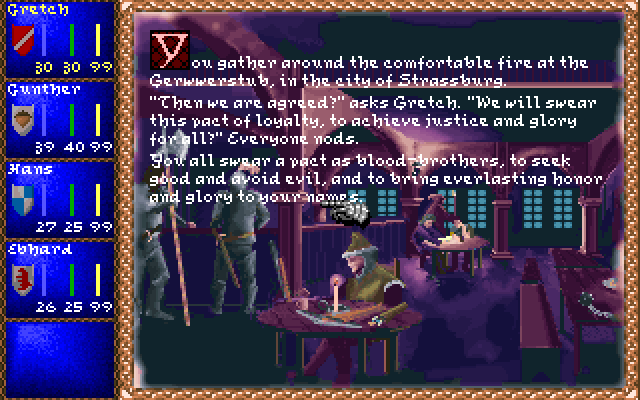
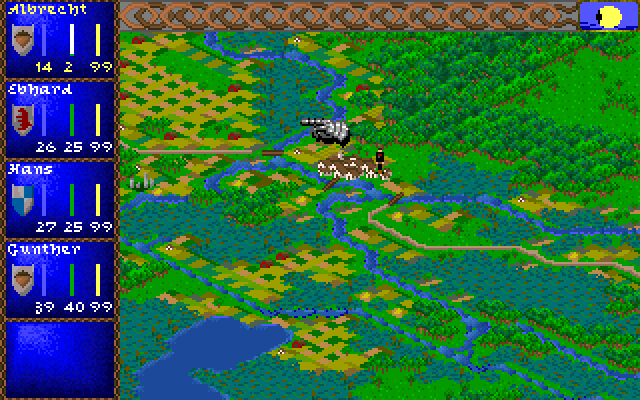
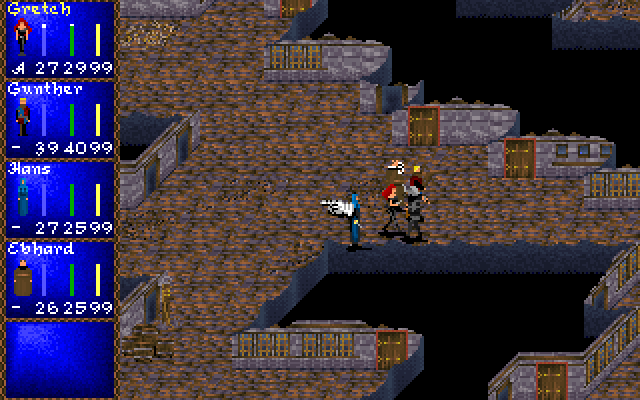
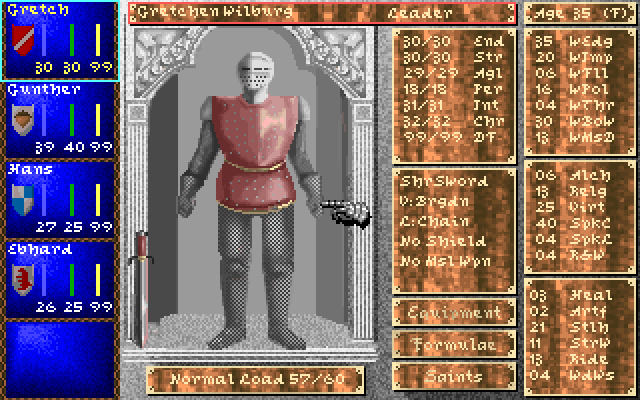
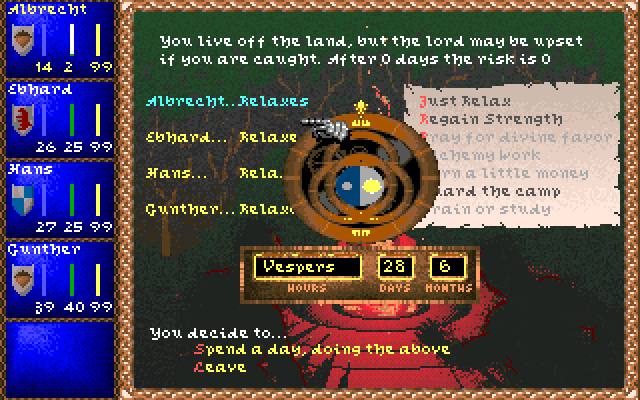
The game as it plays (docs/screenshots/game): the start screen, a Gasthaus in Strassburg, the world map, a
battle, a character sheet, a night's camp. More there: character creation and an inn's choices.
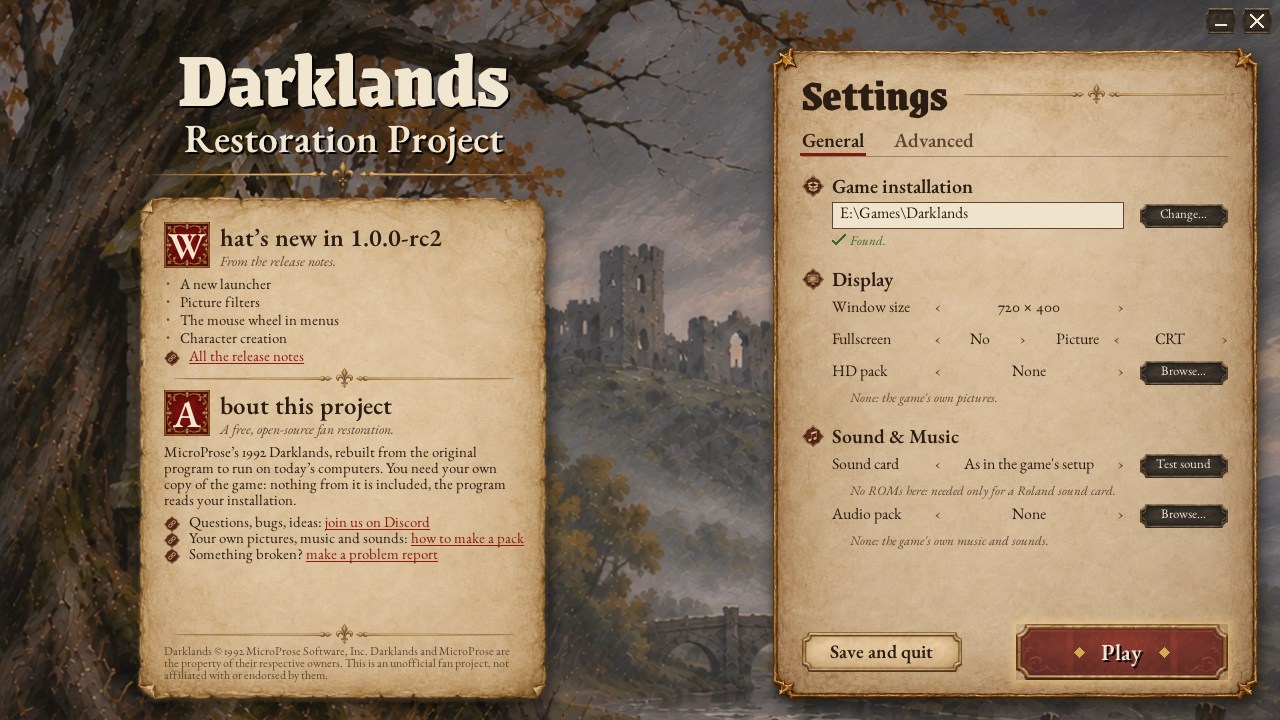
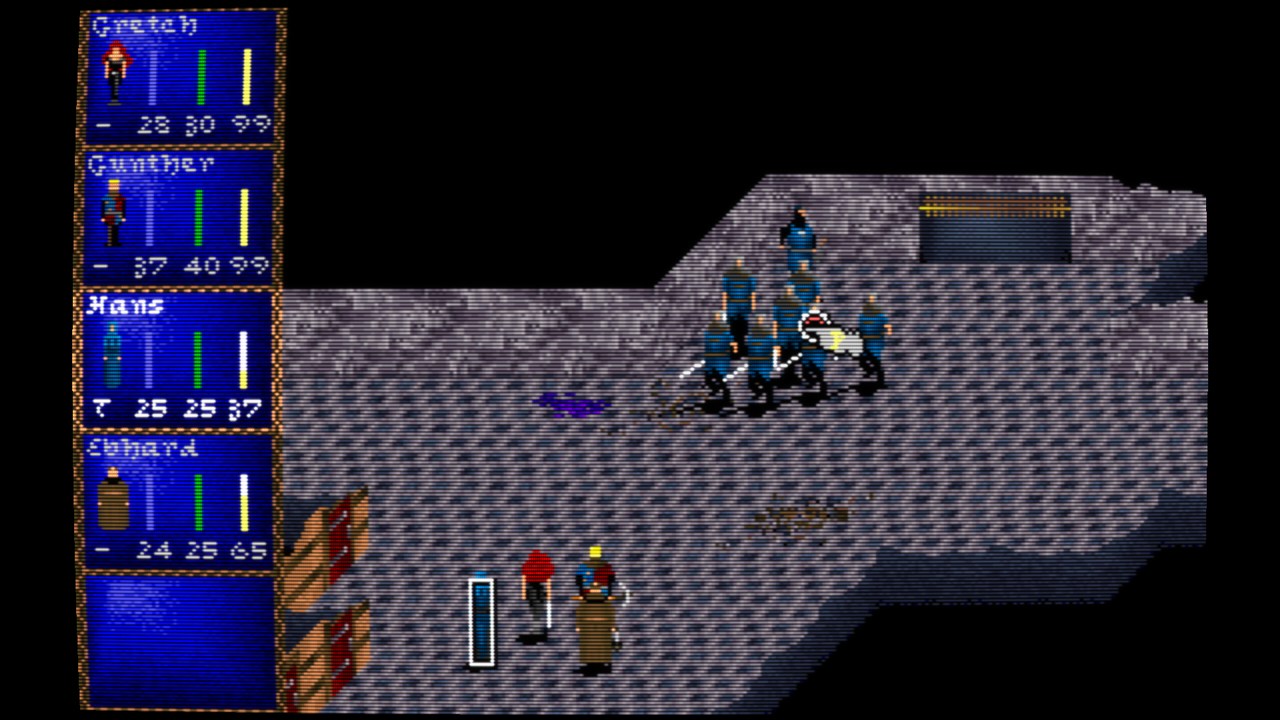
Around the game: the launcher, a settings screen before you play, and a battle drawn with one of the picture filters (CRT+, curved like a tube). The game's own pictures are unchanged; only how they are drawn on a large window.
This is not a remake and not an emulator. Every rule of the original — combat, prices, saints, alchemy, the cards of every city and encounter, the generators of castles, mines and battlefields — has been rewritten in C# from the original program, and checked against that program running function by function. The screens, the music and the sound are the original's, drawn and played from your own copy of the game.
You need your own copy of Darklands (version 483.07, for example the GOG release). Nothing from the game is included here: the program reads your installation.
Getting started
- Get a release (
DarklandsRP.exeandDarklandsRP Launcher.exewithSDL3.dll,libmt32emu.dll,RELEASE_NOTES.mdand emptyMT32_ROMSandSOUNDFONTfolders) and unpack it into a folder of its own. - Start
DarklandsRP Launcher.exe(on LinuxDarklandsRP-Launcher), a settings screen before the game. It finds your Darklands by itself (GOG, Steam, or a folder next to it); check the game folder, the window and picture filter, the sound card and the Roland ROM folder, try the sound, then press Play. The choices go intodarklands.settings.json, next to the program. Once set up,DarklandsRP.exegoes straight to the game (on its very first run it opens the launcher itself; hold Shift while it starts, or start it with--setup, to get the launcher again). If the game can't be found or can't start, the launcher comes up by itself and says why. - Play. It starts like the original: the banner, the opening, then the start screen with Quickstart, a new world or a saved game.
Saved games go to the game folder's SAVES, the same place the original uses, so the two share their
saves both ways. If that folder can't be written (a game under Program Files, as GOG Galaxy installs
it), the saves go to %APPDATA%\DarklandsRestoration\SAVES instead and a line at start-up says so; copy
your existing saves (DKSAVEn.SAV and .BSV) there to keep playing them, or set "savesFolder" to
another folder you can write to.
Playing
The keys and the mouse are the original's:
| Keys | What |
|---|---|
| right mouse button, F10 | the menu bar |
| F1–F5, F6 | a character sheet; the party |
| Ctrl-F1–F5 | choose the leader |
| Alt-S, Alt-L | save, load |
| Alt-P, Alt-O | pause; the marching order |
| Alt-D, Alt-M, Alt-F | difficulty; music; sound effects |
| Alt-Q | quit |
And this program's own:
| Keys | What |
|---|---|
| F12 | save a screenshot |
| F11 | a developer console over the game (help lists its commands: time, money, attributes, saints, items...) |
| Ctrl-F12 | make a problem report (below) |
| Ctrl-F11 | change how the picture is drawn on a large window: sharp or even pixels, a soft VGA-monitor look, smoothed pixel art, or CRT looks (display.filter, SETTINGS.md) |
Reporting a problem
Something crashed, or differs from the original? The program writes a log of every run, and can pack it with your settings,
the saved game and a screenshot into a zip you attach to a GitHub issue: type report in the console (F11), press Ctrl-F12,
or use "make a problem report" on the launcher; after a crash the program offers it. Nothing is sent anywhere by the program.
How, and what the zip holds: docs/REPORTING.md. To watch the program's messages as it runs, start it
from a terminal, or with --log-window for a window of their own (Windows; no such window opens otherwise).
Sound and music
The game's own sound drivers play, as on a 1992 PC: by default the card set up in your copy's
CONFIG.DRK, usually a Roland MT-32 for music with a Sound Blaster for speech. For the MT-32 put your
MT-32 or CM-32L ROM files in the MT32_ROMS folder that comes with the program, or choose their folder in the
launcher (it shows whether the ROMs of the chosen module are there). Without them the Sound Blaster Pro's FM music
plays instead, and the program says so. The launcher's sound card ("card" in the settings) chooses another card:
AdLib, Sound Blaster, Sound Blaster Pro 2, MT-32 or CM-32L.
Picture and sound packs
A pack replaces pictures (PNG files) or music and battle sounds (OGG, WAV or General MIDI files) without changing how the game plays.
Put a pack's folder in the packs folder next to the program and choose it in the launcher's "HD pack" or "Audio pack"
row (or drop the folder on the launcher). A pack (or a mod) can also give music to a card of the game. MIDI music needs a General MIDI SoundFont (.sf2) of your own, in a SOUNDFONT folder next to the program or chosen in the launcher's "SoundFont" row; none is included. The release comes with a small example, packs/audio-pack-example (generated
test tones). How to make your own, with the names of all the game's music and sounds: docs/PACKS.md,
also beside the program and linked from the launcher ("how to make a pack").
Mods
A mod adds new cards (scenes with a text and choices) or replaces one of the game's: unlike a pack it changes the game,
so its saved games are marked modded (a companion file beside the .SAV, which itself stays loadable by the original
game). Mods are played only when named: --mod <name> or "mods" in the settings. The release comes with a small
example, mods/wayside-shrine; how to write one, card by card: docs/MODS.md, also beside the program.
Settings
darklands.settings.json, next to the program, is commented and shows every default. The ones you may
want:
| Setting | What |
|---|---|
gameFolder, savesFolder | where your Darklands is; where the saves go |
display.scale, display.resolution, display.fullscreen | a bigger window (2 = 1440x800), any size ("1600x1000"), full screen |
display.filter, display.crtCurvature | how the picture is drawn on a large window: sharp (default), even, soft, softcrt, hq, crt, crtplus; a curved CRT picture |
sound.card, sound.mt32Roms | the sound card; where the MT-32 ROMs are |
display.hdPack, sound.audioPack, sound.soundFont | a picture pack, a sound pack, the SoundFont for its .mid files (docs/PACKS.md) |
display.cleanDrawing | false: drawn as the 1992 game, oddities included; true: the cleaner drawing of 0.9.5 |
mods | mods to play with (docs/MODS.md); none by default |
startup.banner, startup.intro | skip the banner or the opening |
Everything else is in docs/SETTINGS.md, which also lists the command-line forms (--fullscreen,
--scale 2, --no-intro and so on).
Status: version 1.0.0-rc4 (release candidate)
The whole game plays: character creation, cities and their streets, inns and shops, guilds, banks and churches, the world map and its encounters, battles, camping, saints and alchemy, saving and loading. The release candidates are the last checks before 1.0: play them, and report anything that differs from the original (above, "Reporting a problem").
The original's bugs are part of Darklands and are kept, with one exception: the few that damage a saved game or
lose your items (the inn's item stores, a member leaving the party, a damaged saved file...) are fixed, and the
saved games stay readable by the original. A handful of plain drawing glitches are fixed too. Every one of these,
and everything else that is knowingly different from the original, is listed with its reason in docs/faithfulness
(the bugs: ORIGINAL_BUGS.md). The tests still play the fully faithful game,
every bug included, against the original. Things not done yet are listed where they belong (battles:
docs/BATTLES.md).
License
The Darklands Restoration Project is free software: you can redistribute it and/or modify it under the
terms of the GNU General Public License as published by the Free Software Foundation, either version 3
of the License, or (at your option) any later version. See LICENSE.
This covers the project's own code only. Darklands itself (© 1992 MicroProse) is not part of it and
not licensed by it; you need your own copy of the game. Third-party components keep their own licences
(see THIRD_PARTY_NOTICES.md).
Community
News, devlogs and the research behind the restoration: https://arkana-mechanika-labs.github.io/ — questions, bug reports and discussion on the Discord: https://discord.gg/HjzWvmHhqZ
Technical section
Building
Requirements: the .NET 10 SDK. On Windows the SDL host ships SDL 3; elsewhere install SDL 3 (3.2 or later) or name the library in the settings file.
dotnet build
dotnet run --project src/Darklands.Host.Sdl -- "C:/GOG Games/Darklands"
A release for Windows (DarklandsRP.exe, self-contained, with DarklandsRP Launcher.exe, SDL3.dll, libmt32emu.dll,
RELEASE_NOTES.md and empty MT32_ROMS and SOUNDFONT folders beside it, in artifacts/win-x64; no .NET installation
needed to run it). DarklandsRP Launcher.exe (src/Darklands.Host.Launcher) only starts DarklandsRP.exe --setup; it is
built for the .NET Framework that every Windows 10 and 11 has, so it stays a few kilobytes. The Linux release has the
script DarklandsRP-Launcher in its place:
dotnet publish src/Darklands.Host.Sdl -p:PublishProfile=win-x64
A release for Linux x64 (also the Steam Deck: desktop mode and Steam as a non-Steam game; keyboard and mouse as on Windows) is built the same way, with libmt32emu.so beside the program (artifacts/linux-x64):
dotnet publish src/Darklands.Host.Sdl -p:PublishProfile=linux-x64
SDL3 is not shipped on Linux: the program uses the system's libSDL3.so.0 (SDL 3.2 or later: Debian 13 / Ubuntu 25.04 and later libsdl3-0, Fedora SDL3, Arch and SteamOS sdl3; the Steam Linux Runtime has it), or a copy placed beside the program (older systems such as Ubuntu 24.04 have no SDL3). Pack it with tar so DarklandsRP stays executable (or chmod +x DarklandsRP). Without a game folder named, the program looks in Steam's libraries (including the Deck's SD card), Heroic's installed games, the usual GOG/Lutris folders and Wine prefixes (~/.wine, WINEPREFIX, Lutris, Heroic, Bottles, Proton) before asking. The workflow .github/workflows/build.yml builds, tests and publishes both systems.
The launcher shows the release notes: write releases/<version>/release-notes.md (beside the repository) before
publishing, and the build puts it next to the program as RELEASE_NOTES.md; without it the launcher only links to the
release's page, releases/tag/v<version> on GitHub, so tag each release v<version>.
The version is set once, in Directory.Build.props (DarklandsRP --version prints it).
How it is made
The game logic is a C# reimplementation of DARKLAND.EXE 483.07, kept apart from the screens, the
sound and the host: ARCHITECTURE.md describes the layers. Each reconstructed operation cites the
place in the original program it reproduces, by its coordinates in the executable
(docs/TRACEABILITY.md), and the faithfulness registers in docs/faithfulness list every deliberate
difference, every original bug kept, and every open question, each with its reason.
The rules are checked against the original itself: original-byte oracles run each original function
(from your DARKLAND.EXE, in an emulated processor) and the C# on the same inputs, over tens of
thousands of cases, and every card of the game runs against its original. A static check compares
every cited function's calls, constants and branches with the executable's bytes, and whole scripted
game sessions run in the original and in the rewrite side by side, compared after every step. See
docs/faithfulness/SUMMARY.md.
Layout
| Folder | What |
|---|---|
src/Darklands.Core | the domain model and the rules, battles included (no I/O) |
src/Darklands.Cards | the card engine and every card script |
src/Darklands.Content, src/Darklands.Persistence | the game files; saved games |
src/Darklands.Simulation, src/Darklands.Presentation | the game loop; the screens |
src/Darklands.Audio, src/Darklands.Audio.Mt32 | the sound drivers in an emulated PC; MT-32; sound packs (docs/PACKS.md) |
src/Darklands.Platform, src/Darklands.Host.* | host interfaces and settings; the SDL and headless hosts |
src/Darklands.DevConsole | the developer console |
src/Darklands.Rendering | replacement graphics (HD packs) drawn over the game's frame, for any host |
tests/ | unit tests, original-byte oracles, card traces |
tools/ | oracle corpus builders, faithfulness reports, visual and timing comparisons |
docs/ | architecture details, traceability, faithfulness registers, settings, saves, battles, screenshots |
Tests
dotnet test
Tests that need the original game read its folder from DARKLANDS_DIR (or the executable alone from
DARKLANDS_EXE); without them those tests pass without checking anything. The oracle corpora in
tests/Darklands.Oracle.Tests/Corpus were produced by running the original functions (tools/oracle).
Third-party components
SDL 3, mt32emu, StbTrueTypeSharp, DejaVu Sans Mono and a VGA text font: see THIRD_PARTY_NOTICES.md.
Darklands is a 1992 MicroProse game; this project contains none of its files.
Dedication
This project is dedicated to the memory of Arnold Hendrick, and to everyone at MicroProse who made such a great game possible.