doax3-fortune-pc
doax3-fortune-pc is a Vulkan port of Dead or Alive Xtreme 3 Fortune for Windows and Linux with fixed poolside camera water-entry freezes and optional neural rendering.
- Type: PC port
- Game: Dead or Alive Xtreme 3 Fortune
- Runs on Linux
- By negroISO
- Latest release steamdeck-native-2026.10.26, 2026-10-26
- Source: https://github.com/negroISO/doax3-fortune-pc
README
DOAX3 Fortune PC
Experimental Windows x64/Vulkan port of Dead or Alive Xtreme 3 Fortune, targeting CUSA04555, version 01.19. Original x86-64 guest code runs through the inherited native runtime; the shadPS4 graphics core translates GPU commands and shaders to Vulkan.
This repository contains source, portable launch/build tools, documentation and selected smoke-test screenshots. Build the host before running. Game packages/data, firmware, compiled game images, saves, shader caches, proprietary DLSS DLLs and the DLSS SDK are supplied separately.
Poolside camera water-entry freezes are fixed in this source snapshot. Tested coverage includes title/island rendering, pool→hotel/save transitions, casino rounds, Beach Flags, Butt Battle, Tug-of-War and a completed Rock Climb with map return. Volleyball and Pool Hopping have partial gameplay coverage. All 73 installed DLC labels opened; every outfit, map and shader permutation has not been verified.
What you need
| Input | Requirement |
|---|---|
| Base game | Fortune CUSA04555, matching region/title; extracted plaintext data |
| Update | Matching 01.19 update, overlaid onto the base; required for this tested profile |
| DLC | Optional matching CUSA04555 packs; place each extracted pack under addcont/CONTENT_LABEL/ |
| System modules | libSceFiber.sprx, ulobjmgr.sprx, libSceUlt.sprx in sys_modules/ or a configured folder |
| PC build | Windows x64, Python 3.11+, MSYS2 CLANG64 and Vulkan driver |
| Optional NR | Compatible NVIDIA hardware/runtime plus the four-file adapter/runtime layout below |
Use your own game/system-module files. The launcher accepts an extracted game folder, not a PKG directly; encrypted/compressed SELF segments are unsupported. Package identities, hashes and assembly instructions describe exactly which base/update were used. DLC is not required to build or launch the base+update profile.
Build and run
- Install the build dependencies.
- Clone this repository and build from its root:
git -c core.longpaths=true clone https://github.com/negroISO/doax3-fortune-pc.git
cd doax3-fortune-pc
.\Build.cmd -MSYS2Root C:\msys64 -Jobs 4
- Extract/merge your matching base+update and supply the three system modules. Configure their locations on the first launch:
.\Launch-DOAX3-Fortune.cmd --game-dir ".\game\CUSA04555" --modules-dir ".\sys_modules" --msys2-root C:\msys64
The paths are remembered in ignored local.json. Subsequent starts only need:
.\Launch-DOAX3-Fortune.cmd
For a fresh machine, see the clean-checkout checklist. PKGs need separate extraction; the compiler, Vulkan driver and three system modules are also required. No private server, other game-port checkout or existing save/cache is needed.
Use Launch-DOAX3-Fortune-NR.cmd only after completing the optional neural-rendering setup. Both launchers use this repository's user/ saves and persistent cache. Defaults are native 1920×1080, async shaders, 30 FPS and normal 60 Hz guest vblank. No frame generation or 60 FPS gameplay hack. Open Insert / R3+L2 for live DLSS/NR, sharpening and output resolution controls, saved in user/graphics.ini. Graphics menu and adapter update instructions. A different scene or draw-state combination can still compile on first use.
Where the optional DLSS5/NR files go
The native path needs no neural DLLs. For the tested optional Feature 18 path:
source/out/gpu/
  doax3-fortune.exe
  port_dlss.dll
  nvngx_dlss.dll
  nvngx_dlssnr.dll
  nvngx.dll/port_nr.dll       # nvngx.dll is a directory
Build the two port adapters from the included bridge source, then stage your compatible runtime DLLs with tools/Stage-Neural.py. Full build/staging instructions and tested hashes. Copying the VAM BepInEx plugin into this native application is not required.
Controls and local data
- Circle / confirm: Left Shift or Esc; Cross: Space or Enter.
- Options / skip movie: F8; controller Options/Start is also supported.
- Left stick: WASD; right stick/camera: arrows; d-pad: I/K/J/L.
- Controller input uses SDL3. Saves/settings/cache live in user/; run logs and regenerated linked images live in runtime/. Keep Fortune and Scarlet saves in their separate repositories; there is no automatic cross-edition migration.
- Back up user/ before changing builds. No saved game is included in Git.
Validation and limits
On the test RTX 5090 / NVIDIA 621.1, matched pool/hotel windows with NR on and off both averaged 29.971FPS at1080p / 30 FPS. NR+motion/depth guides cost about3.45 GPU milliseconds/frame. The final cache audit validated278 unique compiled SPIR-V modules with no validation failures; warm launches restored cached pipelines. These are tested-route measurements, not whole-game or other-GPU guarantees.
See validation.md for evidence and limits. Remaining work includes complete GS streamout/COPY_DATA/water effects, exhaustive outfits/maps/Photo Paradise and broader activity testing. Sound playback was not verified in the latest session without a default audio device. Native Linux / Steam Deck packages and a graphical installer are described in Steam Deck setup. Actual Deck gameplay remains unverified.
Native / DLSS5 NR comparisons
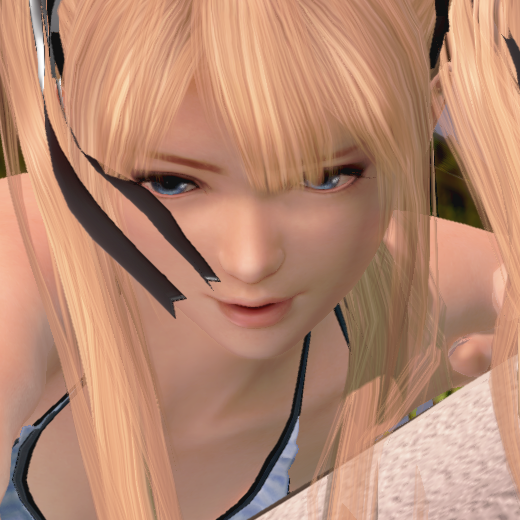
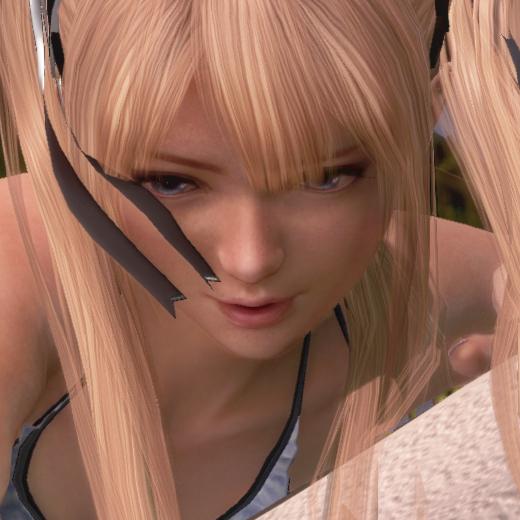
Same-frame comparisons from the experimental Feature 18 NR integration, at native 1920×1080, NR strength 1, with depth and camera/object-motion guides and no frame generation. Left: the native scene immediately before NR. Right: that exact frame after NR, before UI composition. These are paired render buffers, rather than separate NR-off/on playthroughs.
Poolside Relax camera — face and hair detail (520×520 source-pixel crop):
| Native scene / NR input | NR output |
|---|---|
 |  |
Rock Climbing — shoulder, arm and skin detail (320×300 source-pixel crop):
| Native scene / NR input | NR output |
|---|---|
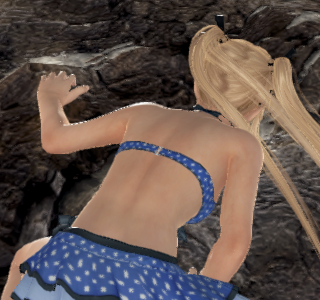 | 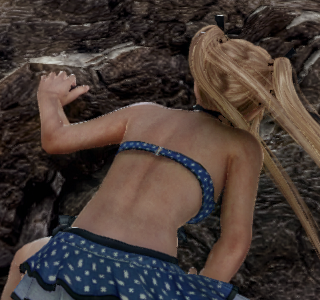 |
Full-resolution pairs, capture records and reproduction steps. The PNGs and identical crops have no resizing, sharpening, color grading or generative editing. NR changes lighting and can reinterpret facial/skin detail; these stills show its output, not proof of recovered original texture detail or temporal stability. Open the linked originals to inspect at 100% pixel scale.
Earlier smoke-test screenshots
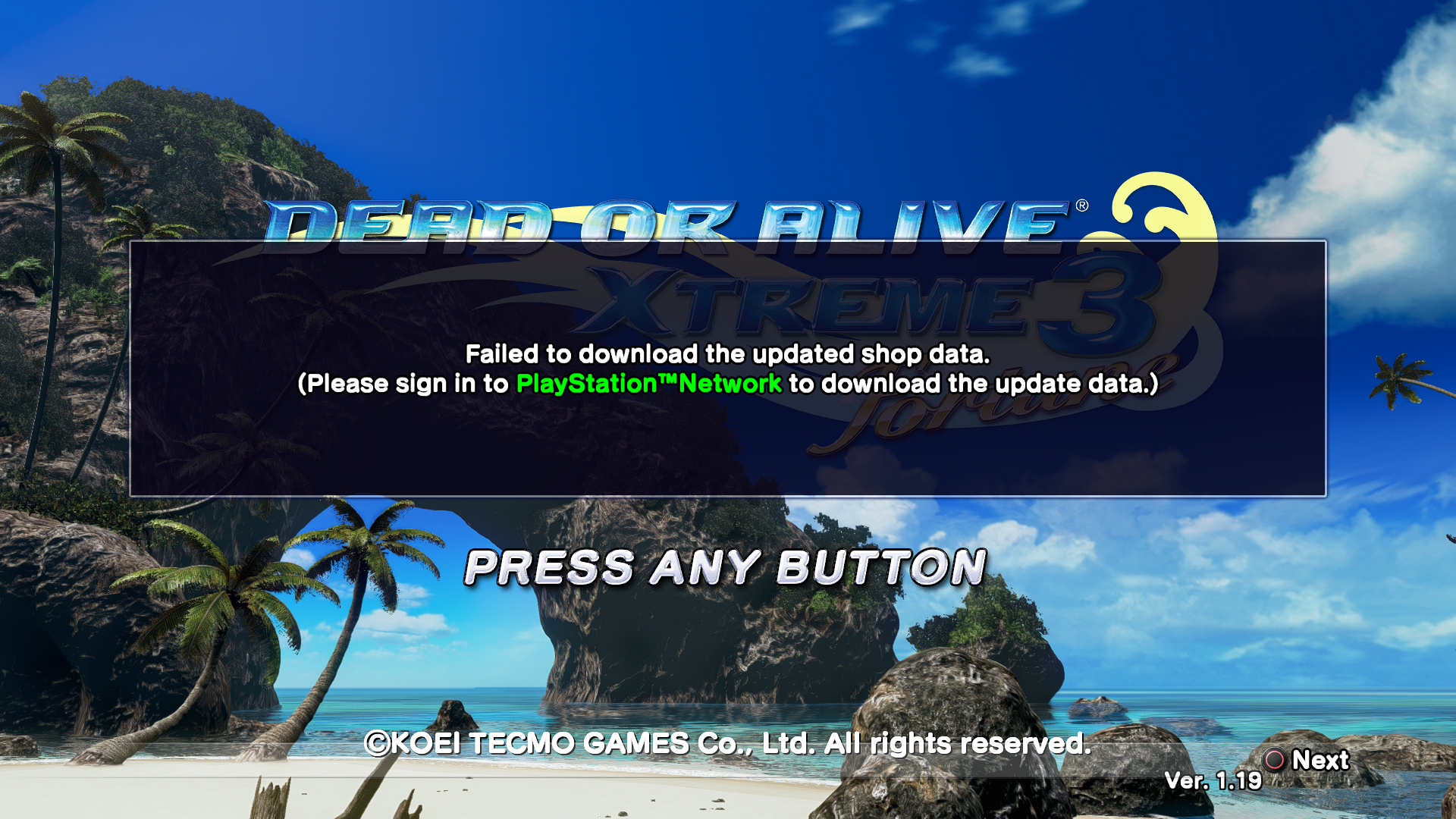
Fortune1.19 title/island, smoke run fortune-119-pool-profile-clear-fixed-9.
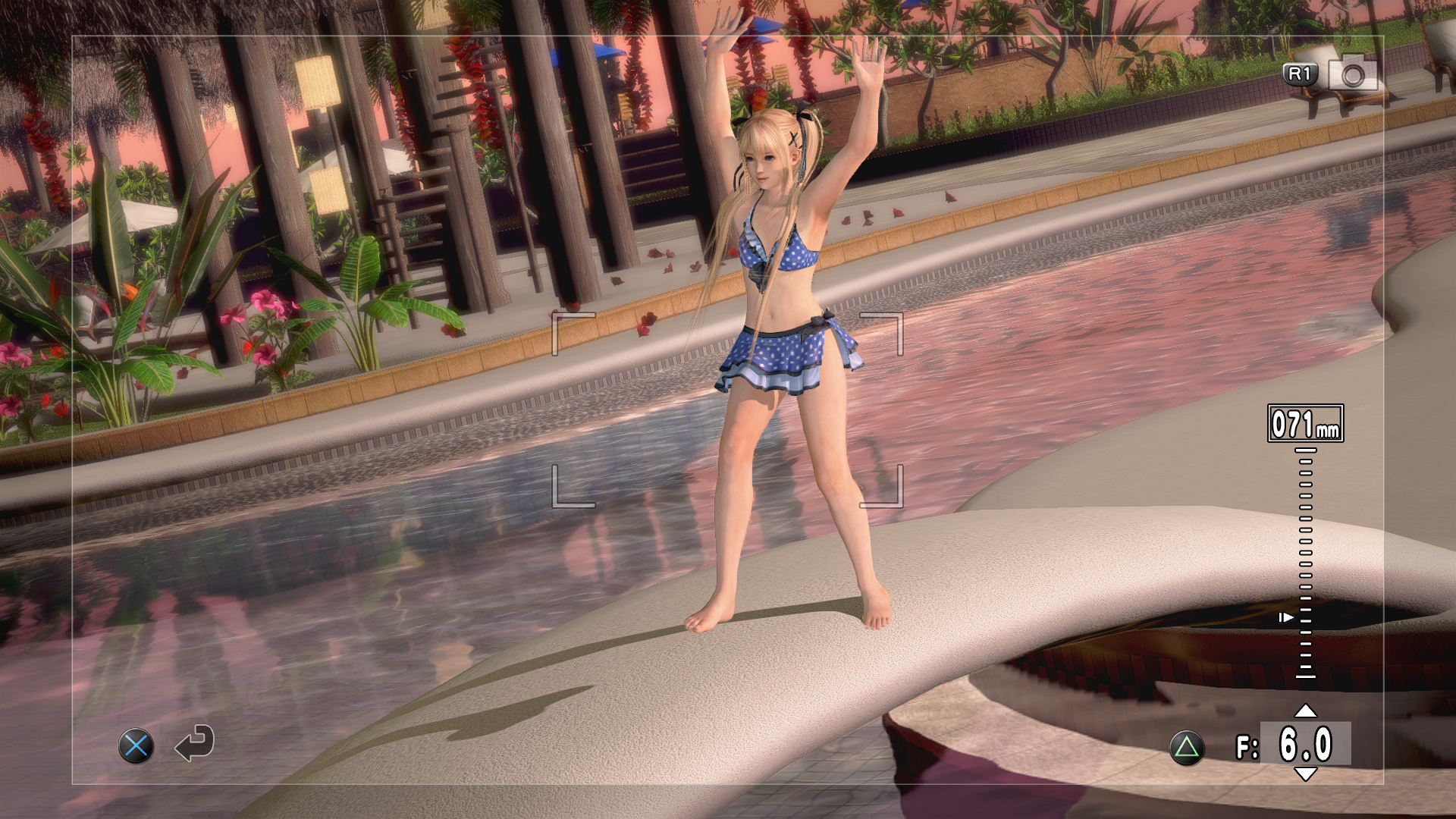
Native-rendering pool camera, smoke run fortune-119-pool-native-baseline-13.
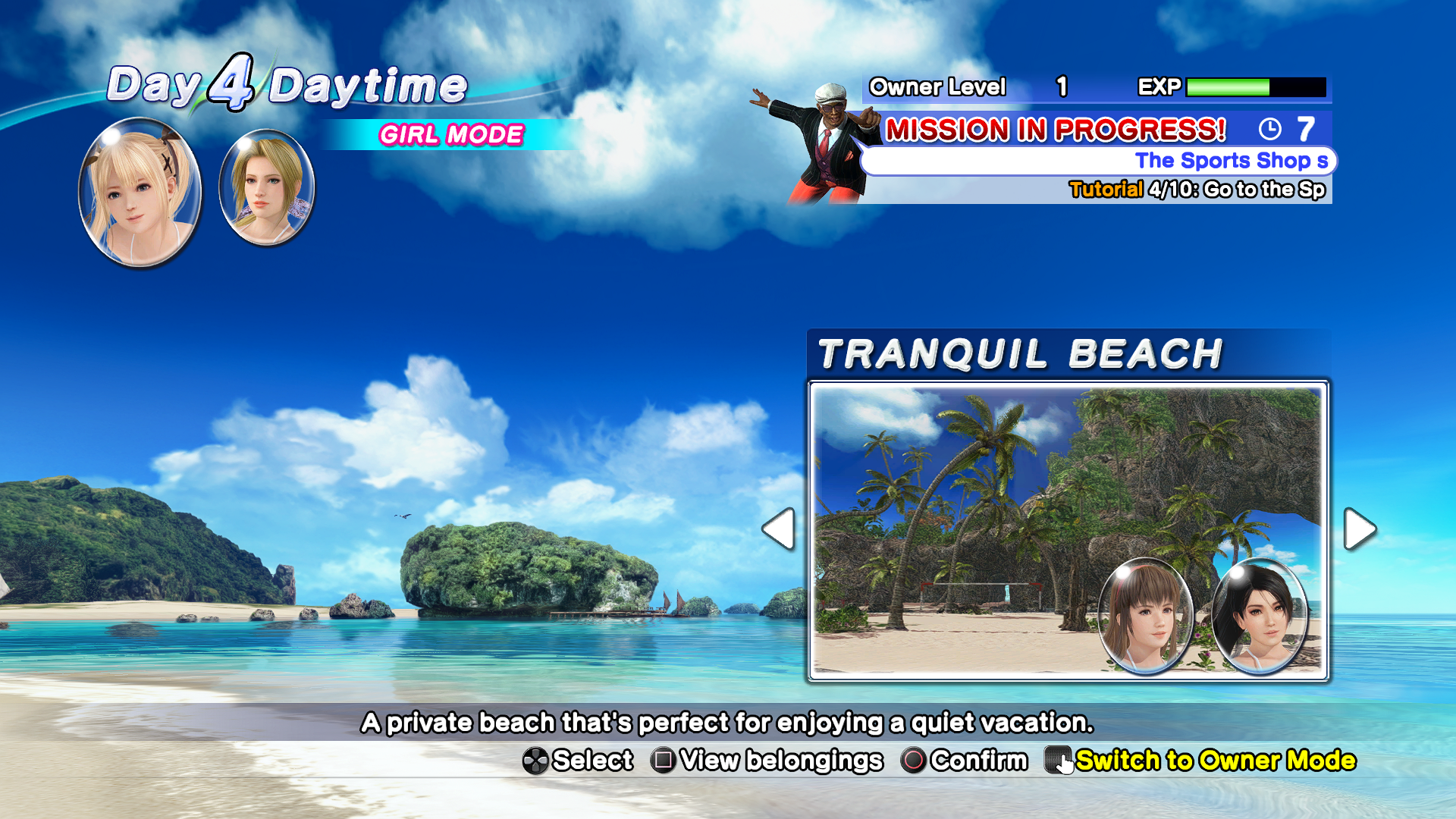
Day4 daytime map return after the complete Rock Climb, smoke run fortune-119-rock-return-16. Original captures; no generated promotional imagery.
Source and licensing
This edition and the separate DOAX3 Scarlet repository start from the same recorded shared runtime snapshot. The editions differ in profile, launchers, required game data and validation evidence. The root launch tools replace machine-specific development paths; archived source documentation is retained as historical reference.
Provenance, revision pins and full credits distinguish direct DOAX3 work from inherited port ancestry. The main source inherits GPLv2; dependency and MIT bridge notices remain in their own files. Game content shown in screenshots remains the property of its rights holders.
Special thanks
- Supermedo — Uncharted: The Nathan Drake Collection and Mateus Meneses — The Order: 1886 port for the earlier porting work, runtime references and shared integration/toolchain work.
- The inherited chain: Felipe Prado / God of War III (SpartanPort), Supermedo / Bloodborne Windows, deadinside28 / Bloodborne, cuesta4 and the shadPS4 team.
- IFreemz / eFMann for the DLSS bridge foundation; the VamDlssNr integration reference for the compatible optional NR runtime reference.
- FSR-Vulkan, AMD FidelityFX, NVIDIA DLSS SDK, Mesa, Khronos, SDL3, FFmpeg, LibAtrac9 and the other dependency authors listed in provenance and full credits.
- Team NINJA / Koei Tecmo for the original games. This unofficial project is not affiliated with or endorsed by the game or hardware companies.