D2R Metal
D2R Metal is a native port of Diablo II: Resurrected for Apple silicon Macs, iPhones, and iPads with ray tracing and MetalFX support.
- Type: PC port
- Game: Diablo II: Resurrected
- Runs on Windows and macOS
- By PowerBeef
- Latest release v2.1.0, 2026-11-12
- Source: https://github.com/PowerBeef/d2r-metal
README

Diablo II: Resurrected on your Mac, iPhone and iPad. Native, ray traced, and yours to play offline.








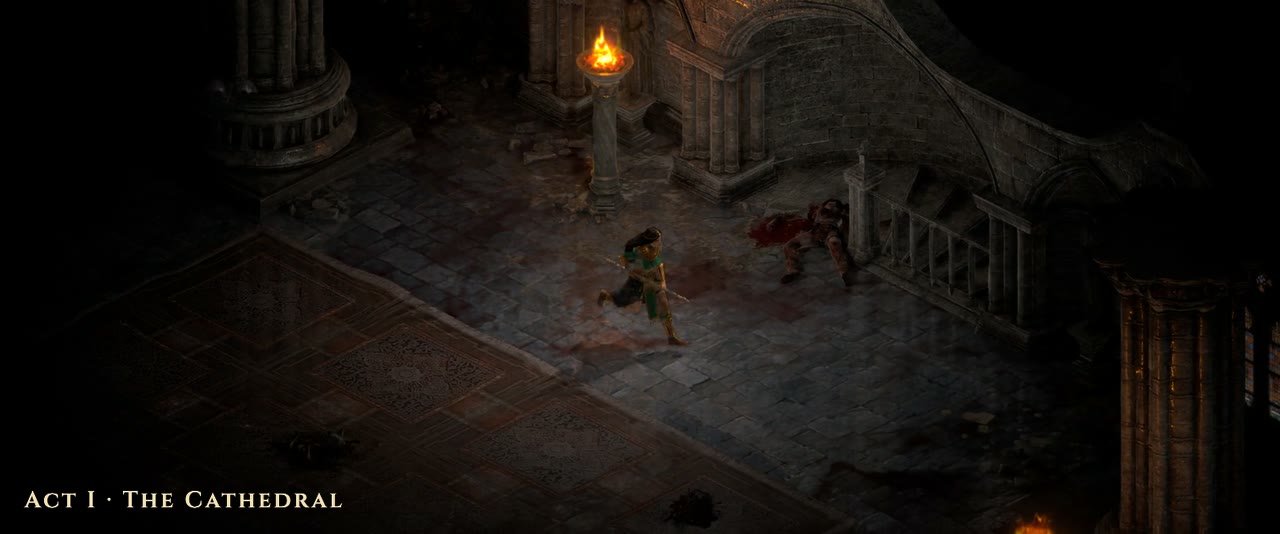
Sanctuary belongs on Apple silicon. D2R Metal brings Diablo II: Resurrected with Reign of the Warlock to your Mac, iPhone and iPad as a real native game: Blizzard's own code running on your chip, drawn by Metal 4, with ray-traced light on Macs that can carry it. No emulator, no streaming, no remake, no account, no internet. Just the Rogue Encampment waiting for you.
🎮 You need your own copy of the game, the Nintendo Switch version.
D2R Metal is not the game. It's the port: it builds itself from the files of your own Switch copy of Diablo II: Resurrected with Reign of the Warlock, dumped from your own console, and it ships none of the game. The Battle.net PC version can't be used. How to get your files ready →


You know these places. Now walk them with the light traced through them: torches that throw your shadow across the Cathedral floor, flagstones that have never been this wet, and dark that is still properly dark. Rays sit on top of the game's own lighting, the way its artists meant it, and show best where the torches do the work. Every clip is the game as it runs on a Mac mini with an M6, at the settings it chose for itself, rays at Full.
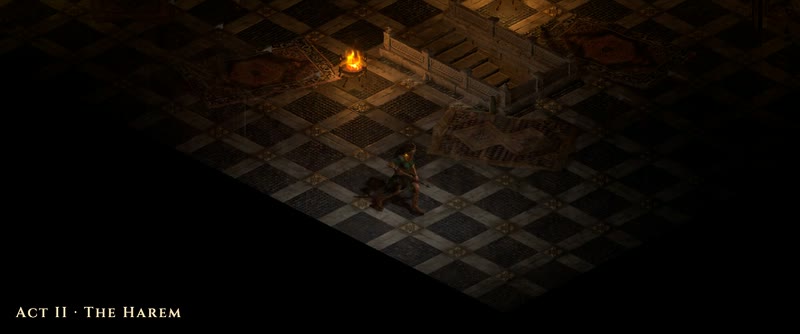
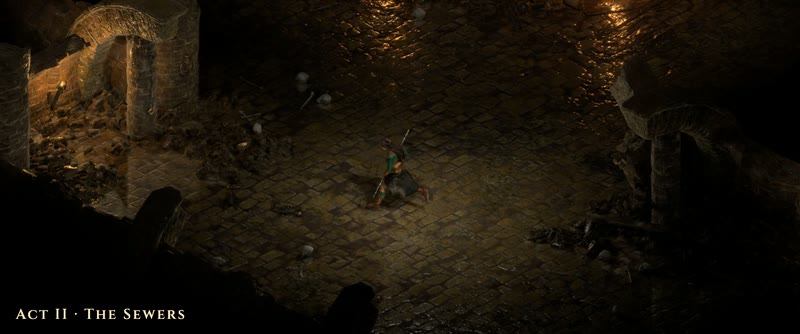
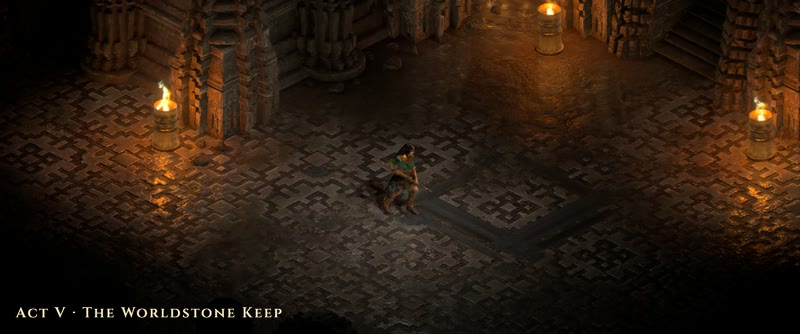

- Every surface answers the light its own way. Marble, ice and steel catch the glow around them as you move. The Sewers and the Catacombs glisten; the desert stays dry; the Durance of Hate stays black.
- Your shadow is real. Torches, braziers and your own character throw ray-traced shadows that swing as you pass.
- Shade settles where it should, at the foot of walls, under ledges, between the stones, and the sun's shadows are traced across the Blood Moor too.
Ray tracing has four levels, Off, Light, Standard and Full, and switches instantly. It needs a Mac with an M3 or later; the game turns it on by itself where your Mac can hold 60 fps (which Macs). iPhone and iPad don't have it yet. The torch glints on polished floors are the game's own effect lights, turned up with Environment Detail, so the lighter levels keep them.

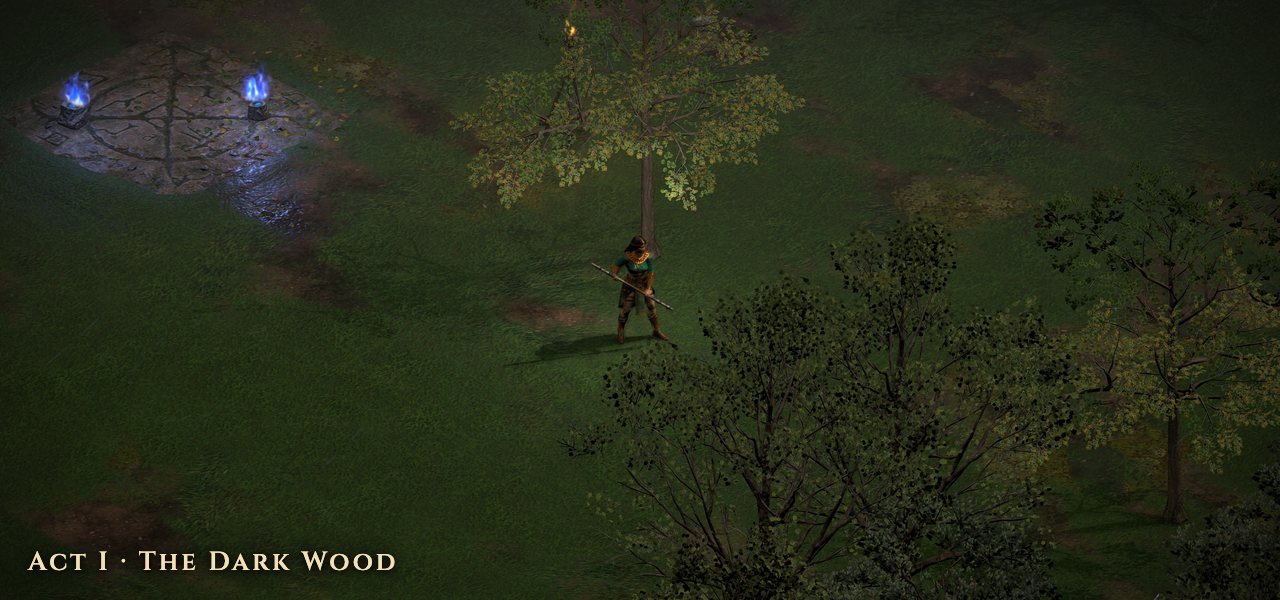
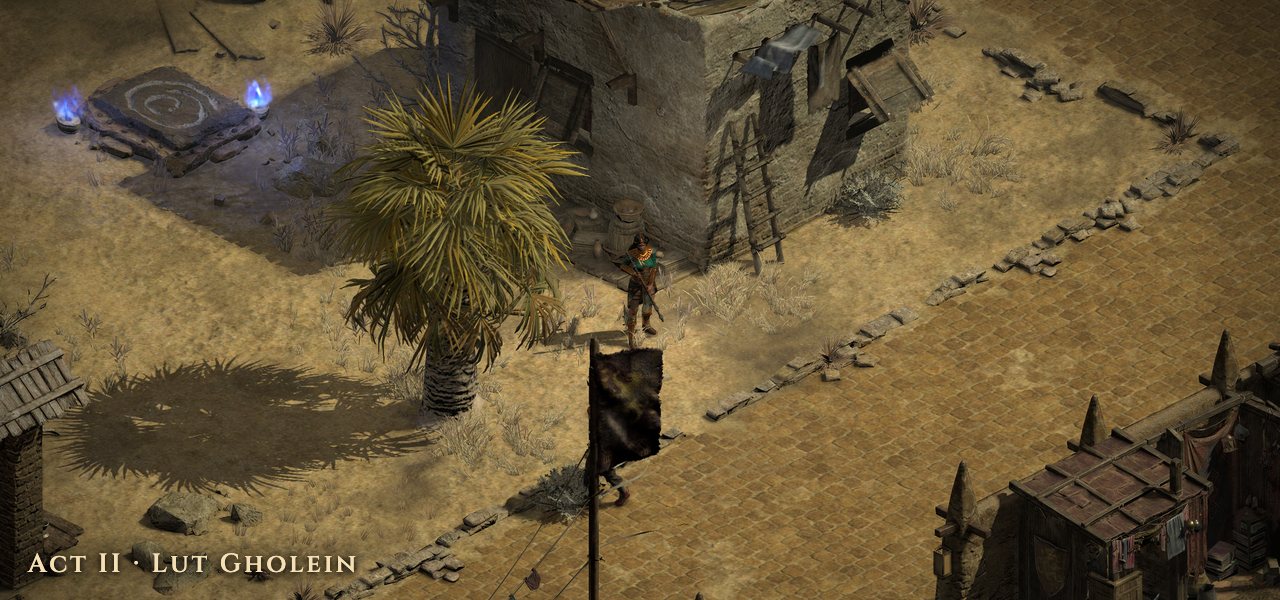
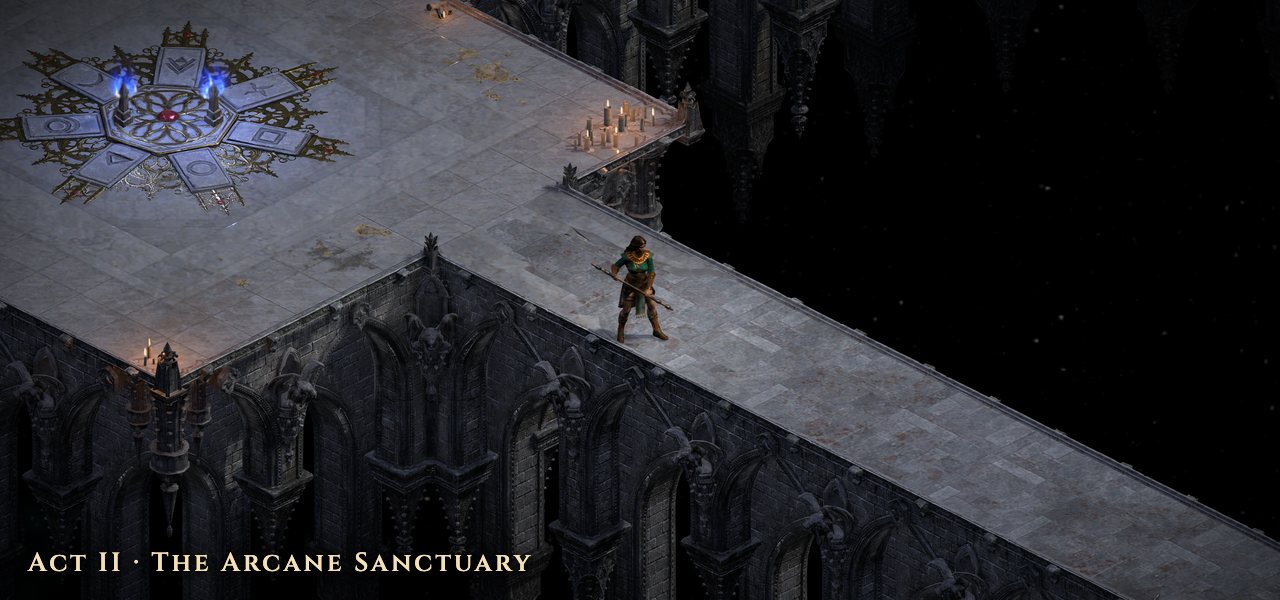
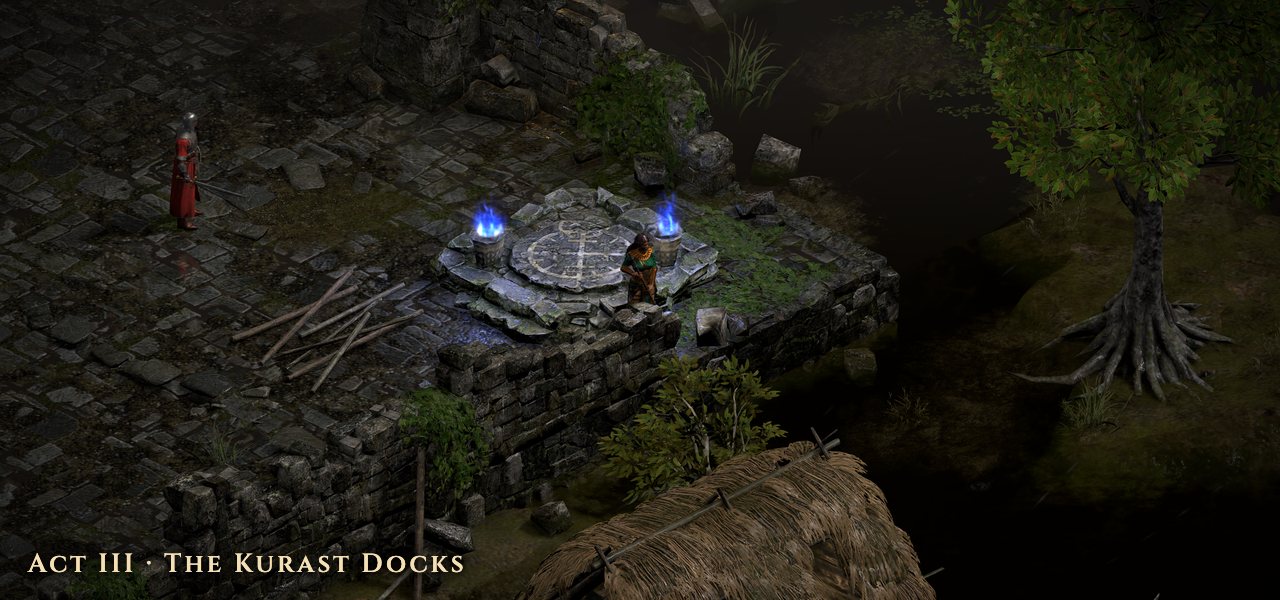
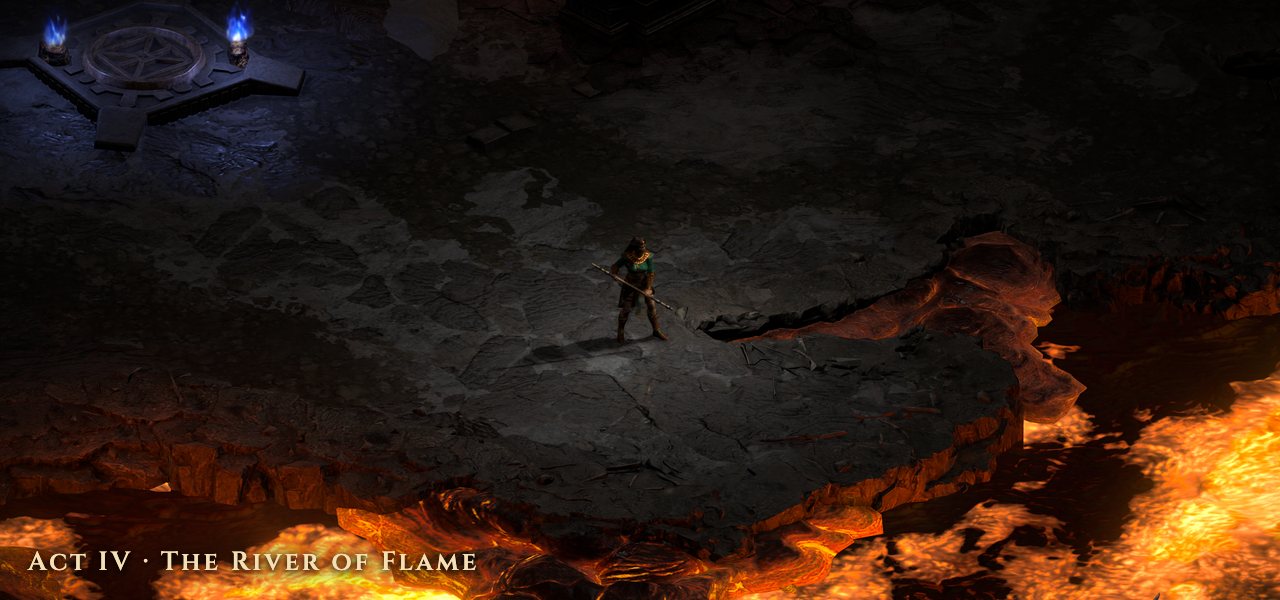
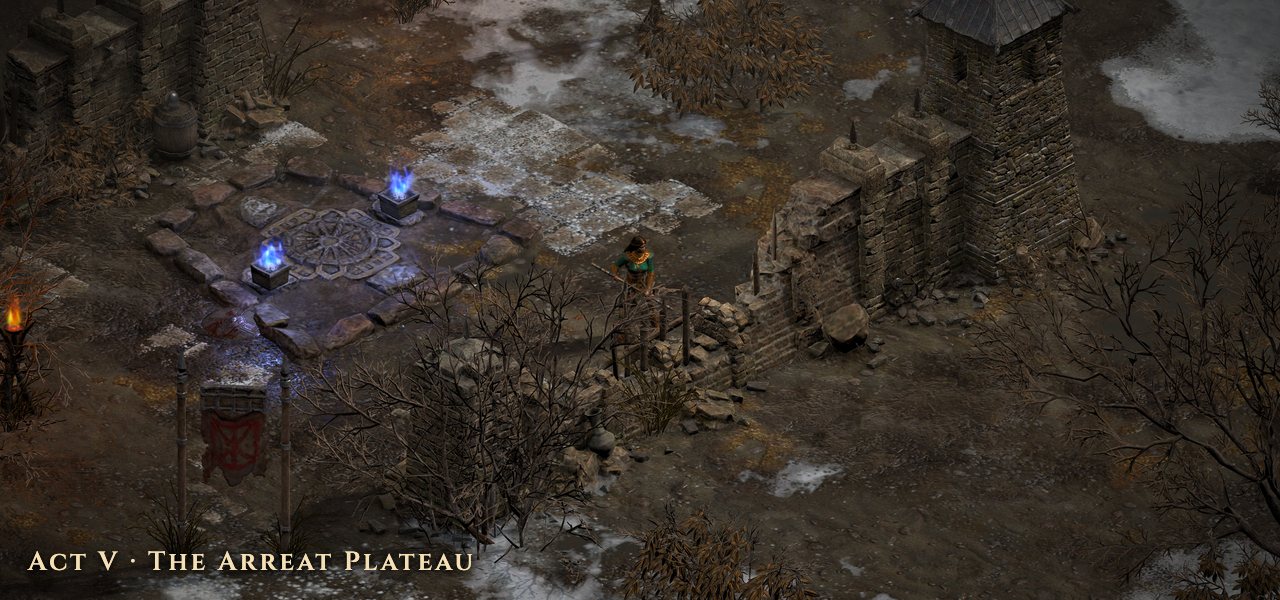

This isn't a Windows game squeezed through a translation layer. It's Diablo II, rebuilt from the inside for the hardware you own.
- Blizzard's code, your chip. The game runs directly on Apple silicon, with nothing in between to slow it or break it.
- Metal 4, and only Metal 4. The graphics were rebuilt from scratch for Apple's newest graphics API, with no older code path dragging behind.
- MetalFX in every frame. Apple's upscaler rebuilds detail from several frames and creates the frames in between, so the game can spend its time on light instead of pixels. Text and panels stay pin sharp.
- Hardware ray tracing on the M3 and later, the way Apple designed it to be used.
- It sets itself up. The first time it opens, it reads your chip, your screen, your memory and even whether your Mac has a fan, and picks the picture to match. Change screens and it works it out again.

Diablo II lives on its rhythm: the click, the swing, the loot hitting the ground. D2R Metal draws 30 frames a second and MetalFX builds the 30 between, so your eye sees a steady 60 while every drawn frame gets twice the time. That's what pays for the rays. Here's what a play session looks like on screen: a flat line is a game that never stutters.
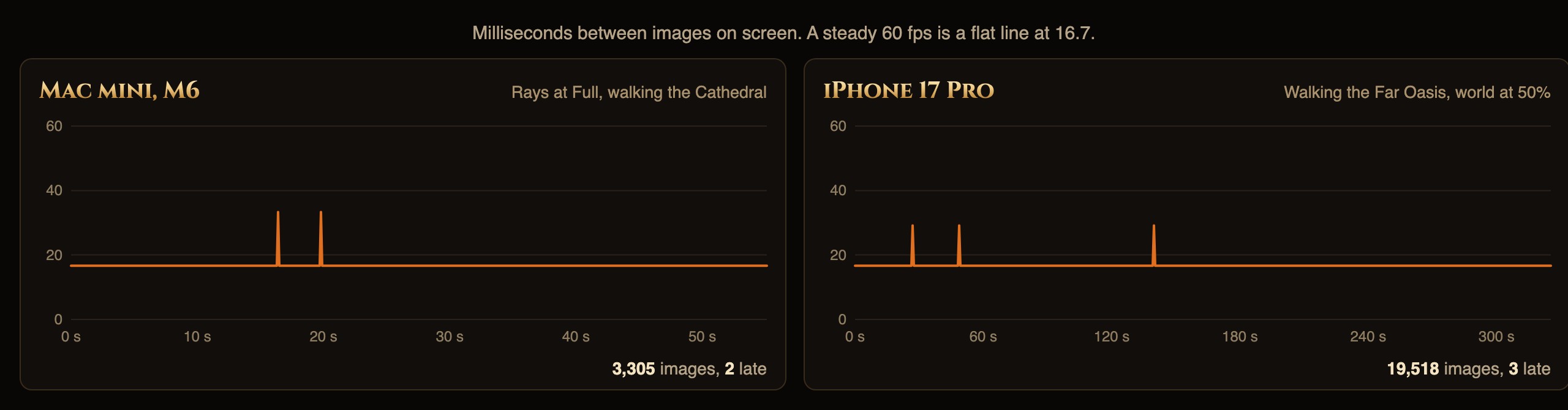
One session each, skipping the first 5 seconds while the area loads in. These are the two devices we've measured ourselves. Honest footnote: with 100 monsters on screen the iPhone 17 Pro dips to about 54 fps, and generated frames add a touch of input delay, about 23 ms on an M6. Nothing a Baal run will notice.

No terminal, no scripts, no wiki page of steps. On the Mac you download one app, D2R Metal Launcher, show it your game files, press Install, and a coffee later you press Play.
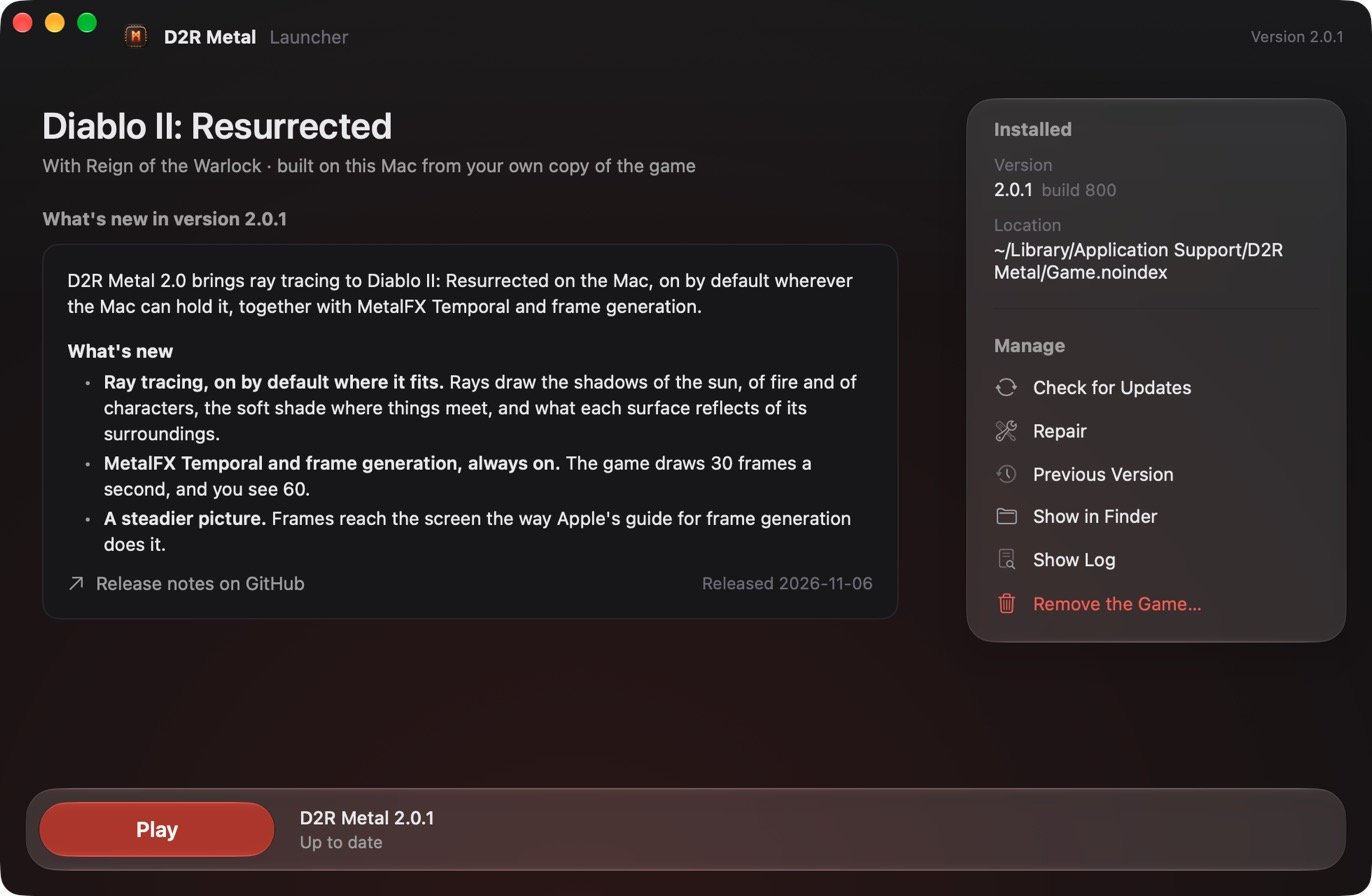
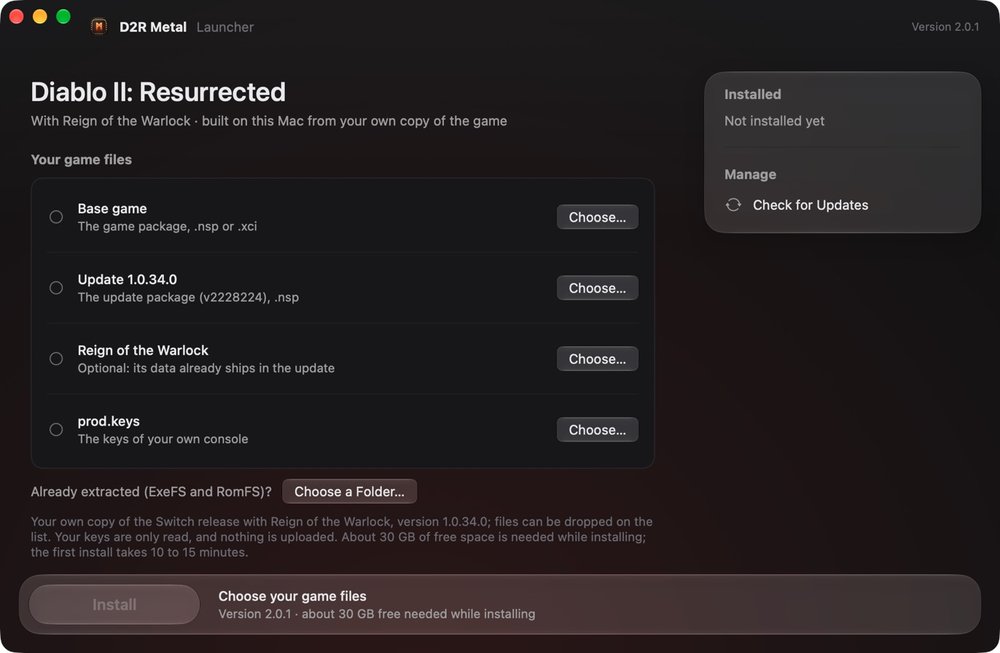
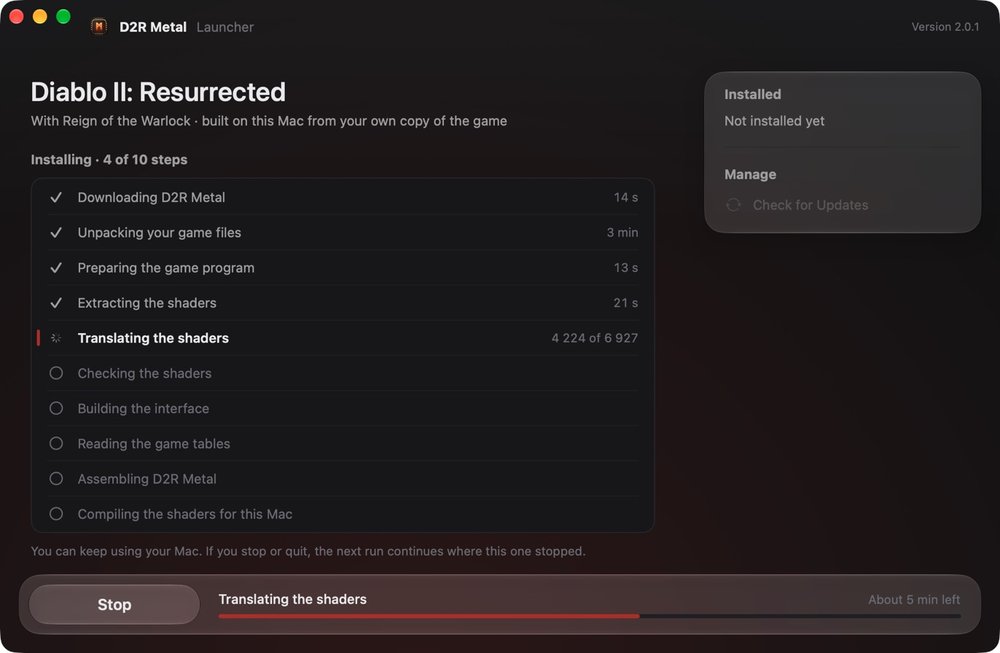
- Builds the game on your Mac, from your own files, in about 10 to 15 minutes the first time. Nothing is uploaded anywhere.
- Keeps you current. New version out? It tells you, updates itself and the game in a few minutes, and never touches your characters.
- Has your back. It can roll back to the previous version, repair a damaged install, and it's signed and notarized by Apple so macOS just opens it.

| Mouse and keyboard | Controller | Touch |
|---|---|---|
| The real PC interface, the gauntlet pointer and the keys you already know | The console interface, with the right button hints for Xbox, PlayStation or Switch | Controls built for the game, on iPhone and iPad |
Pick up a controller mid-game and the console interface appears; touch the mouse and the PC one is back. No menu to visit.
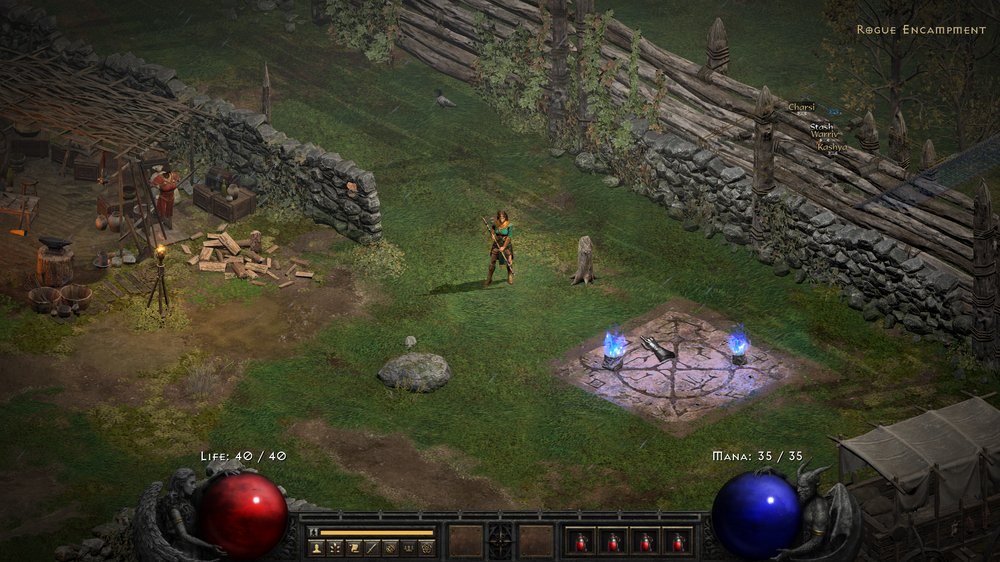
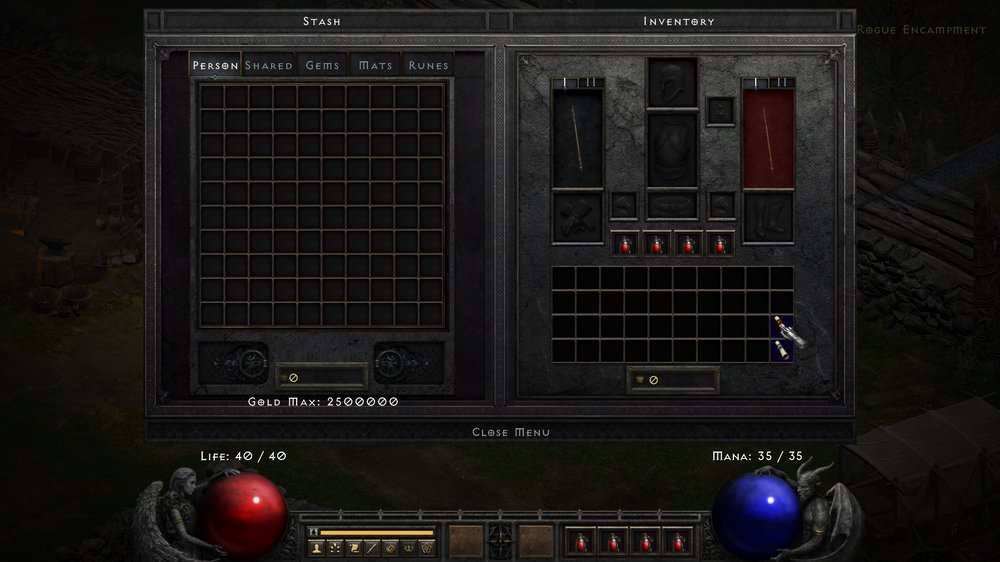
The keys
They're D2R's own PC defaults, so your hands already know them:
- Click to walk, attack, talk and pick up; hold to keep going. Right click casts your right skill, or uses the item under the pointer.
- Shift + click attacks without moving. Hold Shift over an item to compare it with what you wear.
- 1 to 4 drink from the belt, F1 to F8 pick skills, the wheel steps through them.
- I, C, T and Q for inventory, character, skills and quests. Tab for the map, Alt to show the loot on the ground, W to swap weapons, Esc to close things or open the menu.
Rebinding isn't in yet. Everything else about the Mac version is in docs/MAC.md.

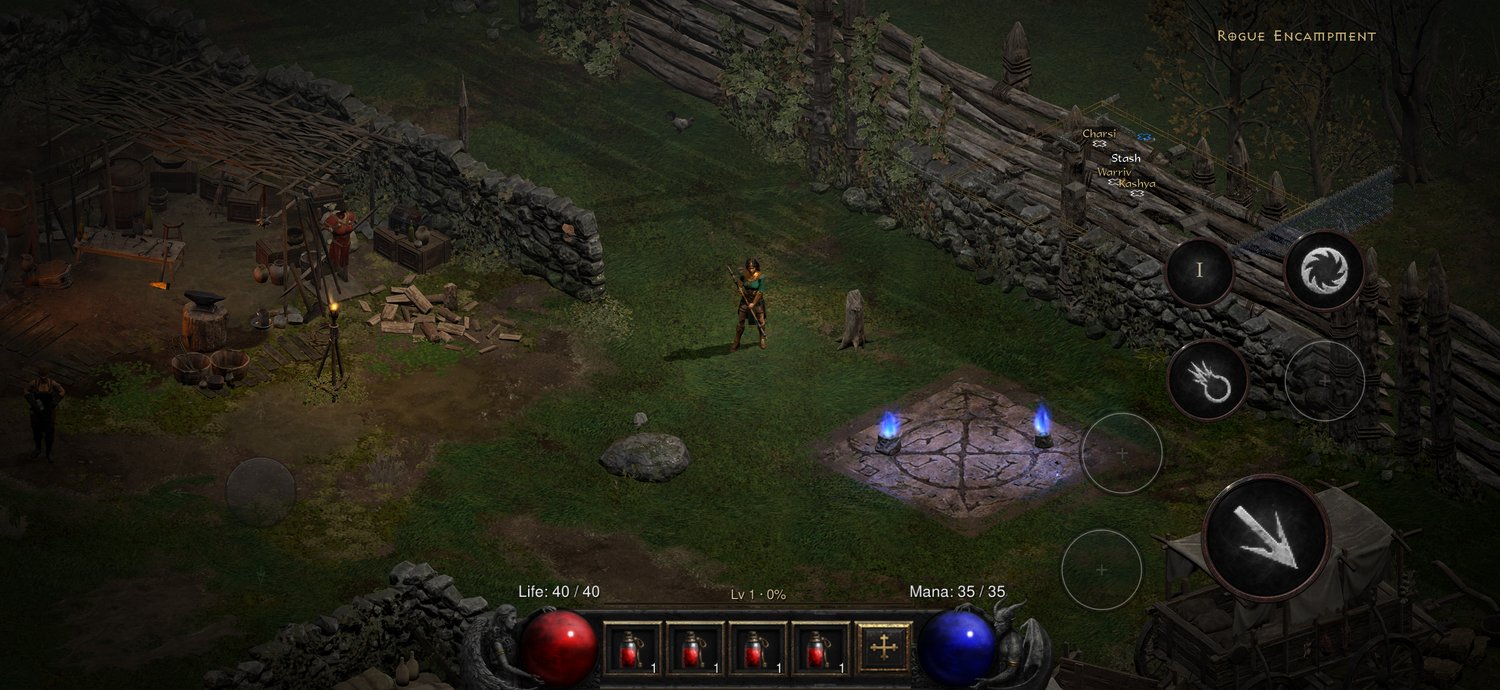
The whole game, in your pocket, with touch controls made for it or any controller you pair. MetalFX rebuilds the world from half size so your phone stays cool and the frames stay steady, and each iPhone and iPad gets a picture size its chip can carry. It saves the moment you swipe away, and iCloud carries your characters between your devices. For now the iPhone and iPad app is built from source with Xcode (how).

You need: a Mac with an M1 or later on macOS 27, or an iPhone or iPad with an A14 or later on iOS / iPadOS 27. For ray tracing, an M3 or later. Below is what the game picks for each device the first time it starts; you can change all of it in Options.
Mac
Your picture is always your own screen's resolution, up to 4K. What the chip decides is the ray tracing level and how much of that resolution the 3D world is drawn at before MetalFX brings it back up. Each cell shows both, for the screen that chip usually comes with: a 13-inch MacBook Air's for Base chips, a 14-inch MacBook Pro's for Pro, a 16-inch for Max, a 4K display for Ultra. Two lines mean the bigger GPU option, then the smaller. A slow chip on a big screen may get a smaller picture enlarged by MetalFX instead ("1920 wide").
Another screen changes the pick, and the game works it out again when you change screens: the measured M6 (✓), a Mac mini on a 2560 × 1440 display, gets Full at 100%; the same M6 on a 4K display gets Light at 75%, and on a 5K display a 4K picture enlarged, with rays off.
| Base | Pro | Max | Ultra | |
|---|---|---|---|---|
| M6 ✓ | Full 100% | – | – | – |
| M5 | Light 67% Off 85% | Full 100% | Full 100% | Full 100% |
| M4 | Off 85% Off 50% | Full 85% | Full 100% | – |
| M3 | Off 67% Off 1920 wide | Standard 75% Light 67% | Full 100% Full 85% | Full 100% |
| M2 | Off 50% Off 1920 wide | Off 100% | Off 100% | Off 100% |
| M1 | Off 1600 wide | Off 100% Off 85% | Off 100% | Off 100% |
Every Mac also gets MetalFX, frame generation, 16x filtering, true colors, environment shadows and the finest shadow maps, except the 7-core M1 and the MacBook Neo (A18 Pro: no rays, the world at 50%), which get lighter shadows. ✓ marks the one Mac we've measured ourselves. The rest are our best estimates from public benchmarks, and could be a notch off either way (how we pick). If your Mac has room to spare or struggles, nudge the 3D Resolution and Ray Tracing rows, and tell us what you've got.
iPhone and iPad
Every iPhone and iPad gets MetalFX, frame generation, the world at half size, 16x filtering and true colors. What changes from one device to the next is the Picture Size.
| Picture Size | iPhone | iPad |
|---|---|---|
| Full screen's own | 18 Pro, 18 Pro Max, 17 Pro ✓, 17 Pro Max, 17 ≈, SE (3rd gen) | Pro 13 M5, Pro 11 M5 M4 M2, Air 11 M4 M3 |
| High 75% of rows | Air, 17e, 16 Pro ≈, 16 Pro Max, 16, 16 Plus, 16e ≈, 15 Pro ≈ | Pro 13 M4, Pro 12.9 M2, Pro 11 M1, Air 13 M4 M3 M2, Air 11 M2, Air M1 |
| Medium 62.5% | 15 Pro Max, 15 ≈, 15 Plus, 14 Pro ≈, 14 Pro Max, 14 ≈, 13 Pro ≈ | Pro 12.9 M1, mini A17 Pro, iPad A16 |
| Low 720 rows | 14 Plus, 13 Pro Max, 13 ≈, 13 mini, 12 Pro Max, 12 Pro ≈, 12 ≈, 12 mini | mini A15, iPad A14, Air A14 |
✓ we played it on that very device (only the iPhone 17 Pro so far). ≈ we simulated it on the iPhone 17 Pro, slowing its graphics to match that chip: each one held 60 fps in town, but a real phone's slower processor could still dip in a big fight. No mark: an estimate from benchmarks, never run. Own one of these? Tell us how it plays.
iPhones and iPads with an A14 to A16 chip also need a one-time Legacy Device Pack, and the 4 GB models run with little room to spare.
Every device in detail
| Chip | GPU cores | Usual screen | Picture | World | Ray Tracing | Shadows |
|---|---|---|---|---|---|---|
| M6, measured | 12 | 2560 × 1440 display | 2560 × 1440 | 2560 × 1440 100% | Full | Environment, Ultra |
| M5 Ultra | 64, 80 | 4K display | 3840 × 2160 | 3840 × 2160 100% | Full | Environment, Ultra |
| M5 Max | 32, 40 | 16-inch MacBook Pro | 3456 × 2160 | 3456 × 2160 100% | Full | Environment, Ultra |
| M5 Pro | 16, 20 | 14-inch MacBook Pro | 3024 × 1890 | 3024 × 1890 100% | Full | Environment, Ultra |
| M5 | 8 | 13-inch MacBook Air | 2940 × 1838 | 2500 × 1562 85% | Off | Environment, Ultra |
| M5 | 10 | 13-inch MacBook Air | 2940 × 1838 | 1970 × 1232 67% | Light | Environment, Ultra |
| M4 Max | 32, 40 | 16-inch MacBook Pro | 3456 × 2160 | 3456 × 2160 100% | Full | Environment, Ultra |
| M4 Pro | 16, 20 | 14-inch MacBook Pro | 3024 × 1890 | 2570 × 1606 85% | Full | Environment, Ultra |
| M4 | 8 | 13-inch MacBook Air | 2940 × 1838 | 1470 × 920 50% | Off | Environment, Ultra |
| M4 | 10 | 13-inch MacBook Air | 2940 × 1838 | 2500 × 1562 85% | Off | Environment, Ultra |
| M3 Ultra | 60, 80 | 4K display | 3840 × 2160 | 3840 × 2160 100% | Full | Environment, Ultra |
| M3 Max | 30 | 16-inch MacBook Pro | 3456 × 2160 | 2938 × 1836 85% | Full | Environment, Ultra |
| M3 Max | 40 | 16-inch MacBook Pro | 3456 × 2160 | 3456 × 2160 100% | Full | Environment, Ultra |
| M3 Pro | 14 | 14-inch MacBook Pro | 3024 × 1890 | 2026 × 1266 67% | Light | Environment, Ultra |
| M3 Pro | 18 | 14-inch MacBook Pro | 3024 × 1890 | 2268 × 1418 75% | Standard | Environment, Ultra |
| M3 | 8 | 13-inch MacBook Air | 1920 × 1200 enlarged | 1920 × 1200 100% | Off | Environment, Ultra |
| M3 | 10 | 13-inch MacBook Air | 2940 × 1838 | 1970 × 1232 67% | Off | Environment, Ultra |
| M2 Ultra | 60, 76 | 4K display | 3840 × 2160 | 3840 × 2160 100% | Off | Environment, Ultra |
| M2 Max | 30, 38 | 16-inch MacBook Pro | 3456 × 2160 | 3456 × 2160 100% | Off | Environment, Ultra |
| M2 Pro | 16, 19 | 14-inch MacBook Pro | 3024 × 1890 | 3024 × 1890 100% | Off | Environment, Ultra |
| M2 | 8 | 13-inch MacBook Air | 1920 × 1200 enlarged | 1920 × 1200 100% | Off | Environment, Ultra |
| M2 | 10 | 13-inch MacBook Air | 2940 × 1838 | 1470 × 920 50% | Off | Environment, Ultra |
| M1 Ultra | 48, 64 | 4K display | 3840 × 2160 | 3840 × 2160 100% | Off | Environment, Ultra |
| M1 Max | 24, 32 | 16-inch MacBook Pro | 3456 × 2160 | 3456 × 2160 100% | Off | Environment, Ultra |
| M1 Pro | 14 | 14-inch MacBook Pro | 3024 × 1890 | 2570 × 1606 85% | Off | Environment, Ultra |
| M1 Pro | 16 | 14-inch MacBook Pro | 3024 × 1890 | 3024 × 1890 100% | Off | Environment, Ultra |
| M1 | 7 | 13-inch MacBook Air | 1600 × 1000 enlarged | 1600 × 1000 100% | Off | Standard |
| M1 | 8 | 13-inch MacBook Air | 1600 × 1000 enlarged | 1600 × 1000 100% | Off | Environment, Ultra |
| A18 Pro | 5 | MacBook Neo | 2408 × 1506 | 1204 × 752 50% | Off | Standard |
| Device | Chip | Screen | Picture Size | Picture | World | How we know |
|---|---|---|---|---|---|---|
| iPhone 18 Pro | A20 Pro | 2622 × 1206 | Full | 2622 × 1206 | 1311 × 603 | Estimated |
| iPhone 18 Pro Max | A20 Pro | 2868 × 1320 | Full | 2868 × 1320 | 1434 × 660 | Estimated |
| iPhone 17 Pro | A19 Pro | 2622 × 1206 | Full | 2622 × 1206 |