Dig Dug Native Port
digdug-native is a native PC port of Dig Dug for Windows and Linux with controller support and widescreen fill.
- Type: PC port
- Game: Dig Dug
- Runs on Windows and Linux
- By TekRantGaming
- Latest release v1.1.0, 2026-10-01
- Source: https://github.com/TekRantGaming/digdug-native
README
Dig Dug – native PC port
Namco's 1982 arcade classic as a standalone Windows and Linux program – with controller support, widescreen fill, an in-game menu and more.


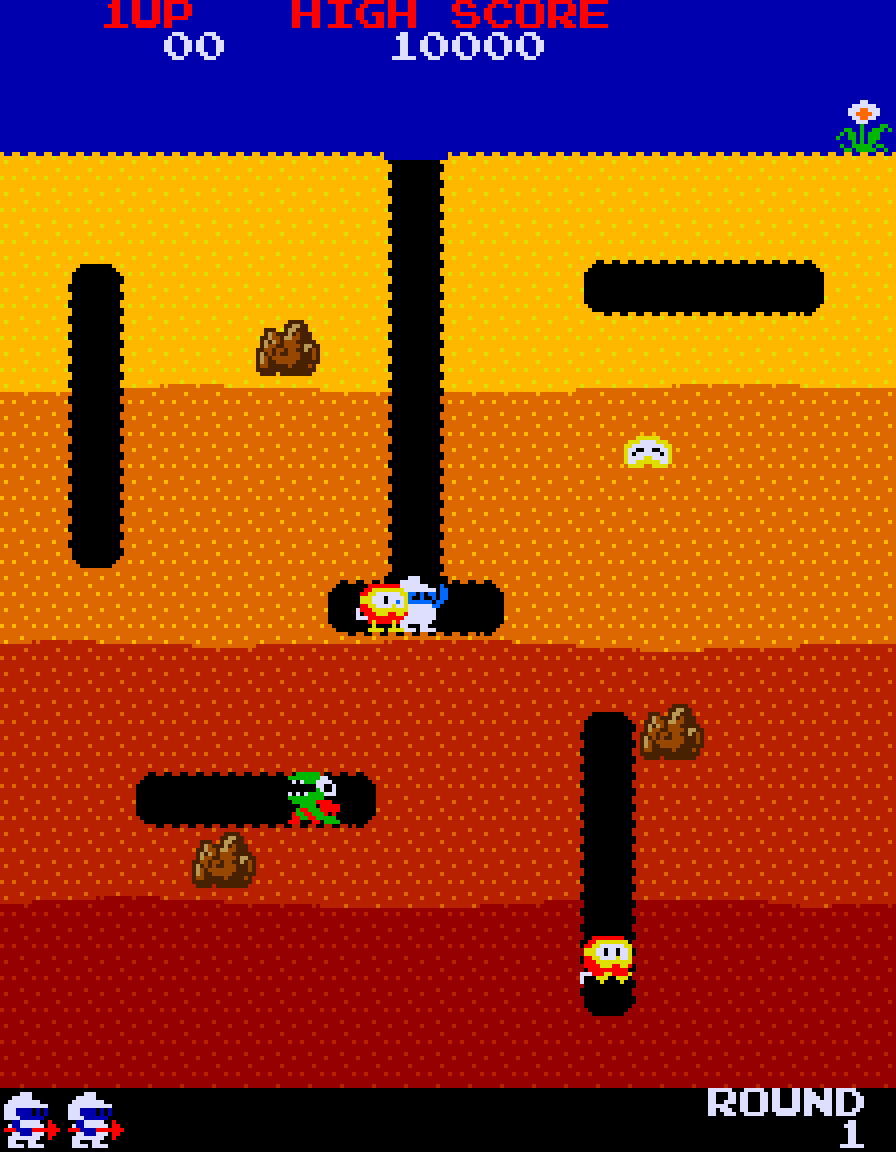
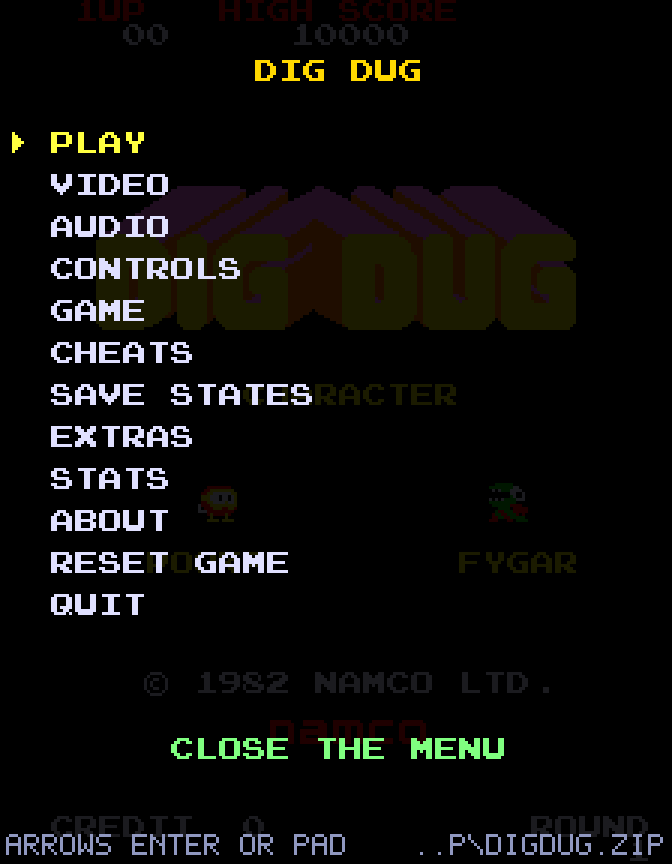
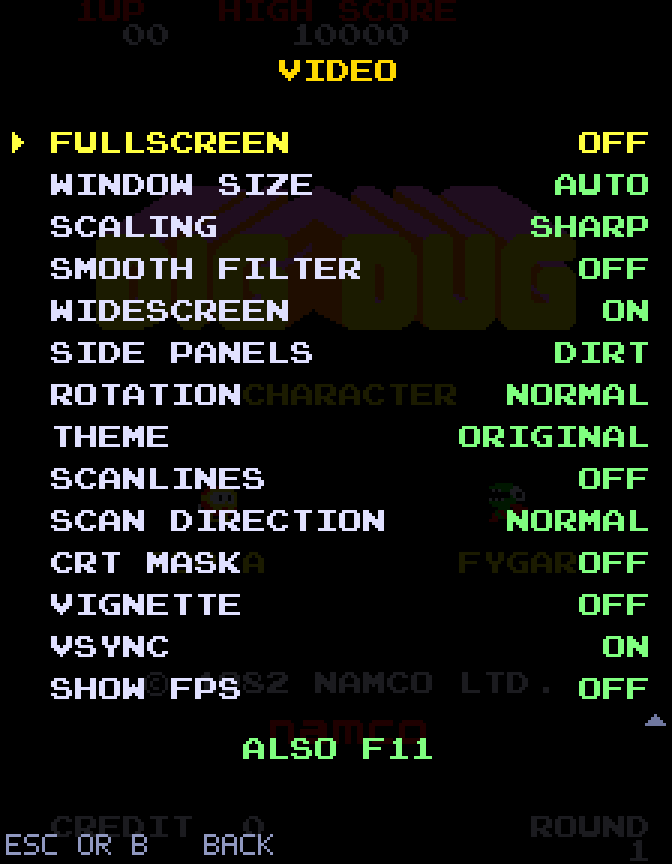
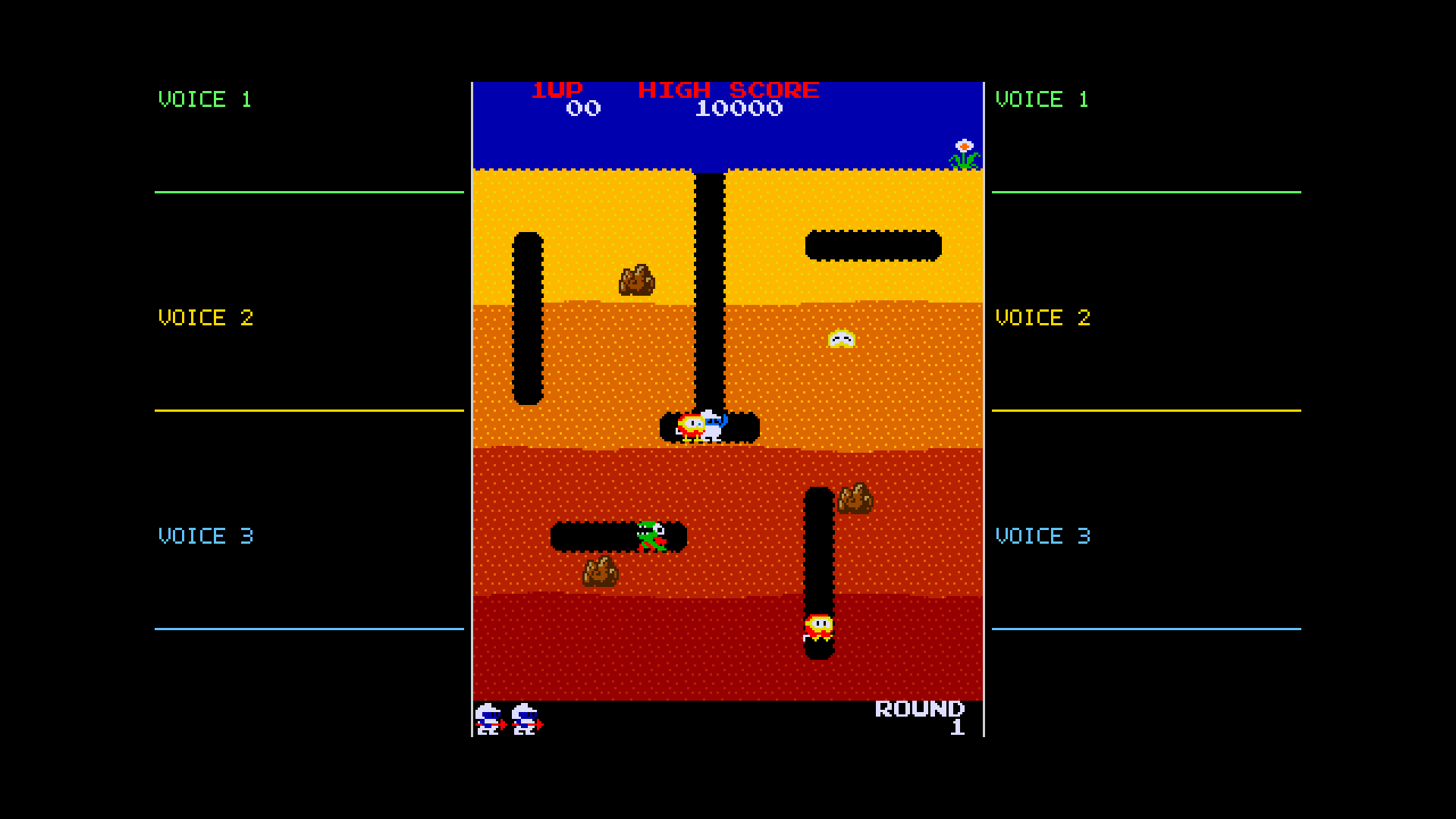
AI disclosure: this project was created with AI. It may contain errors.
You must supply your own ROMs. This repository and its releases contain no game ROM files (the build pipeline checks for this and fails if any are found). You need your own legally obtained copy of the Dig Dug (MAME
digdug) ROM set – see Getting the ROMs. The program asks for the file and you can drag and dropdigdug.ziponto its window. Dig Dug is © Bandai Namco Entertainment; this project is unofficial and unaffiliated.
Table of contents
- What is this?
- Features
- Download and run
- Getting the ROMs
- Controls
- The menu and options
- Widescreen mode
- Command line
- Building from source
- Troubleshooting / FAQ
- Is this a decompilation?
- How it works
- Project layout
- Contributing
- Credits and legal
What is this?
Dig Dug runs on an arcade board with three Z80 processors, shared RAM, custom Namco I/O chips, a tile/sprite video
system on a vertical monitor, and a 3-voice wavetable sound chip. This project re-creates that board in C# (.NET 8) and
wraps it in a proper PC front end built on SDL2. The original game code from your ROMs runs unmodified – so the game
plays exactly as it did in the arcade – while everything around it is modern: gamepads, fullscreen, scaling, settings,
and packaging as a self-contained .exe and a Linux AppImage (no RetroArch or MAME required).
Features
Play
- Faithful gameplay – attract mode, credits, scoring, pump, rocks, enemy AI, round progression, high-score memory
- Auto pump and auto coin – hold fire to keep pumping; just press Start
- Game controller support – Xbox 360 / One / Series, PlayStation 4/5, Switch Pro and most gamepads, hot-plugging, rumble when you lose a life, adjustable deadzone and pump button
- Rebindable keyboard – two keys per action, set in the menu
- Cheats – infinite lives, invincibility, start on any round (applied live; the ROM is never modified)
- Game speed from 25% to 400%, frame advance while paused, hold Tab to fast-forward
- Difficulty options: lives, bonus-life thresholds, rank A–D
Time machine
- Save states – 5 slots (F5 save, F7 load, F6 change slot)
- Rewind – hold R (or L3) to run the game backwards for up to 15 seconds
- Replays – record a game and play it back exactly, from the menu
Video
- Widescreen fill with five side-panel styles: dirt, black, glow, live sound oscilloscopes and an info panel (stats and key help); a bright line always marks the real playfield
- 14 colour themes including green phosphor, amber, Game Boy, sepia, night mode and two colour-blind palettes
- CRT filters – scanlines (3 strengths, optional arcade-accurate sideways direction), RGB phosphor mask, vignette
- Rotation (play on a tilted monitor), sharp / fit / stretch scaling, smooth filter, VSync, borderless, always-on-top
- FPS counter, notices for saves / screenshots / achievements
Audio
- Output device picker with test tone, volume, per-voice mute for the three sound channels, optional smoothing, mute when unfocused
Extras
- Statistics (play time, games, coins, lives lost, best score, deepest round) and 19 achievements, stored locally – nothing is ever sent anywhere
- Screenshots (F12) saved as PNG, shortcuts to open the config and screenshot folders
- Reset high scores / stats, automatic pause when the window loses focus
- Windows
.exeand Linux AppImage, no installer or runtime needed; the power-on self-test is fast-forwarded
More screenshots
| CRT filter | Rotation + Green Phosphor theme |
|---|---|
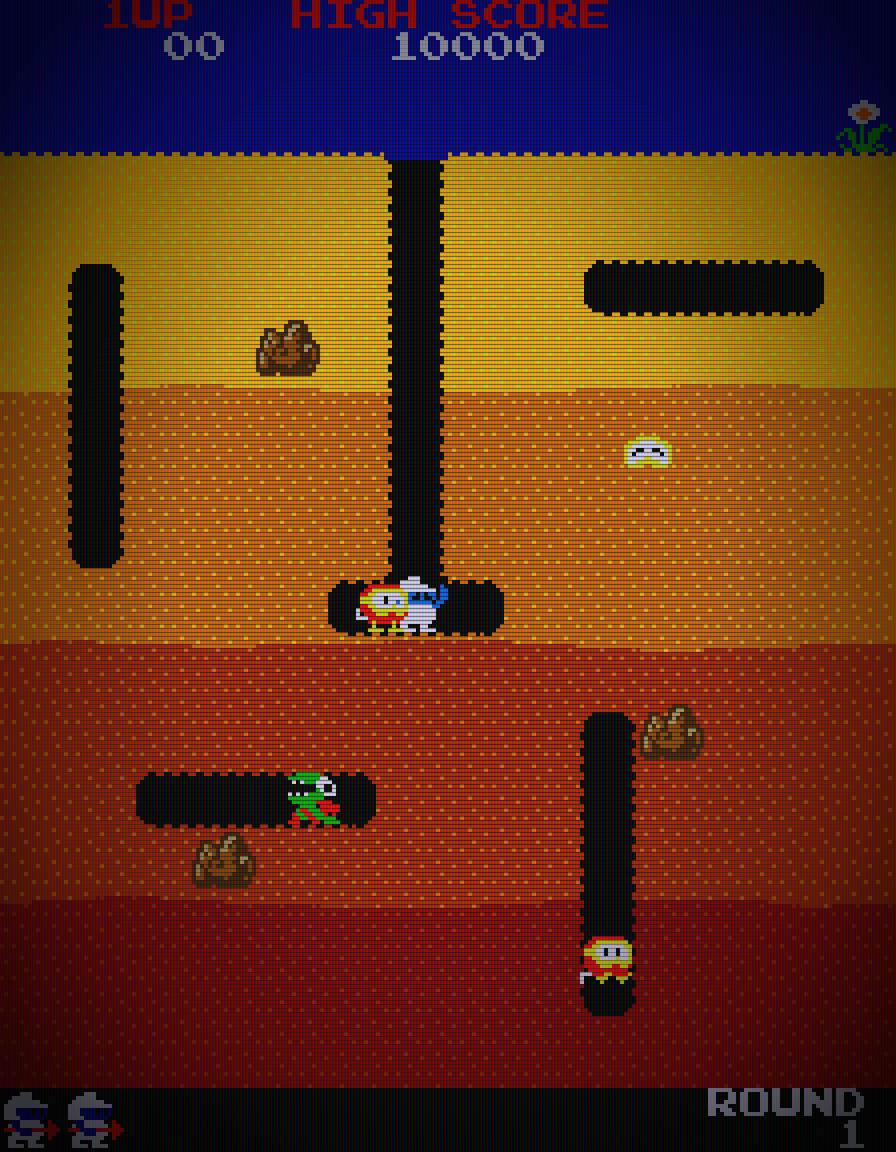 | 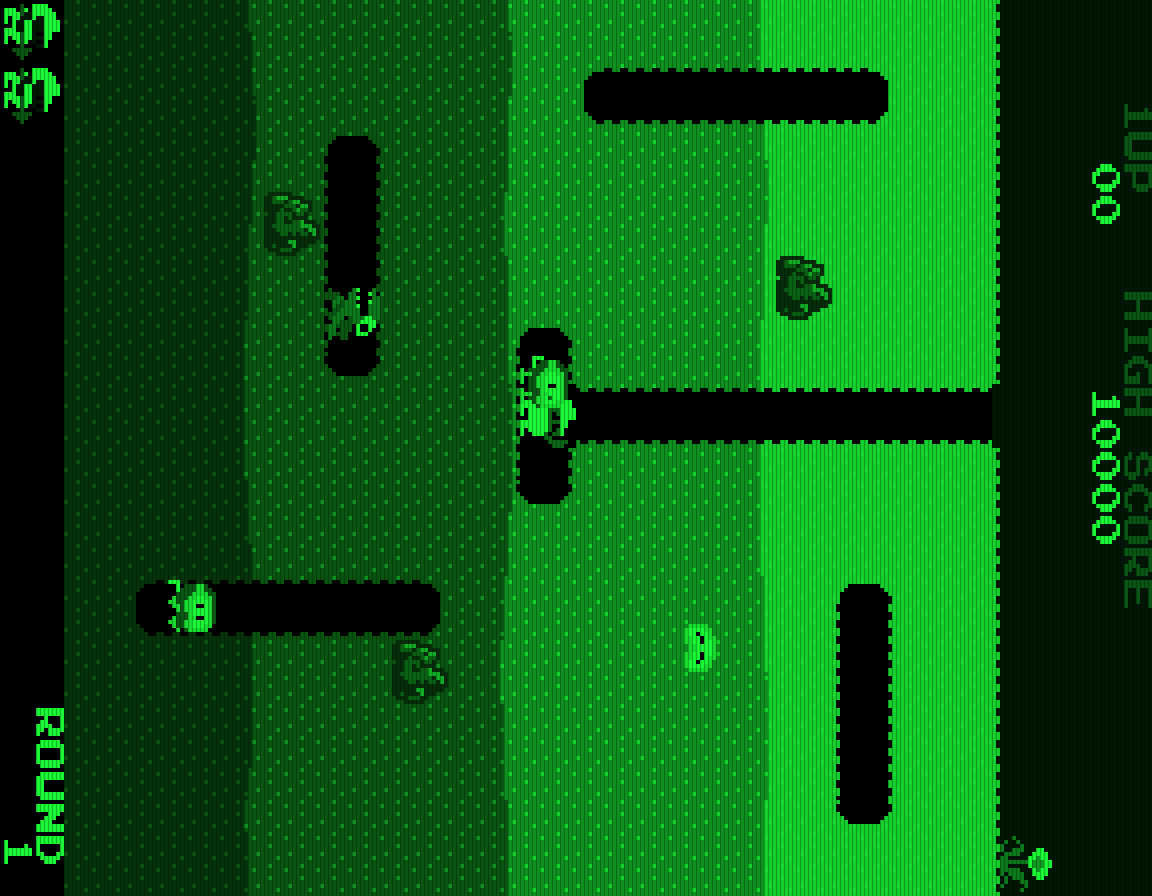 |
| Info panel (16:9) | Dirt panels (16:9) |
|---|---|
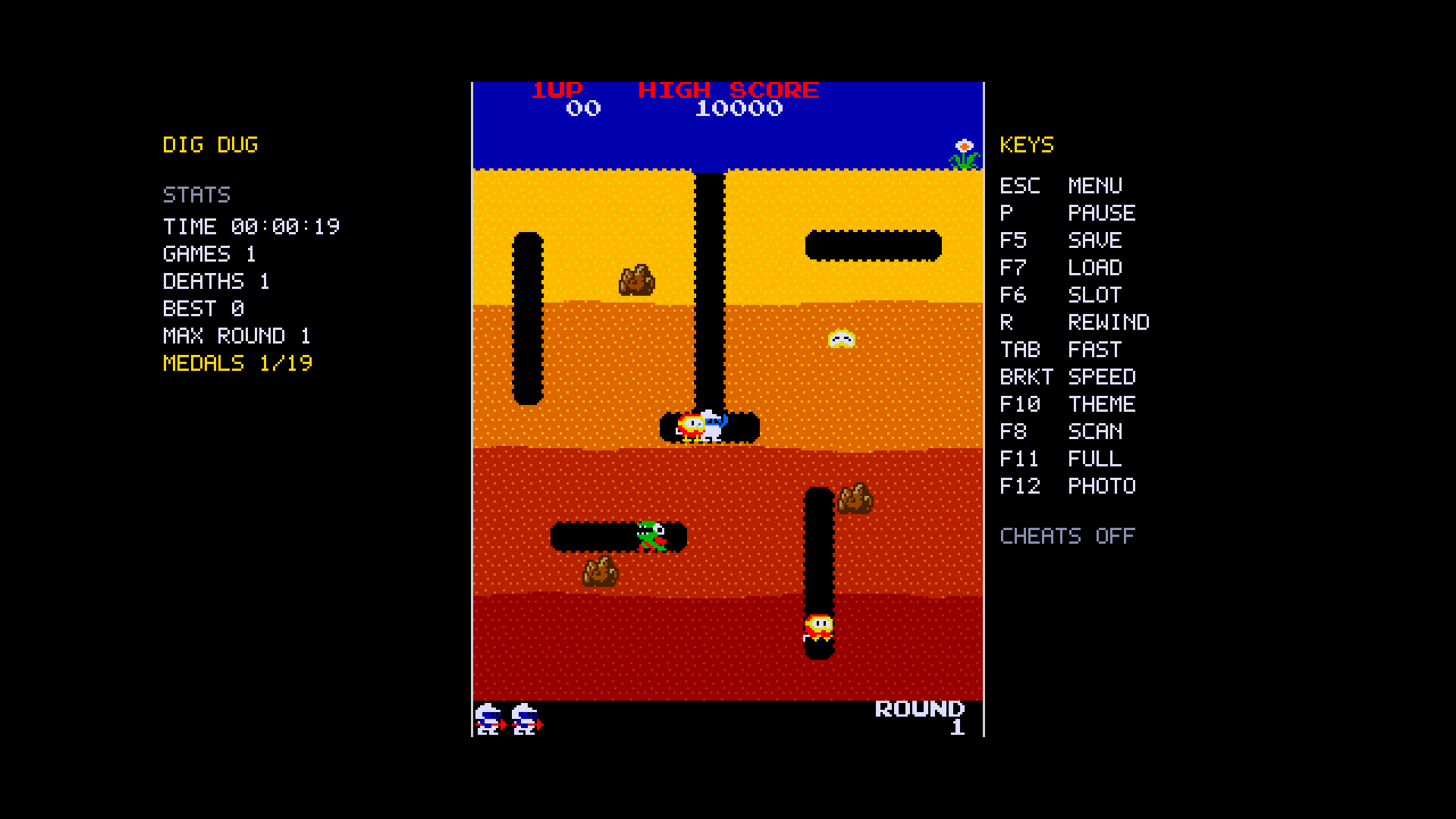 | 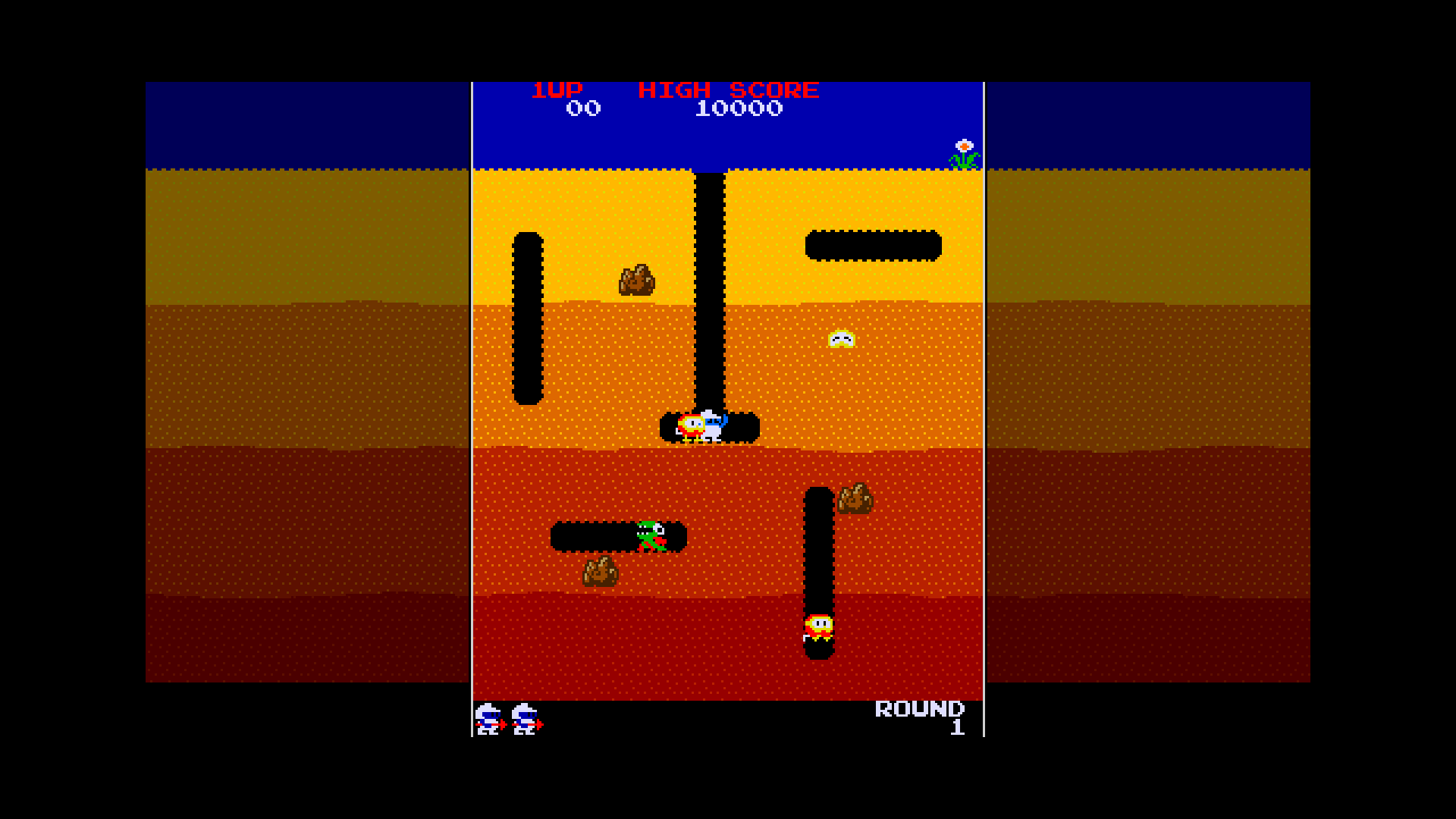 |
| Cheats menu | Notices, FPS counter |
|---|---|
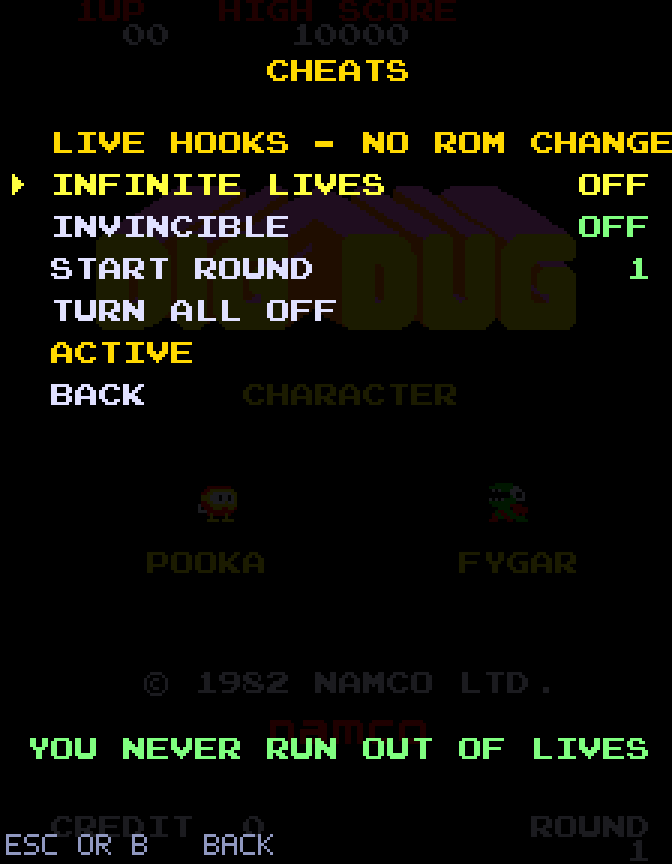 | 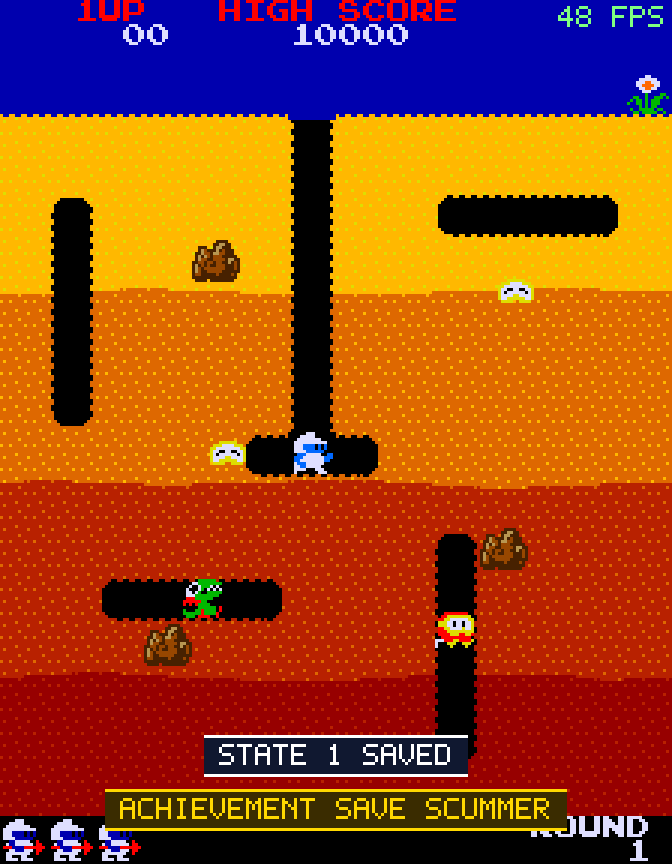 |
Grab the latest build from the Releases page.
Windows (10/11, 64-bit)
- Download
DigDug-windows-x64.zipand extract it anywhere. - Put your ROMs next to
DigDug.exein a folder calledroms(or just run it – it will ask you to pickdigdug.zip). - Run
DigDug.exe.
Windows SmartScreen may warn about an unrecognised app because the executable is not code-signed; choose More info -> Run anyway.
Linux (x86-64)
- Download
DigDug-x86_64.AppImage. chmod +x DigDug-x86_64.AppImage- Put
digdug.zipin the same folder as the AppImage (or run it and pick the file when asked), then run./DigDug-x86_64.AppImage.
If your system has no FUSE: ./DigDug-x86_64.AppImage --appimage-extract-and-run.
Controllers need the usual udev permissions (most desktop distros handle this automatically).
Getting the ROMs
You need the MAME-style digdug ROM set (revision "a"): dd1a.1 … dd1a.6, dd1.7, dd1.9, dd1.10b,
dd1.11 … dd1.15, 136007.110 … 136007.113. Either the .zip or the extracted files work.
The game looks for them in this order:
- a path given on the command line (
DigDug path/to/digdug.zip) or--roms <path> - the path remembered from last time
- a
roms/folder ordigdug.zipnext to the program (or next to the.AppImage) - the per-user config folder:
%APPDATA%\DigDugNative\roms(Windows) or~/.config/DigDugNative/roms(Linux)
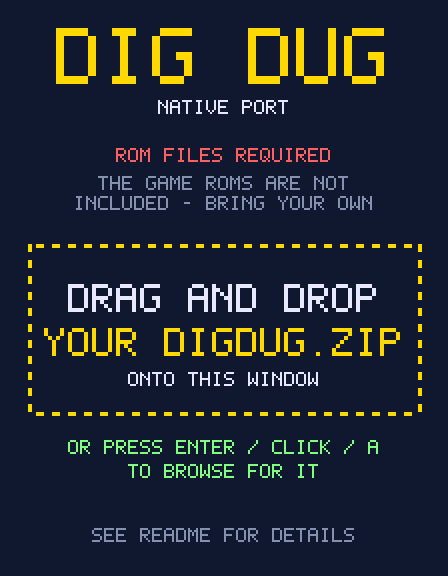
If nothing is found, the window shows a "ROM files required" page: drag and drop digdug.zip onto the window, or press Enter / click / A to open a file picker. Nothing blocks the window, so dropping works at any time. The location is remembered after the first successful load.
Controls
| Action | Keyboard (defaults, rebindable) | Controller |
|---|---|---|
| Move | Arrow keys / WASD | D-pad or left stick |
| Pump (hold to keep pumping) | Space / Z | A, B, X, Y, R1 or either trigger (choose in menu) |
| Insert coin | 5 / C | Back / Select / Share (or just press Start – Auto coin) |
| 1-player start | 1 / Enter | Start / Options |
| 2-player start | 2 | L1 |
| Menu | Esc / F1 | PS / Guide button, or press the right stick (R3) |
| Pause / frame advance | P / . while paused | – |
| Fast-forward | hold Tab | – |
| Rewind | hold R | hold L3 (left stick click) |
| Save / load / change state slot | F5 / F7 / F6 | menu |
| Game speed | [ slower, ] faster, \ reset | menu |
| Colour theme / scanlines / FPS | F10 / F8 / F9 | menu |
| Fullscreen / screenshot | F11 / F12 | menu |
| Reset machine | F3 | menu |
| Service/test screen | hold F2 while booting | – |
The menu
Open it with Esc (or the PS / Guide button). Navigate with the arrow keys or D-pad, change values with Left/Right, confirm with Enter or A, go back with Esc or B. Pages:
| Page | What is in it |
|---|---|
| Video | Fullscreen, window size, scaling, smooth filter, widescreen + side panels, rotation, theme, scanlines + direction, CRT mask, vignette, VSync, FPS, always-on-top, borderless |
| Audio | Volume, output device + test tone, mute each of the 3 voices, smoothing, mute in background |
| Controls | Rebind every key (Enter = key 1, Left/Right = key 2), pump button, stick deadzone, rumble, auto pump |
| Game | Lives, bonus, rank, auto coin, add credit, game speed, auto pause |
| Cheats | Infinite lives, invincibility, start round |
| Save states | Slots, save / load, rewind info, record / play replays |
| Extras | Screenshot, open folders, reset high scores / stats |
| Stats | Play statistics and the achievements list |
Settings are saved to %APPDATA%\DigDugNative\settings.ini (~/.config/DigDugNative/settings.ini on Linux) along
with the high-score memory (digdug.nv), stats.ini, a digdug.log, and the states, replays and screenshots folders.
Widescreen mode
Dig Dug was designed for a vertical (3:4) monitor. On a modern 16:9 display that leaves wide black bars. Widescreen mode fills them; choose the look under Video -> Side panels: dirt (extended, dimmed level), black, glow (the screen edge colours bleed outward), scope (live oscilloscope of each sound voice) or info (stats and key help). A bright line marks the real playfield edges – you cannot walk or dig beyond it, and gameplay is completely unchanged. Turn widescreen off if you prefer plain bars, or use Rotation to play sideways on a landscape display.
DigDug [romfolder-or-zip] [--roms <path>] [--fullscreen] [--lives 1|2|3|5] [--rank A|B|C|D] [--dip0 HEX --dip1 HEX]
Developer switches (headless runs, tracing, test bot, screenshots) are documented in
docs/DEVELOPMENT.md.
Building from source
Requirements: the .NET 8 SDK and SDL2.
git clone https://github.com/TekRantGaming/digdug-native.git
cd digdug-native
Windows (PowerShell) – produces out\win\DigDug.exe and SDL2.dll (downloaded from the official SDL release):
./build.ps1
Linux – produces out/DigDug-x86_64.AppImage (needs libsdl2-2.0-0 and wget):
sudo apt install libsdl2-2.0-0 wget      # Debian/Ubuntu; use your distro's equivalent
bash ./packaging/linux/build-appimage.sh
Any platform, for development (needs SDL2 installed):
dotnet run -- --roms path/to/digdug.zip
GitHub Actions builds both packages on every push, and a tag starting with v publishes a release
(see .github/workflows/build.yml).
Troubleshooting / FAQ
It asks for ROMs / says the ROM set is incomplete. See Getting the ROMs. Make sure it is the
digdug set (not digdugat or digduga1) and that all files listed are present.
The game started without asking for a ROM - where did it get one? The program contains no game data; it can only use a ROM set it found on your PC. The menu's bottom line ("ROMS ...") and digdug.log say exactly where it was loaded from, and DigDug.exe --rom-status prints the same (exit code 3 = none found). The usual cause is a remembered path in settings.ini (delete it to forget) or a ROM set next to the program or in the config folder.
No sound. Open the menu -> Audio and choose another output device; a test tone plays each time you
change it. Systems with virtual mixers (for example SteelSeries Sonar or Voicemeeter) can send new programs to a channel
you aren't listening to. digdug.log lists every output device SDL can see.
The controller does nothing. Check digdug.log for a "Controller connected" line. PlayStation and Switch pads
work over USB or Bluetooth; if you use Steam Input or DS4Windows, make sure the pad is not hidden from other programs.
The pump keeps attaching but never inflates. That's the original game's behaviour with a steadily held button; leave Auto pump on (default) or tap the button.
Can I play two players? Yes: press 2 (needs two credits, or let Auto coin provide them). Both players share the
same controls, as on an upright cabinet.
Where are my high scores? In digdug.nv inside the config folder mentioned above.
macOS? Not packaged yet, but the code is portable .NET + SDL2 – contributions welcome.
Is this a decompilation?
No – it is a hardware emulator written for this one game, not a decompilation. The original Z80 machine code from
your ROMs still runs exactly as Namco wrote it; this project re-creates the board around it and builds it as a native,
portable PC application. A true decompilation would recover source code for the game logic and compile that natively,
without the original machine code. docs/HARDWARE.md documents what was learned about the board
(memory map, I/O chips, DIP switches, graphics formats, sound registers), which is the groundwork any such effort
would need. Everything that is not the game's own code – CPU, video, sound and chip emulation, the front end, menu,
widescreen mode and controller support – is original work in this repository.
How it works
Z80– cycle-counted CPU core; three instances run interleaved line by line (264 lines x 192 cycles = 60.6 Hz)Machine– memory map, interrupts, control latches, the 06xx bus controller and function-level emulation of the 51xx (credits/joystick) and 53xx (DIP switch) chipsVideo– 36x28 tile playfield, text layer and 64 sprites rendered at 288x224 then rotated for the vertical monitorSound– the Namco 3-voice wavetable chipApp*/Sdl– SDL2 front end: window, scaling, widescreen, CRT filters, input, audio, menu, save states, rewind, replays
More detail in docs/HARDWARE.md and docs/DEVELOPMENT.md.
Project layout
src/Z80.cs          Z80 CPU core
src/Machine.cs      Board: memory map, interrupts, latches, 06xx bus, 51xx/53xx chips
src/Video.cs        Playfield / text / sprite renderer, palette PROMs, 90° rotation
src/Sound.cs        Namco 3-voice wavetable synthesiser
src/RomSet.cs       ROM loader (folder or zip)
src/App*.cs         SDL2 front end (core, input, video, menu, features, ROM page)
src/Themes.cs       Colour themes
src/Stats.cs        Statistics and achievements
src/Cheats.cs       Cheat hooks
src/Sdl.cs          Minimal SDL2 bindings
src/Settings.cs     Persistent settings
src/Disasm.cs, DevTools.cs, Bot.cs, Png.cs   Developer tools
packaging/linux/    AppImage recipe
docs/               Hardware notes, developer guide, screenshots
Contributing
Bug reports and pull requests are welcome – see CONTRIBUTING.md. Please never attach ROM files, disassembly output or other copyrighted game data to issues or pull requests. AI-assisted contributions are fine if you say so.
Credits and legal
- Dig Dug © 1982 Namco (now Bandai Namco Entertainment). This is an unofficial fan project; no ROM files or other original game data are distributed. The screenshots in docs/images are captures of the game running from the owner's own ROM set.
- Source code in this repository is released under the MIT license. The license covers only the code written for this project, not the Dig Dug game, its ROMs, artwork or sound.
- SDL2 © Sam Lantinga and contributors, zlib license.
- Thanks to the arcade preservation community, whose public documentation of Namco's hardware made this much easier to verify.