Dogs of War Atari ST Recomp
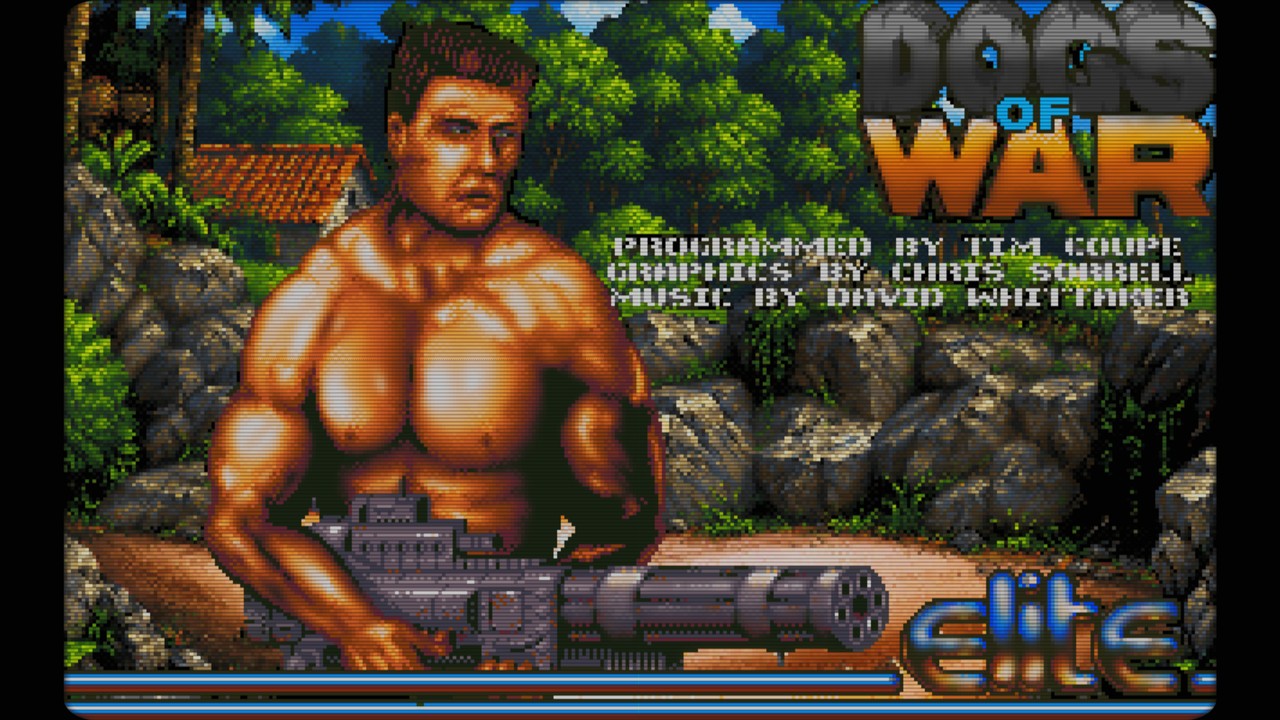
Dogs of War Atari ST Recomp is a Windows and Linux port of Dogs of War that interpolates frames for smooth 60 fps gameplay.
- Type: PC port
- Game: Dogs of War
- Runs on Windows and Linux
- By VooD
- Latest release v1.3.0, 2026-11-02
- Source: https://github.com/voodatari/Dogs-of-War-Atari-ST-Recomp
README
Dogs of War – Windows/Linux port at 60 fps
Gameplay video / Vídeo de gameplay
Repository layout —
source/: the complete C source (the game translated to C insource/generated/, the machine insource/runtime/, and the platform backends insource/host/andsource/port/; seesource/README.mdfor Windows and Linux builds).build/: the ready-to-run files:dowport.exe(Windows) ordowport(Linux),original/(empty: you put your own game files there),data/(languages and support files),shaders/,music/anddefault.json.
Versión en español a continuación / Spanish version below: Dogs of War – Port para Windows/Linux a 60 fps.
A native Windows and Linux port of Dogs of War (Atari ST, Elite 1989, Pera Putnik's HAGA version). The game's own 68000 program, translated to C, runs inside a small Atari STE machine and is drawn at your monitor's refresh rate: the game logic runs at 25 Hz and the port interpolates between its frames, so movement is smooth at 60 Hz (or 144 Hz…) with very low input latency. It is a single self-contained C program.
What it is. The game's own 68000 program has been translated entirely to C, and it is compiled with a small Atari STE machine (mini-TOS, timers, keyboard and joystick, video, YM2149 sound chip) and a native Windows or Linux host into one executable. The original game logic runs unchanged at its own 25 Hz; the port draws the images in between.
What it is not. It is not an emulator of the Atari ST: no 68000 instruction is interpreted, and no Atari ROM or TOS is needed.
Downloads: Windows x64 ZIP · Linux x64 AppImage.
What it adds to the original
- Frame interpolation to the refresh rate of your monitor, sub-pixel sprites, and low-latency input and audio.
- Modern video: OpenGL, aspect modes, scaling filters, CRT effects and external shaders.
- Sound: chip synthesis, a choice of music (the Atari ST's own, the Amiga's from your own Amiga disk, or MP3 music packs with loop points), multichannel effects with stereo panning and volumes per type.
- Replaceable graphics (graphics packs), three save slots and a "back to the mission map" command, redefinable controls with gamepad support, and menus in English and Spanish.
- Corrections of enemy micro-stutters and of explosion glitches that only appear at high frame rates (all can be switched off).
What stays the same. The game itself: missions, enemies, weapons, scoring and the timing of the game logic are those of the original.
Contents
- Features · 2. Quick start · 3. Controls · 4. Options menu · 5. Video · 6. Sound and music
- Motion and latency · 8. Graphics packs · 9. Game fixes · 10. Saving · 11. Files and folders
- Configuration reference · 13. Troubleshooting · 14. How it works · 15. Building · 16. Changelog
Features
- 60 fps and beyond: frame interpolation of the 25 Hz game, optional sub-pixel sprite smoothing, and an optional game-speed mode that matches the refresh rate exactly.
- Low latency: fast input polling (1000 Hz), low-latency audio output, tunable emulation margin.
- Video: OpenGL output with four aspect modes, three scaling filters, built-in CRT effects (scanlines, phosphor mask, curvature, vignette, glow) and external RetroArch
.glslshaders. - Sound: YM2149 chip synthesis, a multichannel mixer for the sampled effects, stereo panning of effects by on-screen position, per-type volumes, and a choice of music: the Atari ST's own, the Amiga version's (from your own disk) or replacement MP3 music packs.
- Graphics packs: every sprite, tile and fixed screen of the game is dumped to editable PNG sheets; a pack of full-colour replacements is drawn instead, with the original animation and interpolation.
- Controls: keyboard and XInput gamepads (two players), fully redefinable, plus pad shortcuts for rocket launcher, grenade and hold position, and an optional twin-stick mode (left stick moves, right stick aims and fires).
- Saving: the original game has no saves; the port adds three slots and a "back to the mission map" command.
- Fixes for stutters and glitches that appear only at high frame rates (all can be switched off).
Quick start
-
For Windows and a standalone Linux build, put one of these data files directly in the existing
original\/original/folder next to the executable. The Linux AppImage can read eitherDOW(Pera Putnik's HDD conversion, CRC326703B50F) orDogs of War (1989)(Elite)[cr Replicants][t].st(CRC32F6E84D7A) from$XDG_DATA_HOME/dogs-of-war/original/, normally~/.local/share/dogs-of-war/original/; setDOW_ORIGINAL_DIRto use another folder.- Hard-disk data: name it
DOW(no extension); reference CRC32:6703B50F. The file is in theFILESfolder of the Pera Putnik hard-disk version. - Replicants disk image:
Dogs of War (1989)(Elite)[cr Replicants][t].st; CRC32:F6E84D7A(829,440 bytes). Put it in theoriginalfolder. The port detects the image by CRC32, so another.stfilename with that same CRC also works.
If both files are present,
original/DOWtakes priority. The Replicants image is read directly. - Hard-disk data: name it
-
Run
dowport.exe(Windows) or./dowport(Linux). While it loads, a startup screen lists the files that were found and are going to be used, with a progress bar; it goes on by itself two seconds after loading ends, or at once with a fire button (the Startup screen option of the System tab turns it off). On the first start it prepares, in a few seconds,assets/original/(the graphics dump, see Graphics packs); the bar follows that work. If the game data is missing, the game's own window says so and tells you which file goes in which folder; put it there and start the program again. -
Press Esc (or the pad's Start) for the options menu.
The Linux AppImages and .tar.xz packages include SDL2, so the system SDL2 package is not required at runtime.
SDL selects the available audio backend automatically: desktop Linux normally uses its PulseAudio-compatible
service (including PipeWire's compatibility layer), while systems without it can use another SDL backend such as
ALSA. Set SDL_AUDIODRIVER only to override SDL's selection.
Controls
Every key and pad button can be redefined (see below); these are the defaults.
| Action | Keyboard | Gamepad |
|---|---|---|
| Move | Cursor keys | Left stick or D-pad (fixed) |
| Aim and shoot (twin-stick) | – | Right stick, 8 directions: the soldier faces and shoots that way whatever direction he is moving; it also holds fire while pushed (see below) |
| Fire | Ctrl (left or right), Z | A, right trigger |
| Next weapon | A | RB |
| Previous weapon | – | LB (the game only cycles forward; the port jumps straight to the previous category) |
| Quick rocket launcher | – | B: fires the first rocket launcher you bought that still has ammo (RPG-7, L.A.W., M.A.W.), then returns to the weapon you held |
| Quick grenade | – | X: throws a hand grenade (if you bought any), then returns to the previous weapon |
| Hold position | – | Left trigger: the soldier stands still while the stick still turns him, so you can shoot in any direction |
| Menus / shop | 1, 2, Space, Enter… (passed to the game as Atari scancodes) | A also accepts in the shop; in "1 OR 2 PLAYER GAME?" it acts as key 1 (pad 1) or 2 (pad 2) |
| Options menu | Esc (inside it, Page Up / Page Down or Tab change tab) | Start (B also closes it; L1 / R1 change tab) |
| Leave the mission | – | Back (outside a mission it returns to the title screen) |
| Fullscreen | F11 | – |
| Emulation margin | Page Up / Page Down (lat in the window title) | – |
| Reload graphics pack | F9 | – |
| Quit | Alt+F4 | – |
The first pad is player 1 (added to the keyboard) and the second pad is player 2; pads are detected when plugged in.
Twin-stick mode (Controls → Twin-stick: right stick aims, on by default; off = the original single-stick control): the left stick moves the soldier and the right stick sets where he faces and shoots, in 8 directions (45° sectors, 40 % dead zone), whatever way the left stick is moving him: walk up while firing right, strafe while shooting diagonally… When the right stick is released he faces the way he walks again. While the right stick is pushed the original "fire without a direction = stand still" lock is released, so you can start moving without stopping the fire. Right stick also fires (on by default) holds the fire button for you while the right stick is pushed; turn it off to aim with the right stick and fire with the usual button. It only acts during a mission, and it uses pad 1 for player 1 and pad 2 for player 2. Hold position (left trigger) still works.
Redefining: the Controls tab of the options menu shows a picture of the gamepad and the option Redefine keys and gamepad buttons…, which opens a window with every action. Select an action and press the new key or pad button: Esc cancels, Delete leaves it unassigned, and a key already used by another action is taken from it. Restore default controls resets everything.
Typing: on the screens that ask for text (the name in the high-score table) every letter A–Z (including Z, which is also the second fire key, and V), the digits, Backspace, Delete and the usual punctuation keys are passed to the game.
| Tab | Contents |
|---|---|
| Game | Back to the mission map · Save slot (1–3, with date) · Save game · Load game · Restart game (back to "1 OR 2 PLAYER GAME?", skipping the intro) · Invulnerability · Infinite money (both always off at start-up) |
| Sound | Sound on/off · Volume · Music (Amiga / packs) · Music (YM2149F) · Sampled FX · FX (YM2149F) · Multichannel FX · FX stereo panning · Music |
| Video | Fullscreen · Aspect ratio · Shader source · Scaling filter · Shader / CRT effect and its controls · Graphics pack |
| Motion | Frame interpolation · Sub-pixel smoothing · Game speed · and, under Latency: Fast input polling · Low-latency audio · Audio sync trim |
| Controls | Twin-stick: right stick aims · Right stick also fires · Redefine keys and gamepad buttons (opens a window, with Restore default controls) · picture of the gamepad (drawn by the program from the current controls) |
| System | Language · Startup screen · Restore default options (reloads default.json) · Credits · Continue · Quit |
Languages
The texts of the menus (and the messages they show) are read from data\languages\*.xml; the program ships with English and Spanish and the language is chosen in System → Language (saved as language).
To add a language copy english.xml, give the new file a different name, change name (what the menu shows) and code in its <language> line and translate the text inside each <string id="…">…</string>; never change an id, and keep codes such as %d or %s (the program fills them in). The new language appears in the menu at the next start. A string missing from a file is shown in English.
Video
- Aspect ratio: original 4:3, square pixels 16:10, stretch, or integer scale.
- Scaling filter: sharp, smooth, or sharp bilinear.
- Shader / CRT effect: none, scanlines, soft CRT, full CRT, or an external shader. Scanline, phosphor-mask, curvature, brightness, vignette and glow controls apply to the built-in ones (greyed out with an external shader).
- How it is drawn: each frame is composed at integer scale (960×600) and one OpenGL pass scales it and applies the effect; if OpenGL is not available a software output is used. Shaders see a 320×200 screen (
InputSizeand, for external shaders,TextureSize), so scanlines match the game's lines, while the texture keeps more resolution for sub-pixel movement. - Shader source: what the shaders start from. Scaled is the behaviour above. 320x200 averaged and 320x200 exact always give the shaders the original 320×200 grid (averaged: each pixel is the mean of its block, so sub-pixel movement shows as blended colours; exact: one sample per block). Saved as
shader_source(0, 1, 2). - Fades: the darkening that the game does at the end of a mission (it subtracts 1 from every component of its 512-colour palette) is drawn as a smooth, lighter dimming with the original colours at full 8-bit precision.
- External shaders: copy single-pass
.glslfiles in RetroArch/libretro format (#if defined(VERTEX) … #elif defined(FRAGMENT)) intoshaders/; they appear as "External: name".MVPMatrix,Texture,InputSize(320×200),TextureSize,OutputSize,FrameCountand the#pragma parametervalues are provided. Multi-pass presets (.glslp,.slangp) are not supported.
Shaders and licences
Resolution independence. The phosphor mask of the built-in CRT effects and of every supplied shader is drawn at its original size (3 pixels per phosphor triad) at 1080 lines and grows in proportion to the picture height above that, so the phosphors look the same at 1080p, 1440p, 4K or any resolution in between (below 1080 lines it stays at 3 pixels). Each screen pixel averages the mask over its own area, so a non-integer scale produces no moire. This applies to fakelottes, fakelottes-geom, crt-pi and fake-CRT-Geom (the last one: its Mask Size parameter is multiplied by the same factor); crt-nes-mini has no mask and its scanlines come from the game's own lines, so it needed no change. The scanlines of all of them already follow the game's lines at any resolution. If you add shaders of your own whose mask is measured in screen pixels, scale it by max(1.0, OutputSize.y / 1080.0) the same way.
The .glsl shaders supplied in shaders\ were not written for this program: they come from the RetroArch / libretro shader collection (glsl-shaders), and each one keeps the authorship and licence of its author. Look at the top of every file: for example crt-pi.glsl (davej) is under the GNU GPL version 2 or later, and several files give only the author's name and no licence text, so check their upstream licence before redistributing them. The program only loads them at run time, as separate files, and nothing in it is derived from them; the built-in effects (Scanlines, Soft CRT, Full CRT) are this program's own code.
If you redistribute the program with these shaders, keep their headers and licences with them. Their licences apply to those files only, not to the rest of the program. If you prefer not to ship them, delete the files: the program works without them and the built-in effects stay.
Sound and music
- Chip sound: the YM2149 (3 tones, noise, envelope) is synthesised from the game's register writes with their time stamp inside the frame, so it stays in sync with the picture. The music tempo is the one the game programs on MFP timer C (≈48.6 Hz), independent of the frame rate.
- Volumes: overall Volume plus four sliders: Music (Amiga / packs) (the Amiga disk's music and the packs'), Music (YM2149F) (the Atari ST's original songs), Sampled FX and FX (YM2149F) (effects the chip itself makes). Each one is a gain applied while the sound is mixed, so they move smoothly.
- Multichannel FX (off by default): the original plays effect samples on chip channels A and B (one voice each) and a new sample cuts the previous one. With this option the program mixes them: up to 8 voices at the original rate (4915.2 Hz) and 4-bit levels, read sample-and-hold like the chip. Different effects never cut each other; at most 2 instances of the same sample play at once (a third fades out the oldest in 10 ms), which stops gunfire and chained explosions from piling up. A soft limiter prevents clipping.
- FX stereo panning (off by default): each effect is placed between the speakers by the horizontal position of the object that makes it (enemy, vehicle, explosion, your weapon…) when the sound starts: left edge of the play area 100 % left, centre both equally, right edge 100 % right (linear). Unknown origins are centred. Works with or without Multichannel FX.
Music: Atari ST, Amiga and music packs
The Music item of the Sound tab is a single list that goes through every music there is:
- Atari ST (original): the game's own chip music. It is always there and needs nothing.
- Amiga: the music of the Amiga version, when its disk is in the
original/folder (see below). - The music packs you put in
music/(MP3; OGG and WAV also work): every subfolder with songs is a pack (e.g.music/arrange/); songs loose inmusic/form the pack "(music folder)".
The list is rescanned each time the menu opens. When you rotate through it the new music joins the song where the Atari ST's one is (about; the original music keeps running silently underneath), instead of starting from the beginning. File names inside a pack:
| File | Replaces the chip music of… |
|---|---|
mission.mp3 | song 0: intro, title screen and missions |
map.mp3 | song 1: the mission map |
endlevel.mp3 | song 6: end-of-level jingle (plays while the money is added up) |
bonus.mp3 | song 3: the bonus screen that follows |
fail.mp3 | song 7: game over |
highscores.mp3 | song 5: the high-score table |
song2.mp3, song4.mp3, song8.mp3… | the remaining song numbers |
- Loop points: a song can have a text file with the same name next to it (
mission.txtformission.mp3) that says where its loop goes:
The numbers are samples of the file at its own sample rate (44100 Hz, 48000 Hz…), counted from the start of the file. The song plays from the beginning; when the playback reachesLoop point start = "4345980863" Loop point back = "230030420"Loop point startit jumps back toLoop point backand repeats that stretch for as long as the song is needed. An empty file, a missing number, or points outside the song leave it as it was (the whole file in a loop; the last case is noted inerror.log). It only applies to the songs that loop (mission,map,highscores,song1…); the ones that play once ignore it. - The music keeps playing while the options menu is open: the Atari ST chip music (the game's own music routine goes on running while the rest of the game stands still), the Amiga music and the music packs. The mission failed screen waits until its song has ended or a button is pressed.
- With a pack chosen, every song that has a file plays from it and the chip version is muted meanwhile; songs without a file keep the chip music, so a single MP3 is enough. With Atari ST (original) only the chip music plays. Sound effects always stay.
endlevel,bonus,fail(andsong2,song4) end by themselves in the original: their file plays once, in full, and the game waits for it to finish; pressing fire or any key while one of them plays fades it out (about 0.7 s) and the game goes on.mission,mapandhighscoresloop without a gap (digital silence is trimmed at both ends and the