DurangoRuntime
DurangoRuntime is a port that runs Xbox One games natively on Windows, rebinding game executables to a PC version of the Xbox One system layer.
- Type: PC port
- Game: Halo 5: Guardians
- Runs on Windows
- By drakolordx7
- Latest release v0.1.0-preview, 2026-11-19
- Source: https://github.com/drakolordx7/DurangoRuntime
README
DurangoRuntime
By drakolordx7. Runs Xbox One games natively on Windows: your game's own executable is rebound to a PC version of the Xbox One system layer. Main target is Halo 5: Guardians.
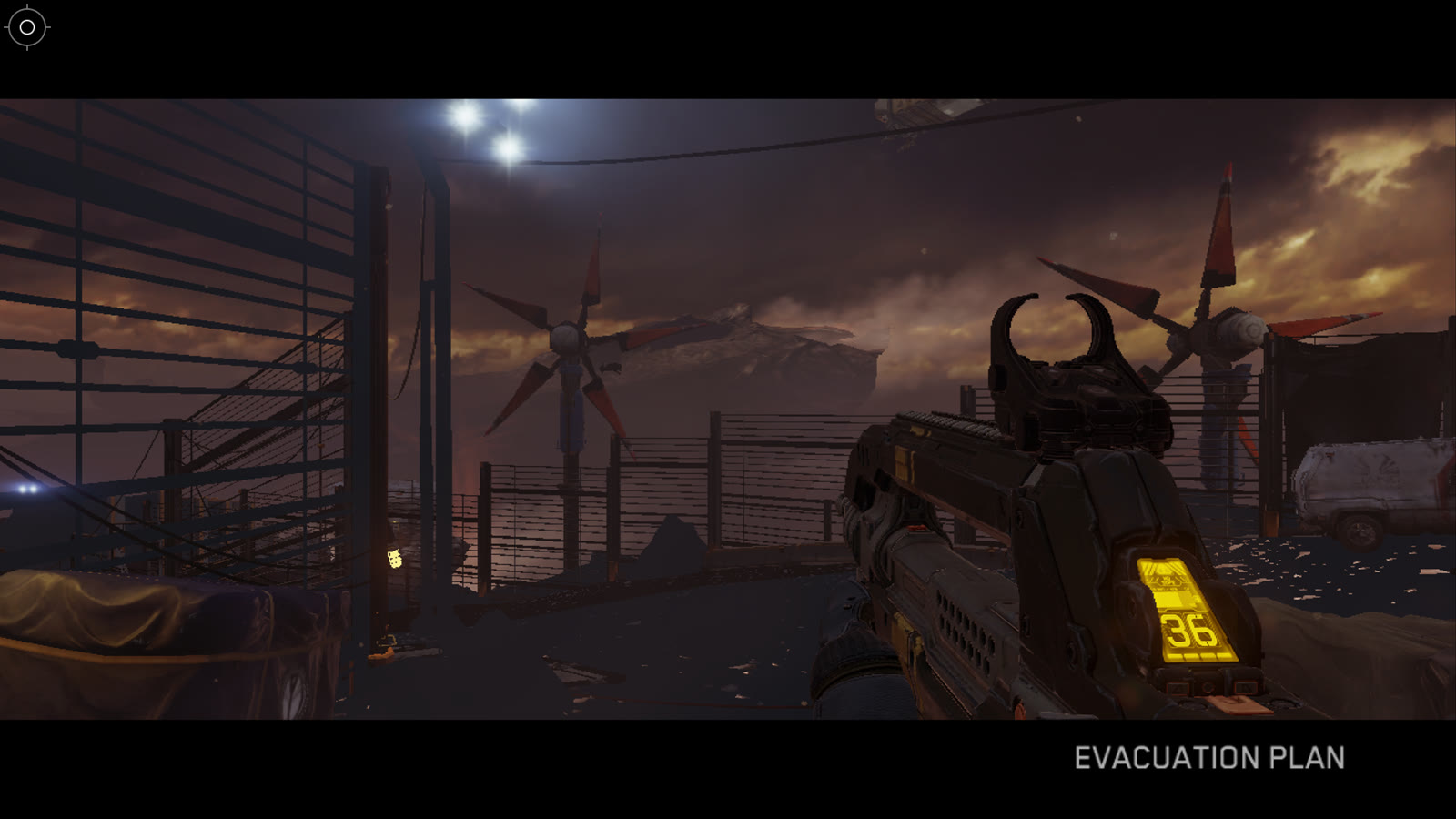
No game files are included. You need your own dump of a supported game. This is an early preview, so expect crashes and graphics bugs. Not affiliated with or endorsed by Microsoft, 343 Industries or any other publisher.
Requirements
- Windows 10 or 11, 64-bit
- A DirectX 11 GPU (Terraria needs DirectX 12) with current drivers
- 32 GB of RAM recommended for Halo 5, with the Windows page file left on "System managed size"
- A dump of a supported game, matching exactly:
| Game | Version | State |
|---|---|---|
| Halo 5: Guardians (2018 build) | 1.1.31695.21 | All 15 campaign missions load and play; multiplayer maps offline only |
| Sonic Mania | 1.0.4.2 | Plays |
| Terraria | 4.4.14.1081 | Plays |
Usage
- Unzip the download anywhere.
- Open a command prompt in that folder and run
.\prepare.cmd "<path to your dump>". - Start the
.exein theplayablefolder that prepare creates.
Read the README.txt that prepare writes next to the game for controls, settings and known issues. Settings live in durango_rt.cfg next to the exe: render resolution, window mode, monitor, refresh rate, frame rate target, mouse, controller prompts and volume. Mouse input is raw. Xbox, PlayStation, Switch and most other pads work through SDL3.
The playable folder holds a rewritten copy of your game's executable. Don't share it.
Reporting problems
Open an issue with the game, your GPU, durango.log from the game folder, and any crash*.dmp written there.
Contributing
- Work happens on
main. Open pull requests against it, and say which game and GPU you tested on. - Building needs Visual Studio 2022 or newer (or the Build Tools), CMake, Ninja, LLVM (clang-cl, lld) and Python with uv. Details: docs/building.md.
- Some headers are generated from Microsoft symbol data and aren't in this repo. Regenerate them from PDBs of software you own with
tools/gen_xdk_headers.pybefore the first build. build.cmdbuilds everything intobuild\dev\bin.tools\make_public_release.ps1makes the release zip. Runtime settings are listed in docs/env-vars.md.
Credits
DurangoRuntime is made by drakolordx7.
Code it builds on:
- XB1Layer by bzai56 (MIT): PE image mapping, the TLS helper approach, WinRT window and gamepad interfaces, D3D11 view rules
- SlimEra by XWine1 (MIT): kernel, memory and ETW behaviour
- libHttpClient by Microsoft (MIT): the XAsync and XTaskQueue task queue
- libdeflate by Eric Biggers (MIT)
- DXBCChecksum from AMD's FidelityFX SDK (MIT), which includes the RSA Data Security MD5 code
- RenderDoc's in-app API header by Baldur Karlsson (MIT)
- SDL3 (zlib) for gamepads, and FFmpeg (LGPL v3, BtbN builds) for XMA audio, both loaded as separate DLLs
- The prepare tool is built with PyInstaller, LIEF and pefile
Art: keyboard, mouse, PlayStation and Switch prompts from Xelu's Free Controllers & Keyboard Prompts by Nicolae "Xelu" Berbece (CC0).
Research and references (no code taken): WinDurango, xvdtool by emoose, the Xbox One Research wiki, Wine's xgameruntime, AMD's GCN ISA manuals, LLVM's AMDGPU backend, and the Microsoft GDK documentation.
All third-party license texts are in THIRD_PARTY_NOTICES.md and in the licenses folder of each release.
License
GPL-3.0-or-later, see LICENSE, with extra attribution terms in NOTICE. If you share this project or anything built from it, keep "DurangoRuntime by drakolordx7" in the NOTICE file, the source file headers, the README credits and the startup notice. Modified versions have to say they're modified. Third-party parts keep their own licenses.
Xbox, Xbox One and Halo are trademarks of Microsoft Corporation.