Herculan
Herculan is a native PC port of Earthsiege 2 that supports modern operating systems and widescreen resolutions.
- Type: PC port
- Game: Earthsiege 2
- Runs on Windows and Linux
- By kevin foley
- Latest release v0.9.9, 2026-10-18
- Source: https://github.com/kevinfoley/Herculan
README
The HERCULAN Engine
The HERCULAN Engine is a full reimplementation of Earthsiege 2 (developed by Dynamix and published by Sierra in 1996), with support for modern operating systems, powered by .NET.
HercWorks CSharp
A fundamental feature of the HERCULAN Engine is HercWorks CSharp, a toolset for viewing (and sometimes editing) data files from Earthsiege 2. HercWorks CSharp is a C#/.NET rewrite and extension of herc-works-mdk, originally by Subject9x. HercWorks CSharp builds upon the original Java library, fixing bugs and expanding the scope of the reverse-engineering work. Unlike the original Java library, HercWorks CSharp currently does not support exporting data to JSON. New to HercWorks CSharp is a graphical user interface, built with Windows Forms (and therefore only available on Windows devices for now).
Great thanks to Subject9x (developer of the original herc-works-mdk repository), Crow, and any other contributors for the initial reverse-engineering work that helped make this possible.
The engine
The HERCULAN Engine is a modern reimplementation of Earthsiege 2. Because the source code for Earthsiege 2 has never been released, HERCULAN Engine was constructed entirely through reverse engineering.
The engine is currently in beta. Not all features have been thoroughly tested, and there may be bugs. Back up your retail save data before switching to HERCULAN.
Features
- Play all of Earthsiege 2, at any resolution, with support for widescreen and ultra-widescreen monitors (menus render at 4:3).
- Hardware-accelerated rendering that almost perfectly matches retail's software renderer.
- Runs on Windows and Linux, with potential macOS support in the future.
- Full support for retail's file formats, including saved games.
- Compatible with real CDs and with ISOs (no mounting required).
- Built-in installer for copying the files from a retail CD or ISO to your drive, supporting Minimum, Medium, and Maximum installation methods.
- Support for the full retail 1.0 release, 1.0 Hi-Rez Studios release (which has no music) and the 1.10 GoldGames release.
- Support for version 1.10's French and German languages (note that many "French" and "German" voiceover files are duplicates of the original English files).
- Video files play with custom decoders implemented in-engine - no more dependency on outdated and unsafe codecs.
- Support for playing music from the original CD, and caching it to your computer.
- A Tweaks menu to optionally fix retail bugs and add minor QoL tweaks.
- Custom WinHelp (.HLP) parser; view the original "On-line manual" interactively in your browser.
Using the engine
To use the HERCULAN Engine, you will need a copy of the original game files. Earthsiege 2 is a copyrighted work. While a legal owner of the copyright has previously released the game for free, I do not have a license to distribute the original game files and they are not included in this repository. The original download directly from the copyright holder is no longer available, but there are mirrors and other websites which still have the files available. Always consult local law before downloading the game from third-party websites. Use caution when downloading files from "abandonware" websites, as they could be infected with malware. Alternatively, you can purchase an original retail CD-ROM (no longer manufactured, but still available from some online markets). I am not aware of any digital marketplace that sells Earthsiege 2.
Download the engine for your platform from the Releases page. You don't need to install .NET; the runtime is built into the executable.
- Windows: unzip
HERCULAN-<version>-win-x64.zipanywhere and runHerculan.exe. The same page hasHercWorksCSharp-<version>-win-x64.zipfor the HercWorks CSharp tools, which are Windows-only. - Linux: extract
HERCULAN-<version>-linux-x64.tar.gzanywhere (tar xzf HERCULAN-<version>-linux-x64.tar.gz) and runHERCULAN/Herculan.
When you run the engine, it will ask you where Earthsiege 2 is installed; you'll also have the option of using HERCULAN to install the Earthsiege 2 files from a CD or ISO.
System requirements
- A 64-bit (x86-64) PC with a graphics driver that supports OpenGL 3.3.
- Windows: Windows 10 or later.
- Linux: a distribution with glibc 2.34 or newer. That covers Ubuntu 22.04, Debian 12, Fedora 35, RHEL 9 and Linux Mint 21 or later, as well as rolling distributions such as Arch and SteamOS 3 (Steam Deck). Older releases such as Ubuntu 20.04 and Debian 11 are not supported; the engine fails at startup with
version `GLIBC_2.34' not found. Distributions built on musl instead of glibc, such as Alpine, are not supported.
On Linux, the engine also uses the following from your system. Desktop installs normally have all of them, but a minimal install may not:
- An OpenGL 3.3 driver: Mesa (for AMD and Intel GPUs, and for NVIDIA GPUs using the open-source driver) or NVIDIA's proprietary driver.
- An X11 or Wayland desktop session.
- ICU, the Unicode library .NET relies on (package
libicuoricu, depending on the distribution). Without it, the engine exits at startup saying it couldn't find a valid ICU package. - A sound system: PipeWire, PulseAudio or ALSA.
Settings and tweaks
HERCULAN Engine has a custom menu bar which is normally hidden. Press Shift+Esc to toggle visibility of the menu bar; the first time the main menu comes up, a welcome message says so. The bar has three buttons, each of which opens a new menu:
- Settings: Here you can adjust the install location or change the selected language.
- Tweaks: Here you can toggle tweaks which fix vanilla bugs or otherwise alter vanilla behavior.
- About: The engine's version and license.
The engine's own menu text lives in the .lang files in the Localization folder, which can be edited, or added to for a new language, after install. Each file names itself on its language.name line, and any line a translation lacks is read from en.lang.
What the engine is not
HERCULAN Engine is a reimplementation of Earthsiege 2, not a remake. There are currently no plans for any of the following:
- Enhanced graphics (other than basic quality of life changes like support for higher resolutions and widescreen displays)
- Gameplay changes or balance adjustments (other than bug fixes)
- New Hercs, weapons, or missions
- Multiplayer
Higher tickrates/smoother motion are under consideration for a future update, but are not a priority right now.
Screenshots
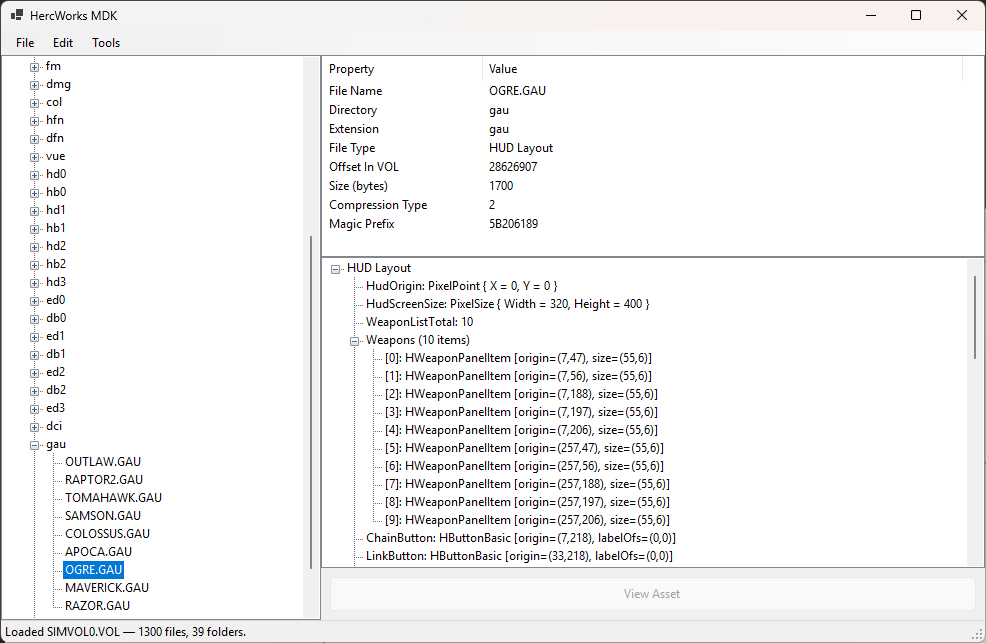
HercWorks UI for browsing VOL archives
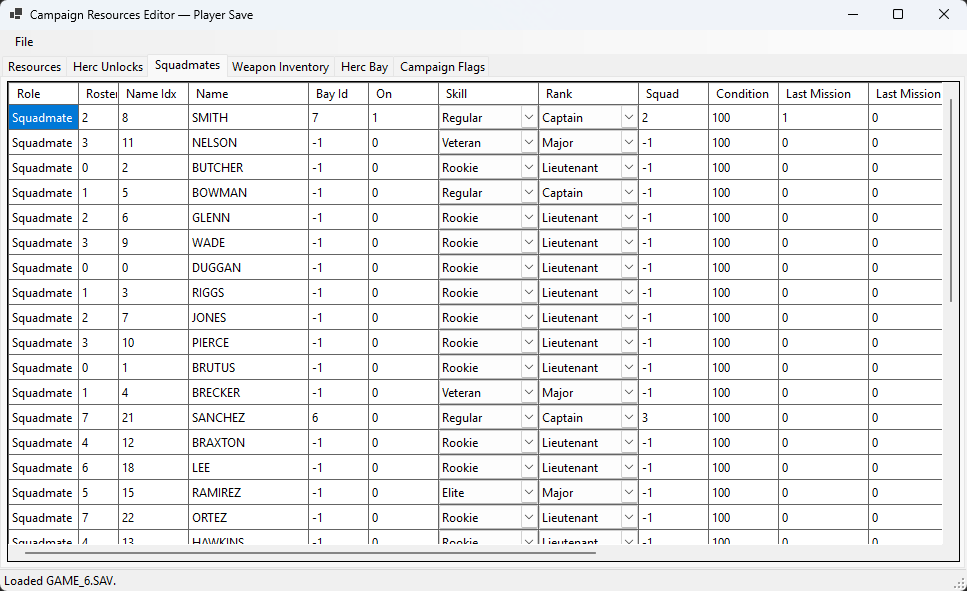
Campaign Resources Editor
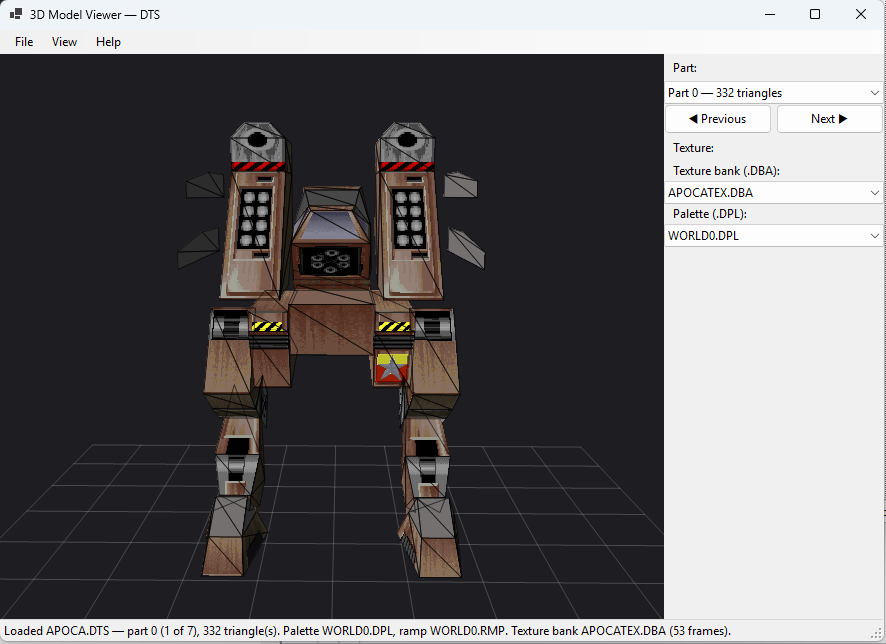
DTS (3D model) Viewer
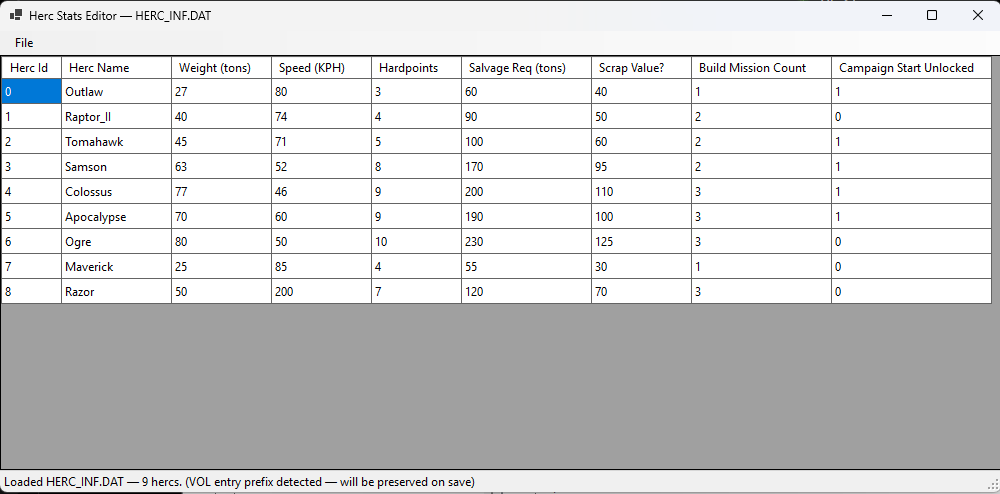
Herc Stats Editor
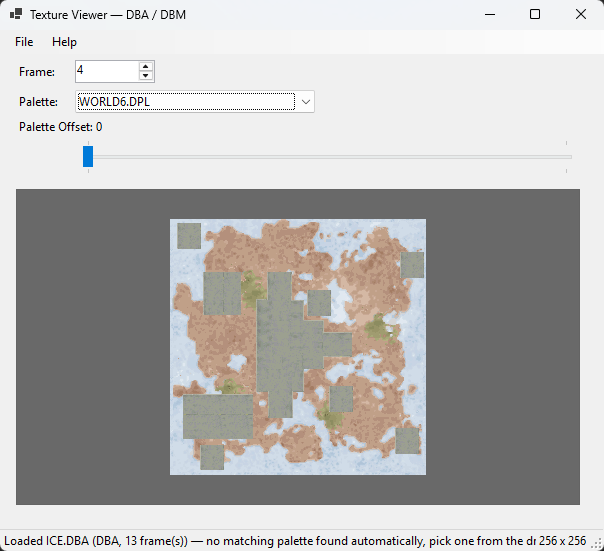
Texture Viewer
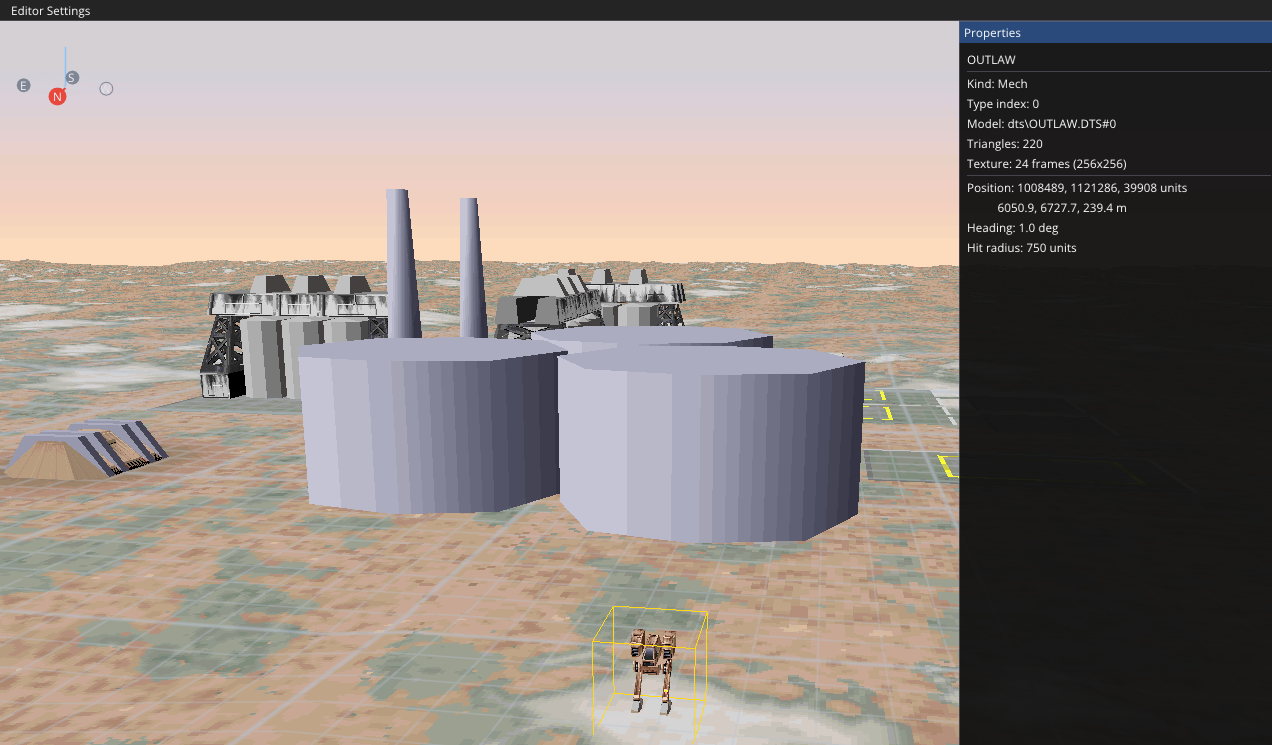
Editor mode, a basic debugging interface that may eventually turn into a mission editor (no promises!)
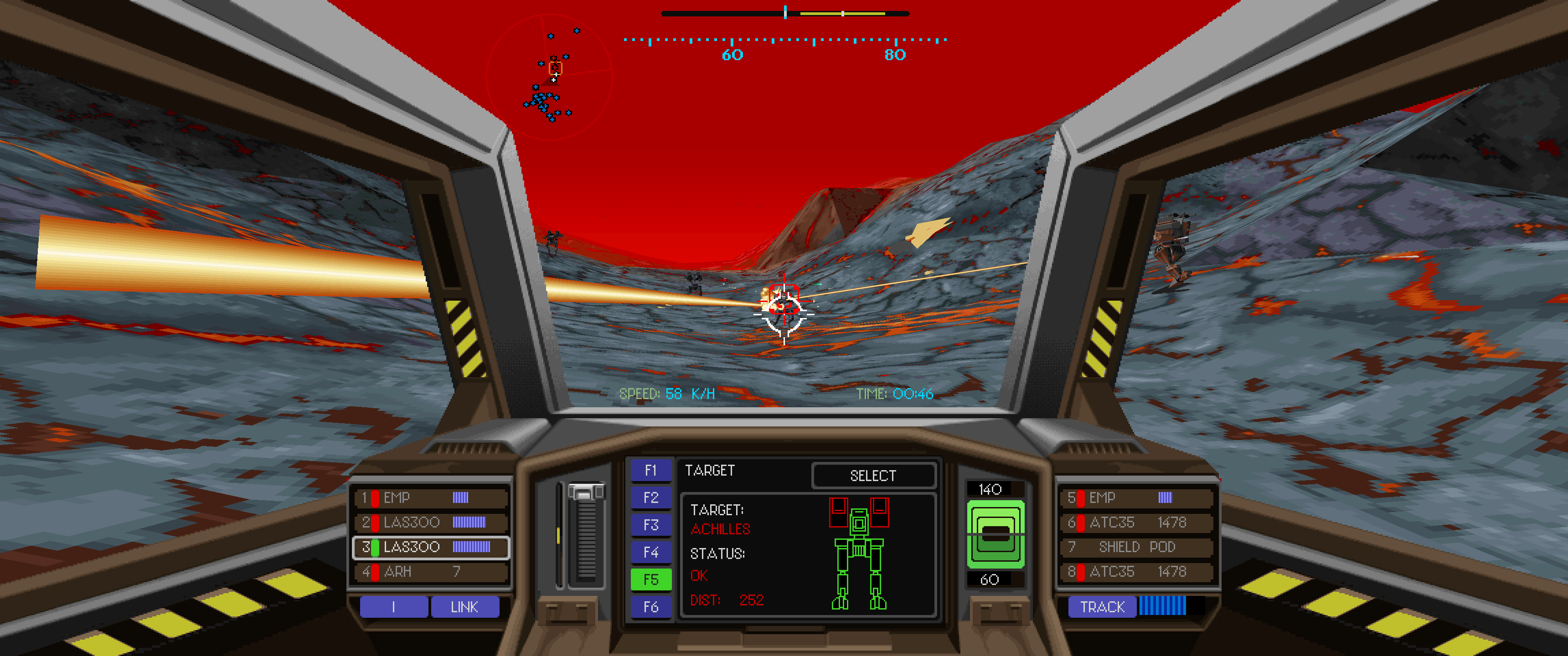
Gameplay, piloting the Samson.
Documentation
This repository includes extensive documentation on Earthsiege 2. For a full list, see the docs folder.
Some less-technical docs which may be of interest to players and fans of the series:
- Key bindings: a full list of key bindings in retail, most of which are implemented in HERCULAN as well.
- Campaign continuity: a breakdown of how campaign mission results carry forward to future missions.
- Cut content: a summary of some of the more interesting unfinished features that can be found in the game's code and data.
- Launch options: a list of all of retail's command-line launch options, including the all-important
-eggplantflag. - Retail builds: describes the differences between v1.0 and v1.10 (this doc is more technical).
- Known Issues: contains a detailed list of bugs and other mistakes in Earthsiege 2 (of which there are many).
Building from source
Building needs the .NET 8 SDK. From the Herculan folder:
dotnet build HerculanEngine.sln
dotnet build HercWorksMDK.sln
A normal build needs the .NET 8 runtime on any machine that runs it. To build a copy of the engine that runs with no .NET installed (the same build as a release), publish it with the win-x64 or linux-x64 profile, from the command line or from Visual Studio's Publish page:
dotnet publish src/Herculan.Engine.Host -p:PublishProfile=win-x64
dotnet publish src/Herculan.Engine.Host -p:PublishProfile=linux-x64
The result lands in Herculan/src/Herculan.Engine.Host/bin/publish/<profile>/; copy that whole folder. Either profile can be published from Windows or Linux. Windows does not record Linux's execute permission, so a Linux build published on Windows needs chmod +x Herculan before it runs, and has to be packaged on Linux (a zip made on Windows loses the permission again).
Project Structure
Herculan/— Main project directoryHercWorksMDK.sln— Visual Studio solution for HercWorks CSharp (WinForms tool)HerculanEngine.sln— Visual Studio solution for the HERCULAN Enginesrc/— Source code for HercWorks CSharp and the HERCULAN Enginedocs/— Technical documentation on file formats, reverse-engineering findings, and architecture
tools/— Utility scripts and plugins (e.g., Ghidra scripts for binary analysis)Images/— Screenshots of the HercWorks UI and engineBranding/— The HERCULAN Engine logo and icon artwork (not MIT-licensed; see its README)
For details on specific reverse-engineering work and file format documentation, see the files in Herculan/docs/.
AI Disclosure
Development of HercWorks CSharp and HERCULAN Engine has been largely powered by Claude (with extensive prompting, testing, and feedback from a human). AI-generated documentation and code may contain mistakes. See the accompanying LICENSE file for copyright information.
License
See the accompanying LICENSE file. The HERCULAN Engine logo and icon artwork are not covered by that license; see Branding/README.md for how they may be used.