OpenNighthawk
OpenNighthawk is a Windows recompilation and decompilation of F-117A Nighthawk Stealth Fighter 2.0 that aims for 1:1 parity with the original game.
- Type: PC port
- Game: F-117A Nighthawk Stealth Fighter 2.0
- Runs on Windows
- By TideGear
- Latest release v2026.11.13, 2026-11-14
- Source: https://github.com/TideGear/OpenNighthawk
README
OpenNighthawk (F-117A Recompilation)
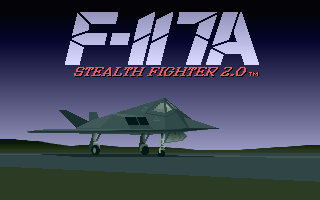
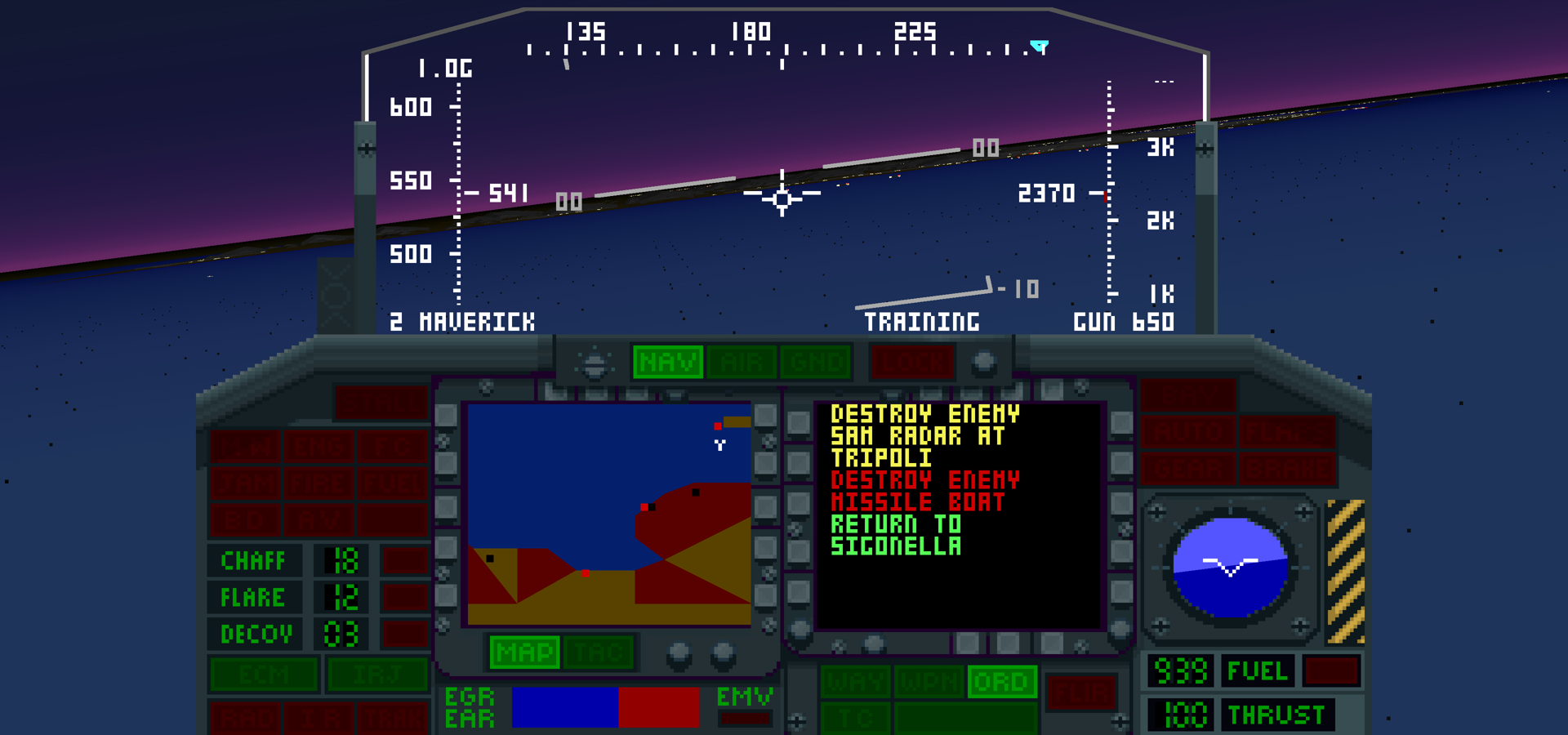
Not affiliated with anyone. This is an unofficial, fan-made project. It is not affiliated with, authorized by, endorsed by, or associated with Atari Interactive, Inc., MicroProse, or any other rights holder. F-117A Nighthawk Stealth Fighter and all related marks are the property of their respective owners. You must own a legal copy of the original game to use this software. It is sold on Steam and on GOG. Please buy it.
This is a fully human-driven, AI-powered recompilation AND decompilation (both lockstep-verified) of the PC DOS classic F-117A Nighthawk Stealth Fighter 2.0 (MicroProse, 1991) for Windows. The original's machine code is translated, instruction by instruction, into C and compiled natively. Its routines are then progressively replaced by named, explained C, each proven to behave identically to the original instructions, register for register and clock for clock. It is not a byte-matching decompilation: it does not rebuild the original EXE. Its emulated PC supports the GOG release's DOSBox timing and a 386DX/33 profile measured against 86Box. Every translated instruction is checked against a reference interpreter validated on real silicon.
This is not a lazy, fire-and-forget project. I decide what gets built, what counts as proof, which results to distrust and measure again, and what is accepted. Nothing is called done because it compiles or looks right; it is done when it matches the original under checks that are written down here and that you can re-run on your own copy. F-117A is near and dear to my heart, and I will keep supporting this game, well past the first playable build.
Why it matters. The original DOS release is buggy and has not aged well. It needs an emulator to run at all today. Its frame-rate controller changes world speed with machine speed, and on a fast PC long-lived SA-5 missiles cannot cause proximity damage; its digitised speech can hang the game; supply drops never earn credit; secret-airstrip missions are disabled outside the Persian Gulf; and long missions can overrun an unbounded table and corrupt the game's state. The catalogue in docs/bugs.md has the evidence for each. Keeping the game playable, faithfully, on today's machines is a game-preservation job, and this project treats it as one.
1:1 parity with the original is the first priority. With fixes off, the
game does exactly what the DOS original does, including its bugs, which are
tracked in docs/bugs.md so they can be fixed as switchable
options. Thirty-three catalogued fixes and balance options are enabled by
default for normal play, including D1REAL and D1PROX. --fix none restores
the original behavior. The headless reference runner and ordinary parity
gates keep fixes off; recorded sessions restore their recorded fix set
(older logs mean no fixes). The separate --fix QUIZ option restores the
original aircraft-identification quiz. It is off by default and is enabled
only when named explicitly; --fix all does not enable it.
On top of that parity, OpenNighthawk adds (none of it changes the game's logic unless it says it is a fix; "optional" means off until you ask for it):
- On by default
- Real-time pace: fifteen simulation steps a second whatever the PC's speed (the D1REAL fix), so the world no longer runs faster on a fast machine.
- Thirty-three switchable fixes for the original's bugs (missiles, speech
hangs, supply-drop credit, secret airstrips, the table overrun).
--fixes originalplays the shipped game, bugs included. Saves remember their fix set and warn once if you switch. - Works from your GOG or Steam install without ever writing to it; saves
live in
%APPDATA%\OpenNighthawk. - Every flight is recorded (input log plus the starting save) and can be
watched again with
--watch, with seek, speed and jump keys. - An in-game settings menu (the ` key) with a description for every option, changed values in blue, and a Keys tab.
- Key remapping (all 101 game keys) and controller support (dead zone, inversion, fire buttons, any button sent as a key).
- Sound: AdLib through an OPL emulator, the PC speaker with smoothed digitised speech, and Roland music through Munt using your own MT-32 ROMs (or Windows MIDI).
- Screenshots with Tab, a settings file (
f117a.ini), and a windowed or fullscreen picture at 4:3 or with square pixels.
- Optional visuals (experimental; the original picture stays the verified
one)
- Enhanced: the same picture redrawn up to 4K, with in-between frames at your display's refresh rate.
- Remastered: the 3-D view redrawn by this project's own renderer, with a
widescreen view, depth-correct drawing, scenery drawn far past the
original's reach (Draw distance, Terrain dots, Far object order) and
smooth motion between the game's steps. Road and coastline jitter is
gone, and
--remaster-view 4:3keeps the original's framing with it. - GPU compositor and GPU present path, on by default for Remastered in a
real window on Windows with a Direct3D 12 GPU (about 50 to 60 frames a
second at 4K in the author's flights; the CPU compositor is used without
a GPU).
F117_GPU_COMPOSE=0andF117_GPU_PRESENT=0turn them off. Its pictures equal the CPU compositor's exactly (checked pixel by pixel). - Model detail (Full by default in Remastered): every building and object in its most detailed version at any distance, so lights no longer appear suddenly as you fly closer.
- CRT look (scanlines, phosphor mask, glow).
- Optional sound
- Hybrid sound: Roland music with AdLib effects together, or the Macintosh version's recordings in place of the DOS sounds, from files you supply.
- A fixed Munt seed so the same input renders the same audio.
- Optional accessibility and play options
- Subtitles for the radio calls and a colour-vision aid for the HUD.
--fix QUIZbrings back the aircraft-identification quiz on the GOG and Steam releases (both ship the same START.EXE, with the quiz switched off).- A 386DX/33 timing profile to play at a 1991 PC's pace.
Quick start
When installing through RecompLauncher on 64-bit Windows, select the GOG or Steam game
folder containing VGAME.EXE. Easy Setup downloads build tools after you
accept their licences and builds OpenNighthawk locally. Allow 5 to 15 minutes
and about 2 GB of temporary disk space.
- Own the game. Buy F-117A on Steam or GOG and install it (why).
- Build. On 64-bit Windows, download the setup ZIP from Releases, extract it and double-click
setup.cmd. It finds and verifies your GOG or Steam copy, asks a few questions (install folder, shortcuts, optional sound and picture settings), downloads a small Zig compiler and its other build tools, builds on your PC in about 5 to 15 minutes and installs the game. It downloads its own tools and needs none installed. See Building. - Play. Open the OpenNighthawk desktop shortcut or Start menu entry. Answer SETUP's questions as in 1991 (2 for AdLib). Press the ` key for the settings menu. All options: Running.
Status
Progress: P1 100.00%, P2 96.93%, P3 93.40%, All 97.39%. Work commit titles start with the
current figures (py tools/progress.py --title); docs/progress.md says what
they measure and docs/roadmap.md what is done and what is left.
| Area | Where it stands |
|---|---|
| The game loop | All of it runs: SETUP, the MicroProse logo, the intro, the front end (roster, pilot form, briefing, arming, hangar), takeoff, flight, the debriefing (END) and back. All three sound drivers work: AdLib (music and digitised speech through an OPL emulator), the PC speaker, and Roland (Munt synthesis with your MT-32 ROMs, or Windows MIDI; exact rendered Roland parity is still open). |
| Translated | All 17 code files and the LZEXE decompressor: 89,443 instruction starts, 96% of the bytes of the code areas (the rest is strings, tables and variables). On the scripted sessions no game instruction is interpreted under the default timing profile; only the emulated BIOS's own stubs are. |
| Named and matched | 1,646 routines have named, explained C equivalents proved against the original's instructions. They run 160,015 of the 163,907 instruction bytes the scripted routes execute; with 2,631 bytes of reviewed code that stays original by design, that is the gameplay score, 99.23%. Across all 17 code files, named code covers 191,937 of 209,298 creditable bytes (91.71%). Reviewed references account for 47,734 of 47,952 previous-scope bytes outside routes. |
| Parity, measured | 63 scripted routes, run as 62 sessions, end in identical state under the reference interpreter and the recompiled code (all of memory, the registers and every byte sent to the sound card, the palette, MIDI and the disk), checked every 50 million clocks. They cover boot to flight, full sorties through the debriefing, all three sound drivers, all nine theatres, every primary objective type, the pilot roster and the career to retirement (every route). Every translated instruction, reached or not, is also compared from random machine states (0 differences), the translator is checked against 8088 and 80286 silicon test vectors, and planted defects in the generated code are caught. |
| Other machines | The emulated PC is held to GOG's DOSBox (the machine the game is sold on: the machine probe, the intro's pictures and music), DOSBox-X, and 86Box running a 386DX/33 with MS-DOS 5.00. The 386DX/33 timing profile plays at a period PC's pace. |
| Releases | Steam's game files are byte-identical to GOG's (tools/verify_install.py), and the app finds its install. |
| Visuals | Optional sharper and smoother visuals (finer polygon geometry and HUD strokes up to 4K, original bitmap text and artwork kept) are experimental; the original picture is the verified one. See Presentation. |
| What is left | The remaining 1,261 route-executed unmatched bytes (most in the sound drivers) and the code no route runs; reviewed entries for the 218 bytes outside the routes that have none (py tools/progress.py); a closing review of indirect entries (Phase 2). Not scored: play by a person at the keyboard, rendered Roland output against an independent reference and listening checks, refresh rates above 60 Hz and other hardware (Phase 4). |
| Re-release features | Partly built: see the list above and the roadmap. The game's logic is the same under every presentation. |
How the parity claim is built and checked: docs/architecture.md. The Windows build check builds the full interpreter application and runs ROM-free CPU, machine and comparator tests on pushes and pull requests. Game-dependent parity checks run locally against the user's installation.
You need your own copy of the game
This repository contains source code only: no game data, no original executables, and none of the recompiler's output. The recompiler reads your own installation (GOG, Steam or original media) at build time and writes its output to a work directory on your machine, outside the repository. The game is still sold; please buy it.
Every result here was measured on GOG's installer
setup_f-117a_nighthawk_stealth_fighter_2.0_1.0_(28044).exe, which ships
MicroProse's final 473.04 update already applied (its VGAME.EXE is
byte-identical to the one in f11704 (473.04 Update).zip). Steam's game files are byte-identical to GOG's.
py tools/verify_install.py --data "C:\GOG Games\F-117A" checks your copy
against the SHA-256 of every file the project reads.
Test evidence follows the same rule. Routes commit only the inputs a player would type or click; every capture, screenshot, recording, save and memory dump they produce is written to a private work directory, never into the repository. If you find anything in this repository that breaches this, please open an issue: that is a bug, and a serious one.
Building
On 64-bit Windows, download the setup ZIP from the
Releases page
(OpenNighthawk-setup-*.zip, source code only), extract it and double-click
setup.cmd. Setup downloads its own Python, portable CMake,
Ninja, shader compiler and Zig 0.14.1, checking pinned SHA-256 values. It
finds GOG and Steam installations and verifies the game files before building.
Setup downloads its own Python and build tools and does not use Git. Internet
access is needed for setup. The standard-account test used no developer tools
on PATH, but Visual Studio and Python remained installed elsewhere on that PC;
a PC with neither installed has not yet been verified.
The game is translated and compiled on your machine from your own copy.
Source releases contain no game data, generated C or prebuilt game executable.
When publishing a release, package the tagged source with
py tools/package-source.py --ref TAG --out OUTSIDE_REPO\OpenNighthawk-setup-TAG-windows-x64.zip.
The packager includes the launcher manifest and tells RecompLauncher to rebuild
when players update to that source revision.
Setup installs the game (about 35 MB) to %LOCALAPPDATA%\Programs\OpenNighthawk
unless you choose another folder, adds the shortcuts you ask for and an entry in
Windows Settings, Apps, and removes its build files (about 1.4 GB) when it
finishes. Your pilots are kept outside the install folder, and running setup
again updates an existing install in place. Original game files are read, not
modified. Optional MT-32 ROMs and Macintosh sounds remain yours to supply; none
are downloaded. Windows SmartScreen or an antivirus may warn about the new
program the first time; see the setup guide.
To uninstall, use Windows Settings, Apps, OpenNighthawk, or double-click
uninstall.cmd in the install folder (it asks before deleting your pilots).
If automatic discovery fails, run setup.cmd -Data "C:\path\to\F-117A"
from the extracted source folder. -InstallDir "D:\OpenNighthawk" selects the
install folder, and -AcceptLicences takes every default without questions
(more options: the setup guide). Errors stop setup
and explain what is missing or failed.
Visual Studio fallback. If Zig cannot build on your machine, install
Visual Studio Build Tools with Desktop development with C++ and a Windows
SDK, then run setup.cmd -Compiler VisualStudio. This fallback can require
administrator access and several GB. Setup uses an installed toolset; it
does not silently install Visual Studio. Rerunning setup cleans its recognized
incomplete work folder and restarts.
On the development PC the Zig build takes about five minutes (4 minutes 30 seconds on 7 November 2026). The Zig-built game gives the same pictures and the same machine state as the Visual Studio build on the checks run so far (901 of 901 picture checksums at three draw distances, identical end-of-run state). Setup was tested end to end under Windows PowerShell 5.1 in a fresh standard account, and by the author's interactive runs of the wizard. It has not yet been run on a second PC or one with no Visual Studio or Python installed anywhere. Validation and limits: setup validation.
Developers can still use build.cmd with an installed MSVC toolset and
CMake/Ninja. py tools/build_recomp.py --data INSTALL --work OUTSIDE_REPO
translates, builds, gathers route coverage and checks parity; it needs an
installed Python. Capstone adds optional disassembly comments; Pillow and
NumPy support the separate picture/sound comparison tools. The setup path
does not need those Python packages. A developer build without generated C
supports only the interpreter. After a runtime change, --parity-only
checks the existing generated build without translating or rebuilding.
Running
Setup users start the game from the shortcut or the Start menu (or f117a.exe in the install folder). The commands below refer to a developer build.
build\f117a.exe --data "C:\GOG Games\F-117A"
The game asks its original SETUP questions at each start (joystick, sound
card), as it did in 1991. Answer 2 for AdLib, or 3 for Roland with roland
set (and, for Munt, mt32-roms).
Game and fixes
| Option | Meaning |
|---|---|
--data DIR | the game's folder (found automatically for common GOG/Steam paths) |
--save DIR | where the game's own saves go (default: %APPDATA%\OpenNighthawk\save); the install is never written |
--engine recomp|interp | recompiled code (default) or the reference interpreter only |
--timing dosbox|386 | the emulated PC's speed model: dosbox (default) is this machine's instruction model at --ips; 386 models a 1991 386DX/33 (original flight typically 5-9 fps with fixes off) |
--ips N | emulated CPU speed under dosbox timing, instructions per second (60,000,000 in f117a; 9,000,000 in f117run and route checks, GOG DOSBox's cycles=9000). Default D1REAL separately targets fifteen simulation steps per second |
--sim-hz 8|15 | the D1REAL simulation rate (below): 15 (default) or the earlier 8; --sim-hz 8 --ips 20000000 is the previous play mode. Replays restore their recorded rate; logs without one use 8 |
--fixes original|recommended | the fix set as a single choice: original plays the shipped game with every fix off; recommended enables the thirty-three normal-play fixes (the default). Later --fix ID options make a custom set. The saves remember the set that last wrote them (a .fixset file beside the save folder), and the app warns once when a session switches between the original game and a fixed set on the same saves |
--fix ID, --list-fixes | enable a fix; all enables the thirty-three normal-play fixes, none clears the set. Normal play starts with all thirty-three enabled; --fix none --fix D5 selects only D5. QUIZ requires its own explicit selection. Listing prints the current selection |
--config FILE, --no-config | read settings from FILE instead of f117a.ini beside the executable; or read none |
Sound
| Option | Meaning |
|---|---|
--roland munt|windows|off | where Roland music goes: Munt's MT-32 emulation (needs --mt32-roms), the Windows MIDI synthesizer (General MIDI: wrong instruments), or nowhere |
--mt32-roms DIR | the folder holding your MT-32 control and PCM ROMs, recognised by content whatever they are called (see MT-32 ROMs); on its own it means --roland munt |
--midi N | send Roland MIDI to Windows MIDI device N instead of the mapper |
--mt32-control FILE --mt32-pcm FILE | name the two ROM files instead of a folder |
--opl dbopl|nuked | GOG DOSBox's OPL2 synthesizer (default), or Nuked OPL3 in OPL2 mode; both output at 44,100 Hz |
--speaker realsound|pwm | smoothed digitised speaker speech (default), or the original PWM carrier |