EmblemWeave
EmblemWeave is a native Windows recompilation of Fire Emblem: Fortune's Weave that supports mods, cheats, and save editing.
- Type: PC port
- Game: Fire Emblem: Fortune's Weave
- By XiØN
- Source: https://github.com/XiONDiGiTaL/EmblemWeave
README
A feature-rich recompilation launcher for Fire Emblem: Fortune's Weave.
Recompiled ahead of time, with integrated mod management and in-game enhancements.
Built by XiØN.







EmblemWeave is a feature-rich recompilation launcher for Fire Emblem: Fortune's Weave. It builds the game ahead of time from your own dump and plays it natively on Windows with no emulator, and it gathers everything around that into one application: integrated mod management, save profiles and a save editor, cheats, an in-game menu, and a recompilation pipeline you can watch run.
You supply the game from your own legally obtained copy. EmblemWeave contains no game code, no assets and no keys, and it only ever reads your files.
The engine underneath is fefw-recomp by Goldoire and its contributors. Its author stepped away and the repository was removed; Obersteinn preserved the final 0.2.0 release with its build tools, so the reference build and its tested-dump manifest are still available. EmblemWeave carries that engine forward as the launcher around it, and docs/UPSTREAM.md records exactly what was kept.
Current status: 0.1.17, playable through the baseline engine. Build the game once from your dump, press Play, and on an AMD Radeon RX 7900 XT it runs at about 60 fps with sound, including the opening movie and cutscenes. 0.1.17 moves the engine to the 0.2.0 tree Obersteinn preserved, builds it from an empty folder on this PC, and was checked by playing: title screen, the save loaded through Continue, the hub walked through, the in-game menu and the F1 settings overlay. The build needs Visual Studio 2022 Build Tools with the C++ workload and no .NET SDK: the shader translator ships in the zip with its own runtime. What changed in each release is in the changelog.
EmblemWeave's own Rust runtime is being completed to take over running the game. It executes the game's code natively, serves NVN on the host GPU through Vulkan, opens a window and presents the swap chain, and carries out the command buffer's buffer and texture clears and copies. It does not yet draw the game's own geometry; see Development status and docs/ENGINE.md.
AI-assisted development. EmblemWeave is designed and directed by XiØN and developed with the help of AI coding tools. Every change is tested against the real game and the project's own test suite before it is published.
Contents
- What EmblemWeave does
- Features
- Changelog
- Development status
- Screenshots
- Key capabilities
- System requirements
- Security and what the launcher runs
- Installation
- What's in the release zip
- Running on a Steam Deck
- Platforms, and the plan for Linux
- Preparing your game data
- Using the launcher
- How the recompilation works
- Troubleshooting
- Building from source
- Testing and verification
- Project structure
- Legal
- Credits
What EmblemWeave does
EmblemWeave is a launcher first and a recompiler underneath it. It finds and validates your dump, builds the game
natively, keeps your saves and mods in order, and starts the game with its own in-game menu over it. It plays
Fire Emblem: Fortune's Weave on Windows with no emulator. Today the
game is built and run by the bundled baseline engine in engine/ (GPL-3.0, with its own licence and notices in that
folder): it translates the game's code to C++ and compiles it into fefw.exe, which draws with Vulkan, plays audio
through XAudio2 and decodes the game's movies. The EmblemWeave launcher does the rest: it finds and checks your dump,
drives that build, keeps your saves (including imports from Switch emulators), manages your mods, and starts the game.
EmblemWeave also has its own recompiler and runtime in Rust, which is being completed to replace the baseline engine:
| Stage | What happens |
|---|---|
| Read | Your extracted ExeFS, RomFS and title metadata are located and validated. |
| Decode | The game's executable is decompressed into its code and data segments. |
| Recompile | Every AArch64 instruction is decoded, functions and control flow are recovered, and the code is emitted as portable C and compiled natively. |
| Run | The runtime maps the game, starts it the way the console's SDK does, serves its system calls with native implementations, and presents what the game asks the GPU to produce. |
The launcher wraps all of this in one application: it shows exactly what is ready, what is running and where the runtime stops, and it never presents a feature as working before it is.
Features
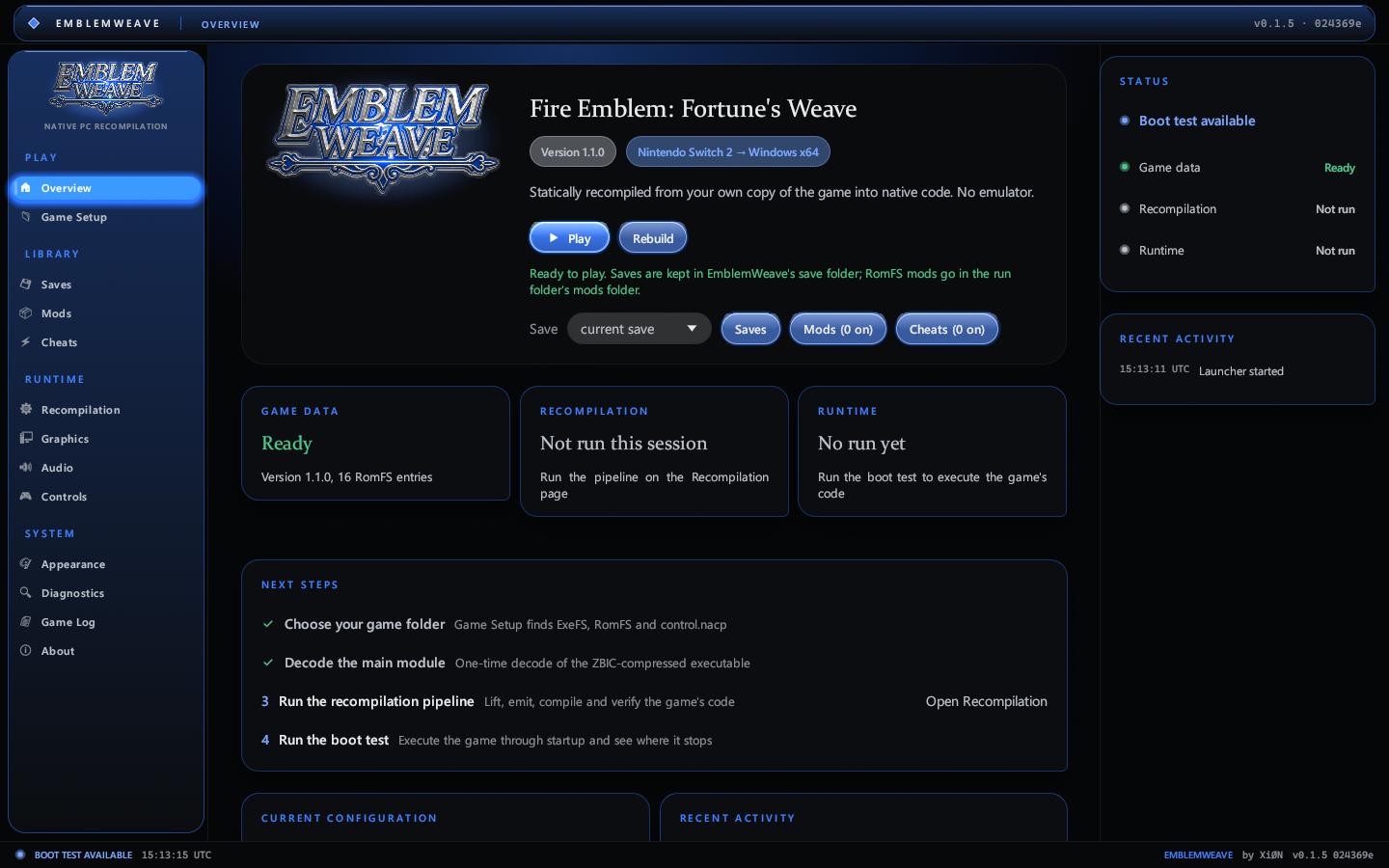
| Play natively | Build the game once from your own dump, then play it at 60 fps with sound and its cutscenes, windowed or full screen. |
| In-game enhancements | F10 or Back + RB while playing: pause, screenshot, restart, stop and return, cheats and display settings. |
| Saves | Save profiles to switch between, imports from yuzu, suyu, sudachi, citron, eden and torzu, and a save editor (gold, renown, level, experience, stats, weapon masteries, items and spells). |
| Mods | Install RomFS mods from GameBanana (browse the game's list or paste a link), a .zip, .7z or .rar archive, or a folder, and switch each on or off. |
| Cheats | Quick per-unit cheats (infinite HP, quick level-up, max stats), Atmosphere cheat codes, and Cheat Engine tables with live, editable, freezable values. |
| Launcher | A rail of grouped pages, a status column that says where the game, the recompiler and the runtime stand, a live Game Log you can pop out, liquid-glass controls and sliders that take the colour and glow of the scheme, six schemes (XiØN, Arcade, FE, Ember, Verdant, Frost), diagnostics, and a recompilation pipeline you can watch run. |
Changelog
Each release is written up in docs/changelog/, newest first, with the version number and
what changed. The README keeps the current state; the changelog keeps the history.
Development status
Measured on the retail game (version 1.1.0, update 131072) on 15 November 2026.
Playable through the baseline engine. On an AMD Radeon RX 7900 XT the game runs at about 60 fps, with sound and
its movies, from the launcher's Build the game and Play. The first build takes a while (the game code is
compiled and about 12,000 shaders are translated); later builds only redo what changed. The baseline is built with
libvpx for the title's VP9/VP8 codecs and dav1d for its AV1 decoder, so the opening movie and cutscenes decode on the
host instead of being skipped. 0.1.17 ran that build from an empty folder on the test PC and played it: title screen,
the existing save loaded through Continue into chapter 4 of Theodora's Path, the hub area walked with W, the
in-game menu on Tab and the engine's settings overlay on F1, at 47 to 68 fps with no errors in the log.
EmblemWeave's own Rust runtime, which is being completed to replace the baseline engine (docs/ENGINE.md):
| Area | Result |
|---|---|
| Instruction decoding | 99.97% of 6,714,569 instruction words, including the Advanced SIMD (vector) unit, system registers and supervisor calls |
| Control-flow recovery | 304,909 basic blocks in 3,620 complete functions (4,000-function pass); 151 switch tables resolved |
| Emitted C verified | 400 recovered functions and 2,400 vector-instruction runs identical to the reference interpreter |
| Independent CPU check | Execution compared instruction by instruction against Unicorn (QEMU's AArch64 model) |
| Program modules | main plus the title's own sdk, loaded side by side; the C++ standard library and other library code run as the title's own code |
| Graphics | NVN device on the host GPU through Vulkan: queues, memory pools, buffers, textures (block-linear sizes, BC and ASTC formats), samplers, render state, shaders and the DLSS upscaler are served |
| Presentation | A window and a Vulkan swap chain present the game's swap texture, untiled from guest memory and scaled to the window; ew-present exercises the path on its own |
| Command buffers | Buffer copies and clears, uniform updates, reports, fences, events, and the texture clears and texture-to-texture copies that write render targets and swap textures, all carried out on the game's tiled storage |
| Not yet | The game's own draws are recorded and counted but not rendered, so the runtime does not produce the game's picture yet |
| Input | Player 1 is a Pro Controller fed by the first XInput gamepad |
| Audio | The audio renderer opens and runs on its 5 ms clock; voices are not yet mixed to the speakers |
| Content | Content index, shader archives (.bfsha), texture archives (.bntx) and graphics presets load from RomFS |
| Own runtime | Runs the frame loop past the autosave notice and the opening movie into the first map load (27.9 billion instructions) |
| Native execution | The whole main module (807,604 functions, 10.6 million instructions) compiled ahead of time into one library; identical to the reference interpreter over the boot's first billion instructions, and about twice as fast |
The full compatibility matrix, the list of verified host services and the known limitations live in docs/STATUS.md. What the launcher needs and what each failure message means is in docs/TROUBLESHOOTING.md.
Screenshots
| 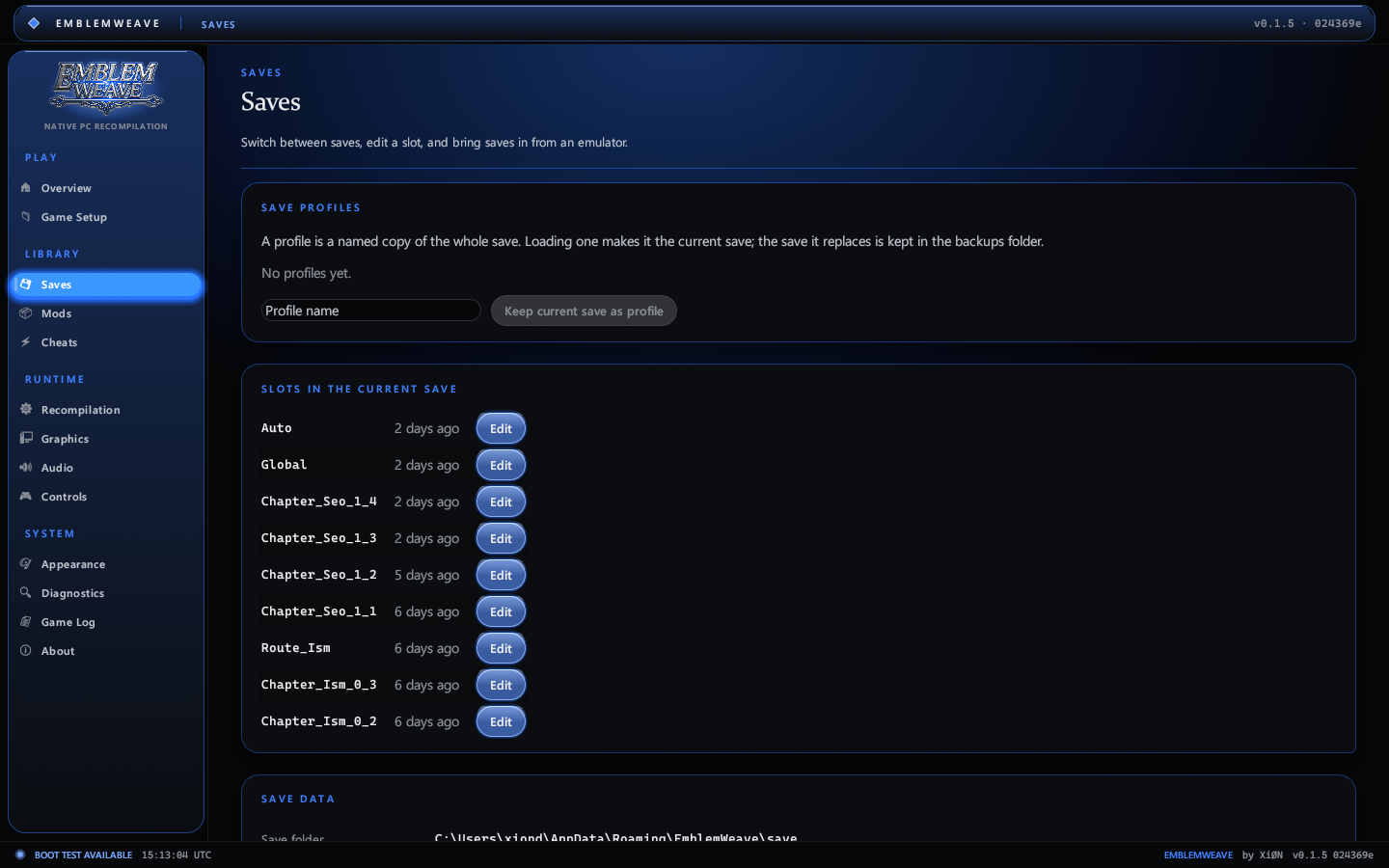 |
| Overview: Play and Rebuild, save profiles and shortcuts, with the status column beside it | Saves: profiles, the slots in your save and the editor, imports from emulators |
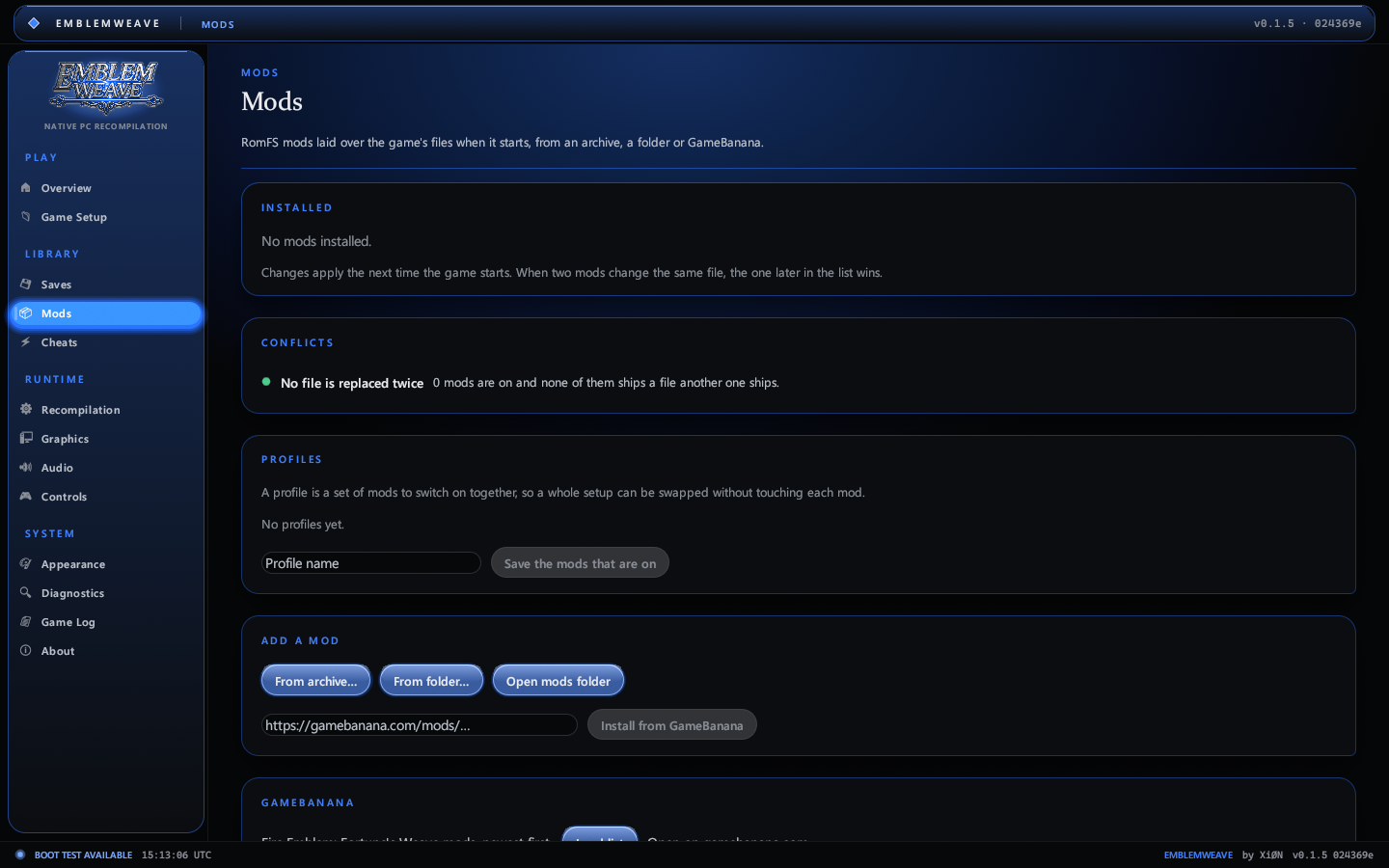 | 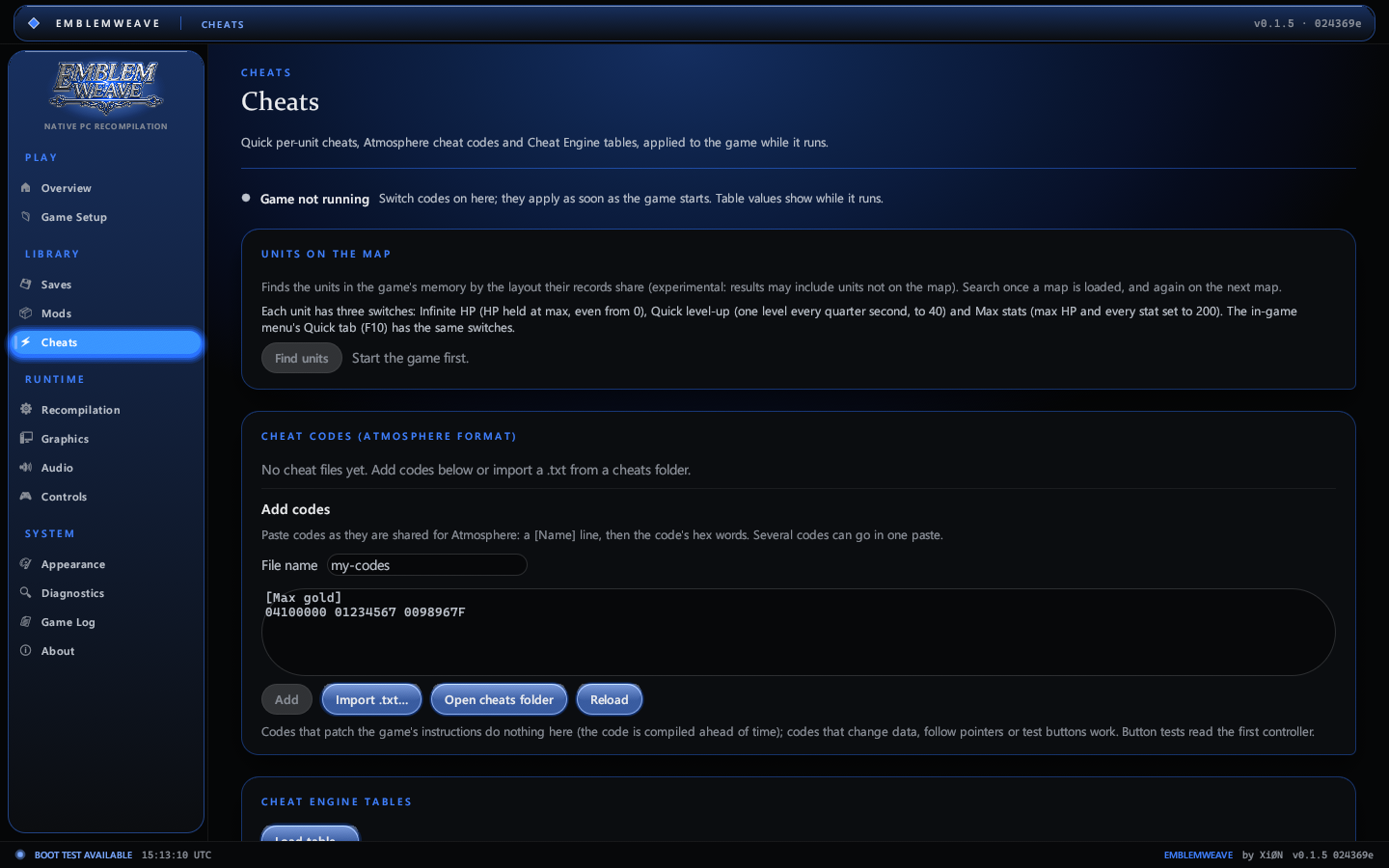 |
| Mods: installed mods with on/off switches, archives, folders and GameBanana | Cheats: Atmosphere codes and Cheat Engine tables |
 | 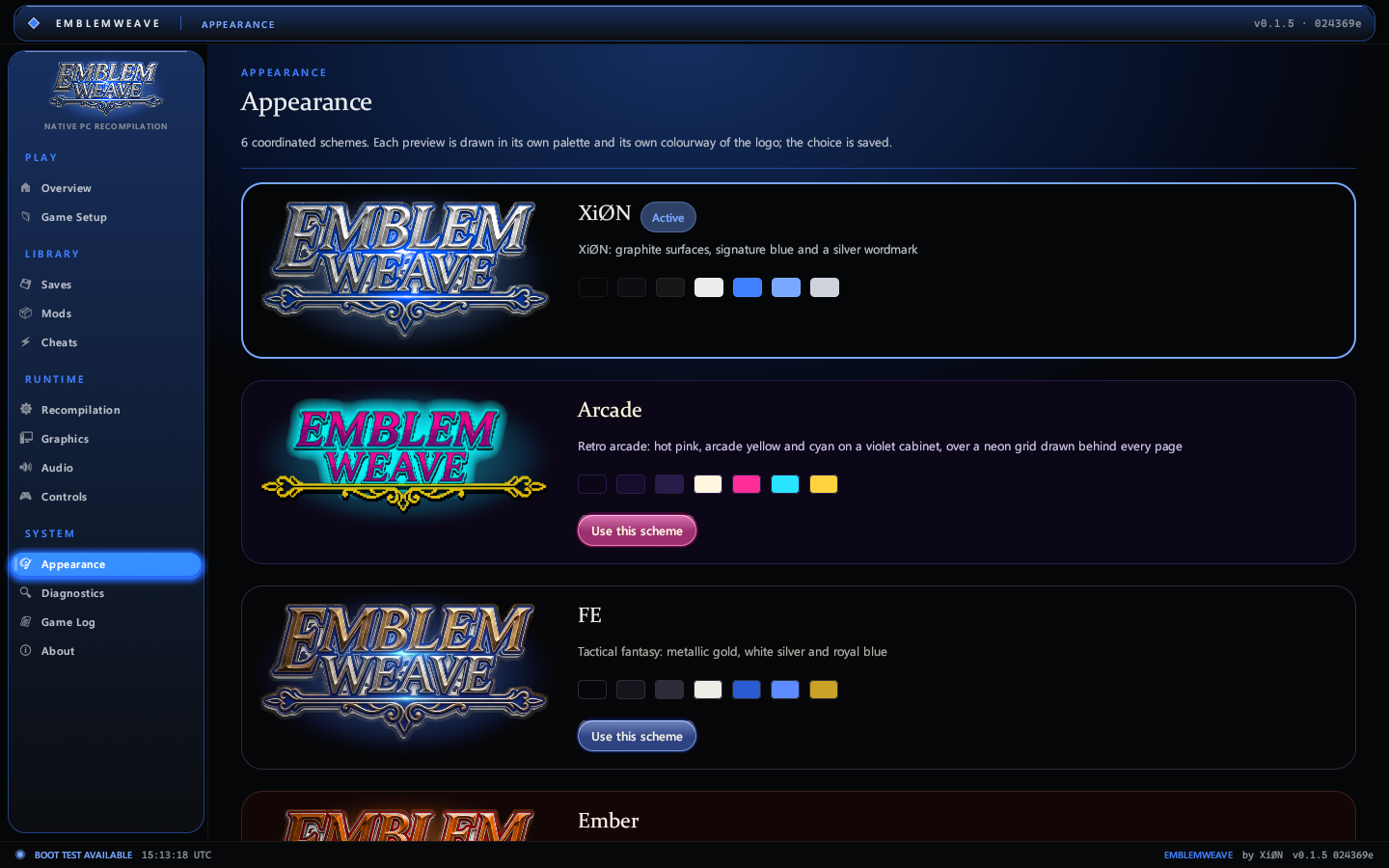 |
| Game Setup: your dump detected and validated | Appearance: the XiØN, Arcade, FE, Ember, Verdant and Frost schemes |
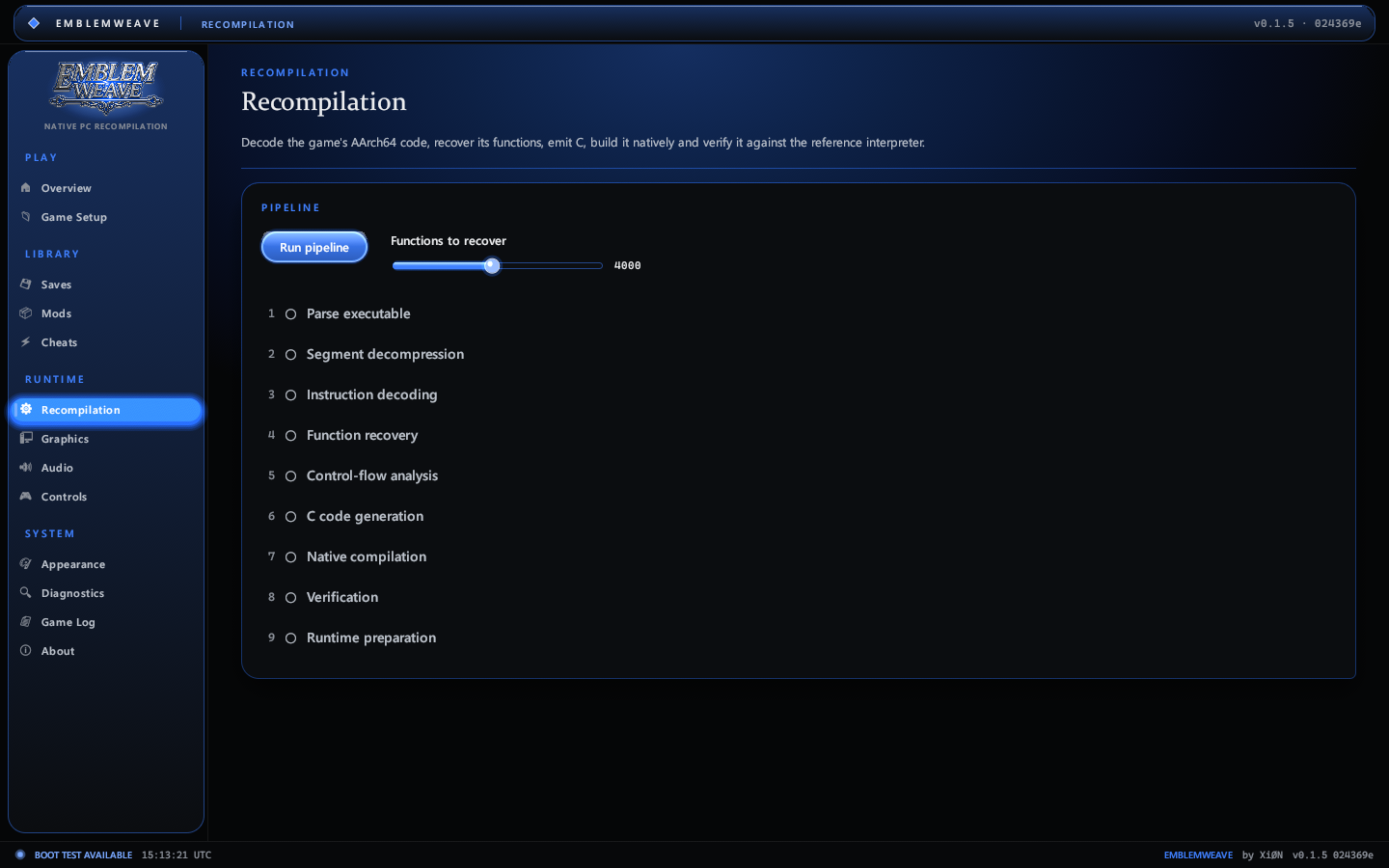 | 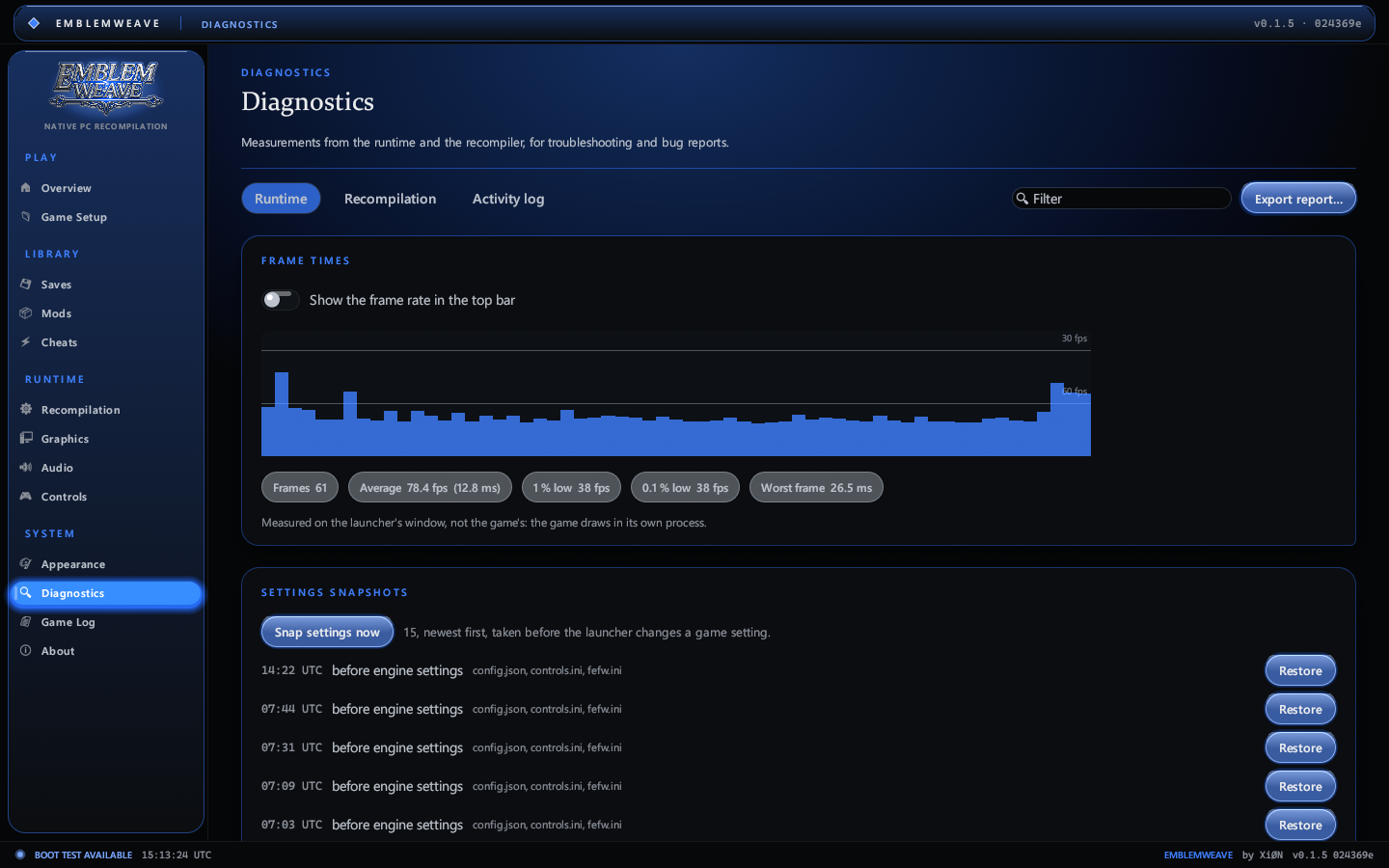 |
| Recompilation: the nine-stage pipeline | Diagnostics: what the runtime did and where it stopped |
The screenshots are the launcher's own rendering, saved with EmblemWeave.exe --page <page> --screenshot <file.png>.
Key capabilities
- Static recompiler for AArch64: integer, floating point, Advanced SIMD, atomics and exclusives, with an independent reference interpreter for every instruction.
- Three layers of verification: the emitted C against the interpreter, the vector unit against seeded edge cases (NaNs, infinities, signed zeros), and the interpreter against an independent CPU model.
- Guest thread scheduler with real blocking waits: mutexes, condition variables, events, timers, joins and sleeps, plus deadlock detection that names every waiting thread.
- Native platform services: the SDK's startup sequence, heap and frame-heap allocators, a read-only RomFS filesystem with a separate save directory, the musl C library (formatted I/O, parsing, a bit-exact math library), libc++ runtime pieces, and system settings such as language and profile.
- Native execution: the recompiled code compiled ahead of time into one
library, entered at any block, checked call by call against the interpreter
(
EW_NATIVE_CHECK=1). - Its own presenter: a Win32 window, a Vulkan surface and swap chain, and the game's swap texture untiled per frame and presented, independent of the baseline engine.
- A complete launcher with game-data detection, save profiles and editing, mod management and cheats, an in-game enhancements menu, a staged recompilation pipeline, diagnostics with search and export, and six colour schemes, all built from one set of liquid-glass controls that take their colour and glow from the scheme.
System requirements
| Component | Requirement |
|---|---|
| Operating system | Windows 10 or 11, 64-bit |
| Graphics | A GPU with a Vulkan 1.3 driver |
| Processor | Any x86-64 processor; recompilation benefits from more cores |
| Memory | 8 GB minimum, 16 GB recommended |
| Storage | About 30 GB for the extracted game data, plus space for build output |
| Game | Your own legally obtained copy of Fire Emblem: Fortune's Weave |
Building the game needs the tools below. The launcher checks every one with the same detection the build uses before it starts, and the Requirements page names each missing one with the command that installs it.
| Dependency | Needed for | Version | Missing it |
|---|---|---|---|
| Visual Studio C++ tools | Build the game | 2022 (17) or newer | winget install --id Microsoft.VisualStudio.2022.BuildTools --exact --override "--add Microsoft.VisualStudio.Workload.VCTools --includeRecommended" --accept-package-agreements --accept-source-agreements |
| Windows 10/11 SDK | Build the game | 10.0 | Add Windows 11 SDK under Individual components in the Visual Studio Installer, or install the standalone SDK, then press Check again. |
| LLVM (clang-cl and lld-link) | Build the game | 23 | winget install --id LLVM.LLVM --exact --accept-package-agreements --accept-source-agreements |
| CMake | Build the game | 3.25 | winget install --id Kitware.CMake --exact --accept-package-agreements --accept-source-agreements |
| Ninja | Build the game | any | winget install --id Ninja-build.Ninja --exact --accept-package-agreements --accept-source-agreements |
| NASM | Build the game | 2.14 | winget install --id NASM.NASM --exact --accept-package-agreements --accept-source-agreements |
| Git | Build the game | any | winget install --id Git.Git --exact --accept-package-agreements --accept-source-agreements |
| PowerShell 7 | Build the game | 7 | winget install --id Microsoft.PowerShell --exact --accept-package-agreements --accept-source-agreements |
| uv | Build the game | any | winget install --id astral-sh.uv --exact --accept-package-agreements --accept-source-agreements |
| .NET 10 SDK | Build the game (only without the bundled translator) | 10 | winget install --id Microsoft.DotNet.SDK.10 --exact --accept-package-agreements --accept-source-agreements |
| .NET runtime | Shaders (optional) | 10 | Only runs a translator that was built here without being published as one executable. The bundled one carries its own runtime. |
| Shader translator | Shaders | any | Turns the game's shaders into SPIR-V. The release zip carries it, published with its own .NET runtime. |
| Python | Decode | 3.9 | winget install --id Python.Python.3.12 --exact --accept-package-agreements --accept-source-agreements |
| zbic (Python package) | Decode | any | py -m pip install zbic |
| C compiler | Recompilation | any | py -m pip install ziglang |
The .NET 10 SDK is not needed: the release zip carries the shader translator published with its own runtime, so the
shader step runs on a PC with no .NET at all. The same sources also publish for Linux
(EmblemWeave-vX.Y.Z-shader-translator-linux-x64.tar.gz), and the build looks for the translator under
tools/shaders/prebuilt/<platform>/, so a Linux build picks the ELF binary on its own. For a Steam Deck, build on Windows
and run the result under Proton: docs/STEAMDECK.md has the steps, the prefix paths and the fefw.ini
edits.
To build the launcher from source you also need the tools listed in Building from source.
Security and what the launcher runs
EmblemWeave is one Rust executable plus the engine folder it drives. It installs no service, driver or browser
extension, ships no PHP, Python or AI runtime of its own, has no accounts, and uploads nothing. Saves, settings, mods,
logs and the decoded copy of your game all stay on your PC under %APPDATA%\EmblemWeave.
Everything the launcher starts, and why:
| Program | When | Why |
|---|---|---|
vswhere.exe | start-up, build | finds Visual Studio's C++ tools |
dotnet --list-sdks | start-up, build | reads the installed SDK version |
spirv_harness.exe | Build the game | the shader translator bundled in the zip; it carries its own .NET runtime and opens no network connection |
dotnet build | Build the game, only when the zip has no translator | builds the translator from the staged sources |
git clone, git checkout | Build the game | fetches the pinned Ryubing revision the shader translator is ported from |
pwsh | Build the game | runs the engine's build scripts (-NoProfile -ExecutionPolicy Bypass) |
cmd /C recomp\scripts\build_game.cmd | Build the game | drives the engine's own build |
cmake, ninja, clang-cl | Build the game | configures and compiles the engine, one compiler per CPU core |
uv | Build the game | makes the engine's Python environment and installs its pinned requirements |
python | Decode | runs the zbic bridge compiled into the launcher; it reads your dump and writes the decoded copy |
clang or zig | Recompilation | compiles the lifted C, and its verification program |
fefw.exe | Play | the game itself |
curl.exe | update check, mod browsing | see the network table below |
tar.exe | unpacking a mod archive or an update | the archive you chose |
winget | Install the missing build tools | only when you press that button |
notepad, explorer | Open log, Open folder | opens the file or folder you asked for |
Every console program is created with CREATE_NO_WINDOW, so the launcher never opens a console window, and every
command it runs is written to the task's log in %APPDATA%\EmblemWeave\logs. The scripts it runs start their own
tools in turn (Visual Studio's vcvars64.bat, robocopy, cmake, ninja, clang-cl, python); those appear in the
same log, line by line, for every build. If you see terminal windows, shell
scripts or "press any key to continue" prompts while EmblemWeave is open, they are not from EmblemWeave.
Before a build