PortGaGotoku
PortGaGotoku is a native PC port of Fist of the North Star: Lost Paradise for Windows that translates graphics to Vulkan.
- Type: PC port
- Game: Fist of the North Star: Lost Paradise
- Runs on Windows and Linux
- By ItalianKuze
- Latest release v0.1.3-dev-linux-test, 2026-10-27
- Source: https://github.com/ItalianKuze/port-ga-gotoku
README
PortGaGotoku
English · Italiano
Note: "native" refers only to the CPU side: the game's x86 code runs directly on the host CPU, while PS4 system libraries are reimplemented (HLE). Graphics are translated to Vulkan through the shadPS4 video core included in this repo (
gpu/shadps4). This is not a full recompilation or a rewrite of the renderer.
PortGaGotoku runs Fist of the North Star: Lost Paradise (Hokuto ga Gotoku, PlayStation 4, CUSA12781) on Windows — "like a port". It is a fork of bbport, deadinside28's native PC port of Bloodborne: the game's own x86-64 code runs directly on the CPU, a runtime replaces the PS4 system libraries, and the graphics are translated to Vulkan by a renderer derived from shadPS4.
No game files are included. You need your own legal dump of the game (the CUSA12781 folder with
eboot.binandsce_sys). This is an unofficial project, not affiliated with or endorsed by SEGA, Ryu Ga Gotoku Studio, Sony Interactive Entertainment or the rights holders of Fist of the North Star. It is not related to shadPS4 either: please do not ask about it on shadPS4's channels, nor on bbport's (its issues are not upstream's).
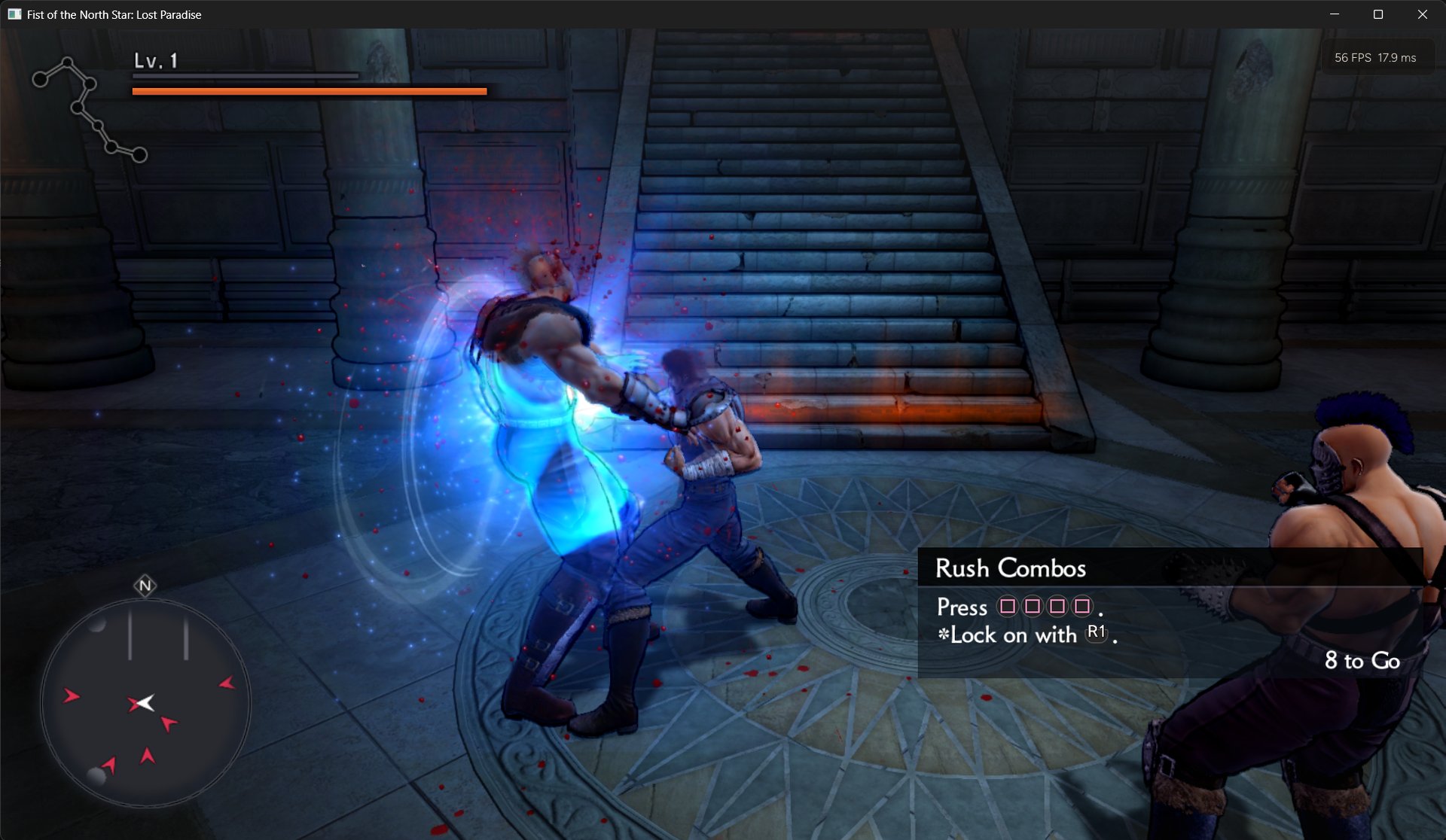 Combat in the first area (window mode, statistics HUD at the top right).
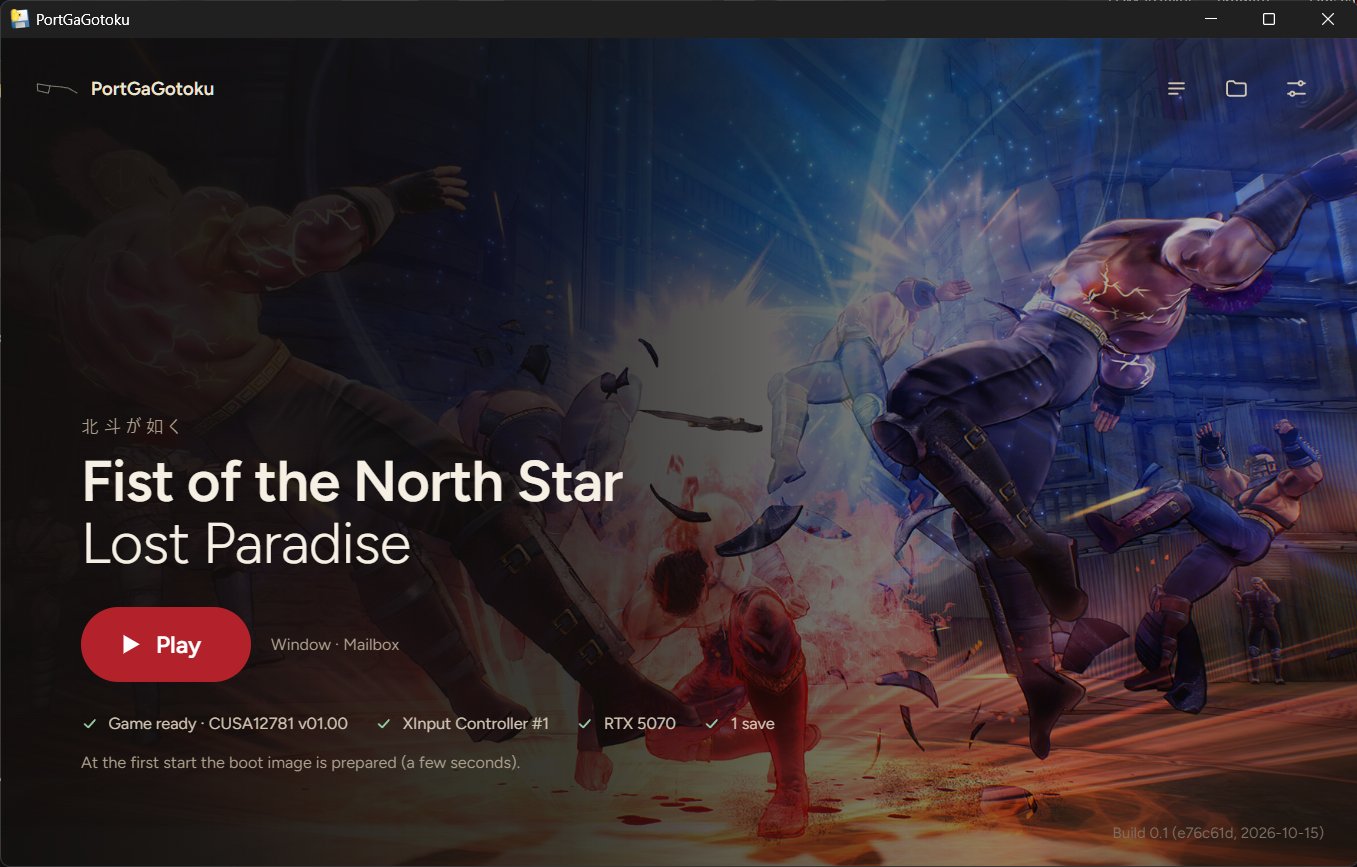 The launcher.
Status
Early alpha, developed slowly in my spare time. Expect bugs; no release schedule.
Experimental, playable on the one machine it was tested on (Windows 11, NVIDIA GeForce RTX 5070, 8BitDo controller in XInput mode).
What works: logos, title screen and menus, audio, movies, gameplay (exploration and combat), gamepad and keyboard, saving and loading (Continue), the launcher, the in-game menu, the statistics HUD. Known issues and next steps: docs/STATUS_AND_ROADMAP.md. In short: about 60 FPS while walking, with occasional drops; only one machine has been tested.
bbport's Bloodborne-specific parts (its patches and mods, hooks in Bloodborne's code, its menu entries, launcher and Linux packaging) are not in this fork; the renderer, runtime and tools they were built on are.
Requirements
- 64-bit Windows 10 or 11.
- A CPU with AVX, BMI1, MOVBE, LZCNT and POPCNT (the game's code was compiled for the PS4's CPU).
- A graphics card with Vulkan 1.3 and a current driver.
- Memory: the game reserves about 6 GB. With 16 GB of RAM, close other heavy applications before playing.
- Microsoft Edge WebView2 Runtime for the launcher's window (part of Windows 11).
- Your own dump of Fist of the North Star: Lost Paradise, CUSA12781, version 01.00 (the only one tested). The Asian edition, CUSA10053, was reported working by a tester as an experimental try (from the prologue to the first save of chapter 1, texts in traditional Chinese); the launcher asks for a confirmation before starting another edition.
Download
- Download the
.zipof the latest release from Releases. - Extract it to a folder you can write to (not
Program Files). - Check the requirements above and have your dump of the game ready.
- Start
PortGaGotoku.exe. At the first start it asks for the game folder: choose the CUSA12781 folder (the one witheboot.binandsce_sys). The launcher checks it, prepares the boot image (the game files are only read) and starts the game. Later,Start Hokuto.exestarts the game directly with the saved settings. - The executables are not signed: at the first start Windows SmartScreen may show "Windows protected your PC". Click More info → Run anyway. The launcher is frozen with PyInstaller, so an antivirus may warn about it too.
Logs are in PortGaGotoku-data\logs\, next to the extracted folder (see Data folder).
To report a problem, open an issue
with the bug report form and attach the log of the run. Logs can contain your Windows user name (in
file paths): you can replace it before attaching them.
Build and run
Windows, MSYS2 UCRT64 shell: docs/BUILDING.md. In short:
bash scripts/build-win.sh                     # out-win/run: bb-probe.exe and its DLLs
out-win/pyenv-ui/Scripts/pythonw.exe launcher/pgg_main.py   # the launcher, from the sources
bash packaging/windows/package.sh             # or a package: dist/PortGaGotoku-<version>.zip
The launcher asks for the game folder at the first start, checks it (eboot.bin, TITLE_ID
CUSA12781), prepares the boot image from it (the game files are only read) and starts the game.
scripts/Start Hokuto.cmd starts it without the launcher once that is done.
In the game: Insert or L3+R3 opens the port's menu, F11 the statistics HUD, F9 starts a 90-second performance measurement. Close the game with the window's X (Alt+F4 in fullscreen): a save in progress is finished first.
Linux: not maintained in this fork for now (the code stays portable; see the roadmap).
Data folder
Everything the port writes goes to PortGaGotoku-data, next to the project (or package) folder
(PGG_DATA_DIR changes it; the port's environment variables are named PGG_*, and bbport's
BB_* names still work):
| Folder / file | What |
|---|---|
launcher.json, pgg.ini | launcher settings, in-game menu settings and controls (pgg.ini was bbport.ini until 0.1.2: copied the first time, the old file stays) |
out/ | the boot image prepared from your dump |
user/savedata/1/CUSA12776/ | saves (one folder per slot, plus <slot>.sce_sys) |
save-backups/ | a copy of a slot before the game writes it (the last 10 per slot) |
logs/ | game logs, performance measurements |
cache/, gpu/ | shader cache and the GPU library's folder (never %APPDATA%\shadPS4) |
Development
Notes on what was changed and why: docs/TECHNICAL_NOTES.md. Commit titles
carry their scope: [common] (all platforms) or [windows]. Benchmarks:
scripts/bench_hokuto.py (a recorded route replayed with a measurement, see the roadmap). This
project was developed with the help of an AI coding assistant, under the direction and testing of its
maintainer.
bbport's own documents (Bloodborne, upstream history) are kept in docs/upstream-bbport/.
Credits
Started as a fork of bbport by deadinside28 (https://github.com/deadinside28/bloodborne_pc), GPL-2.0-or-later.
- deadinside28 — bbport, the base of everything here: runtime, loader, renderer, tools.
- shadPS4 — shadPS4: the video core and shader recompiler bbport's renderer derives from, and the reference for the PS4 libraries.
- Supermedo — Supermedo/bloodborne_pc: the Windows
launcher and package the launcher's structure and
packaging/windowsare based on. - Mrsuss60 — bloodborne_pc_windows_port: the fault-recovery layout on Windows and the telemetry HUD the statistics HUD is based on.
- Phroster — bloodborne_pc_windows: Windows port research (TLS in the TEB, exception handling, the MSYS2 build).
- Fonts: Figtree by Erik Kennedy (SIL Open Font License 1.1,
launcher/ui/fonts/Figtree-OFL.txt,gpu/third_party/fonts/LICENSE-Figtree.txt) and DejaVu Sans (Bitstream Vera license,gpu/third_party/fonts/LICENSE-DejaVu.txt). - Third-party components inherited from bbport keep their licenses: sirit, half, LibAtrac9 (MIT), Dear
ImGui (MIT), and the others under
gpu/third_partyandthird_party. The launcher window uses pywebview (BSD).
License
GNU GPL v2 or later (LICENSE), as bbport and shadPS4. The Windows package as a whole is
GPL-2.0-or-later too; its third-party components and their licenses are listed in
THIRD_PARTY_NOTICES.txt and licenses\.