Forza2-Native
Forza2-Native is a Windows PC port of Forza Motorsport 2 that recompiles the game's code for native execution with Vulkan rendering and optional 120 FPS.
- Type: PC port
- Game: Forza Motorsport 2
- Runs on Windows
- By 0herculabs
- Latest release v0.3.1, 2026-10-20
- Source: https://github.com/0herculabs/hl360-Forza2
README
Forza Motorsport 2 — Native PC Port
A static recompilation of the Xbox 360 racing game for modern Windows PCs.




Play Forza Motorsport 2 (Xbox 360, 2007) natively on Windows. The game's PowerPC code is statically recompiled ahead of time into C++ and then compiled for x86-64: there is no CPU emulation and no JIT compiler. Graphics are rendered through Vulkan and audio is decoded natively.
Important
No copyrighted game files are included. You must provide your own original European or American Xbox 360 copy of Forza Motorsport 2 as a disc image.
Warning
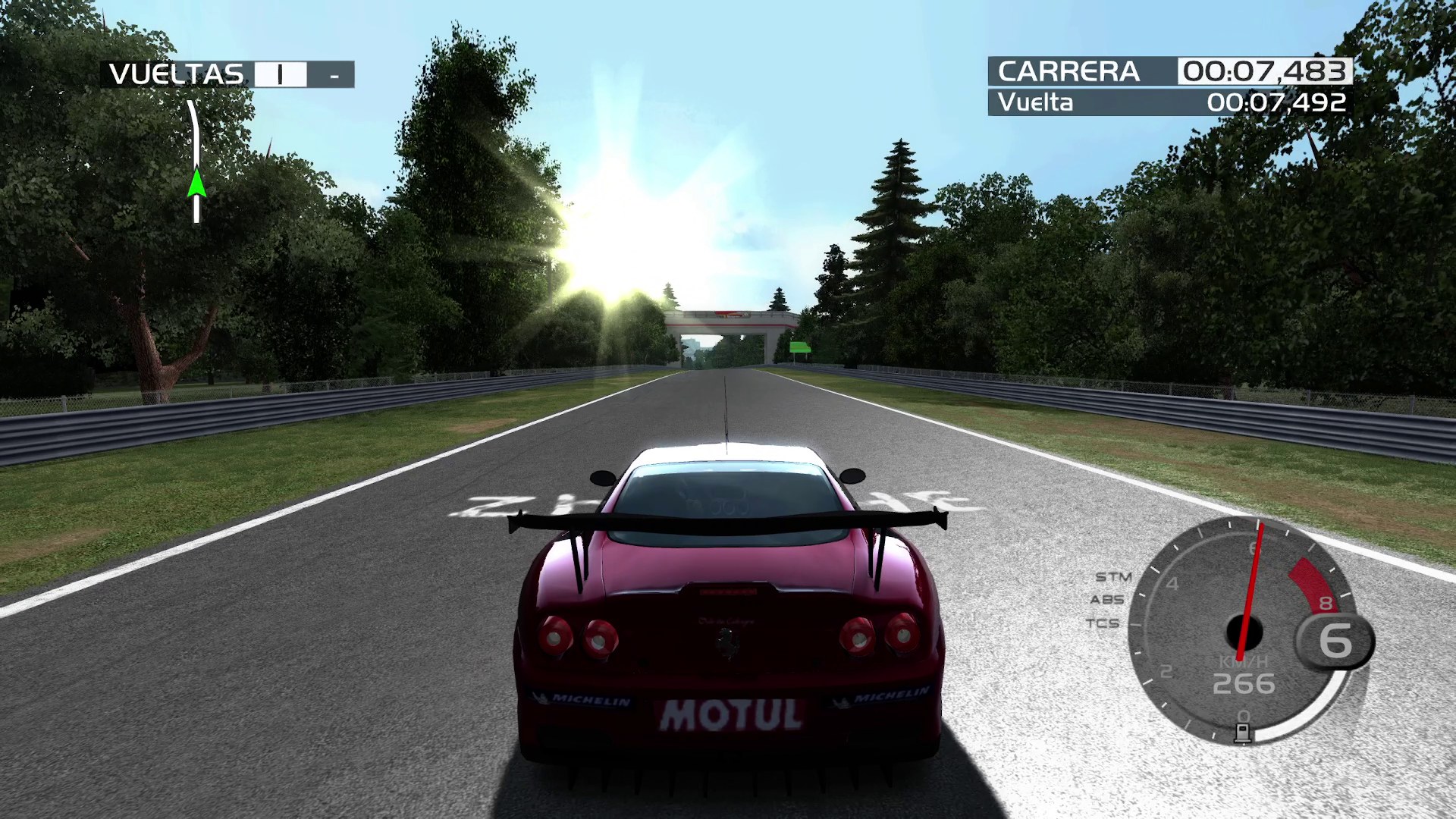
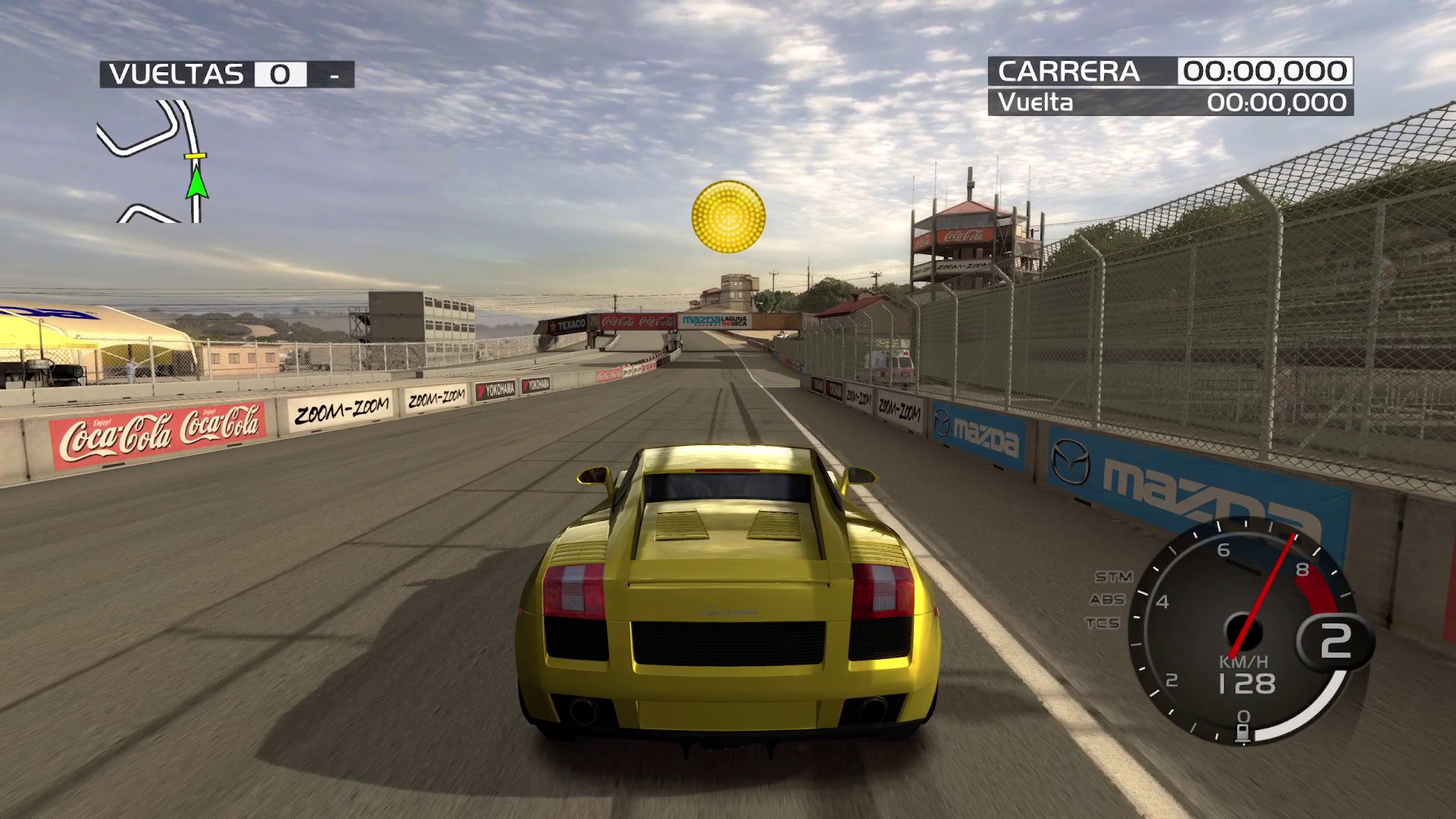
Version 0.3.1 is playable but still a work in progress. Menus and videos are functional, while exhibition races and Free Run can hold 60 FPS; 120 FPS race output is also available on sufficiently fast hardware. Online races through System Link work; with three or more players a join can occasionally fail. Career mode, split-screen, and DLC content still need broader testing. Xbox Live is not available.
Highlights
- Native x86-64 execution through static PowerPC-to-C++ recompilation.
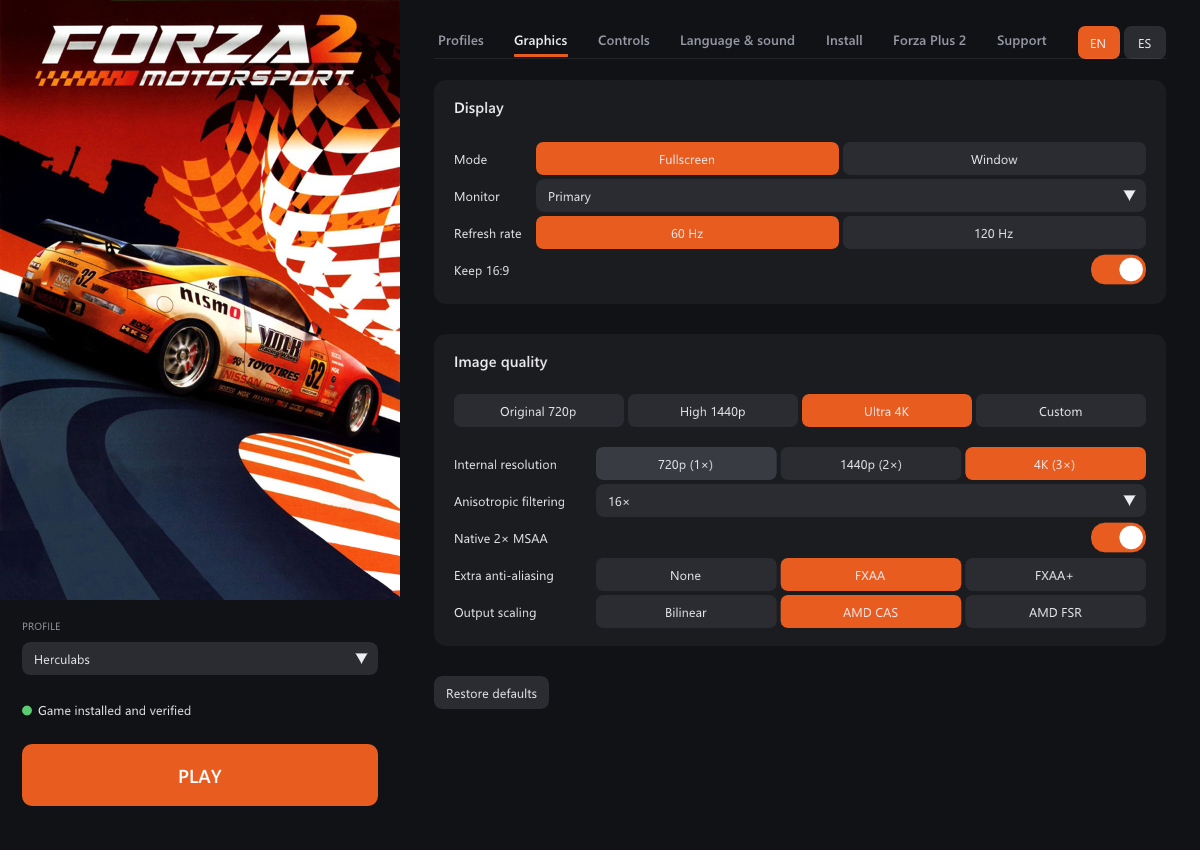
- Vulkan rendering with internal resolutions up to 4K.
- 60 FPS and optional 120 FPS race modes.
- Online races through the game's own System Link menus, no port forwarding.
- Native 2x MSAA, anisotropic filtering, AMD FSR, and AMD CAS.
- Xbox-compatible controllers and fully remappable keyboard controls.
- Named local profiles with separate save data.
- Built-in ISO extraction and SHA-256 file verification.
- Shader precompilation to reduce first-visit stutter.
- European and American releases supported.
- Limited Edition bonus-disc DLC and Project Forza Plus 2 integration.
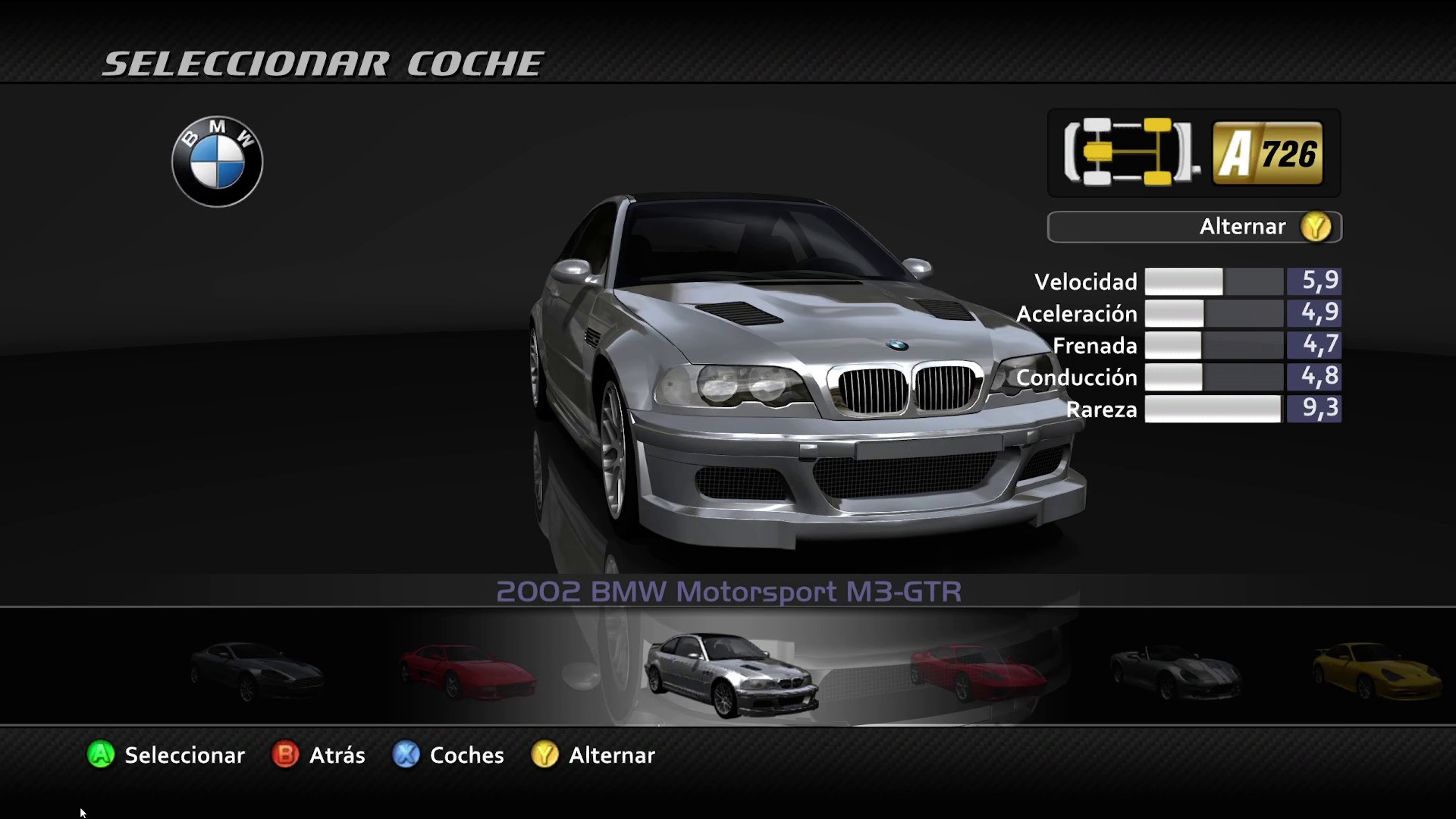
- English, Spanish, French, German, and Italian game languages.
Requirements
- Windows 10 or 11, 64-bit
- A GPU with Vulkan support and current drivers
- About 5 GB of free disk space
- Your own Forza Motorsport 2 disc image (
.iso), European or American release (title ID4D5307EA)
No additional runtime needs to be installed; the Visual C++ runtime is bundled with each release.
Getting started
- Download
Forza2-Native-<version>-windows-x64.zipfrom Releases and extract it to any folder. - Run
Forza2Launcher.exe. It opens in English; press ES (top right) for Spanish. - Go to Install → Choose ISO and import and pick your disc image. The
game is extracted to the
game\folder and every file is checked againstgame_files.sha256. It takes a minute or two. If the game is already extracted, use Change folder instead. - Go to Profiles and create your profile.
- Press PLAY.
The first time you press PLAY, and after changing the internal resolution, the launcher prepares the shaders first (with a progress bar) and then starts the game.
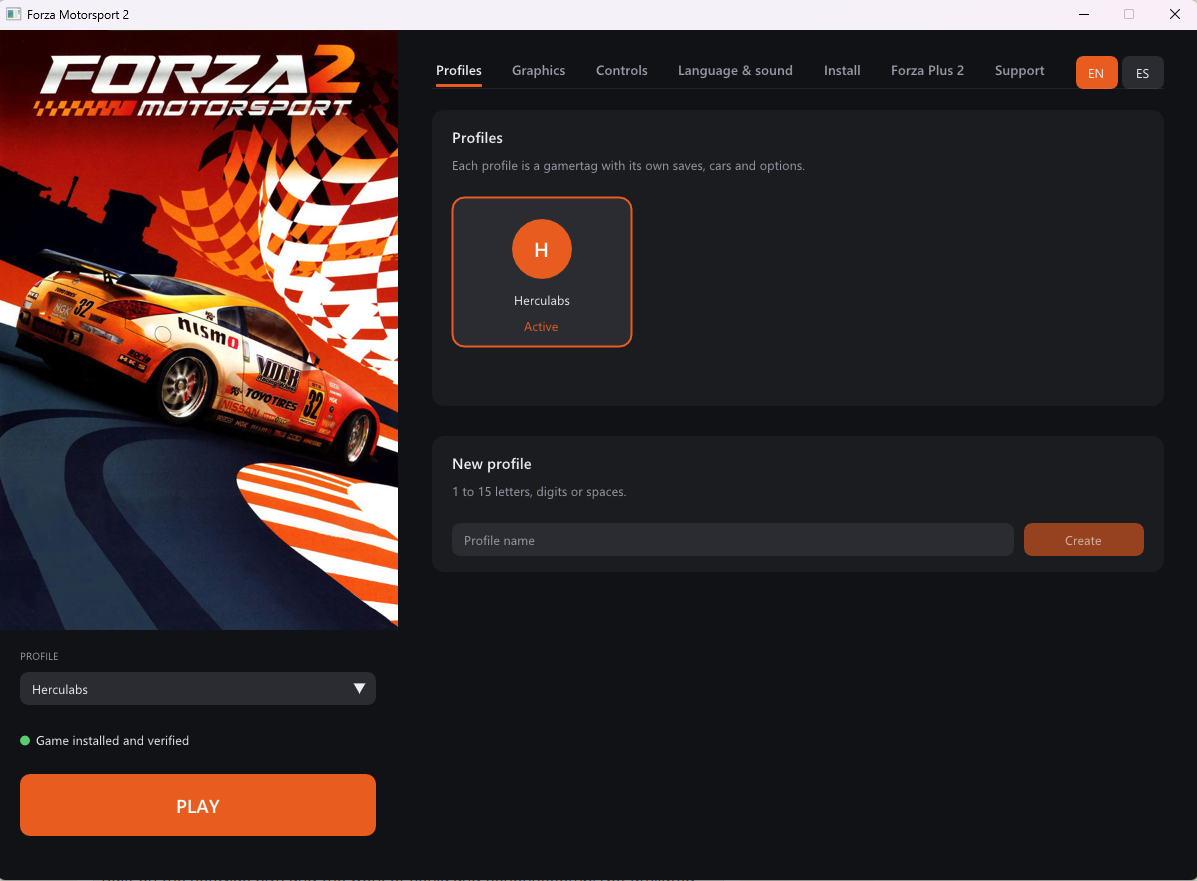
The launcher
| Tab | What you can do |
|---|---|
| Profiles | Create, choose and delete profiles. Each profile has its own saves. The Online card turns online play on or off and shows whether the server answers. |
| Graphics | Fullscreen or window, monitor, window size, frame rate (60 or 120 fps), vertical sync, quality presets (Low / Medium / High / Custom), render scale 1x-4x, anisotropic filtering and output scaling (bilinear, AMD CAS, AMD FSR). |
| Controls | Controller or keyboard, mouse for the camera, and key remapping. |
| Language & sound | Game language (English, Español, Français, Deutsch, Italiano) and mute. |
| Install | Import the game from an ISO or choose its folder. Once installed: verify files and add the bonus disc DLC. Shader preparation is automatic. |
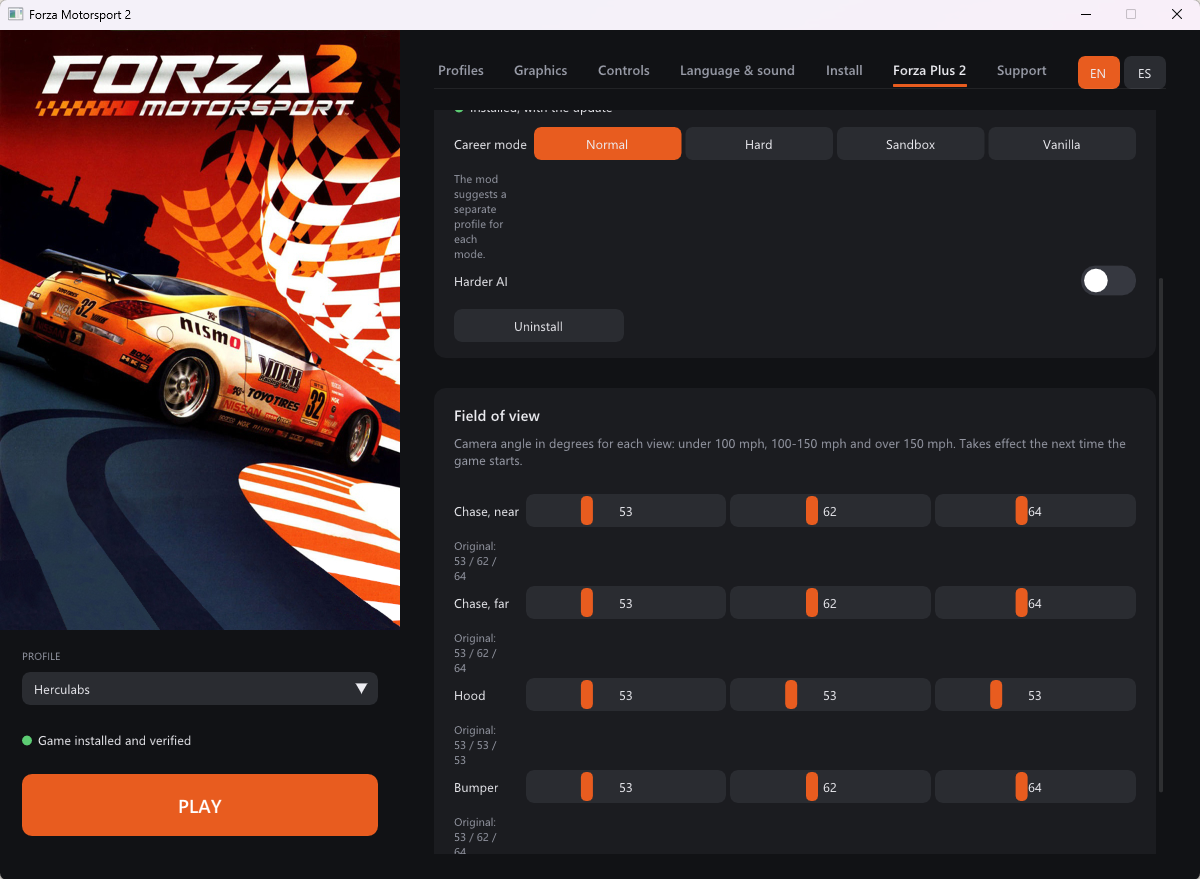
| Forza Plus 2 | Install, update and remove the Project Forza Plus 2 mod, switch its career mode and AI, and set each camera's field of view. |
| Support | Link to the project's Ko-fi. |
Changes are saved automatically. The cover art is not shipped (it is
copyrighted artwork): put any cover.png next to Forza2Launcher.exe and it
fills the left column; without it the launcher draws its own panel.
Frame rate
The game paces itself on the frame rate chosen in Graphics: 60 fps holds steady in races; 120 fps runs races at up to 120 fps and needs a 120 Hz monitor and a fast CPU. Menus run at half the rate, as on the Xbox 360. The game's native 2x MSAA is always on.
Limited Edition bonus-disc content
The bonus disc of the Limited Edition carries the 8 premium DLC packs (car packs, Road America and Motegi). With the game installed, go to Install → Downloadable content → Import bonus disc ISO. The packs are copied next to the game, and each profile installs them the next time it plays.
The disc's Title Update #4 is not used: it patches the game executable, and the port runs the unpatched program.
Project Forza Plus 2
The Forza Plus 2 tab installs the community mod Project Forza Plus 2
straight from its release .zip files (not included; get them from the mod's
author). It needs the American release of the game.
- Choose
Project Forza Plus 2 v1.3.zip, pick a career mode and press Install Project Forza Plus 2. - Once it is installed, choose
Project Forza Plus 2 Update v1.3.zipand press Apply.
From the same tab you can switch the career mode (Normal, Hard, Sandbox, Vanilla), turn on the harder AI, set the field of view of the chase (near and far), hood and bumper cameras for each speed range, and uninstall the mod. The original files are kept, so uninstalling puts the game back exactly as it was.
The mod already includes the DLC cars and tracks, so the bonus disc packs are
not installed alongside it. The launcher also matches the mod's physics rate
(CarPhysicsUpdateHz) to the chosen refresh rate, as the mod's author asks.
Online play
Multiplayer → System Link lists every race hosted on the online server: create one or join one as on a local network. All traffic goes through the server, so nobody needs to open ports. Keep Play online on in the launcher's Online card (Profiles tab); its dot is green when the server answers. Your gamertag is your name online, and every player needs the same port version (and the same Project Forza Plus 2 version, if used).
The server is tools/fm2-relay: one Python 3 script with
no dependencies and a systemd unit. The launcher's server is a build setting
(FM2_ONLINE_SERVER=host:port), so builds without it have no online option.
Network internals and diagnostics are in docs/LAN.md.
Controls
Any Xbox-compatible controller works without setup. Default keyboard layout:
| Action | Key |
|---|---|
| Accelerate | E |
| Brake | Q |
| Steer | A / D |
| Accept | Space |
| Back | Backspace |
| Start / pause | Enter |
| Camera | Arrow keys |
All keys can be changed in Controls.
Where things are
| What | Where |
|---|---|
| Saves | Documents\forza2\profiles\<profile>\ |
| Deleted profiles | Documents\forza2\profiles-papelera\ |
| Shader cache | Documents\forza2\cache\ |
| Settings | forza2.user.toml, next to the launcher |
| Error logs | logs\, next to the launcher (only kept when something goes wrong) |
Known issues
- The first time you visit a track or see a new car you may notice some stutter while its shaders are compiled. After that they are prepared before you play.
- Career mode and split-screen are not fully tested; the DLC cars and tracks have only been tested briefly.
- A few UI sound banks are opened by relative path and do not load.
- DLC packs are installed under
Documents\forza2\profiles\<profile>\. If that path is very long (a long user name or Documents synced to OneDrive), some packs may fail to install; the error is written to the log. - Some antivirus engines flag the download with generic or heuristic
detections. The file they point at is
rexruntime.dll, the ReXGlue SDK runtime, built from the SDK source (patched for Vulkan, seedocs/VULKAN.md). The executables are not code-signed yet; each release lists the SHA-256 of its files. - Xbox Live features are not available.
- Online, with three or more players, a player who joins may occasionally not see one of the others and the game can close when that race starts. Leaving and joining again fixes it.
If the game closes with an error, the launcher tells you. Please open an
issue and attach the file from the logs\ folder.
Building from source
Requires Visual Studio 2022 (or Build Tools) with the C++ workload, and LLVM:
winget install Microsoft.VisualStudio.2022.BuildTools --override "--add Microsoft.VisualStudio.Workload.VCTools --includeRecommended"
winget install LLVM.LLVM
set FM2_ONLINE_SERVER=host:port   :: optional: the launcher's online server
build-vulkan.bat                  :: build.bat calls it too
tools\package_release.ps1         :: builds dist\Forza2-Native-<version>-windows-x64.zip
The Vulkan build uses the patched source ReXGlue SDK shared with the Forza
Motorsport 4 port (..\..\fm4-recomp\work\vulkan-trial by default; pass
another path to build-vulkan.bat); see docs/VULKAN.md.
The released ReXGlue SDK v0.10.0 is
Direct3D 12 only and cannot load the Vulkan GPU plugin. The recompiled code in
generated/ is committed, so a clone builds without the game. run.bat
starts the development build against assets\ and logs to run.log.
Repository layout
| Path | Contents |
|---|---|
forza2_manifest.toml | rexglue codegen configuration: functions the analysis missed, fiber replacements, mid-function hooks |
generated/ | The game's program code translated to C++ (machine-generated, committed) |
src/ | Port code on top of the recompiled game: app setup, profiles, DLC install, crash reports, fixes and diagnostics |
launcher/ | Forza2Launcher (SDL3 + Dear ImGui): profiles, settings, ISO import and verification, Project Forza Plus 2 |
config/forza2.toml | Runtime settings the game needs, shipped next to the exe |
tools/ | Packaging, file manifest, scripted test sessions, the online server (tools/fm2-relay); tools/analysis/ has the disc/XEX scripts used to find what codegen missed |
docs/ | Player notes (PLAYERS.md, shipped as LEEME.md), third-party notices, Vulkan and network notes, images |
tests/ | Network layer tests (fm2-lan-tests) |
cmake/, scripts/ | Build helpers, the Vulkan targets and SDK patch, LAN/online lab scripts |
How it was ported
| Piece | Where |
|---|---|
| PowerPC → C++ translation | rexglue codegen, driven by forza2_manifest.toml |
| Functions the analysis missed (tail-called thunks, ~320 vtable-only functions merged into neighbours) | [entrypoint.functions] in the manifest, found with tools/analysis/ scans |
| XAPI fibers (the title's job system) mapped to host fibers | [entrypoint.rexcrt] in the manifest |
| Profile name and per-profile saves | src/profile.cpp |
| Bonus disc DLC installed into each profile | src/dlc.cpp |
| Null-stream crash while loading races | src/stream_guard.cpp |
| GPU log spam that cost frame rate | src/log_filter.cpp |
| Guest call chain on crashes | src/crash_report.cpp |
| System Link over the network, online relay client, DirectPlay tuning | src/lan.cpp, src/lan_wsa.inc, src/lan_relay.inc |
Every recompiled function is a weak sub_<address> that forwards to
__imp__sub_<address>, so any of them can be wrapped or replaced from src/.
The European (media ID 3E3180AE) and American (0DF2D3F6) discs hold the
same program and the same data files; only the header of default.xex
differs, so the manifest accepts both hashes. Project Forza Plus 2 replaces
default.xex with the mod's copy, which only edits the table of file
signatures the game checks (resource 0D163575); the code is the same.
Support
If you enjoy the project and want it to keep improving, you can support it on Ko-fi. Thank you! 🏁
Legal notice
This repository contains no game assets: no executables, disc images,
textures, audio or video. generated/ is a machine translation of the game's
program code; game_files.sha256 holds only hashes. You must own the game to
use this port. Forza Motorsport is a trademark of Microsoft; this project is
not affiliated with or endorsed by Microsoft, Xbox Game Studios or Turn 10
Studios. Third-party licenses are in
docs/THIRD_PARTY_NOTICES.txt, included in the
download.
Credits
- ReXGlue SDK — recompiler and runtime
- Xenia — the emulation research ReXGlue builds on
- XenonRecomp — static recompilation for Xbox 360
- CrownParkComputing/Xbox360-Native-Ports — the approach this port follows