hl360-forza4
hl360-forza4 is a Windows PC port of Forza Motorsport 4 with a launcher for installation and mod integration.
- Type: PC port
- Game: Forza Motorsport 4
- Runs on Windows
- By 0herculabs
- Latest release v0.3.9, 2026-10-19
- Source: https://github.com/0herculabs/hl360-forza4
README
Forza Motorsport 4 — Native PC Recompilation
Forza Motorsport 4 on Windows, with a dedicated launcher, optional Project Forza Plus 4 integration, and experimental direct-drive wheel support.
Getting started · Supported version · Launcher · Wheels and FFB · Build · Support
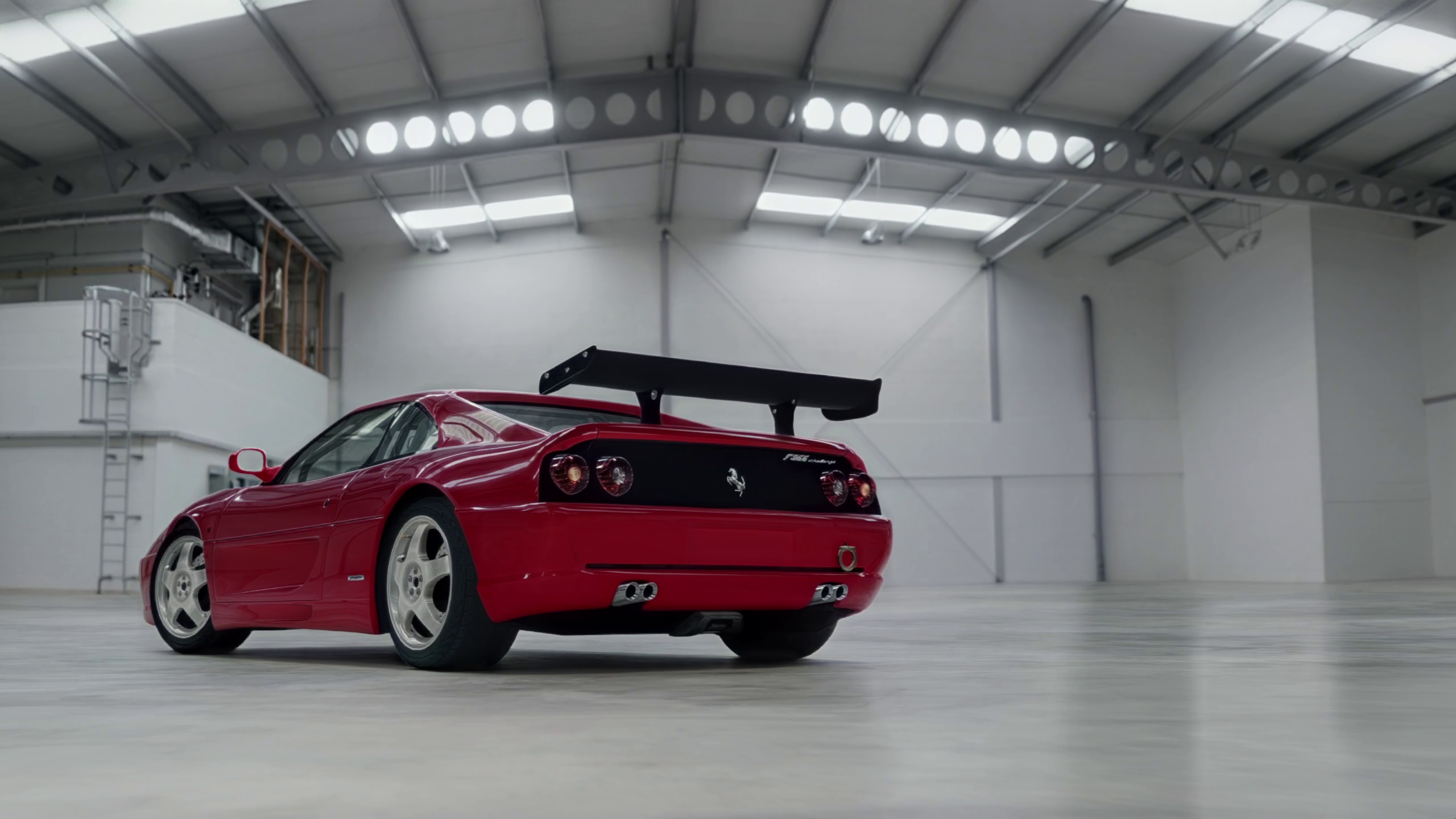
This project translates the Xbox 360 game's PowerPC code into C++ with the ReXGlue SDK. The resulting program runs natively on PC, with the runtime providing graphics, audio, input, profiles, storage and content services.
The launcher guides you through installing both discs, configuring the game, calibrating a wheel and installing or removing Project Forza Plus 4.
Important
Game files, disc images, DLC and Project Forza Plus archives are not included. Supply your own game discs and mod files.
Warning
This is a work in progress. Menus and races have been demonstrated locally, including gameplay with a MOZA R3 and force feedback. Full Career progression, every game mode, long sessions and other wheelbases still need testing. The 120 FPS mode is experimental and does not guarantee a stable 120 FPS or correct timing in every situation.
Supported version
The supported executable is Forza Motorsport 4 (USA), Rev 1, from the multilanguage Play Disc.
| Identifier | Value |
|---|---|
| Title ID | 4D530910 |
| Media ID | 33E7B39F |
| XEX version | 0.0.0.14 |
The following exact disc images were used for development:
| Disc | ISO size | MD5 |
|---|---|---|
| Disc 1 — Play Disc, USA Rev 1 | 8,738,846,720 bytes | 2470358250b8566bf5ddc3aaf1b76c68 |
| Disc 2 — Content Install Disc, USA Rev 1 | 8,738,846,720 bytes | 9915d1adaabf3b58441651a70e5e8dbe |
These hashes identify the uncompressed ISO files, not their ZIP archives. The installer also checks the installed Disc 1 files against a SHA-256 manifest. Other regions and revisions have not been validated. Additional hashes and the tested SDK revision are recorded in doc/inputs.md.
Getting started
Requirements
- Windows x64 and a Direct3D 12-capable GPU.
- Microsoft Visual C++ 2015–2022 Redistributable, x64.
- The supported game discs and enough free space for extraction and content installation.
- Additional space for a separate game/content copy if installing Project Forza Plus 4.
Install and play
- Extract the release package into a short folder, such as
C:\Games\FM4. Keep its executables, DLLs, configuration and PowerShell scripts together. - Open fm4-launcher.exe. The Instructions tab provides the disc hashes and setup steps in English or Spanish.
- Under Install → Step 1, select the Disc 1 ISO. Wait for extraction and verification.
- Under Step 2, select the Disc 2 ISO to install its four car and track content packages.
- Choose or create a profile in Profiles, adjust graphics and controls, then press Play.
Extract game ISOs from their ZIP archives before selecting them. Project Forza Plus uses its ZIP archives directly, as described below.
When updating the port, close the game and launcher before replacing release files. Keep fm4.user.toml, launcher.toml, your game folders and user data to preserve settings, profiles and saves.
Launcher
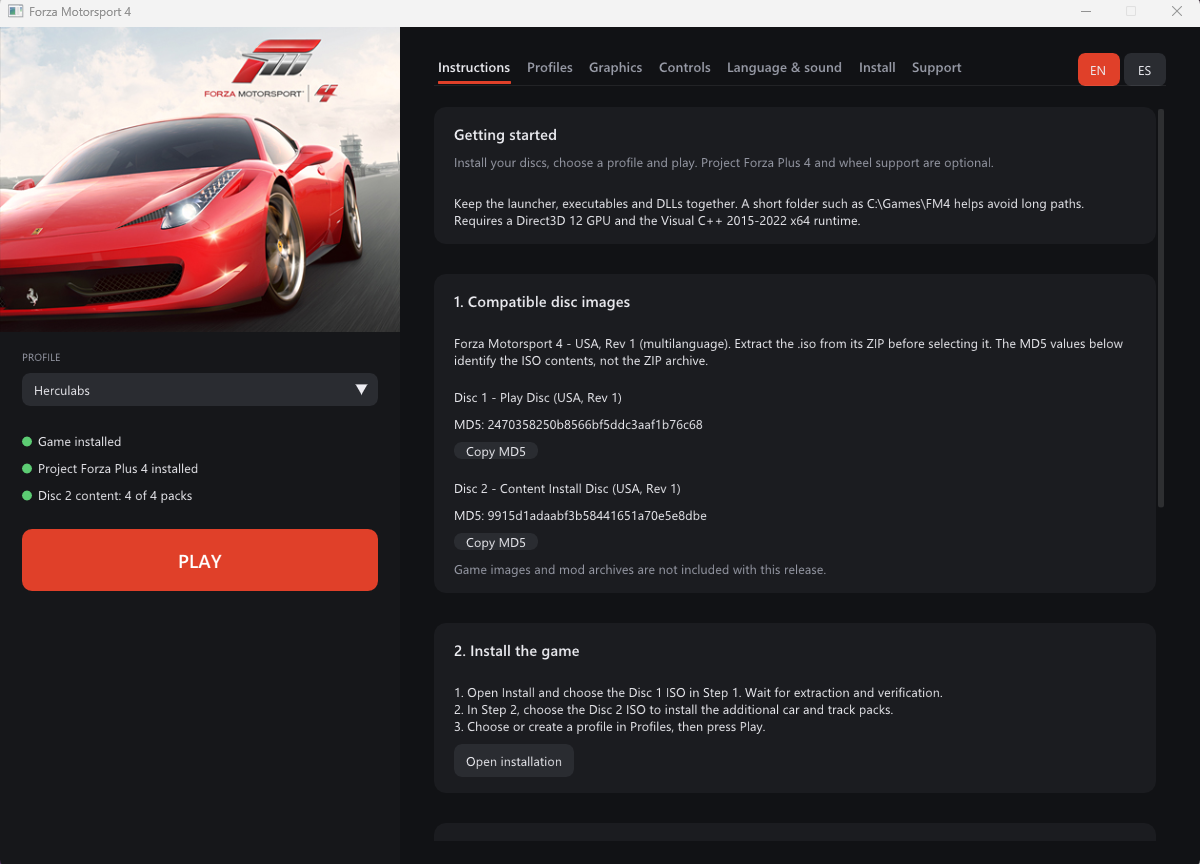
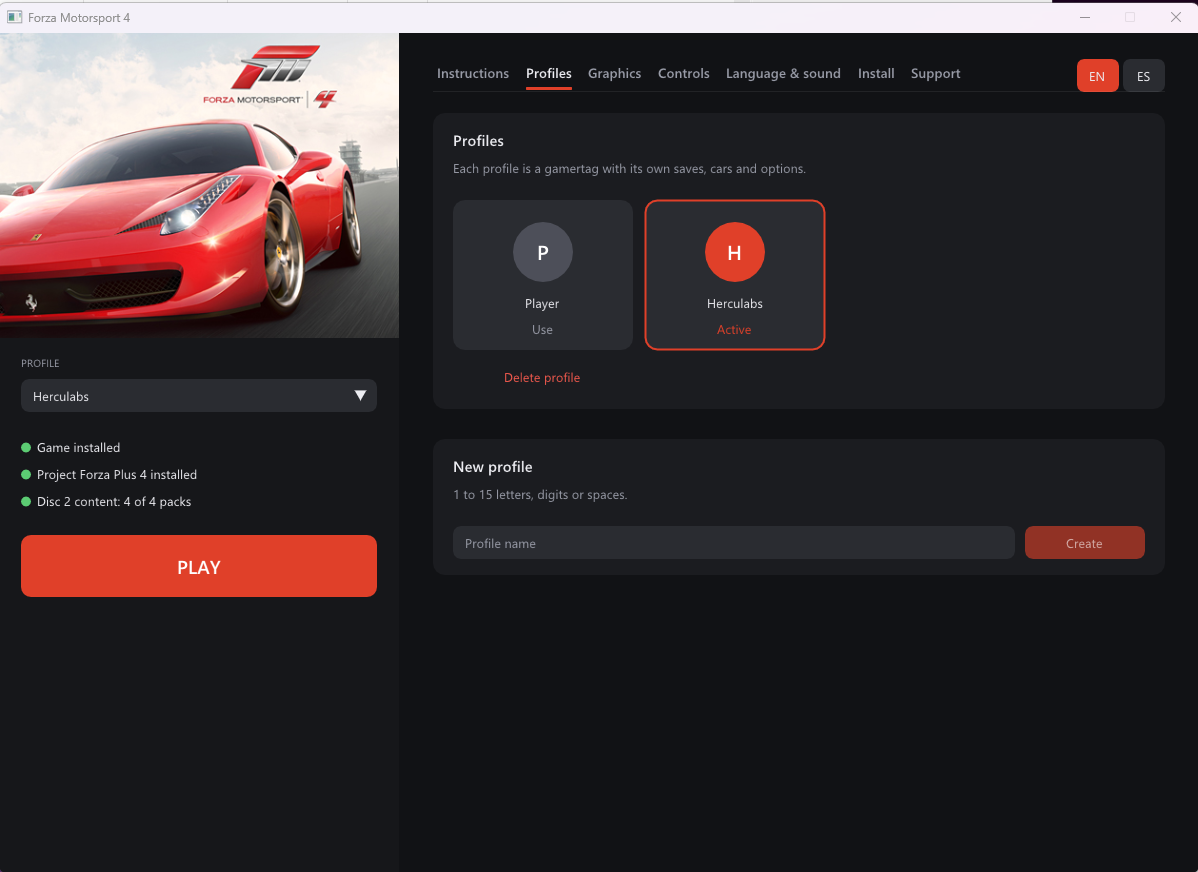
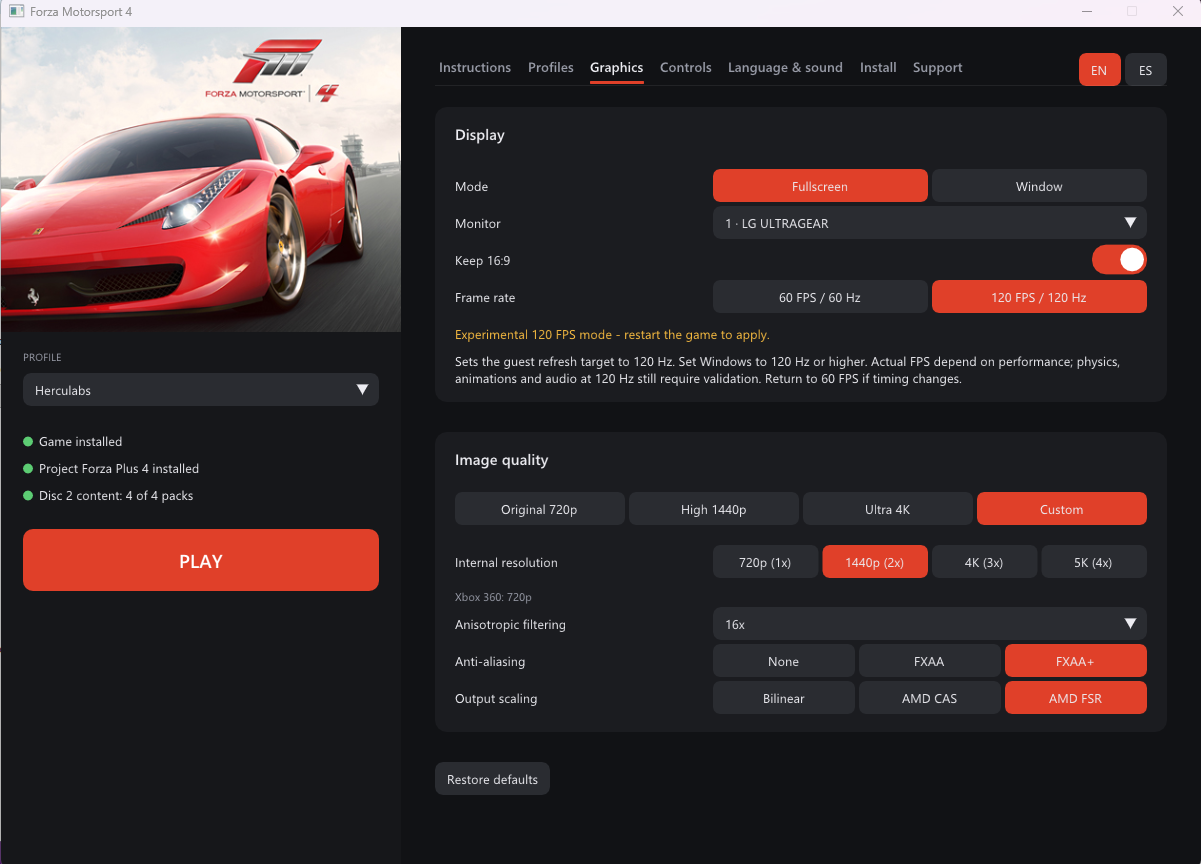
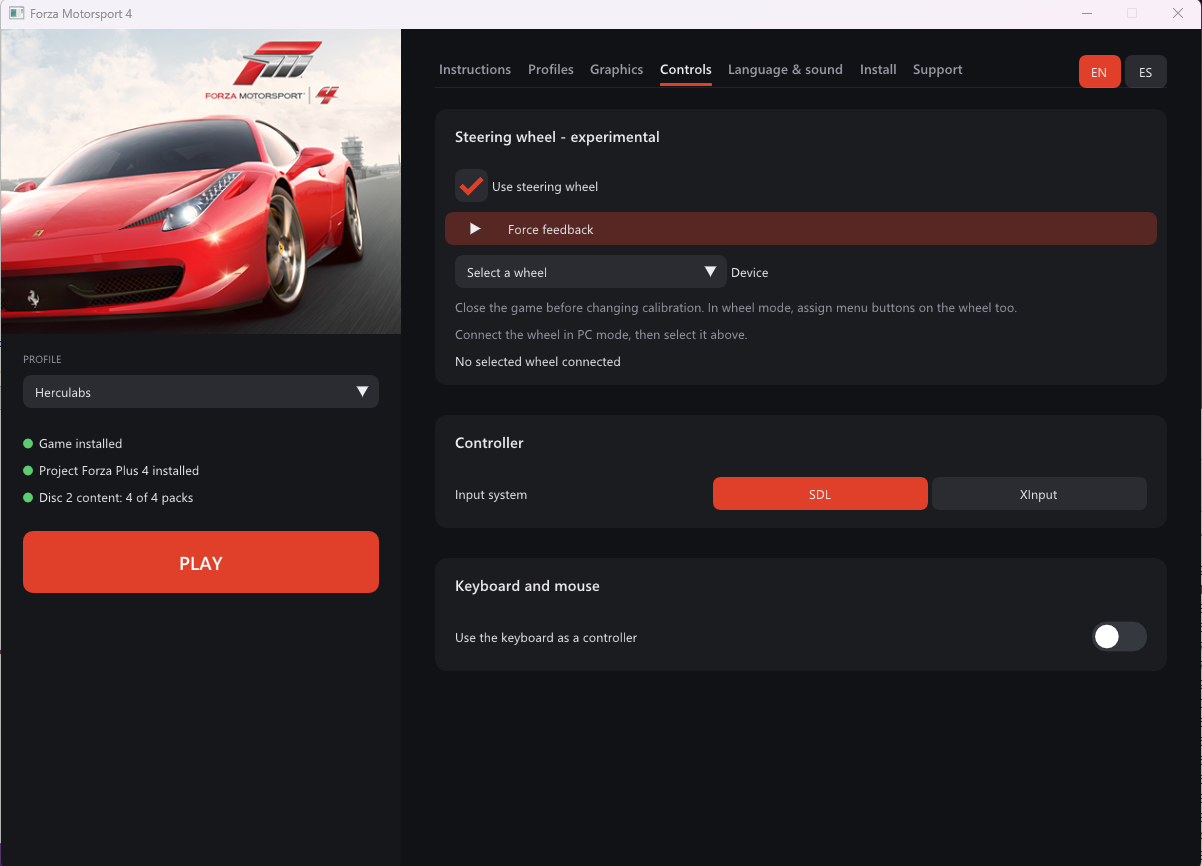
The SDL3 / Dear ImGui launcher has an English/Spanish interface and an integrated setup guide.
| Instructions | Profiles |
|---|---|
 |  |
| Graphics | Controls |
|---|---|
 |  |
Features
- Disc installation: identifies the two supported discs, extracts Disc 1 and installs Disc 2 content with its required licence headers.
- Profiles: named offline profiles with separate save directories.
- Graphics: fullscreen/windowed output, monitor selection, 16:9 output, quality presets, 1x–4x internal resolution, anisotropic filtering, FXAA/FXAA+, and Bilinear, AMD CAS or AMD FSR output scaling.
- Frame rate: default 60 FPS / 60 Hz target and an optional experimental 120 FPS / 120 Hz target.
- Controls: SDL/XInput controllers, keyboard bindings, optional mouse-to-right-stick input, and a wheel calibration wizard.
- Wheels: live Axis percentages, button/D-pad mappings, paddle assignments and an optional clutch pedal.
- Language and audio: in-game language selection and audio mute.
- Project Forza Plus 4: optional installation, original/mod switching and removal with save preservation.
The sidebar shows separate green indicators for the installed game and Project Forza Plus 4. Mod installation is managed under Install, without a separate mod tab.
Steering wheels and force feedback
Wheel input uses SDL joystick capabilities rather than a brand whitelist. A MOZA R3 with pedals connected to the base has been tested by the user; support for other bases and brands is not certified. Aggregating a separate USB pedal device is not implemented.
Guided calibration
- Configure the rotation range in your wheelbase software before calibrating.
- In Controls, select the device and press Start guided calibration.
- Follow the eight prompts: center/release all controls, press/release the accelerator, press/release the brake, full left, full right, and center again.
- Hold each requested position and press Next, then Finish and save.
- Look for OK — wheel calibrated. Live bars display each detected Axis number and percentage, and all axes can be expanded for inspection.
The wizard detects axis numbers and pedal direction automatically. Cancelling keeps the previous calibration. Manual calibration remains available in the advanced section.
Assign menu buttons and the D-pad as needed. Under Paddles and clutch, assign upshift/downshift paddles and match their destination buttons to the wheel layout selected in FM4. Select Manual or Manual with clutch inside the game.
The optional clutch has a separate three-step axis calibration. It currently activates a configurable Xbox button above a pedal threshold; native proportional clutch support is not implemented.
Experimental FFB
The adapter translates FM4's native constant-force, spring, damper, inertia and friction effects into SDL haptic effects. Controller rumble is not used as steering torque.
- Game FFB is off by default, with a default gain of 10% and an adjustable 0–100% limit.
- The explicit hardware test sends a separate 20% pulse for 150 ms, with a cooldown between tests.
- The user's working R3 setup uses 360° in MOZA Pit House and Invert constant torque enabled. This is a tested starting point for that setup, not a universal preset.
- Set the rotation before calibration and recalibrate steering if you change it. Begin with a low gain and adjust gradually.
Close the game before changing wheel settings. The read-only fm4-wheel-probe.exe reports devices and axis values without requesting force effects. See wheel setup and implementation notes.
Project Forza Plus 4
Install both discs first. Under Install → Step 3:
- Select
Project Forza Plus 4 v1.3.zip. - Optionally select
Project Forza Plus 4 Update v1.3.zip. - Choose Normal, Hard, Sandbox or Vanilla and press Install Forza Plus.
- Once installed, use Use Forza Plus or Use original game to choose the installation to launch.
| Career mode | Description from the mod |
|---|---|
| Normal | Modified progression, endurance World Tour races and unlocked events. |
| Hard | Slower progression, longer races and reduced rewards. |
| Sandbox | Cars and upgrades cost one credit. |
| Vanilla | Original-style career with the mod's car changes; this is still the mod. |
To select another mode, close the game, press Uninstall Forza Plus, then reinstall with the new mode. Uninstall removes the mod's separate game files and installed content while keeping its profile saves, settings and the original game intact. Reinstallation reuses the preserved mod user data; it does not reset an existing career.
The adaptation uses separate .fm4-plus folders under the selected game and user roots. It retains the port's executable and adapts mod data; it does not run the mod's different-build default.xex. Only DLC already installed with the required headers can be adapted. Other bundled DLC is skipped.
Extra FOV, harder-AI and alternative high-FPS physics options from the mod are not currently exposed in the launcher. Full compatibility with every mod feature is not established. See integration and uninstall details.
Gameplay screenshots
| On track | Garage |
|---|---|
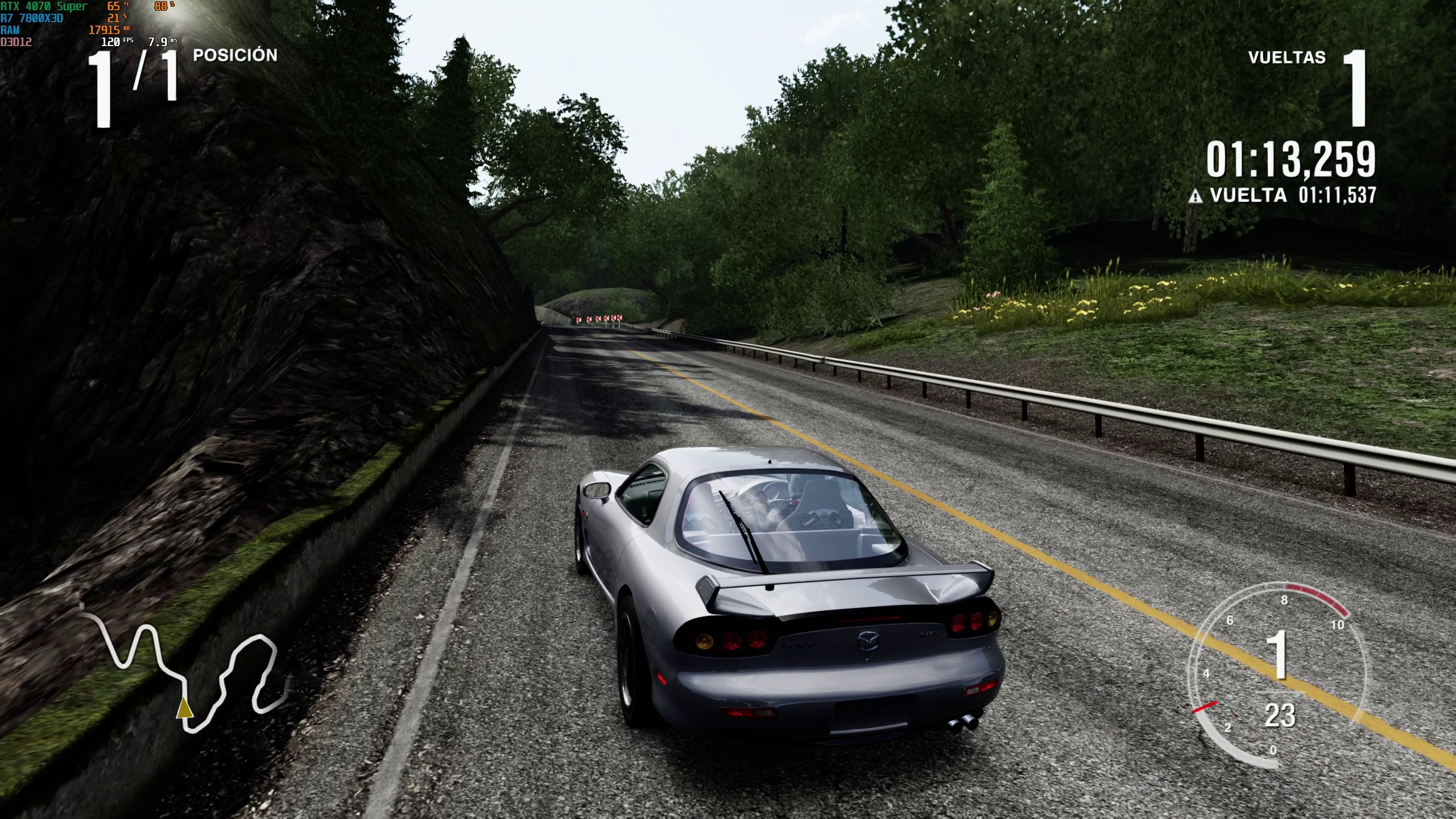 | 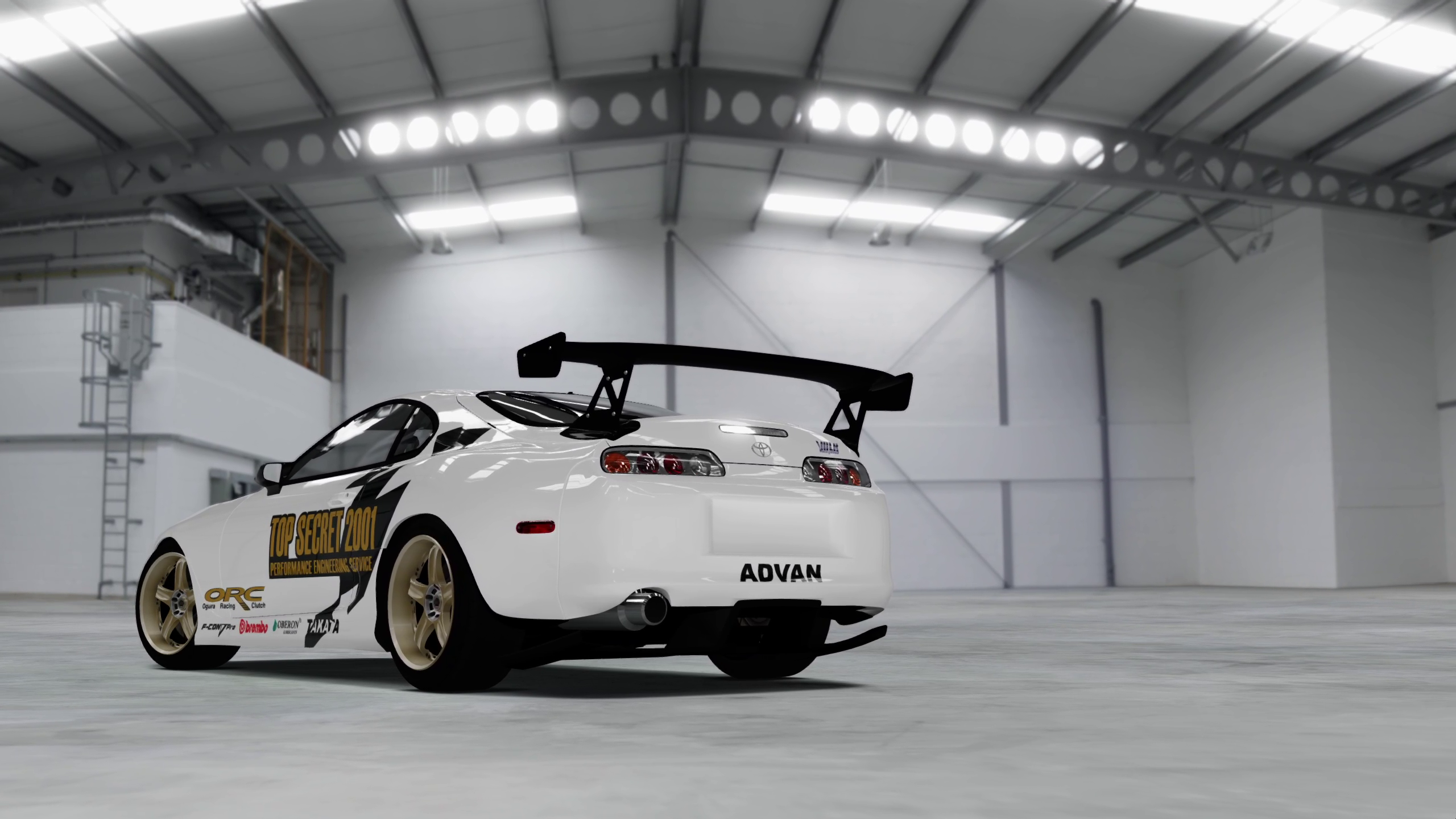 |
These captures show individual runs, not a performance guarantee.
Performance and current limitations
Playing at 60 FPS is strongly recommended. The experimental 120 FPS mode causes visual artifacts. Keep the default 60 FPS target for the recommended experience. The 120 FPS option changes the guest video refresh target to 120 Hz and requires a game restart. Configure a capable display to 120 Hz or higher in Windows separately; the launcher does not change the desktop refresh rate.
A startup measurement reached 120 guest present calls per second, but race performance can fluctuate. Physics, animation and audio timing at 120 Hz still need validation. Use 60 FPS if timing or behavior changes. Reducing internal resolution to 720p (1x) is a useful comparison when investigating GPU load.
Direct3D 12 and the required render readback settings are configured by the port. A race-shadow workaround currently skips exterior shadow maps while retaining cockpit shadows. Shader compilation can still cause first-time stalls. Vulkan is not offered as a supported backend in the launcher.
Long-term Career/save compatibility and complete mode coverage remain work in progress. Profiles are local; Xbox Live functionality is not provided. Please include your game/mod version, hardware, graphics settings and reproduction steps when reporting a problem, plus available logs or crash reports.
More detail: graphics and timing · bring-up notes.
Building from source
Tools and SDK
- Visual Studio 2022 Build Tools with MSVC and the Windows SDK.
- LLVM/Clang, CMake 3.25+ and Ninja.
- An installed ReXGlue SDK compatible with this project's tested revision and the runtime changes under
patches/sdk. - The corresponding SDL3 source tree if building the local haptic-enabled SDL library.
- An extracted supported Disc 1 under
game/disc1/, includingdefault.xex,XMediaFacade_default.xexandSpeechFacade_default.xex.
There is no build_sdk.cmd in this repository. Build/install the SDK separately using its own instructions and review the supplied SDK patches. scripts/devenv.cmd currently expects MSVC 2022 Build Tools and LLVM under their standard Windows installation paths; adjust it for other layouts.
From a Windows command prompt in the project directory:
set "REXSDK_ROOT=C:\SDK\rexglue"

:: Build a local SDL with DirectInput / haptic support for wheel FFB.
scripts\build-wheel-sdl.cmd "C:\src\rexglue-sdk\thirdparty\sdl3"

:: Generate the guest code if needed and build the port, launcher and tools.
scripts\build.cmd release

:: Open the launcher.
out\build\win-amd64-release\fm4-launcher.exe
Use the SDL version matching your SDK. The local SDL build/install stays under out/; it does not modify the shared SDK. Some prebuilt SDK packages have haptics disabled, so the local wheel-enabled library is required for FFB. FM4_SDL3_ROOT can override its install location.
To prepare the game with an already-built fm4tool:
scripts\install_game.cmd "C:\Discs\Disc 1.iso" "C:\Discs\Disc 2.iso"
This extracts the discs and installs Disc 2 packages. Supply/extract Disc 1 before code generation when bootstrapping from a clean source checkout; use an existing helper build or a suitable extractor for that initial step. Generated guest code and game files are not included in source control.
Regression checks
call scripts\devenv.cmd
cmake --preset win-amd64-release -DCMAKE_PREFIX_PATH="%REXSDK_ROOT%" -DFM4_BUILD_TESTS=ON
cmake --build --preset win-amd64-release
ctest --test-dir out\build\win-amd64-release --output-on-failure
The checks cover graphics compatibility/settings, wheel input and calibration, native FFB translation, haptic backend availability, UI polling, and mod install/uninstall/reinstall with save preservation. Automated checks do not certify physical force feedback or complete gameplay compatibility.
Configuration and command line
| File or folder | Purpose |
|---|---|
fm4.toml | Port defaults, copied from config/fm4.toml. |
fm4.user.toml | Player settings, paths, wheel calibration and active profile. |
launcher.toml | Launcher language and profile list. |
game_files.sha256 | Disc 1 verification manifest. |
cover.jpg | Cover artwork extracted from Disc 1. |
user/<XUID>/ | Per-profile data in the selected user root. |
logs/ | Runtime logs and crash reports; clean-exit logs may be removed by the launcher. |
The game reads the configuration files next to its executable. The launcher also supports:
fm4-launcher.exe --import-iso <iso> --game-dir <dir> --user-dir <dir> [--log <file>]
fm4-launcher.exe --verify --game-dir <dir> [--log <file>]
fm4-launcher.exe --screenshot <file.bmp> --tab instructions|profiles|graphics|controls|audio|install|support --lang en|es
Project layout
| Path | Purpose |
|---|---|
fm4_manifest.toml | Game executable/DLL inputs and code-generation output. |
config/ | FM4 code-generation configuration and runtime defaults. |
src/ | Game application, compatibility hooks, wheel input and FFB. |
launcher/ | Graphical interface, settings, profiles and installation. |
scripts/ | Build, extraction, mod installation and uninstallation. |
tools/fm4tool/ | Disc extraction, content installation and image inspection. |
tests/ | Regression fixtures and checks. |
doc/ | Implementation notes and setup documentation. |
doc/img/ | Launcher and gameplay screenshots. |
patches/sdk/ | Runtime changes required by the SDK integration. |
Antivirus report
The v0.3.7 release ZIP (FM4-v0.3.7) has a public
VirusTotal report.
SHA-256: 01e3845826e223cd2d207f08fb9259292d721469886decf955be0a04c6407bf5
At the time the report was shared, the maintainer reported one detection, suspected to be a false positive. That assessment has not been independently confirmed; an unsigned application alone does not establish the cause of an antivirus detection. Consult the linked report for current results. This report applies to the exact ZIP identified above, not to future releases or modified files, and is not a guarantee of safety.
Support
If you would like to support development or follow updates:
Forza Motorsport 4 on PC — Ko-fi
Credits and legal notice
Built on ReXGlue, Xenia and XenonRecomp. The launcher and project setup build on the earlier Forza Motorsport 3 port. Project Forza Plus 4 belongs to its respective creators and is supplied separately.
This is an independent community project, not affiliated with or endorsed by Microsoft or Turn 10 Studios. Forza Motorsport and the game assets belong to their respective owners.