TempleFrog
TempleFrog is a static recompilation of Frogger's Adventures: Temple of the Frog for Windows with enhanced audio, save states, and controller support.
- Type: PC port
- Game: Frogger's Adventures: Temple of the Frog
- Runs on Windows
- By devall96
- Latest release v0.1.0, 2026-11-16
- Source: https://github.com/devall96/TempleFrog
- Website: https://devall96.github.io/TempleFrog/
README
TempleFrog brings Frogger's Adventures: Temple of the Frog (Game Boy Advance, 2001) to Windows as a static recompilation: the game's code is translated ahead of time into a native PC program with gbarecomp, then dressed up for PC with a launcher, an in-game menu, sharper and cleaner sound, save states, rewind, controller support and the whole interface in the game's five languages. It plays the game itself, exactly as it was, from your own ROM and BIOS.
⬇ Download TempleFrog · All releases · Get started · What it does · Screenshots
Caution
No game files are included, and none ever will be: not in the code, the releases, the issues or the wiki. TempleFrog is made to be used with your own, legally obtained copy of the game: you supply the ROM (Frogger's Adventures: Temple of the Frog, USA) and a Game Boy Advance BIOS dumped from your own hardware. The box art and backdrop in the launcher are made from your ROM, on your PC. Please don't post ROMs, BIOS files or anything taken from them here.
Important
Made with AI. Every line of TempleFrog's own code, its changes to gbarecomp and recomp-ui, the tests, the art and this page were written or made by Claude, Anthropic's AI, through Claude Code. A human, devall96, came up with the idea, directs it and tests every build, but no human reviews the code line by line. Who did what has the details. If you don't want to run code written that way, don't run this. As with anything on the internet, you run it at your own risk.
Warning
Early: version 0.1, tested on one Windows PC. The first level and the attract-mode demos of several worlds have been checked closely (fully static: no interpreted code, no missed functions). Later worlds, the bosses and the Temple haven't been played through on TempleFrog yet. Keep a copy of saves you care about.
Note
Not official. TempleFrog is a fan project. It isn't made by, affiliated with or endorsed by Konami or Nintendo, or by the authors of gbarecomp. Please open an issue here for TempleFrog problems.
Screenshots
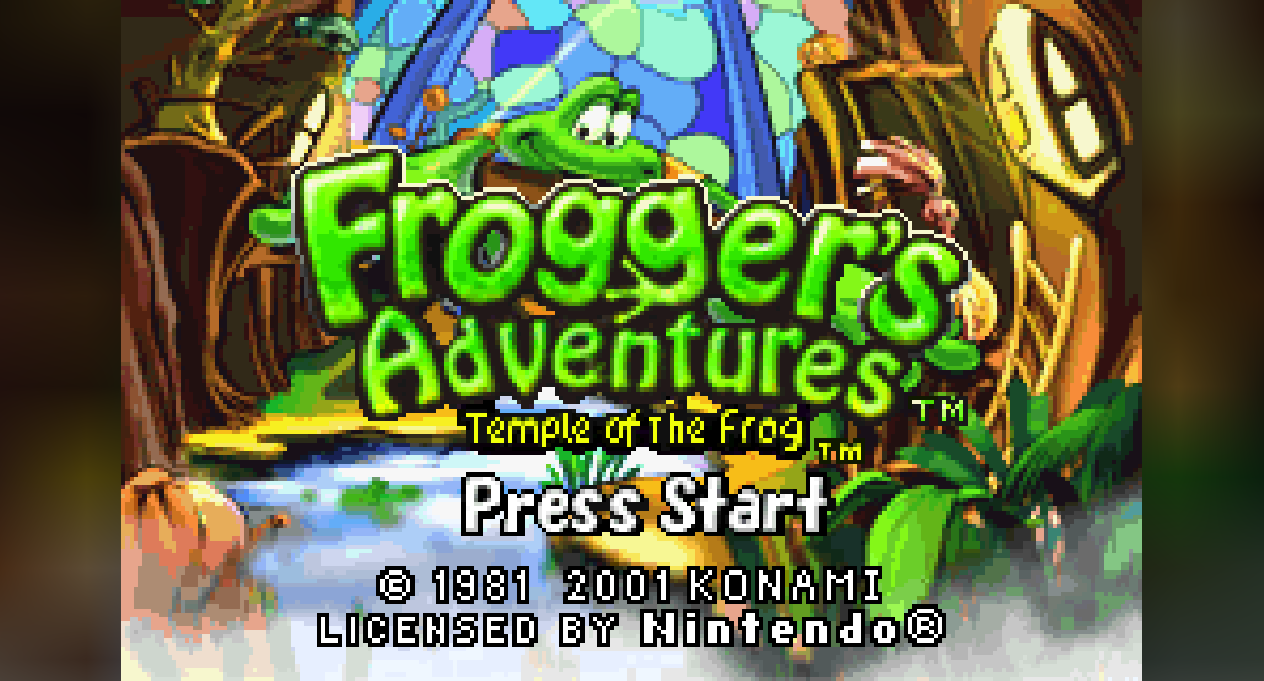
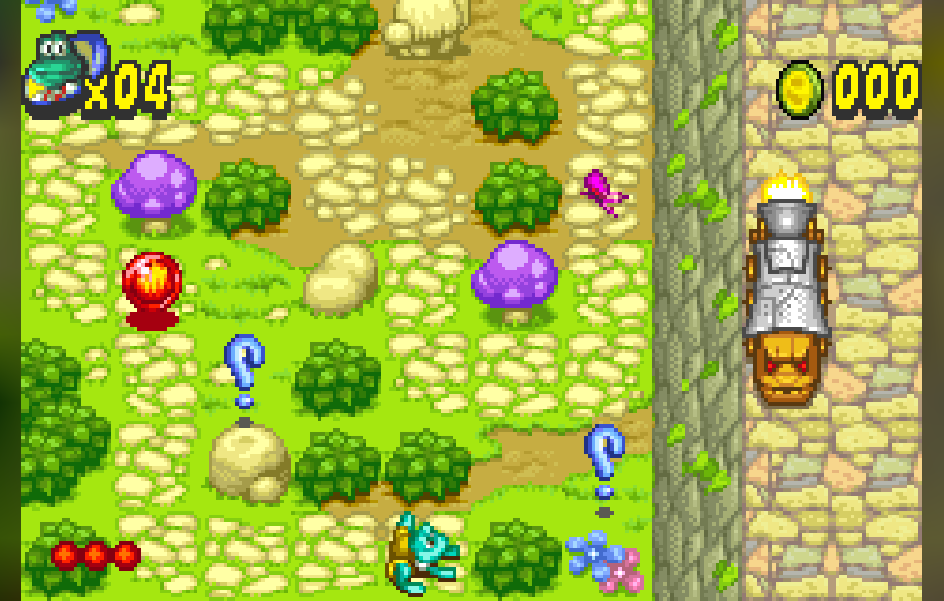
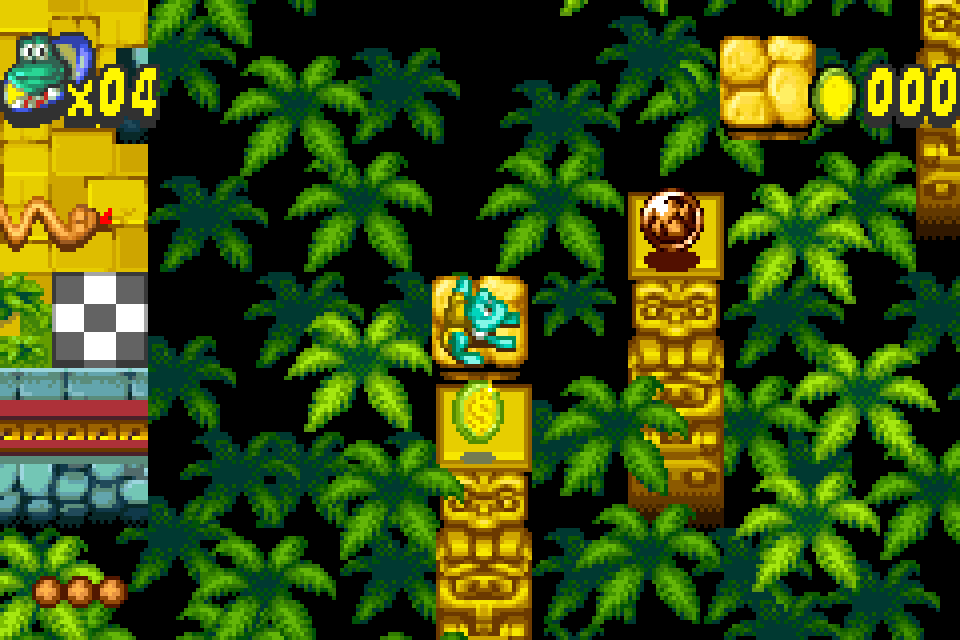
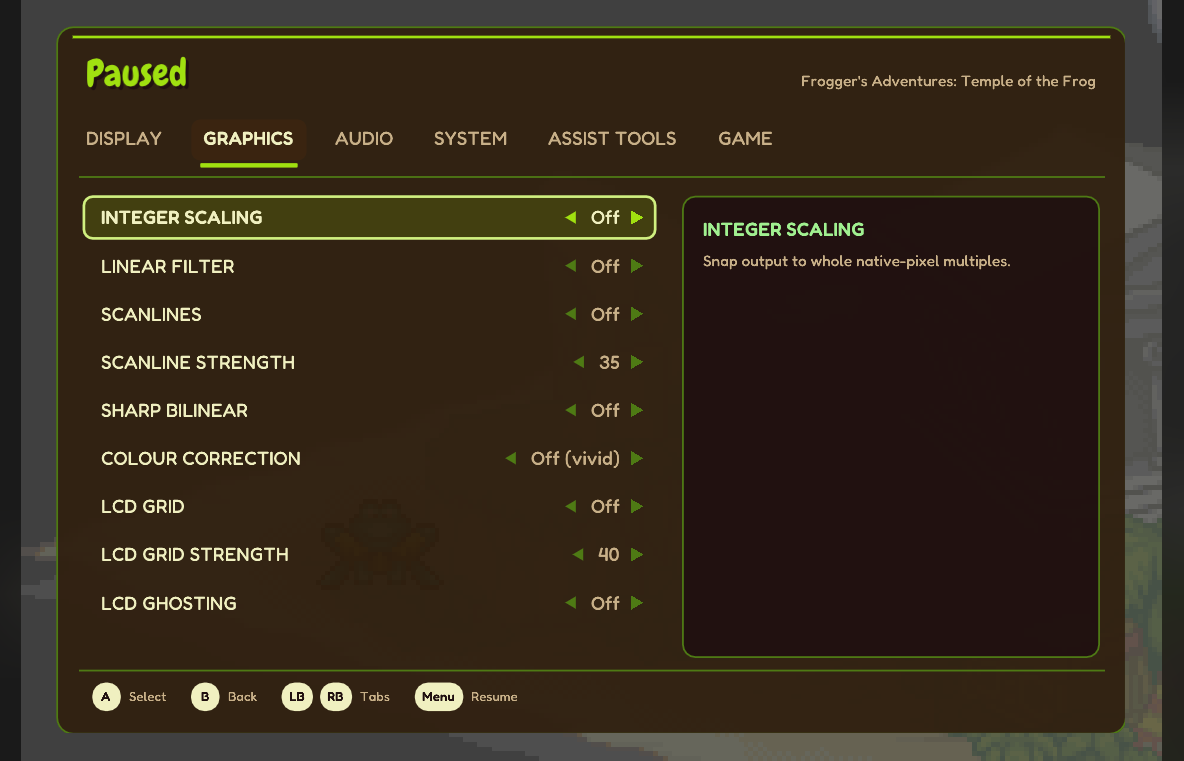
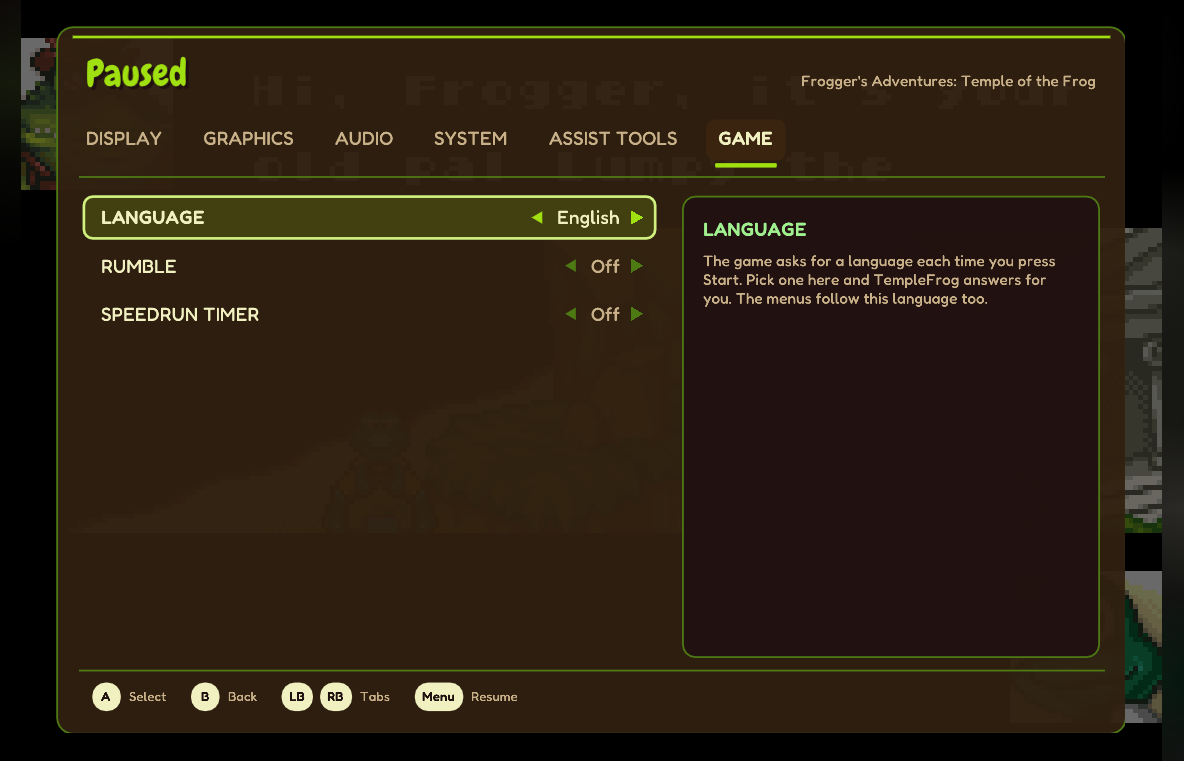
The title in a 16:9 window: the side bars show a soft, blurred glow of the game.
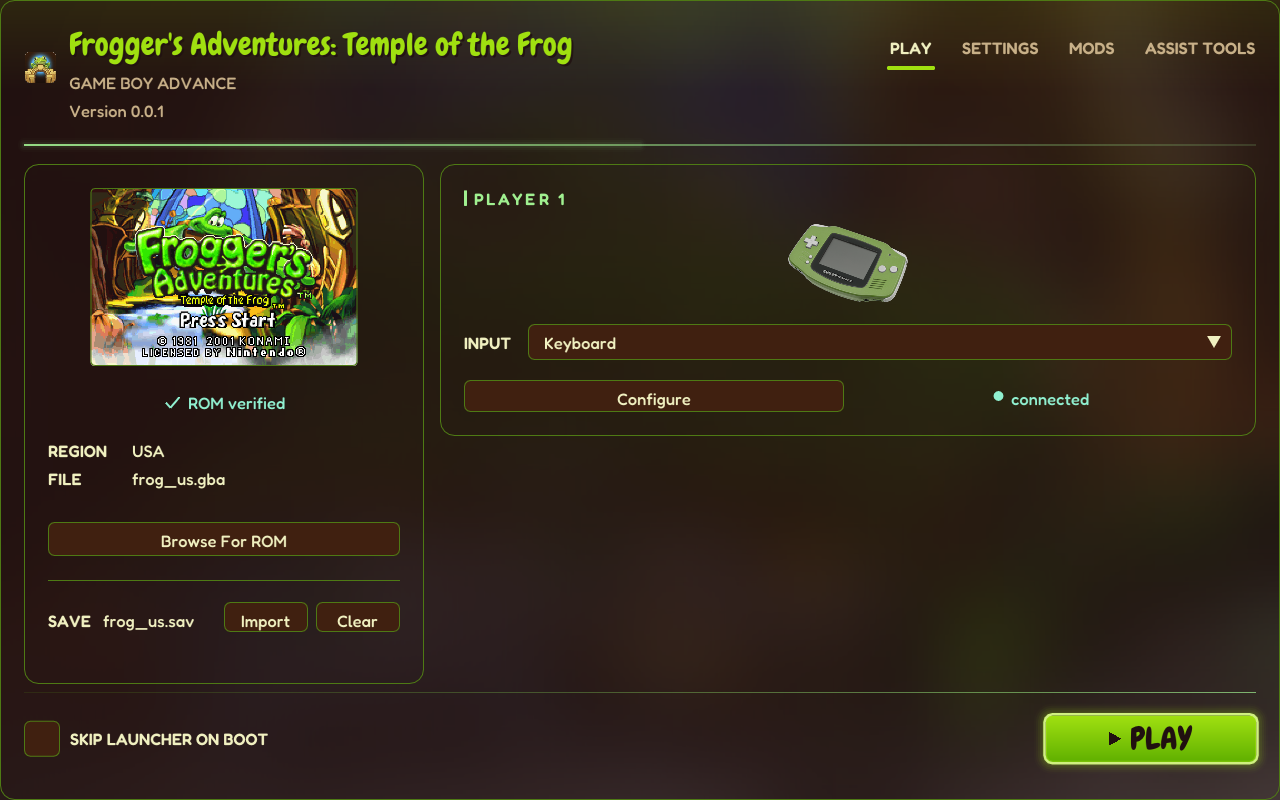 | 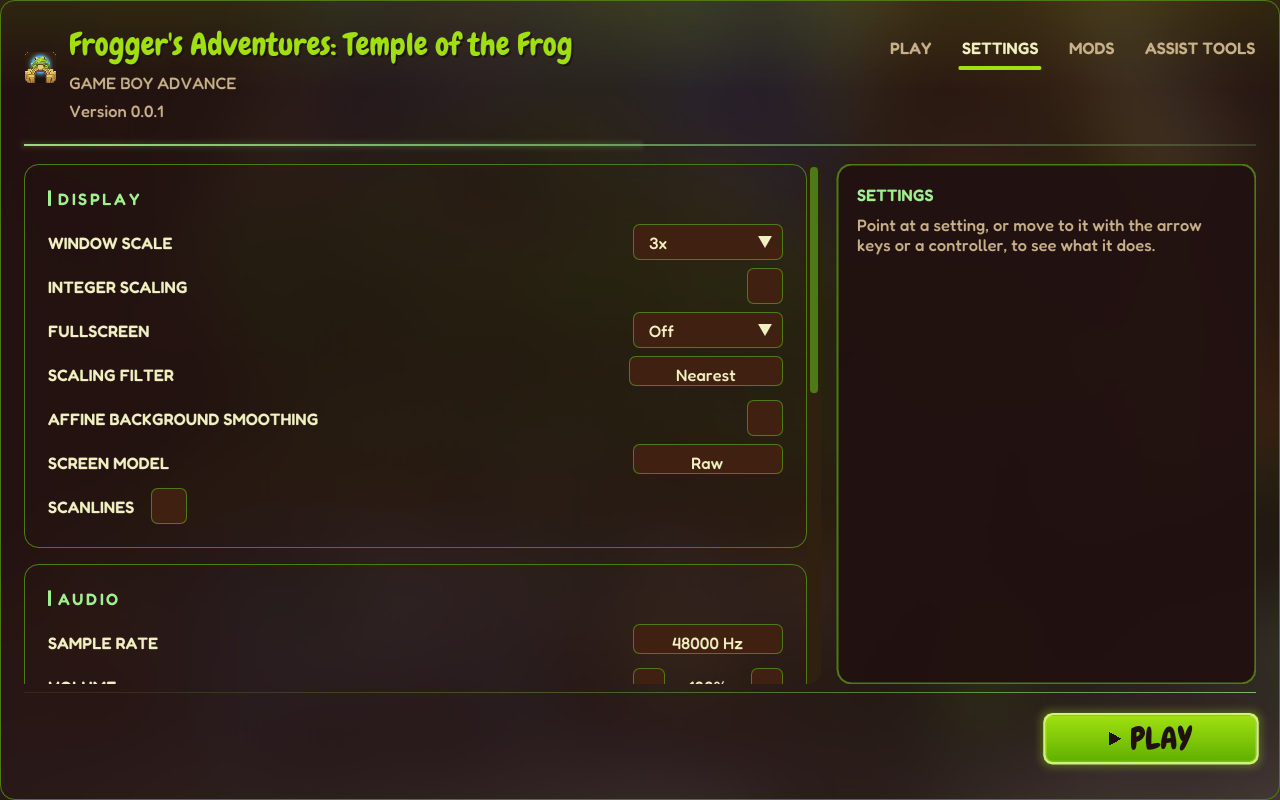 |
 |  |
 |  |
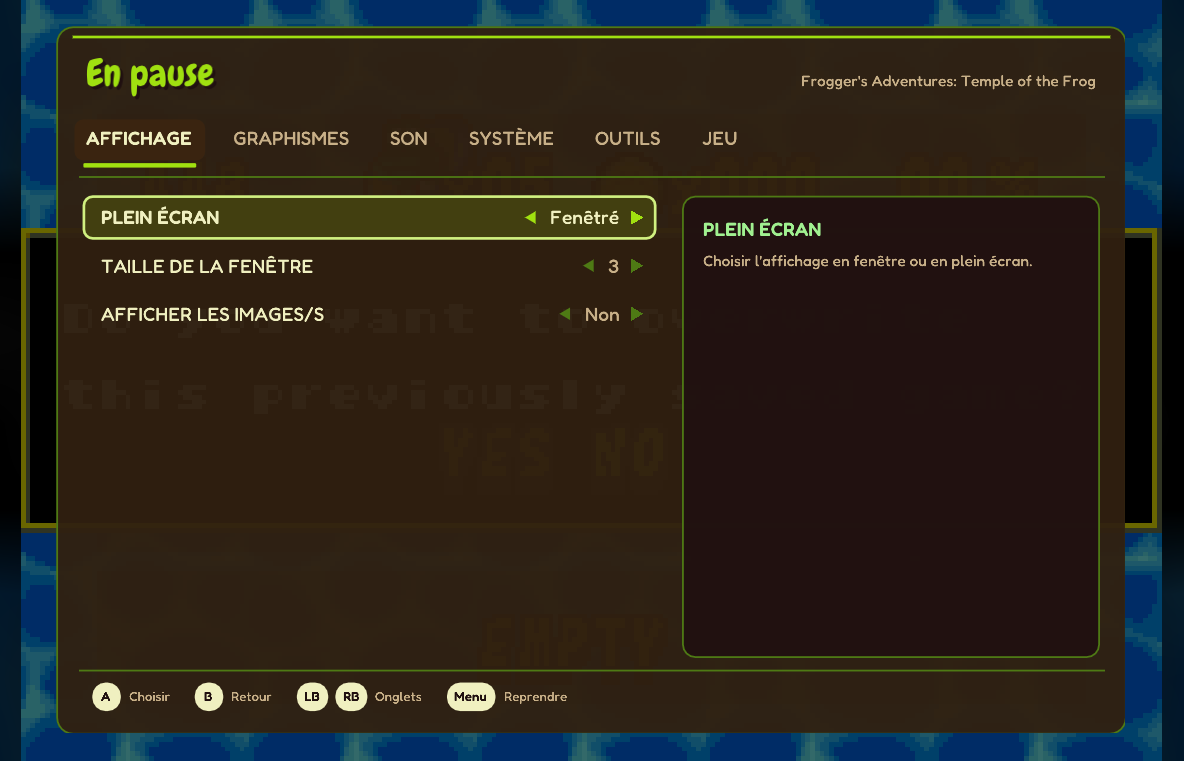 | 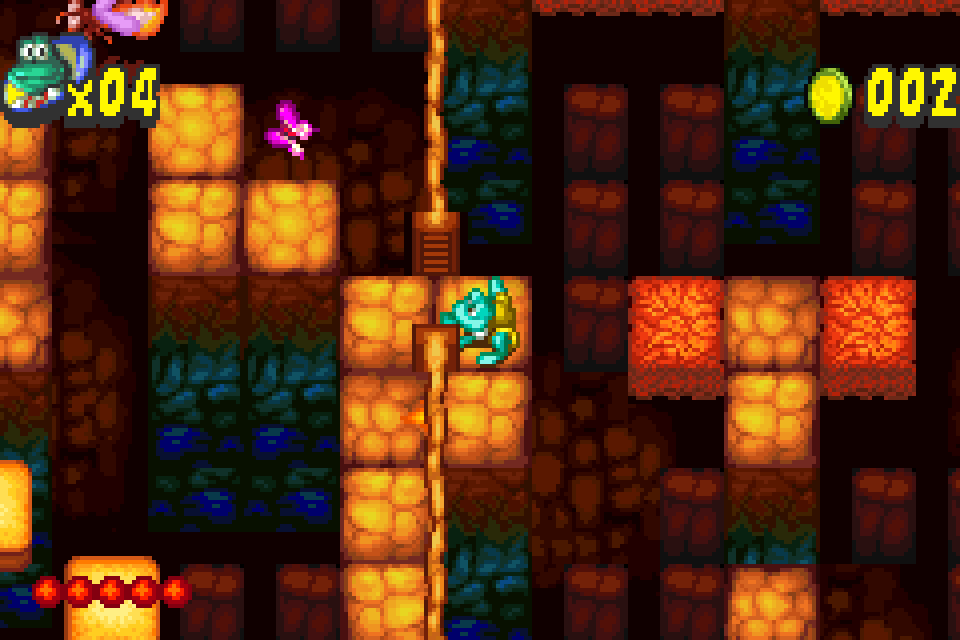 |
The game graphics in these screenshots come from a legally obtained copy of the game, as they do on your PC. They're © Konami and aren't part of TempleFrog.
What it does
The game, faithfully
- The whole game recompiled to native code ahead of time, with the real GBA BIOS (from your own dump) for the start-up and system calls. No emulator core runs the game.
- Your in-game save works like the cartridge's (EEPROM).
Sound
- Enhanced audio (on by default): a new high-precision mixer for the game's sound engine. It mixes the music and effects in floating point at your output rate instead of the GBA's 8 kHz, 8-bit mix, with clean resampling, smooth note starts and stops, cleaned-up instrument samples and a look-ahead limiter: no hiss, crunch or clicks. Switch it off for the original sound.
- Output at 48 kHz by default (Sound > Sample rate in the launcher).
Picture
- Window scale, integer scaling, windowed / borderless / exclusive fullscreen.
- Filters: nearest, sharp bilinear, linear, HQ2x / HQ3x / HQ4x, scanlines, LCD grid, LCD ghosting.
- Colour correction: vivid, GBA (unlit or frontlit), GBA SP, classic.
- Blurred side bars (or plain black) when the window is wider or taller than the game.
Convenience
- Fast boot: skips the BIOS logo and the start-up logos, straight to the title in about a second and a half.
- Save states, rewind (30 s) and fast-forward in the in-game menu.
- Pause when the window loses focus.
- One
savesfolder for your save and save states, easy to back up or sync.
Controls
- Keyboard or any controller, remappable in the launcher; the analog stick works too.
- Button prompts that match your controller: Xbox, PlayStation or Switch style, or keyboard keys.
- Rumble (optional): when you lose a life, get a 1-up, or pick up an element or a coin.
Languages
- The launcher and all menus in English, French, German, Spanish and Italian.
- Game > Language answers the game's own language screen for you every time you press Start, and the menus follow it. On Ask every time they use your Windows language.
Extras
- Speedrun timer: the level time, total time in levels and the last level's split, counted in game frames.
- Cheats (Mods page, off by default): infinite lives.
- Desktop shortcut and Start menu entry from the launcher.
Getting started
- Download TempleFrog-0.1.0-windows-x64.zip and unzip it anywhere you can write to (not Program Files).
- Put your ROM in
roms\frog_us.gbaand your BIOS inbios\gba_bios.bin, or startTempleFrog.exeand pick them in the launcher (Play → Browse For ROM, Settings → BIOS). - Run TempleFrog.exe and press PLAY.
In game, Esc opens the menu (on a controller: click a stick, or Select + Start). The launcher checks your files against these:
| File | Version | SHA-1 |
|---|---|---|
| ROM | Frogger's Adventures - Temple of the Frog (USA) (En,Fr,De,Es,It), game code AFRE | 7b4c27009198df18555e63fb5dcad223eaf09815 |
| BIOS | Game Boy Advance BIOS | 300c20df6731a33952ded8c436f7f186d25d3492 |
Only the USA release is supported in 0.1.
Your data
- Nothing is sent anywhere. No accounts, no telemetry, no update checks, no network use at all.
- Your save and save states are in the
savesfolder next toTempleFrog.exe; your settings inconfig.ini,input.iniandtemplefrog.iniin the same folder. Delete them to start over. - Box art and the launcher backdrop are made once from your ROM into
assets\img, on your PC.
Building it
Windows with MSYS2 MINGW64 (mingw-w64-x86_64-toolchain cmake ninja SDL2), your ROM at roms\frog_us.gba and your BIOS at gbarecomp\bios\gba_bios.bin:
git clone --recurse-submodules https://github.com/devall96/TempleFrog.git
cd TempleFrog
$env:PATH = "C:\msys64\mingw64\bin;$env:PATH"
cmake -S gbarecomp -B gbarecomp\build -G Ninja -DCMAKE_BUILD_TYPE=Release
cmake --build gbarecomp\build --target gba_recompile
powershell -NoProfile -ExecutionPolicy Bypass -File tools\regen.ps1
cmake -S . -B build -G Ninja -DCMAKE_BUILD_TYPE=Release
cmake --build build --target TempleFrog
build\TempleFrog.exe game.toml
tools\regen.ps1 checks the ROM's SHA-1 and generates the native code into generated\ (never committed). tools\package_release.ps1 -Version x.y.z makes the release zip and refuses to package ROMs, BIOS files, saves, settings, images made from the ROM or personal paths. tools\perf\run_suite.ps1 is the frame-time suite (1% and 0.1% lows, hitches, stutter). Research notes are in docs/.
Who did what
- devall96: the idea, the direction, every decision, and testing every build.
- Claude (Anthropic), through Claude Code: TempleFrog's code, the native audio mixer, the changes to gbarecomp and recomp-ui, the translations, the icon (made with Google Gemini from Claude's prompt) and the documentation.
Credits
- gbarecomp and recomp-ui by Matthew Stanley: the recompiler, runtime and launcher TempleFrog is built on. TempleFrog's changes to them live in devall96/gbarecomp and devall96/recomp-ui.
- JRickey/frog-adv-temple-decomp: the decompilation whose notes on the game's memory, modes and sound engine made the language, rumble, cheat and audio work possible.
- Fonts: Chewy (Apache 2.0) and Fredoka (SIL OFL 1.1).
- Full list and licences: THIRD_PARTY_NOTICES.md.
Frogger's Adventures: Temple of the Frog and Frogger are © Konami. Game Boy Advance is a trademark of Nintendo. TempleFrog is not affiliated with Konami or Nintendo.
License
TempleFrog's own code is MIT. It's built on gbarecomp, which is under the PolyForm Noncommercial License 1.0.0, so TempleFrog as a whole, including every release, is for non-commercial use only.