Galaxy Angel 2 PC
Galaxy Angel 2 PC is a native PC port of the PlayStation 2 game trilogy, offering higher resolutions and frame rates.
- Type: PC port
- Game: Galaxy Angel II: Zettai Ryōiki no Tobira, Galaxy Angel II: Mugen Kairō no Kagi, Galaxy Angel II: Eigō Kaiki no Toki
- Runs on Windows and Linux
- By ObeseCatLord
- Latest release v0.8.0, 2026-11-08
- Source: https://github.com/ObeseCatLord/galaxy-angel-2-pc
README
Galaxy Angel II PC
English | 日本語

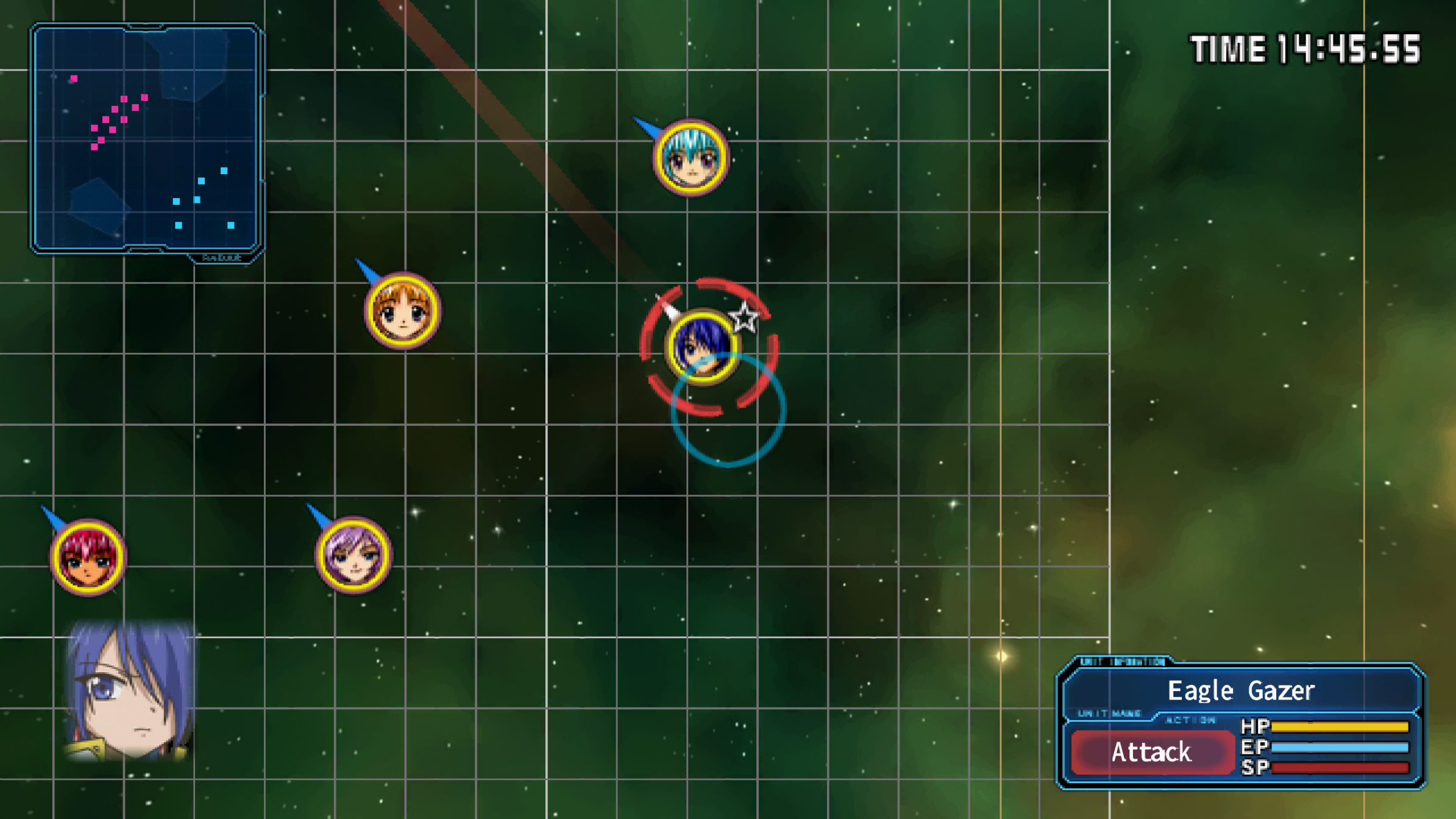
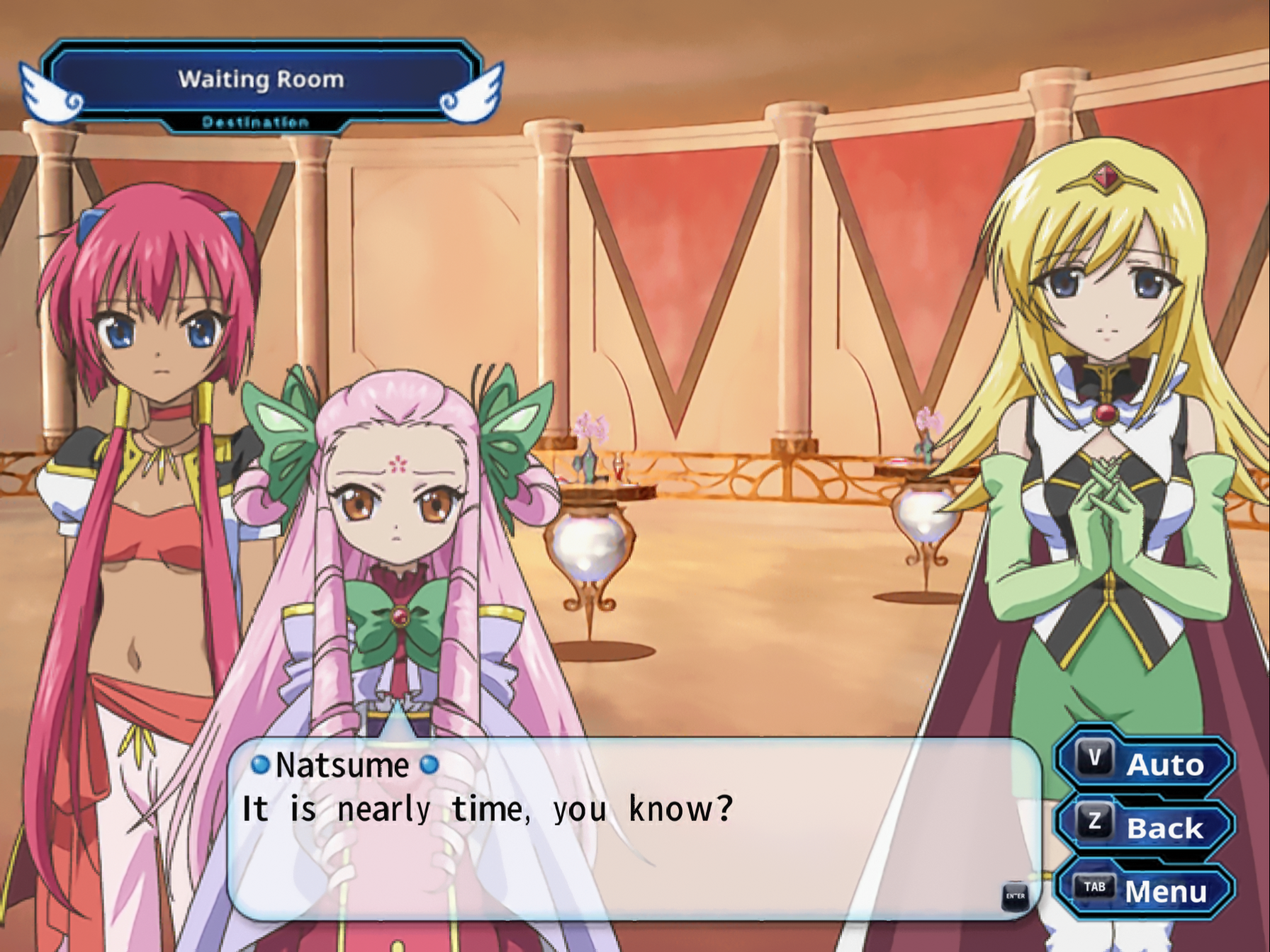
Eigou Kaiki no Toki in English at 4x internal resolution with Anime4K and debanding: a battle in 16:9 widescreen, and a story scene.
A native PC port of the Galaxy Angel II trilogy for the PlayStation 2: Zettai Ryouiki no Tobira, Mugen Kairou no Kagi and Eigou Kaiki no Toki. It is built with PS2Recomp static recompilation and runs on Windows and Linux (x86-64 and ARM64).
You need your own disc images of the Japanese releases (five discs). No game data is included.
Playing
- Download the build for your system from Releases and extract it.
- Run
ga2(ga2.exeon Windows). - Drag your
.isofiles onto the window (or put them in theisosfolder of the data folder), then pick a game.
You need a GPU with Vulkan 1.3. Details, all options and the VR guide are in docs/PLAYING.md.
Features
- One launcher for all three games. Discs change automatically, and saves carry over between the games as on the PS2.
- 2x and 4x internal resolution, widescreen up to 21:9 (the 3D scenes show more to the sides), and frame rates up to 240 fps at the original game speed.
- Keyboard, gamepad and full mouse play, including battles. Button prompts match the device you're using.
- Hold Ctrl to skip messages, Esc skips movies.
- English translation included: choose English in Options > Language. Story, names, menus, battles and the translated pictures all switch. Other translations install as language packs (docs/LANGUAGE_PACKS.md).
- Mods: replacement files and HD textures (docs/MODDING.md).
- Filters for the 2D art (Smooth, Anime4K, sharp pixels), debanding, and the PS2 dither turned off.
- Cheats menu (F1) and an in-game settings menu (F2).
- VR through OpenXR (SteamVR, Monado). The game is shown on a big screen, and the 3D scenes are drawn in stereo around you.
- Native ARM64 build for the Steam Frame, flat or in VR (docs/STEAM_FRAME.md).
Controls
| PS2 | Keyboard | Mouse |
|---|---|---|
| D-pad | Arrows / WASD | wheel (menus) |
| Circle (confirm) | Enter, C | left click |
| Cross (cancel) | X, Space | right click |
| Square / Triangle | Z / V | |
| L1 / R1 | Q / E | |
| L2 / R2 | Left / Right Shift | |
| L3 / R3 | R / F | back / forward button (battles) |
| Start | P | |
| Select (system menu) | Tab | middle click |
Gamepads use their usual layout. Other keys:
| Key | Does |
|---|---|
| Ctrl (hold) | skip messages |
| Esc | skip a movie |
| F1 | cheats |
| F2 | settings |
| F11, Alt+Enter | fullscreen |
Menus follow the mouse pointer. The mouse controls in battles are listed in docs/PLAYING.md.
VR controllers
| PS2 | Quest, Rift, Pico, Reverb G2 | Index | Steam Frame |
|---|---|---|---|
| Circle / Cross | A / B | right A / B | B / A |
| Square / Triangle | X / Y | left A / B | X / Y |
| D-pad, left stick | left stick | left stick | left stick, D-pad |
| Right stick | right stick | right stick | right stick |
| L1 / R1 | grips | grips | bumpers |
| L2 / R2 | right stick left / right | right stick left / right | grips |
| L3 / R3 | stick clicks | stick clicks | stick clicks |
| Start | tap Menu | tap left trackpad (press hard) | tap Menu |
| Select | hold Menu | right trackpad (press hard), or hold the left one | View, or hold Menu |
| Point and click | trigger | trigger | trigger |
- Recentre the screen: hold L1 and R1 together for a second (both grips; both bumpers on the Steam Frame).
- Cheat menu: click both sticks. Its Settings row has the options.
- Rebinding: every PS2 button is its own action, so SteamVR's binding screen can change any of them.
- Windows Mixed Reality and Vive wands: clicking the right trackpad presses Circle, Cross, Square or Triangle by direction. Vive wands have no L2, R2 or right stick.
More in docs/PLAYING.md.
Building
These steps are for Linux. Windows builds are cross-compiled from
Linux (see tools/ci/build-windows-release.sh).
You need: clang, CMake, Ninja, Python 3, git, the FFmpeg and Vulkan development packages, and the X11 development libraries raylib uses.
git clone --recursive https://github.com/ObeseCatLord/galaxy-angel-2-pc
cd galaxy-angel-2-pc

# The patched PS2Recomp and paraLLEl-GS go into private/ (git-ignored).
tools/make_runtime_tree.sh
tools/fetch_parallel_gs.sh

# Build the recompiler (downloads its dependencies once).
python3 tools/ga2.py setup

# Put each disc image in its own folder:
#   private/discs/zettai/   private/discs/mugen-1/   private/discs/mugen-2/
#   private/discs/eigou-1/  private/discs/eigou-2/
python3 tools/ga2.py import
python3 tools/ga2.py analyze
python3 tools/ga2.py generate
python3 tools/ga2.py build

python3 tools/package.py private/build/ga2-runtime dist
dist/ then holds the same folder as a release. A full build takes about
an hour on 16 cores.
The CI workflow builds and tests the recompiler,
runtime and launcher on Linux x86-64, Linux ARM64 and Windows on every push.
For portable Linux builds (glibc 2.31 and up), use
tools/ci/build-linux-release.sh on Ubuntu 20.04.
License
The port's code is licensed under the GNU GPL v3, like PS2Recomp. Galaxy Angel II is © Broccoli. This project is not affiliated with Broccoli or Sony.