Gears of War 2 PC port
Gears of War 2 PC port is a native PC port of Gears of War 2 for Windows and Android with high resolution rendering and texture pack support.
- Type: PC port
- Game: Gears of War 2
- Runs on Windows and Android
- By santiquiroz
- Latest release v0.3.5, 2026-10-26
- Source: https://github.com/santiquiroz/gears-of-war-2-pc-port
- Website: https://santiquiroz.github.io/gears-of-war-2-pc-port/
README
Gears of War 2 — native PC port (unofficial)




Website: santiquiroz.github.io/gears-of-war-2-pc-port
Retail Xbox 360 Gears of War 2 statically recompiled from the player's own default.xex to native x64 code with the ReXGlue SDK. This is not emulation. Players must own the game. An earlier fan port ("Hollow") was built from a leaked 2008 development build; this one runs the complete retail game.
The project's short name, gow2-recomp, names the release zip; the repository is gears-of-war-2-pc-port.
Leer en español: README.es.md
Screenshots
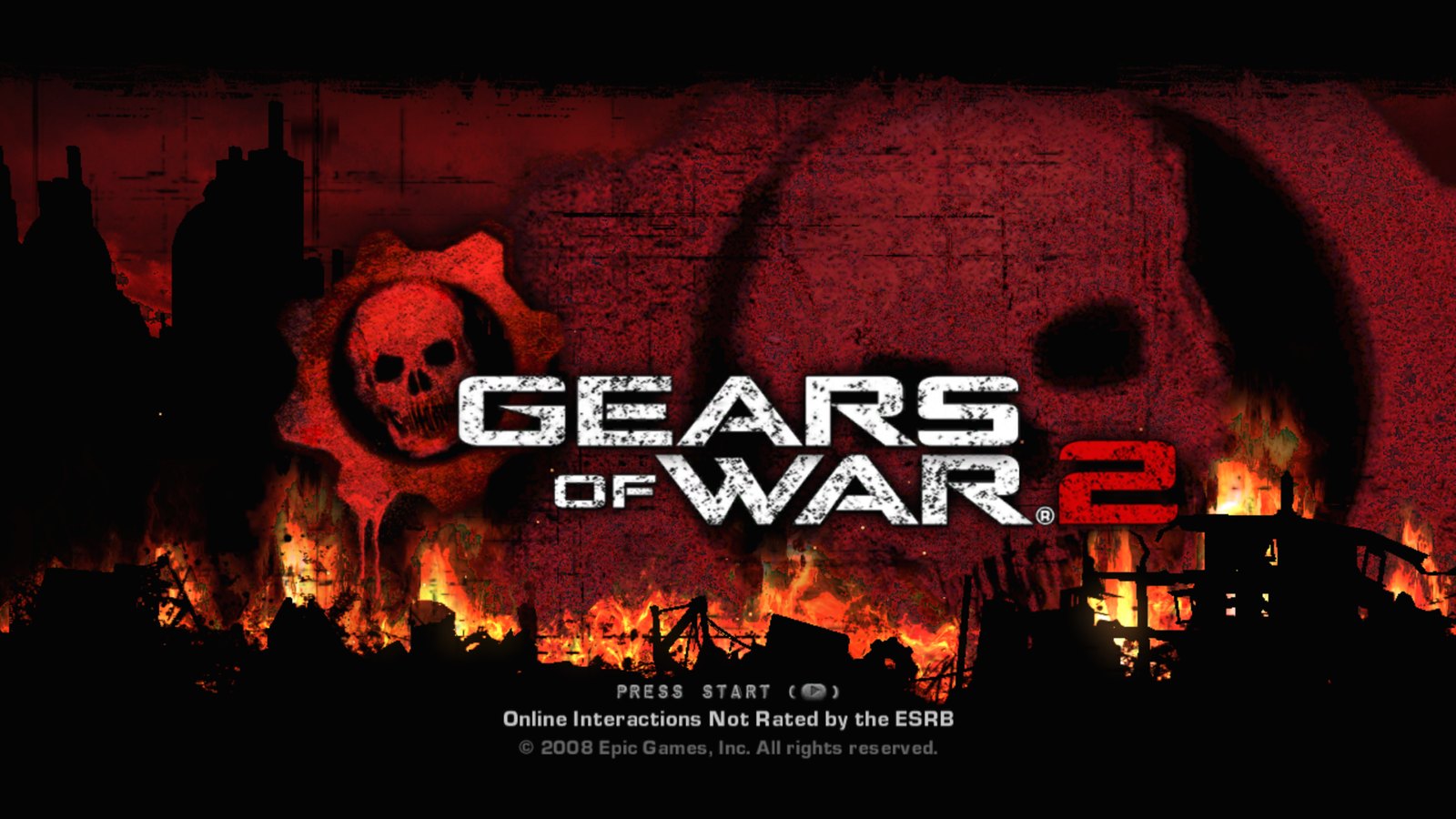
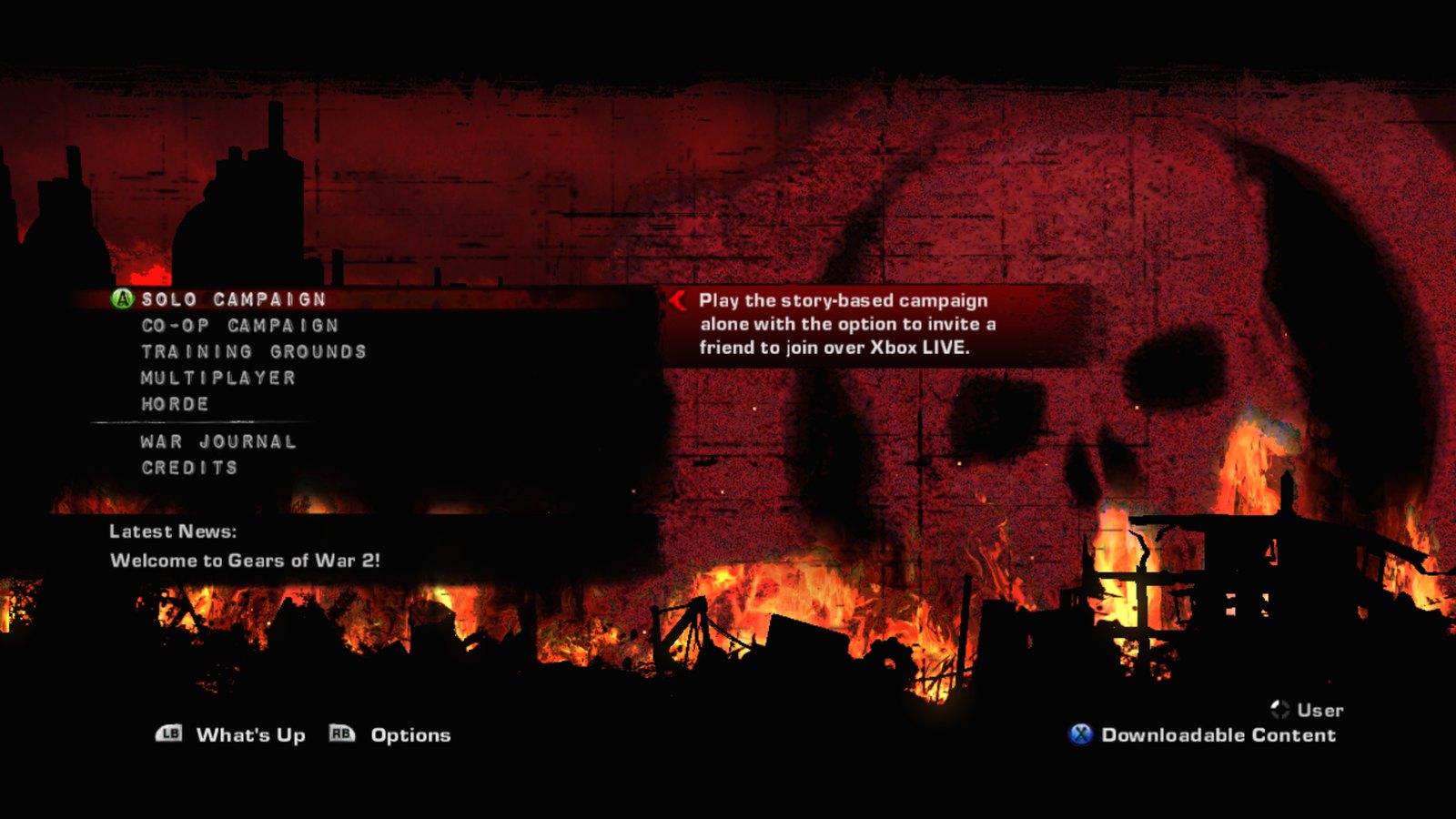
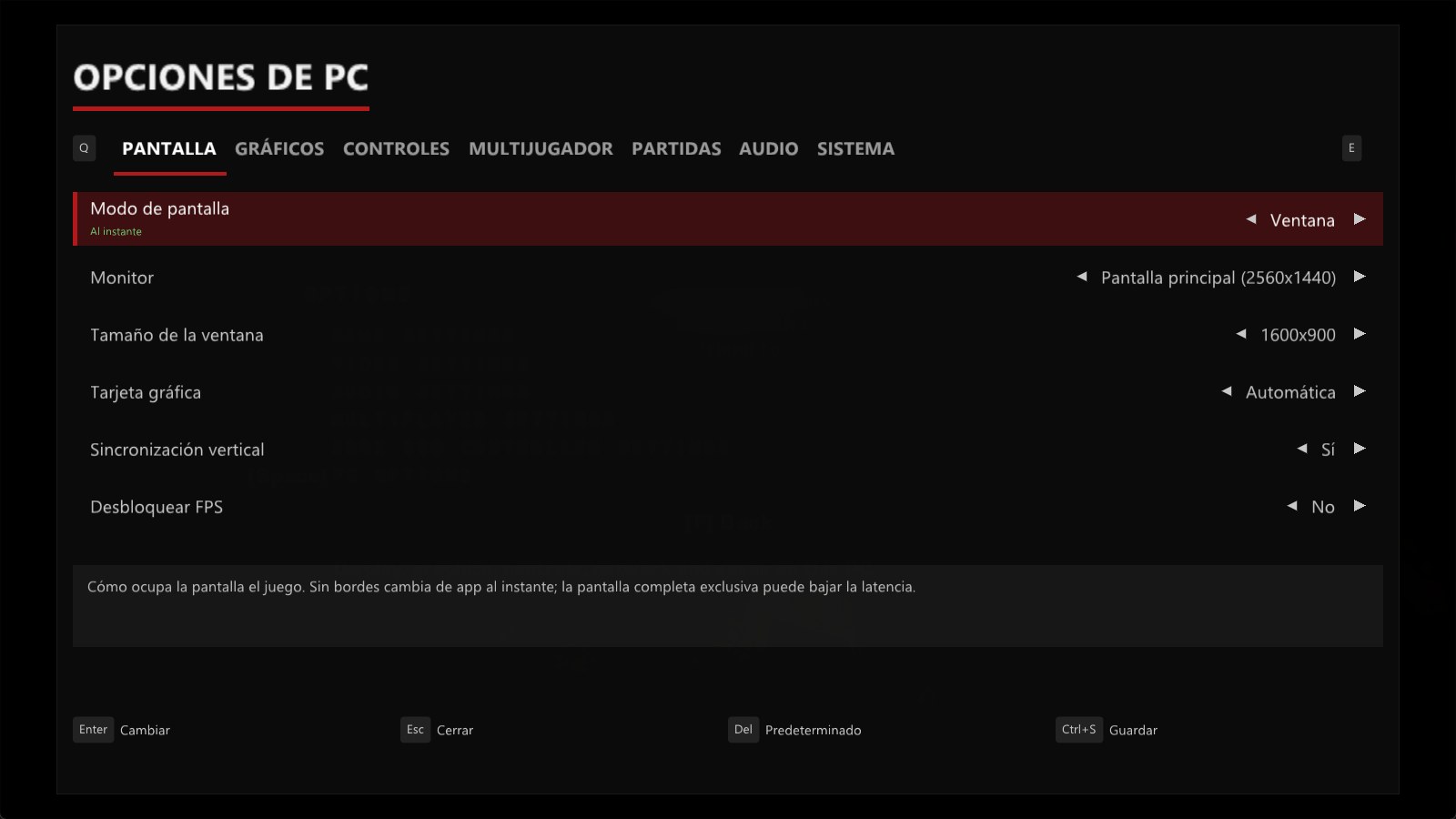
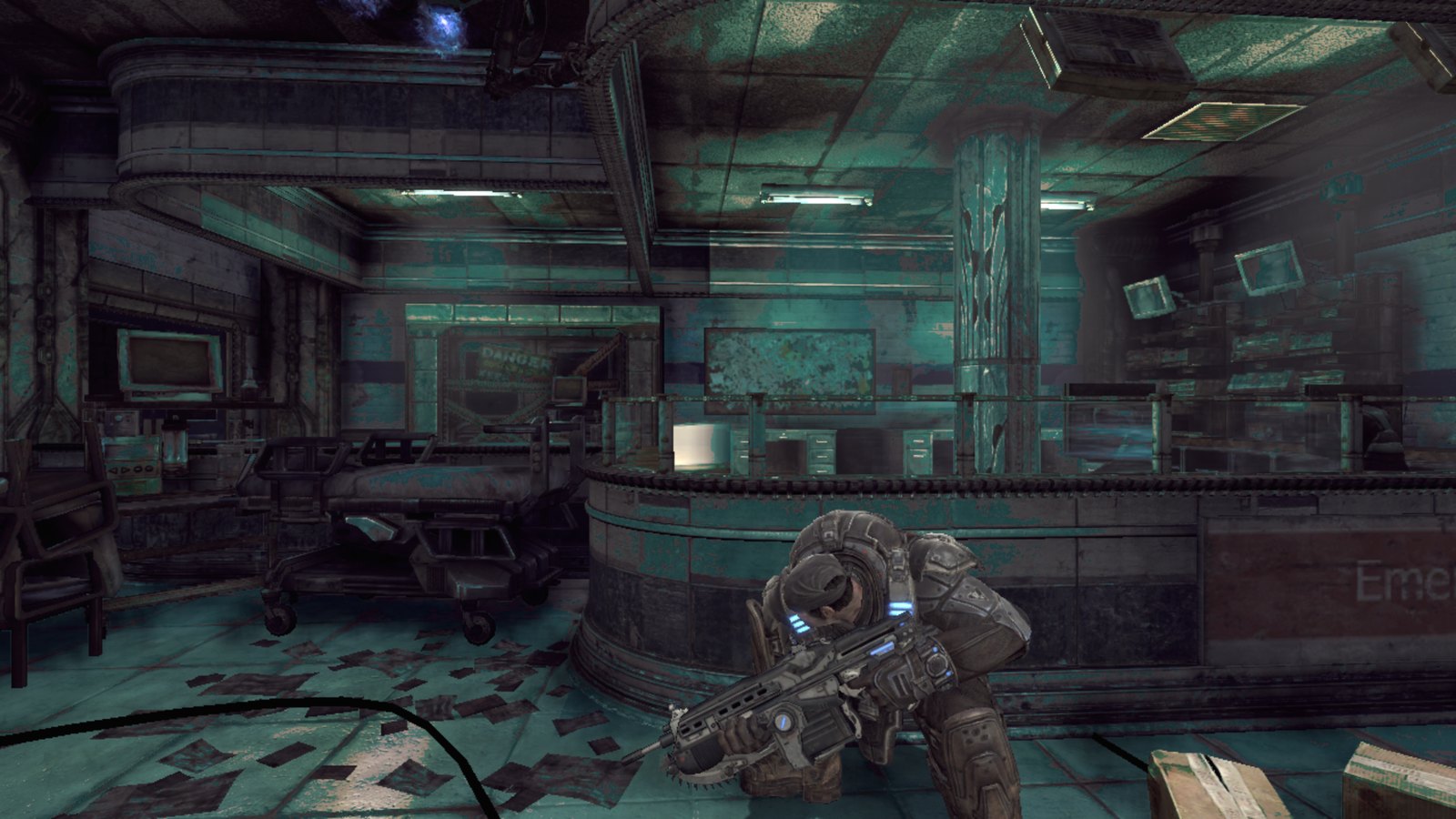
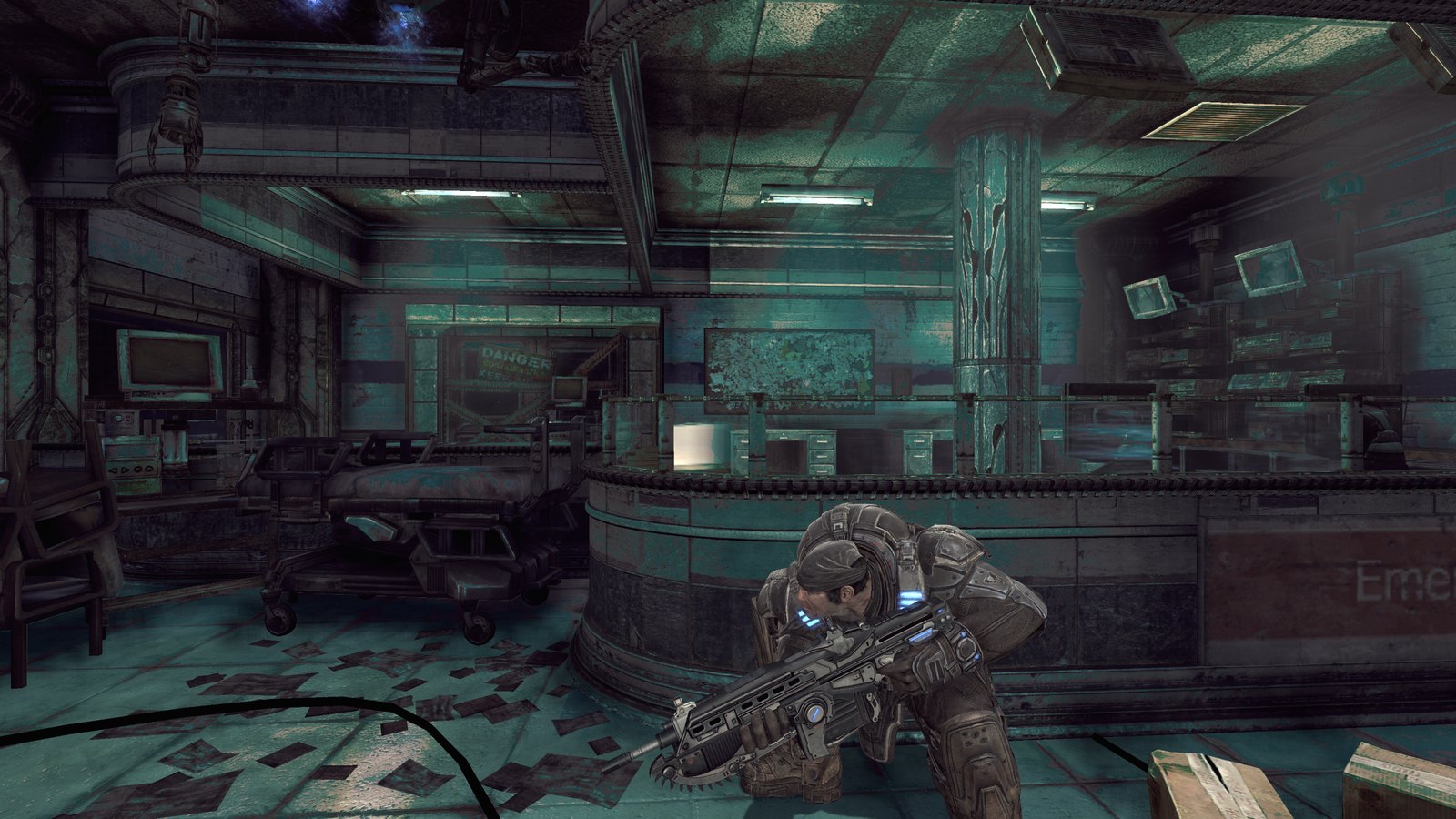
Act 1 with 4K internal rendering (resolution_scale = 3).
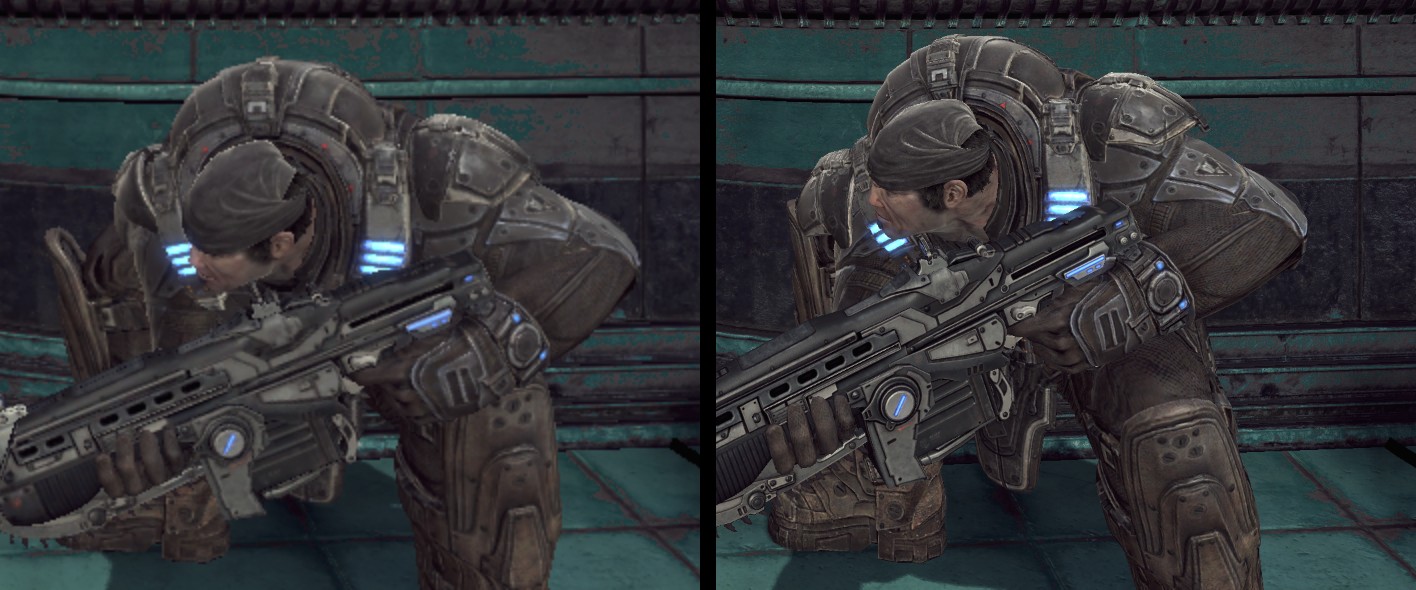
Original 720p rendering (left) vs 4K internal rendering (right).
Status
- Act 1 playable with keyboard and mouse or a controller
- Native high resolution (
resolution_scale2 = 1440p, 3 = 4K internal) - Community game patches
- FSR 1 upscaling and CAS sharpening (
present_effect) - Texture packs: dump the game's textures, load your own higher-resolution versions
- Mouse aim through the game's own PC mouse axes, with no stick dead zone (
gow2_mouse_aim, on by default) - FSR 4 and FSR 3.1 temporal upscaling (
gow2_temporal,gow2_upscaler; off by default). The release has no DLSS - Keyboard keys and mouse buttons handled as on a PC while a level is played (
gow2_native_keys, SDK patch 0022); menus, the pause menu and cutscenes still pass through the emulated controller - Button prompts that follow the device you used last, live: keycap pictures of your keybinds for keyboard and mouse, the Xbox buttons, or PlayStation buttons (PS4: Share/Options, PS5: Create/Options) for a DualShock or DualSense (idea and SDK patch from @Flippage's Gears of War 3 recompilation, issue #25) (
gow2_keycaps; build the pack from your own copy withBuild keycap pack.cmdin the release zip, no Python needed since 0.2.9, orscripts/build-keycaps.ps1from source, see tools/keycaps) - Keyboard keys handled as on a PC (they still pass through an emulated controller)
- Ultrawide: a really wider picture (Hor+) instead of 16:9 with bars, up to 1680 pixels wide (
gow2_widescreen, see docs/WIDESCREEN.md); needs the ROV render target path (NVIDIA and Intel by default) - Full campaign play-through
- System Link campaign co-op for up to four players (
gow2_coop_players, off by default): four copies on one PC (loopback), and a PC with an Android phone on one LAN for two players, verified 2026-10-14 and 2026-10-15; Stage 2 (chapter changes, deaths, leave/rejoin, checkpoints, cinematics) verified with four copies on one PC on 2026-10-16; a phone and a PC on 0.2.0 joined one System Link lobby on 2026-10-16 - Internet play, experimental (
net_peers,net_public_address,net_allow_peers): a phone on mobile data joined a PC-hosted campaign through ports opened by UPnP, verified 2026-10-15; a PC friend outside the network has not been tried yet - In-game options menu (PC Options; Device Options on Android) (docs/PC_OPTIONS.md): verified on a PC and on a Galaxy S25 Ultra on 2026-10-16
- Game quality options: Graphics > Game quality with Low/Medium/High/Custom presets and 24 of the game's own engine settings (shadows, lights, bloom, motion blur, depth of field, ambient occlusion, flares, distortion, decals, fog, foliage, level of detail); all 76 keys in docs/SYSTEM_SETTINGS.md
- Update checker on PC and Android (GitHub Releases, at most twice a day,
gow2_update_check) - Automatic settings for integrated GPUs (720p internal, 2x anisotropic filtering, no per-frame guest memory re-upload) for handhelds and laptops
- Android: the white objects/effects of the Vulkan renderer are fixed (0.2.3); object shadows are an option, off by default on Android
- VSync waits for the display on D3D12 and the 30 fps cap holds with VSync off (0.2.4)
- Split-screen campaign co-op on one PC (PC Options > Multiplayer > Split-screen players, then Co-op Campaign > Split-screen Campaign; each extra player needs a controller, or the keyboard as player 1), verified 2026-10-22 with two players
- System Link Versus: two copies on one PC joined a party and played Warzone on Avalanche on 2026-10-22
- System Link Horde: two copies on one PC played wave 1 on Avalanche on 2026-10-22 (SDK patches 0049 and 0050)
- Android: a build from the repository reaches gameplay and joins a PC's System Link campaign, but is not finished yet; an experimental APK has been attached to every release since v0.1.2 (see Android). The whole scene has drawn since October 15; it runs at about 30 fps for the first minutes from a cool start, falling to about 10-12.5 fps once the phone is warm (docs/ANDROID.md)
See ROADMAP.md for the full plan.
Download and play
Nothing of the game is included in the release. You need your own retail Xbox 360 copy of Gears of War 2 (title ID 4D53082D), dumped to a folder that has default.xex and the GearGame folder, for example by extracting your ISO with xdvdfs:
xdvdfs unpack "Gears of War 2.iso" C:\Games\GoW2
Do not pirate the game.
PC
Requirements: Windows 10/11 x64 and a DirectX 12 GPU (developed on an AMD Radeon RX 7800 XT).
- Download
gow2-recomp-<version>-win64.zipfrom the latest release (the.apkis the Android build). - Unzip it anywhere and run
gow2.exe. The exe is not signed, so Windows may show "Windows protected your PC": choose More info, then Run anyway. - The first launch asks for the game folder (the one with
default.xexandGearGame) and remembers it ingow2_game_path.txtnext to the exe. To pick another folder later, delete that file.
It does not ask when the game folder is inside the exe's folder or right next to it, when the exe's folder is inside the game folder, or when you pass the folder yourself:
gow2.exe --game_data_root="C:\Games\GoW2"
The first time you play System Link co-op, Windows asks whether gow2.exe may use the network: allow it, or the other players will not find your game.
The first start, and the first start after an update that changes the graphics, compiles the shaders again: the window can sit on the title screen for a few minutes and Windows may call it "Not responding", and the first level takes a little longer to load. Leave it running; later starts use the saved shaders.
Android (experimental)
Requirements: an arm64 phone with Android 10 or newer and Vulkan, and free space for a full copy of the game files.
- Download
gow2-recomp-<version>-android-arm64.apkfrom the latest release and install it (Android asks you to allow installing apps from your browser or file manager). - Copy your extracted game folder, or the
.isoof your disc, to the phone. - Open the app and tap Choose game folder (and pick that folder) or Choose .iso file (the app extracts the image itself; plain, XGD2 and XGD3 images work). The app copies the files into its own storage, which needs as much free space as the game takes, because the game cannot read files through the folder picker. With the folder from step 2 that is two copies; delete yours once the app has finished.
Instead of steps 2-3 you can copy the folder over USB from a PC, so that default.xex ends up in Android/data/com.santiquiroz.gow2recomp/files/game/, then tap Check again.
The settings menu is called Device Options on Android (the gear in the top-right corner). If the game closes unexpectedly, the next launch opens Launch options first: a few settings, a GPU driver choice (on Adreno, a Turnip .zip made for AdrenoTools in place of the phone's driver), Safe mode (no sparse GPU memory, 1x resolution, bilinear filter, the phone's driver), Reset settings and Share last log. To open it on purpose, long-press the app icon and choose Launch options. Status and known limits: docs/ANDROID.md.
Controls
| Action | Key |
|---|---|
| Move | W / A / S / D |
| Look | Mouse (or arrow keys) |
| Fire | Left mouse |
| Aim | Right mouse |
| Cover / roadie run / roll | Space |
| Melee / chainsaw (hold) | F or V |
| Use / pick up / revive | E |
| Point of interest | Q |
| Reload | R |
| Tactical display | G |
| Zoom | Middle mouse or Z |
| Weapons | 1–4 |
| Pause | Enter or Esc |
| Back | Tab |
| PC Options menu | F10 |
A controller works at the same time. Its buttons can be remapped in PC Options > Controls > Controller buttons (every controller SDL knows, Xbox included; saved as pad_map_*). All bindings are in gow2.toml.
Settings
Everything here can be changed in game from Options > PC Options (or F10, or Back+Start); see docs/PC_OPTIONS.md. gow2.toml sits next to the exe. It is read at start-up; command-line flags (--name=value) override it. Main keys:
The Graphics tab includes Game quality: Low / Medium / High (retail) presets and 24 individual engine quality controls, all applied after a restart. High restores retail quality; Auto keeps platform defaults (retail on PC, which is already the highest choice in every row; Android turns object shadows off). See the key inventory and presets.
fullscreen— run fullscreen or windowed.resolution_scale— internal render resolution as a multiple of 720p: 1 = 720p, 2 = 1440p, 3 = 4K.present_effect— final image scaling:bilinearwith the stock runtime;fsr,casand experimental temporal paths with a source-built runtime (see below).vsync— vertical sync.gow2_unlock_fps— lifts the game's 30 fps cap.gow2_fps_cap— frame rate limit while unlocked (0 = no limit).gow2_audio_volume— master volume in percent.gow2_black_shading_fix— correct character lighting.gow2_texture_streaming_fix— bigger texture pool, less pop-in.gow2_aniso16— 16x anisotropic filtering.gow2_ao_upscaling_fix— ambient occlusion without artifacts when scaled.gow2_dof_upscaling_fix— depth of field without artifacts when scaled.gow2_temporal,gow2_upscaler— temporal upscaling:gow2_temporal = truewithgow2_upscaler = "fsr4"(Radeon RX 7000/9000) or"fsr3"; off by default.mnk_sensitivity— mouse sensitivity.gow2_save_dir— folder for saves, profile settings and achievements; point it at a OneDrive, Google Drive or Dropbox folder to keep the campaign in the cloud (docs/SAVES.md).
The community patches come from xenia-canary/game-patches (authors illusion and boma); the patched sites and values for this XEX are applied to the generated code, each behind its gow2_* setting.
On Windows, the game checks GitHub for a new release at most twice a day and sends nothing else. Turn this off in PC Options > System, or set gow2_update_check = false in gow2.toml.
Performance
Measured on a Ryzen 9 7900X3D + Radeon RX 7800 XT, Act 1, resolution_scale = 2 (1440p internal): about 90 presented frames per second on average, 1% low 55, GPU about 6 ms per frame (PresentMon 2.6, 30 s capture). These numbers are presented frames. For bug reports, gow2_frame_log = true logs FRAMESTATS frame times every 5 s and d3d12_stats_log = true logs D3D12 counters.
Modern enhancements
-
Native resolution via
resolution_scale(see Settings). -
FSR: the release runtime is built with AMD FidelityFX.
present_effect = "fsr"renders at a lowerresolution_scaleand upscales with FSR 1 plus sharpening;"cas"only sharpens. Measured withresolution_scale = 1and FSR 1 to 1440p: about 85 fps in Act 1. -
Temporal upscaling: FSR 4.1 on Radeon RX 7000/9000 and FSR 3.1 on other GPUs, through AMD's signed FidelityFX SDK 2.3 DLLs, ported from the Gears of War: Judgment recompilation. Off by default: set
gow2_temporal = trueandgow2_upscaler = "fsr4"or"fsr3", and lowerresolution_scaleso the upscaler has room to work. FSR 4 was checked in game on a Radeon RX 7800 XT (1280x704 upscaled to 2560x1408). -
No DLSS in the release: NVIDIA's DLSS SDK license does not allow it in an open-source release (see THIRD_PARTY_NOTICES.md). Only builds made from source with your own copy of NVIDIA's DLSS SDK can use it. To use it with the release
gow2.exe, build the SDK DLLs withscripts/build-sdk.ps1(without-NoDlss) and copyrexruntime.dll,rexgpu-xenos.dllandnvngx_dlss.dllnext to it; the PC Options menu then offers DLSS. Confirmed on an RTX 5060 Ti (issue #18). -
Texture packs: see the next section. Tested with a texture replaced by a version twice its size:
Texture packs
Replace game textures with higher-resolution versions (for example upscaled 4x) for your own use. Each player builds packs from their own copy. An upscaled or recoloured texture is still derived from the game's copyrighted art, so do not share packs made from the game's textures; this project does not host or link them.
- Set
texture_dump = trueingow2.tomland play. Dumps land intextures\4D53082D\dumpnext togow2.exe, one.ddsfile per unique texture, named<hash>_<format>_<width>x<height>.dds. Videos and other textures that change every frame are skipped. - Convert the dumps to PNG with
tools\texpack.py(included in the release; needs Python 3 and Pillow,pip install pillow):python tools\texpack.py to-png textures\4D53082D\dump workconverts the whole folder. - Upscale the PNG with any tool (Upflow on AMD GPUs, chaiNNer, Upscayl).
- Convert back with a full mip chain:
python tools\texpack.py from-png work textures\4D53082D\replace. File names are kept; the game matches each file by the hash at the start of its name. This writes uncompressed DDS; for files about 4x smaller compress with Microsoft texconv instead:texconv -f BC7_UNORM -m 0 file.dds. - Set
texture_replace = trueingow2.tomland play. Before upscaling everything, check that replacement works with a solid color:python tools/texpack.py tint <dump.dds> <replace.dds>and look for the tinted texture in game.
A replacement is picked up when it has at least as many mip levels as the game texture (a full chain down to 1x1, which from-png writes), keeps the same aspect ratio, and is at least as large as the original.
System Link
Campaign co-op over System Link works between PCs and between several copies on one PC; an Android build joined a PC for two-player co-op. It is off by default: set net_link_active = true in gow2.toml (or pass --net_link_active=true) on every player's copy, and use the same build everywhere; gow2_coop_players 3 or more turns it on by itself. The game's UDP port 1000 becomes 41000 on every platform (net_port_offset, because Android cannot bind ports below 1024) and the System Link beacon uses UDP 14001, so a PC that hosts needs a Windows Firewall rule for those two ports. system_link_trace = true logs every network and session call the game makes ([netlink] lines).
- docs/NETWORK_PLAY.md: a PC and a phone on one network, the settings, several copies on one PC, troubleshooting.
- docs/COOP_N_PLAYERS.md: Stage 2 co-op with more than two players covers chapter changes, deaths, leave/rejoin, checkpoints and cinematics; what is still missing includes co-op splits, vehicle exit, the Ride-Reaver section and four PCs over the internet.
- docs/ONLINE.md: playing over the internet. From the repository (not in the release zip),
scripts/host-online.ps1-Startopens UDP 14001 and 41000 through UPnP on every router between the PC and the internet, with a lease (6 h by default, 24 h at most), and schedules an automatic-Stopfor the end of the lease;-Stopcloses them. Run-Stopafter every session: some routers ignore the lease. Without UPnP: forward by hand; with no open ports: Tailscale or ZeroTier. Verified on 2026-10-15: a phone on mobile data joined a PC host behind two routers in a row.
Versus works over System Link: in Multiplayer set Match Type to System Link, create the party on one copy and join it from the System Link Browser on the others (two copies on one PC played Warzone on 2026-10-22). Horde works the same way from the Horde menu (two copies played wave 1 on 2026-10-22). See ROADMAP.md.
Known issues
-
"Bad Image ... rexruntime.dll ... 0xc0e90002" on Windows 11. That is Smart App Control blocking the release's DLLs because they are not code-signed yet; the files are not damaged. Turning Smart App Control off (Windows Security → App & browser control) lets the game start, but Windows cannot turn it back on without a reinstall, so decide with that in mind. Signing the releases is being looked into.
-
Mouse aim changed in 0.1.1. In 0.1.0 the mouse was turned into a right-stick movement, and the game ignored any stick deflection under 30% (its
DeadZone=0.3binding). Now the mouse goes through the game's own PC mouse axes (gow2_mouse_aim), with no dead zone, while controllers keep the game's own aiming. Keys still pass through an emulated controller. Reports of how it feels are welcome in an issue. -
Hints show Xbox button pictures. Menu prompts follow the device you used last, switching live: keyboard keys ([Space], [E]...) after keyboard or mouse input, the Xbox buttons after an Xbox controller, PlayStation buttons (PS4: Share/Options, PS5: Create/Options) after a DualShock or DualSense (
gow2_prompts=auto;keyboard,controllerandplaystationfix one choice at launch; on Android the choice is still made at launch and there is noplaystation). PlayStation controllers are now detected through SDL (before, only XInput pads counted); their buttons come from the keycap pack, so rebuild it withBuild keycap pack.cmd(without a 0.3.5 pack they show Xbox buttons). Idea and SDK patch from @Flippage's Gears of War 3 recompilation (issue #25). A menu already on screen changes the next time it opens; the tutorial hint pictures have their Xbox button circles removed while keyboard prompts show (the hint text names your key), and any other art with buttons painted in still shows Xbox buttons. Gameplay prompts (pick up, reload, take cover) draw the button straight from the game's button font (issue #21): with the keycap pack they show your keys (confirmed in game in #21 with v0.3.4), an