GRFS-Recomp
GRFS-Recomp is a port of Ghost Recon Future Soldier for Apple Silicon Macs with a native Metal renderer.
- Type: PC port
- Game: Ghost Recon Future Soldier
- Runs on macOS
- By alex-stampede
- Latest release v2.1.5-metal, 2026-11-19
- Source: https://github.com/alex-stampede/GRFS-Recomp
- Website: https://github.com/alex-stampede/GRFS-Recomp/releases/latest
README



Ghost Recon Future Soldier for Xbox 360, recompiled for Apple Silicon with a native Metal renderer.
Bring your own ISO. Play Campaign, Gunsmith and Guerrilla. Keep your installed game and saves when updating.
Download for Mac · Getting started · Contribute · Known issues · Support
Native Metal — 2.1.5
The 2.x releases use a native Metal graphics backend ported from XeniOS, alongside static PowerPC recompilation and the ReXGlue runtime. Xbox 360 GPU shaders are translated through SPIR-V and SPIRV-Cross into Metal shaders. The active 2.x rendering path does not run through Vulkan/MoltenVK; that describes the older 0.10.x builds.
Display settings: output uses the native drawable size and host presentation is unlimited. The output-resolution cap and FPS-limit selectors have been removed from F5; older saved cap settings are overridden on launch. Fullscreen/windowed selection remains. The Metal HUD switch explicitly enables or disables Apple's HUD, without the separate game-counter overlay.
2.1.5 restores the F5 controls for fullscreen/windowed mode, Metal HUD, and Save and restart. In windowed mode, choose a window size and select Save and restart to apply it. F4 settings are unchanged.
2.1.4 applies the saved fullscreen mode after attaching the Metal presenter. This addresses the startup slowdown that could clear after switching modes with F5. It also adds a guard for the missing record implicated in a Gunsmith firing-range freeze. F4 settings remain unchanged.
2.1.3 restores normal mipmap sampling and enables the memexport-only synchronization mode. Resolve waits are disabled and the GPU synchronization test panel has been removed. The shader lookup and gamma protections from 2.1.1 are retained. Black flashes and material patches remain under investigation.
Important
Supply your own compatible Xbox 360 ISO. No ISO, original game executable, textures, audio or cinematics are included. Installation and verification happen locally; your ISO is not uploaded.
Warning
Experimental, ad-hoc signed and not notarized. Current binaries require Apple Silicon and macOS 27.0 or later. Scene-dependent performance and graphical defects remain. Unlimited presentation does not unlock the game's simulation or guarantee 60 unique game frames per second.
Getting started
- Download GRFS-Recompiled-macOS-arm64.zip.
- Unzip and move GRFS Recompiled.app to Applications.
- Open it and select your compatible Xbox 360 ISO. Let extraction and verification finish.
- After installation, open the same app to play. Existing installations can update without reinstalling the ISO.
- Open Extras → Options → F5 (Fn+F5 on some keyboards) for PC settings. Use Save settings to retain changes, or Save and restart when required.
| Requirement | Details |
|---|---|
| Mac | Apple Silicon / ARM64 |
| macOS | 27.0 or later for current binaries |
| Game | Own Xbox 360 ISO matching the compatibility manifest |
| Development machine | Mac mini M4 Pro, 24 GB memory |
| Additional testing | MacBook Air M3, 8 GB memory |
| Storage | Extracted game plus temporary installation/update files and shader data |
The owner reports substantially smoother play with native output and unlimited presentation. This is user feedback, not a controlled cross-device 60 FPS benchmark. Intel Macs, other disc revisions and online multiplayer are not validated.
PC settings and controls
F5 provides fullscreen/windowed preferences, mouse sensitivity, keyboard/mouse bindings, menu-language settings and Enable Metal HUD. Language changes require saving and restarting. The game's audio/subtitle options remain available. Native macOS fullscreen and Game Mode support are retained; macOS controls actual Game Mode activation.
Select Apply PC preset to enable mouse look and these bindings:
| Input | Action / Xbox mapping |
|---|---|
| Left / right mouse button | Fire / aim |
| Middle mouse button | Right-stick press |
| R / Q | X / Y |
| C / Backspace | B — back |
| Space / ; | A — confirm |
| G / E | Left / right bumper |
| Escape / Enter | Start |
| F6 | Release / capture mouse |
The preset is opt-in. Settings persist outside the app across updates. Mouse look emulates the right stick and retains the game's turn-speed limit. Original Xbox button prompts remain; controller hardware switching has not yet been playtested. See host UI sources and integration notes.
Keyboard controls
The launcher enables keyboard-to-controller emulation. These are the current runtime defaults, not a remapped PC control scheme. In-game prompts still display Xbox buttons; actions depend on the current game context.
| Keyboard input | Xbox input / common use |
|---|---|
| W / A / S / D | Left stick — movement and menu navigation |
| Arrow keys | Right stick — camera / look |
| Space or ; | A — confirm / contextual action |
| Backspace or ' | B — back / contextual action |
| L | X — reload / interact, depending on context |
| P | Y — weapon switching / contextual action |
| Q or I | Left trigger — aim |
| E or O | Right trigger — fire |
| 1 | Left bumper |
| 3 | Right bumper |
| F | Left stick click |
| K | Right stick click |
| Shift + Arrow keys | D-pad directions |
| Enter or X | Start — start / pause |
| Tab or Z | Back button |
Mouse-look is off by default in this build: use the arrow keys for the camera. Mouse clicks are not bound to the triggers by these defaults. Modifier matching is exact, so holding Shift, Control, or Option can suppress an unmodified key binding. The Guide button is unbound.
Project status
| Area | Status |
|---|---|
| Renderer | Native Metal in 2.x; legacy Vulkan/MoltenVK in 0.10.x |
| Campaign | Gameplay and continuation tested; additional campaign save slots remain unresolved |
| Gunsmith / firing range | Accessible; intermittent material defects remain |
| Guerrilla | Playable in tested sections |
| Controls | Keyboard/mouse playtested; controller behavior needs more hardware testing |
| Display | Native output; unlimited host presentation; fullscreen/windowed support |
| HUD | Apple's Metal HUD, enabled/disabled from F5 |
| Updates | Signed manifest, SHA-256 verification and app replacement; persistent game/save folders retained |
| Shaders | Compiled as needed; first-use pauses can still occur |
Known issues
- Intermittent full-image black flashes occur on both tested Macs.
- White/black patches or incorrect materials can appear on characters, weapons and in cinematics. Their cause is not yet confirmed.
- New scenes/effects can trigger shader or pipeline compilation pauses.
- Additional campaign saves do not consistently appear alongside the main campaign. Do not rely on multiple independent slots.
- Metal HUD presentation FPS can include repeated images and must not be equated with simulation speed or unique game frames.
In-game screenshots
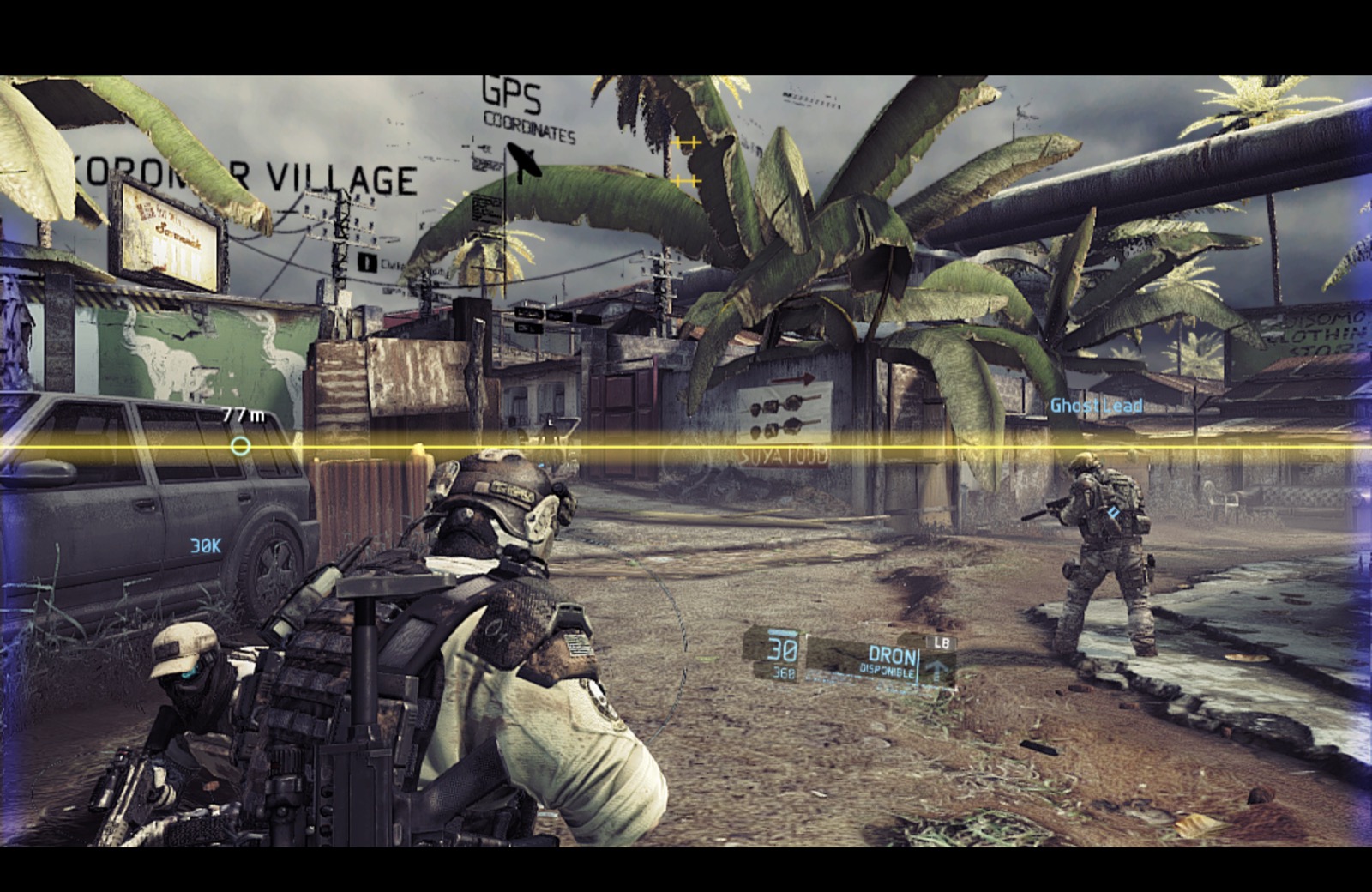
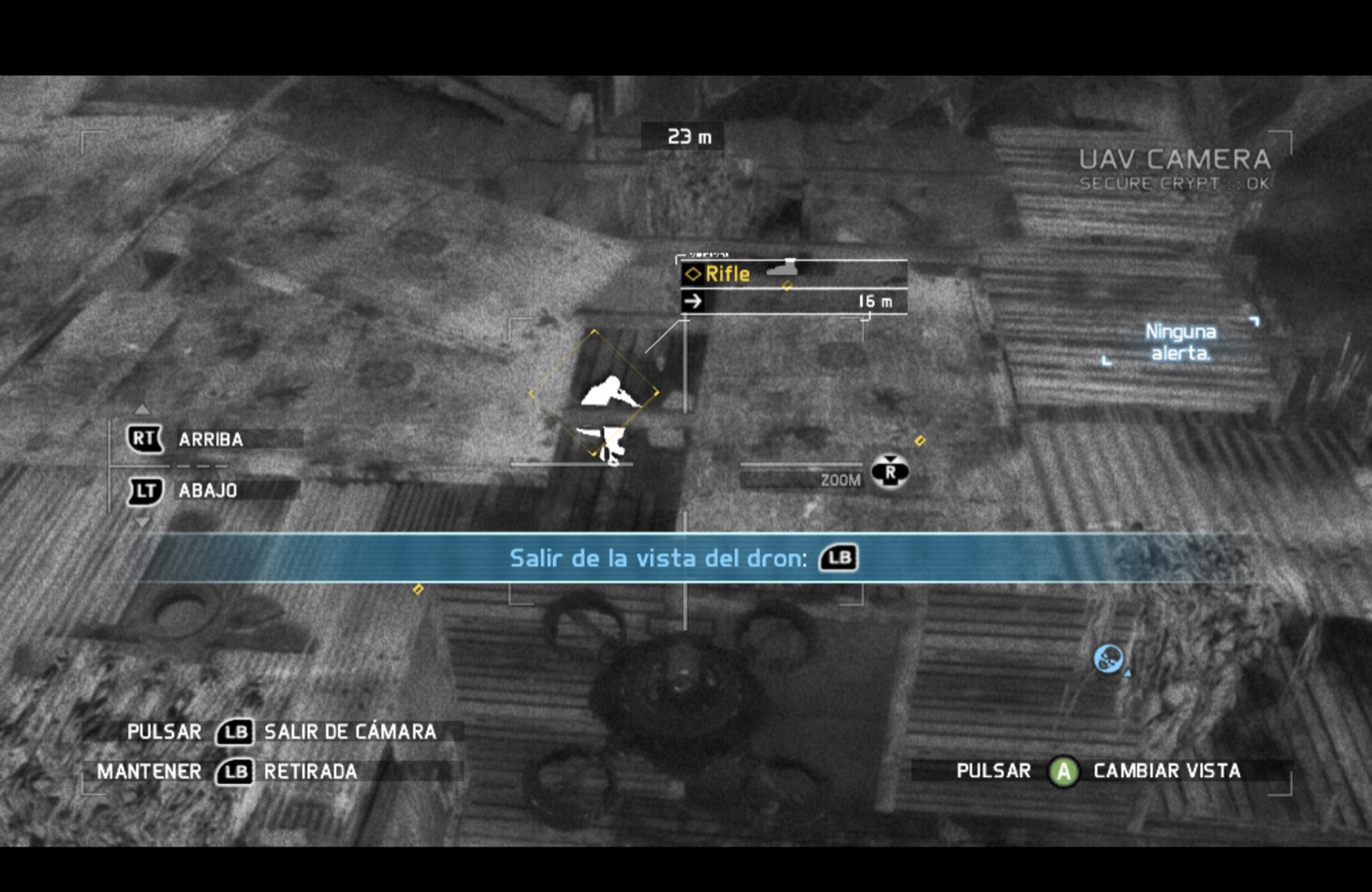
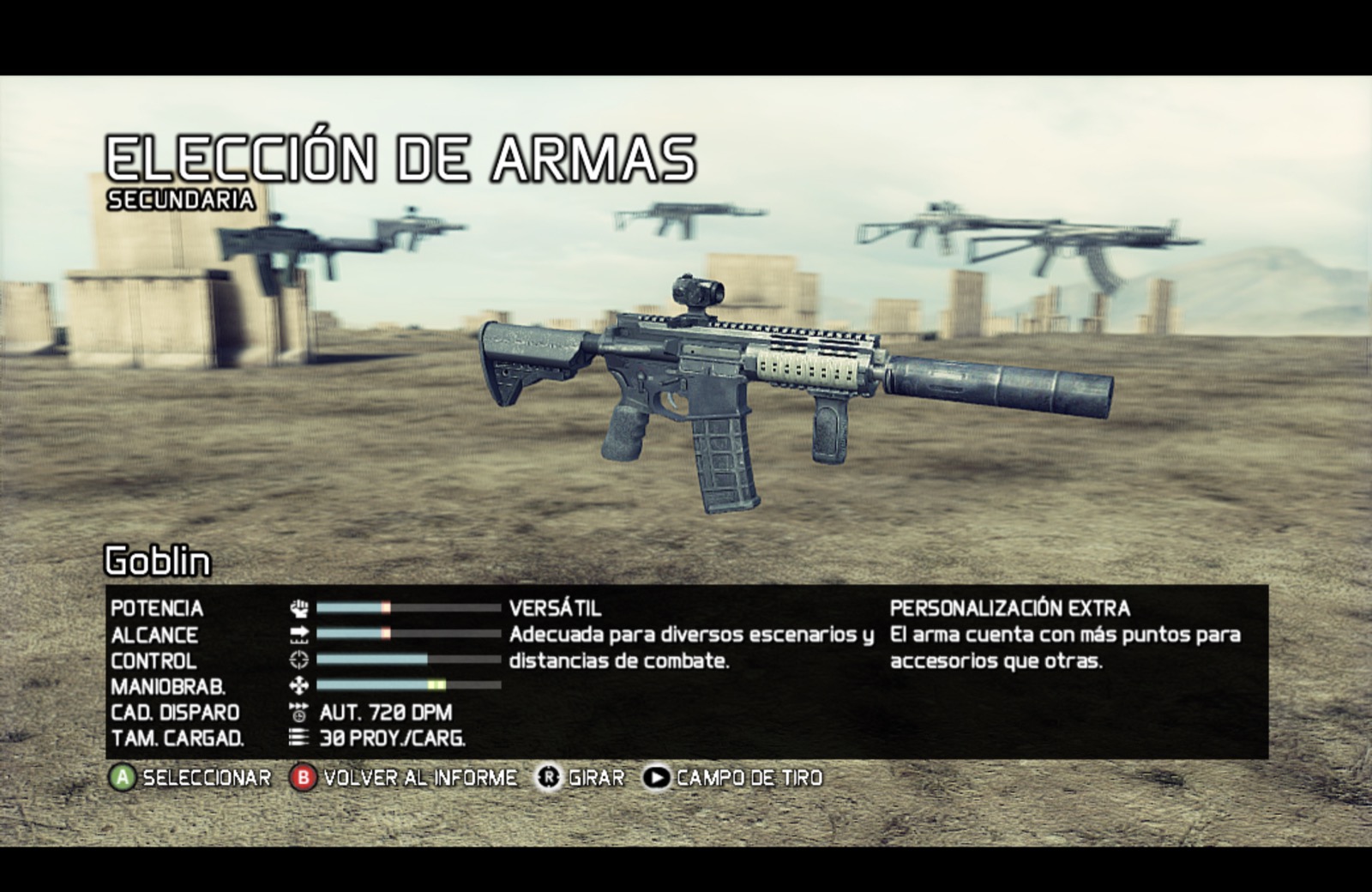
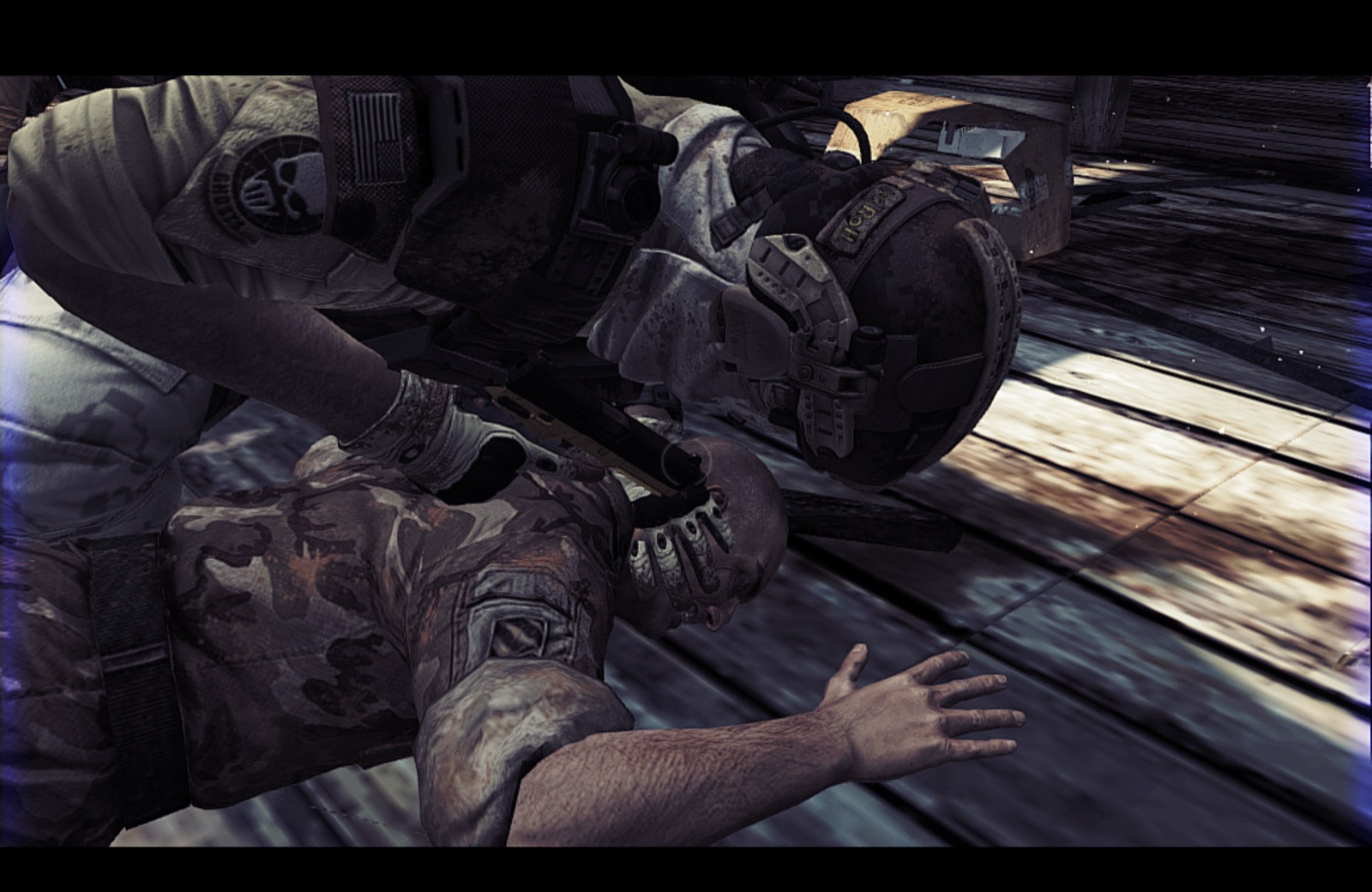
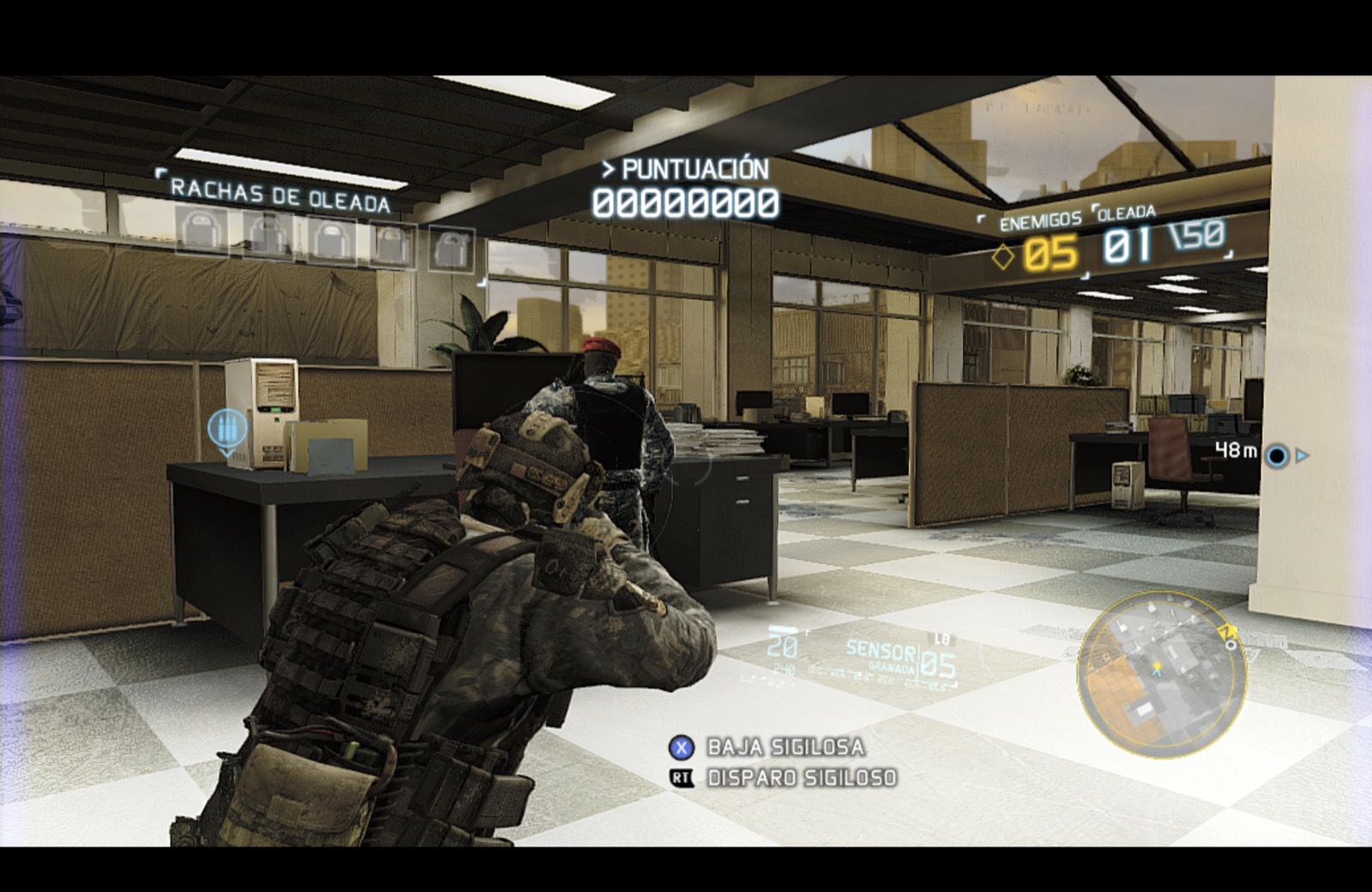
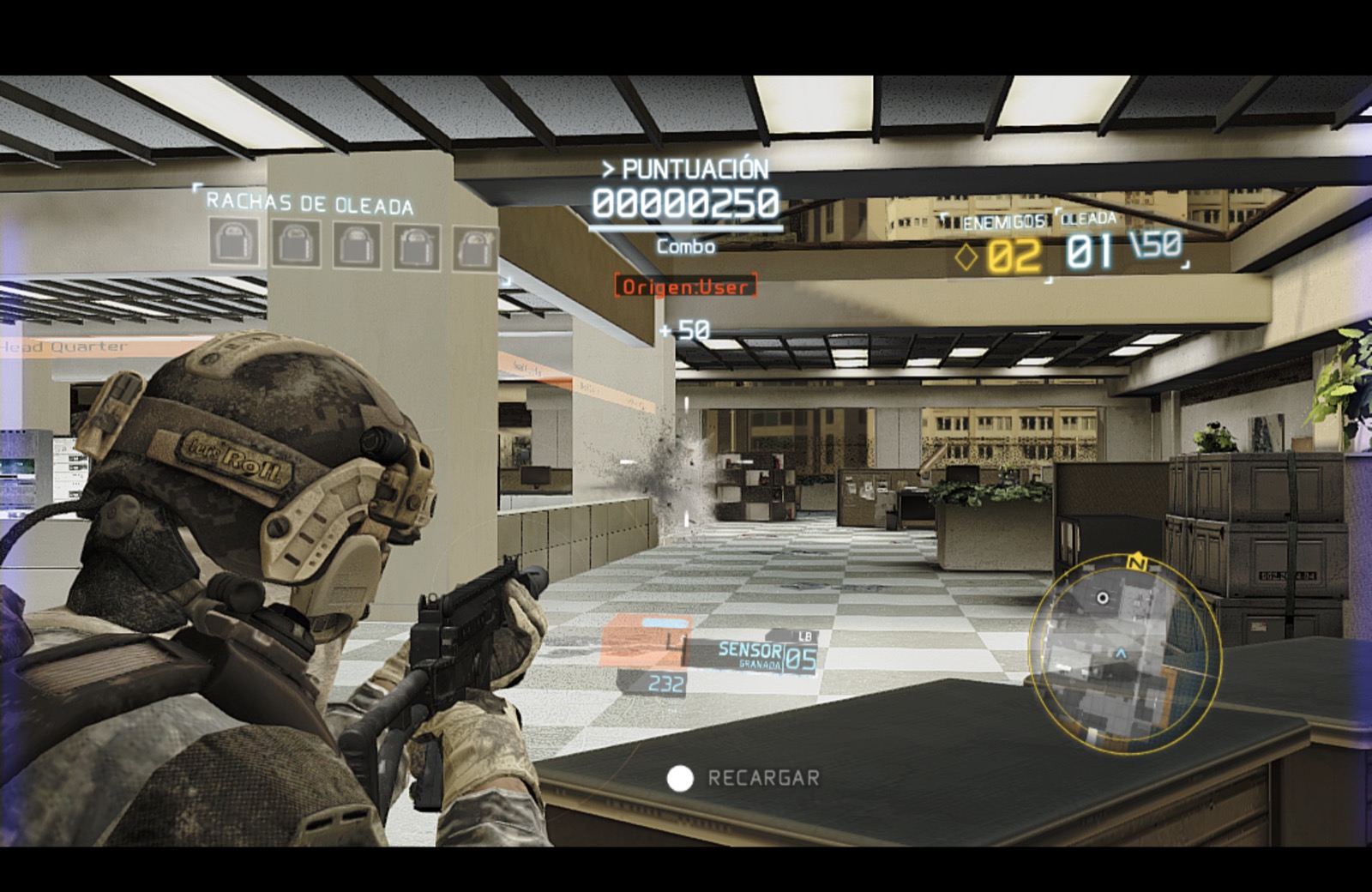
Owner-provided captures from October 21, 2026 (earlier Vulkan builds). Campaign missions, the campaign Gunsmith / weapon selection screen, and Guerrilla are accessible and playable in the current port. These captures document tested sections; they do not establish that every mission or feature is complete. Visual issues remain.
| Campaign | Campaign — drone view |
|---|---|
 |  |
| Campaign — Gunsmith / weapon selection | Campaign — takedown |
 |  |
| Guerrilla — stealth | Guerrilla — combat |
 |  |
Updates, saves and shader preparation
The launcher checks GitHub Releases and offers Download and update or Not now. The updater verifies an Ed25519-signed manifest, the ZIP checksum, app identity and build information before replacement. One previous app is kept outside Applications. If the app folder is not writable, manual installation may be required.
Persistent data lives in ~/Library/Application Support/GRFS Recompiled/:
| Folder | Contents |
|---|---|
Game/ | Extracted game files |
UserData/ | Profile, save data and preferences |
Logs/ | Preparation/session logs |
Diagnostics/Metal-2.1-…/ | Isolated native Metal session cache directories |
Updates/, Backups/ | Staged updates and previous app backup |
Updating does not intentionally erase these folders. Older caches are retained. Current Metal startup avoids the problematic stored-pipeline preload and uses isolated session caches; a complete, portable, precompiled pipeline pack is not available. The preparation panel does not imply that every possible shader or pipeline has been compiled. New work can still compile during gameplay.
Contributors wanted
Help with Metal resource synchronization, material correctness, frame pacing, shader/pipeline compilation and reproducible builds is welcome. This is a heavily AI-assisted experimental project. Small reviewed fixes and reproducible captures are especially valuable.
Start with CONTRIBUTING.md, BUILDING.md, the architecture map, and testing guide. Some older developer pages describe the legacy Vulkan backend; use the versioned native Metal source overlay attached to 2.x releases for that backend. A complete verified ISO-to-runtime rebuild remains work in progress. The launcher packaging script alone does not rebuild the game or all native Metal components.
Report problems through GitHub Issues, including release, Mac model, macOS version and reproduction steps. Review logs before attaching them. Do not upload ISOs or original game data.
Support the project

Support helps improve GRFS-Recomp's performance, graphics and installation, and supports research into future projects such as Ghost Recon Advanced Warfighter 1 and 2. Future ports depend on technical feasibility. Donations are optional.
Credits and licenses
- ReXGlue: static recompilation runtime and SDK.
- Xenia and XeniOS: Xbox 360 research and the native Metal backend port. See the release source overlay for provenance and license notices.
- SPIRV-Cross: shader translation to Metal Shading Language.
- MoltenVK: graphics translation used by the legacy Vulkan builds.
- hl360-Forza2: early reference and presentation inspiration.
- Everyone testing builds and contributing fixes.
Original launcher/tooling: MIT. Third-party components retain their licenses in THIRD_PARTY_LICENSES and the release package. Ghost Recon Future Soldier and its artwork belong to their rights holders. This independent project is not affiliated with Ubisoft, Microsoft or upstream projects; its license grants no rights to game assets.