GOW3rehooked
GOW3rehooked is a PC port of God of War III Remastered for Windows and Linux that allows for higher resolutions and frame rates.
- Type: PC port
- Game: God of War III Remastered
- Runs on Windows and Linux
- By cuesta4
- Latest release v0.1.3-alpha, 2026-11-19
- Source: https://github.com/cuesta4/GOW3rehooked
README
GOW3rehooked
“Your pawn has failed you, Gaia. Perhaps you should have chosen the other one!”
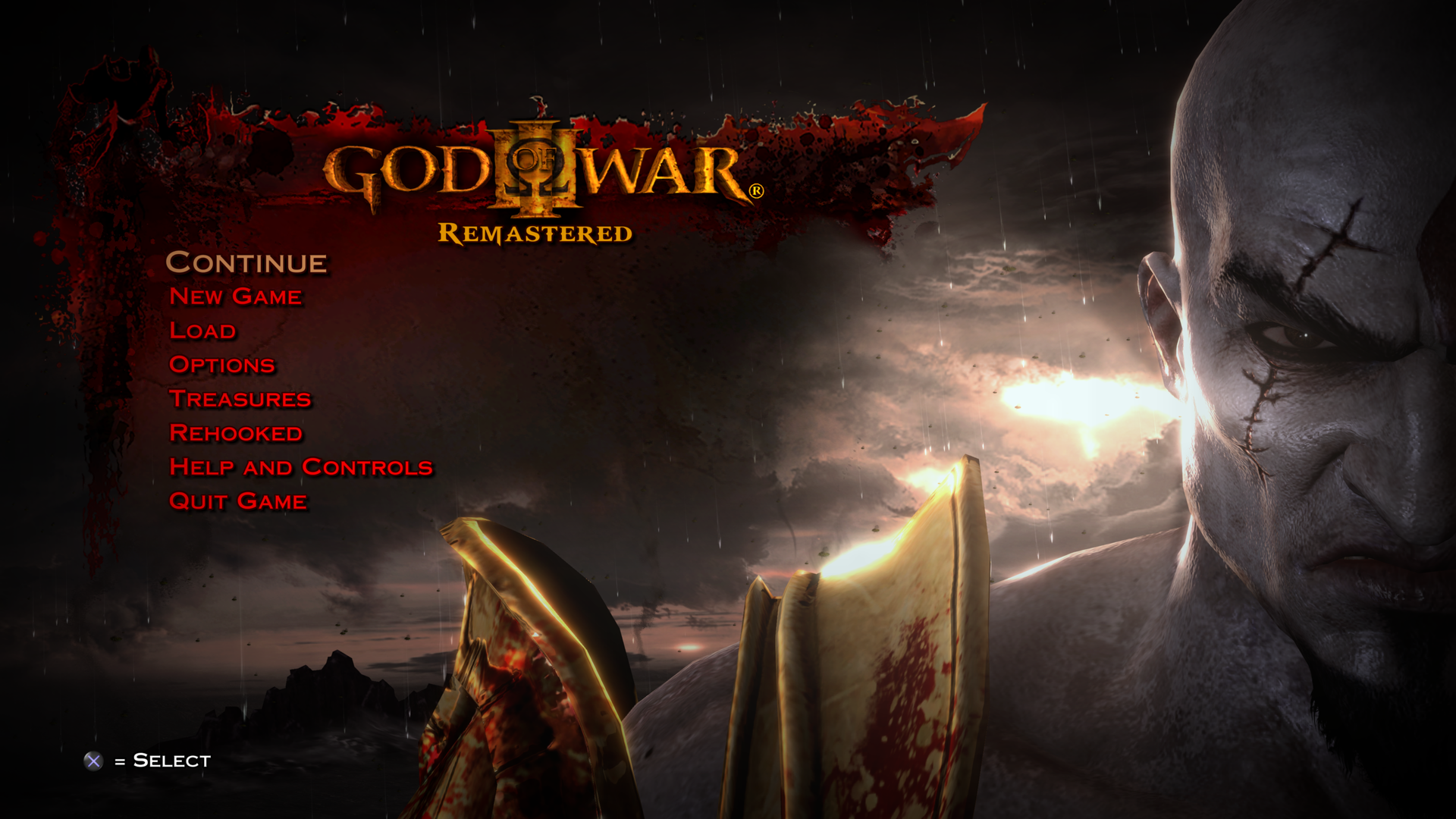
GOW3rehooked lets you play God of War III Remastered on Windows and Linux PCs. The same developer who created the original GOW3 build for shadPS4 made it with a lot of love, care and obsession for performance.
No game code or assets are included. You need your own copy of the game.

Important
GOW3rehooked is independent from shadPS4. Please don't take questions or bug reports about it to the shadPS4 developers. Use the Issues page of this repository.
Requirements
| Component | Requirement |
|---|---|
| Operating system | Windows 10 or 11, or Linux x86-64 |
| Intel CPU | 4th-generation Core (Haswell) or newer for the standard build. |
| AMD CPU | Ryzen 1000 or newer for the standard build. |
| AMD GPU | Radeon RX 5300 (RDNA 1) or newer. |
| NVIDIA GPU | GeForce GTX 950 or newer. |
| Intel GPU | Untested. |
| Memory | 16 GB of RAM recommended |
| Game | God of War III Remastered, European (CUSA01715) or American (CUSA01623) release, updated to version 1.02 |
The standard build requires an x86-64-v3 CPU (including AVX2, BMI1/2, FMA, F16C, LZCNT and MOVBE). Six cores or more are recommended.
The experimental AVX1 build may work on some CPUs older than 4th-generation Intel Core or AMD Ryzen 1000. The same GPU requirements apply. Feel free to report any issues.
Use a current graphics driver for your card. The renderer requires Vulkan 1.3 with shader objects, depth clip control, push descriptors, conditional rendering, sparse buffer residency and min/max sampler filtering. Radeon also needs VK_KHR_maintenance5. Windows capability reports are available for the Radeon RX 5300, Radeon RX 5500 XT and GeForce GTX 950.
The game has to be in a folder that contains eboot.bin, sce_module and sce_sys. A game that is still packaged in a single file has to be extracted first. Only version 1.02 works, because GOW3rehooked modifies the game at exact locations of that version's executable.
Installation
Only use the AVX1 build if your CPU doesn't meet the requirements for the standard build.
Windows
-
Download
GOW3rehooked-Windows-x86_64.zip(standard) orGOW3rehooked-Windows-x86_64-AVX1.zip(AVX1) from the Releases page. -
Extract the ZIP into the game folder, next to
eboot.bin:God of War III\ ├── eboot.bin ├── sce_module\ ├── sce_sys\ ├── EXEC\ ... ├── gow3.exe ├── gow3_debug.exe ├── licenses\ └── _rehooked_\ the shader recipes; everything else is created on first launch -
Run
gow3.exe. The first few launches may show the shader preparation screen. -
Choose your settings under Rehooked in the title menu.
Linux
- Download
GOW3rehooked-Linux-x86_64.zip(standard) orGOW3rehooked-Linux-x86_64-AVX1.zip(AVX1) from the Releases page. - Extract the ZIP into the game folder, next to
eboot.bin. - Run
./gow3.AppImage.
If your extractor dropped the executable bits, run chmod +x gow3*.AppImage. On systems without FUSE, run APPIMAGE_EXTRACT_AND_RUN=1 ./gow3.AppImage. For diagnostics, use ./gow3_debug.AppImage with the same prefix if needed.
For a source build, use Clang and LLD, a C++23 standard library such as libstdc++ 14, CMake, Ninja, NASM, Vulkan headers 1.4.328 or newer, glslc, shaderc, glslang, SPIRV-Tools, and libunwind. The workflow lists the Ubuntu 24.04 packages. Run bash build-fast.sh --release, then build-fast/Linux/Release/bin/gow3 --game-dir /path/to/game. Add --ivy-bridge to build for AVX1.
Everything GOW3rehooked writes goes into _rehooked_:
| Path | Contents |
|---|---|
settings/config.cfg | Your settings. Delete it to return to the defaults. |
saves/ | Your saves |
shader_cache/ | Translated shaders, and the shader recipes from the ZIP, which grow as you play |
gow3.log | A log, which grows with every launch |
gow3-<date>-<time>.dmp | Diagnostics of one session run with the debug launcher, see Reporting bugs |
To update, extract the new ZIP over the old files and let it replace them. Your settings, saves and translated shaders are not in the ZIP and stay as they are. To uninstall, delete the two executables and licenses, and _rehooked_ as well if you don't want to keep your saves.
Performance
Performance is the main goal of the project. Both screenshots show the same scene on a Ryzen 5 5600 with an RTX 3060. At 4K the graphics card sets the frame rate. At 480p it no longer does, so the second number shows what the processor can deliver.
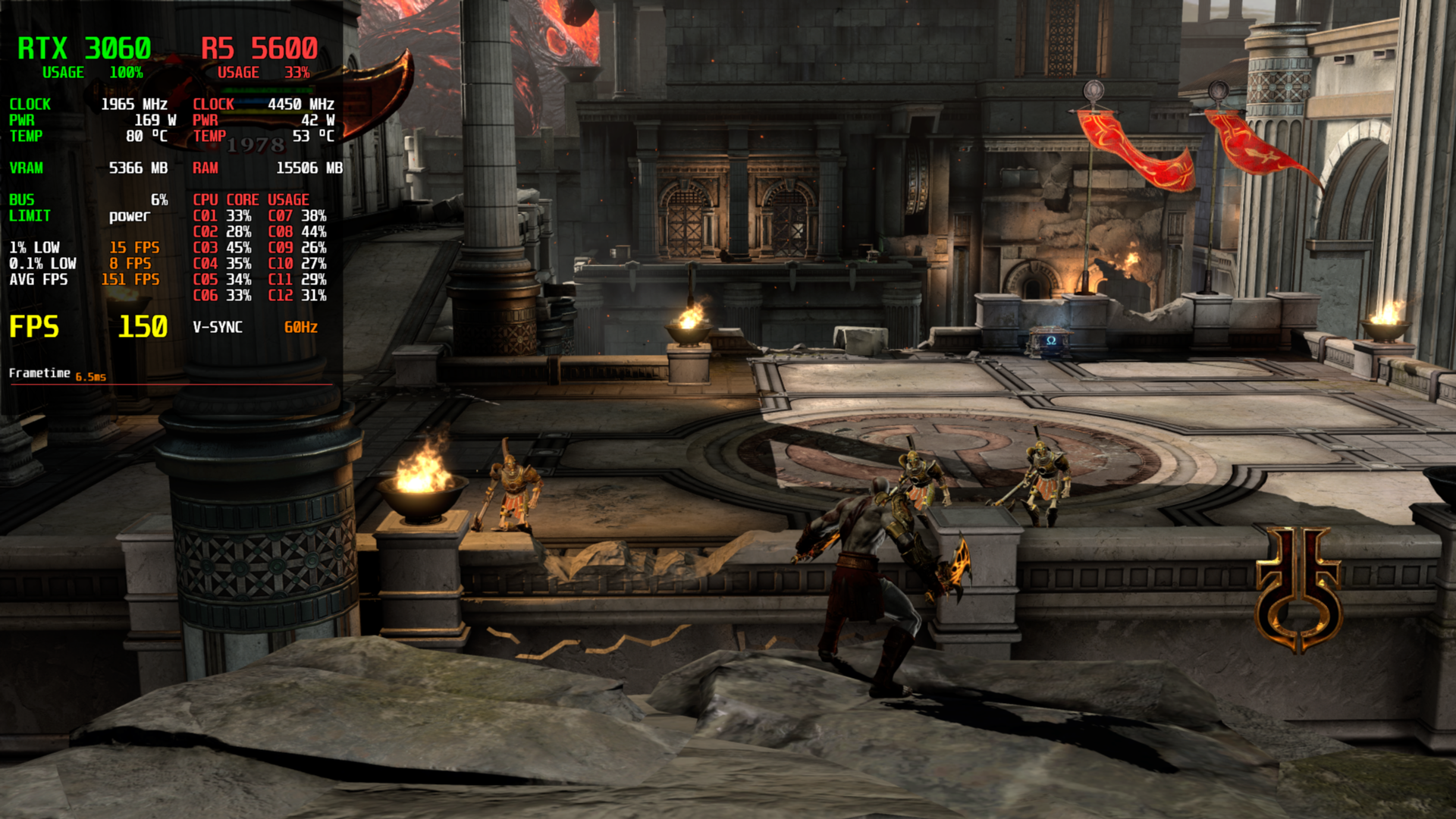 | 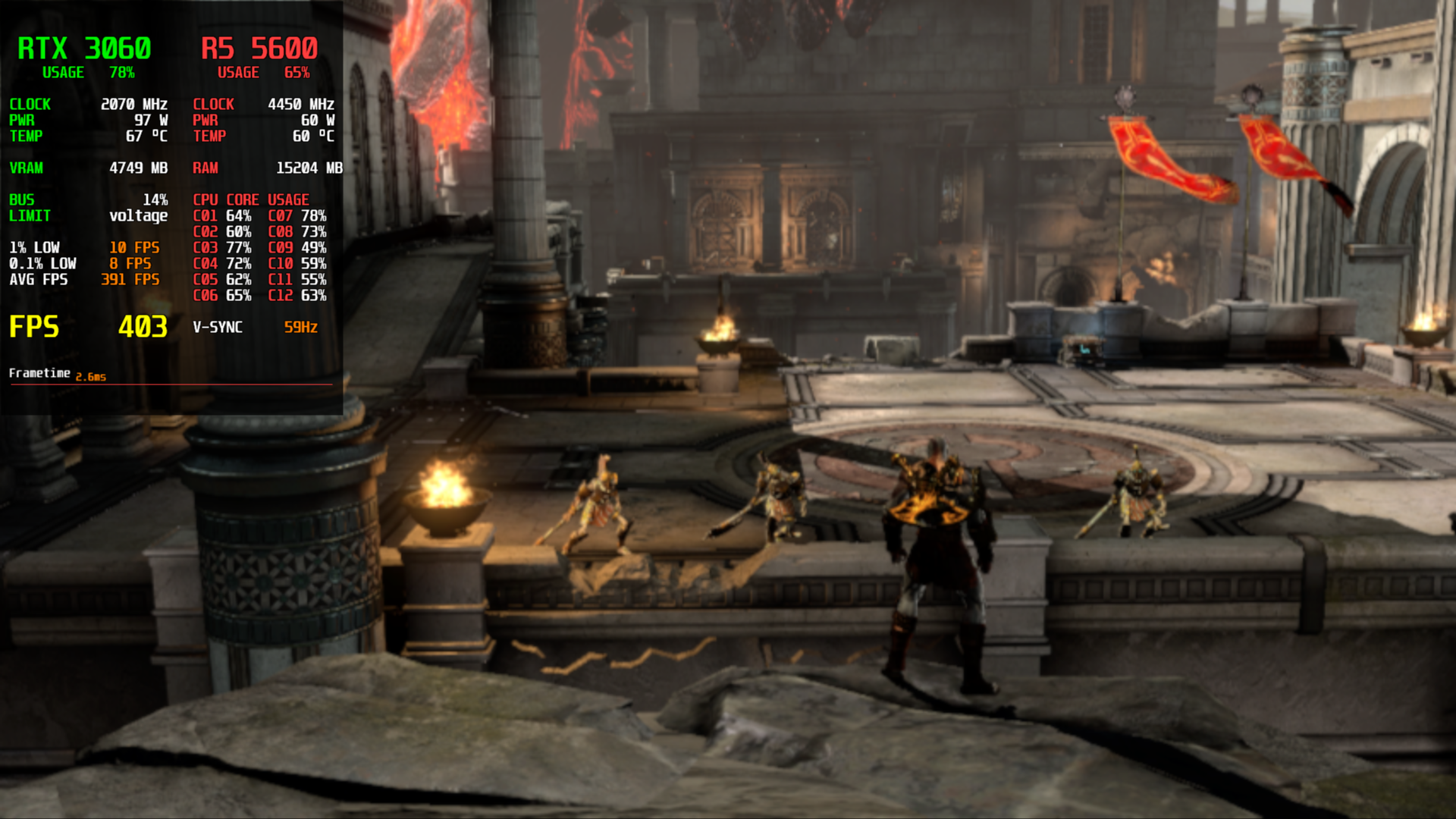 |
| 4K: 150 FPS, 6.5 ms | 480p: 403 FPS, 2.6 ms |
Features
Resolution and frame rate
The game can render at 480p, 720p, 1080p (the PS4 original), 1440p, 1800p or 4K. The higher, the heavier. The frame rate can be 30, 40, 60, 120, 240 or 480 FPS, with deltatime.
Image quality
The game's default is 2x MSAA, trilinear texture filtering. You can go up to 4x MSAA or turn it off for better performance. CMAA2 can be used to soften the image. For textures, you can use 4x to 16x anisotropic filtering in place of the original trilinear.
When the game's resolution and your monitor's differ, the image needs to be resized. You can use bilinear scaling (faster) or FSR 1/Lanczos 2 (better).
Shaders prepared in advance
A shader is a small program the graphics card runs to draw a surface or an effect. The game's shaders were written for the PS4's GPU, so each one has to be translated before your graphics card can run it. Emulators usually translate a shader the first time the game needs it, in the middle of gameplay, and that pause is the familiar shader stutter.
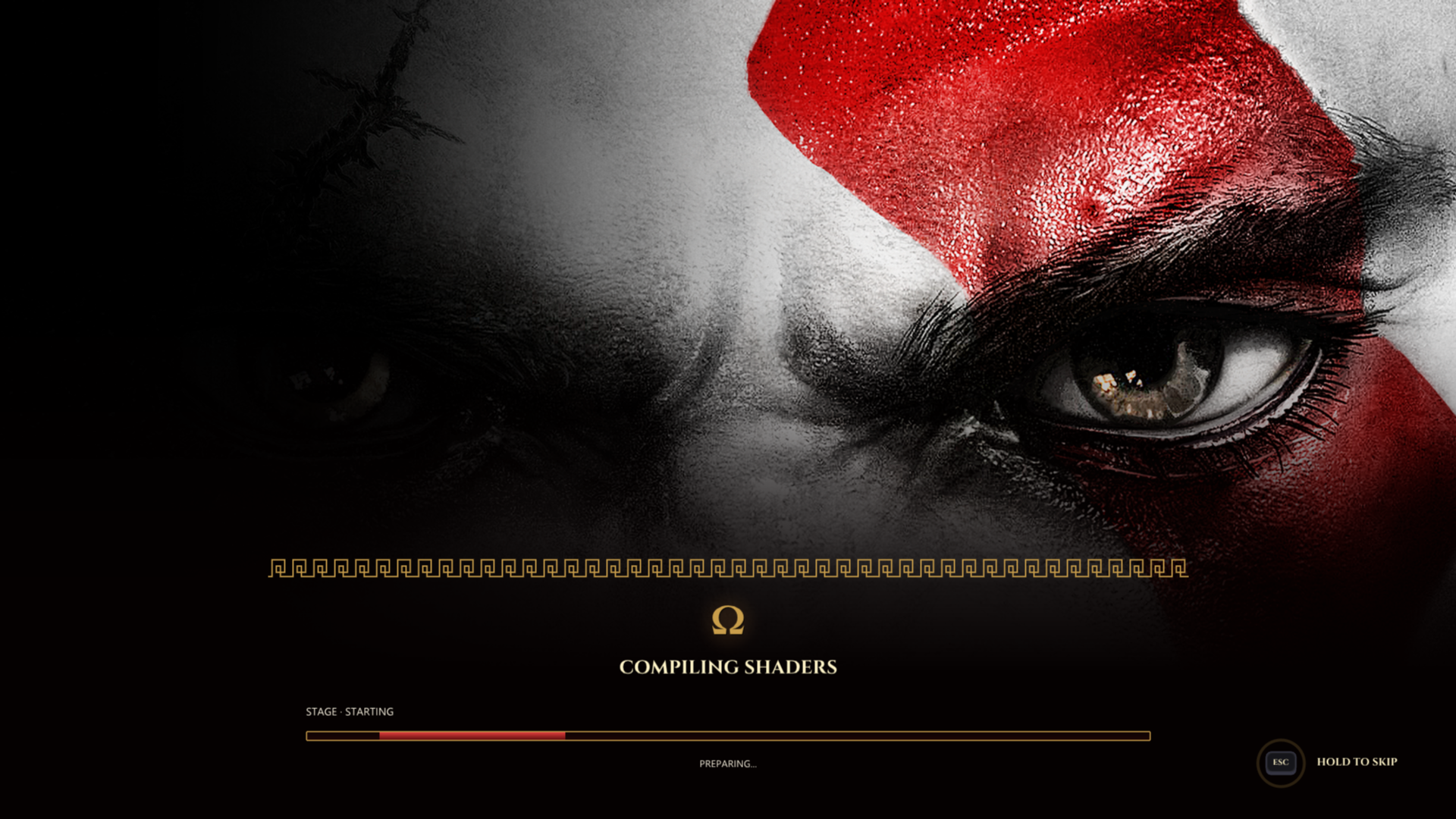
GOW3rehooked translates the game's shaders before gameplay instead, behind a progress screen at startup. This mode is called AOT (ahead of time) and is the default. The work is spread over up to four launches, so the first one isn't a long wait, and the results are saved for the next launches. The ZIP brings recipes for every shader variant met in a complete playthrough, and the first launch prepares all of them before the rest.
JIT (just in time) translates a shader when the game first needs it. With AOT it stays active as a safety net for any shader the preparation didn't catch, so nothing goes missing. It can also be used alone, with no preparation screen. Holding Esc, Circle (PlayStation controllers) or B (other gamepads) on the preparation screen skips it, and the game then restarts once with JIT alone.
Both modes are described under Settings.
Controls
You can play with a gamepad or with keyboard and mouse, and remap both from a screen inside the game. The added screens show PlayStation symbols for a DualShock 3, DualShock 4 or DualSense, and Xbox-style buttons for other gamepads.
Menus and saves
Continue appears above New Game once you have a save and directly loads the latest. The game originally has 32 manual save slots. GOW3rehooked raises that to 64. The save and load screens let you duplicate or delete saves. Open Save Folder opens the selected save in your file manager.
Rehooked holds every setting in the game's own menu style, feel free to tinker. Help and Controls has an explanation of each setting and allows you to remap the controls.
The opening logos can be skipped, and so can any video or cutscene, by pressing Cross.
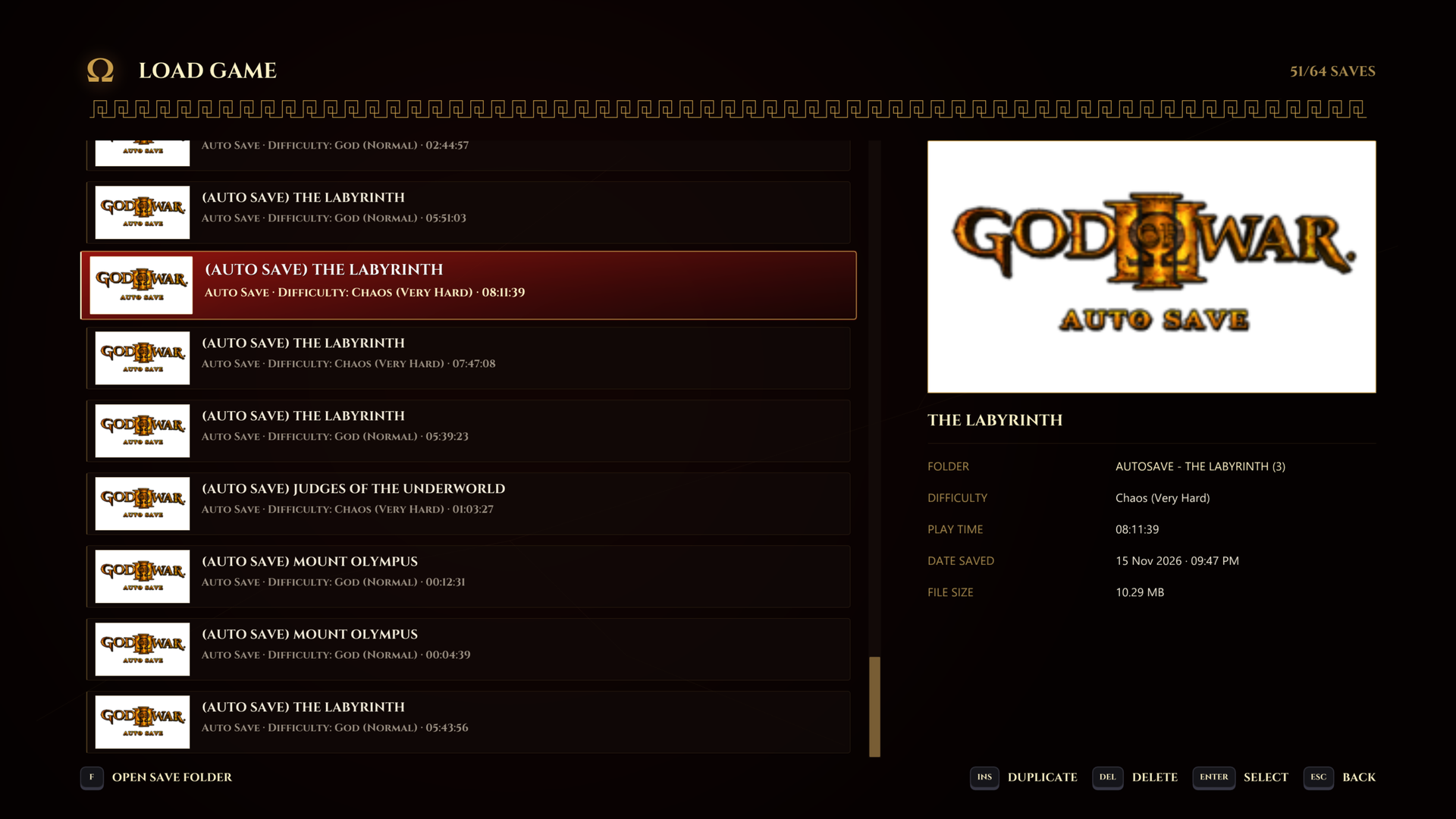 | 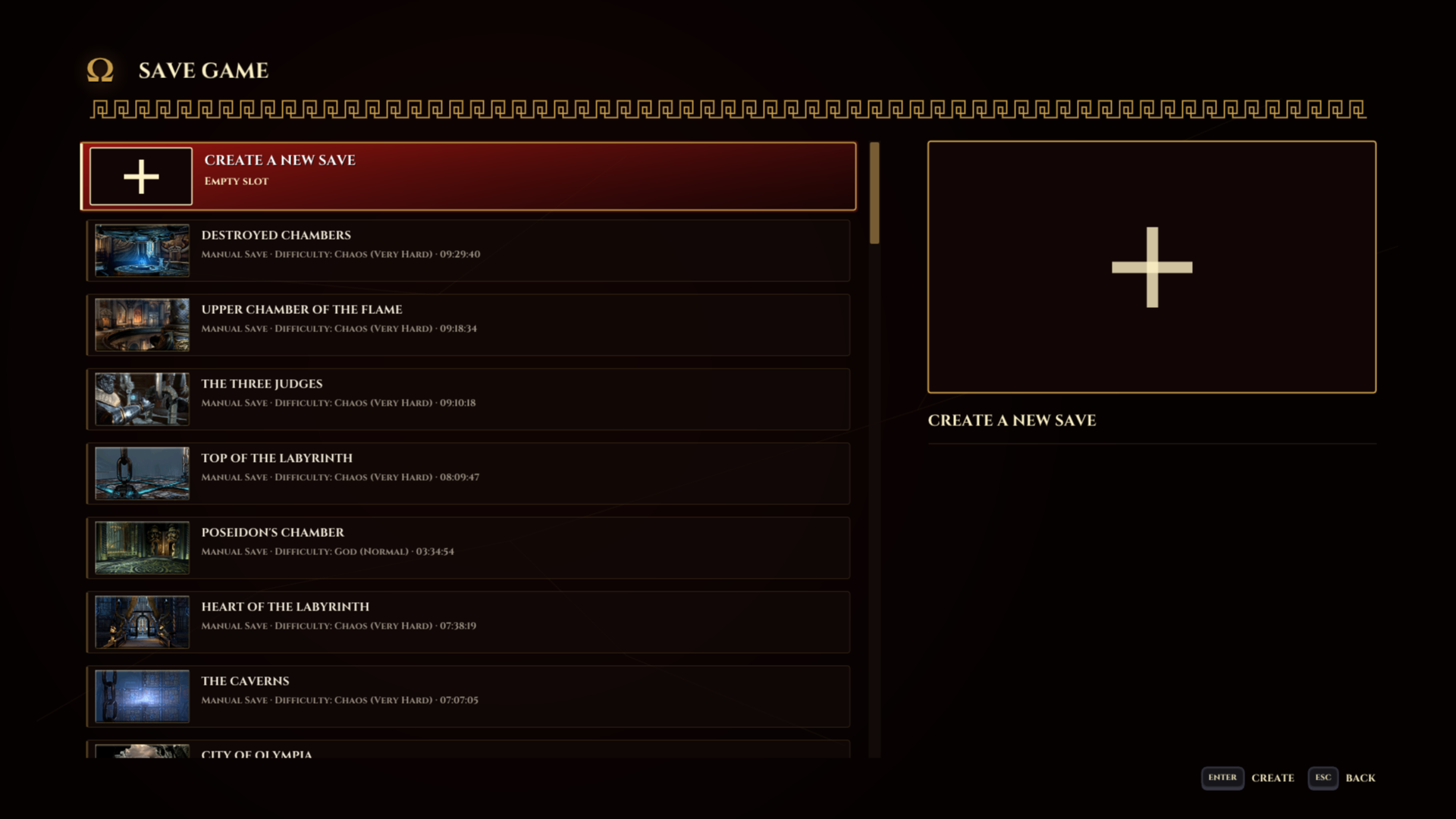 |
| Load Game | Save Game |
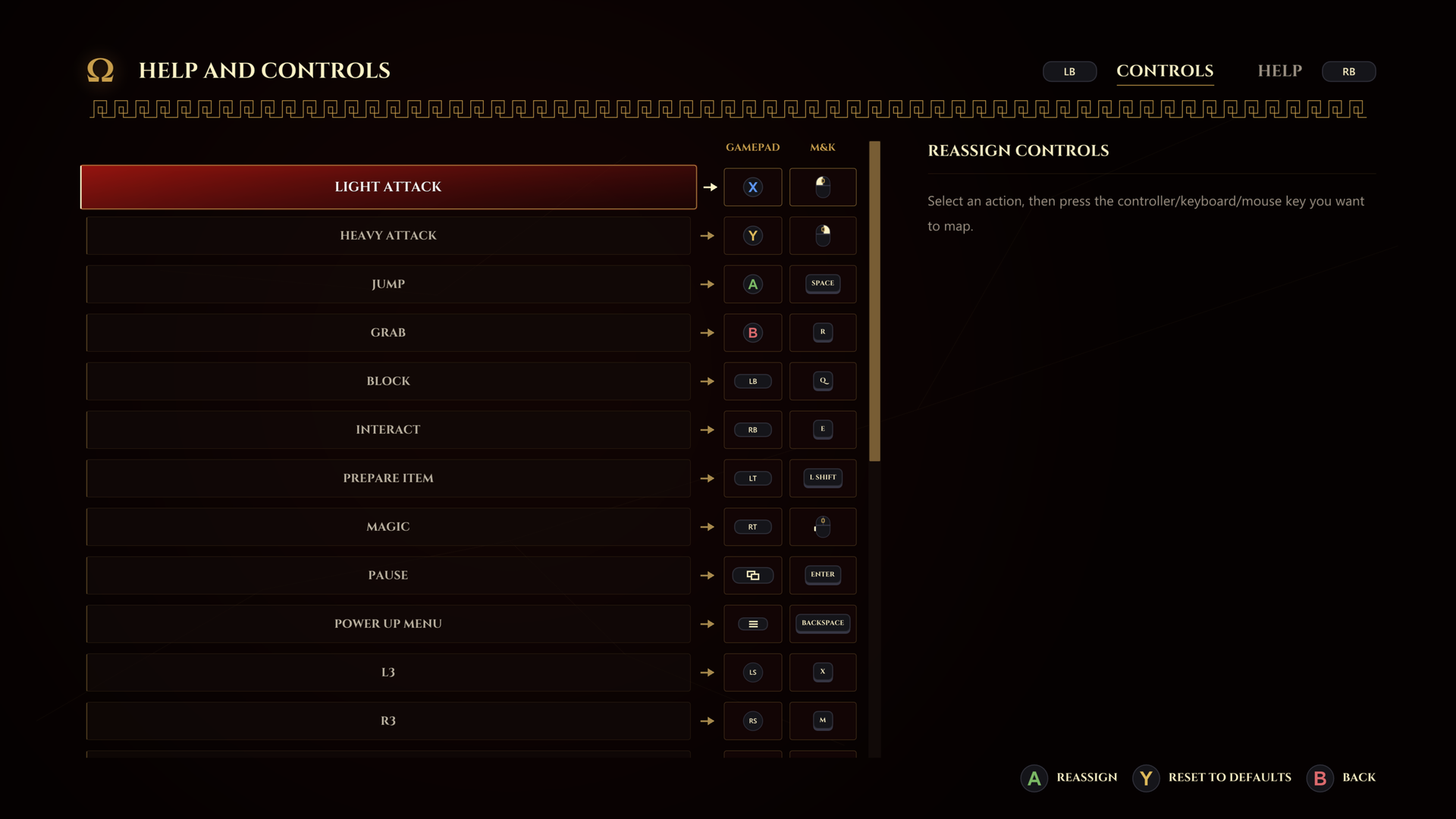 | 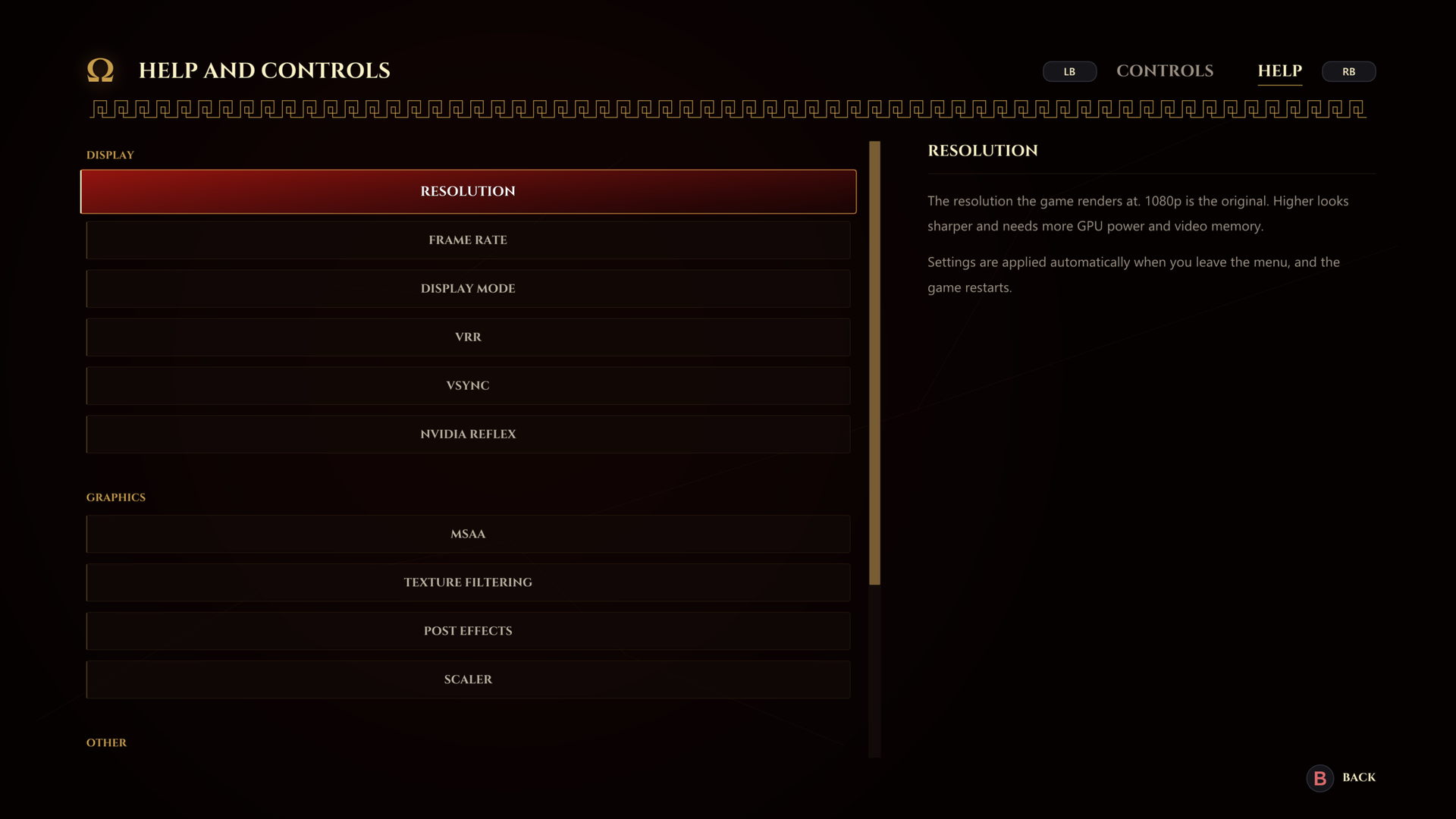 |
| Controls | Help |
Settings
Defaults are in bold.
Display
| Option | Choices | What it does |
|---|---|---|
| Resolution | 480p, 720p, 1080p, 1440p, 1800p, 4K | The resolution the game renders at. 1080p is the original. Higher looks sharper and needs more GPU power and video memory. |
| Frame Rate | 30, 40, 60, 120, 240, 480 FPS | The game keeps its normal speed at every rate. Higher rates need more CPU and GPU power. 40 FPS suits a 120 Hz or 240 Hz display, or VRR. |
| Display Mode | Windowed, Borderless, Exclusive | Windowed: a resizable window. Borderless: full screen at the desktop's resolution and refresh rate. Exclusive: full screen, switching the display to the game's resolution and frame rate, or the closest it supports. |
| VRR | Off, On | For G-SYNC and FreeSync displays. The display runs at its highest refresh rate and follows the game, so drops below the selected FPS stay smooth. Full screen only. |
| VSync | FIFO, Mailbox, Off | FIFO: no tearing, more input lag. Mailbox: no tearing, less lag, more GPU work. Off: least lag, may tear. |
| NVIDIA Reflex | Off, On | Lowers input lag when the GPU is the limit, at a small cost in FPS and frame pacing. Requires a compatible NVIDIA GPU and driver. |
Graphics
| Option | Choices | What it does |
|---|---|---|
| MSAA | Off, 2x, 4x | Smooths jagged edges. 2x is the original. 4x is smoother and needs more GPU power and video memory. |
| Texture Filtering | Trilinear, 4x, 8x, 16x | Trilinear is the original. 4x to 16x anisotropic keeps textures sharp at steep angles, at a small GPU cost. |
| Post Effects | Off, CMAA2 | CMAA2 smooths jagged edges after the image is drawn, at a small GPU cost. |
| Scaler | Bilinear, FSR 1 / Lanczos 2 | How the image is resized to your display. Bilinear is the fastest. FSR 1 (enlarging) and Lanczos 2 (shrinking) keep more detail. |
Other
| Option | Choices | What it does |
|---|---|---|
| Skip Opening Logos | Off, On | Starts the game at the title menu. |
| Skip Videos with X | Off, On | Press Cross to skip any video or cutscene. |
| Shader Mechanism | JIT, AOT | AOT prepares the shaders before you play, so stutter is rare. JIT translates each shader when it first appears, which can stutter. |
| Shader Recompilation | Sync, Async | How shaders are translated during gameplay. Async: no stutter, but an object can appear a moment late. Sync: nothing appears late, but a hitch is possible. |
| Lazy AOT | Off, On | On: the first shader preparation is split over up to four launches. Off: it is done in one. |
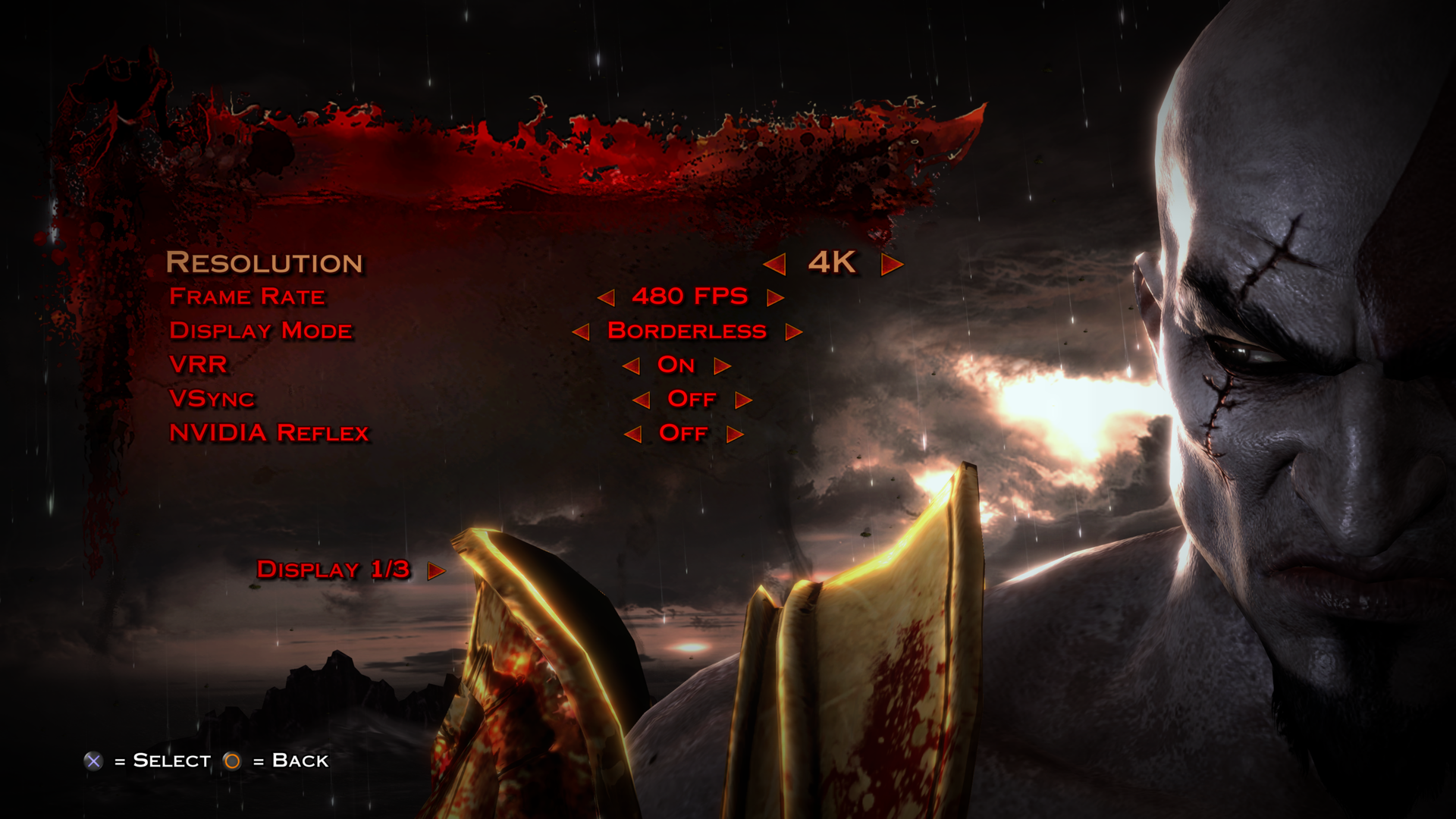 | 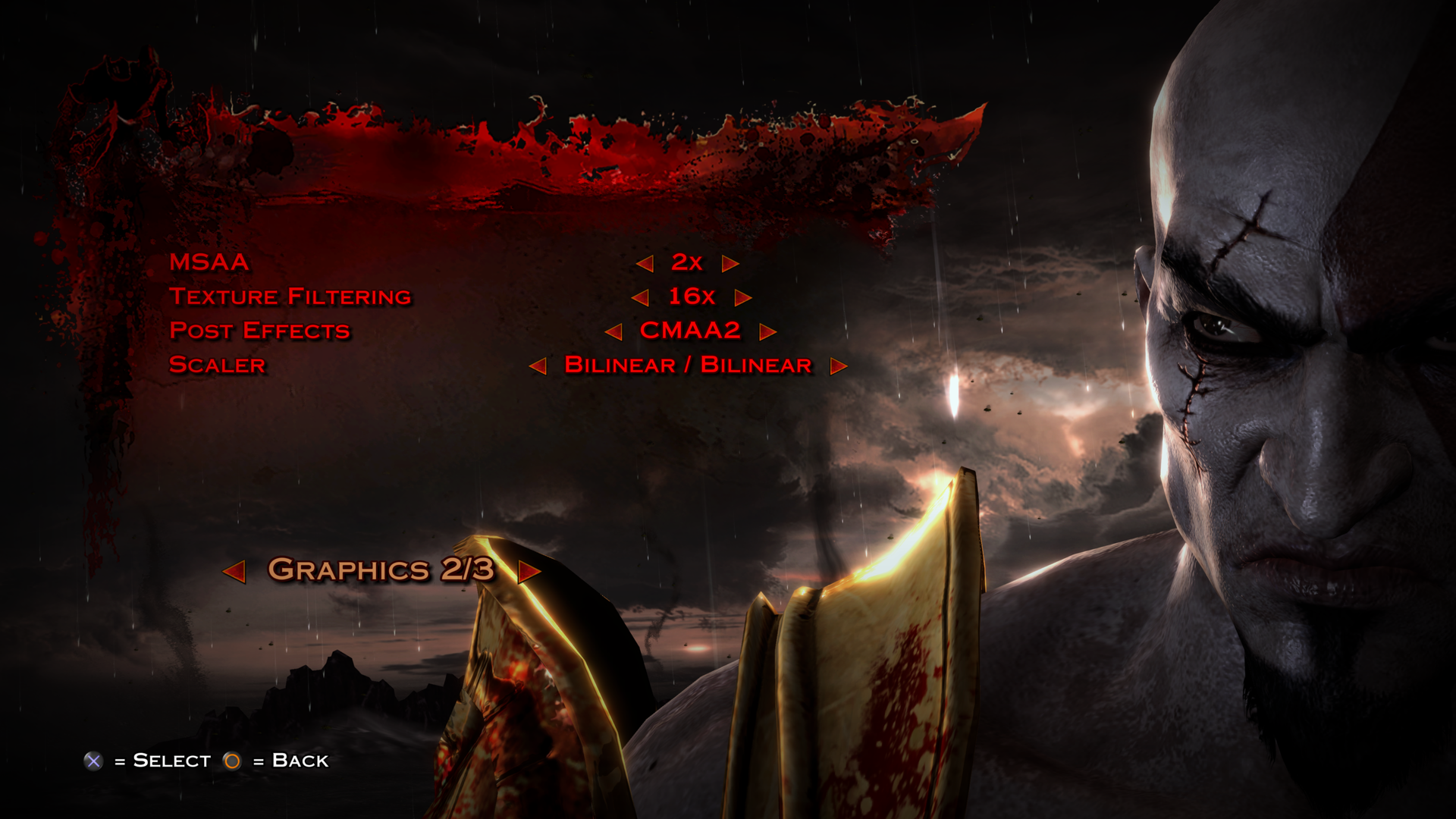 | 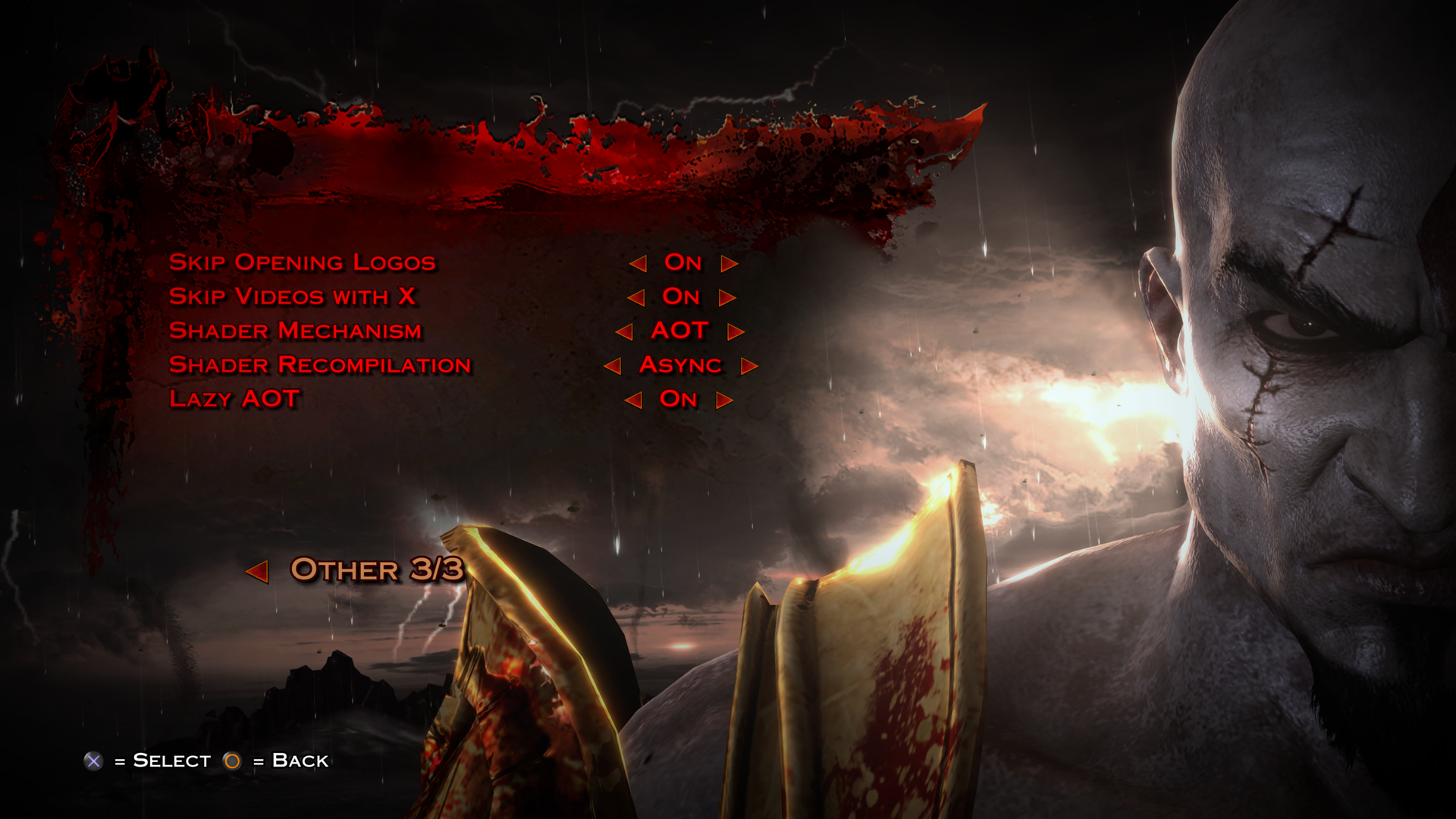 |
| Display | Graphics | Other |
Troubleshooting
- “EBOOT.BIN NOT FOUND” at startup means the launcher did not find the game folder. Put
gow3.exeorgow3.AppImagenext toeboot.bin. - “YOUR GAME IS COMPRESSED” means the folder holds a packaged game. Extract it first.
- “YOUR GAME IS NOT VERSION 1.02” means the game needs its 1.02 update, or is not the European (CUSA01715) or American (CUSA01623) release.
- If the game crashed before reaching the title menu, the next launch offers to reset your settings. Answer Yes if the crashes began after you changed one.
- To reset the settings by hand, delete
_rehooked_/settings/config.cfg.
Reporting bugs
Report problems on the Issues page, after checking that yours isn't already there. A report that comes with diagnostic files is much easier to act on.
- Start the game with
gow3_debug.exeon Windows orgow3_debug.AppImageon Linux. The game runs slower with diagnostics turned on. - Reproduce the problem. If it is visual, press F9 while it is on screen. The game pauses for a moment while it records that frame.
- Quit from the title menu, or close the window.
- Open
_rehooked_and findgow3.logand the newestgow3-<date>-<time>.dmp(a crash may leave onlygow3.log). - Open an issue with those files attached, and describe:
- what happened and what you expected;
- where in the game it happens (a save from
_rehooked_/savesmade just before the problem helps); - your settings;
- your CPU, GPU, driver version and operating system version.
If you are asked for a more detailed capture, set GOW3_DEBUG=2 before running the debug launcher. It is slower than the default debug mode.
$env:GOW3_DEBUG = "2"; & "C:\your\game\path\gow3_debug.exe"
GOW3_DEBUG=2 ./gow3_debug.AppImage
Credits
- The shadPS4 team, for the PS4 kernel, system library and loader work the system layer is built on.
- kvicken, for the original resolution patches, extended here.
- Third-party components: SDL3, Dear ImGui, FFmpeg, AMD FidelityFX Super Resolution 1, Intel CMAA2, shaderc with glslang and SPIRV-Tools, Zydis, Xbyak, xxHash, Zstandard, fmt, magic_enum, stb, LibAtrac9 and the Cinzel typeface.
License
GOW3rehooked is licensed under the GNU General Public License v2.0 or later. Third-party components keep their own licenses, and their texts are in licenses/. The release ZIP carries the same folder, with each component's copyright notice in THIRD-PARTY-NOTICES.txt.
God of War is a trademark of Sony Interactive Entertainment. This project is not affiliated with or endorsed by Sony Interactive Entertainment or Santa Monica Studio.
The software is provided as is, without warranty of any kind. There is no roadmap, and no commitment to fix bugs, add features or release updates.