Sons Of Sparta PS5 Native
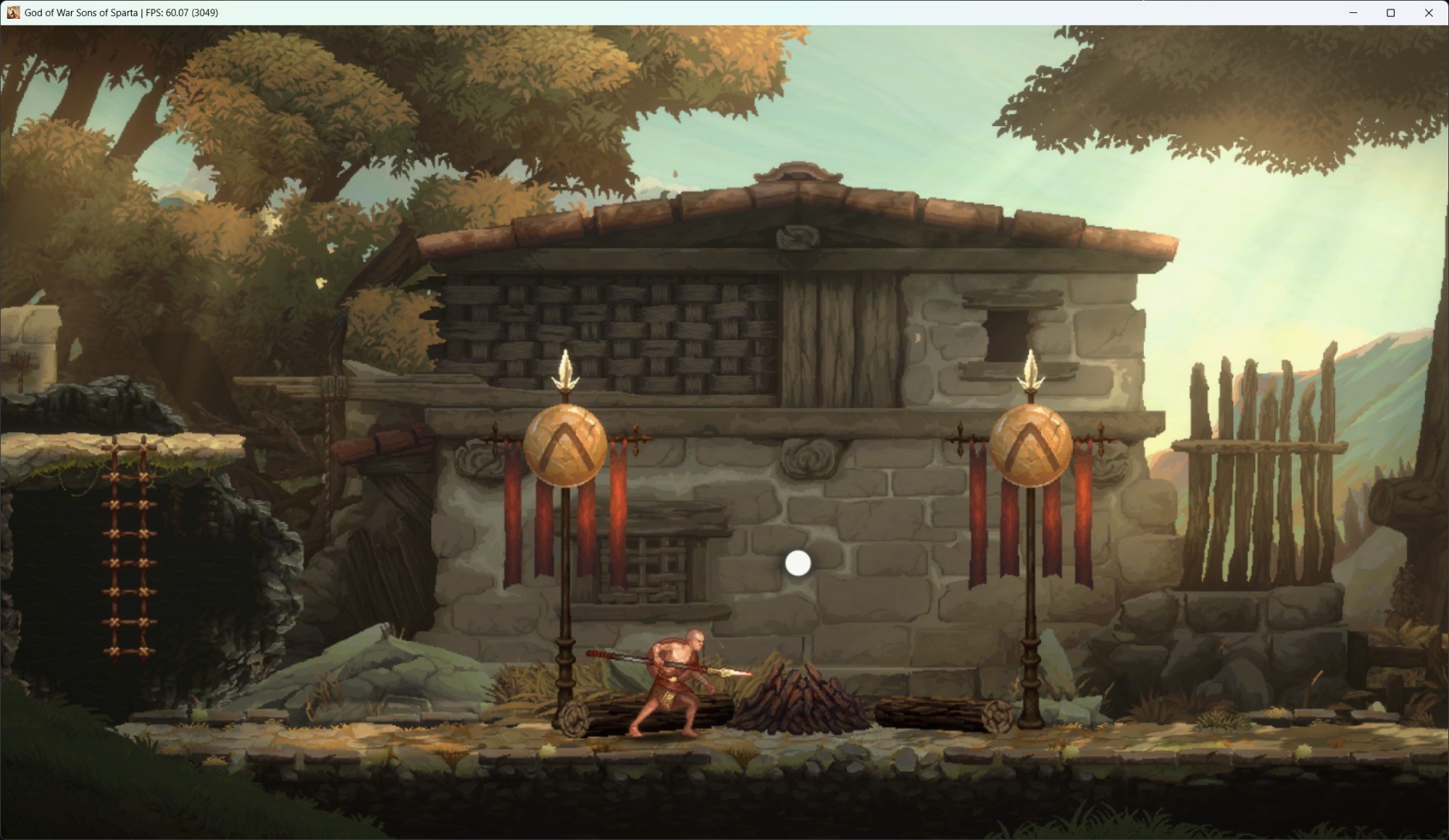
Sons Of Sparta PS5 Native is a native PC port of God of War Sons of Sparta for Windows that runs at 60 FPS with unlocked frame rates and gamepad support.
- Type: PC port
- Game: God of War: Sons of Sparta
- Runs on Windows
- By OverkillLabs3
- Latest release sos-v0.4.1, 2026-10-09
- Source: https://github.com/OverkillLabs3/SoS-PS5
README
SonsOfSparta-PS5 Native
God of War: Sons of Sparta for PS5, running on Windows through AnyPS5.
Made possible by the AnyPS5 project. The source code is in this repository and the build is on the Releases page.
How to play
- Download
SonsOfSparta-PS5-Native-0.4.1-win64.zipand extract it anywhere. - Copy your own decrypted game files into the same folder as
SonsOfSparta-PS5.exe:eboot.bin(or a decryptedeboot.elf),sce_sys,sce_moduleandMedia. - Double-click
SonsOfSparta-PS5.exe, check the settings and press Play.
Nothing to install. The very first start prepares the game from your files: a small window explains it and it takes about two minutes. Later starts are fast. Your own files are never modified.
Show launcher at startup (in the launcher's Launcher group) controls the settings window. Turn it off to start the game directly with your saved settings. The first-start and controller icon preparation windows still appear when they are needed, and errors are still shown. To show the settings window again, edit launcher.ini and set show=1 in the [launcher] section.
Closing the game window ends it within a few seconds. Logs are in the logs folder.
Highlights
- The game's own x86-64 code runs directly on your CPU, with no CPU emulation. The PS5 system libraries and GPU commands are reimplemented through a compatibility layer, similar to Wine and DXVK
- Playable from the logo through gameplay, with music and sound effects
- About 60 FPS in menus and gameplay on our test PC (RTX 5070 Ti), with optional 120 FPS and unlocked frame rate in the launcher
- Keyboard and any XInput/DualSense/DualShock gamepad; saves are kept next to the game
Controls
Any XInput/DualSense/DualShock gamepad works. Keyboard, mouse and gamepad can be used at the same time.
| PS5 button | Keyboard | Mouse |
|---|---|---|
| Cross | Enter / Space | |
| Circle | C | |
| Square | Left click | |
| Triangle | I | |
| L1 | Q | |
| R1 | E / Alt | |
| L2 | (no key) | |
| R2 | Right click | |
| L3 / R3 | Shift / Ctrl | |
| D-pad | Arrow keys | Mouse wheel (up = Up, down = Down) |
| Left stick | W A S D | |
| Right stick | T F G H | |
| Options | Esc | |
| Touchpad | Backspace / Tab |
F11 toggles fullscreen. The middle mouse button turns mouse-aim mode on or off (the mouse is captured and drives the right stick).
F10 opens and closes the In-Game Cheat Menu on the right side of the screen, which is mouse and keyboard usable. Every cheat and item action is controlled from this menu, and every cheat starts off each time the game starts. Closing the menu with its X button or F10 does not turn any active cheat off. While the menu is open the game receives no controller, keyboard or mouse input. F11 always toggles Borderless Fullscreen, and F12 is unused.
Controller Button Icons in the launcher chooses the button icons shown in game. Automatic (the default) shows Xbox icons when an Xbox controller is connected and PlayStation icons otherwise; PlayStation and Xbox always show that set. Only the icons change, not the controls.
Show in-game FPS is a launcher Quality of Life option. It is off by default and draws the frame rate in the top-left corner of the game. F9 shows or hides it while playing; the next start uses the launcher setting again. It does not block any input. The frame rate in the window title bar is separate and always shown.
Display settings
The window that opens when you start SonsOfSparta-PS5.exe has two display settings. Press Play to save them; they are kept for later starts.
Display mode: Windowed or Borderless Fullscreen. With Borderless Fullscreen, the game window opens directly in fullscreen. F11 still switches between the two while playing. The choice is stored in launcher.ini.
Resolution: the game draws its scene at 4K by default and scales it to your window, which is heavy on weaker graphics cards. To lower it, choose 2560 x 1440 or 1920 x 1080. The choice is saved in the game's own settings. The window size is not affected.
If you created resolution.txt with an earlier version, its value is preselected in that window. Once you press Play and the choice is saved, the file is renamed to resolution.txt.old.
Known issues
- First play builds shaders: the first time you play, shaders are built while you play, so you may see visual glitches (missing or wrong-looking effects, brief stutters) until they are cached. This gets better on later runs.
- Rare crashes or freezes can still happen, mostly during the intro or loading. Just start the game again.
- The whole game has not been completed, so not all of it is tested. Later areas may have missing graphics, audio problems or crashes.
- Tested on an NVIDIA graphics card only. AMD and Intel are untested.
Notes
- You must supply your own, legally obtained, decrypted copy of the game. No game files are included.
- Tested with: God of War: Sons of Sparta, title ID
PPSA28997, version01.008.001. Other versions, regions, patches or repacked dumps have not been tested and may not work. - SmartScreen may warn (More info → Run anyway). Verify with the checksum.
- Requires Windows 10/11 64-bit and a graphics card with a Vulkan 1.3 driver. About 25 GB of free space is needed for the game files you copy in.
Building from source
You need Windows 10/11, MinGW-w64 GCC 15.2 (winlibs, x86_64-ucrt-posix-seh), CMake 3.20 or newer, Ninja and Git. g++, cmake and ninja must be on your PATH.
git clone --recursive https://github.com/OverkillLabs3/SoS-PS5.git
cd SoS-PS5
cmake -S . -B build -G Ninja -DCMAKE_BUILD_TYPE=Release
cmake --build build --target libs relinker SonsOfSparta-PS5
powershell -ExecutionPolicy Bypass -File tools\package.ps1 -Version 0.4.1
The first configure downloads prebuilt FFmpeg libraries from GitHub, so it needs internet access. The first build takes a while.
The result is release\SonsOfSparta-PS5-Native-0.4.1-win64, the same layout as the download. Copy your own game files next to SonsOfSparta-PS5.exe as described above.
License
GNU General Public License version 2. Parts of the code derive from other GPL projects and keep their original notices in the source files.
God of War is a trademark and copyright of its respective owners; this project is not affiliated with or endorsed by them.