Gran Turismo 6 PC
Gran Turismo 6 PC is a native PC port of Gran Turismo 6 that includes modern graphics options, gamepad and racing wheel support, and modding capabilities.
- Type: PC port
- Game: Gran Turismo 6
- Runs on Windows and Linux
- By Mabec-games
- Latest release v1.1.3, 2026-11-09
- Source: https://github.com/Mabec-games/Gran-Turismo-6-PC
README
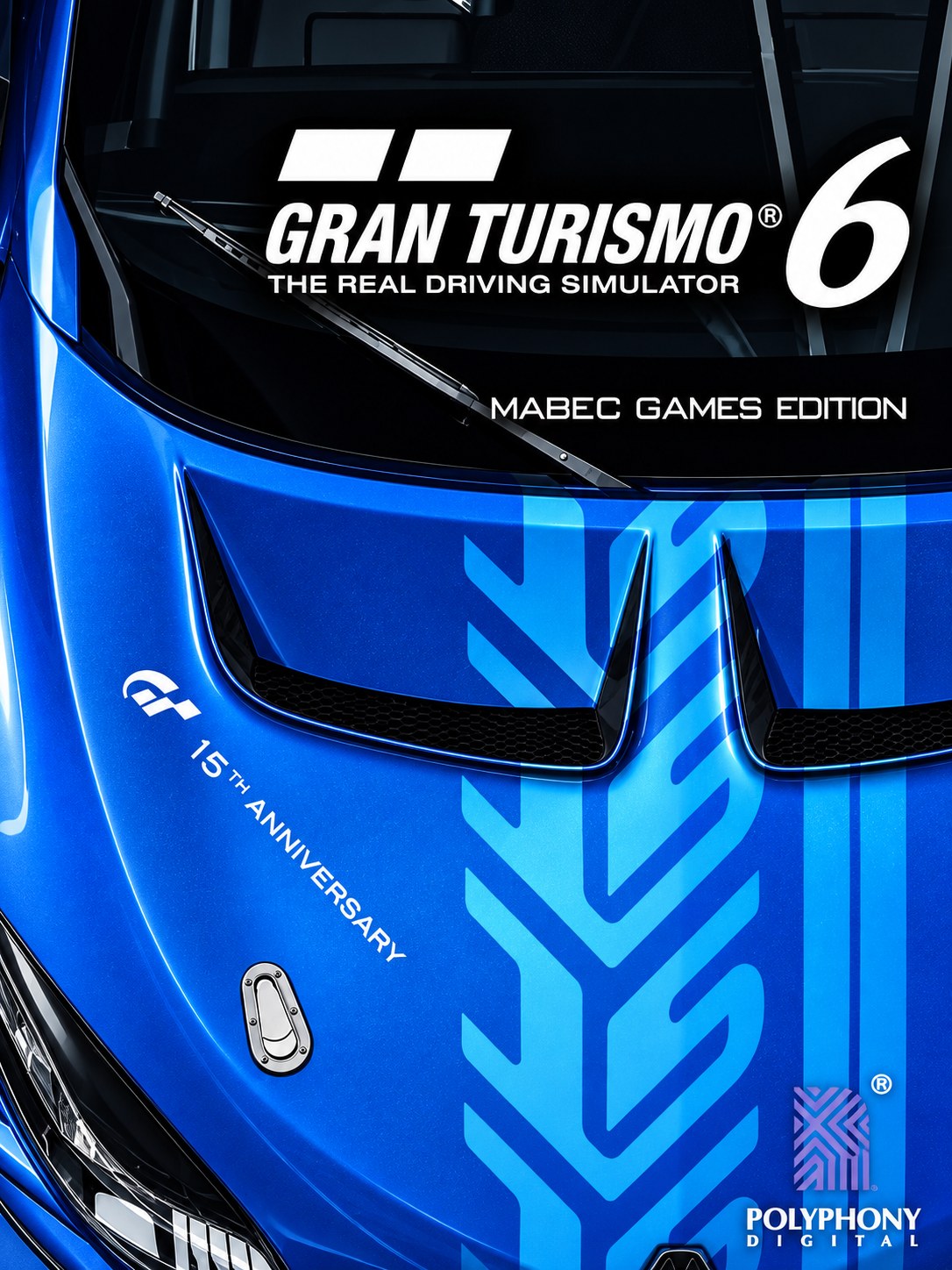
Gran Turismo 6 PC
Version 1.1.3 · Linux & Windows
Gran Turismo 6, one of the hardest PlayStation 3 games to emulate, set up for PC in one download:
a GT6-tuned emulator, the official updates, modern graphics options, gamepads and racing wheels,
mods, LAN racing and more, behind a single PLAY button.
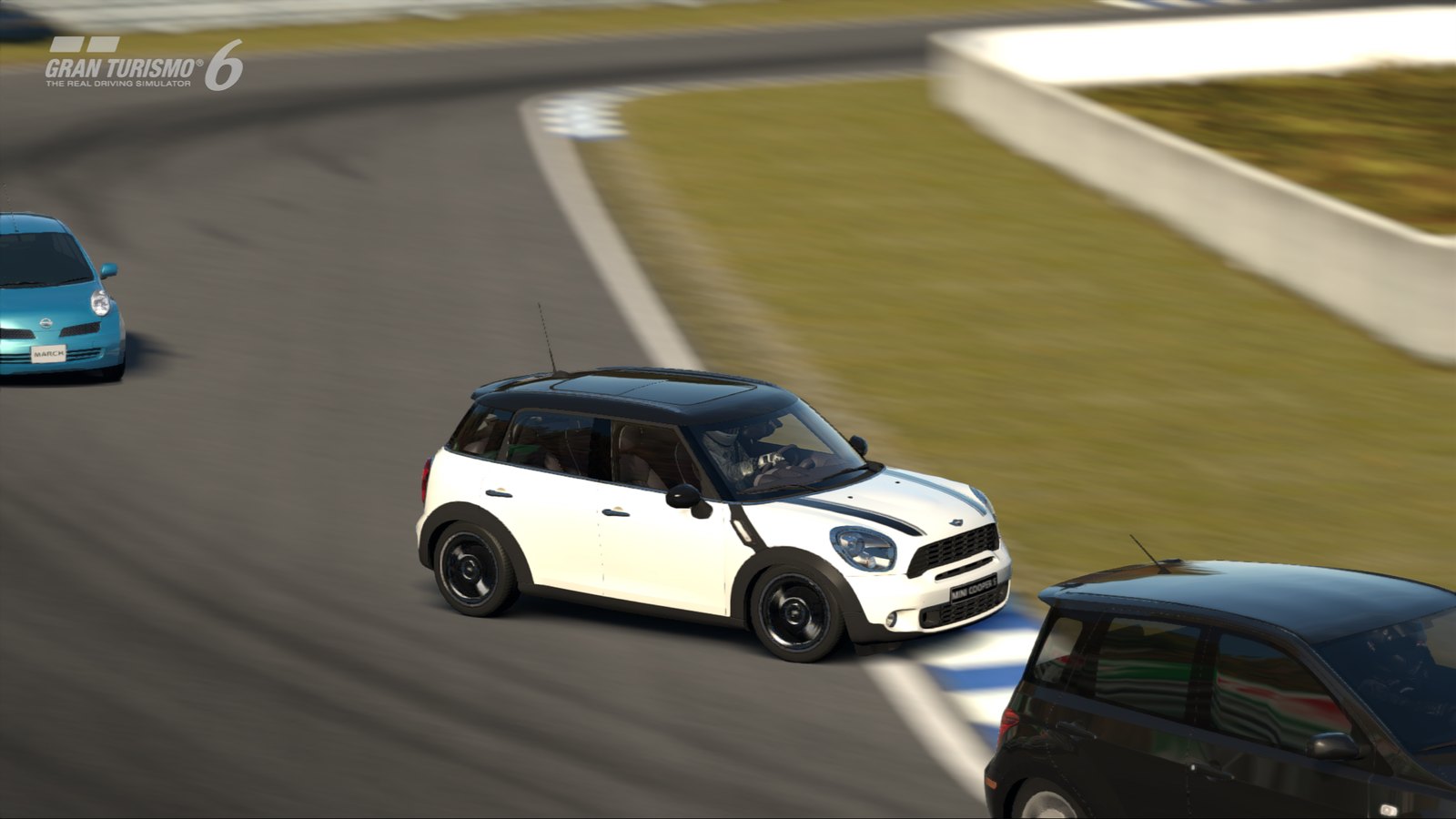
You need your own copy of Gran Turismo 6. No game files, firmware or keys are included or downloaded from unofficial sources. You add a disc image (
.iso) you made from your own disc.
Why this exists: GT6 is a notoriously difficult PS3 game to run
Gran Turismo 6 (2013) came out at the end of the PS3 generation and pushes the console's Cell processor harder than almost any other game. For years it was a showcase of what was not working in PS3 emulation:
- Rendering is split between the Cell's SPUs and the RSX GPU. GT6 builds parts of each frame on the SPU co-processors (post-processing such as its MLAA anti-aliasing, lighting passes) while the GPU reads and writes the same memory. An emulator has to keep the GPU's copy and main memory in sync exactly, or the image breaks.
- Updates after 1.05 changed the renderer. From 1.06 on, the 3D world renders completely black unless the emulator writes and reads back GPU color buffers, which is expensive and breaks resolution scaling. Yet 1.22 is needed for mods, LAN and most fixes.
- Race-time freezes. Since RPCS3 v0.0.42-20037, an RSX command-queue change makes GT6 freeze for about a second at a time during races ("RSX queue appears to be stuck").
- Fragile details. Multithreaded RSX causes "vertex explosions" on cars. Occlusion queries slow car reward screens to near 0 FPS and soft-lock the garage. The bloom/glare buffers turn into green blotches at other resolutions. Horizontal bands of stale image show up while racing.
- A heavy first start. 1.22 runs a one-time ~20 minute data install inside the game, on top of compiling the game's code.
Gran Turismo 6 PC packages the community's fixes for all of this, adds its own, and hides the complexity.
Emulation + recompilation: how it runs
GT6 PC is not a source port and not a hand-made decompilation. It combines three layers:
- Ahead-of-time recompilation. RPCS3 translates the game's PowerPC (PPU) and SPU machine code into native x86-64 code with LLVM and caches it on disk. That is the ~8 minute compile on the first start. Afterwards the game's logic runs as native code on your CPU.
- Emulation of the rest of the PS3: the RSX GPU (on Vulkan), memory, the operating system services (save data, audio, input, network), at the original 60 Hz timing.
- Game-specific binary patches applied to the recompiled code at load time: graphics upgrades, bug fixes, the LAN mode fixes, the developer menu. They work at the instruction level, like a recompilation project's per-game fixes.
On top of that comes a patched emulator build (below) that changes RPCS3 itself where GT6 needs it.
Unique PC features
| One download, nothing to configure | The GT6-patched emulator is built in. The launcher installs the PS3 firmware, finds your disc image and installs the official update chain (1.02 → 1.22, ~10.5 GB) in the right order, with resumable, checksum-verified downloads. |
| GT6-patched emulator | Fixes the ~1 s race freezes, stale-band rendering, the intro-skip crash and save-state issues, and stops memory-lock retry spam (see emulator/). Built for Linux and Windows from the same upstream commit + patches. |
| Version-aware tuning | 1.06+ gets color buffers; 1.05 gets the faster CPU-blit path, as the RPCS3 wiki recommends, never both. Occlusion and threading settings are set to what GT6 needs. |
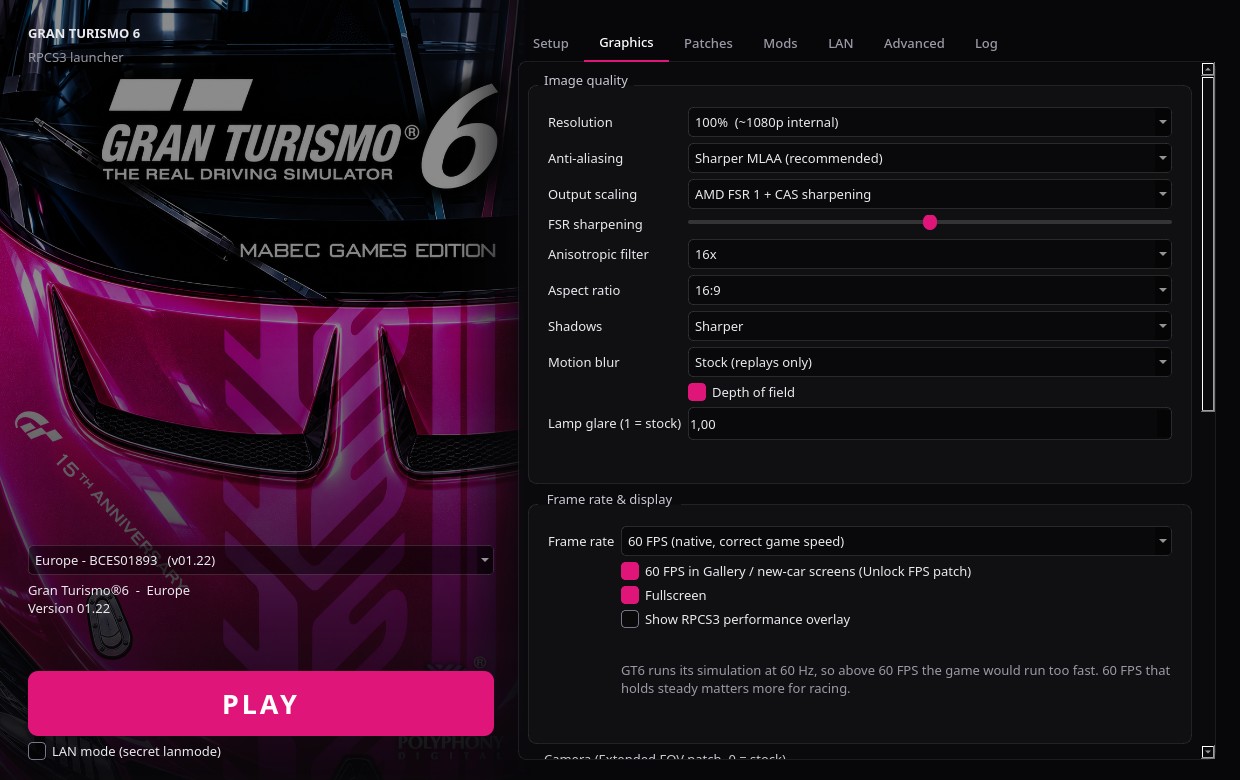
| Modern graphics | 100–300 % internal resolution (sharp at 1440p/4K), ultrawide 21:9 / 32:9 and 16:10, Sharper MLAA or no post-AA, AMD FSR 1 + CAS, 16× anisotropic filtering, sharper shadows, extended FOV, optional in-game motion blur, depth of field toggle, lamp-glare control. |
| Resolution-scale fixes always on | Bloom, auto exposure and smoke render correctly at every resolution, including when it changes while you play. |
| 60 FPS everywhere | Menus and screens that ran at 30 FPS on PS3 (gallery, new-car screen) run at 60. |
| Handheld mode | 1280×800 screens (Steam Deck and similar) get a 720p/16:10/FSR preset automatically. |
| Gamepads | Any SDL controller (Xbox, PlayStation, 8BitDo, Switch Pro ...) is set up automatically. |
| Racing wheels | Any wheel (Logitech, Thrustmaster, Fanatec, Moza ...) through a turn-and-press wizard. The game sees a Logitech G27, which GT6 supports natively, with force feedback. |
| Mods | One-click GT6 Career Mod + Spec II, with a full backup: uninstalling restores the game byte for byte. |
| LAN racing | GT6's hidden lanmode, with the fixes needed to race over LAN without PSN, for the EU and US discs. The EU port was verified by comparing the decrypted game code. |
| Online | The community GT6 server (EU disc) through RPCN, with login handled in the launcher. |
| Cheats | GT6's own developer menu: set your credits with the Cashier, add cars. Single player only. |
| Right defaults per region | The emulated console's region and language follow your disc. |
| Polished | One dark theme for the launcher, emulator dialogs and the in-game home menu. Hidden mouse cursor. Shader/compile notices instead of "is it frozen?". |
Download
Get v1.1.3 from Releases:
- Linux (Ubuntu, Debian, Linux Mint, Pop!_OS, SteamOS & SDL2 distros):
GT6-Launcher-Ubuntu-SDL2-x86_64.AppImage. Built on Ubuntu 22.04 LTS (GLIBC 2.35+) with both SDL3 and SDL2 (libSDL2-2.0.so.0) gamepad/wheel support. - Linux (Arch, CachyOS & rolling-release distros):
GT6-Launcher-x86_64.AppImage. Make it executable and start it. - Windows 10/11:
GT6-Launcher-win64.zip. Unzip anywhere and startGT6-Launcher.exe. The portable build stores launcher and RPCS3 data, including settings, updates, saves, and logs, in the adjacentdata\folder; it does not use%APPDATA%or%LOCALAPPDATA%for application data. If you select an RPCS3 install with its ownportable\folder besiderpcs3.exe, the launcher uses that folder for RPCS3 data, matching RPCS3's own path choice.
PC requirements: 8+ CPU threads (GT6 is very CPU-heavy), 16 GB RAM, a Vulkan GPU, ~35 GB of disk space.
Getting started
- Setup tab: Install firmware → Add ISO (or let it find your image) → controllers → Download & install updates (1.22).
- Press PLAY.
⏱️ The very first start of 1.22 takes about 30 minutes, once: ~8 min compiling, then the game's own "Installing... approx. 20 mins left" screen (steady 60 FPS, it's working). Later starts take seconds. A brief stutter the first time a new car, track or camera view appears is shaders being built, and it goes away.
Worth setting once in the game (stored in your save):
| Options → Display → Display Size (HD) = 100 | removes the 90 % black border |
| Options → Global → Units | km/h or mph |
| Options → Wireless Controller: R2 Accelerate, L2 Brake | trigger driving (RT/LT) |
| Options → Steering Controller / Sound | wheel options, music vs. engine balance |
Supported versions
| Disc | Serial | Updates | Graphics patches | LAN | Online |
|---|---|---|---|---|---|
| Europe | BCES01893 | ✔ | 1.22, 1.05 | ✔ | ✔ |
| North America | BCUS98296 | ✔ | 1.22, 1.05 | ✔ | – |
| UK | BCES01977 | ✔ | 1.22, 1.05 | – | – |
| Japan / Asia / Latin America / PSN | ✔ | partly | – | – |
Status of v1.1.3
Tested: EU 1.22 on Linux (Ryzen 9 6900HS, RTX 3080 Laptop) and Windows 10/11: full update install,
first boot, races with 6 cars at 60 FPS, mod install/uninstall, gamepad, LAN code verification.
The Windows package is portable (data\ beside GT6-Launcher.exe) and bundles the GT6-patched RPCS3
compiled with RPCS3's own Windows (MSVC) build steps.
Not yet tested on hardware: racing wheels, two-PC LAN, online, Steam Deck.
Reports are welcome. Attach the log from Advanced → Open emulator log.
Building
python3 -m venv .venv && .venv/bin/pip install -r requirements.txt
.venv/bin/python -m gt6launcher                  # run from source
packaging/build_appimage.sh path/to/rpcs3-gt6-x86_64.AppImage   # Linux AppImage (needs linuxdeploy)
Windows: packaging\build_windows.ps1, or the workflows: GT6 RPCS3 for Windows
(patched emulator, RPCS3's MSVC CI) → Windows build + smoke test (launcher package).
The GT6-patched emulator is built with emulator/scripts/build_rpcs3.sh (see emulator/README.md).
Credits
- RPCS3: the emulator this is built on (GPL-2.0)
- AlexHaust: GT6 graphics, camera and HUD patches (downloaded at first start)
- Nenkai: OpenAdhoc, the GT Modding Hub, Develop Settings (with illusion), Spec II (with TheAdmiester)
- abowen: GT6 LAN without PSN, plus the RPCS3 fixes that patches 01–05 are based on
- Lunard: GT6 Career Mod, with Emivebe and Plunke
- FlexBy (irekej server patch), Edo (Looser Chase Camera), the RPCS3 wiki and GTPlanet
- Polyphony Digital: for Gran Turismo 6
License
The launcher is licensed under GPL-3.0 (LICENSE). The bundled emulator is RPCS3
(GPL-2.0), built from upstream commit eee3f0f7c plus the patches in emulator/gt6-patches.
Third-party patches and mods belong to their authors and are downloaded from their official sources.
Gran Turismo is a trademark of Sony Interactive Entertainment. This is an unofficial fan project, not affiliated with or endorsed by Sony Interactive Entertainment or Polyphony Digital.