Opengboh
opengboh is a Rust reimplementation of the Great Battles of History PC game engine, playable on Windows, macOS, and Linux.
- Type: PC port
- Game: The Great Battles of History
- Runs on Windows, Linux and macOS
- By fmestevez
- Latest release v0.2.3, 2026-10-25
- Source: https://github.com/fmestevez/opengboh
README
opengboh
An open-source reimplementation, written in Rust, of the Erudite Software engine behind the Great Battles of History (GBoH) series of computer games:
| game | state |
|---|---|
| The Great Battles of Alexander (1997) | playable: all battles, the campaign, the AI |
| The Great Battles of Hannibal (1997) | playable: its own rules, battles, campaign and AI |
| The Great Battles of Caesar (1998) | playable: its own rules, battles, campaign and AI |
This repository contains no game data. You need your own copy of the games (the GOG releases work); opengboh reads the original files from them. Prebuilt programs for macOS, Windows and Linux are on the Releases page.
 |  |
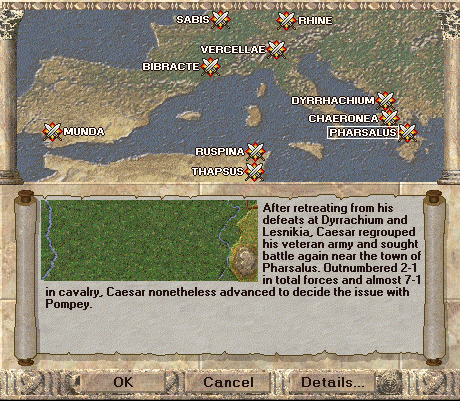 | 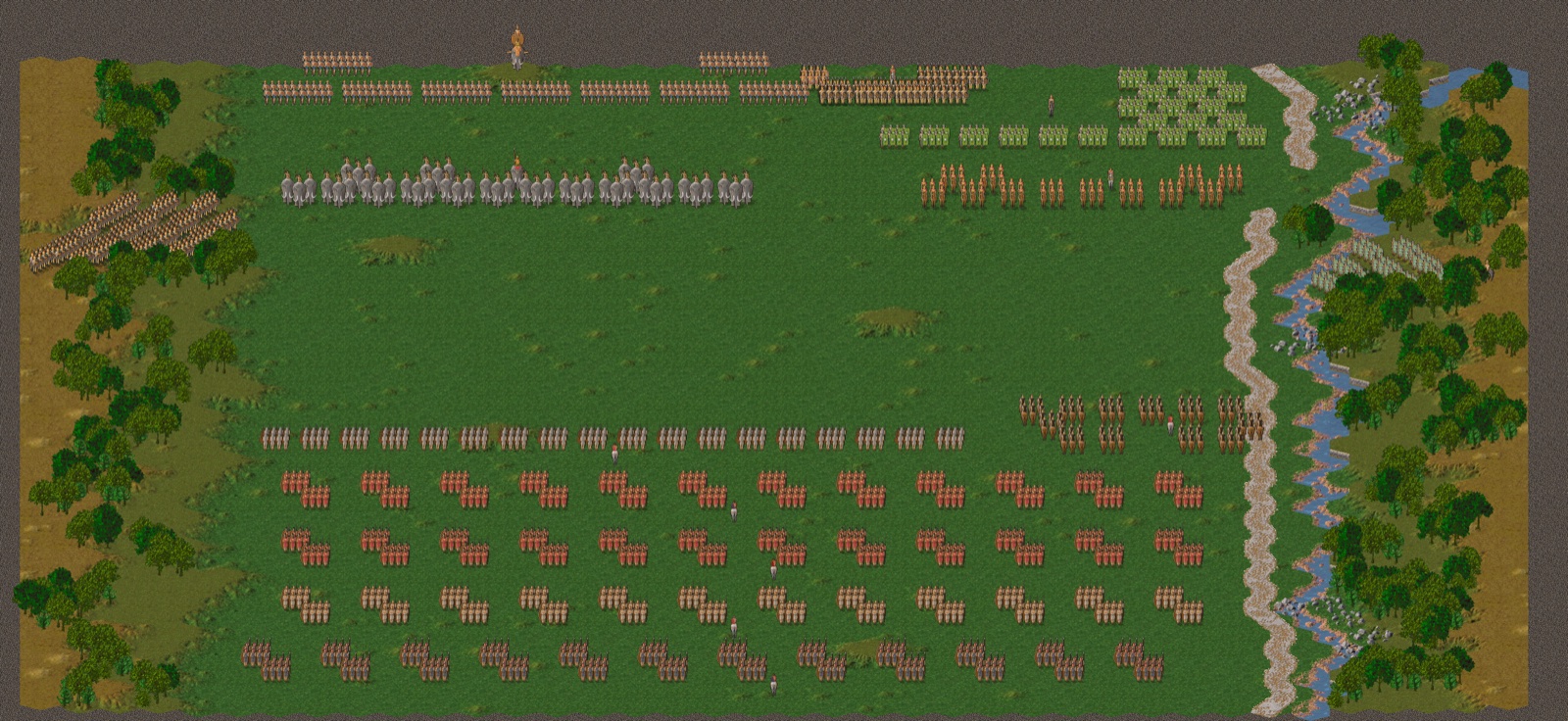 |
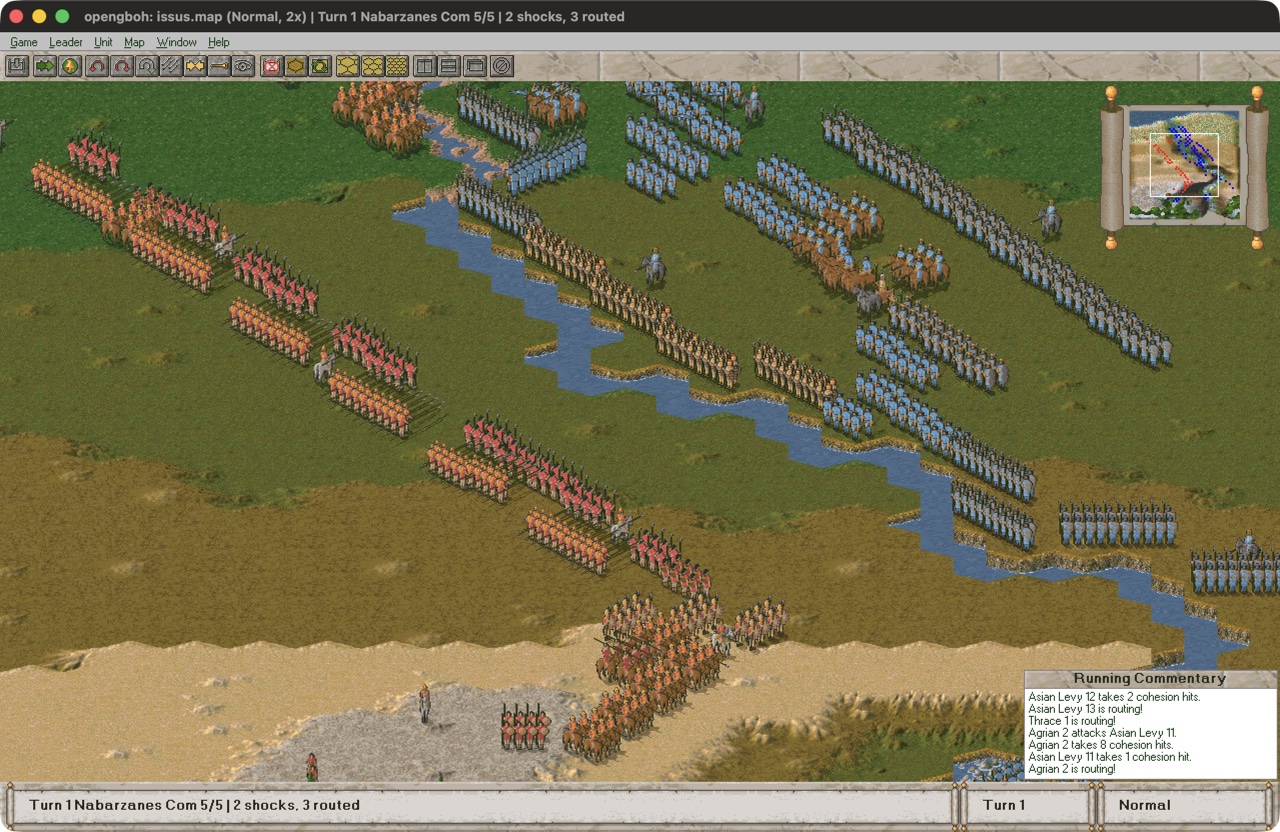
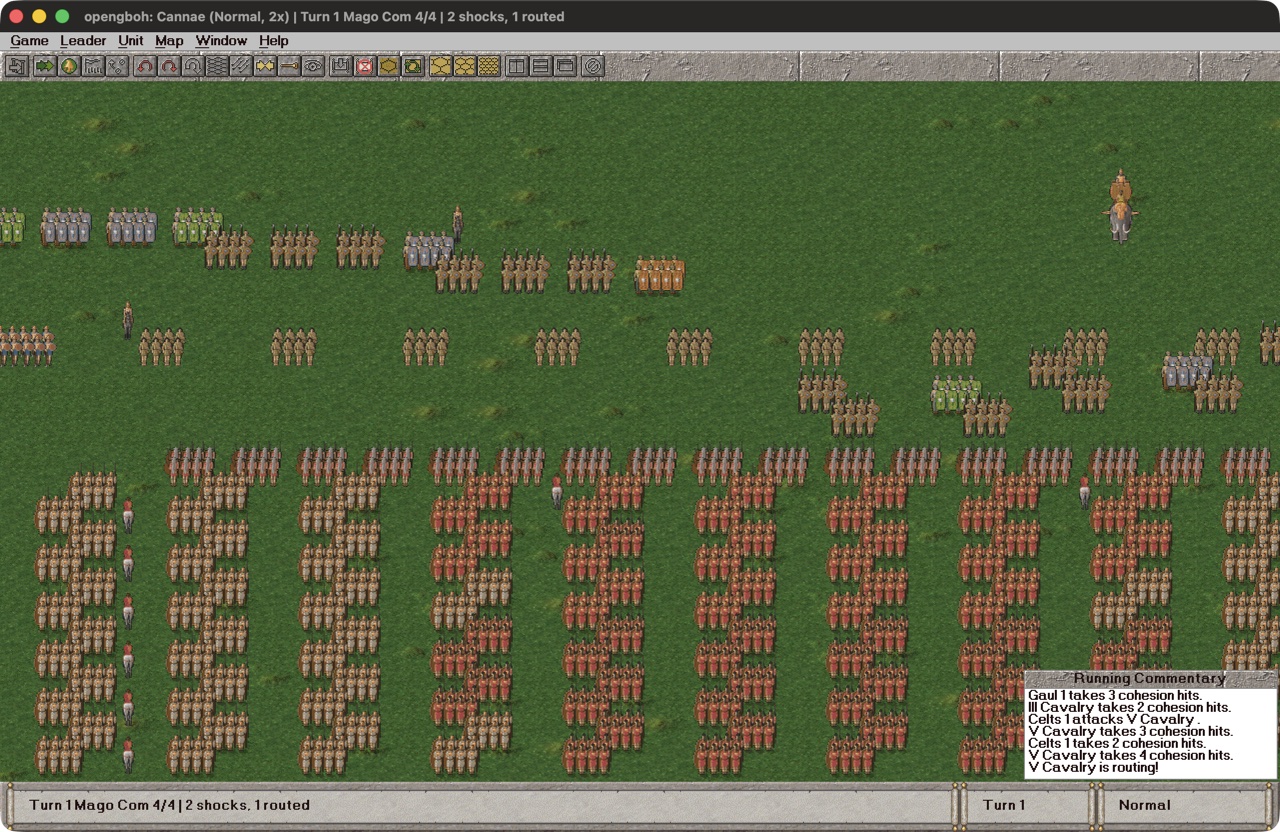
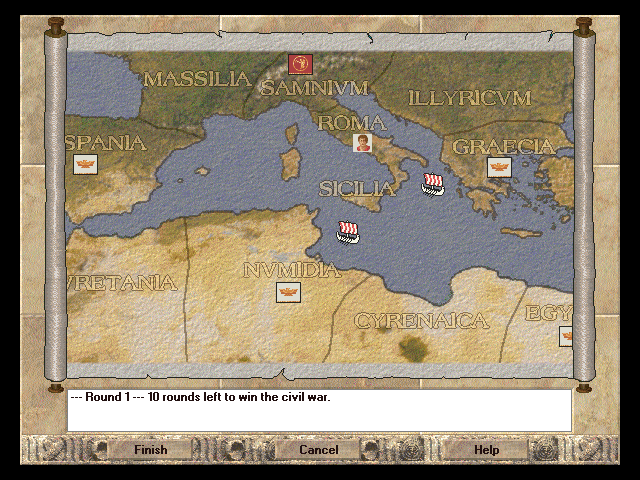
Screenshots of opengboh running with the original games' data: Issus; Cannae; Caesar's civil war campaign and battle selection; a Collector's Edition scenario mixing the three games' armies.
Status
All three games can be played from start to finish: every battle, the campaigns, the computer opponent (the games' own AI scripts), hot-seat and network play, saved games. The rules are rebuilt from the original executables and checked against the originals running under Wine; the battlefield is drawn by a software renderer checked pixel by pixel against them.
Where the original code is known to be buggy, opengboh fixes it; where a
fix would change the balance, or where the manuals describe rules the code
never applied, there are rule options instead (see below). A few details
are still approximations; docs/formats.md marks them 🟡.
In progress or missing:
- the scenario editor is new: it makes, packs and plays scenarios with every unit and nation of the three games, but has had little use yet;
- some rules the manuals describe without the numbers to implement them, and the manuals' printed combat tables as an option;
- opengboh is developed and tested on macOS; it should build on Windows and
Linux (it uses
wgpuandwinit) but isn't tested there yet.
Getting started
Install a stable Rust toolchain, then:
cargo run --release -p gboh-viewer
opengboh opens on its content manager: for each of the three games,
Import… asks for the folder where you installed it and copies its
executable and data into opengboh's own directory (Re-import copies
it again). Nothing else is written anywhere, and opengboh carries no data
of its own. Once a game is imported, Continue opens its start screen,
with four buttons of opengboh's own:
- Content Manager;
- Settings: Select Game (which of the imported games you play: its start screen, battles, campaign, menus, intro and art), the game's preferences, and the Rules (below);
- All Battles: every imported game's battles and campaigns in one list;
- Scenario Editor: make your own battles, after the Collector's Edition's editor, with every unit and nation of the three games (it needs Caesar imported, whose data has all their art). Its scenarios, and the Collector's Edition's own, play like the games' battles.
The rest of the start screen is the game's own: Start Battle, Start Campaign, Multiplayer, Load Saved Game, the tutorial.
Playing
The battle window follows the original's: toolbar, menus with their
accelerators, status bar, overview map, running commentary, unit details,
combat results, the game overview at the end of each turn, and the victory
or defeat screen. The screens use the games' own art, and their text and
layouts are read from the games' executables. Sound and music are the
games' own (Hannibal's and Caesar's CD music from the GOG releases'
MUSIC folders).
- Select one of the active leader's units (they carry his flag) to light the hexes it can reach; click a lit hex to move, an enemy in front to designate a shock; right-click an enemy to volley. Q/E turn the unit, R rallies it, C recovers its cohesion.
- Click the active leader, then a lit hex, to move him; G tries a group move. Hannibal's and Caesar's group orders, line extension and backward movement are on the toolbar and in the menus.
- Enter finishes the leader (his shocks are fought, and you may try for momentum); M finishes him and tries for momentum. Ctrl+Z undoes the last unit's move or turn.
- The mouse pointer is the game's own: an arrow at the edges scrolls, a sword over an enemy you can shock, a missile over one you can shoot. Arrows/WASD, dragging and the wheel scroll too; 1/2/3 zoom.
- Ctrl+S (Cmd+S) saves, Ctrl+L loads; games autosave each turn. Saves go to
~/Library/Application Support/opengboh/saveson macOS,%APPDATA%\opengboh\saveson Windows and~/.local/share/opengboh/saveselsewhere (GBOH_SAVESoverrides it). They replay exactly.
Multiplayer links two copies of opengboh over TCP (port 5000): one creates the game and chooses the battle, the other joins by its name or address.
Rule options
Settings → Rules turns on, for new battles:
- the manuals' rules where the games' code differs: turning costs, shock combat (terrain shifts, the charge, size ratio, leaders), missiles, movement (zones of control, slopes), command, victory conditions, and the clash values as Hannibal's and Caesar's manuals print them;
- rules of one game in another: Hannibal's cavalry pursuit, deployment phase, backward movement and group orders for Alexander; Caesar's road movement, rally penalties and staff leaders for Alexander and Hannibal, and its superiority rule for Hannibal.
All are off by default: the games as they shipped, their plain bugs fixed. Saves record the options their battle was fought by, and in a network game the host's options apply to both players.
For developers
The workspace's crates:
gboh-formats: the games' file formats (EIF sprites, palettes, maps, scenarios, the executables' resources, the help files);gboh-render: the battlefield renderer;gboh-game: the rules, independent of rendering (battle state, activation, movement, combat, routs, the AI script interpreter, campaigns, rule options);gboh-viewer: theopengbohprogram;gboh-tools: command-line tools.
The viewer also opens a data folder directly, and gboh-tools renders,
inspects and plays battles without a window:
cargo run --release -p gboh-viewer -- "/path/to/game/DATA" GRANICUS.SCN      # a battle, hot seat
cargo run --release -p gboh-viewer -- "/path/to/game/DATA" GRANICUS.SCN ai   # the computer plays the visitor
cargo run --release -p gboh-viewer -- "/path/to/game/DATA" GRANICUS.SCN demo # it plays both
cargo run --release -p gboh-tools -- render "/path/to/game/DATA" GRANICUS.SCN granicus.png normal
cargo run --release -p gboh-tools -- ai "/path/to/game/DATA" GRANICUS.SCN 30 [options=pursuit,roads]
cargo run --release -p gboh-tools -- extract "/path/to/game/DATA" out/eif
Documentation:
- docs/formats.md: the file formats and the rules as the games implement them;
- docs/running-originals.md: running the original games under Wine (the registry values they need, and the usual problems);
- CONTRIBUTING.md: how to contribute, and the project's clean-room rules;
- CODE_OF_CONDUCT.md.
License
opengboh is free software: you can redistribute it and/or modify it under the terms of the GNU General Public License as published by the Free Software Foundation, either version 3 of the License, or (at your option) any later version. See LICENSE.
Legal
This is an independent reimplementation. It does not include or redistribute any of the original games' code or assets. All game titles are trademarks of their respective owners.
The Great Battles of History brand and all its publications are owned by GMT Games, Richard H. Berg and Mark Herman, and the computer games by Erudite Software, Interactive Magic and S. Craig Taylor. opengboh is not affiliated with or endorsed by any of them.