Badman Recompiled
Badman Recompiled is a native PC and Android port of Holy Invasion of Privacy, Badman! What Did I Do to Deserve This? that runs the game at your display's refresh rate.
- Type: PC port
- Game: Holy Invasion of Privacy, Badman! What Did I Do to Deserve This?
- Runs on Windows and Android
- By K11MCH1
- Latest release v0.1.0, 2026-10-28
- Source: https://github.com/K11MCH1/badman_recompiled
README
A native PC and Android version of Holy Invasion of Privacy, Badman! What Did I
Do to Deserve This? (PSP, North America, ULUS10456, version 1.01), made by
static recompilation from your own copy of the game.
Important
You must own the game to use this. Badman Recompiled contains no part of
the game and cannot play anything by itself. It needs an ISO that you made
from your own original UMD of Holy Invasion of Privacy, Badman! (North
America, ULUS10456, version 1.01), for example by dumping the disc with your
own PSP. Do not ask for, share or download ISOs of games you do not own.
There is no emulator here. The launcher takes your ISO, checks that it is the supported release, extracts and decrypts it, translates the game's MIPS (Allegrex) code into C++ and compiles that into a native game on your own PC or phone. The game then runs on an independently written runtime that stands in for the PSP's hardware and system software.
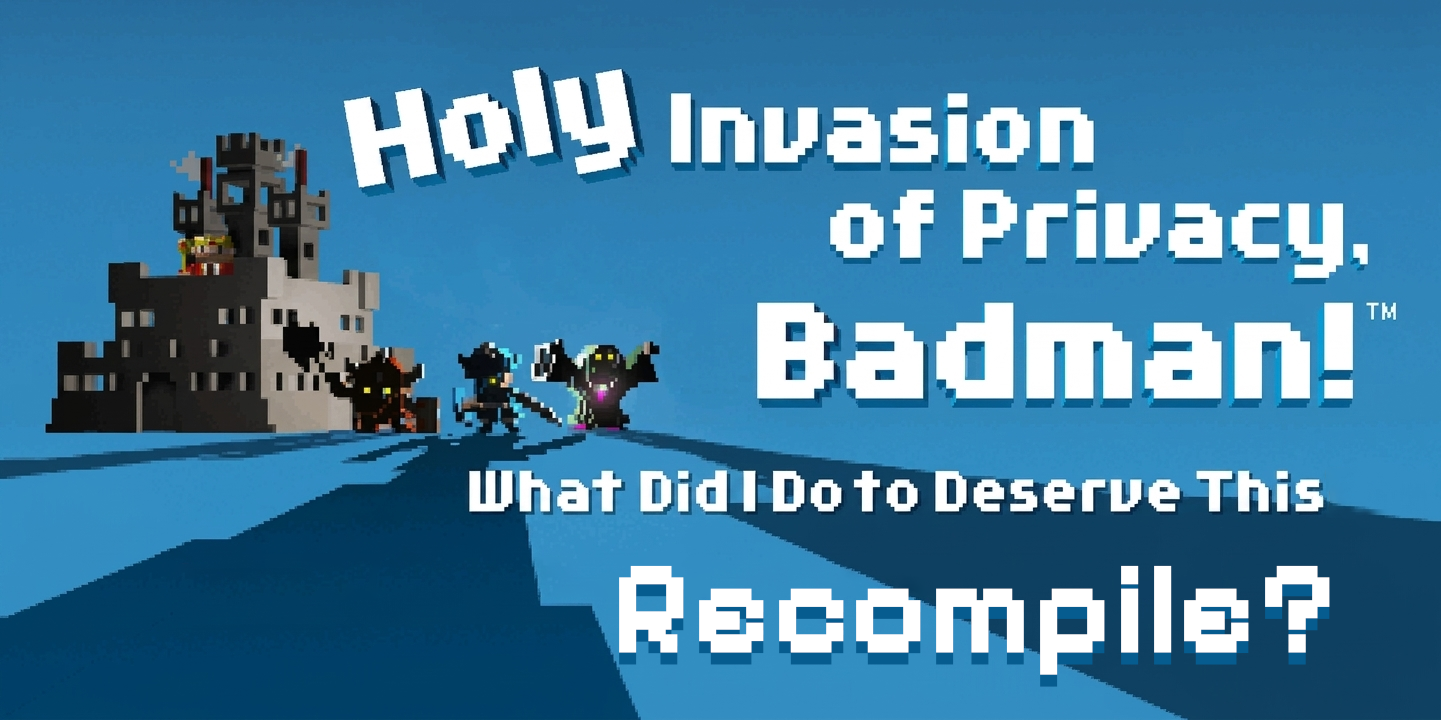
The downloads and the source code contain no game files, and nothing game-related is downloaded: no ISO, no game code (original or translated), no game artwork, music or text. Everything game-specific is produced on your device from your ISO and stays there. (The banner above is fan art based on the game's title screen.)
Status: an early release. On Windows the game reaches the title with sound, clears Training 1–3 and the first two Story stages through normal controller input, and saves and loads. On Android the same game runs at a steady 30 FPS on the test phone. Later Story stages and the full campaign have not been validated yet; expect missing features and stops.
What it adds to the original game
These are not in the PSP game. They are part of the launchers and the runtime.
- Smooth motion up to your display's refresh rate (Windows and Android). Badman's logic runs per frame at 30 FPS, so raising its frame rate would speed the game up. Instead the game keeps its own 30 FPS pace and the presenter draws in-between frames on every display refresh, from the draws behind each game frame: tested at 165 Hz on a PC monitor and 144 Hz on a phone. It adds about one game frame of display delay. On Windows it is on by default; on Android it is in the Graphics tab (off by default, still experimental).
- Ultra-wide view in the dungeon (Windows, opt-in prototype). Fills wide windows up to 21:9 with more of the dungeon, drawn by the game itself rather than stretched, moves the HUD to the screen edges and removes the dungeon's dark screen-edge vignette. The title, menus and movies keep the PSP shape. Display tab, Ultra-wide view in the dungeon.
- Pictures that fit your screen. The game draws at your window's or screen's resolution with sharp whole-pixel scaling, the PSP shape or stretch, and a sharp or smooth filter. On Windows both windows open sized to your monitor; F11 or Alt+Enter switches to fullscreen.
- Renderers. Windows: Direct3D 11, Vulkan or Software. Android: CPU (spread over the phone's cores), Vulkan or Software. They draw identical frames, and switching needs no new build.
- The whole build on the phone. The Android app carries its own compiler (Clang and LLD) and prepares the game on the phone itself, in about three minutes on a recent phone.
- Controls. Keyboard and XInput controllers (Xbox, Steam Deck; others through Steam Input) on Windows; any controller Android recognises on Android. On phones, on-screen touch controls: an analog stick for the cursor (it also moves through menus), the face buttons, L, R, Start and Select. They hide while a controller is connected.
- Conveniences. Skip the intro and logos, an automatic save profile that answers the Memory Stick prompts (Windows), an FPS counter (Windows), and a launcher with Play, Display, Graphics, Gameplay, Controls, Advanced and Credits pages, driven by mouse, touch, keyboard or controller. On Android the launcher is laid out for portrait.
How to use it
First, you need to own the game. You need the original North American UMD
of Holy Invasion of Privacy, Badman! What Did I Do to Deserve This?
(ULUS10456, version 1.01) and an ISO image you made from that disc yourself,
for example by dumping it with your own PSP. This project does not provide the
game, ISOs or links to them, and the launchers cannot do anything without your
ISO. The launcher checks the ISO's SHA-256 and refuses anything else.
Windows
Requirements:
- Windows 10 version 22H2 or newer, or Windows 11, 64-bit.
- The Microsoft Edge WebView2 Runtime (part of Windows 11 and current Windows 10; otherwise from Microsoft).
- 7-Zip, installed.
- Visual Studio 2022 Build Tools with Desktop development with C++, a Windows SDK and C++ CMake tools for Windows. The game is compiled with them on your PC; they are not bundled.
- An internet connection for the first preparation: it downloads a pinned LGPL FFmpeg build and pspdecrypt, checks their hashes and keeps them in your game data folder.
Steps:
- Download
Badman_Recompiled_Windows.zipfrom Releases and extract it anywhere. - Run
BadmanLauncher.exe. - On the Play page, choose your Game ISO and a Game data folder (an
empty folder for the prepared game, its build and your saves). Keep its
path short, for example
C:\Badmanor the default underAppData\Local: the Visual Studio build tools cannot handle very deeply nested folders. - Press Prepare and build. The first time, this verifies and extracts the ISO, translates the game and compiles it: several minutes.
- Press PLAY.
Settings on the other pages apply the next time you press PLAY.
Keyboard: arrows for the D-pad, Z Cross, X Circle, A Square, S Triangle, Enter Start, Backspace Select, Q and E for L and R. Controller: A Cross, B Circle, X Square, Y Triangle, Start, Back Select, LB and RB, D-pad, left stick for the analog stick.
Android
Requirements: a 64-bit ARM phone (arm64-v8a) with Android 10 or newer, about 1.2 GB free while preparing, and your ISO copied onto the phone.
- Download
Badman_Recompiled_Android.apkfrom Releases and install it (Android asks you to allow installs from that app once). - Open Badman Recompiled.
- Tap Game ISO and pick your ISO.
- Tap Prepare and build. The phone verifies, extracts and decrypts the ISO, translates the game and compiles it; the bar shows how far it is, and a notification keeps it going when the screen is off.
- Tap PLAY.
Back returns to the Play page, then leaves the launcher. In the game, the on-screen controls appear unless a controller is connected. Smooth motion, the renderer and the upscaling filter are on the Graphics page.
The Android app has been tested on one phone so far (RedMagic NX809J, Android 16).
Building from source
The repository holds the PSPRecomp framework (src, include, tools), and
the Badman profile with its runtime, launchers and tools in
profiles/badman. See profiles/badman/README.md:
- Build and run on Windows for the framework, the launcher and the tests;
profiles/badman/tools/package_player.pyassembles the Windows download. - Android port status for the NDK build and
profiles/badman/tools/android/build_apk.py, which assembles the APK.
Neither build needs, nor packages, any game file. The game itself is always compiled on the player's device.
Credits
- PSPRecomp, the static recompilation framework this is built on, by Jessica_Natalia: jessicanataliagta/PSPRecomp (MIT).
- FFmpeg (LGPL 2.1 or later) decodes the movies and music. Windows downloads a pinned LGPL build on first preparation; the Android app carries a separately built LGPL FFmpeg 8.1.3.
- pspdecrypt by John-K (GPLv3) decrypts your own game executable. It runs as a separate program.
- PPSSPP provides the open replacement PSP system fonts (derived from the Ume fonts, under the Ume font licence) that the game's text is drawn with.
- LLVM Clang and LLD (Apache 2.0 with LLVM exceptions), as packaged by Termux, compile the game on Android, with the Android NDK headers and C++ runtime.
- Vulkan-Headers by the Khronos Group (Apache 2.0 / MIT), the Microsoft WebView2 SDK (BSD), and Python (PSF licence), whose embeddable runtime runs the Windows preparation scripts.
- Pixelify Sans by Stefie Justprince (SIL Open Font Licence 1.1), the launcher's font.
Holy Invasion of Privacy, Badman! What Did I Do to Deserve This? is © 2009 Sony Computer Entertainment Inc. This project is not affiliated with or endorsed by Sony; its downloads and source code contain no part of the game.
Licence
The project's own code is under the MIT licence (LICENSE). Third-party components keep their own licences; the downloads include their licence texts and notices.