iss_pc
iss_pc is a native PC port of inFAMOUS Second Son for Windows and Linux that allows for gameplay with improved controls and graphical fixes.
- Type: PC port
- Game: inFAMOUS Second Son
- Runs on Windows and Linux
- By HayatoG
- Latest release v2026.10.19-d3995fe, 2026-10-19
- Source: https://github.com/HayatoG/iss_pc
- Website: https://www.youtube.com/@hayatog-dev
README
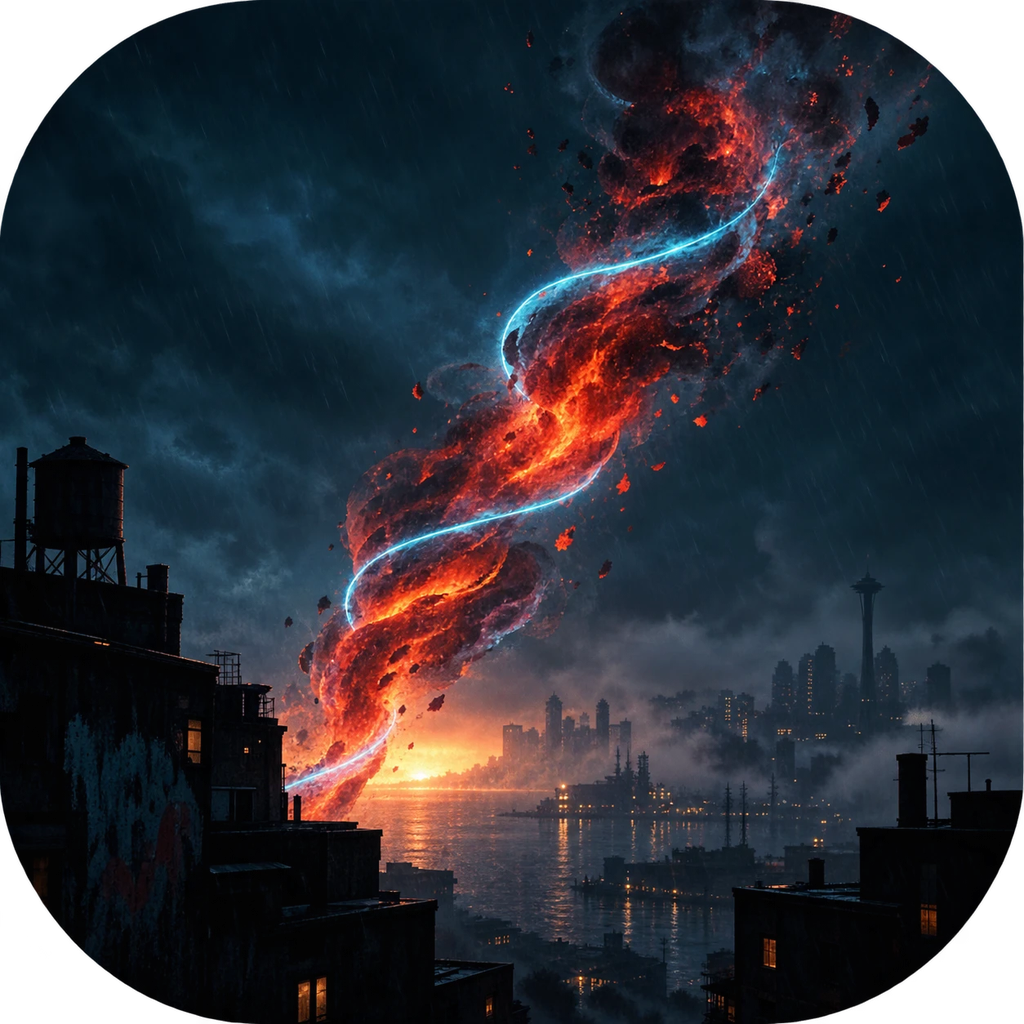
inFAMOUS Second Son — native PC port

Português abaixo · Download · YouTube · Discord


Playable, in development. The game boots, reaches gameplay and gets through the first chapters, but performance is still unstable (20–30 FPS typical on an RTX 2060) and there are known graphics glitches. See the Status.
inFAMOUS Second Son (PS4, CUSA00223, base game 1.00 + update 1.07) running on PC without a CPU emulator: the game's original code runs natively on the processor, the PS4 system is reimplemented, and the GPU is translated to Vulkan. It uses the same core as the The Last Guardian and Gravity Rush 2 ports.
No game files come with this project. To play, you need your own copy, dumped from your own PS4.
By HayatoG · YouTube @hayatog-dev · Discord discord.gg/UMkdMYZh9g
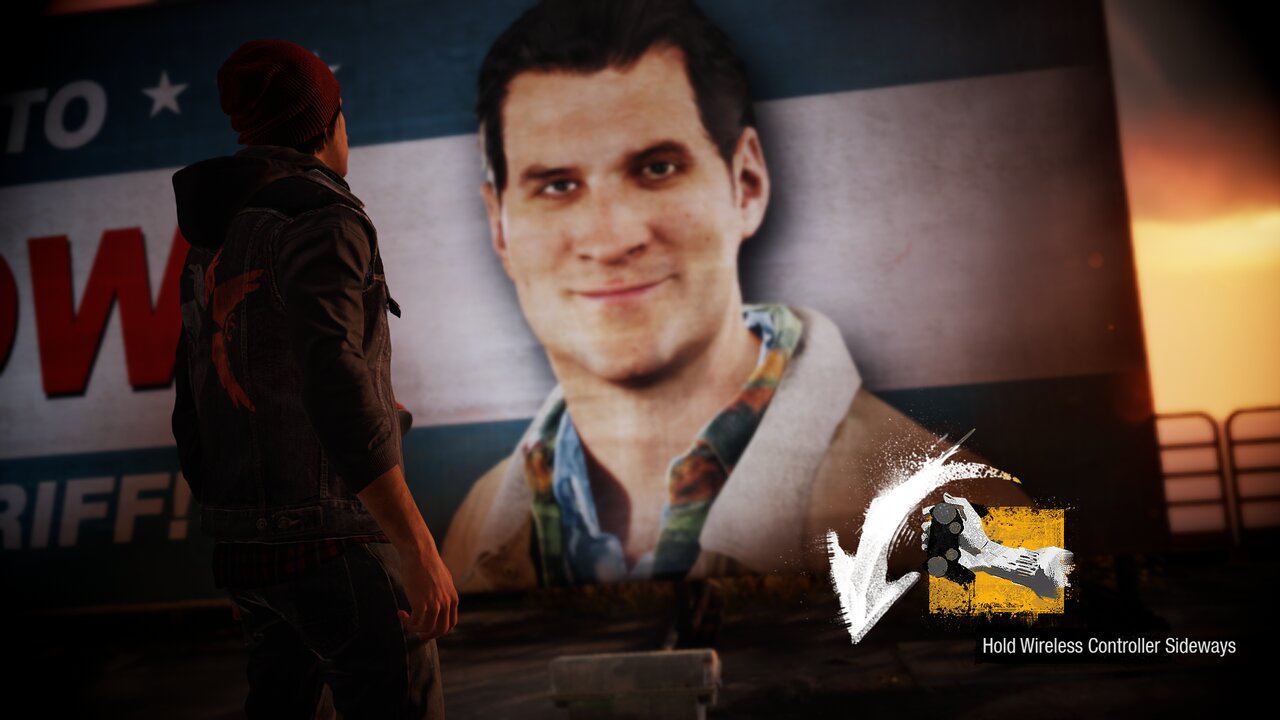 | 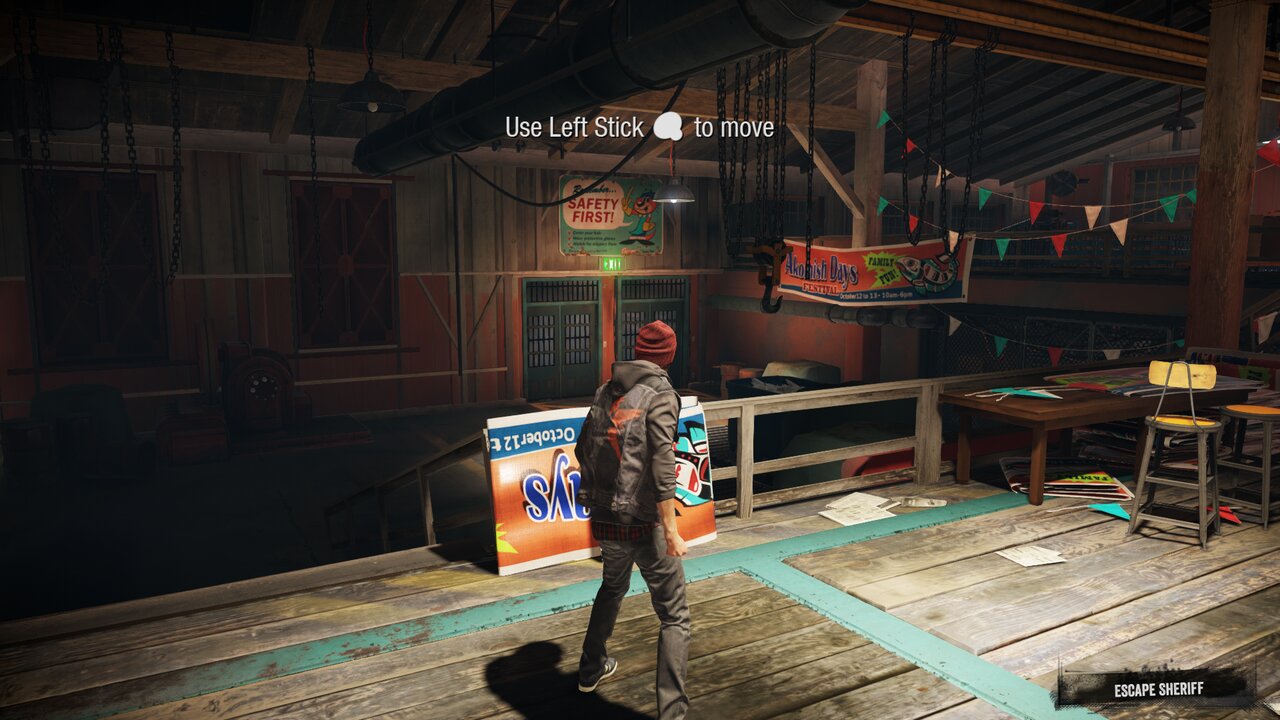 |
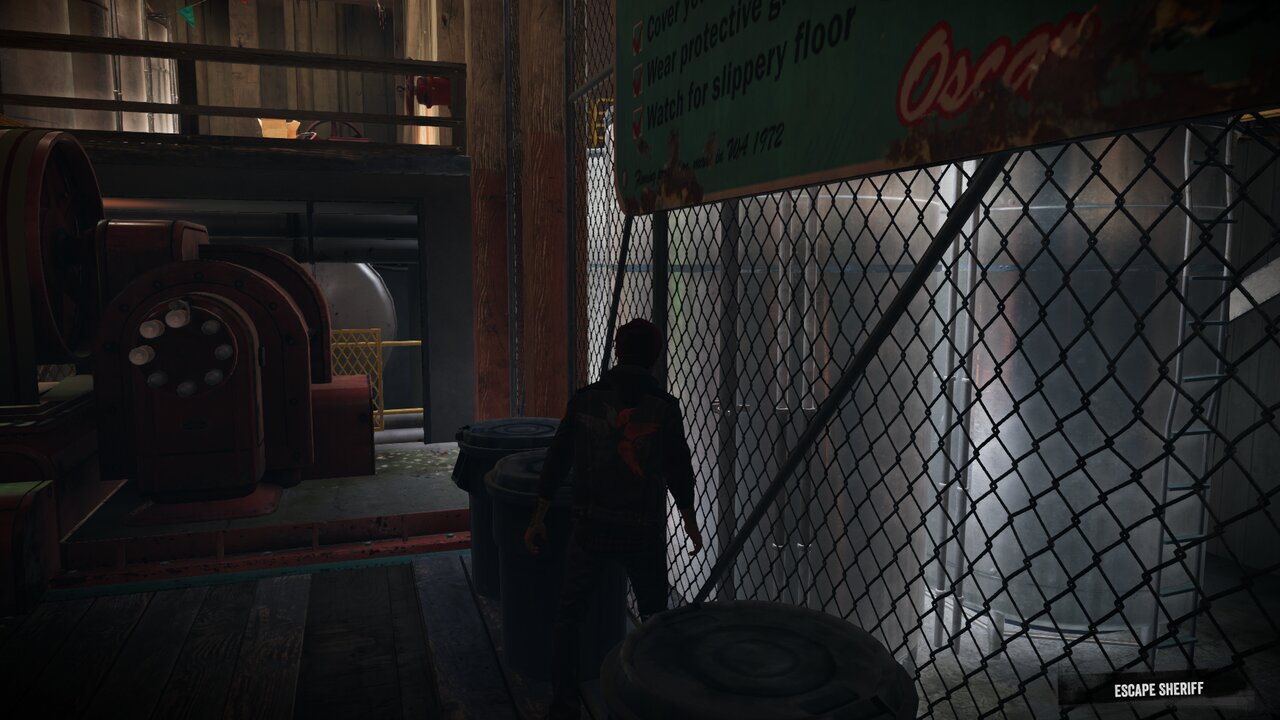 | 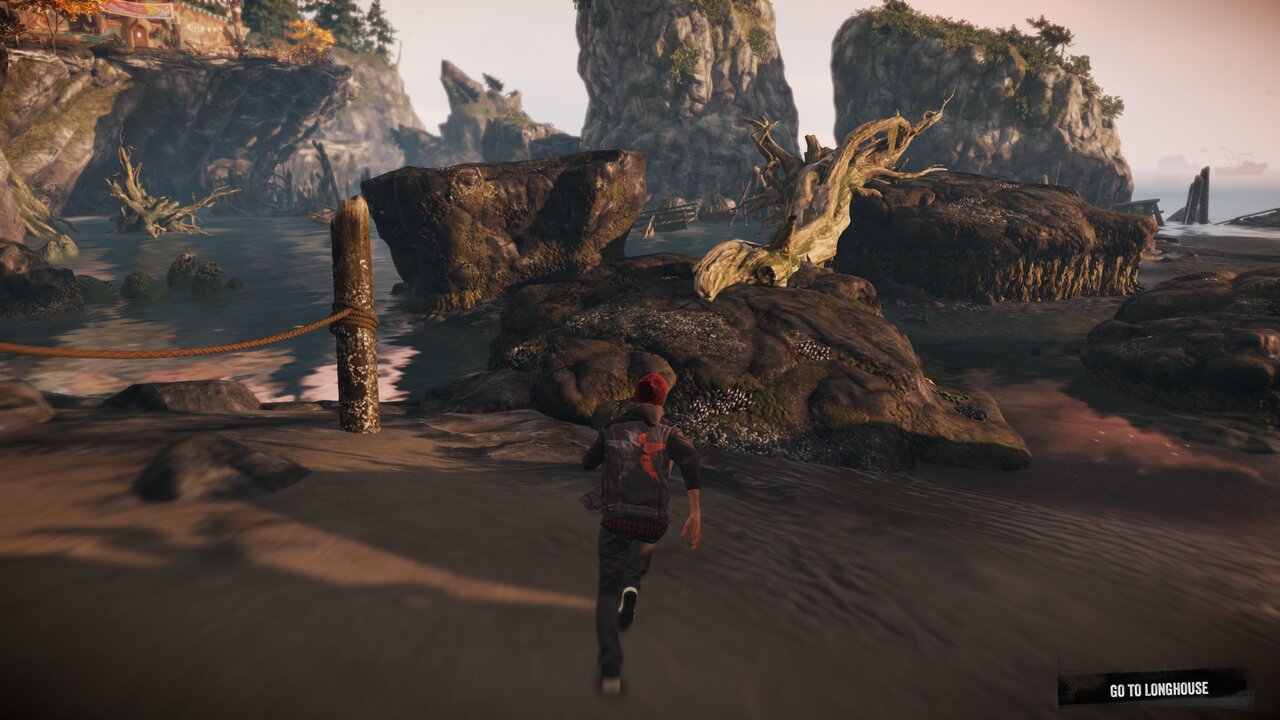 |
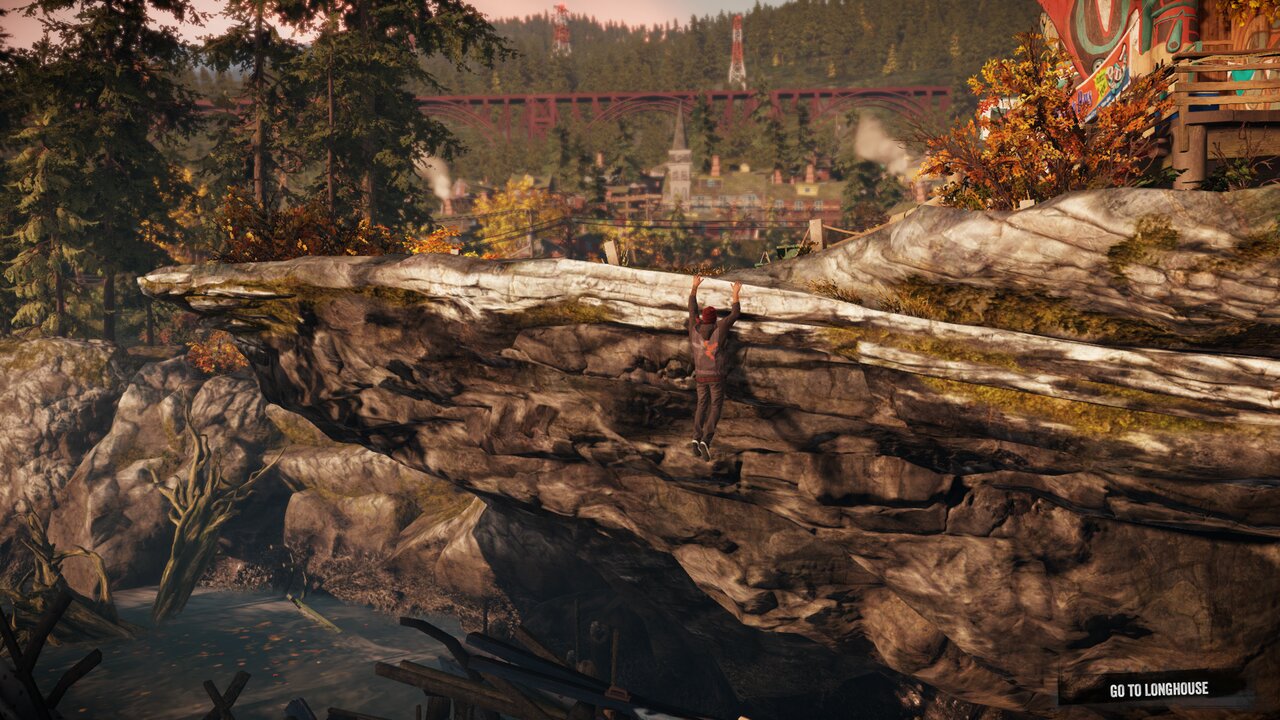
Captured at native resolution (1920×1080, scaled down to 1280), straight from the GPU, on Linux with an RTX 2060.
Contribuidores / Contributors


What's new
- New launcher (Qt Quick), now the default: 10 screens, including Mods / Cheats and Advanced, the interface in Portuguese and English, and the game language following the system's by default. The old launcher (Tk) stays in the package as inFAMOUS Second Son (classic), as a fallback. See The launcher.
- Saves and data: a configurable data folder, a backup before every play session,
.zipexport/import, duplicate and delete saves, and a search for saves from other installs. It fixes the "I lost my save after updating" problem. See Saves and data. - Flickering headlights and glare that showed through characters: fixed. The occlusion counter the game reads to know how much of a light is visible was a fake; the new mode 3 (the default) answers with zero counts, and that fixed the problem, confirmed on Windows and on Linux. See Lights and occlusion.
- Experimental fixes BP01–BP12: twelve fixes brought from other PS4 ports and from shadPS4, each with its own switch, a Recommended profile and a "Like the previous release" button to compare. See Experimental fixes.
- More useful logs: every log starts with a
Config:block (your options, no paths) and shows theBackports:lines; the Support screen builds the report without personal data. See Logs and reports. - Controller guides: ready-made images (Xbox, Switch Pro and 8BitDo, in Portuguese and English) of sensor mode and the touchpad, in Motion sensor and touchpad and in the launcher's Controller guides screen.
- CPUs without F16C (Sandy Bridge, #51): the game's 13 half-precision conversions (
VCVTPH2PS/VCVTPS2PH) are now emulated at start, bit-exact with the CPU (rounding, denormals, Inf and NaN). The game used to stop with "13 sites use encodings the rewrite cannot emulate". - Mouse: the mouse turns the camera (right stick) and also plays the touchpad. Left = R2, right = L2, middle = R3. Hold Left Ctrl (or the X1 side button) and the mouse becomes a finger on the touchpad: left touches/clicks (hold = absorb a power), dragging with the left slides (the "Open Door" swipe, the scanner), right = two fingers (lift the car off Reggie). The window captures the mouse; Esc releases it and a click captures it again. See Mouse.
- Graffiti steps on screen: the first time sensor mode turns on, a screen in the middle shows the steps (shake, spray, aim, leave) with your controller's buttons; "Got it" closes it. The Insert menu has a new Controls tab that shows it again and sets the graffiti aiming speed (25–200%, also
ISS_SENSOR_AIM). - Easier graffiti (sensor mode): sensor mode is now the graffiti's spray can: turning it on (L3+R3) holds the controller on its side, as the game asks ("Hold Wireless Controller Sideways"); cross/A shakes, R2 sprays and the left stick aims the cursor left/right and up/down (it used to move only up and down), slower with a small push, for tracing the stencil. On the keyboard, while T or G hold the controller sideways, the arrow keys aim.
- Being tested: flickering GPU smoke and particles (#7, #50). Shader recompiler fixes, partly from the native Shadow of the Colossus port:
- shared memory (LDS) barriers in compute shaders of every workgroup size, including those that are not multiples of 64 (96, 192...):
ISS_LDS_SMALL(under 64 threads),ISS_LDS_MULTI(over 64; on 32-lane GPUs the barrier covers the whole workgroup, because each 64-lane PS4 wave takes two subgroups),ISS_LDS_READLANE; ISS_LANE_DIVERGENCE: branches that depend onv_mbcnt, the lane number or an atomic's returned value count as divergent, so no barrier lands inside a branch only one lane takes;S_WQM_B64, which did nothing (ISS_WQM).- All on by default in inFAMOUS;
0turns each one off, for comparisons. The log has oneshader switchline per switch. - Experiment, off:
ISS_RFL_ALL=1makesReadFirstLaneread the first lane of the whole 64-lane wave in every wide compute shader (not only those that use ballots). - The shader cache rebuilds itself for each combination.
- shared memory (LDS) barriers in compute shaders of every workgroup size, including those that are not multiples of 64 (96, 192...):
- Fixes from shadPS4-Infamous-FixBuild:
- Delsin's glow while draining energy fixed: stencil now honors both the test and the write values, which are separate on PS4.
- More FPS: when the game reads GPU results, only the thread that asked waits, not the whole GPU (
ISS_DEFERRED_READBACK, on by default), and work goes to the GPU in pieces (ISS_SUBMIT_DRAWS, default 1024). - Fewer hitches when a new effect shows up: compute shaders compile off the GPU thread (
ISS_COMPUTE_ASYNC_BUILD), and pipeline creation is retried when the driver fails. - VRAM: when video memory runs short, the port frees old textures and tries again instead of closing. Huge uploads, such as loading a save, go in parts, and the driver may page memory out to RAM.
- Float atomics fixed on GPUs without native support, such as NVIDIA.
- Motion sensor: the DualShock 4/DualSense gyro works as is. On controllers without one, a tap on L3+R3 (or Share on an Xbox Series) toggles "sensor mode", the graffiti's spray can: the controller is held on its side, cross/A shakes, R2 sprays and the left stick aims. On the keyboard, T/G turn it sideways (the arrow keys aim while they are held) and Y shakes. This is what gets you past the graffiti ("Hold Wireless Controller Sideways").
- Sticks: a 10% dead zone against drift (
ISS_STICK_DEADZONE, also in the launcher), and the last controller used is the one that counts. - Touchpad without a touchpad: hold View/Select (or Tab) and move the right stick (or the arrow keys) to swipe, as in "Open Door"; a quick tap still clicks.
- Performance: FPS no longer drops over time (it went from 60 to 6 in 2 minutes: shader variants were never reused), and repeated partial image transitions are skipped.
- Precise GPU readbacks by default: the energy-drain smoke, drones and other GPU-computed particles show up. The fast mode is still in the launcher ("GPU accuracy").
- Automatic shader cache: it lives in
user/cache/, next to the saves (Linux and Windows; the old cache in~/.local/share/shadPS4oruser/user/is moved over on the first start). The folder is keyed by the shader recompiler version, and the old cache is deleted on its own after an update. To rebuild everything, the launcher has a Clear shader cache button (or./run_infamous.sh --clear-shader-cache); it deletes only this game's compiled shaders, never saves or settings.
Status
| Area | State |
|---|---|
| Boot, title, intro and gameplay | ✅ Works; tested up to "Go to Longhouse", with climbing, running, powers and cutscenes |
| Motion sensor (graffiti, motion prompts) | ✅ Real gyro, or simulated on any controller and the keyboard |
| Drain smoke, drones and GPU particles | ✅ With precise GPU readbacks (default) |
| HUD | ✅ Correct |
| Audio | ✅ Our own AudioOut + Ajm, no firmware file needed |
| Saves | ✅ The save is created and "Continue" works |
| Controller | ✅ DualSense, DualShock 4, Xbox and 8BitDo via SDL3 |
| Performance | 🔧 20–30 FPS typical on an RTX 2060, unstable; optimization ongoing |
| Stutter | 🔧 The first time each shader is compiled (cutscenes and new areas) |
| Lights (flickering headlights, glare showing through characters) | ✅ Fixed by occlusion mode 3 (default), confirmed on Windows and on Linux; if light glare looks weak, use mode 0 |
| Graphics | 🔧 Some fog, water and fire effects still flicker |
| Launcher | ✅ Qt Quick (default) with the Tk one as a fallback; Portuguese and English |
| Saves and data | ✅ Configurable folder, backup, export/import |
| Mouse (camera and touchpad) | 🧪 Implemented, not yet tested much in game |
| Experimental fixes (BP01–BP12) | 🧪 The ones on by default come in the Recommended profile; BP07 and BP09 (off) are experimental; BP06 and BP08 are on by default |
| Linux | ✅ Tested (Nobara/Fedora 44) |
| Windows | 🧪 Tested by players (the lights fix was confirmed); known crash on RX 580/Polaris, see Known problems |
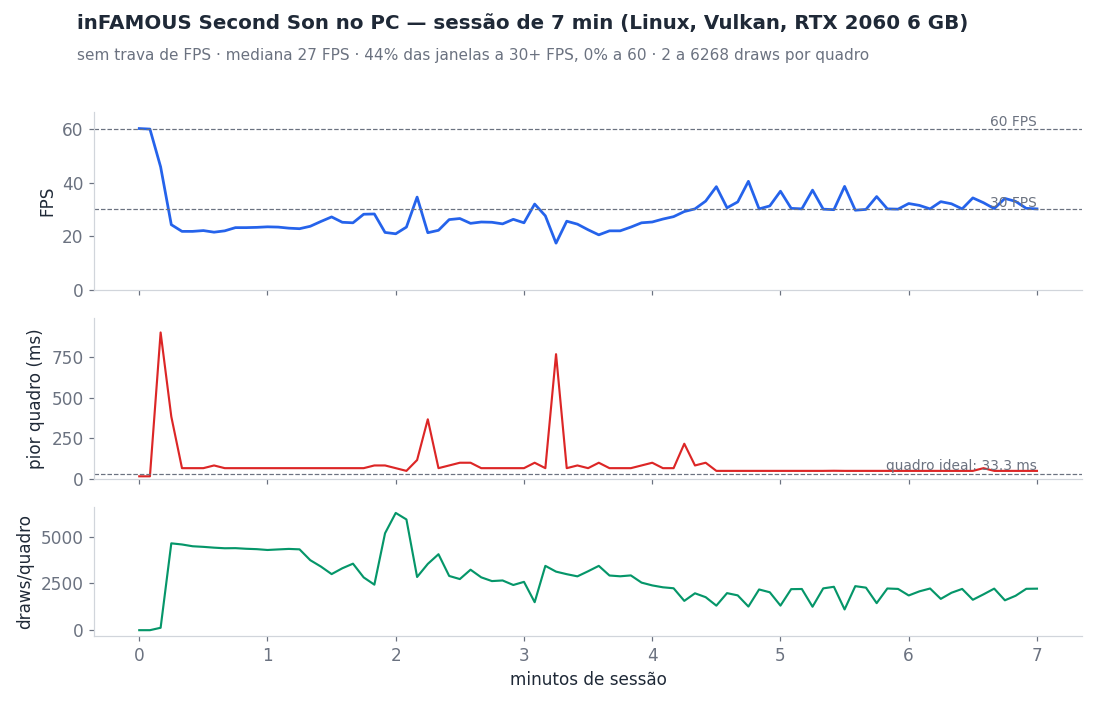
FPS, worst frame and draws per frame every 5 s, from the port's log (ISS_FRAME_STATS=1), on an RTX 2060: median 27 FPS, above 30 FPS 44% of the time. The game has no frame cap. Made with scripts/session_chart.py (0 = uncapped).
Download
The latest release is published when the maintainer chooses to bundle the accumulated changes. PRs build and test; approvals and merges do not trigger builds. On main, Linux and Windows build only through an authorized manual release run. Older ones stay under Releases as history. See how to publish:
- Linux x86-64 (glibc 2.39+: Ubuntu 24.04, Fedora 40, SteamOS 3.6 or newer):
infamous-linux-x86_64.tar.gz - Windows 10 (1903 or newer) / 11, 64-bit:
infamous-windows-x86_64.zip
The packages open the Qt launcher by default; it adds about 55 MB to the download (measured on Linux; an estimate on Windows). If the new launcher does not open on your machine, use inFAMOUS Second Son (classic), in the same folder.
Required game files
Everything comes from your own PS4 (GoldHEN + Itemzflow). None of it is in the download. Use inFAMOUS Second Son CUSA00223 (US), base game 1.00 with update 1.07, merged into one folder, with the base game and the update on top. About 33 GB.
| File | From | Purpose |
|---|---|---|
eboot.bin | update 1.07 | the game code (must be the 1.07 one) |
sce_module/libc.prx, sce_module/libSceFios2.prx | update 1.07 | the game's own libraries |
sce_sys/ (param.sfo, playgo-chunk.dat, icon0.png, pic1.png) | base game (+ the update's param.sfo) | metadata, install info and the launcher art |
art/ (cache/, movies/, ui/) | base + update | game content |
playgo.pgm, sce_discmap.plt, sce_discmap_patch.plt | base + update | file map and install info |
From the console firmware: nothing. Audio uses our own AudioOut + Ajm; the game imports neither libSceNgs2 nor any other PS4 system module.
The full list and the step-by-step guide, which also go in the notes of every Release, are in docs/ARQUIVOS_NECESSARIOS.md.
PC: 64-bit Windows 10 (1903+)/11 or x86-64 Linux (glibc 2.39+), a graphics card with Vulkan 1.3 (6 GB of VRAM recommended) and ~33 GB free.
How to play
- Extract the package.
- Open inFAMOUS Second Son (on Windows, if "Windows protected your PC" appears, click More info, then Run anyway: the program is not digitally signed). Pick the game folder and click Play. The game language follows your system by default; you can change it on the same screen. If it stutters too much, the "GPU accuracy" option (Graphics screen) has a fast mode (without GPU particles).
- In game, F10 toggles the FPS counter, and Insert (or R3 + L2 on a controller) opens the port's menu.
- When the game asks you to turn or shake the controller and yours has no sensor: tap L3+R3 (or Share on an Xbox Series). The controller is then on its side; cross/A shakes, R2 sprays and the left stick aims. Tap again to leave. On the keyboard: T/G (with the arrow keys to aim) and Y. See Motion sensor and touchpad.
The full guide is in README-player.md, which also ships inside the package.
The launcher
The launcher is the program that opens when you run inFAMOUS Second Son. The new one (Qt Quick) is the default; the old one (Tk) sits next to it as inFAMOUS Second Son (classic), in case the new one does not open. Both use the same settings and the same saves, and accept --play, --script and --clear-shader-cache.
| Screen | What it is for |
|---|---|
| Play | game folder, game language, detected GPU and version, fixes profile, the occlusion (lights) selector, the Continue/Play button |
| Graphics | window mode, VSync, FPS limit, FSR 1 and sharpening, GPU accuracy, VRAM budget, shader cache, overlay and presets (Performance, Balanced, Quality, Faithful to PS4) |
| Controls | stick dead zone, graffiti aiming speed, mouse (camera and touchpad mode), keyboard map and remapping |
| Fixes | BP01–BP12, diagnostic (A/B) switches and Insert menu options; Recommended profile and "Like the previous release" |
| Saves & data | data folder, list of saves, backups, .zip export/import; see Saves and data |
| Controller guides | Xbox, Switch Pro and 8BitDo images (Portuguese and English): save, copy, open the folder |
| Support | known problems for your GPU, links and the problem report; see Logs and reports |
| Mods / Cheats | enables cheat XML files and the optional boot logo movie skip (story cutscenes remain unchanged) |
| Advanced | additional launcher and port settings |
| Updates | shows the installed version and checks the latest release (see below) |
Interface language: Portuguese (Brazil) or English (US), which the launcher picks from the system language and you can change. When you pick one, the launcher passes it to the game (ISS_UI_LANG) for the overlay.
Game language: the first option is Automatic (system language), the default, followed by the languages your dump's sce_sys/playgo-chunk.dat lists, out of the PS4's 30 (US and UK English, Brazilian and European Portuguese, Latin American and Spain Spanish, French and Canadian French, German, Italian, Dutch, Polish, Turkish, Russian, Japanese, Korean, Chinese and more); without that file (FTP dumps) the 6 of CUSA00223: English (1), Português (Brasil) (17), Español (Latinoamérica) (20), Français (Canada) (22), Türkçe (19) and Русский (8). Automatic follows the system's language and region (es_ES is Spain Spanish, es_MX Latin American, pt_PT European Portuguese) and, when the game lacks that language, the closest variant (Spain/Latin American Spanish, European/Brazilian Portuguese...), else English. The choice applies on the next start and becomes ISS_LANGUAGE (an ISS_LANGUAGE you set yourself wins). It only works if your game files have that language: Turkish and Russian, for example, only show up if your dump has them. It is separate from the interface language.
Updates: the Updates screen makes a single HTTPS query for the latest release on GitHub (nothing of yours is sent), shows the notes in the interface language, and the Download button only opens the release page. It does not download or install anything: a real automatic updater does not exist yet. "Check on open" is off by default.
Running from source: needs Python 3 with PySide6 (>= 6.7):
python3 -m venv .venv-qt
.venv-qt/bin/pip install -r port/launcher/qt/requirements.txt
./infamous_launcher_qt.sh      # the old launcher: ./infamous_launcher.sh
On Windows: py -m venv .venv-qt, `.venv-qt\Scripts