JPTG Recomp
JPTG Recomp is a native Apple Silicon port of Jurassic Park: The Game, recompiling the original Mac release for modern macOS with offline play and local achievements.
- Type: PC port
- Game: Jurassic Park: The Game
- Runs on macOS
- By NightSightProductions
- Latest release v1.0.0, 2026-11-14
- Source: https://github.com/NightSightProductions/JPTG-Recomp
README

JPTG Recomp
JPTG Recomp is a native Apple Silicon port of Jurassic Park: The Game (Telltale Games, 2011), made by statically recompiling the original Mac release.
The original Mac version is a 32-bit Intel application, so it has not run on macOS since Catalina, and it no longer receives updates. JPTG Recomp translates the game's own executable, function by function, into C and compiles it for arm64. Telltale's engine and game code run unchanged, with the same scripts, rendering and behaviour; only the parts that talked to the 2011 operating system (window, OpenGL context, input, audio library, Steam) are replaced with native implementations.
This is an unofficial community project. It is not affiliated with or endorsed by Telltale Games, LCG Entertainment or Universal. You need your own copy of the game: none of the game's code or data files are included in this repository or in its downloads.
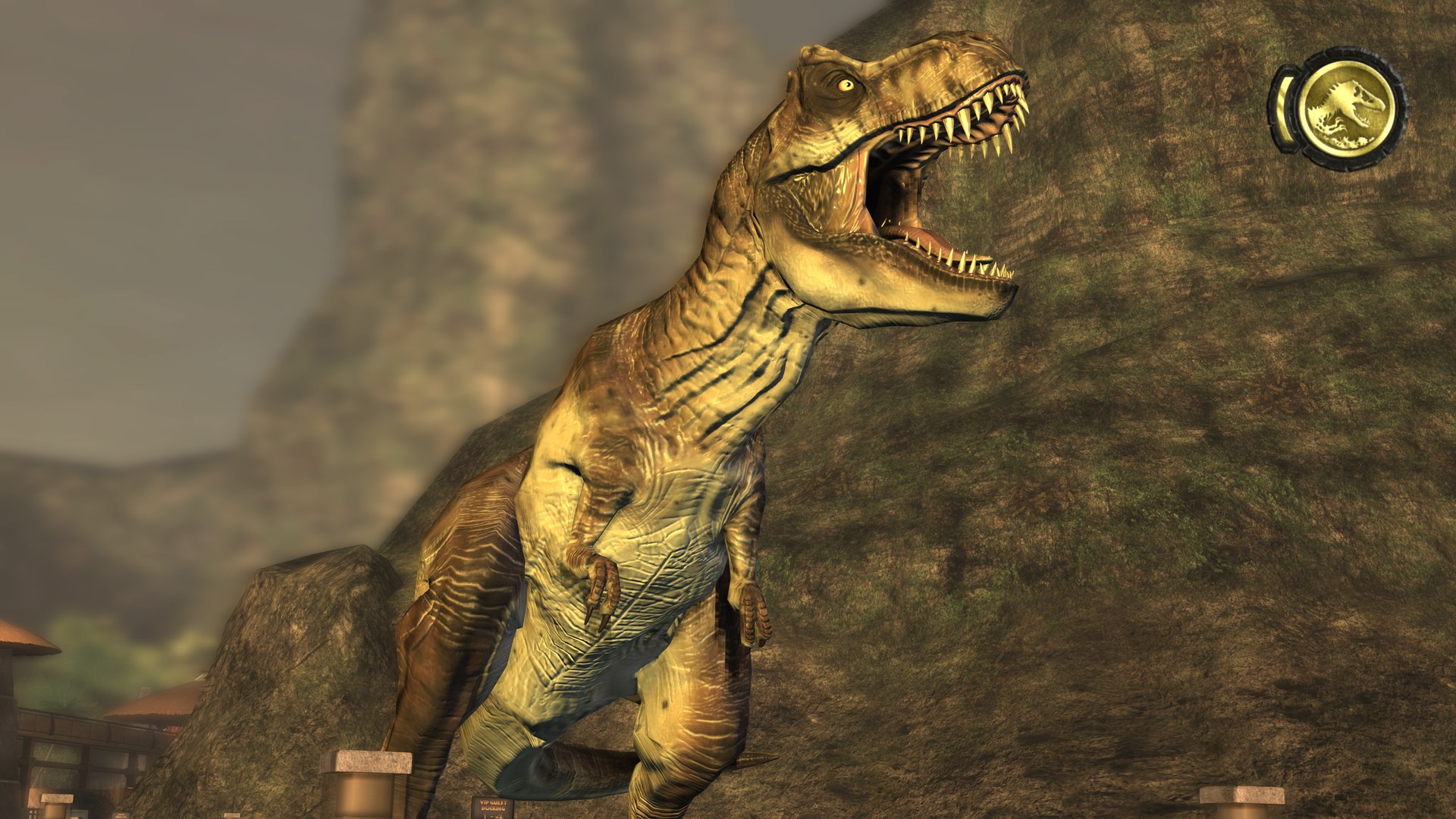
Playing on macOS
- Make sure the Mac version of Jurassic Park: The Game is installed through Steam. The game is no longer sold, but owners can still download it from their Steam library.
- Download
JPTG-Recomp-macOS.dmgfrom the Releases page. - Open it and run Install JPTG Recomp. The installer finds your copy of the game, checks that it is the supported release, and builds the game on your Mac. The first build takes a few minutes and needs an internet connection and Apple's Command Line Tools (the installer offers to install them).
- Launch Jurassic Park: The Game from your Applications folder.
Note: release builds are not notarized by Apple yet, so macOS blocks the installer the first time it is opened. To allow it, go to System Settings > Privacy & Security and click Open Anyway.
Some things worth knowing:
- Saved games and settings are stored where the original Mac version kept them
(
~/Library/Application Support/Telltale Games/JurassicPark100), so existing saves carry over. - Steam does not need to be running. Achievements are recorded locally instead of on Steam.
- The resolution and fullscreen options in the game's Graphics settings work as in the original; on Retina displays the game renders at full pixel resolution.
How It Works
JPTG Recomp is built on Recomp-Framework,
NightSightProductions' static recompiler, included as the framework/ submodule (clone with
git clone --recursive, or run git submodule update --init). Its 32-bit Mac target (framework/mac32)
started out as this project.
- The framework's translator (
framework/mac32/tools/recomp32.py) reads the original executable (a 32-bit Intel Mach-O) and translates every function into C that runs against a simulated 32-bit address space. The executable's symbol table gives the exact function boundaries and names. - The framework's runtime (
framework/mac32/runtime/) is what the translated code runs on: the CPU state, memory, threads, and re-implementations of the 2011 system libraries the game imported (libc, the C++ runtime, CoreFoundation and others) with the original 32-bit data layouts, plus a Cocoa/OpenGL host, an FMOD Ex replacement on CoreAudio and an offline Steam layer. - This repository holds what is specific to the game:
src/game.c: the game's settings (its app bundle, preferences domain, save folder);src/engine.c: how the host drives Telltale's engine (itsGameEngine_*C API), and native replacements for the engine's own Mac platform layer (Apple_*) and renderer bridge;tools/hle.txt: the addresses of those engine functions in the supported release;- the installer and the Lua regression test.
- The build happens on your machine from your copy of the game, and the app loads the game's data from your Steam installation at run time.
License
The code in this repository is licensed under the terms of the MIT License. You can find the entire license in the LICENSE file.
Jurassic Park: The Game, its executable and its data remain the property of their respective
owners. The C code that the build generates from the game's executable (gen/, gen_full/) is
derived from the game and must not be redistributed; the repository is set up so that it is
never committed.
The Jurassic Park: The Game logo and screenshots are shown only to identify the game; the logo is a trademark of its respective owners.
Features
JPTG Recomp provides:
- Native Apple Silicon (arm64) build of the original Mac release, with the original engine code
- All four episodes, with saves and settings compatible with the original Mac version
- Modern resolutions, Retina rendering and native macOS fullscreen
- Audio through CoreAudio, with music, ambience and dialogue
- Offline play with locally stored achievements
- A macOS installer that builds the game from your own copy
Known Issues
- Shadows cast by characters can look blocky at high resolutions. The engine renders them into fixed 512×512 shadow maps; the original Mac release behaves the same way.
Support and Feedback
When reporting a problem, include ~/Library/Logs/jp-recomp.log from the session where it happened.
The log is replaced every time the game starts.
System Requirements
Operating System
| macOS | |
|---|---|
| Min Version | macOS 11 Big Sur, Apple Silicon (M1 or later) |
Note: only macOS 27 has been tested so far.
Note: Intel Macs are not supported.
Software
| Min Version | |
|---|---|
| Jurassic Park: The Game, Mac version from Steam | - |
Xcode Command Line Tools xcode-select --install | 15 |
| Python 3 (included with the Command Line Tools) | 3.9 |
The build downloads two Python packages, Capstone 5.0.9 and
LIEF 1.0.0, into a local .venv folder.
Build Instructions
-
Clone the repository:
git clone https://github.com/NightSightProductions/JPTG-Recomp.git -
Build the game from your copy (the default Steam location is used if no path is given):
scripts/build.sh "/path/to/JurassicPark100.app"This verifies the game executable, translates it (
make full-gen), compiles it (make full app) and createsbuild/Jurassic Park The Game.app(make bundle), using the game's own icon from your install. -
Run it:
open "build/Jurassic Park The Game.app"or from a terminal, with the log on screen:
./build/JurassicPark orig.bin "/path/to/JurassicPark100.app/Contents/Resources" -
To build the installer disk image, run:
setup/macos/build_installer.sh
Tests
make test-gen && make && tests/run.sh builds a small test harness from the game's embedded Lua
interpreter and zlib (make test-gen translates just that part of the executable) and checks it
against recorded output.
Debugging Options
These environment variables are read by the game when started from a terminal:
| Variable | Effect |
|---|---|
RT32_STRICT=1 | Stop on any call into a system function that is not implemented, instead of logging it |
RT32_WATCH=name,... | Log every call to the game functions whose names contain one of the given strings |
RT32_TRACE_FILES=1 | Log file access |
RT32_TRACE_GL=1, RT32_TRACE_GLARGS=glFunc,... | Log OpenGL calls, optionally with arguments |
RT32_TRACE_FMOD=1 | Log audio activity |
make memcheck builds a variant that reports writes to a chosen memory range (RT32_MC_LO,
RT32_MC_HI, RT32_MC_ARM), which is useful for tracking down memory corruption.
Acknowledgements
- stb_vorbis by Sean Barrett (public domain), for Ogg Vorbis decoding
- Capstone and LIEF, used by the translator
- TelltaleToolLib and the Telltale modding community, whose documentation of the engine's formats helped early in the project