Klingon Honor Guard - Android
Klingon Honor Guard - Android is a native Android port of the Unreal Engine 1 first-person shooter with a Vulkan renderer and on-device FMV cutscenes.
- Type: PC port
- Game: Star Trek: The Next Generation - Klingon Honor Guard
- Runs on Android
- By imjustadudegamer
- Latest release v0.9.6, 2026-07-11
- Source: https://github.com/imjustadudegamer/Klingon-Honor-GUARD-Android
README
Klingon Honor Guard — Android
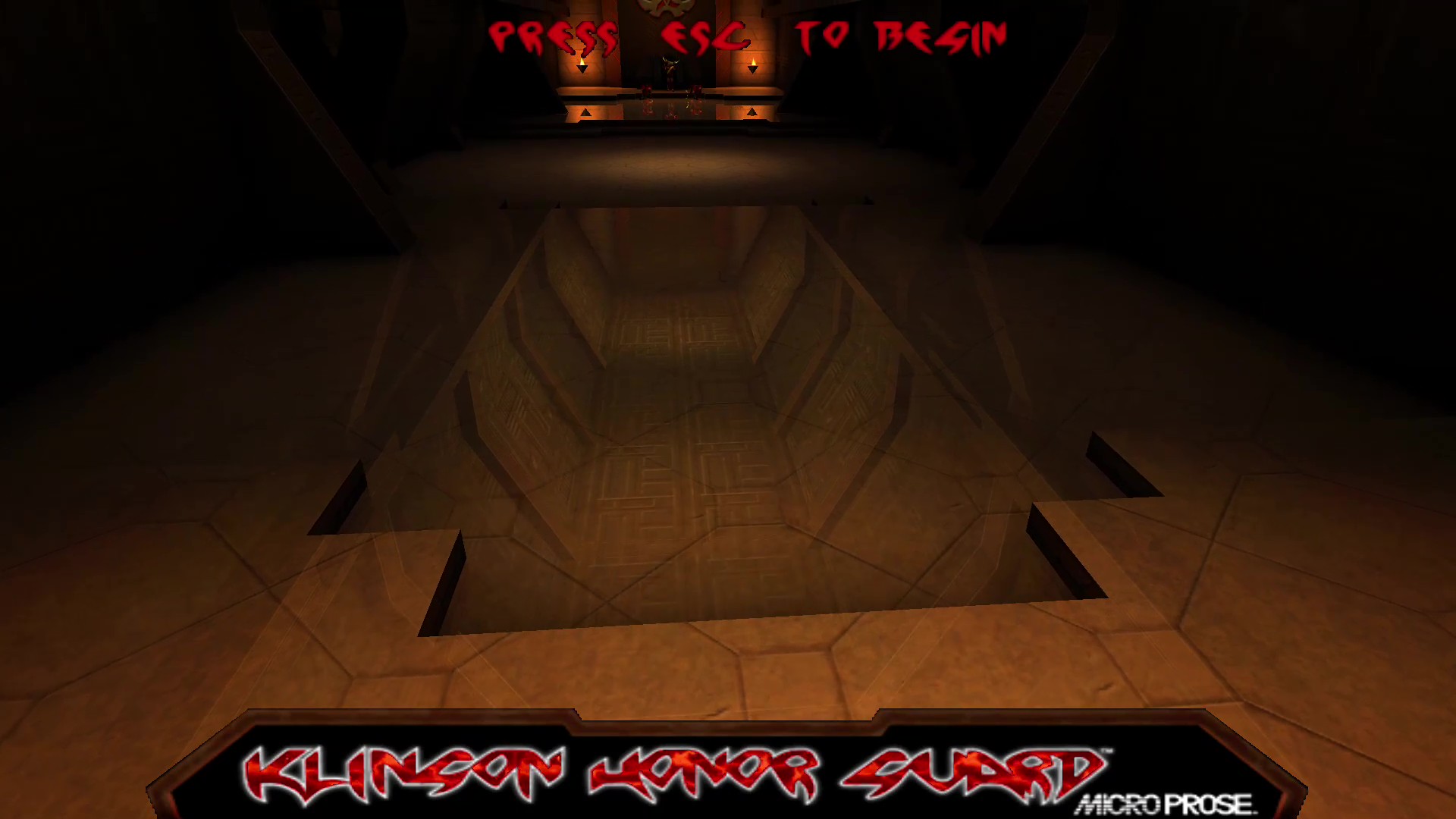
A native Android port of Star Trek: Klingon Honor Guard (1998), the Unreal Engine 1 first-person shooter. It boots to the menu and plays real missions end-to-end on-device, with a from-scratch Vulkan renderer, on-device FMV cutscenes, and both on-screen touch controls and full gamepad support. Runs on 32-bit and 64-bit ARM.
The engine base is fgsfdsfgs/UE1 (a UE1 v200 source port)
on the Andiweli/Unreal-Android Android bring-up, surgically
adapted to be binary-compatible with KHG's build-219 fork of the engine. The renderer is a
new Vulkan render device written against the build-219 URenderDevice interface, informed by the
UT99 Vulkan driver.
No game data is included. You need your own retail copy of Klingon Honor Guard (original CD + patches, or an existing PC install) and you supply its data files yourself.
Features
- Vulkan renderer — a from-scratch
VulkanDrvrender device draws the 3D BSP world with baked lightmaps, Gouraud-shaded characters/meshes, translucency, and the 2D HUD/menu at ~60 fps. This is the only renderer; there is no OpenGL ES path. Runs across common mobile Vulkan drivers, including Mali (with driver-specific renderer workarounds) and Adreno. - On-device FMV — the intro movie, the MicroProse splash, mission briefings, and the decorated Klingon comm-frame cutscenes all decode and play through a bundled LGPL FFmpeg build.
- Save / load — saving and loading game state works through the engine's hub/save system.
- Touch screen controls and external gamepad support — a console-FPS-style gamepad layout with ini-tunable stick sensitivity and a low-latency right-stick look filter.
- Handheld-friendly UI — semi scalable 2D fonts and HUD for small high-DPI screens.
- In-app data import — if no game data is found at launch, the app lets you pick your retail
Unrealdata folder or a ZIP of it with the system file picker and copies it into place. No storage permission is required.
Screenshot
Requirements
- Android 6.0+ (API 23) with Vulkan support, on 32-bit (armeabi-v7a) or 64-bit (arm64-v8a) ARM. The APK carries both builds and installs the right one automatically; saves work on either.
- A retail copy of Star Trek: Klingon Honor Guard. You need its
System,Maps,Textures,Sounds, andMusicdirectories, plus the.avimovie files fromSystem/. - Controls: on-screen touch controls are enabled by default (move stick, look, fire / alt / jump / crouch / switch, a MENU button, and Back → menu). A physical gamepad is fully supported and rebindable in-game, but not required.
1. Get the APK
Download the latest signed app-release.apk from the
Releases page,
or build it yourself (see Build).
2. Install it
Copy the APK to your device and open it to install. You may need to enable Install unknown apps for your file manager or browser in Android settings the first time. Or, over USB with developer mode on:
adb install app-release.apk
3. Controls (touch or gamepad)
On-screen touch controls are on by default, so you can play with no accessory at all. Prefer a physical controller? Pair a Bluetooth/USB gamepad before launching — it's fully supported and rebindable in the in-game settings. The game runs locked to landscape.
4. Provide your game data (first launch)
The app ships no game assets. On first launch, if no data is found, it asks for your retail Klingon Honor Guard data. Two ways:
- In-app import (easiest): the launcher offers a folder picker and a ZIP picker.
Point it at your retail
Unrealdata folder (or a ZIP of it) and it copies the files into the app's private game folder and starts the game. No storage permission is required. Next launches go straight in. - Manual (adb): copy the data into the app's private OBB folder, preserving the original
layout —
/sdcard/Android/obb/com.khg.android/Unreal/System,/Maps,/Textures,/Sounds,/Music, with the.avimovies inSystem/. Saves are written to/sdcard/Android/obb/com.khg.android/Unreal/Save.
Exact adb push commands for manual staging are in docs/BUILD.md.
Updating from v0.9.0 or earlier? As of v0.9.2 all game data, saves, and settings live in one place — the app's own private OBB folder (
Android/obb/com.khg.android/Unreal) — instead of a scattered SD-card location. Because of the move:
- You will be asked to import your game data again on the first launch after updating. Just re-run the in-app folder/ZIP import, exactly like a first install.
- Your existing save games are imported automatically the first time you launch this build. Your old files are left untouched; backing up your saves first never hurts.
Known issues
The port is now stable and plays end-to-end. A few rough edges remain:
- Some effects and fine FMV compositing details are still being refined.
- Long-session engine stability — the original UE1 game logic has latent actor-lifecycle edge cases that can surface after extended combat; these are being fixed reactively.
- Minor graphical glitches (occasional shimmer on some distant surfaces) may appear; the reflective menu floor's shimmer is faithful to the original PC release, not a port bug.
- Please report issues so they can be tracked and fixed.
Build
Everything needed to build is in this repository (the UE1 engine, SDL2, the renderer, audio, and the prebuilt SPIR-V shaders). No game data is required to build — only to run.
Prerequisites: Android SDK (android-36), NDK 27.0.12077973, CMake 3.22.1, JDK 21,
Gradle 8.13. Point Gradle at your SDK with a local.properties:
echo "sdk.dir=/path/to/Android/sdk" > local.properties
Then build:
./gradlew :app:assembleDebug # output: app/build/outputs/apk/debug/app-debug.apk
Prerequisite versions, SDK component install, and how to deploy/run on a device are in docs/BUILD.md.
License & credits
This is an unofficial, non-commercial fan project, not affiliated with or endorsed by Epic Games, MicroProse, Microsoft, or any rights holder. It includes no game assets — you supply your own retail copy.
- Unreal Engine © Epic Games. The engine baseline derives from publicly available UE1 v200 source with proprietary assets removed.
- Star Trek: Klingon Honor Guard © MicroProse / Microsoft and the respective rights holders.
- FFmpeg is used for movie decoding under the LGPL-2.1 (LGPL build, dynamically linked;
built without
--enable-gpl/--enable-nonfree). Source: https://ffmpeg.org. - Built on fgsfdsfgs/UE1 and Andiweli/Unreal-Android; uses SDL2, OpenAL Soft, and libxmp. The Vulkan renderer architecture is informed by the UT99 Vulkan render device.
Full attribution is in CREDITS.md; the full third-party license notices are in THIRDPARTY.md.
Documentation
- docs/BUILD.md — prerequisites, building, deploying, running.
- docs/ARCHITECTURE.md — engine base, source layout, port modifications.
- docs/RENDERER.md — the Vulkan render device.
- docs/FMV.md — the cutscene / FMV system.
- docs/CONTROLS.md — controller configuration reference.