Lagoon Recomp
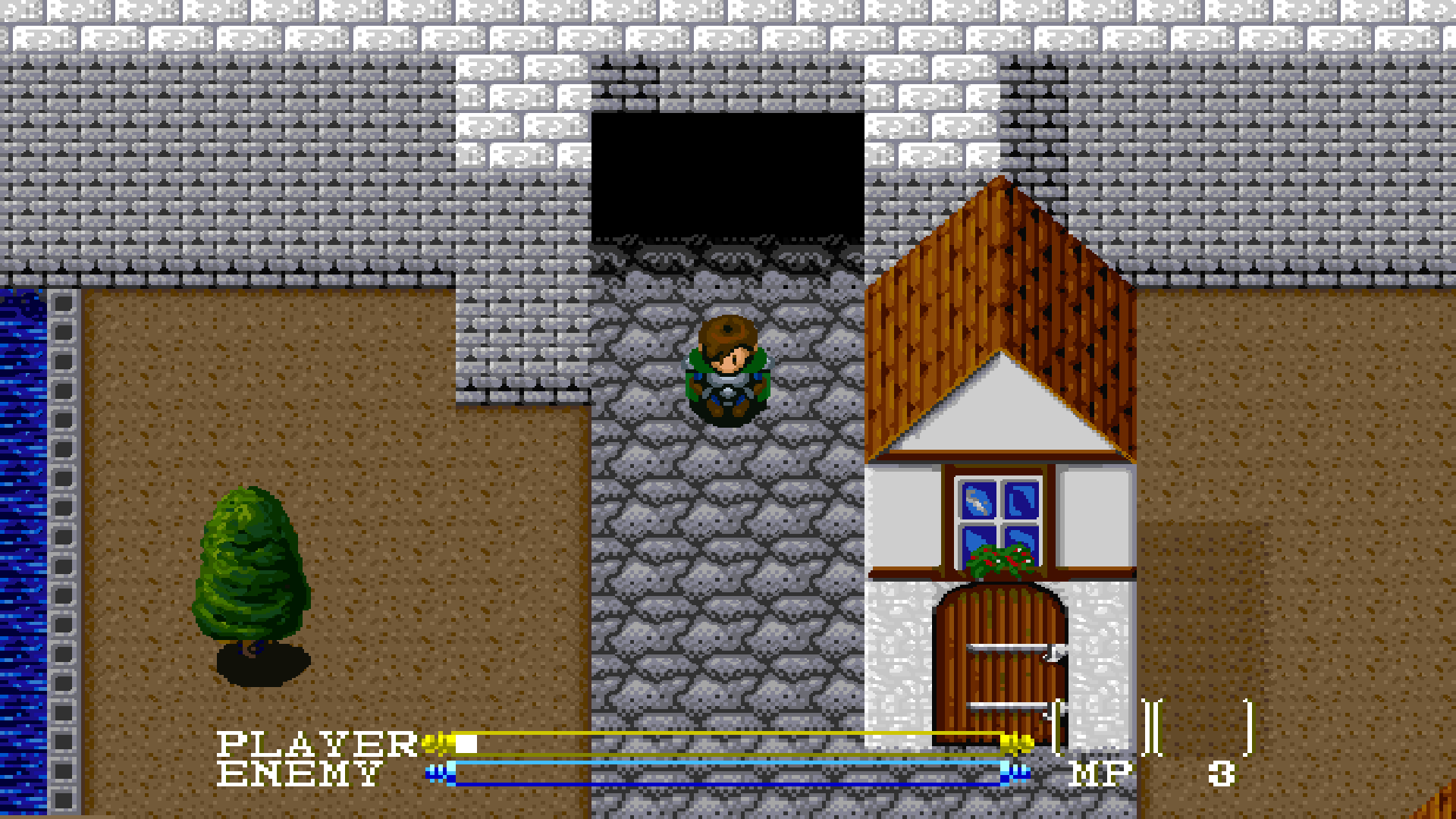
Lagoon Recomp is a Windows port of Lagoon for the Super Nintendo Entertainment System with widescreen support and enhanced original artwork.
- Type: PC port
- Game: Lagoon
- Runs on Windows
- By rages4calm
- Latest release v0.2.5, 2026-10-22
- Source: https://github.com/rages4calm/LagoonSNESRecomp
README
Lagoon Recomp
A Windows port of Lagoon (USA) built with SNESRecomp. Native gameplay runs alongside an interpreter safety net, with widescreen, a custom scene renderer and optional quality-of-life improvements. Bring your own clean USA ROM. No ROM or extracted Lagoon graphics are bundled.
More screenshots · Windows release · Build · Playing and settings · Development · Credits
What you can expect
- Wider views: 16:9, 16:10, 21:9, 32:9 and window-driven aspects, with additional scenery, supported NPC/enemy sprites, selected multipart boss poses and supported projectile and fullscreen magic effects beyond the original view. Loading a compatible Elf Field or Voloh state also recovers supported actors in the added view without requiring a door reload, including more supported Voloh NPCs. Supported enemy defeat effects also recover after compatible state loads. Equipped spell graphics also recover after compatible loads, including supported homing spells in the added view. A verified cave actor pack also restores supported enemies after loading, while unknown graphics remain excluded. Moving NPCs now use the completed original draw pose, with additional source-checked Thor, Bird and orb rendering.
- Original artwork, enhanced: optional EPX treatment preserves the palette and keeps the HUD sharp. No replacement artwork is required.
- Gameplay options: faster walking, longer sword reach with a modest cleave, extra hit recovery, gentler opening balance, more EXP, longer jumps, stronger magic and a centered camera. EXP and gold rewards have independent Original–8x selectors; the previous 1.5x EXP setting remains available. The longer-reach option also extends supported sword artwork to match its reach.
- Built-in escort improvements: Giles can receive first aid without spending a Healing Pot. Giles and Thor route around walls and stairs at Nasir's walking pace, keeping a short gap and the original wall collision. You can walk through your active escort when reversing direction. Thor can follow a safe jump across the tablet bridge, including after a mid-jump state reload. Menus open faster, and ordinary area changes spend less time on the original loading work. The cloud-to-castle jump also has a more forgiving landing catchment.
- Explored map: press M or controller L2 to pause and see your position, discovered exits, links to visited areas and discovered treasure. The early tablet quest includes next-step hints and relevant objective markers.
- Quick settings: controller R2 or Ctrl+comma opens an in-game master-volume and X68000 music-volume panel, with an Achievements entry. The game pauses while it is open.
- Local achievements: 26 milestones for adventuring, bosses and completing the ending, powered by CompanionAchievements. Open them with Ctrl+J, through R2 → Achievements, or in Companion. Unlocks have a compact top-right notification and original chime. Progress works offline, saves separately from game saves and is never awarded just by loading one. A hidden traveler has a small surprise, with solid NPC collision, a portrait, original-style typing dialogue and music that continues while you talk.
- Companion Launcher: display, audio, input and QoL settings in one place. Choose Original SNES or the bundled X68000 music on Audio; no manual conversion or folder selection. Unmapped cues retain SNES music and sound effects remain original. X68000 cues now have balanced playback levels, with a separate music trim. Keyboard, controller and system-hotkey editors write the native settings directly. Music details and MP3s.
Run it
Download the Windows x64 ZIP from
Releases.
Extract the whole ZIP and open Setup Lagoon.cmd or lagoon.Companion.exe.
Select your clean USA ROM on Game and Apply, then open Game setup and Run setup.
Press Play when setup finishes. The playable game executable and self-contained
Companion are included, each with a custom icon; no compiler, SDK or download is
needed for setup. Your ROM is verified and is never bundled or copied by setup.
Release settings and saves live in the extracted folder's local directory.
For a source checkout, build the game and launcher, then open
Start Lagoon.cmd. Development settings and saves remain in build.
On a 1920×1080 monitor, start with desktop fullscreen, 16:9 widescreen, VSync on and optional Enhanced original pixels. Leave linear filtering and frame blending off for a sharp picture. 21:9 and 32:9 show more horizontal scenery, with letterboxing on a 16:9 display. Window scale affects windowed size only.
Project status
The current Windows release is 0.2.5 / v0.2.5. It fixes map text losing pixel rows during overlay presentation, keeping small lettering readable at standard and ultrawide aspects. It also includes the 0.2.4 fixes from the owner's completed campaign: faster area loading, Thor's bridge crossing, a more forgiving castle landing, the Moon Sword equipment cursor, first-phase Evil Spirit/Zerah health bars, widescreen enemy simulation and the ending achievement. Local achievements now use compact top-right notices. The hidden cameo retains Lagoon-style typing dialogue, a portrait and uninterrupted music. Use the release notes for the exact contents and qualification of each downloadable package.
Native combat, damage, death/revival, boss services and endgame routes, display fades and guarded HUD dispatch have focused checks; the interpreter remains enabled for paths that have not been qualified. Scenery contracts cover all 75 authored room descriptors, but that does not mean every actor, effect, menu or transition supports widescreen. Unsupported content falls back to the original view.
The owner completed the campaign and explored every map. These reports supplement the focused automated checks; they do not prove every native or widescreen path is supported. Special actor/effect coverage and occasional frame-time spikes remain work in progress. Native enemy calculations now cover ordinary areas, including sprite packing and direction/velocity commands. A focused busy Elf Field route holds the intended 30 game updates per second with approximately 60 displayed frames per second; this is not a full-game performance guarantee. A guarded transition bridge also covers the brief gap before an area's loading flag appears. Incoming mosaic fades now retain the current room's original center and fill qualified widescreen margins; completed menus take priority over cached scenery. Native table dispatch now covers qualified item, spell, death and boss-script contexts, with the full ordinary actor sorting loop also compiled. Unknown script contexts continue through the interpreter. All 40 commands in the NPC script family now have qualified native entry contexts, with additional dialogue continuations and separate assisted state/audio checks. Native music uploads preserve actual device timing; initial unmapped boot uploads remain interpreted. A read-only map-resource scan also reduces loading work without changing game speed. Focused fullscreen measurements distinguish original loading waits from host rendering cost; they do not establish locked 60 FPS throughout the game. Tablet hints are available; a full objective journal, broader route guidance and zoom-out remain later work. See development scope and how to report a playtest issue.
Credits and licensing
QoL ideas were inspired by oipo's Lagoon QoL hack. See full credits for the original developers and project dependencies.
Retain the included licenses: the SNESRecomp foundation and derivatives use PolyForm Noncommercial; Companion Launcher and the Lagoon launcher adapter use MIT, as do CompanionAchievements and cJSON under their own included notices. Public source availability does not remove the noncommercial terms. ROMs, generated ROM-derived code, extracted Lagoon assets, saves and private validation captures stay local. The tiny credited Chrono Trigger cameo has its own original copyright; it is not MIT-licensed artwork. The gallery contains selected development screenshots.
Community and contact
Discord: chrono.trigger
R.A.I.D. — Retro AI Development · a Discord for AI-assisted retro reverse-engineering, decomp & recomp. I post my work there; join to discuss this project and the others.