mtf-recompiled
mtf-recompiled is a native Windows PC port of Mario Tennis Fever with Vulkan 1.3 rendering, supporting up to 600 FPS and 8K resolution.
- Type: PC port
- Game: Mario Tennis Fever
- Runs on Windows
- By rafael-fj
- Latest release v0.1.0, 2026-11-22
- Source: https://github.com/rafael-fj/mtf-recompiled
README
MTF Recomp
Download · Get started · Status · Multiplayer · Issues · Contributing · Respect copyright
MTF Recomp is a native Windows x86-64 static recompilation of Mario Tennis Fever (Nintendo Switch 2, Update 1.1.1 / v327680, Title ID 0400D4201C6EA000) with a Vulkan 1.3 renderer, built locally from your own copy of the game.
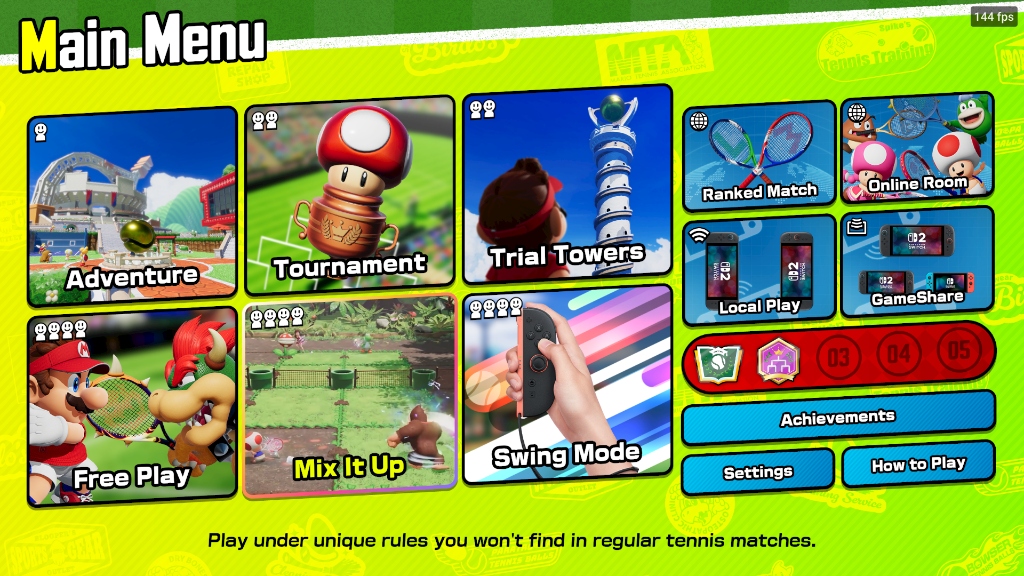
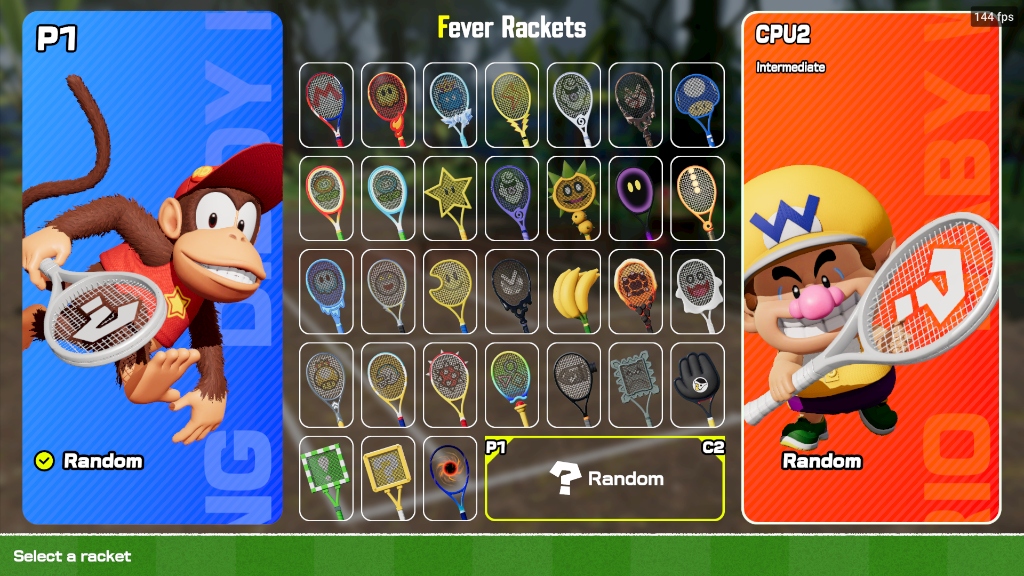
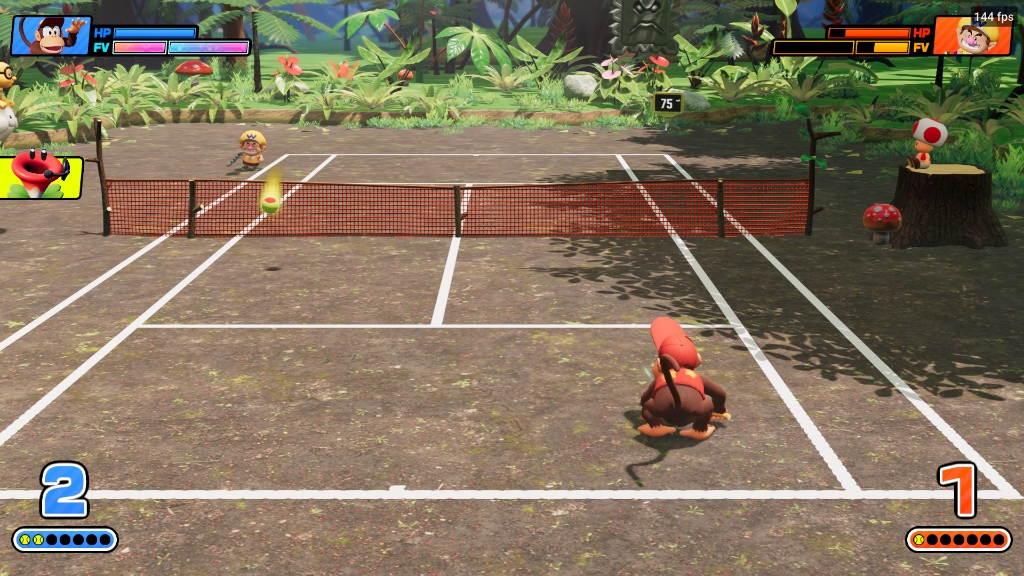
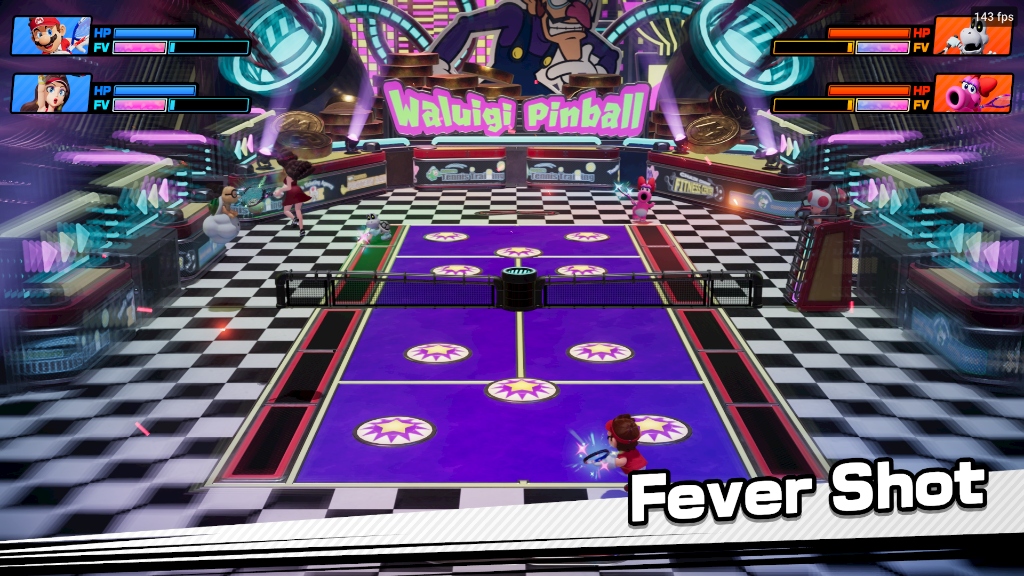
Screenshots taken in MTF Recomp (144 FPS). The game is © Nintendo / Camelot; you need your own copy to run it.
Important
No game files are included. You need your own legally obtained copy of Mario Tennis Fever, updated to version 1.1.1 (v327680) and dumped from your own Nintendo Switch 2. This project does not provide game files, keys, firmware, dumping or decryption tools, or instructions on how to obtain them. The game code is recompiled locally, on your machine, from your files.
Note
Built with AI assistance. Parts of the port enhancements, tooling, UI, and documentation were written with AI coding assistants, directed, tested, and reviewed by a human. It builds upon upstream open-source MIT recompilations (MTF Recomp 0.1.0+6caba99, TotK Recomp, LAS Recomp, MacNativeGames, nxnative, and SavageWindRecomp).
Features
- Full game from your own copy: Adventure, Tournament, Trial Towers, Free Play, Mix It Up, and local multiplayer.
- High Frame Rates & Frame Generation:
60 FPSnative simulation, unlocked engineFPS_LIMIT(30–Uncapped), and optical-flow Frame Generation (120, monitor refresh e.g.144 Hz, orunlimited). - High Resolution & Upscaling:
720pto8K (4320p), smartautomatching your display,50%–200%render scale, AMD FSR 1, Bilinear, HDR10, and NVIDIA DLAA/DLSS. - Controllers & Dynamic Prompts: Plug-and-play SDL3 gamepad support (Nintendo Switch, Xbox, PlayStation), full keyboard/gamepad remapping (
F1 -> Controls), and live-switching button prompt icons matching your active input device. - In-Game Overlay (
F1/Esc/Minus+Plus): Dear ImGui settings menu in English and Brazilian Portuguese (pt-BR), performance monitor, andF1 -> Cheats(in-memory toggles to unlock characters, outfits, rackets, courts, and cups/modes for instant multiplayer without altering your save). - Multiplayer & Browser Remote Play (
F1 -> Multiplayer): Local multi-gamepad routing (P1–P4) plus built-in browser streaming (VP8 + Opus + remote controller input) so up to 4 friends can join from Chrome/Edge. - Easy Setup & Updates: RecompLauncher SDK integration (
recomplauncher.json, Levels 1–3), guided Windows installer (MTF-Recomp-Setup.exe), and an automatic in-game GitHub release notifier (one-time 5s banner +F1menu reminder).
Get started
You need: your own legal game files (Update 1.1.1 / v327680, .nup or extracted exefs/ and romfs/), Windows 10 or 11 (x86-64), a GPU with Vulkan 1.3, 16 GB of RAM, and about 10 GB of free disk space.
Option A — RecompLauncher (Recommended)
- Install RecompLauncher.
- Install Mario Tennis Fever: Recompiled and point it to your extracted
Update 1.1.1folder (exefs/andromfs/). - Adjust graphics, audio, and cheats directly in the launcher and press Play.
Option B — Windows Setup (MTF-Recomp-v*-Windows-x64.zip)
- Download
MTF-Recomp-v*-Windows-x64.zipfrom the latest release and extract it to a writable folder (notProgram Files). - Run
MTF-Recomp-Setup.exe(English /pt-BR), select your.nupor extracted1.1.1folder, and pick your install destination. - Launch
mtf-recomp.exe(F1orEscopens the settings overlay;Alt+F4closes the game cleanly).
Option C — Build from Source (tools/build_fork.py)
- Enable the pre-commit content guard:
git config core.hooksPath .githooks - Copy
config.example.tomltoconfig.local.tomland set[game].dump_pathto your extracted Mario Tennis Fever + Update 1.1.1 folder. - Build with CMake + Ninja (
build/fork/bin/mtf-recomp.exe):python tools/build_fork.py - Verify zero game content is tracked:
python tools/check_content.py
Updating: In RecompLauncher, updates are automatic and keep your saves (profile/) and settings (mtf.ini). For standalone installs, extract the new release zip and run MTF-Recomp-Setup.exe pointing to the same install folder — your saves and mtf.ini remain untouched.
Saves
Saves are stored in the profile/ folder next to mtf-recomp.exe (alongside mtf.ini for settings). Close the game and copy profile/ to back up or move your saves.
Multiplayer & Browser Remote Play (F1 -> Multiplayer)
| Option | Transport | When to Use | Public IP Privacy | Expected Delay |
|---|---|---|---|---|
| Local Host | HTTP + WebSocket (direct LAN / port-forward) | Same local network (LAN/Wi-Fi) or trusted peers with zero tunnel overhead | Exposed if shared over WAN/port-forward (privacy warning shown) | ~15–35 ms (LAN) |
| Cloudflare (WebSocket) | HTTP + WebSocket via trycloudflare.com tunnel | Playing over the internet when strict NAT/firewalls block UDP or you want a zero-config link | Hidden behind trycloudflare.com | ~45–90 ms (depends on region/route) |
| WebRTC (Low Latency UDP) | WebRTC DataChannel (UDP) + automatic WebSocket fallback | Best responsiveness for online matches; falls back to WebSocket automatically if a peer's NAT blocks UDP | Hidden during signaling when cloudflared.exe is installed | ~25–55 ms (direct UDP) |
- Stream Quality Presets: Switch live in
F1 -> Multiplayerbetween Performance (540p,2.2 Mbps), Balanced (720p,4.5 Mbps, default), and Quality (720p,7.5 Mbps). - Notifications: A 3-second banner at the top of the screen notifies the host when remote players (P2–P4) connect or disconnect.
- One-Click Tunnel Setup: Install
cloudflared.exedirectly fromF1 -> Multiplayer(Install Cloudflare).
Status
See docs/port-status.md for current subsystem status and docs/roadmap.md (F0–F9) for the full milestone checklist.
Controls
Any controller SDL3 knows works out of the box. Default keyboard bindings and shortcuts:
| Action | Key | Action | Key |
|---|---|---|---|
| Move / Aim (Left Stick) | W A S D | Right Stick | Arrow Keys |
| A / B | K / J | X / Y | I / U |
| L / R | Q / E | ZL / ZR | Z / C |
| Plus (+) / Minus (-) | Enter / Backspace | Motion / Shake | Space |
| Settings Overlay | F1 / Esc / Minus+Plus | Fullscreen | F11 |
| Quit Game | Alt + F4 (or F1 -> Quit) |
Every gameplay action can be rebound in F1 -> Controls.
Found a bug?
- Check docs/obstacles-and-quirks.md and search existing issues first.
- Make sure you are on the latest release and game version
1.1.1 (v327680). - Open an issue attaching your
logs/mtf.log(next tomtf-recomp.exe), your GPU model/driver version, and steps to reproduce. Never attach game files,.nuparchives, or keys.
Contributing and building
Pull requests are welcome! Please read CONTRIBUTING.md first and make sure python tools/check_content.py passes before opening a PR.
Additional technical documentation:
- docs/devlog.md — Development and reverse-engineering log
- docs/obstacles-and-quirks.md — Known MTF-specific technical obstacles and solutions
- docs/switch2-recomp-rag.md — Cross-project Switch 2 recompilation RAG & license guide
Respect copyright
- Mario Tennis Fever is © Nintendo / Camelot Software Planning. This is a fan project. It is not affiliated with, endorsed by, or sponsored by Nintendo or Camelot. Nintendo Switch and Mario Tennis are trademarks of Nintendo.
- This repository contains no game files, no game code (including no lifted C code generated from the game), no assets, no fonts, and no keys — and release builds never will either.
- The game code you generate locally and the executable compiled from it contain Nintendo's code. They are for your own personal use only: do not share, upload, or distribute them.
- Issues, pull requests, or discussions containing game files, keys, generated game code, or links to pirated copies will be removed immediately. Piracy is not supported in any way.
- Follow the copyright laws of your country. Dumping a game you own for personal use is legal in some jurisdictions and not in others; that responsibility rests with you.
Credits and license
Project-owned code is licensed under the MIT License. The license covers this project's own code only and grants nothing for Nintendo's game, which you must supply yourself.
Originated from the 0.1.0+6caba99 (MIT) release of kayochiaradia/mtf-recomp. All third-party components, commits, and licenses are listed in THIRD_PARTY_NOTICES.md.