Medal of Honor PSX Recomp
Medal of Honor PSX Recomp is a Windows native port of Medal of Honor for PlayStation that offers flat play and an experimental VR alpha with head tracking.
- Type: PC port
- Game: Medal of Honor
- Runs on Windows
- By FractalEngineer
- Latest release v0.1.6, 2026-10-22
- Source: https://github.com/FractalEngineer/Medal-Of-Honor-PSX-Recomp
README
Medal of Honor Recompiled + Full 6dof VR



Static recompilation of Medal of Honor built on psxrecomp and recomp-ui.
Play the original game on a flat display, or opt into the experimental native VR alpha with head tracking, per-eye rendering and tracked-weapon controls. Flat play is the default; VR is enabled through a separate launcher.
The v0.1.6 Windows native alpha is available from this fork's releases. See alpha installation and controls before testing.
| Players | 2 |
| Region | USA |
| Publisher | - |
| Year | - |
Scaffolded with the New Project Layout. See
psxrecomp/docs/GAME_PROJECT_SETUP.md for the full flow.
Retro Launcher
You can run this title standalone (download the release zip, point it at your disc, play), or manage installs, updates, and disc/BIOS wiring with Retro Launcher — the Retro Compilation Manager hub for self-compiling recomps.
Downloads · Full README & features
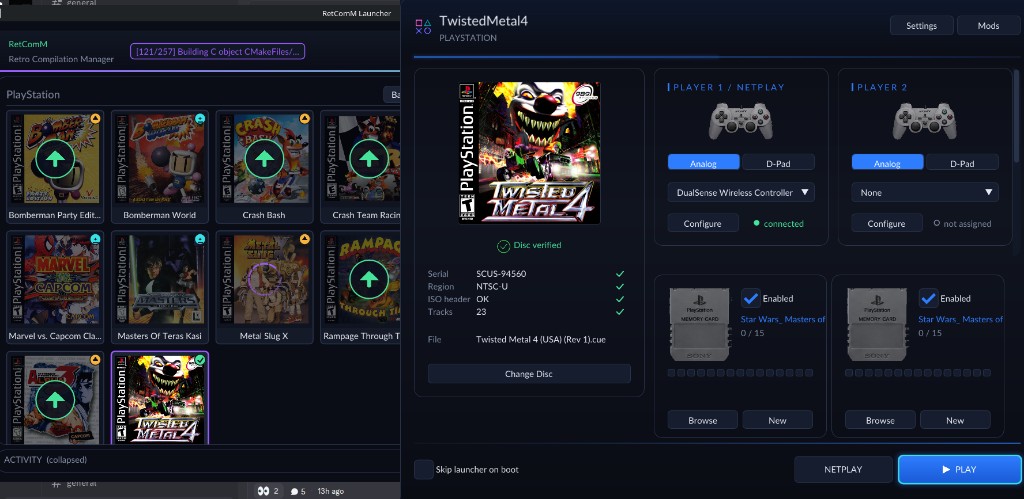
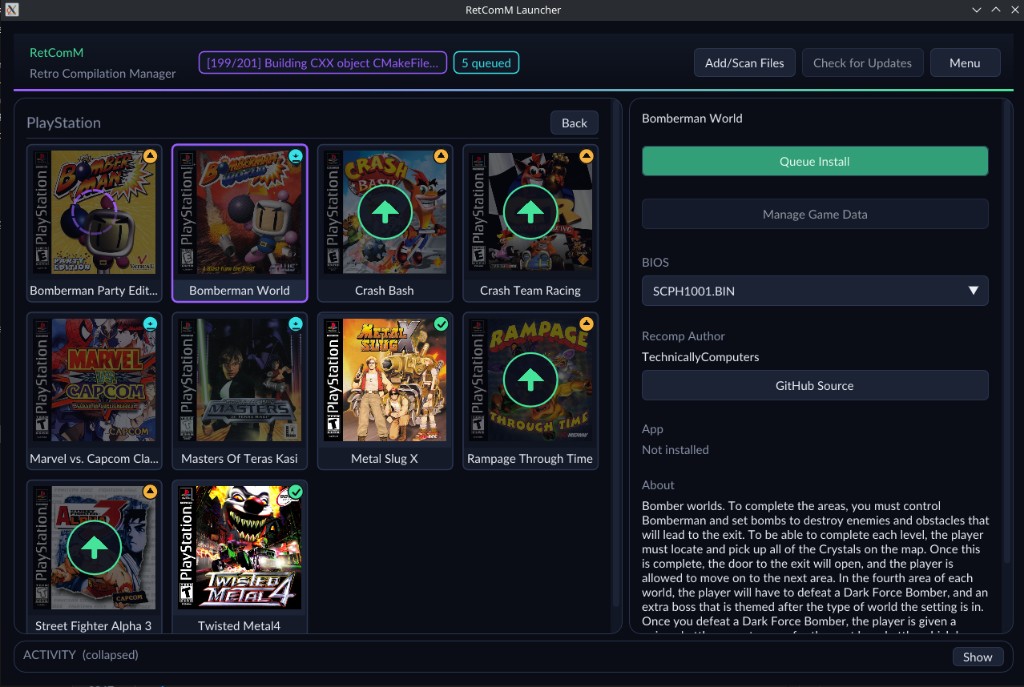
Retro checks for updates, installs the prebuilt release zips, and automates BIOS/ROM/save plumbing so you are not stuck repeating each game’s first run by hand.
Legal
You must own the original game. Disc images under disc/ are gitignored and
must never be committed. Retail BIOS dumps are not redistributed and no C
derived from one may be committed; releases run on the bundled MIT OpenBIOS.
generated/ (the recompiled game C) is committed: releases ship the
compiled game, built by CI from that tree. Regenerate and commit it whenever
seeds or the framework pin change.
Default app icon: assets/psxrecomp.ico (and .png / .svg) — Retro-themed controller mark from psxrecomp/assets/. Windows builds embed it via APP_ICON.
Optional box art under launcher_assets/img/ may come from
libretro-thumbnails
(Named_Boxarts); see BOXART_SOURCE.txt when present.
Flat play
Launch Medal_of_Honor__Recompiled.exe normally and select your own disc image
in the launcher. No headset is required. The supported disc is SLUS-00974
(NTSC-U); game data is not included.
The Windows release also includes RunFlat.bat, which clears VR overrides.
For a local Windows build, launch from the project root in a fresh terminal:
.\build-release\Medal_of_Honor__Recompiled.exe --game game.toml --disc "C:\Games\Medal of Honor\medal-of-honor.cue"
Replace the example disc path with your own. Add --no-launcher to boot
directly. OpenXR support can be compiled into the same executable while ordinary
launches retain flat rendering and normal controller input. VR environment
overrides should be absent for flat play; the VR wrapper restores its process
environment when it exits.
RunVR-VDXR.bat -Desktop is a stereo diagnostic mode, not the ordinary flat launch.
Experimental VR alpha (Windows)
The current v0.1.6 Alpha fixes the missing nearby floor and world shakiness during head movement, and prevents overload shedding from flashing black frames. It retains tracked weapons, the hand-anchored native HUD, desktop spectator mirror, barrel laser, and 1080p default. Production builds disable heavyweight debug instrumentation. The owner considers this build playable on Quest 3 through Virtual Desktop with VDXR; demanding scenes can still slow down.
Setup and launch
Download the Windows release and extract the entire ZIP. Connect your headset
and double-click the launcher for your runtime: RunVR-VDXR.bat (Virtual
Desktop VDXR), RunVR-SteamVR.bat or RunVR-Oculus.bat (Meta Quest Link / Air
Link). Each selects that runtime for the launch and leaves the system's active
runtime unchanged. Select your own
SLUS-00974 (NTSC-U) CUE/BIN image when prompted; the launcher remembers its
location. Keep the BIN files beside the CUE.
Boot videos, menus and briefing appear on a screen in VR; gameplay switches to
per-eye rendering. No save state, Python installation or development tools are
required. The game runs until you close it, and startup errors remain visible
in the console. Keep your saves/ folder when updating.
To select a disc explicitly:
.\RunVR-VDXR.bat -DiscPath "C:\Games\Medal of Honor\medal-of-honor.cue"
Use RunFlat.bat for ordinary flat play. See
ALPHA_README.md for further installation details and alpha
limitations.
Current Touch controls
| Control | Gameplay |
|---|---|
| Left stick | Move / strafe |
| Right stick | Smooth turn |
| Right trigger | Fire |
| A | Use |
| B | Cycle weapon |
| X | Reload / use, according to game context |
| Right stick click | Toggle crouch |
| Left stick click | Jump |
| Left Menu button | Pause / Start |
| Right grip | Hold to show the barrel laser (ends on the surface it hits) |
| Left grip | Hold to aim a mounted machine gun with one stick |
In menus, the left stick navigates, A or right trigger confirms, and B goes back.
The barrel laser is a laser sight on the tracked weapon: hold the right grip and the beam runs from the muzzle to whatever it hits, with a dot marking the impact. It appears for firearms only.
A mounted machine gun aims with a single stick: hold the left grip and one hand covers both traverse and elevation. Let go and normal movement returns.
Report issues and contribute
Report problems in this fork's issue tracker. Include the build version, headset, OpenXR runtime, connection method, mission/location, steps to reproduce, and any relevant captures. Mention whether the issue also occurs in flat play. Do not attach disc images or retail BIOS dumps.
For development context, start with the VR handoff and alpha todo list. Game-specific weapons, controls and HUD changes belong here; generic framework work is tracked in the upstream inventory.
Development build
git submodule update --init --recursive
./psxrecomp/tools/ci/build_emitters.sh
python3 psxrecomp/psxrecomp_cli.py generate \
  --config game.toml --project-root . --disc disc/<your>.cue
git add generated && git commit -m "Regenerate game C"
cmake -S . -B build-release -G Ninja -DCMAKE_BUILD_TYPE=Release -DPSXRECOMP_BIOS_STEMS=OpenBIOS
cmake --build build-release --target psx-runtime
For Windows VR, configure the Release build with -DPSX_OPENXR=ON, or use
RunVR-VDXR.bat -Build after preparing the build tools and generated game C.
Compiling OpenXR support does not automatically enable VR when launching the
executable.
Releases v0.1.0 through v0.1.3 use locally verified Windows alpha packages. CI builds
its platform matrix without replacing those tested assets. Other tags vX.Y.Z
(or the Release builds workflow) build the
committed generated/ C on Linux, Windows and macOS and attach
moh-<version>-<platform>.zip, the compiled game. Locally:
scripts/package_release.sh build-release linux-x64.
Windows packaging requires OpenXR and TCP startup inspection to be enabled
(-DPSX_OPENXR=ON -DPSX_DEBUG_TOOLS=ON), and includes both launchers.
Symbols
Progressive map: symbols.toml → python3 tools/sync_symbols.py →
psx_symbols.h (PSX_FN_*). See psxrecomp/docs/SYMBOLS.md.
Framework pins
Submodule gitlinks (psxrecomp, optional recomp-ui, nested recomp-net)
are authoritative. framework_pins.txt is an optional scaffold snapshot;
release CI logs SHAs with record_pins.sh but builds whatever the gitlinks
resolve to. Bump submodules deliberately — do not float on main/master
in release CI.
R.A.I.D. — Retro AI Development · a Discord for AI-assisted retro reverse-engineering, decomp & recomp
