MediEvil (PS4) for PC
medievil_2019_pc_port is a PC port of MediEvil for Windows 10 and 11 with support for multiple languages and up to 4K resolution.
- Type: PC port
- Game: MediEvil (2019)
- Runs on Windows
- By bc160201983
- Latest release v1.3.5, 2026-10-19
- Source: https://github.com/bc160201983/medievil_2019_pc_port
README
MediEvil (PS4) for PC
A PC port of MediEvil (PlayStation 4, 2019, CUSA11227; the European CUSA12982 works too) for Windows 10 and 11, built on the God of War III PC port.
The CPU side is native: the game's original x86-64 executable runs directly on the PC's processor and a runtime written for this port replaces the PS4 system libraries, so there is no emulator. The graphics run on the shadPS4 video core, which translates the PS4 GPU commands and shaders to Vulkan.
No game files are included. You need your own copy of MediEvil (CUSA11227), as an unpacked folder or a fake package (.pkg). This project is not affiliated with Sony Interactive Entertainment or Other Ocean. MediEvil is a trademark of Sony Interactive Entertainment.
Screenshots
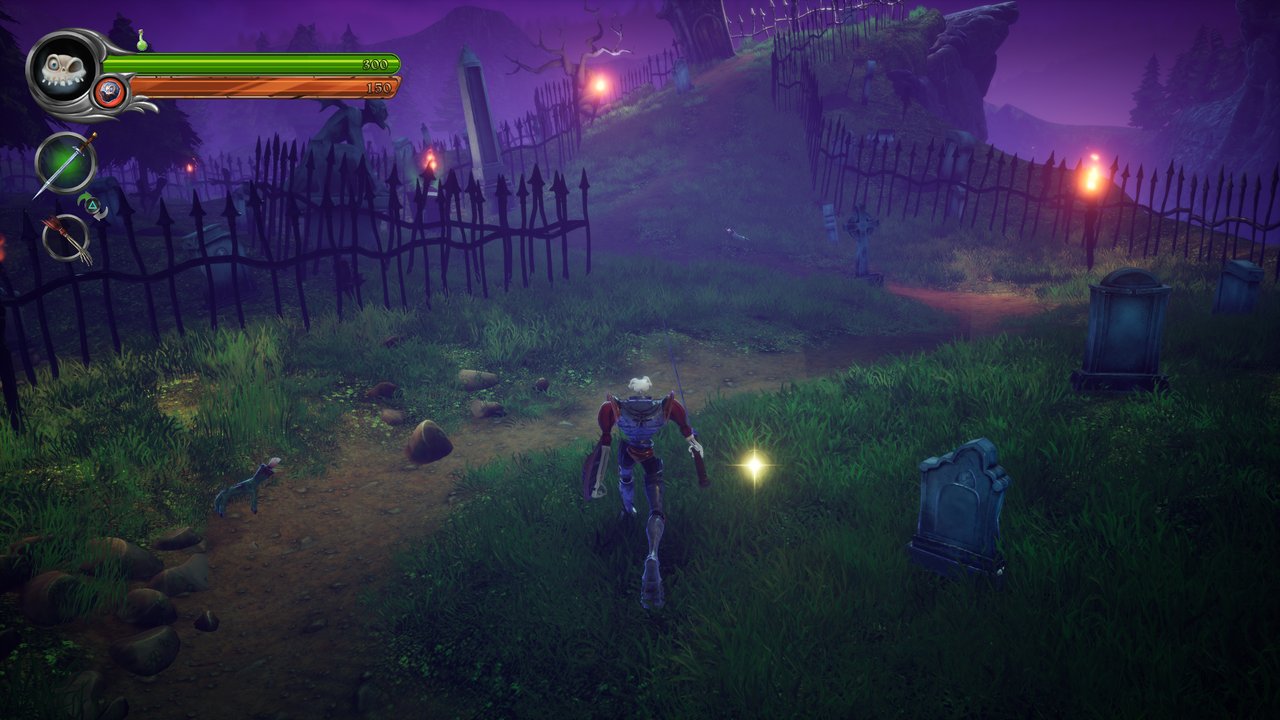 | 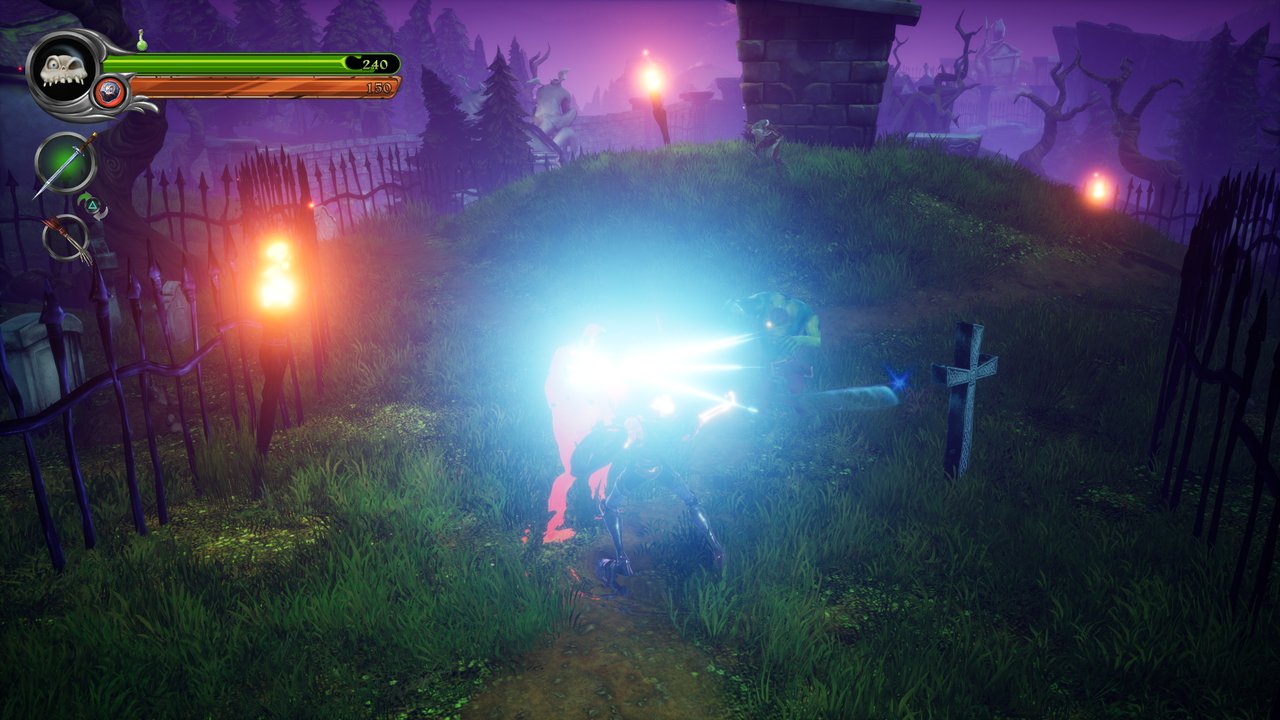 |
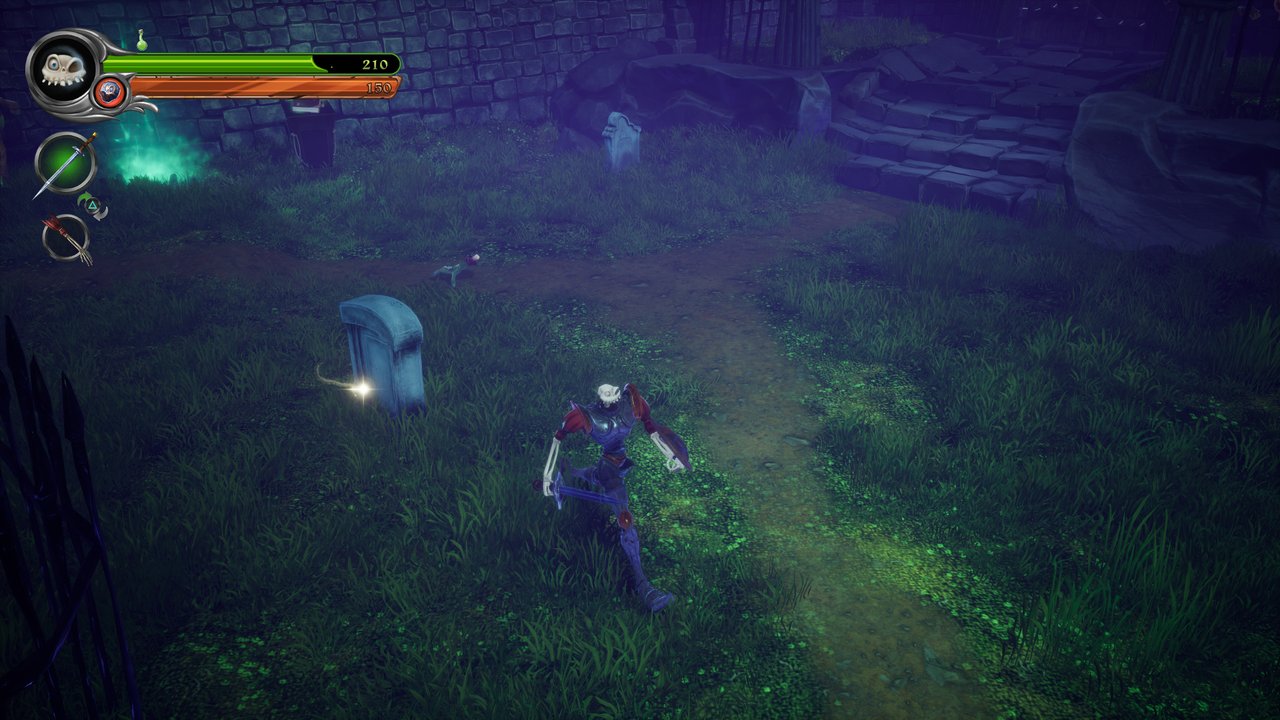 | 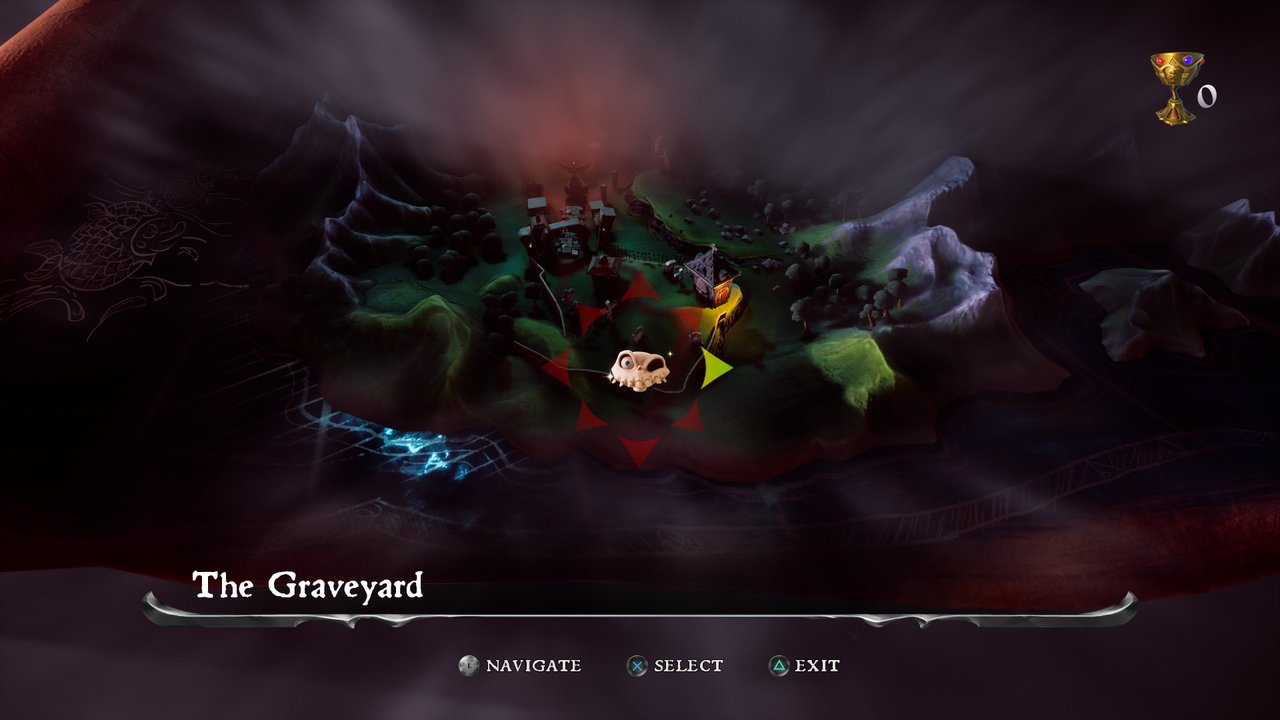 |
Captured on Windows 11 (RTX 5080) with this port.
What works
- Boot, intro movies, menus and gameplay (tested on an RTX 5080, a 1080p 200 Hz monitor and a 4K TV).
- Intel and AMD CPUs: the game's few AMD-only SSE4a instructions (
INSERTQ) are replaced with SSE2 code on CPUs without them (all Intel CPUs), and any other one is emulated. - 60 FPS by default; above 60 is experimental: Engine frame rate 120 or 240 (launcher >
Performance, or the in-game menu) lifts the PS4 game's 60 FPS cap, but can stutter and needs a
fast CPU; settings from before 1.3.4 go back to 60 once. The cap is Unreal Engine 4's console frame-rate ceiling
(
SmoothedFrameRateRange, applied with VSync on), raised by the config override pak; game speed stays normal. Frames are shown as soon as they are ready (a 480 Hz virtual vblank with a frame limit), so pacing stays even. An RTX 5080 runs menus at 120 and levels at about 90 to 120 FPS. - Smooth frame pacing on any monitor: Frame rate limit "Half display refresh (smoothest)" shows every frame for exactly two refreshes (72 FPS on 144 Hz, 100 FPS on 200 Hz; with Engine frame rate 120). 60 FPS on a 144/165 Hz screen cannot be shown evenly and looks like stutter. With VSync on, a limit at the display's own refresh (60 on a 60 Hz TV) is left to VSync, which paces it.
- Audio (Wwise through AudioOut, ATRAC9 and AAC). On stereo speakers and headphones the port mixes the game's 7.1 output down itself (SDL's downmix played it about 13 dB too quietly).
- Controller (DualSense, Xbox and others, through SDL3) and keyboard, both remappable.
- Saving and loading; save backups before every start.
- All the game's languages (launcher > Game > Language): every PS4 system language can be picked, Polish included, whatever region your copy is from (a language the game has no text for shows English).
- Screenshots: F12 in the game saves a PNG of the game's picture at its full resolution
(3840 × 2160 in native 4K) in
user/screenshots(launcher > Display > Open screenshots folder). Shift+F12 saves raw frames for bug reports. - Update notice: the launcher asks GitHub for a newer release when it opens and offers to download and install it (Advanced > Check for updates; can be switched off).
- Install from PKG: the launcher (or
run.py) unpacks a fake PKG once, resumably. - Render resolution up to 4K: the 3D scene is drawn at up to 3840 × 2160 and scaled to the
game's 1080p picture (a UE4 config override pak,
scripts/ue4_override.py): sharpest on a 1080p screen. - Native output 720p, 1440p, 1800p and 4K (for 1440p/4K monitors and TVs): the game itself
switches to that size a few seconds after start, through its own
r.SetResconsole variable. The in-game menu (Performance > Game resolution now) switches between 1080p, 1440p, 1800p and 4K at any time. Native 4K needs a larger PS4 framebuffer pool: the built-in patchpatches/MediEvil.xml("Native 4K framebuffer pool (512 MB)", on by default) raises it from 128 MB. - Temporal upscaling (launcher > Performance > Upscaling): the game's own UE4 temporal upsampling renders the 3D scene at 67%, 58% or 50% and rebuilds the full picture from its motion vectors, for native output and slower graphics cards.
- Graphics quality: Low (integrated graphics such as the Radeon 780M), Medium, Console (PS4), High and Ultra (sharper, longer-range shadows, better reflections and more distant detail). Every preset keeps point/spot light shadows at one fixed size, which stops the shadow flicker while moving, and limits shadow draws so busy outdoor scenes stay near 60 FPS.
- Launcher in MediEvil's style: Gallowmere's colors and the game's own fonts (read from your copy of the game, never shipped), with home and cover art, display, performance, game folder / PKG install / save backups, cheats, patches, mods, controls, diagnostics and log.
- In-game menu (Insert, or R3+L2): image (display mode, VSync, FSR 1, sharpening), performance and the performance overlay.
- Online features (PSN) answer as a console that is not signed in.
Cheats (launcher > Game > Cheats)
- Developer cheat menu: MediEvil's own debug menu, left in the game by its developers and switched on by the override pak. Press R3 while playing: unlock all levels, level select, complete level, unlock all weapons, invincibility, all runes and quest items, life bottles, gold, chalices, fly mode and more. Its 60 FPS lock is removed. Enemies pause while the menu is open (the developers' design) and carry on when it closes, however it is closed (Complete Level and other level changes included).
- Unlimited ammo: daggers, crossbow and longbow bolts, lightning and the other weapons never run out (weapons and shields also stop wearing out).
Performance work in this port
-
No more texture churn: the game draws its lighting volumes and colour grading LUT (3D textures) as 2D slices; each switch rebuilt and copied the texture, about 14 times per frame. The 3D texture now serves the slices through a 2D array view (~4,700 texture rebuilds per 5 s down to ~90).
-
8 GB graphics cards (laptops): the texture garbage collector's limits now follow the driver's memory budget (from the Uncharted port). The old rule evicted textures still in use on 8 GB cards and loaded them again (746 evictions in a test route; now none).
-
Texture cache images share VMA memory blocks instead of one driver allocation each (Unreal Engine 4 reuses render target memory every frame): 22% of the draw recording thread was spent creating and freeing GPU memory.
-
A sampling profiler for the GPU threads:
GOW3_SAMPLE_FILE=<prefix>andscripts/symbolize_samples.py.
Known limits
- Above 60 FPS, the busiest levels are limited by the port's GPU command translation (one thread).
- "Game resolution now" (in-game menu) works with Native and the native output modes; with the 1440p / 1800p / 4K render resolutions (supersampling) it stays at 1080p, as a larger output on top runs out of the game's PS4 memory.
- With a native output above 1080p (1440p / 1800p / 4K native output) the gamepad cannot reach menu items outside the top-left 1920×1080 area (pause menu "Quit to Map", the debug menu's right column): the game's UI window stays at 1080p while the picture switches. "4K (sharpest)" renders the 3D scene at 4K with working menus; or switch to 1080p (in-game menu > Performance) and back.
- Both MediEvil versions are supported: 01.00 (the base game) and 01.02 (the update), for
CUSA11227 and CUSA12982. The built-in patches have addresses for each version and are chosen by
the game's APP_VER and the eboot.bin hash (such as the 4K framebuffer pool); cheat edits that do
not match the installed version are skipped (the log says which). The 01.02 eboot does not export
a few
libSceNpToolkit2C++ functions the game links; those imports are logged no-ops returning 0, since the port does not implement that module. - Experimental PS4 Pro mode (
GOW3_NEO=1) stops in the texture cache.
Download and play
- Download
medievil-windows.zipfrom the Releases page and extract it (not inside the zip). - Open
MediEvil.exe(Windows may warn that it is not signed: More info, Run anyway). - On Game, either Choose .pkg… to install from your package, or Browse… to the
folder with
eboot.bin. - Choose a Render resolution on Home and press PLAY.
Play MediEvil.exe starts the game with the saved settings, for shortcuts and Steam.
More in packaging/windows/README-Windows.txt.
Building from source
-
Install MSYS2 and, in the MSYS2 CLANG64 shell, the packages listed in packaging/windows/README.md. Install Python 3 with
pip install pillow cryptography. -
Build (newer CLANG64 toolchains need the standard headers forced for some third-party code):
git clone --recursive https://github.com/bc160201983/medievil_2019_pc_port cd medievil_pc CXXFLAGS="-include cstdlib -include cstdio -include cwchar -include cmath -include new" bash build.sh -
Start the launcher with
MediEvil Launcher.cmd(orpython launcher/medievil_launcher.py), or the game directly:$env:GOW3_GAME_DIR = 'D:\path\CUSA11227' # or the .pkg python run.py -
Package:
bash packaging/windows/package.shbuildsdist/medievil-windows.zip.
How it works
| Part | Where | What it does |
|---|---|---|
| PKG install | scripts/pkg_extract.py | Decrypts and unpacks fake PKGs (PFS, PFSC), as shadPS4 does |
| Game profiles | scripts/game_profiles.py | Modules to link and GPU defaults per title |
| Preparation | scripts/ | Reads eboot.bin, links the game's libc, libSceFios2 and libSceNpToolkit2 |
| Loader | src/probe.c | Loads the image and starts the game's original code |
| Runtime | src/runtime_*.c | PS4 system functions; runtime_extra.c holds the ones added for MediEvil |
| GPU | gpu/shadps4/ | shadPS4 video core (Vulkan) with the speed work of the port it is based on |
| Override pak | scripts/ue4_override.py | Resolution, quality, frame rate cap, debug menu and unlimited ammo (config and Blueprint edits) |
| Game patches | patches/MediEvil.xml | Code patches for 01.00 and 01.02 (native 4K framebuffer pool) |
| Launcher | launcher/medievil_launcher.py | Settings, PKG install, mods, controls and the play button |
To port another PS4 game the same way: the loader stops at the first system function the runtime
does not implement and names it; scripts/gen_import_names.py adds a game's imports to the name
table.
Credits
- FelipePrado0: gow3_pc, the God of War III port this project is built on, and its credits: Supermedo and deadinside28 (bloodborne_pc), cuesta4 (shadPS4 GPU fixes).
- shadPS4 team: the video core, and the PKG format and fake-PKG keysets used by
scripts/pkg_extract.py(src/core/file_format/pkg.cpp,src/core/crypto) and the NID name list (tools/aerolib.inl). - Also used: LibAtrac9, FFmpeg, SDL3, Dear ImGui, sirit, magic_enum, miniz, xbyak, Vulkan Memory Allocator, FSR-Vulkan, MSYS2, LLVM, Pillow and cryptography.
License
GNU GPL v2 or later (LICENSE). Third-party components keep their own licenses.