OpenBonk
OpenBonk is a native Android port of Megabonk that supports touch and controller input with experimental Lua mods.
- Type: PC port
- Game: Megabonk
- Runs on Windows and Android
- By martin2844
- Latest release v0.1.1-beta, 2026-11-16
- Source: https://github.com/martin2844/OpenBonk
README
OpenBonk





Play Megabonk on Android with a native launcher, controller or touch input, and experimental Lua mods.
OpenBonk is an unofficial community project in beta. Bring your own compatible Steam copy of Megabonk: the launcher prepares its data on your Android device.
Download the beta · Installation guides · Install with an AI agent · Lua modding · Build from source · Report a problem · Support
Support the project
If you enjoy OpenBonk and would like to support its development, you can buy Martin a coffee.
Launcher
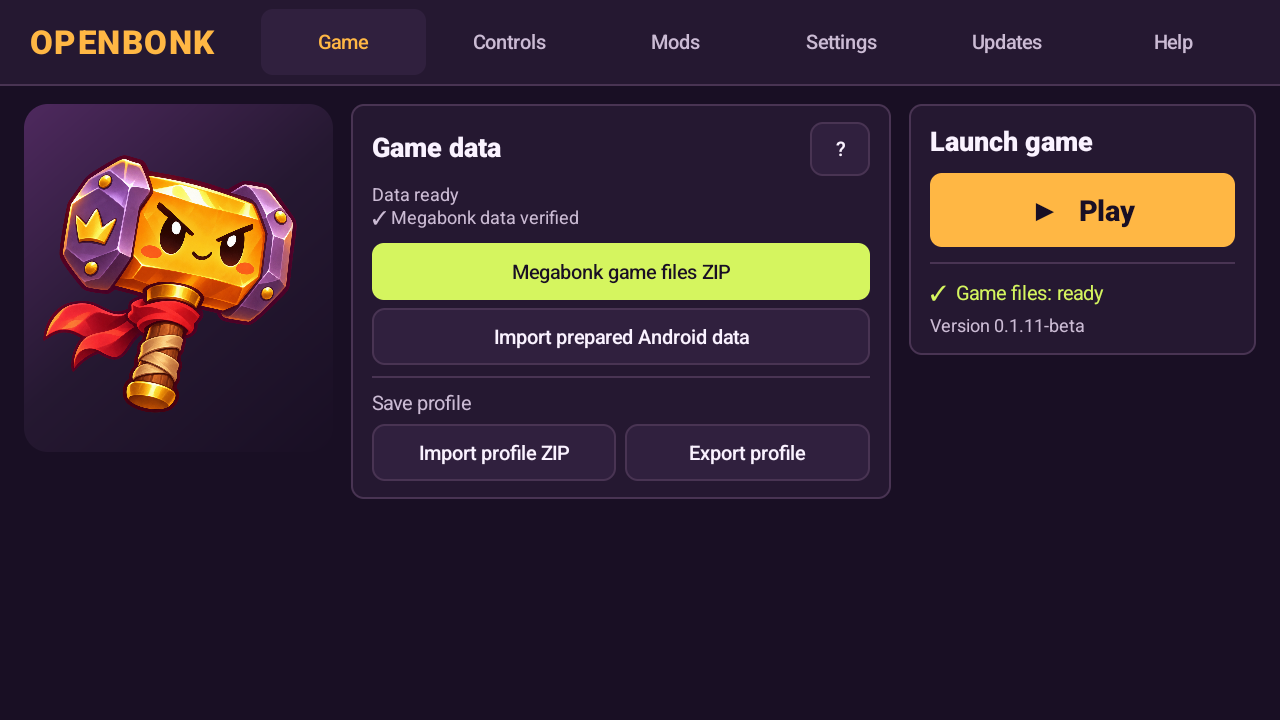
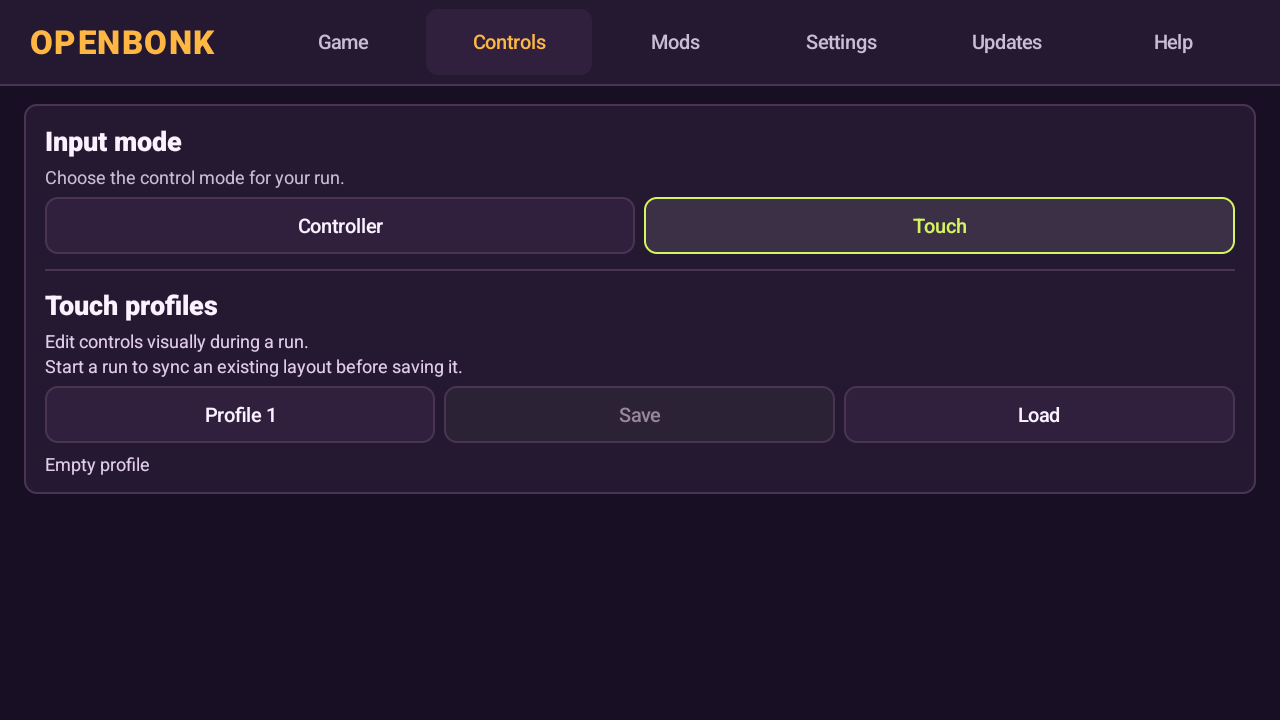
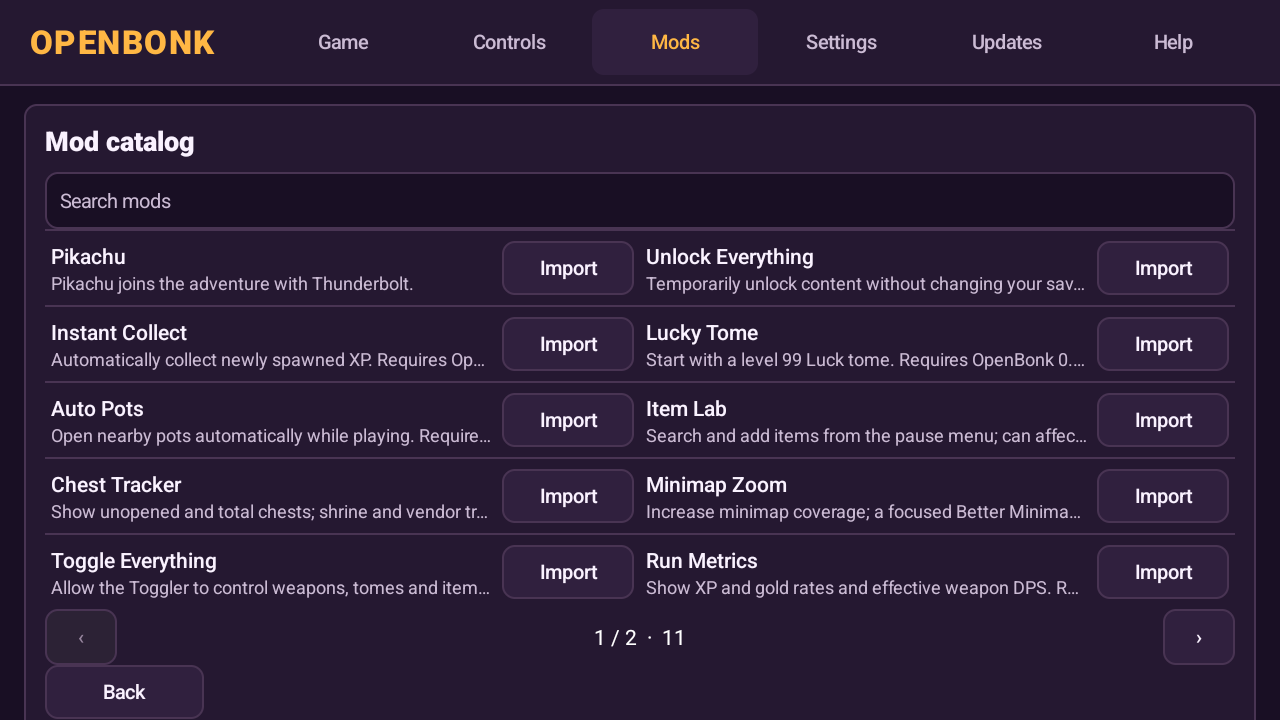
| Controls | Mod catalog |
|---|---|
 |  |
Start playing
- Download
OpenBonk.apkfrom the newest beta release. The ZIP helpers referenced in the guides are available in the 0.1.2 beta package; use the APK from the newest release. - Create a ZIP containing the
Megabonk_Datafolder from your own compatible Steam installation. The ZIP must be no larger than 1 GiB; the guide explains how to create a smaller ZIP if necessary. - Copy
OpenBonk.apkand your private game-data ZIP to Android. Install and open the APK, choose Megabonk game files ZIP, and wait for Data ready. - Choose Touch or Controller in Controls, then return to Game and press Play.
OpenBonk requires 64-bit Android 8 or later. It has been tested on a Retroid Pocket 5, an iPlay 70 mini Pro and a Xiaomi phone. Device compatibility is still being established. Back up existing progress before replacing or uninstalling an app.
Install newer official APKs over your existing app to keep your profile. A ZIP saved with Export profile can also be restored with Import profile ZIP on a newer release. Keep a pre-update export if you plan to return to an older build.
Installation guides
Choose a guide for detailed instructions on Steam data, installation, progress backups and troubleshooting. The guides may link to an older helper ZIP: install the APK from the newest release above. Translations other than English and Spanish are machine-generated from the English guide; please report unclear instructions.
| English | Español | Español (Latinoamérica) |
| Čeština | Deutsch | Français |
| Italiano | 日本語 | 한국어 |
| Polski | Português | Русский |
| ไทย | Türkçe | Українська |
| 简体中文 | 繁體中文 |
Install with an AI agent
Have a coding agent on your computer? Connect your Android device by USB and paste the prompt below into your agent. USB debugging is optional: the agent can guide you through enabling it, or help you install using file transfer without it. What it can automate depends on your computer, device and agent permissions.
Help me install and launch OpenBonk on my Android device. Work through the
steps with me and do whatever you can directly on this computer.

Read https://github.com/martin2844/OpenBonk and the installation guide for my
language. Detect my operating system, find my own compatible Megabonk Steam
installation and download the official beta package linked by the project.
Use the guide to create the game-data ZIP, including the size-limited helper
if needed. Keep my game files, ZIPs, profile and account details private;
do not upload or share them.

Check for a connected Android device. If ADB is available and my device has
authorized USB debugging, use it where appropriate to transfer the APK and
ZIP and install or launch the app. If authorization is pending, explain the
on-device prompt. Do not assume debugging is enabled or try to bypass it.

If debugging is off, offer me a choice: guide me through enabling Developer
options and USB debugging on my Android device and authorizing this computer,
or continue without debugging. Explain that the settings can vary by device.
If ADB is missing, help me install Android platform tools if I choose that route.

Without debugging, use USB file transfer (MTP) if accessible and walk me through
unlocking the device, selecting File transfer, copying the files if necessary,
installing the APK and approving Android's prompts. If USB transfer is
unavailable, suggest a local transfer method and guide me.

Help me choose touch or controller, import the Steam ZIP in the launcher, wait
for Data ready and start the game. Ask me to perform any step that requires
interaction on the device. Preserve existing installations and saves: help me
back up progress before any replacement or uninstall, and ask before removing
anything. If a step fails, explain what happened and help me troubleshoot.
Touch controls
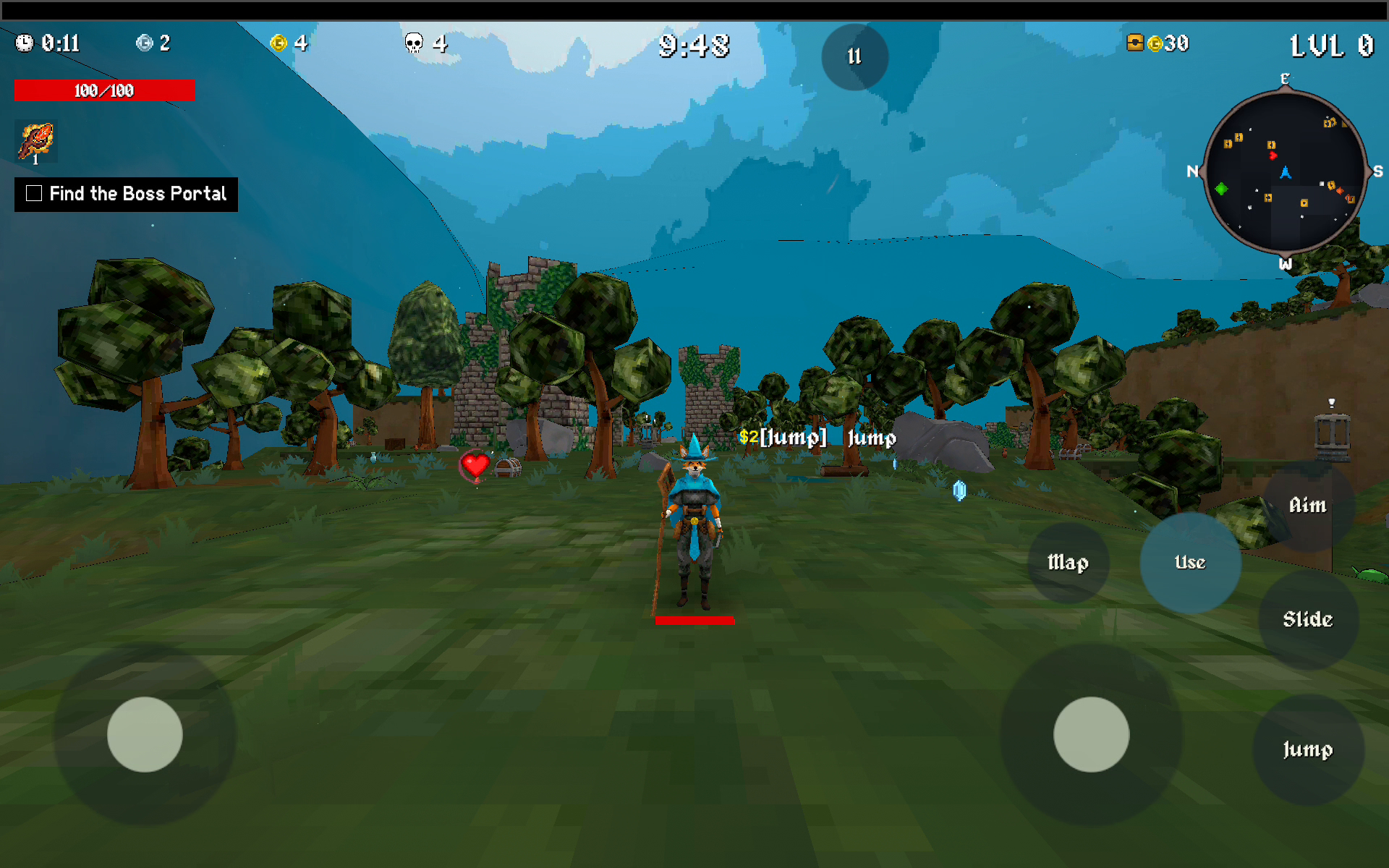
The beta includes an in-game layout editor with individual visibility and opacity, grid snapping, saved profiles and optional auto-run. Tap Edit at the bottom of the game screen to open it, then tap Done to return to play. See the touch controls guide.
Mods
Open Mods in the launcher and choose Browse mods or Import ZIP. Enable the mods you want in Manage mods. New imports and updates start disabled.
Retry lets you revive in the same run and requires beta 0.1.11 or newer. The Lua modding guide covers the package format and includes examples such as the experimental Pikachu mod.
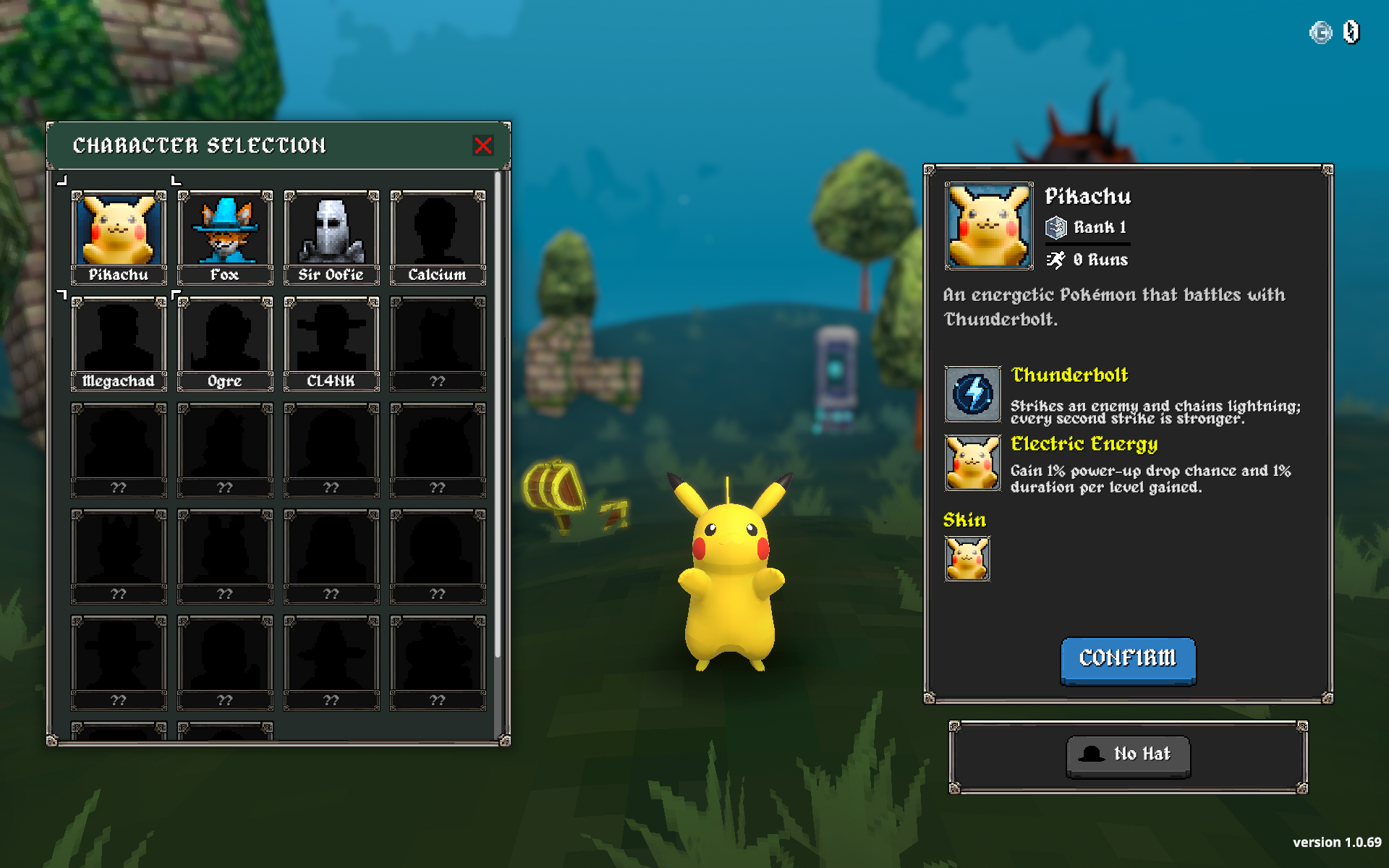
The Lua interface is under development. It offers specific stat hooks and experimental content callbacks; it does not yet expose every game system or provide automatic compatibility with other recomp projects. Install mods from sources you trust: the current sandbox is not a security boundary.
Source and development
The repository contains reconstructed C# game scripts, the Android launcher and import code, a native Lua bridge, shaders and development tools. The code is a reconstruction, not a byte-for-byte decompilation.
- Local build quickstart — create a private research APK using compatible local game files and the required tools.
- Build status and limitations — dependencies, verification results and known gaps.
- Unity source · Lua runtime · Mod examples · Preparation tools
Building Android requires a compatible local Steam installation, Unity with Android support, AssetRipper and other dependencies; generated game data and signing keys are not included. A fresh clone has produced a playable Android build, but the exact published APK has not yet been independently rebuilt from scratch. See Android build instructions.
Privacy and attribution
Keep your Steam game-data ZIP, profile, signing keys and account information private. The launcher requests Internet access to check the OpenBonk update manifest and mod catalog on GitHub, and downloads only what you choose to install. It checks for updates periodically; Android asks for confirmation before installing an APK. Steam game data and profiles are not uploaded. Android system backup may include app data depending on device settings. A Feedback button opens GitHub Issues in your browser; it does not send a report automatically.
OpenBonk is not affiliated with or endorsed by Megabonk or its developer. Game-derived code, shaders, assets and third-party components have differing provenance; distribution rights and a complete license inventory have not yet been established. Pokémon and Pikachu belong to their respective rights holders. See the Pikachu notes for model attribution and provenance.