Mega Man X SNES Recomp
Mega Man X SNES Recomp is a community recomp of Mega Man X that runs on Windows and Linux.
- Type: PC port
- Game: Mega Man X
- Runs on Windows and Linux
- By mstan
- Latest release v2.3.13, 2026-11-11
- Source: https://github.com/mstan/MegaManXSNESRecomp
- Website: https://discord.gg/Ad9BwSzctP
README
Mega Man X Recompiled
Windows frame composition
The pinned shared framework uses cached HLE frame composition by default on
Windows x64. Guest CPU, mapper, audio and status behavior keep their existing
interfaces; this is a host presentation optimization. For the maintained
correctness-reference compositor, configure a separate Release build with
cmake -S . -B build-frame-lle -DCMAKE_BUILD_TYPE=Release -DSNESRECOMP_FRAME_IMPL=LLE,
then cmake --build build-frame-lle. Selection is fixed at build time.
LLE can reduce performance; it remains available for correctness checks. Other
platforms keep LLE defaults, and existing CMake cache selections are preserved.
See HLE defaults and opt-out.
The reviewed native-view, uncapped Windows route measured 340.936 to 889.911 FPS (+161.02%, process CPU -67.17%); it includes boot/menu work and active gameplay. The owner accepted the normal-paced adaptive HLE build. These figures describe that measured build/route, not a new measurement of subsequent upstream title changes or other platforms. Foreign compiler activity limits precision. Normal play retains normal pacing/audio. See the shared framework's frame model for the host/guest boundary.
Play Mega Man X on PC with playable Zero, couch co-op and online netplay, all sixteen X2/X3 boss weapons, and adaptive widescreen. Choose Zero's original X3 combat, the optional Modern style with direct saber attacks, a second jump, and an air dash, or Saber Zero by RaphaelAzev.
Download | Getting started | Netplay setup
Saber Zero
Saber Zero is contributed by RaphaelAzev, from the MegaManXSNESRecompSaberZero fork. It gives Zero a Y-button Z-Saber: a 3-hit ground combo, air, wall and dash slashes, the X3 finisher with its Saber wave, hit-priority follow-ups, and Ride Armor pilot art. The X button keeps Zero's buster and special weapons.
To play it, choose Zero behavior → Saber Zero in either Characters → Add Zero (single player, Select switches X/Zero) or Characters → Co-op (whichever player is Zero). Both use your Mega Man X3 USA ROM, like the other Zero modes. The optional Characters → Saber Zero settings entry tunes its damage, hit priorities, finisher window and swing volume, and can outline hitboxes. Without it, Saber Zero uses RaphaelAzev's defaults.
The Saber sprites and sound effects come from the
Zashiko Mod. They are included with permission
under PolyForm Noncommercial with the additional permissions in PERMISSIONS.md. Controls, timings, the priority ladder and every
option are in the Saber Zero reference.

Click the thumbnail to watch the gameplay showcase on YouTube.
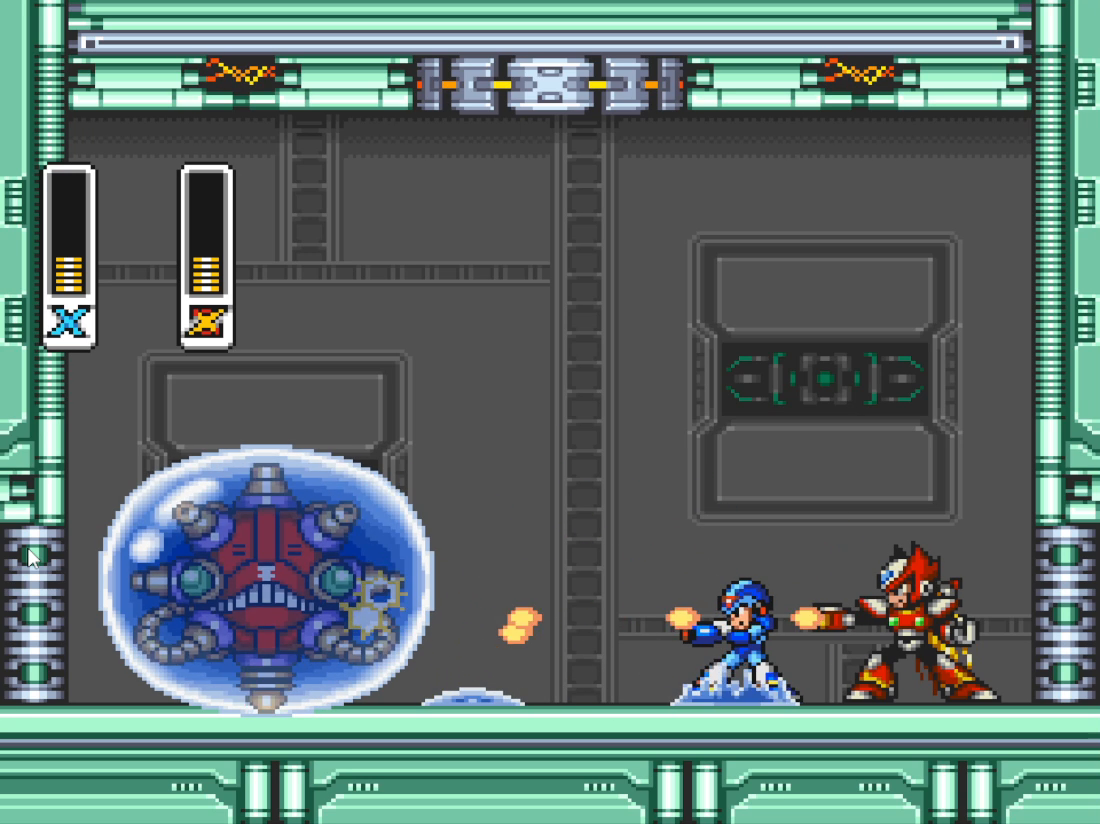
X / Zero co-op Fight through X1 together, locally or over netplay. |
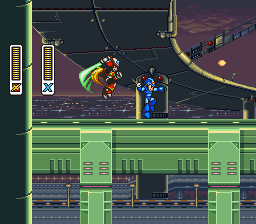
Modern Zero Direct saber attacks with movement during airborne swings. |
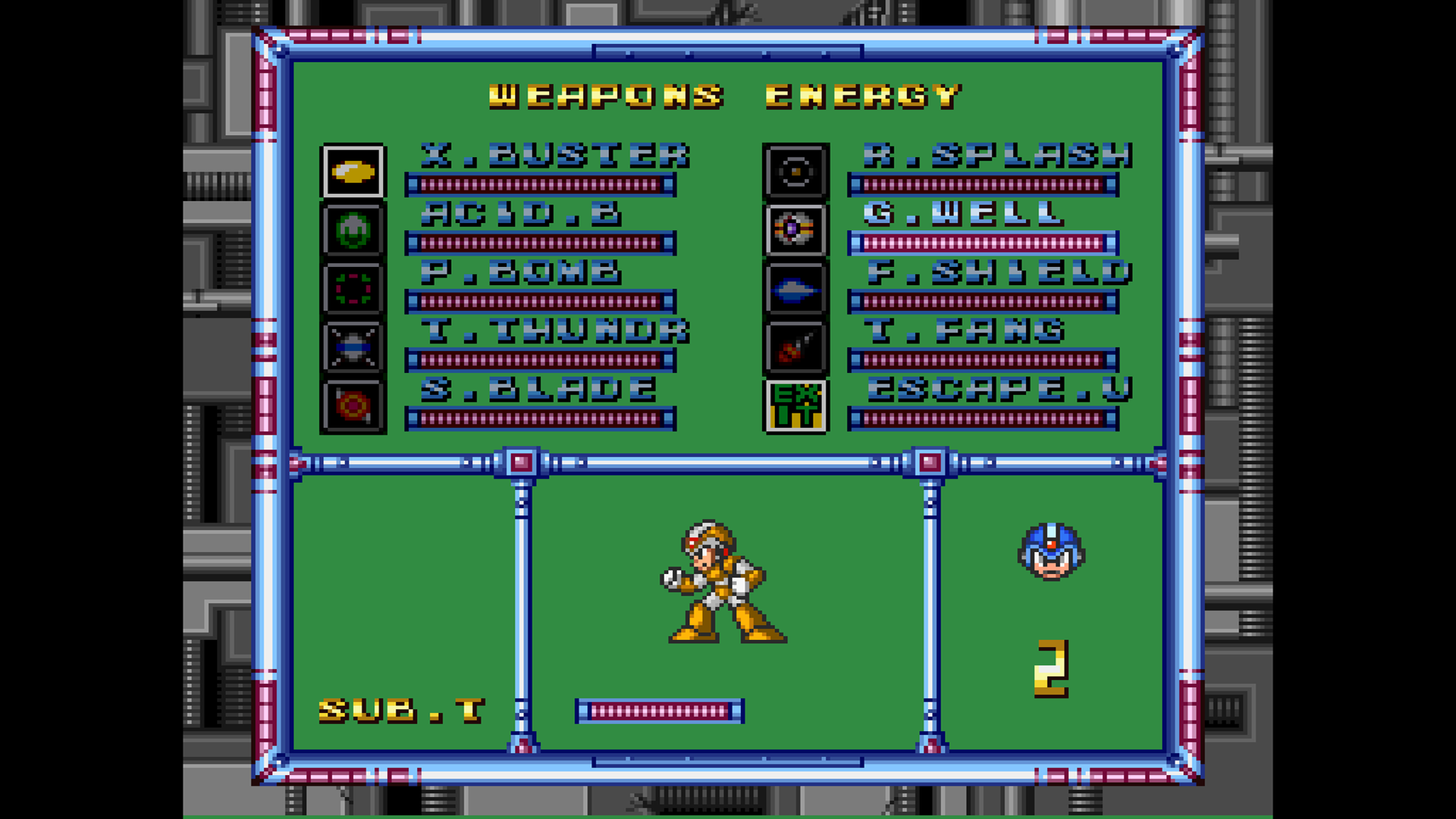
X2 / X3 weapon pages Sixteen imported boss weapons and their charged attacks. |
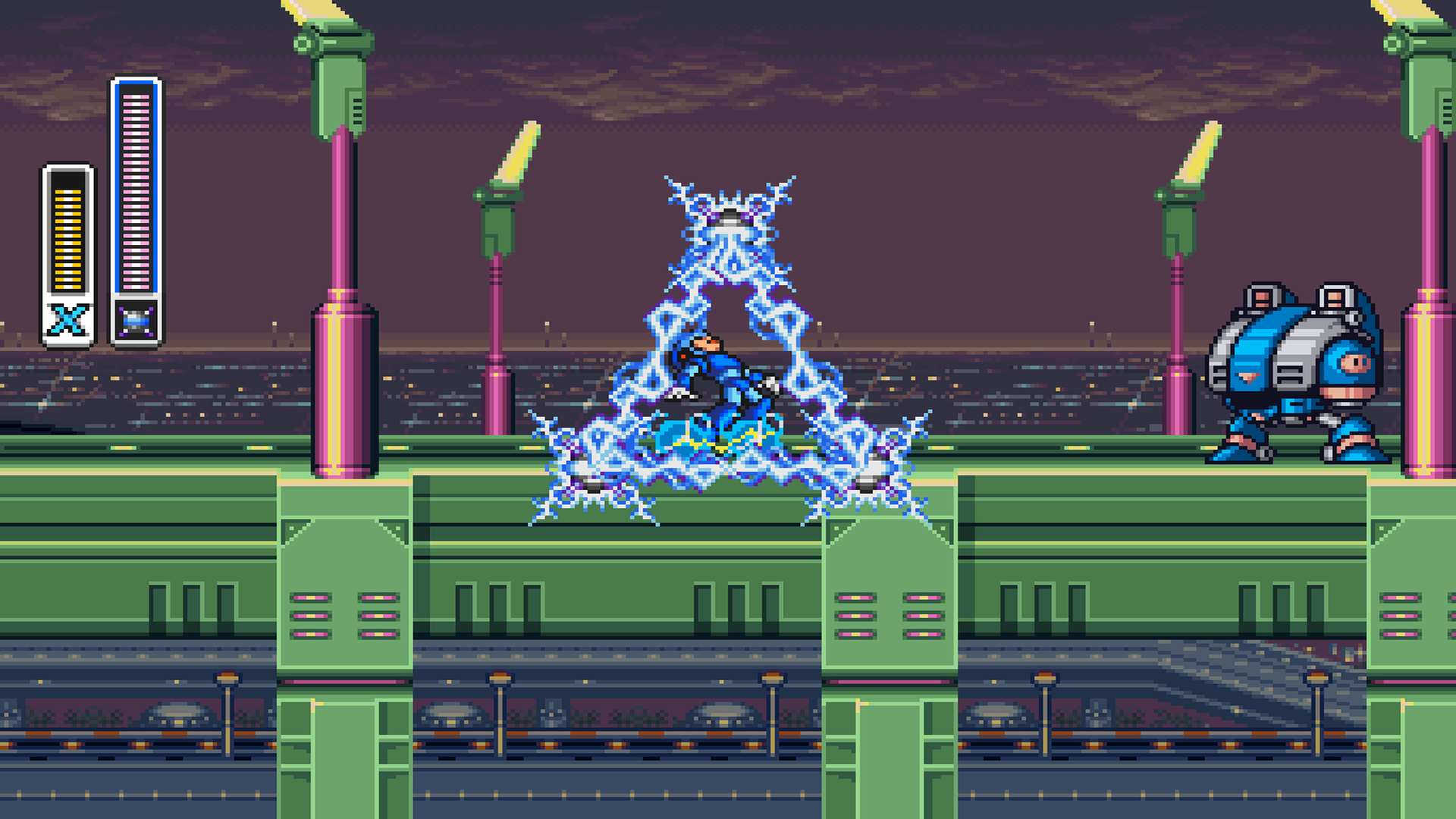
Imported weapons in action X3's Triad Thunder on X1's Highway. |
Gameplay screenshots from the project preview, plus a Modern Zero capture from the current playtest.
Features
Checked boxes indicate available features. Configure optional mods in the launcher's Mods screen; these character and weapon mods target the USA Rev 1 build.
| Available | Feature | What it adds |
|---|---|---|
| ☑ | Password saves (SRAM) | Remembers the last generated password and prefills it on the next launch. Enabled by default. |
| ☑ | Adaptive widescreen | Expanded gameplay with adaptive, 16:9, 21:9, and 32:9 views. |
| ☑ | Playable Zero | X3 Zero with his buster/saber combo and grounded character switching. Separate health for X and Zero. |
| ☑ | Modern Zero | Direct saber attacks, double jump, air dash, and movement during airborne swings. |
| ☑ | Co-op mode | X and Zero with independent health, weapons, and weapon energy. Optional local side-by-side screens, at 5:4 per player or widescreen per pane. |
| ☑ | Boss Rush | Endless fights against two different Mavericks, solo or co-op, from the game's title menu. |
| ☑ | X2 weapons | All eight boss weapons and their charged attacks, adapted for X and Zero. |
| ☑ | X3 weapons | All eight boss weapons and their charged attacks, adapted for X and Zero. |
| ☑ | Damage multipliers | Separate mods for X's damage dealt and player damage received, from 0.1x to 10x. |
| ☑ | X2 / X3 Armor (experimental) | Donor X graphics and abilities, unlocked through X1's armor capsules. X3 Gold Armor is awarded by the Hadouken capsule. |
| ☑ | Netplay | Two-player online co-op with lobbies and rollback, plus optional fixed widescreen. |
See the co-op validation notes for current limits.
Quick start (pre-built release)
- Download the latest Windows ZIP or Linux AppImage. Extract the ZIP on Windows, or make the AppImage executable on Linux.
- Open the launcher and select your own Mega Man X (USA) (Rev 1) ROM
(
.sfcor.smc). Headered and unheadered ROMs are supported. - Configure your keyboard or controller in Controls.
- Enable the features you want in Mods, then select Play.
For Zero or co-op, select your own Mega Man X3 USA ROM in Mods. The X3 weapon mod shares that selection. X2 weapons need your Mega Man X2 USA ROM. Assets are extracted automatically on your machine.
For X2 / X3 Armor (experimental), enable it in Mods, choose the donor game in the Armor dropdown, and supply that game's USA ROM. X starts with the donor game's basic appearance and ground dash. X1's capsules unlock the matching donor parts; X3's four regular parts remain standard armor, and the Hadouken capsule also grants Gold Armor and its enhancements. The mod is off by default and has passed preliminary playtests.
Select Modern under Zero behavior in either Zero mod for saber combat and extra aerial movement. X3 Behavior is the default. Add Zero and X / Zero Co-op are alternatives; enabling one disables the other.
All Zero styles can break blocks with their head and feet from the start, including in co-op. X still needs his corresponding armor upgrades.
For widescreen, enable Widescreen in Mods and choose your view aspect. Display Aspect in Settings controls pixel proportions. Netplay uses the original view or fixed 16:9, 21:9, or 32:9.
Setup guides: Zero, X2/X3 weapons, password saves, and netplay. No ROMs or extracted assets are included in the downloads.
For Storm Eagle's speedrun trick and local practice saves, see the Magic Carpet guide.
In Mods > Gameplay, enable X damage dealt or Player damage received and choose its Damage multiplier. The two mods are independent: 0.5x halves damage, 1x keeps normal damage, and 2x doubles it. Choices range from 0.1x to 10x; both mods start disabled with 1x selected. X's multiplier includes native and imported weapons and leaves Zero's attacks unchanged. Received damage applies to both characters after armor reduction. Fractional damage carries between hits, separately for each enemy and player: at 0.1x, five 2-HP hits cost 1 HP in total. Individual hits can cause no HP loss while retaining their normal hurt reaction. Damage caps safely at 127 HP. Immunities and instant-death hazards keep their native behavior. Save states and rewind preserve fractions.
Which ROM?
The game needs the v1.1 (Rev 1) cartridge dump. The original v1.0 release has different code and is refused. Checksums are for the ROM without a 512-byte copier header; the launcher removes the header before checking.
| Use for | No-Intro name | SHA-256 | SHA-1 | CRC32 |
|---|---|---|---|---|
| Game | Mega Man X (USA) (Rev 1) | b8f70a6e7fb93819f79693578887e2c11e196bdf1ac6ddc7cb924b1ad0be2d32 | c65216760ba99178100a10d98457cf11496c2097 | DED53C64 |
| Zero, co-op, X3 weapons/armor | Mega Man X3 (USA) | 65b03268afac296330e8ff8d60dd0825879e13ed658b37713c034a3bd074f1d7 | b226f7ec59283b05c1e276e2f433893f45027cac | FA0FE671 |
| X2 weapons/armor | Mega Man X2 (USA) | f3246755f608a1e1dc9c848b61da3b824c7853b29b3be40df6fc7f2793a887ed | 637079014421563283cded6aeaa0604597b2e33c | 947B0355 |
If the launcher refuses a ROM, it says which dump you picked and what it needs. For example: "This is Mega Man X (USA) v1.0. Mega Man X needs Mega Man X (USA) v1.1 (Rev 1) (SHA-256 b8f70a6e…)". It recognizes v1.0, the European and Japanese releases, the Legacy Collection and Mega Man X Collection extracts, and X2/X3 picked in the wrong place. An unknown file is described by its internal header, which also shows whether the ROM has been patched. ZIP and 7z archives are reported too, so extract the ROM first. Copy details copies your file's checksums for a bug report.
Do not pick a ROM patched for MSU-1, a translation or a hack. MSU-1 music, Zero and co-op are added through Mods.
Controls and co-op
Use the launcher's Controls screen to assign devices and remap buttons for each player. Xbox, PlayStation, and Switch Pro controllers are supported. For couch co-op, assign a controller or keyboard to each player. For netplay, configure your local Player 1 controls; the lobby assigns your game seat.
P2 joins automatically at a safe stage entrance in co-op. Hold P2 Select for 1.5 seconds to withdraw, and tap it to rejoin. A player who dies can tap Select to respawn beside the partner for one of the team's lives. Respawns are not available during boss or miniboss fights; the request waits until the fight is over, or until a 1-up is collected if no lives are left.
For younger or new players, turn on the Player 2 Learner Mode mod (it turns co-op on with it). Player 2 then cannot lose health or die: pits, spikes and falling behind off-screen beam them back beside Player 1, and Player 1 never waits for them. The camera follows Player 1 only, and Player 2 cannot pause, open doors, board Ride Armor or take over the stage. Player 1's death restarts the team as in single player. Player 2's health bar is hidden; Show Player 2 health bar brings it back.
Reopen the launcher during play with Ctrl+L or controller Select+L3. Configure system shortcuts in Hotkeys. F7 opens the save-state browser and F8 opens rewind; both pause gameplay while you choose.
Reporting problems
Open an issue with your build, enabled mods, and steps to reproduce the problem. For gameplay bugs, include a nearby save state and describe the inputs that trigger it.
Windows diagnostics are saved beside the executable in
logs/mmx-<date>-<time>-<process-id>.log; read-only installations use
%TEMP%/MegaManXSNESRecomp/logs. Attach that log and last_run_report.json.
If a crash produced crash_report_*.json or crash_minidump_*.dmp, include
those too. Grab the reports before running the game again.
On Linux, check logs/ beside the AppImage or compiled executable. If that
directory is read-only, the startup log falls back to
$XDG_STATE_HOME/MegaManXSNESRecomp/logs (normally
~/.local/state/MegaManXSNESRecomp/logs), then /tmp/MegaManXSNESRecomp.
Set MMX_REPLAY_DIR to an existing writable folder to choose where replay
segments and their sidecars are recorded.
Netplay disconnect details and long application stalls are logged automatically in the session log. They distinguish a received peer goodbye from a timeout, report the age of the last peer packet, and identify long gaps in network processing or slow replay recording. Collect the session logs from both players when a match disconnects; no Developer mod needs to be enabled.
For additional connection detail, enable the Tier 2 diagnostics mod
(Developer group) before hosting or joining. Each match then writes
saves/netplay/net_diag.jsonl (the transport, whether ICE connected directly,
through STUN or through TURN, and any stalls); attach it with the log. The
file is replaced by the next match.
Replay diagnostics are enabled by default, including when updating an
existing installation. Normal play records both players' inputs, machine
checkpoints, display settings and per-frame state checks. No Developer mod
needs to be enabled. When a problem occurs, stop playing and zip the session's
logs/mmx-replay-* files together, including all .replay, .replay.sav,
.config.ini, .mods.toml and .mods.txt files. A .replay alone is insufficient.
During netplay, collect the files from both players if possible. Describe what
happened and roughly when. Keep your source ROMs out of the attachment.
Replay history keeps up to one hour (360 segments), with a 256 MiB budget
for machine checkpoints plus the bounded input/settings sidecars. Rollback or
frequent state loads can shorten this window. Each segment is capped at 600
frame executions or 16 MiB of checkpoints. Run-ahead currently suspends
replay capture; turn it off while collecting a report. To opt out of automatic
recording, set the environment variable MMX_REPLAY_RECORD=0 and leave the
Developer diagnostic options disabled.
For extra detail, enable Co-op physics diagnostics or Tier 2 diagnostics under Mods > Developer. These optional detailed traces remain off by default; the rolling replay capture runs without them.
Replay writes and state hashing run on a background worker using a fixed 16 MiB queue. Each detailed CSV trace has a fixed 4 MiB queue. If storage falls behind or fails, the affected recording stops with an explicit runtime-log warning; gameplay does not wait for the writer and the queue cannot keep growing. Quit normally to drain accepted records before zipping the logs. An abrupt process kill can lose the unflushed tail (replay flushes run every 100 ms).
The existing collision trace is written in 32 MiB
numbered segments (logs/coop-physics-<start time>-<pid>-<n>-001.csv, -002.csv,
...); the newest 32 are kept. Attach every segment of the session. During netplay
the same mod also writes logs/coop-netplay-* segments with the same name stem;
attach those too, from both players if possible.
CSV writes, flushing and rotation also run on background workers.
Developers can reproduce a capture with the same build and owned source ROMs:
python tools/replay_diagnostic.py capture.replay --exe path/to/MegaManXSNESRecomp --rom path/to/mmx.sfc --x3-rom path/to/mmx3.sfc --headless
The helper stages the captured settings in a new directory, replays offline,
and stops at the first WRAM, co-op, camera-state or VRAM mismatch with a nonzero
exit status. Use --until N to stop after N executions, or omit --headless
to watch. A mismatch also saves replay-divergence.sav in the reproduction
directory. --check inspects the log without starting the game. A final input
without a completed checkpoint identifies an interrupted frame; it is reported
as incomplete, never as a successful replay. Playback executes that final input
so the original hang/crash can recur under a debugger. The format preserves actual
rollback executions and restored checkpoints, so do not deduplicate frame
numbers as an input-only CSV route would.
New recordings use format 2 with the original ROM's identity, independent of temporary character collision-table patches. The helper also accepts format 1; legacy ROM validation reconstructs known collision-table variants and still rejects a different ROM. This workflow follows X4's Playtest Diagnostics; the shared bounded writer implementation lives in snesrecomp.
The ROM-backed acceptance suite is tests/test_diagnostic_replay.py; build
with -DMMX_STATE_TESTS=ON and supply --state-tests, --game, --rom,
--assets (your extracted X3 Zero cache), and a new --work-dir. An optional
--fixture pointing to an upgraded gameplay checkpoint also checks P2 X armor
arrival, native checkpoint restart, and original-ROM sprite transfers during
movement and dash.
Supply --x3-rom to also exercise desktop Saber Zero playback when the saved
offline preferences differ from the active mod selection.
To see collision boxes, tick Hitbox overlay under Mods > Developer. It outlines each object's native hitbox: enemies red, players green (both players in co-op), player shots yellow, Zero and Saber attacks cyan, enemy projectiles magenta. It only draws, works with or without widescreen, and does not change the game. Items and pickups are not outlined.
Building from source and technical details
Building from source
Release notes belong in the GitHub release description. Do not create or commit
RELEASE_NOTES*.md files, or include them in release packages.
Clone with all framework dependencies, then run the idempotent bootstrap check:
git clone --recurse-submodules https://github.com/mstan/MegaManXSNESRecomp.git
cd MegaManXSNESRecomp
bash tools/bootstrap.sh
The snesrecomp/ directory is a pinned submodule from
mstan/snesrecomp, and recomp-ui/
is the shared launcher UI submodule. If you cloned without
--recurse-submodules, tools/bootstrap.sh initializes them and their
nested dependencies. The gitlink in this repository is the dependency pin;
there is no separate SHA to keep synchronized.
Generated game C is not redistributed. Before the first build, stage a legally
obtained USA Rev 1 ROM as mmx.sfc, then run:
cp "/path/to/Mega Man X (USA Rev 1).sfc" mmx.sfc
bash tools/regen.sh usa --no-tests
On Windows 10 or newer, install MSYS2 with the
mingw64 toolchain (cmake, ninja), the SDL3 development package, Git,
Python 3.9 or newer, and rustup. Run the bootstrap and regeneration steps
from Git Bash, then:
cmake -S . -B build-recompui -G Ninja -DCMAKE_BUILD_TYPE=Release \
  -DCMAKE_PREFIX_PATH=/path/to/SDL3/x86_64-w64-mingw32
cmake --build build-recompui
# or, packaged: SDL3_MINGW_ROOT=/path/to/SDL3 bash tools/build-windows-mingw.sh VERSION
SDL3 is the default. SDL2 remains an explicitly supported fallback: configure
a separate tree with -DSNESRECOMP_SDL_BACKEND=SDL2.
Windows